
waynestate / weld

The Wayne State app stack, welded into one application.
Package info
Language:CSS
Type:project
pkg:composer/waynestate/weld
Requires
- php: ^8.3
- inertiajs/inertia-laravel: ^2.0
- laravel/framework: ^13.29
- laravel/tinker: ^3.0
- tightenco/ziggy: ^2.4
- waynestate/helmet: ^0.2
- waynestate/sesame: ^0.1
Requires (Dev)
- fakerphp/faker: ^1.23
- larastan/larastan: ^3.13
- laravel/pail: ^1.2.2
- laravel/pint: ^1.32
- laravel/sail: ^1.41
- mockery/mockery: ^1.6
- nunomaduro/collision: ^8.6
- phpstan/extension-installer: ^1.4
- phpunit/phpunit: ^12.0
- waynestate/creed: ^0.1
- waynestate/proctor: ^0.2
Suggests
None
Provides
None
Conflicts
None
Replaces
None
README
On Citadel it is served by the raw-PHP deploy layer in deploy/: a SQUIRE kit whose front controller serves site/ behind HELMET's security headers. For local development, keep serving site/ directly.
WELD


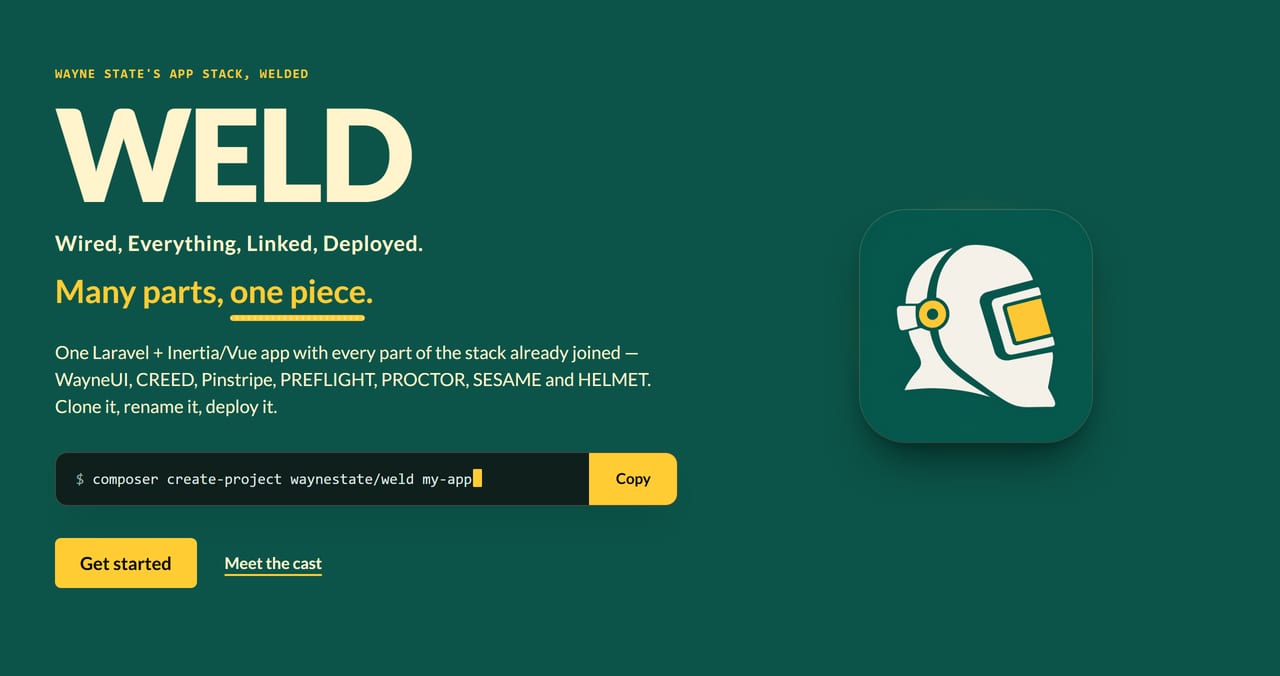
Wired, Everything, Linked, Deployed. Many parts, one piece.
WELD is the whole Wayne State app stack joined into one application. Install it, deploy it, and every part is already hooked up: sign-in, security headers, checks, coding standards, CI and the WayneUI interface. Think of it as the Megazord, except it comes with a deploy script and nobody has to shout to make it combine.
Development happens on Wayne State's GitLab; this repository is a release mirror. Changes land there first.
Get it
WELD is an app you start from, not a library you require. The Megazord ships in a repo, not a box. Clone it and it is yours to rename:
git clone https://github.com/waynestate/weld.git my-app
cd my-app
composer install
npm ci
# Windows (PowerShell):
Copy-Item .env.example .env
# Linux/macOS:
cp .env.example .env
php artisan key:generate
What is welded in
| Part | What it does in WELD |
|---|---|
| WayneUI | The interface: Wayne State's design system, wired into the Vue front end and Blade layouts |
| CREED | The written standards and policy.json: supported PHP, Laravel and Node versions |
| Pinstripe | The coding standard: Pint, PHPStan level 8, ESLint and Prettier |
| PREFLIGHT | The CI pipeline, from GitLab CI/CD components |
| PROCTOR | The checks, run in CI and as the deploy gate |
| SESAME | Sign-in, with CAS today and the auth gateway later, and app-native sessions |
| HELMET | The baseline runtime: security headers and CSP, sessions, trusted proxies, /up |
| Ziggy | Route names as URLs: the route list ships inside the Vite bundle, so route() works in Vue without an inline script |
 One request, six stops, one seam. The bead runs the length of it; with reduced motion on, it stays put.
See the front page: three cuts from site/ at phone width

Status
HELMET, SESAME and PROCTOR are welded in from Packagist; the rest of the cast is on Packagist too and gets welded on in turn. What is on the bench today:
composer.jsoniswaynestate/weld, requires PHP^8.3, and the lock file resolves for 8.3.0.env.examplesetsAPP_NAME=WELD,LOG_CHANNEL=stderrandSESSION_DRIVER=databaseSchema::defaultStringLength(191)keeps index keys under Citadel's MySQL 5.6 767-byte cap.gitattributessets* text=auto eol=lfcomposer ciis the CI contract: it runs validate, tests, Pint, PHPStan level 8 and audit, the same command on GitLab and GitHubpint.jsonandphpstan.neonstill copy Pinstripe's 0.1 Laravel presets; Pinstripe 0.1.1 is on Packagist (tagged), and they switch toincludes: vendor/waynestate/pinstripe/...when WELD requires it- HELMET runs its security headers and CSP middleware in the global chain, so every response carries the baseline;
the Vite build takes the per-request nonce; trusted proxies are a literal list in
bootstrap/app.php;/upstays Laravel's built-in health route - SESAME owns sign-in at
/loginand/logout; the fake driver stands in for the identity provider locally, and CAS is an env change away - PROCTOR measures WELD against CREED's
policy.jsonas a CI job (composer proctor): warnings pass, failures block - The starter kit's password auth (register, login, password reset, two-factor) is removed on purpose; the door is SESAME's
- The license is MIT
Best practices for building, running and deploying WELD live in BEST_PRACTICES.md.
Run it locally
One command strikes the spark; the containers do the welding. Docker is the only prerequisite: PHP and Node run in the containers, so the host needs neither.
- Windows (PowerShell 5.1 or 7):
.\bin\weld.ps1 up - macOS / Linux:
bin/weld.sh up
up copies .env.example to .env if it is missing, installs the PHP and Node
dependencies in the containers, starts the app and Vite, generates the app key if
it is not set, and runs the migrations. Then open http://localhost:8000.
The same subcommands work on every OS:
| Command | What it does |
|---|---|
up |
Bring the whole stack up, as above |
down |
Stop and remove the containers |
test |
Run composer ci in the app container |
doctor |
Run php artisan weld:doctor in the app container |
logs |
Follow the container logs |
Deploying somewhere other than a laptop? Running WELD off Citadel covers OpenShift, Coolify and plain Docker, with Citadel for comparison.
Check your setup
Maintainers: how to build, test and release this project, and where its data comes from, is in MAINTAINING.md.
weld:doctor strikes an arc across the local setup and reports every joint: the app key,
writable storage, the database and pending migrations. One line per check, PASS or WARN or FAIL;
exit code 1 when anything FAILs, so it works as a gate. The standards checks (PHP version, debug
in production, secure session cookies) belong to PROCTOR: run composer proctor, and the doctor
report says so. A good bead is a quiet one: all PASS and nothing to say.
- Windows (PowerShell):
.\bin\weld.ps1 doctor - macOS / Linux:
bin/weld.sh doctor - Straight to the container:
docker compose run --rm app php artisan weld:doctor
Add --json to any of them for a machine-readable report.
WELD and Sourdough
Sourdough makes a new app in any of the stack's shapes: raw PHP, Laravel with Blade, Laravel with Inertia and Vue. WELD is one of those shapes, Laravel with Inertia and Vue, with every part already joined and proved to work together. Pick Sourdough when you want a starter you shape yourself. Pick WELD when you want the finished piece.
The cast


 Fourteen parts, one bead. The README art is cut from the front page by
scripts/readme-art; no sparks were drawn in its making.