
waynestate / advisor

Wayne State's own MCP server: orients a developer and gives their coding agent read-only tools into every project of the app stack.
Requires
- php: ^8.3
- ext-fileinfo: *
- ext-json: *
- ext-mbstring: *
- composer/semver: ^3.0
- mcp/sdk: 0.9.0
- opis/json-schema: ^2.4
- psr/log: ^3.0
- symfony/console: ^7.4
- symfony/process: ^7.4
Requires (Dev)
- laravel/mcp: 1.1.2
- laravel/pint: ^1.32
- orchestra/testbench: ^10.0
- phpstan/phpstan: ^2.1
- phpunit/phpunit: ^11.5
- waynestate/pinstripe: ^0.1
Suggests
- laravel/mcp: For the Laravel adapter (1.1.2): ADVISOR then runs beside Laravel Boost with `php artisan mcp:start advisor`
Provides
None
Conflicts
None
Replaces
None
README
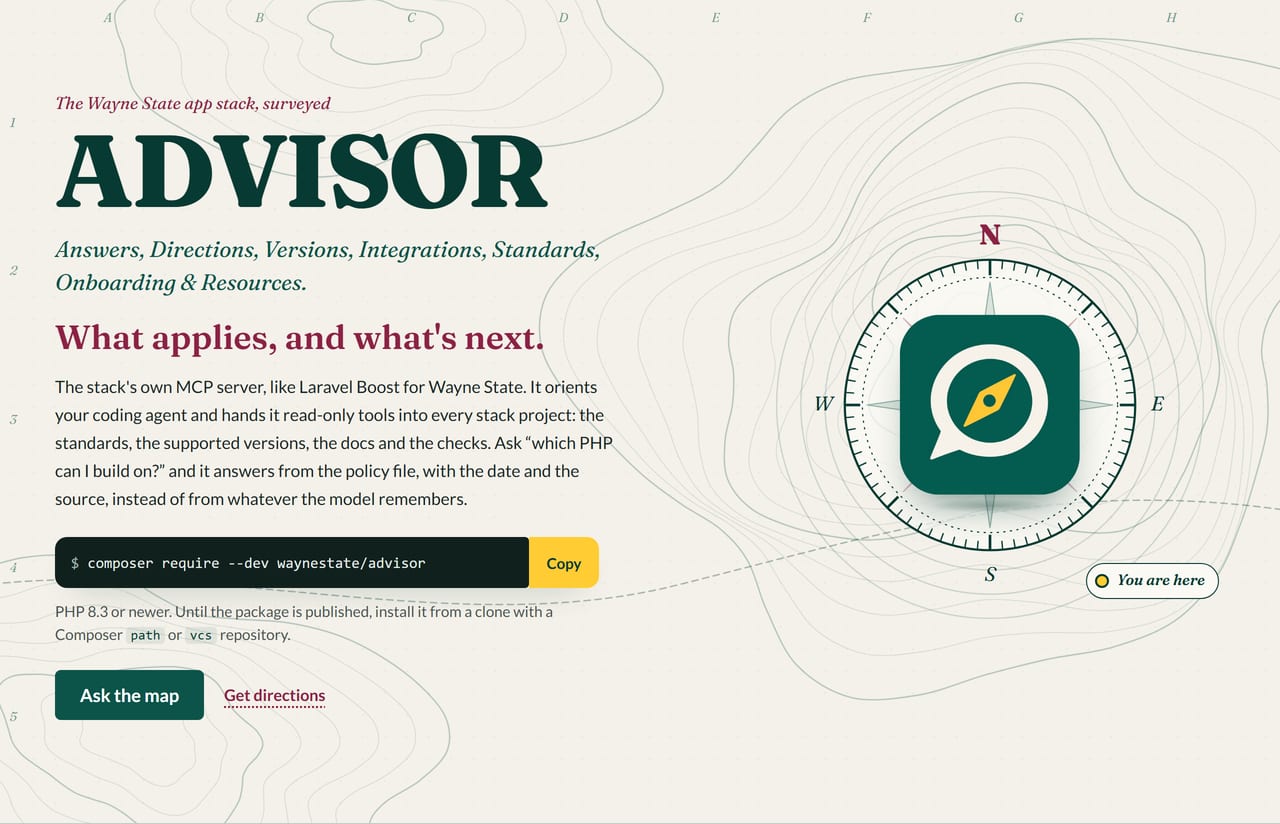
ADVISOR


 What applies, and what's next.
Front page: site/index.html, a static field map of the stack (open it in a browser).
On Citadel it is served by the raw-PHP deploy layer in deploy/: a SQUIRE kit whose front controller serves site/ behind HELMET's security headers. For local development, keep serving site/ directly.
Checks: composer ci (the same command runs on GitLab and GitHub).
Development happens on Wayne State's GitLab; this repository is a release mirror. Changes land there first.
Every WSU student has an advisor. Now every WSU app does too, and this one answers email.
ADVISOR is WELD's own MCP server, like Laravel Boost for WSU. It orients a developer who is new to the stack and gives their coding agent read-only tools into it: the CREED standards and policy, PROCTOR results, the upgrade path, the WayneUI markup contract, SESAME and HELMET guidance, and the parts list. Ask it "which PHP can I build on?" and it answers from the policy file, with the date and the source, instead of from whatever the model remembers.
It is read-only in 0.1. It cannot write a file, run a shell command, or call out to the network. The two things it
can start are the app's own vendor/bin/proctor and BOOSTER's read-only plan, both with a fixed argument shape.
Where it sits in WELD
WELD is the Wayne State application stack: Wired, Everything, Linked, Deployed. ADVISOR is the part that talks to your coding agent.
| Part | What it is |
|---|---|
| WayneUI | interface (project 0) |
| CREED | version policy and written standards |
| PROCTOR | checks an app |
| SESAME | sign-in inside the app |
| HELMET | runtime baseline |
| Sourdough | starter |
| PREFLIGHT | CI components |
| Pinstripe | coding standard |
| BOOSTER | upgrades |
| ROLLCALL | fleet census |
| DRAWBRIDGE | sign-in gateway |
| SQUIRE | deploy kit |
| ADVISOR | MCP server |
| WELD | the stack's name and its reference app |
ADVISOR serves a bundled copy of what these projects publish (see "Served content"), so it works offline, and it does not replace Laravel Boost. Boost knows Laravel; ADVISOR knows WSU. Run both.
Install
PHP 8.3 or newer (8.3, 8.4 and 8.5 are tested). Add it to the app as a dev dependency:
composer require --dev waynestate/advisor
The command is then php vendor/bin/advisor. This works the same on Windows, macOS and Linux, because it is one PHP
command and not a shell script.
ADVISOR 0.1.0 is on Packagist: composer require --dev waynestate/advisor:^0.1. No extra repository needed.
Quick start
-
Print the config your MCP client needs, and read it:
php vendor/bin/advisor install --client=claude -
Write it into the project when you are happy with it:
php vendor/bin/advisor install --client=claude --write -
Open the project in your client and approve the
advisorserver by name when it asks.
The command it registers is always the same fixed string, php vendor/bin/advisor mcp, with ADVISOR_ENABLED=1 in
its environment. Clients: claude (.mcp.json), warriorgpt (.mcp.json), cursor (.cursor/mcp.json), vscode
(.vscode/mcp.json) and codex (TOML, printed only; paste it into ~/.codex/config.toml).
install never replaces a different existing advisor entry unless you pass --force, keeps your other servers, and
warns when the file is not in .gitignore. A client config starts a program on whoever opens the project, so do not
commit a generated one; this repository ignores .mcp.json for that reason.
Run the client from the folder that holds vendor/. If it starts somewhere else, set ADVISOR_PROJECT_ROOT.
Laravel apps
ADVISOR also ships a Laravel adapter on laravel/mcp, auto-discovered by the service provider. With it, the same
server runs as php artisan mcp:start advisor, beside Boost. Publish the config if you want it in the app:
php artisan vendor:publish --tag=advisor-config
Settings come from the same ADVISOR_* variables, read through config/advisor.php. The same rules apply: off unless
ADVISOR_ENABLED is set, and never in production.
What it offers
Tools (all read-only; each says where its answer came from):
| Tool | Does |
|---|---|
list_projects |
The stack's projects, WayneUI first, with built or proposed state. |
get_project_status |
One project: state, package, PHP constraint, its floor under today's policy, next step. |
read_project_docs |
A project's README, best practices, or (WayneUI only) markup contract, paged. |
policy_lookup |
Support state for a runtime or tool (and an optional version) from CREED, as of today. |
list_stack_rules |
CREED handbook rules, each with its file and line, filtered by app permutation and chapter. |
owner_of |
Answers "which project owns X?" from the bundled ownership table, with a fuzzy topic match. |
run_proctor_check |
Runs the app's own vendor/bin/proctor check against the bundled policy and returns the findings. |
upgrade_path |
Plans the app's PHP and/or Laravel upgrade, one supported hop at a time, via BOOSTER's read-only plan. |
The groups split by what they may start: stack never starts a program, proctor starts the app's own
vendor/bin/proctor, and booster starts BOOSTER's read-only plan (never run). Set ADVISOR_GROUPS=stack
when you want ADVISOR as pure reference material.
Resources: advisor://policy and one advisor://creed/<chapter> per handbook chapter.
Prompts: orient_me and plan_upgrade.
Here is what that looks like when you ask. Each numbered control point is one of the tools above, with the arguments the front page's own route table sends:
 Ask the map: three questions, three routes. Every control point is a real ADVISOR tool or prompt, and the whole trip is read-only.
Phone-sized field notes: the front page's ask box, legend and directions

Everything ADVISOR returns is labelled as reference data. PROCTOR in CI, not ADVISOR, decides pass or fail.
Configuration
ADVISOR reads the process environment only, never a file. The placeholders are in .env.example.
| Variable | Default | Meaning |
|---|---|---|
ADVISOR_ENABLED |
off | Must be 1 or true, or the server refuses to start. advisor install sets it in the client config. |
ADVISOR_ENV |
APP_ENV, then local |
production or prod always refuses to start. |
ADVISOR_PROJECT_ROOT |
the working directory | The folder run_proctor_check may look inside. Paths outside it are refused. |
ADVISOR_READ_ONLY |
on | Set to 0 or false to allow tools that write. None exist in 0.1. Read-only wins over ADVISOR_GROUPS. |
ADVISOR_GROUPS |
all | Comma list of tool groups to offer (stack, proctor, booster). See below for what each group may start. |
ADVISOR_PROCTOR_TIMEOUT |
120 |
Seconds before a PROCTOR run is stopped (1 to 900). |
ADVISOR_BOOSTER_TIMEOUT |
60 |
Seconds before a BOOSTER plan is stopped (1 to 900). A plan is local and fast, so the default is shorter than a PROCTOR run. |
ADVISOR_BOOSTER_BIN |
none | Where upgrade_path finds BOOSTER when the app has no vendor/bin/booster of its own: the path to booster's bin/booster (or a booster.phar). The app's own vendor/bin/booster always wins. |
ADVISOR_MAX_CHARS |
20000 |
Largest piece of text one doc call returns (1000 to 45000). |
ADVISOR_AUDIT_LOG |
off | A file for a one-line-per-call audit log: time, tool, a hash of the arguments, outcome, duration. Arguments are hashed, never written. |
ADVISOR_LOG_LEVEL |
warning |
Log level on stderr (debug to emergency). |
ADVISOR_STACK_DIR |
none | Folder holding the sibling stack repos; used only by content:generate. |
ADVISOR_PRIVATE_DENYLIST |
none | A file (kept outside the repo) with private strings to strip from the bundle; used by content:generate and the public-posture test. See "Releasing". |
ADVISOR_MODULES_FILE |
none | An extra module manifest (see "Modules"). |
A bad value stops the server with a message on stderr. It does not guess.
Commands
php vendor/bin/advisor mcp                          # serve over stdio (your client starts this)
php vendor/bin/advisor install [--client=claude] [--write] [--force] [--path=.]
php vendor/bin/advisor content:verify               # check the bundled content against its manifest
php vendor/bin/advisor content:generate [--sources=<dir>] [--check]
php vendor/bin/advisor stack-parts [--write=<readme>] [--check=<readme>]
php vendor/bin/advisor doctor [--json]              # check the install when the server does not show up
Stdout carries only protocol messages. Logs, warnings and stray output go to stderr, so a client never sees garbage.
When it doesn't show up
You added the config, opened the project, and the advisor server is not in the list. Run:
php vendor/bin/advisor doctor
It checks the four things that keep a server from appearing, in plain words, and changes nothing:
- php: the PHP on your machine satisfies ADVISOR's own
composer.json(8.3 or newer). - content: the bundled
data/still matches its manifest. - client:claude, client:warriorgpt, client:cursor, client:vscode: each client's MCP config: is the file there, does it have the
advisorentry, and is the script it points at in the project? A missing file is a warning, not a failure; you only need the one client you use. - mcp: the server actually starts. Doctor boots it in-process and asks for its tools.
A fail is something to fix; a warn is something you may not care about. The exit code is 0 when nothing failed and 1 when something did; --json prints the findings as JSON.
The advisor will see you now.
Served content
The handbook, policy, project docs and WayneUI contract in data/ are generated from the sibling stack repositories by
content:generate and verified at start-up against data/manifest.json (a SHA-256 for every file). If a file does not
match, the server refuses to start rather than serve it. Files are cleaned on the way in: line endings are normalised
and invisible characters (the TAG block, zero-width and bidirectional controls) are stripped.
To refresh it, with the stack repos checked out side by side:
php vendor/bin/advisor content:generate --sources=/path/to/stack
php vendor/bin/advisor content:generate --sources=/path/to/stack --check   # exits 1 on drift
CI cannot see the sibling repositories, so composer ci runs content:verify, which needs none of them.
Releasing
ADVISOR is a public repository, so the bundle must not carry internal names. The public-posture test always checks
generic shapes (ADR numbers, open-question numbers, design-doc paths, the coordination repo). Private strings
(hostnames, people) are loaded from the file named by ADVISOR_PRIVATE_DENYLIST and checked only when the file is
present.
To release:
- Set
ADVISOR_PRIVATE_DENYLISTto a file kept outside the repository (one literal orregex:pattern per line,#comments). - In GitLab CI, the file comes from a masked file-type CI variable.
- Regenerate the bundle with the file present:
php vendor/bin/advisor content:generate --sources=/path/to/stack. - Run
composer cito confirm the public-posture test passes.
The file is never committed. The bundle is regenerated with the file present before every release.
Modules
Each stack project can later ship its own ADVISOR tools. Modules load only from a manifest (modules.json), only from
the Waynestate\ namespace, and only if they implement the Module interface. Nothing scans a folder.
Running the checks
Maintainers: how to build, test and release this project, and where its data comes from, is in MAINTAINING.md.
composer ci
That runs composer validate --strict, content:verify, PHPUnit, Pint, PHPStan (level 8, Pinstripe's raw preset,
included from vendor/waynestate/pinstripe) and composer audit. No PHP on your machine? Use Docker:
docker run --rm -v "${PWD}:/app" -w /app composer:2.10.3 sh -c "composer install --no-interaction && composer ci"
Tests drive the real SDK server in-process with a small MCP client, snapshot tools/list, and start
bin/advisor mcp as a subprocess to prove stdout stays clean. To accept an intended change to the tool list, run
ADVISOR_UPDATE_SNAPSHOTS=1 vendor/bin/phpunit, then review and commit the diff.
Safety, in short
- Off unless enabled; refuses production; refuses to start on a bad setting or a content file that fails its hash.
- Read-only by default; no tool takes a command, a URL or a free path.
- Every result is cleaned of invisible characters and labelled as data; secrets in PROCTOR output are redacted.
run_proctor_checkruns one fixed program with an argument array and an allowlisted environment, never a shell.upgrade_pathruns BOOSTER's read-onlyplanthe same way: one fixed program, an argument array, an allowlisted command, never a shell. It plans; it never runs a hop.- No network calls, and no model calls, from ADVISOR itself.
See BEST_PRACTICES.md, and OPEN_QUESTIONS.md for what is decided, assumed and not yet built.
Why "ADVISOR"
Because registration is open, the advisor will see you now, and unlike the real one it knows which PHP version you are
allowed to be on. A little Creed energy too: it will tell you who you are, in composer.json, whether you like it or not.
The brand board: the mark, lockups, palette and type

License
MIT. Copyright Wayne State University.
Everyone on the sheetWayneUI and the stack. ADVISOR is the one with office hours.


 Images are regenerated from the front page by
 scripts/readme-art. No appointment necessary.