
php-bug-catcher / skeleton

Project template for starting your new project based on the Bug Catcher
Requires
- php: >=8.3
- ext-ctype: *
- ext-iconv: *
- doctrine/dbal: ^3
- doctrine/doctrine-bundle: ^2.13
- doctrine/doctrine-migrations-bundle: ^3.3
- doctrine/orm: ^3.2
- php-bug-catcher/bug-catcher: ^1.0
- phpdocumentor/reflection-docblock: ^5.4
- phpstan/phpdoc-parser: ^1.30
- symfony/asset: 7.4.*
- symfony/console: 7.4.*
- symfony/dotenv: 7.4.*
- symfony/expression-language: 7.4.*
- symfony/flex: ^2
- symfony/form: 7.4.*
- symfony/framework-bundle: 7.4.*
- symfony/http-client: 7.4.*
- symfony/intl: 7.4.*
- symfony/mailer: 7.4.*
- symfony/mime: 7.4.*
- symfony/monolog-bundle: ^3.0
- symfony/notifier: 7.4.*
- symfony/process: 7.4.*
- symfony/property-access: 7.4.*
- symfony/property-info: 7.4.*
- symfony/runtime: 7.4.*
- symfony/security-bundle: 7.4.*
- symfony/serializer: 7.4.*
- symfony/stimulus-bundle: ^2.19
- symfony/string: 7.4.*
- symfony/translation: 7.4.*
- symfony/twig-bundle: 7.4.*
- symfony/ux-turbo: ^2.19
- symfony/validator: 7.4.*
- symfony/web-link: 7.4.*
- symfony/yaml: 7.4.*
- twig/extra-bundle: ^2.12|^3.0
- twig/twig: ^v3.26.0
Requires (Dev)
- phpunit/phpunit: ^9.5
- symfony/browser-kit: 7.4.*
- symfony/css-selector: 7.4.*
- symfony/debug-bundle: 7.4.*
- symfony/maker-bundle: ^1.0
- symfony/phpunit-bridge: 7.4.*
- symfony/stopwatch: 7.4.*
- symfony/web-profiler-bundle: 7.4.*
Suggests
None
Provides
None
Conflicts
README


Catch every bug in all your PHP applications in one place

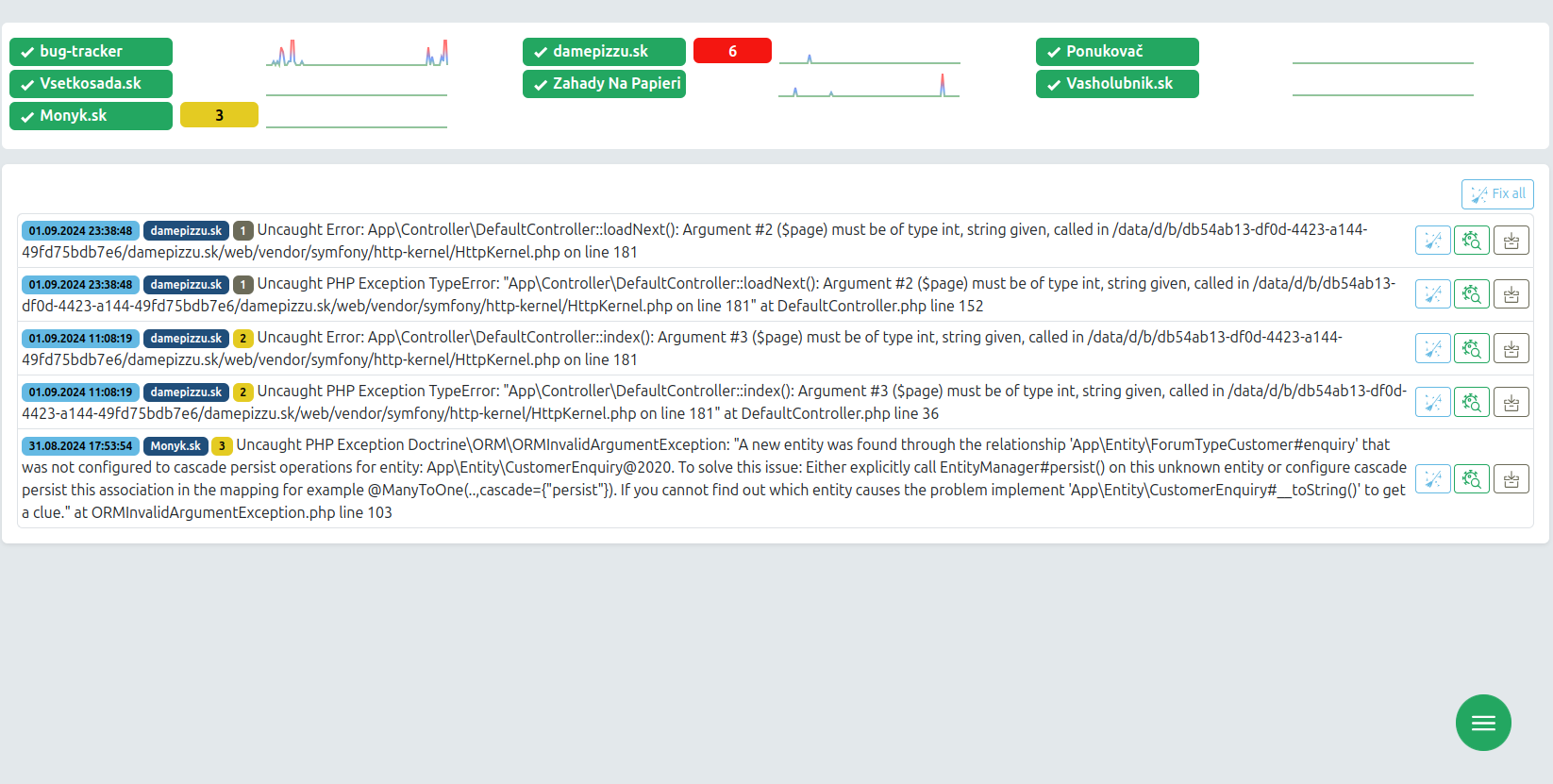
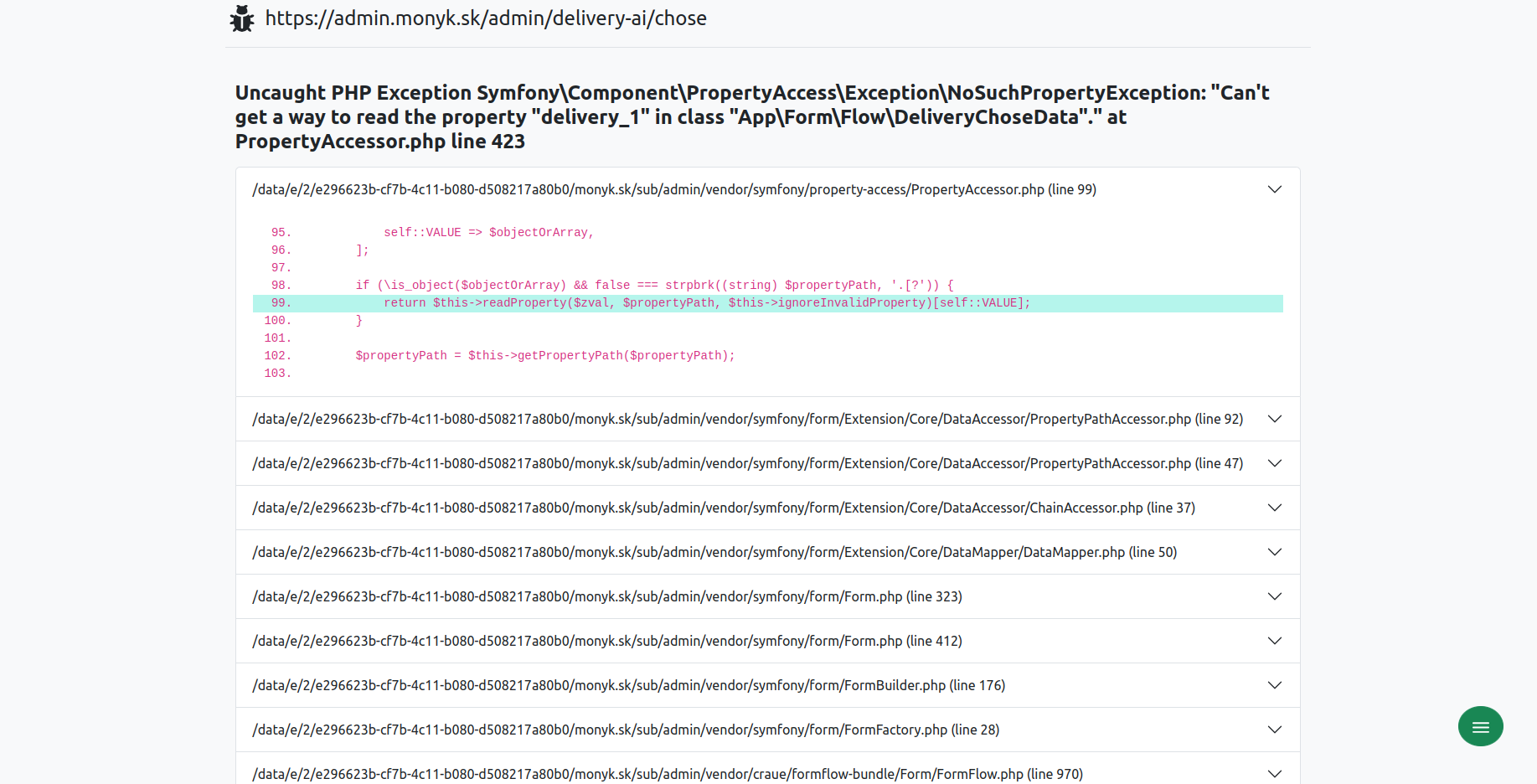
This is the project template for a Bug Catcher instance: a Symfony application that collects the errors your other applications report, deduplicates them, shows them on a dashboard and notifies you about the ones that matter. Your applications talk to it over HTTP; it is not a bundle you install into them.
Requirements
- PHP 8.4 or newer
- MySQL 8.0+ or MariaDB 10.6+, with
ONLY_FULL_GROUP_BYoff. Not a preference: the dashboard sparkline andapp:record-optimizerbucket byDATE_FORMAT()/SEC_TO_TIME(), and the performance ingest upserts withINSERT ... ON DUPLICATE KEY UPDATEand reads the row back withLAST_INSERT_ID(). PostgreSQL and SQLite have none of that. The bundledcompose.yamlstarts a server configured correctly; on your own server, setsql_mode=STRICT_TRANS_TABLES,NO_ZERO_IN_DATE,NO_ZERO_DATE,ERROR_FOR_DIVISION_BY_ZERO,NO_ENGINE_SUBSTITUTION. - Node and Yarn, for the (small) Encore build of the application's own assets.
Installation
composer create-project php-bug-catcher/bug-catcher-skeleton your-project-name
cd your-project-name
Point DATABASE_URL at your database in .env.local (or start the bundled one with
docker compose up -d, which writes it for you through the Symfony CLI), then:
# schema - the bundle ships mapping, not migrations, so the installation diffs its own
php bin/console doctrine:database:create
php bin/console doctrine:migrations:diff
php bin/console doctrine:migrations:migrate

# the first administrator
php bin/console app:create-user you@example.com 'a good password'

# assets
php bin/console assets:install public
yarn install && yarn build
Open the site, sign in, and add a project under /admin → Projects. The code you give it is
the projectCode your applications send. Add yourself to the project's users, or its row will not
appear on your dashboard.
Then install a reporter in the application you want to watch - see php-bug-catcher/bug-catcher-reporter - or post to the API yourself:
curl -X POST https://bugcatcher.example.com/api/record_logs \
  -H 'Content-Type: application/json' \
  -d '{"level":500,"message":"Boom","requestUri":"/checkout","projectCode":"your-project-code"}'
Cron
Nothing below is optional if you want the feature next to it:
* * * * *  php /path/to/bin/console app:ping-collector
0 * * * *  php /path/to/bin/console app:record-optimizer --past=1 --precision=5
30 3 * * * php /path/to/bin/console app:record-optimizer --past=7 --precision=60
With performance monitoring in use (see below), also:
*/5 * * * * php /path/to/bin/console app:perf:detect --window=5
5 * * * *   php /path/to/bin/console app:perf:rollup --granularity=hour
20 0 * * *  php /path/to/bin/console app:perf:rollup --granularity=day
40 0 * * *  php /path/to/bin/console app:perf:purge
The roll-up is what fills in anything wider than two hours: /performance reads minutes up to two
hours and hours up to seven days, so without the hourly job those views stay empty while the minute
rows sit in the table.
What is configured here, and why
Everything in config/ is yours to edit. These are the parts Bug Catcher depends on, each with the
reason written next to it in the file:
| File | Why |
|---|---|
config/packages/bug_catcher.yaml |
Dashboard panels, logo, refresh interval, MCP, performance. Every key is a default written out; php bin/console config:dump-reference bug_catcher has the rest. |
config/packages/doctrine.yaml |
enable_native_lazy_objects: true (the bundle has a final entity, which no generated proxy can subclass) and the TYPE DQL function. |
config/packages/security.yaml |
The user provider, the /api and /mcp firewalls, the access control list and the role hierarchy. |
config/packages/csrf.yaml |
Session CSRF, not stateless: a stateless token is filled in by a Stimulus controller from the application's own asset build, and these pages are rendered from the bundle's. |
config/packages/mcp.yaml, config/routes/mcp.yaml |
The MCP server at /mcp. |
config/routes/persistent_state.yaml |
The log list's "select all" buttons post to a route from tito10047/persistent-state-bundle. |
config/packages/ux_icons.yaml |
iconify.on_demand: false, so a missing icon is an error here rather than a request to api.iconify.design on every page view. |
config/packages/webpack_encore.yaml |
The second bug_catcher build, which is where the dashboard's CSS and JS come from. |
assets/icons/ |
Every icon the dashboard draws, committed. Add one with php bin/console ux:icons:import <set>:<name>. |
Optional: performance monitoring
Per-request wallclock, CPU, memory and status, collected on the machine you want to measure by
php-bug-catcher/perf-collector and shipped here
once a minute. Nothing happens until something posts to /api/perf_buckets.
Turn the Perf enabled checkbox on for a project in /admin to give its dashboard row latency
columns instead of only an error count, and add the perf cron jobs above. /performance has the
charts.
Optional: the MCP server
/mcp lets an AI client read the collected errors and resolve them. Set MCP_ACCESS_TOKEN to a
long random string in .env.local and name your own host in MCP_ALLOWED_HOSTS; with the token
unset every request is refused. See
docs/mcp.md.
Installing into an existing application instead
composer require php-bug-catcher/bug-catcher
Then copy the configuration out of
config/recipes/ in the
bundle - packages/ into your config/packages/ and routes/ into your config/routes/, merging
with what you already have - register BugCatcher\BugCatcherBundle and
Symfony\AI\McpBundle\McpBundle in config/bundles.php, and import the icons listed in
assets/icons/ here. The checklist that this repository is kept honest against lives in the bundle
at tests/skeleton/;
reading e2e.sh is the fastest way to see what a complete installation has to answer to.
Extending it
- docs/custom_record.md - your own record type
- docs/notifiers.md - your own notifier
- docs/custom_perf_metric.md - your own performance metric
- docs/extending.md - the CSS classes a custom component can use