
chengkangzai / filament-shot

Render Filament v4/v5 UI components (Forms, Tables, Infolists, Stats Widgets) as PNG images programmatically.
Package info
github.com/chengkangzai/filament-shot
Language:HTML
pkg:composer/chengkangzai/filament-shot
Fund package maintenance!
Requires
- php: ^8.2
- filament/filament: ^4.0|^5.0
- spatie/browsershot: ^5.2
- spatie/laravel-package-tools: ^1.15.0
Requires (Dev)
- larastan/larastan: ^3.0
- laravel/pint: ^1.0
- nunomaduro/collision: ^8.0
- orchestra/testbench: ^9.0|^10.0
- pestphp/pest: ^3.7|^4.0
- pestphp/pest-plugin-arch: ^3.0|^4.0
- pestphp/pest-plugin-laravel: ^3.0|^4.0
- ryangjchandler/blade-capture-directive: ^1.0
- spatie/laravel-ray: ^1.26
- spatie/pest-plugin-snapshots: ^2.3
- ysfkaya/filament-phone-input: ^4.1
Suggests
None
Provides
None
Conflicts
None
Replaces
None
- dev-master
- v0.9.3
- v0.9.2
- v0.9.1
- v0.9.0
- v0.8.0
- v0.7.10
- v0.7.9
- v0.7.8
- v0.7.7
- v0.7.6
- v0.7.5
- v0.7.4
- v0.7.3
- v0.7.2
- v0.7.1
- v0.7.0
- v0.6.2
- v0.6.1
- v0.6.0
- v0.5.1
- v0.5.0
- v0.4.0
- v0.3.3
- v0.3.2
- v0.3.1
- v0.3.0
- v0.2.1
- v0.2.0
- v0.1.0
- dev-feature/view-blade-renderer
- dev-feat/code-editor-highlighting
- dev-feat/editable-columns
- dev-fix/radio-checkboxlist-state
- dev-fix/toggle-buttons-state-v2
- dev-fix/toggle-buttons-state-v3
- dev-feat/code-editor-rendering-2
- dev-feat/header-actions-renderer
- dev-fix/highlight-rich-editor-106
- dev-feat/builder-block-rendering-v2
- dev-fix/snapshot-windows-backslash
- dev-fix/snapshot-gitattributes
- dev-fix/update-changelog-branch
- dev-feat/phone-input-support
- dev-fix/default-scale-1
- dev-feat/plugin-css-support
- dev-docs/color-picker-example
- dev-fix/color-picker-preview
- dev-fix/notification-bg-color
- dev-docs/readme-example-images
- dev-docs/readme-new-components
- dev-feat/action-groups
- dev-feat/wizard-fileupload-actiongroup
- dev-feat/reorderable-and-collapsed-chevron
- dev-fix/table-columns-argument
- dev-feat/snapshot-testing
- dev-fix/table-white-background
- dev-feat/field-highlighting
- dev-feat/tabs-support
- dev-fix/blade-css-class-alignment
- dev-fix/navigation-group-header
- dev-fix/rich-editor-rendering
- dev-feat/editor-examples
- dev-refactor/stats-livewire-rendering
- dev-docs/navigation-readme
- dev-feat/navigation-renderer
- dev-fix/selection-link-colors
- dev-docs/bulk-actions-readme
- dev-fix/select-all-count
- dev-fix/bulk-action-buttons
- dev-feat/bulk-actions
- dev-feat/labeled-actions
- dev-feat/notification-renderer
- dev-feat/select-open-state
- dev-feat/table-record-actions
- dev-fix/color-column-and-multi-select
- dev-fix/hide-loading-indicators
- dev-fix/readme-absolute-urls
- dev-fix/readme-image-cache
- dev-chore/cleanup-debug
- dev-fix/ci-screenshot-rendering
- dev-chore/regen-examples
- dev-chore/update-example-images
- dev-fix/form-state-rendering-and-height
- dev-feat/livewire-rendering
- dev-feat/issues-27-28-29
- dev-fix/infolist-dark-mode-and-ci-permissions
- dev-fix/code-review-cleanup
- dev-feat/fit-content-screenshots
- dev-fix/font-css-variables
- dev-fix/css-layer-font-override
- dev-fix/rendercell-classes-on-inner-span
- dev-fix/array-column-getcolor-callback
- dev-feat/badge-color-support
This package is auto-updated.
Last update: 2026-09-22 07:31:17 UTC
README
Render Filament v4/v5 UI components — Forms, Tables, Infolists, and Stats Widgets — as PNG screenshots programmatically. Define your components using familiar Filament classes and get pixel-perfect images without spinning up a browser manually.
Examples
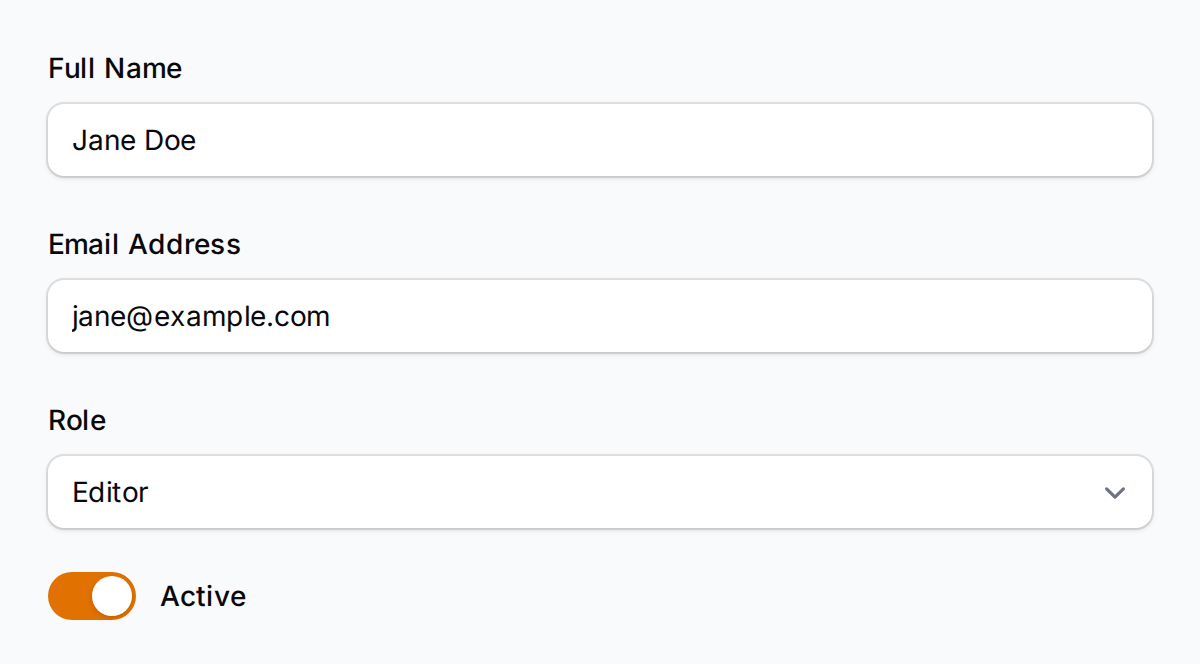
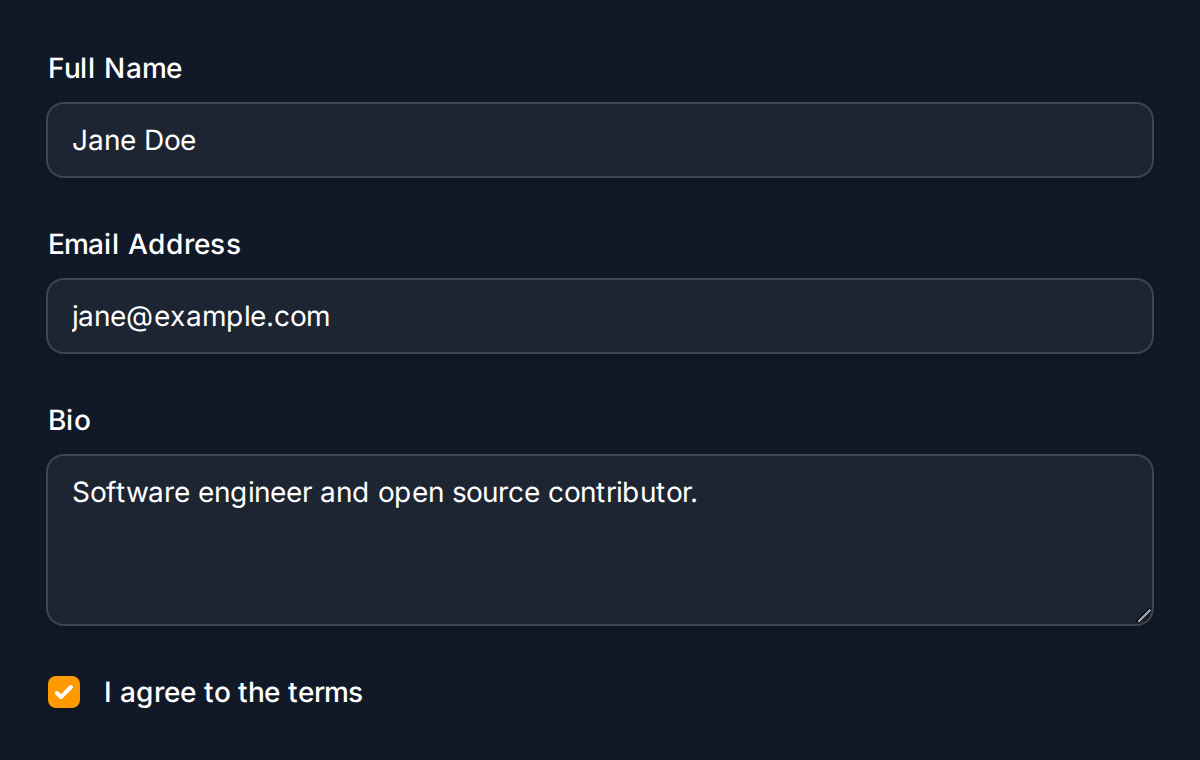
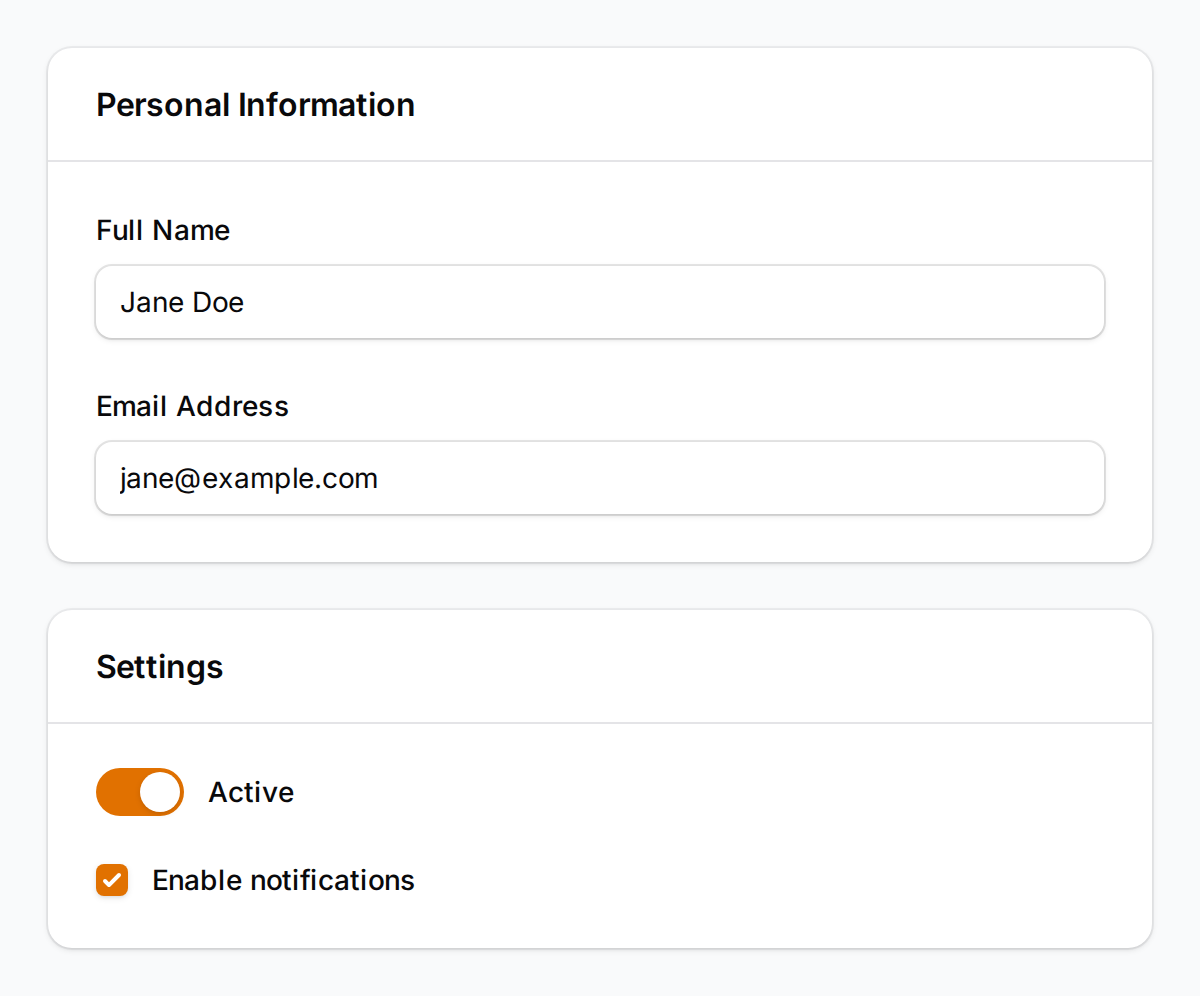
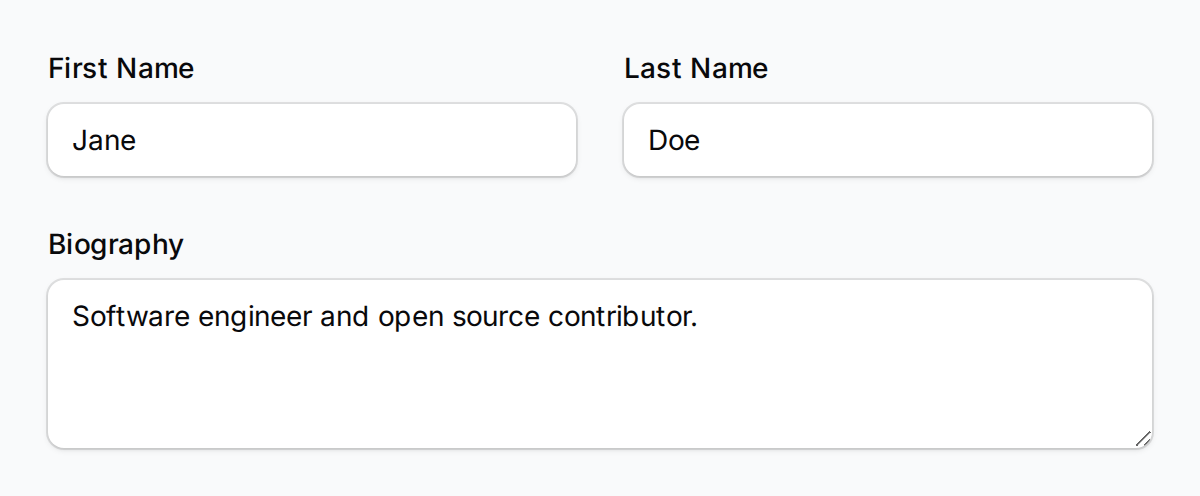
These screenshots are generated by CI using the actual rendering pipeline to verify quality.
Forms
| Light | Dark |
|---|---|
 |
 |
| Section Layout | Grid Layout |
|---|---|
 |
 |
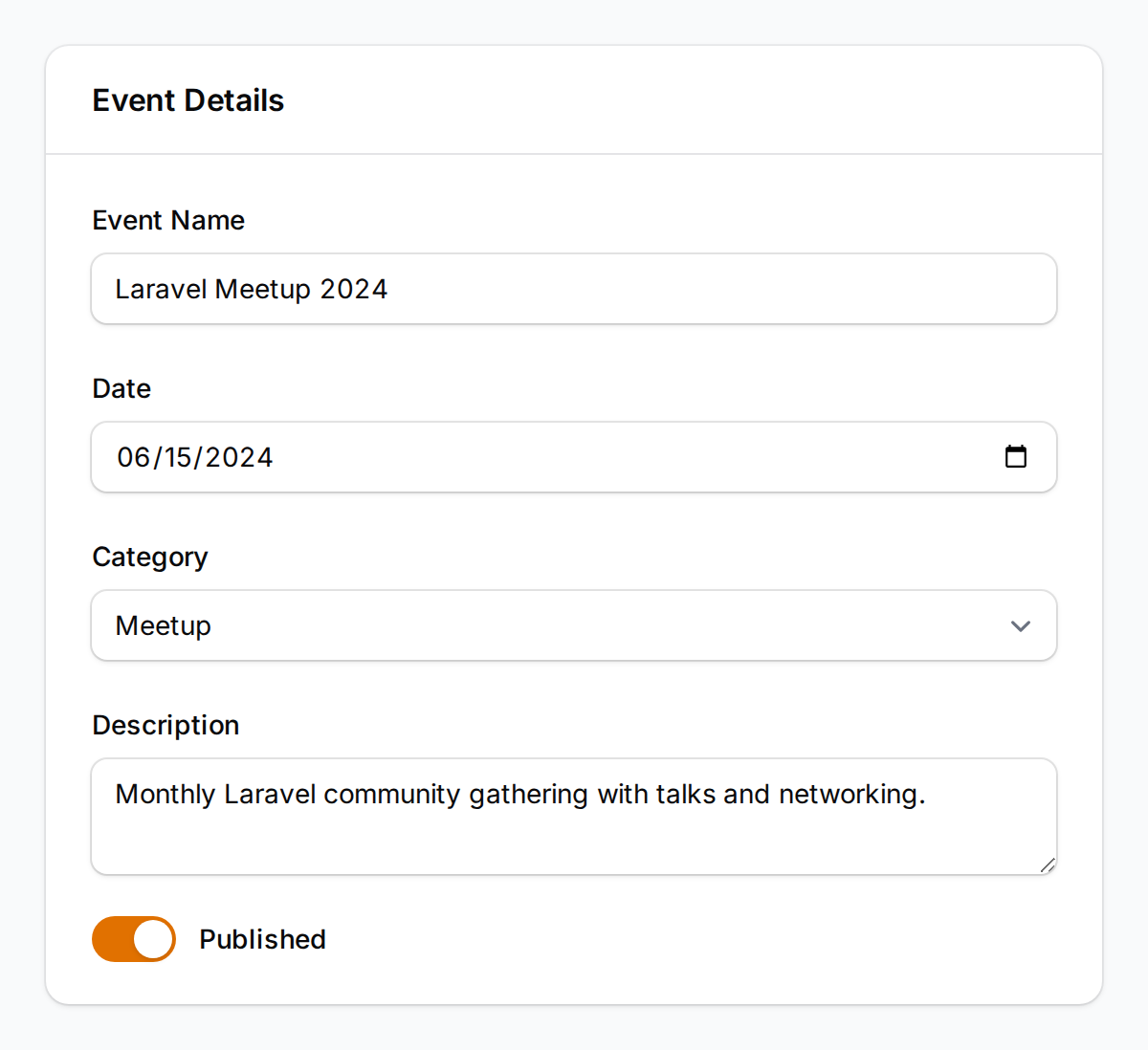
| Additional Field Types |
|---|
 |
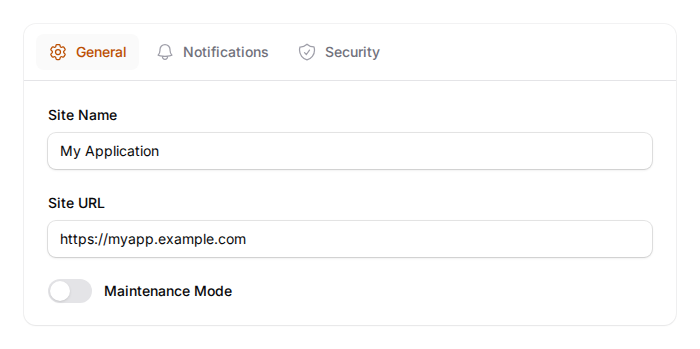
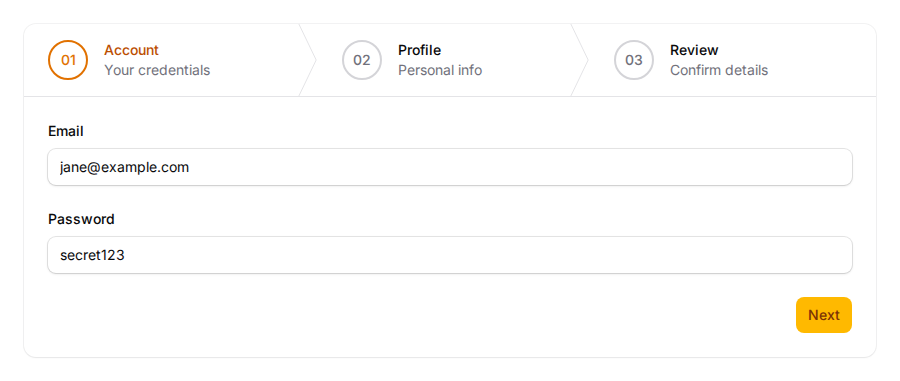
| Tabs | Wizard |
|---|---|
 |
 |
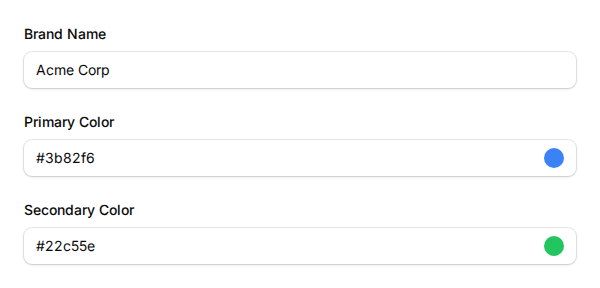
| Color Picker |
|---|
 |
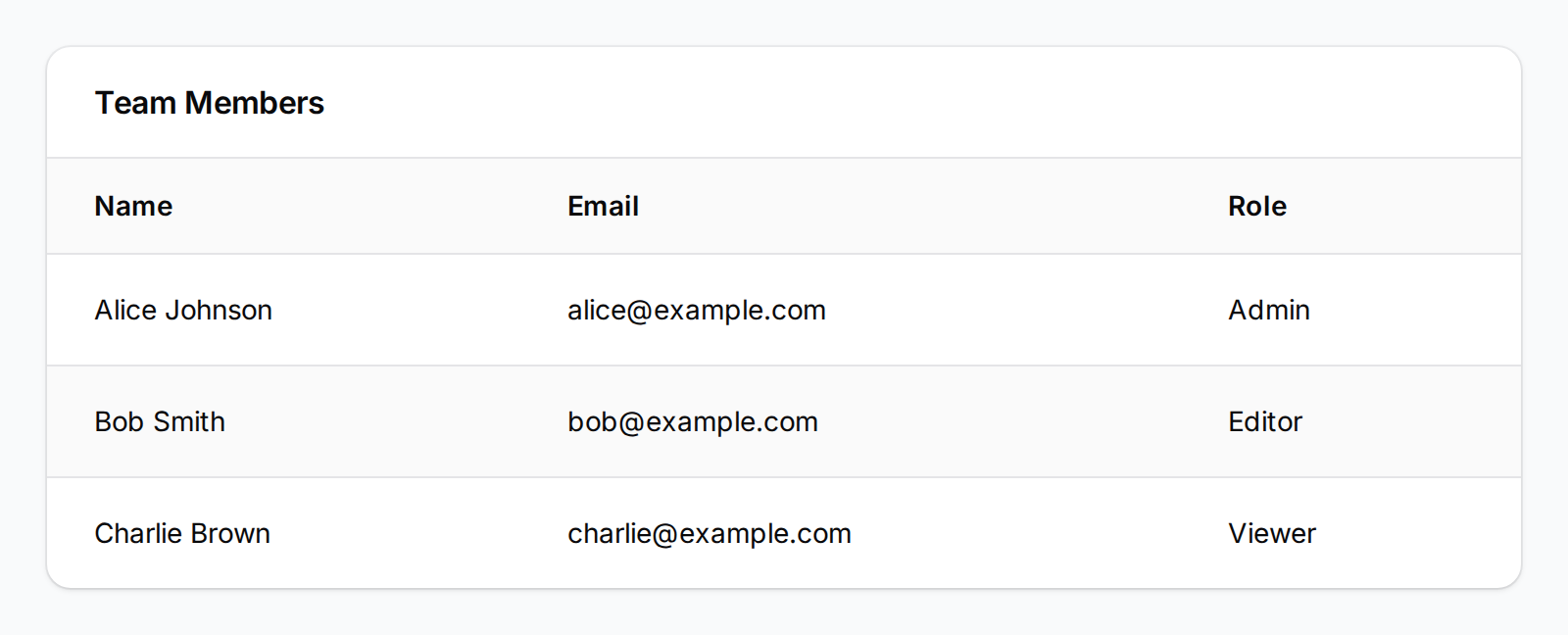
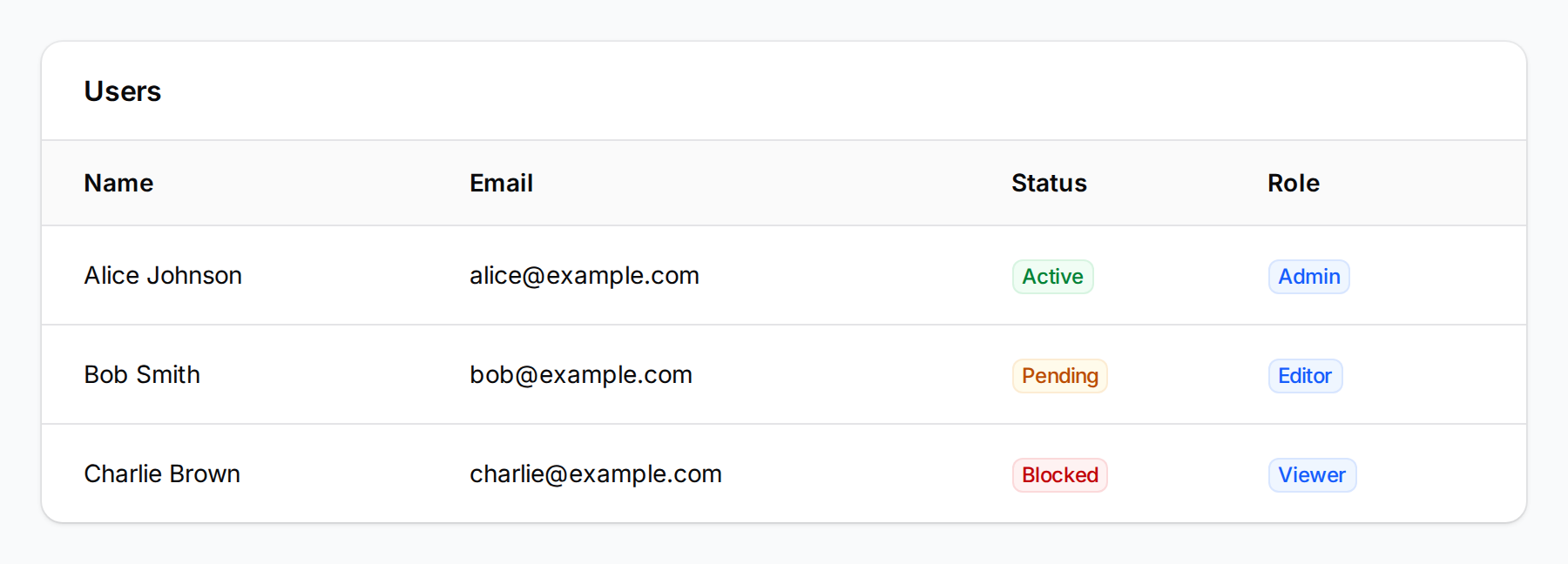
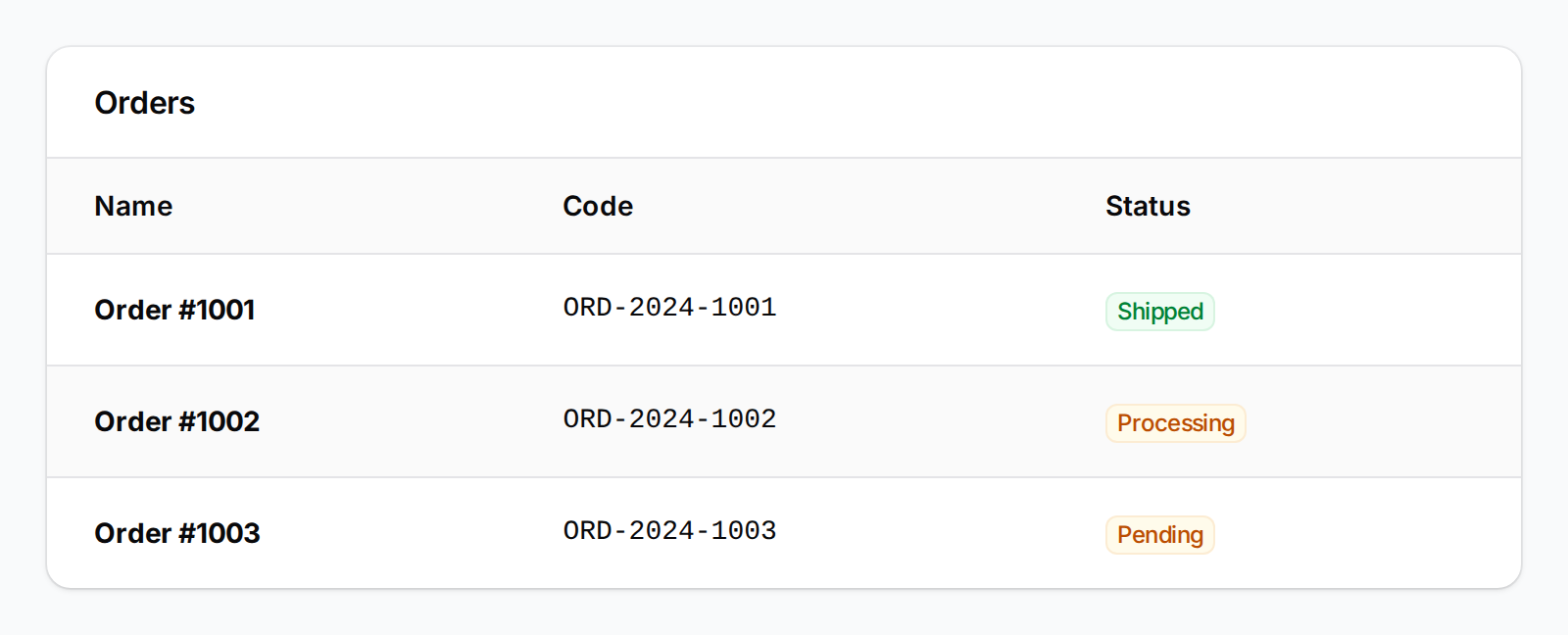
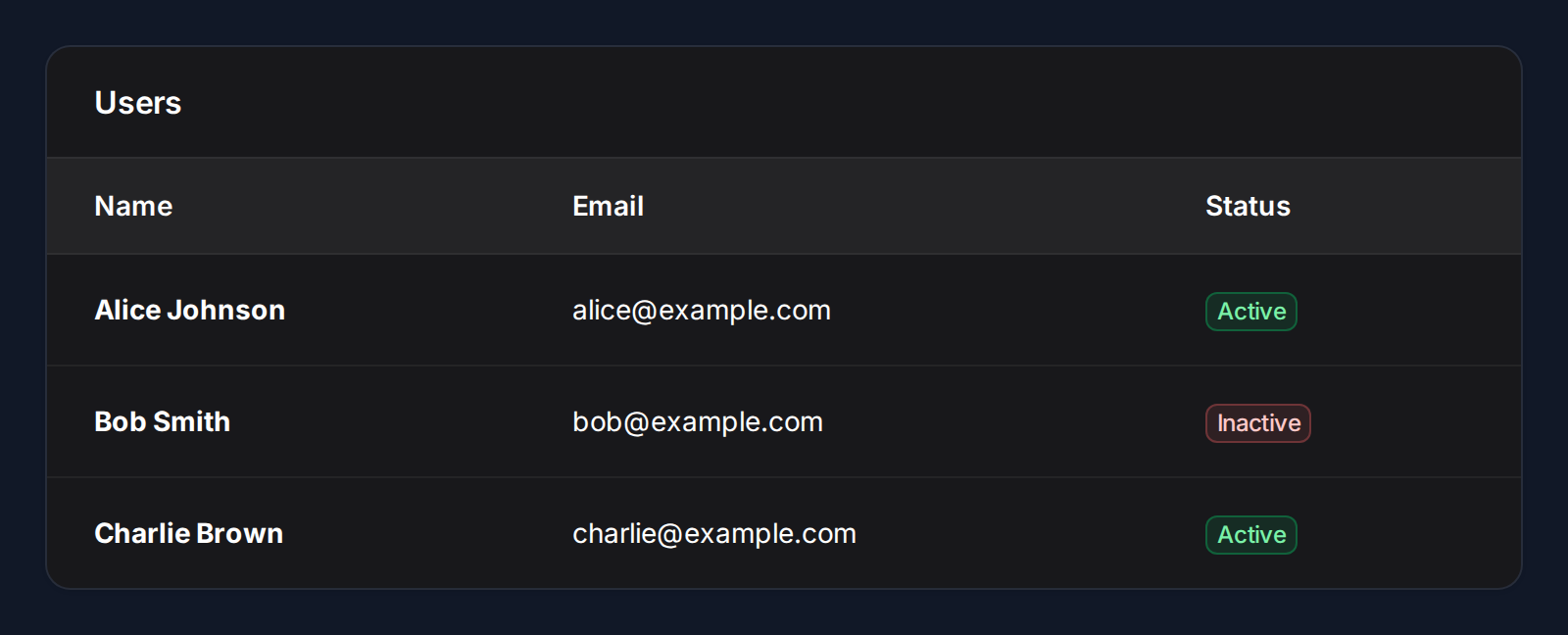
Tables
| Basic | With Badges |
|---|---|
 |
 |
| Styled (Weight + Mono Font) | Dark Mode |
|---|---|
 |
 |
| Icon Column (Boolean) | Bulk Actions |
|---|---|
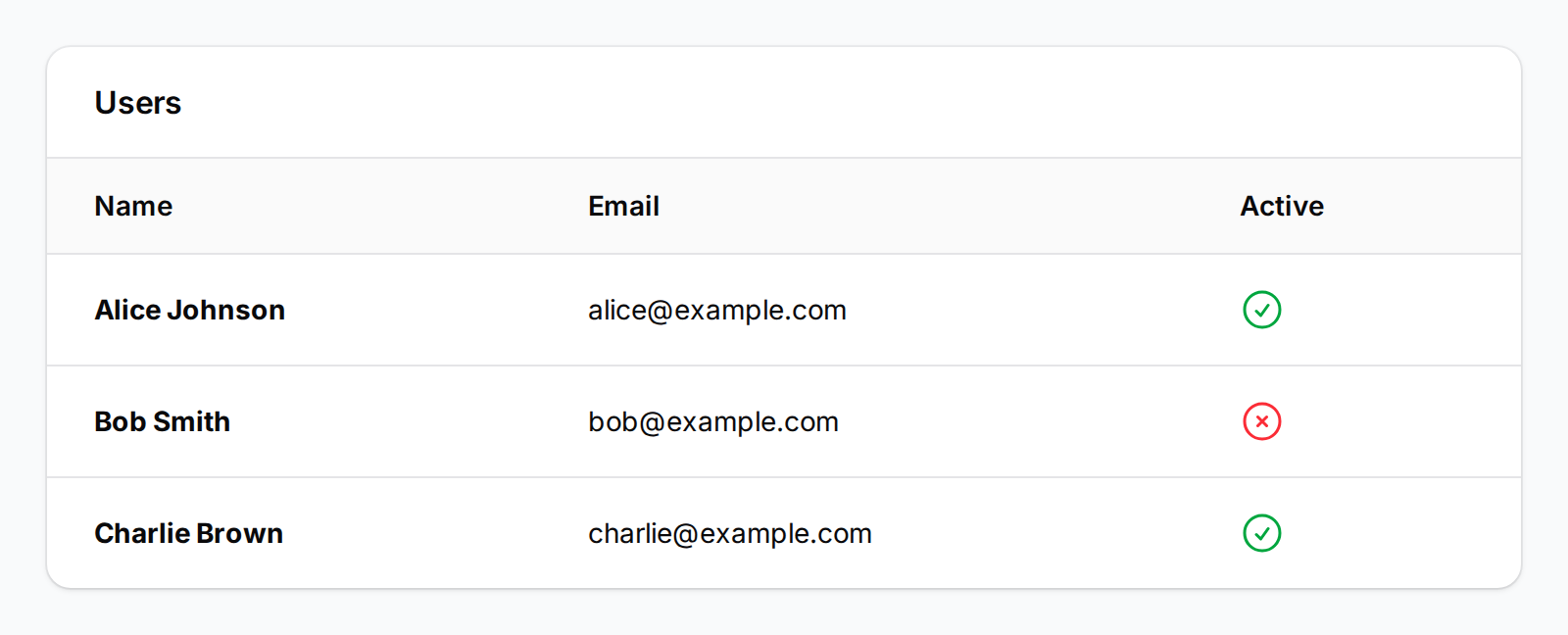 |
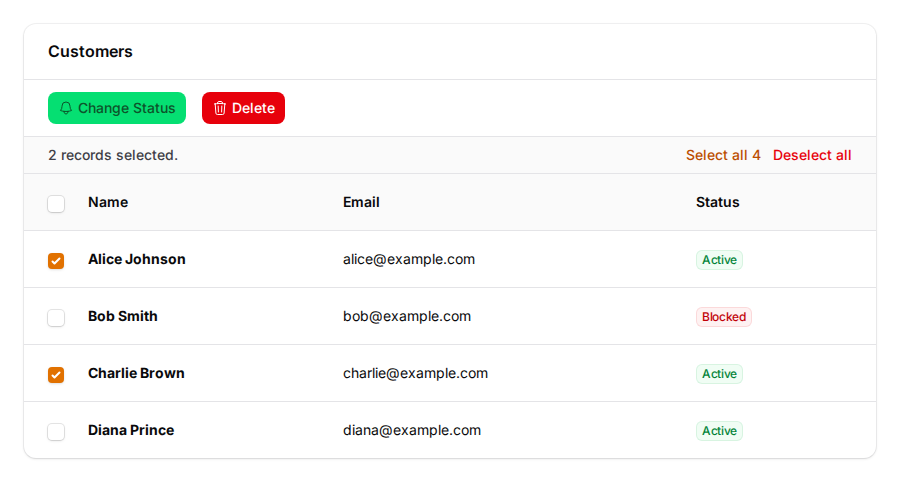 |
| Reorderable | Action Group |
|---|---|
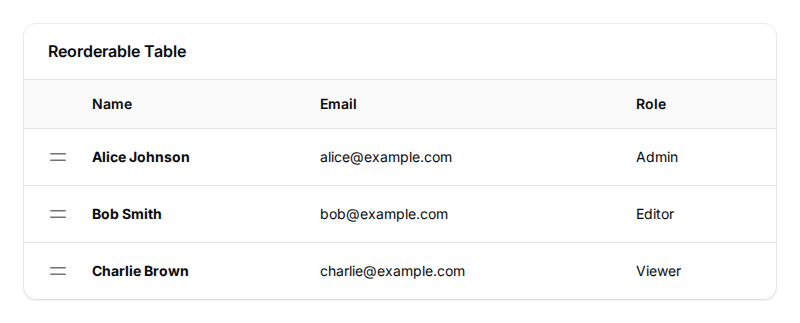 |
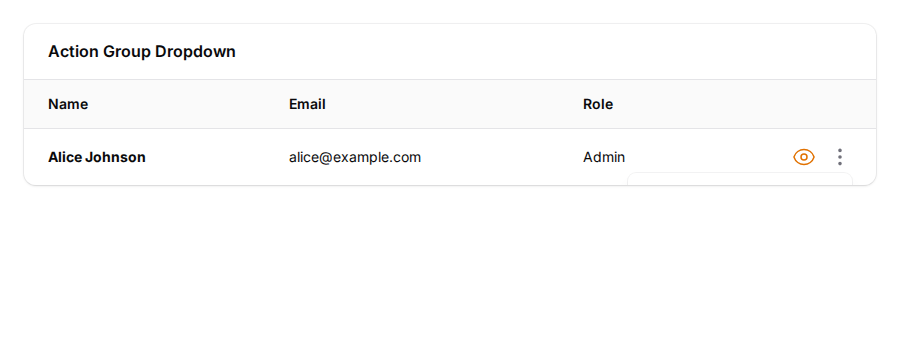 |
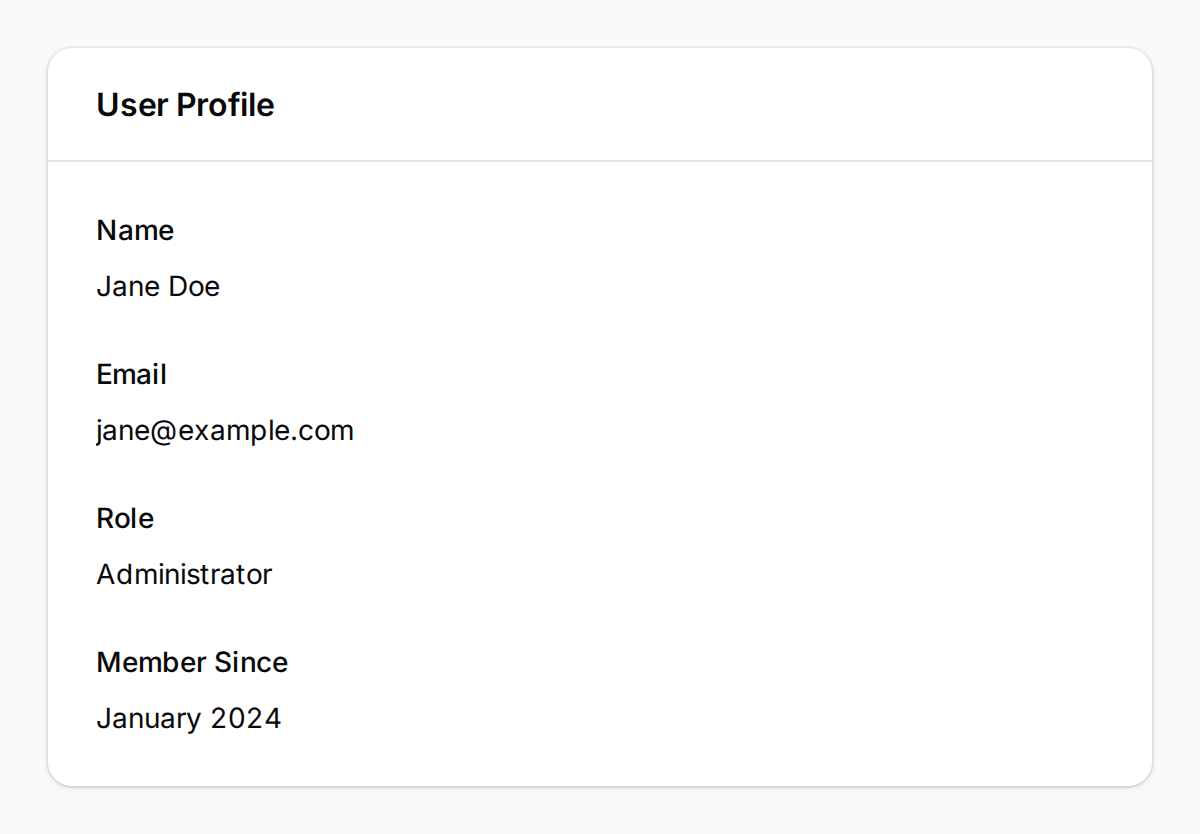
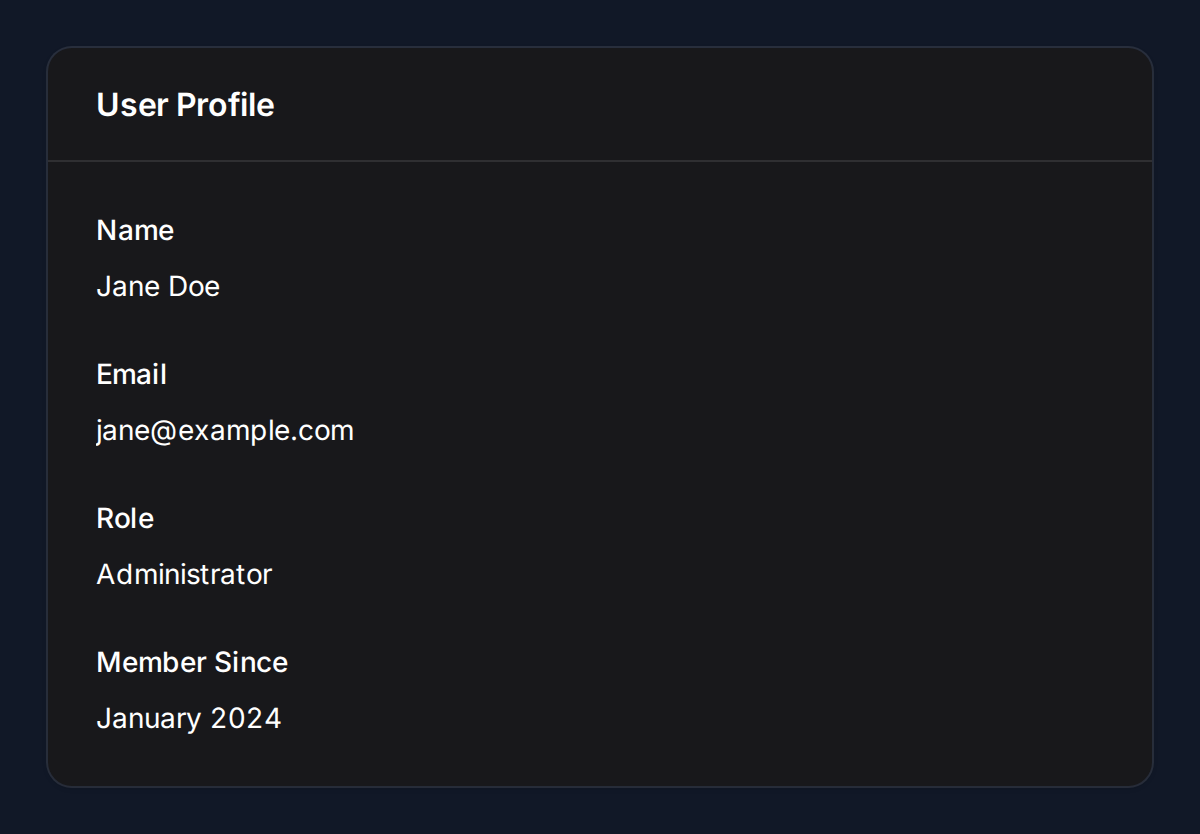
Infolist
| Light | Dark |
|---|---|
 |
 |
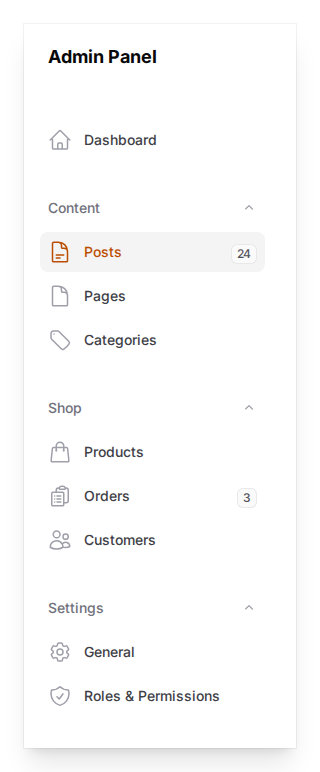
Navigation
| Sidebar |
|---|
 |
Stats Widgets
| Light | Dark |
|---|---|
 |
 |
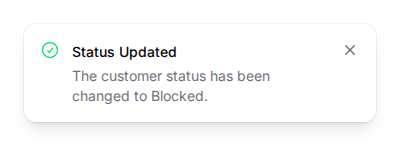
Notifications
| Success |
|---|
 |
How It Works
Filament Shot generates standalone HTML using its own Blade templates styled with Filament's CSS classes, then captures screenshots via Browsershot. This avoids Livewire context issues entirely — no running application or panel required.
Requirements
- PHP 8.2+
- Laravel 11+
- Filament v4 or v5
- Node.js 18+ and Puppeteer
- A Chromium-based browser (Chrome, Chromium, etc.)
Installation
Install the package via Composer:
composer require chengkangzai/filament-shot
Install Puppeteer (required by Browsershot):
npm install puppeteer
Publish the config file (optional):
php artisan vendor:publish --tag="filament-shot-config"
Usage
Forms
Capture Filament form components as an image:
use CCK\FilamentShot\FilamentShot;
use Filament\Forms\Components\TextInput;
use Filament\Forms\Components\Select;
use Filament\Forms\Components\Toggle;

FilamentShot::form([
    TextInput::make('name')
        ->label('Full Name')
        ->placeholder('Enter your name'),
    TextInput::make('email')
        ->label('Email Address')
        ->placeholder('you@example.com'),
    Select::make('role')
        ->label('Role')
        ->options([
            'admin' => 'Administrator',
            'editor' => 'Editor',
            'viewer' => 'Viewer',
        ]),
    Toggle::make('active')
        ->label('Active'),
])
->state(['name' => 'Jane Doe', 'email' => 'jane@example.com'])
->save('form.png');
Supported field types: TextInput, Select, Textarea, Toggle, Checkbox, Radio, Placeholder, DatePicker, DateTimePicker, FileUpload, ColorPicker, TagsInput, KeyValue, RichEditor, MarkdownEditor, Repeater.
Layout components: Section, Grid, Fieldset, Tabs, Wizard.
Forms with Tabs
use CCK\FilamentShot\FilamentShot;
use Filament\Forms\Components\TextInput;
use Filament\Forms\Components\Toggle;
use Filament\Schemas\Components\Tabs;
use Filament\Schemas\Components\Tabs\Tab;

FilamentShot::form([
    Tabs::make('Settings')
        ->tabs([
            Tab::make('General')
                ->icon('heroicon-o-cog-6-tooth')
                ->schema([
                    TextInput::make('site_name')->label('Site Name'),
                    TextInput::make('site_url')->label('Site URL'),
                ]),
            Tab::make('Notifications')
                ->icon('heroicon-o-bell')
                ->schema([
                    Toggle::make('email_notifications')->label('Email Notifications'),
                ]),
        ]),
])
->state(['site_name' => 'My App', 'site_url' => 'https://myapp.com'])
->save('form-tabs.png');
Use ->activeTab(2) to render a specific tab as active.
Forms with Wizard Steps
use CCK\FilamentShot\FilamentShot;
use Filament\Forms\Components\TextInput;
use Filament\Forms\Components\Toggle;
use Filament\Schemas\Components\Wizard;
use Filament\Schemas\Components\Wizard\Step;

FilamentShot::form([
    Wizard::make([
        Step::make('Account')
            ->description('Your credentials')
            ->schema([
                TextInput::make('email')->label('Email'),
                TextInput::make('password')->label('Password'),
            ]),
        Step::make('Profile')
            ->description('Personal info')
            ->schema([
                TextInput::make('name')->label('Full Name'),
            ]),
        Step::make('Review')
            ->description('Confirm details')
            ->schema([
                Toggle::make('terms')->label('I accept the terms'),
            ]),
    ]),
])
->state(['email' => 'jane@example.com'])
->width(900)
->save('form-wizard.png');
Use ->startOnStep(2) to render a specific step as active (previous steps show as completed).
Forms with Layout Components
use CCK\FilamentShot\FilamentShot;
use Filament\Forms\Components\TextInput;
use Filament\Forms\Components\Toggle;
use Filament\Schemas\Components\Section;

FilamentShot::form([
    Section::make('Personal Information')
        ->schema([
            TextInput::make('name')->label('Full Name'),
            TextInput::make('email')->label('Email'),
        ]),
    Section::make('Settings')
        ->schema([
            Toggle::make('active')->label('Active'),
        ]),
])
->state(['name' => 'Jane Doe', 'email' => 'jane@example.com', 'active' => true])
->save('form-with-sections.png');
Tables
use CCK\FilamentShot\FilamentShot;
use Filament\Tables\Columns\TextColumn;

FilamentShot::table()
    ->columns([
        TextColumn::make('name'),
        TextColumn::make('email'),
        TextColumn::make('role'),
    ])
    ->records([
        ['name' => 'Alice', 'email' => 'alice@example.com', 'role' => 'Admin'],
        ['name' => 'Bob', 'email' => 'bob@example.com', 'role' => 'Editor'],
        ['name' => 'Charlie', 'email' => 'charlie@example.com', 'role' => 'Viewer'],
    ])
    ->heading('Team Members')
    ->striped()
    ->save('table.png');
Tables with Action Groups (Dropdowns)
use CCK\FilamentShot\FilamentShot;
use Filament\Actions\Action;
use Filament\Actions\ActionGroup;
use Filament\Tables\Columns\TextColumn;

FilamentShot::table()
    ->columns([
        TextColumn::make('name'),
        TextColumn::make('email'),
    ])
    ->records([
        ['name' => 'Alice', 'email' => 'alice@example.com'],
        ['name' => 'Bob', 'email' => 'bob@example.com'],
    ])
    ->recordActions([
        Action::make('view')->label('View')->icon('heroicon-o-eye'),
        ActionGroup::make([
            Action::make('edit')->label('Edit')->icon('heroicon-o-pencil-square'),
            Action::make('delete')->label('Delete')->icon('heroicon-o-trash')->color('danger'),
        ]),
    ])
    ->save('table-action-group.png');
Reorderable Tables
FilamentShot::table()
    ->columns([
        TextColumn::make('name'),
        TextColumn::make('email'),
    ])
    ->records([
        ['name' => 'Alice', 'email' => 'alice@example.com'],
        ['name' => 'Bob', 'email' => 'bob@example.com'],
    ])
    ->reorderable()
    ->save('table-reorderable.png');
Tables with Bulk Actions
use CCK\FilamentShot\FilamentShot;
use Filament\Actions\BulkAction;
use Filament\Tables\Columns\TextColumn;

FilamentShot::table()
    ->columns([
        TextColumn::make('name'),
        TextColumn::make('email'),
        TextColumn::make('status')->badge(),
    ])
    ->records([
        ['name' => 'Alice', 'email' => 'alice@example.com', 'status' => 'Active'],
        ['name' => 'Bob', 'email' => 'bob@example.com', 'status' => 'Blocked'],
        ['name' => 'Charlie', 'email' => 'charlie@example.com', 'status' => 'Active'],
    ])
    ->bulkActions([
        BulkAction::make('change_status')
            ->label('Change Status')
            ->icon('heroicon-o-bell')
            ->color('success'),
        BulkAction::make('delete')
            ->label('Delete')
            ->icon('heroicon-o-trash')
            ->color('danger'),
    ])
    ->selectedRows([0, 2]) // indices of rows to show as checked
    ->save('table-bulk-actions.png');
Infolists
use CCK\FilamentShot\FilamentShot;
use Filament\Infolists\Components\TextEntry;

FilamentShot::infolist([
    TextEntry::make('name')->label('Name'),
    TextEntry::make('email')->label('Email'),
    TextEntry::make('joined')->label('Member Since'),
])
->state([
    'name' => 'Jane Doe',
    'email' => 'jane@example.com',
    'joined' => 'January 2024',
])
->save('infolist.png');
Navigation
use CCK\FilamentShot\FilamentShot;
use Filament\Navigation\NavigationGroup;
use Filament\Navigation\NavigationItem;

FilamentShot::navigation()
    ->items([
        NavigationItem::make('Dashboard')
            ->icon('heroicon-o-home'),
        NavigationGroup::make('Content')
            ->items([
                NavigationItem::make('Posts')
                    ->icon('heroicon-o-document-text')
                    ->isActiveWhen(fn () => true)
                    ->badge('24', 'success'),
                NavigationItem::make('Pages')
                    ->icon('heroicon-o-document'),
            ]),
        NavigationGroup::make('Settings')
            ->items([
                NavigationItem::make('General')
                    ->icon('heroicon-o-cog-6-tooth'),
            ]),
    ])
    ->heading('Admin Panel')
    ->width(320)
    ->save('navigation.png');
Stats Widgets
use CCK\FilamentShot\FilamentShot;
use Filament\Widgets\StatsOverviewWidget\Stat;

FilamentShot::stats([
    Stat::make('Total Users', '1,234')
        ->description('12% increase')
        ->descriptionIcon('heroicon-m-arrow-trending-up')
        ->color('success'),
    Stat::make('Revenue', '$56,789')
        ->description('8% increase')
        ->chart([7, 3, 4, 5, 6, 3, 5, 8]),
    Stat::make('Orders', '456')
        ->description('3% decrease')
        ->descriptionIcon('heroicon-m-arrow-trending-down')
        ->color('danger'),
])
->save('stats.png');
Notifications
use CCK\FilamentShot\FilamentShot;

FilamentShot::notification()
    ->title('Status Updated')
    ->body('The customer status has been changed to Active.')
    ->success()
    ->width(400)
    ->save('notification.png');
Output Methods
Every renderer supports multiple output methods:
$renderer = FilamentShot::form([...]);

// Save to disk
$renderer->save('/path/to/screenshot.png');

// Get base64-encoded PNG
$base64 = $renderer->toBase64();

// Get rendered HTML (useful for debugging)
$html = $renderer->toHtml();

// Get an HTTP response with the PNG
return $renderer->toResponse();
Customization
Viewport
Control the screenshot dimensions and resolution:
FilamentShot::form([...])
    ->width(1280)
    ->height(720)
    ->deviceScale(2)  // Retina / HiDPI
    ->save('screenshot.png');
Theme
Switch between light and dark mode, or set a custom primary color:
FilamentShot::form([...])
    ->darkMode()
    ->primaryColor('#3b82f6')
    ->save('dark-form.png');
3rd-Party Plugin Support
FilamentShot automatically includes CSS from any Filament plugin registered via FilamentAsset::register(). If the plugin's service provider is loaded, its styles will appear in your screenshots — no extra configuration needed.
use Ysfkaya\FilamentPhoneInput\Forms\PhoneInput;

FilamentShot::form([
    TextInput::make('name')->label('Name'),
    PhoneInput::make('phone')->label('Phone Number'),
])
    ->state(['name' => 'Jane Doe', 'phone' => '+60123456789'])
    ->width(600)
    ->save('form-with-phone.png');
If a plugin's CSS isn't auto-discovered (e.g. it doesn't use Filament's asset pipeline), you can inject it manually using ->css() or ->cssFile():
FilamentShot::form([
    TextInput::make('name')->label('Full Name'),
    TextInput::make('phone')->label('Phone Number')->prefix('+60'),
    TextInput::make('email')->label('Email'),
])
    ->state(['name' => 'Jane Doe', 'phone' => '12-345 6789', 'email' => 'jane@example.com'])
    ->css('
        /* Custom plugin styles injected directly */
        .my-plugin-input { border-color: #3b82f6; }
    ')
    ->cssFile('/path/to/vendor/my-plugin/dist/plugin.css')
    ->width(600)
    ->save('form-with-phone.png');

Artisan Command
Capture screenshots from a config file:
php artisan filament-shot:capture --config=screenshots.php
The config file should return an array of screenshot definitions:
<?php

use Filament\Forms\Components\TextInput;

return [
    [
        'type' => 'form',
        'components' => [
            TextInput::make('name')->label('Name'),
            TextInput::make('email')->label('Email'),
        ],
        'output' => 'storage/screenshots/form.png',
        'width' => 800,
        'dark_mode' => false,
    ],
];
Supported types: form, table, infolist, stats.
Configuration
// config/filament-shot.php

return [

    // Default viewport dimensions for screenshots
    'viewport' => [
        'width' => 1024,
        'height' => 768,
        'device_scale_factor' => 2,
    ],

    // Default theme settings
    'theme' => [
        'dark_mode' => false,
        'primary_color' => '#6366f1',
    ],

    // Browsershot / Puppeteer configuration
    'browsershot' => [
        'node_binary' => null,       // Path to Node.js binary
        'npm_binary' => null,        // Path to npm binary
        'chrome_path' => null,       // Path to Chrome/Chromium binary
        'no_sandbox' => false,       // Set true for Docker/CI environments
        'timeout' => 60,             // Timeout in seconds
        'additional_options' => [],   // Extra Puppeteer launch options
    ],

    // CSS customization
    'css' => [
        'theme_path' => null,  // Override path to Filament theme CSS
        'extra' => '',         // Additional CSS to inject
    ],

];
Docker / CI Environments
If running in a Docker container or CI pipeline, you'll likely need to enable no_sandbox:
// config/filament-shot.php
'browsershot' => [
    'no_sandbox' => true,
],
Testing
composer test
Run only unit tests (no Chrome required):
vendor/bin/pest --exclude-group=integration
Run integration tests (requires Chrome + Puppeteer):
vendor/bin/pest --group=integration
Changelog
Please see CHANGELOG for more information on what has changed recently.
Contributing
Please see CONTRIBUTING for details.
Security Vulnerabilities
Please review our security policy on how to report security vulnerabilities.
Credits
License
The MIT License (MIT). Please see License File for more information.