
tapp / filament-auditing


Filament Laravel Auditing plugin.
Requires
- php: ^8.3
- filament/filament: ^5.0|^4.0
- owen-it/laravel-auditing: ^14.0||^13.0
- spatie/laravel-package-tools: ^1.16
Requires (Dev)
- larastan/larastan: ^2.9||^3.0
- laravel/pint: ^1.14
- nunomaduro/collision: ^8.1.1||^7.10.0
- orchestra/testbench: ^11.0.0||^10.0.0||^9.0.0
- pestphp/pest: ^4.0||^3.0||^2.34|^5.0
- pestphp/pest-plugin-arch: ^4.0||^3.0||^2.7|^5.0
- pestphp/pest-plugin-laravel: ^4.0||^3.0||^2.3|^5.0
- phpstan/extension-installer: ^1.3||^2.0
- phpstan/phpstan-deprecation-rules: ^1.1||^2.0
- phpstan/phpstan-phpunit: ^1.3||^2.0
- spatie/laravel-ray: ^1.35
Suggests
None
Provides
None
Conflicts
None
Replaces
None
- 4.x-dev
- v4.1.1
- v4.1.0
- v4.0.9
- v4.0.8
- v4.0.7
- v4.0.6
- v4.0.5
- v4.0.4
- v4.0.3
- v4.0.2
- v4.0.1
- v4.0.0
- 3.x-dev
- v3.1.3
- v3.1.2
- v3.1.1
- v3.1.0
- v3.0.9
- v3.0.8
- v3.0.7
- v3.0.6
- v3.0.5
- v3.0.4
- v3.0.3
- v3.0.2
- v3.0.1
- v3.0.0
- 2.x-dev
- v2.0.1
- v2.0.0
- v1.8.3
- v1.8.2
- v1.8.1
- v1.8
- v1.7
- v1.6
- v1.5
- v1.4
- v1.3
- v1.2
- v1.1
- v1.0
- dev-fix/scalar-nested-audit-values
- dev-fix_gate_params
- dev-drop-php82-add-laravel13
This package is auto-updated.
Last update: 2026-10-16 14:19:45 UTC
README

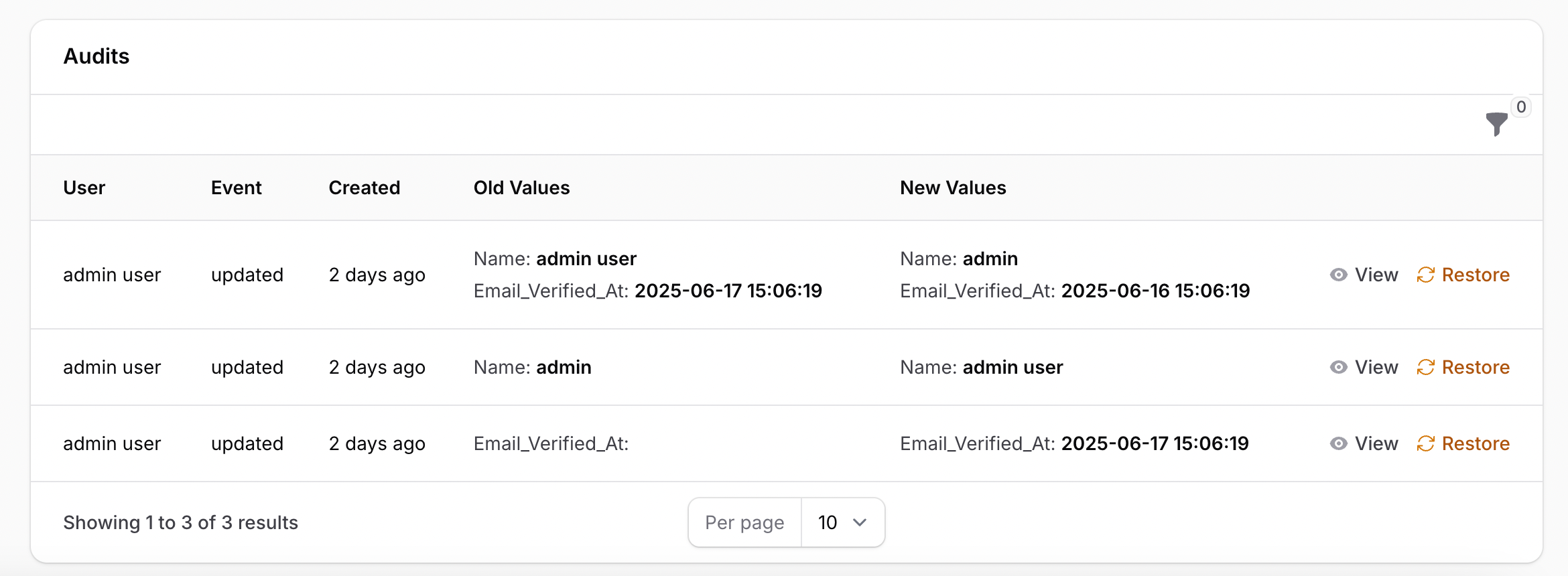
A Filament plugin for Laravel Auditing package. This plugin contains a relation manager for audits that you can add to your Filament resources.
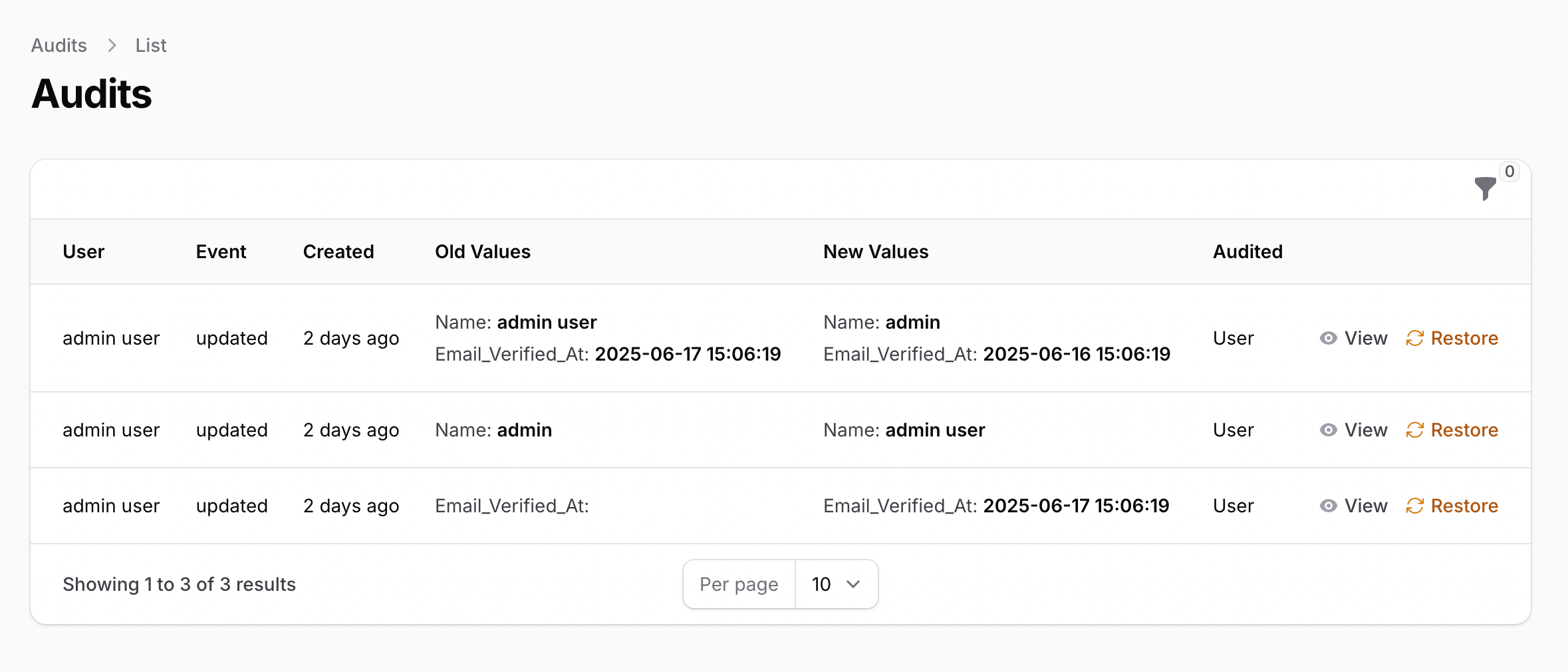
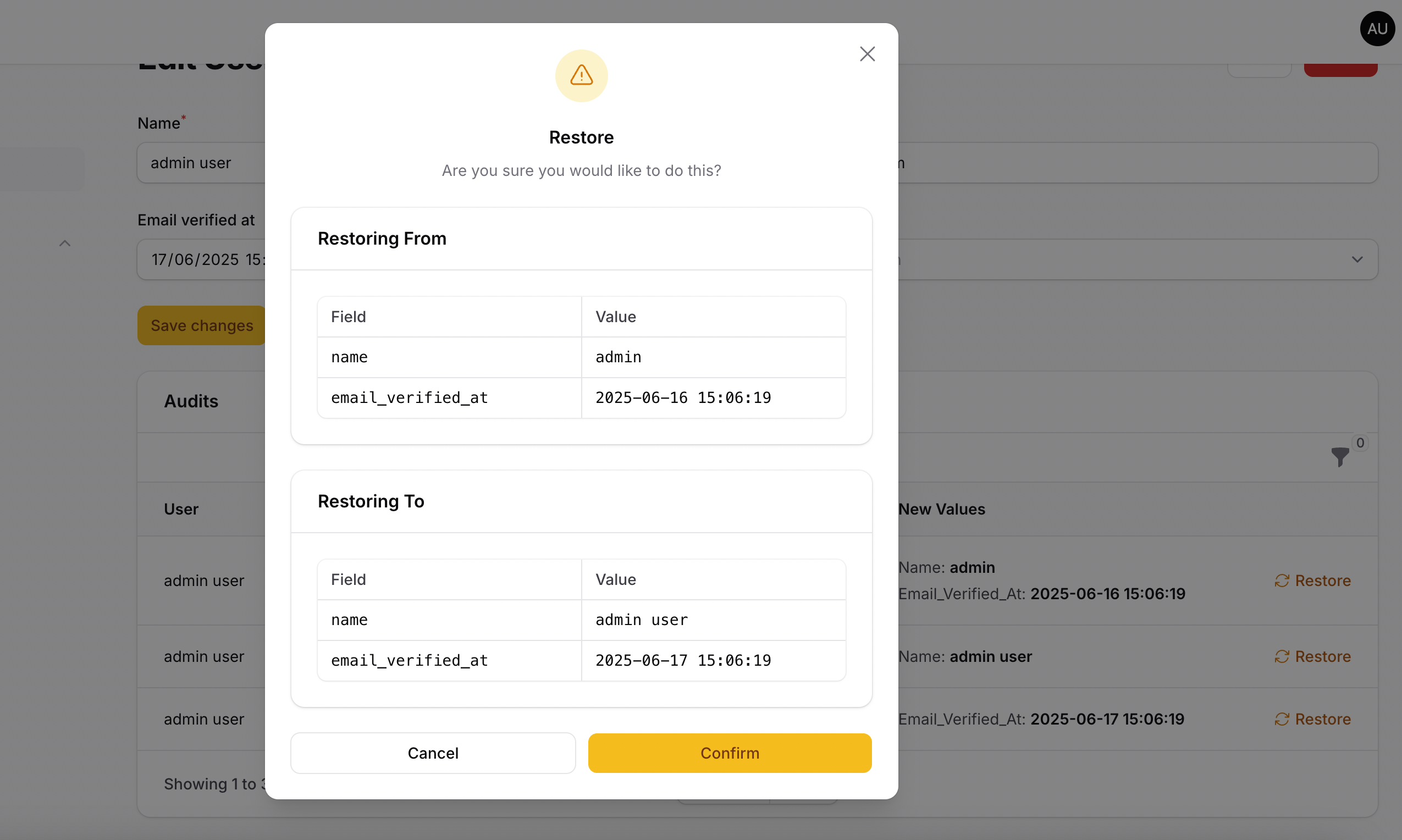
This package provides a Filament resource manager that shows a table with all audits on view and edit pages and allows restore audits.
Version Compatibility
| Filament | Filament Auditing | Documentation |
|---|---|---|
| 4.x/5.x | 4.x | Current |
| 3.x | 3.x | Check the docs |
| 2.x | 2.x | Check the docs |
Installation
Important
Please check the Filament Auditing plugin version you should use in the Version Compatibility table above.
Note This plugin uses the Laravel Auditing package. First install and configure this package.
You can install the plugin via Composer.
composer require tapp/filament-auditing:"^4.0"
You can publish the view files with:
php artisan vendor:publish --tag="filament-auditing-views"
You can publish the translation files with:
php artisan vendor:publish --tag="filament-auditing-translations"
You can publish the config file with:
php artisan vendor:publish --tag="filament-auditing-config"
This is the content of the published config file:
<?php

use Tapp\FilamentAuditing\Filament\Resources\Audits\AuditResource;

return [

    'audits_sort' => [
        'column' => 'created_at',
        'direction' => 'desc',
    ],

    'is_lazy' => true,

    'grouped_table_actions' => false,

    /**
     *  Extending Columns
     * --------------------------------------------------------------------------
     *  In case you need to add a column to the AuditsRelationManager that does
     *  not already exist in the table, you can add it here, and it will be
     *  prepended to the table builder.
     */
    'audits_extend' => [
        // 'url' => [
        //     'class' => \Filament\Tables\Columns\TextColumn::class,
        //     'methods' => [
        //         'sortable',
        //         'searchable' => true,
        //         'default' => 'N/A'
        //     ]
        // ],
    ],

    'custom_audits_view' => false,

    'custom_view_parameters' => [
    ],

    'mapping' => [
    ],

    'resources' => [
        'AuditResource' => AuditResource::class,
    ],

];
audits_sort: can be used to change the default sort on the audits table.
grouped_table_actions: set to true to group the actions on the audits table.
Multi-Tenancy Support
This plugin supports multi-tenancy for Filament applications. When enabled, all audit records are automatically scoped to the current tenant, ensuring that users only see audits belonging to their tenant.
Configuration
To enable tenancy support, update your config/filament-auditing.php file:
'tenancy' => [
    // Enable tenancy support
    'enabled' => true,

    // The Tenant model class (e.g., App\Models\Team::class, App\Models\Organization::class)
    'model' => \App\Models\Team::class,

    // The tenant relationship name (defaults to snake_case of tenant model class name)
    // For example: Team::class -> 'team', Organization::class -> 'organization'
    // This should match what you configure in your Filament Panel:
    // ->tenantOwnershipRelationshipName('team')
    'relationship_name' => 'teams',

    // The tenant column name (defaults to snake_case of tenant model class name + '_id')
    // You can override this if needed
    'column' => 'team_id',
],
Migration
After enabling tenancy, you need to publish and run the migration to add the tenant column to the audits table.
First, publish the migration:
php artisan vendor:publish --tag="filament-auditing-migrations"
Then, run the migration:
php artisan migrate
The migration will automatically add the configured tenant column (e.g., team_id) to the audits table with a foreign key constraint.
Note: The tenant resolver is automatically registered by the plugin's service provider. You do not need to manually add it to your
config/audit.phpfile'sresolversarray. The plugin handles this automatically when tenancy is enabled.
How It Works
When tenancy is enabled:
-
Automatic Tenant Assignment: New audit records are automatically assigned to the current tenant using Laravel Auditing's resolver system. The plugin automatically registers a custom resolver that gets the current tenant from Filament and sets it on new audit records.
-
Query Scoping: All audit queries are automatically scoped to the current tenant:
- The AuditResource list page only shows audits for the current tenant
- The ViewAudit page only allows viewing audits belonging to the current tenant
- The AuditsRelationManager only shows audits for the current tenant
-
Security: The restore action validates that the audit belongs to the current tenant before allowing restoration, preventing cross-tenant data access.
Important Notes
-
Enable Before Migrations: Make sure to enable tenancy in your config file before running migrations. The migration checks the config to determine whether to add the tenant column.
-
Panel Configuration: Ensure your Filament panel is configured with tenancy. For example, in your
AppPanelProvider:
->tenant(Team::class, slugAttribute: 'slug')
->tenantDomain('{tenant:slug}.'.$host)
- Existing Audits: If you enable tenancy after audits have already been created, existing audits will have
nullfor the tenant column. You may need to backfill this data manually if required.
Integrate Filament Auditing Tailwind classes
Filament recommends developers create a custom theme to better support plugin's additional Tailwind classes. After you have created your custom theme, add the Filament Auditing vendor path to your theme.css file, usually located in resources/css/filament/admin/theme.css:
@import '../../../../vendor/filament/filament/resources/css/theme.css';

@source '../../../../app/Filament';
@source '../../../../resources/views/filament';
@source '../../../../vendor/tapp/filament-auditing'; // Add this line
Usage
To show the audits table in your Filament resource, just add AuditsRelationManager::class on your
resource's getRelations method:
use Tapp\FilamentAuditing\RelationManagers\AuditsRelationManager;

public static function getRelations(): array
{
    return [
        // ...
        AuditsRelationManager::class,
    ];
}
To show the Audit resource in navigation menu, add to your panel provider, e.g. AdminPanelProvider.php:
use Tapp\FilamentAuditing\FilamentAuditingPlugin;

return $panel
    ->plugins([
        FilamentAuditingPlugin::make(),
    ]);
That's it, you're all set!
If you access your resource, and edit some data, you will now see the audits table on edit and view pages.
Appareance
Relation Manager
Resource
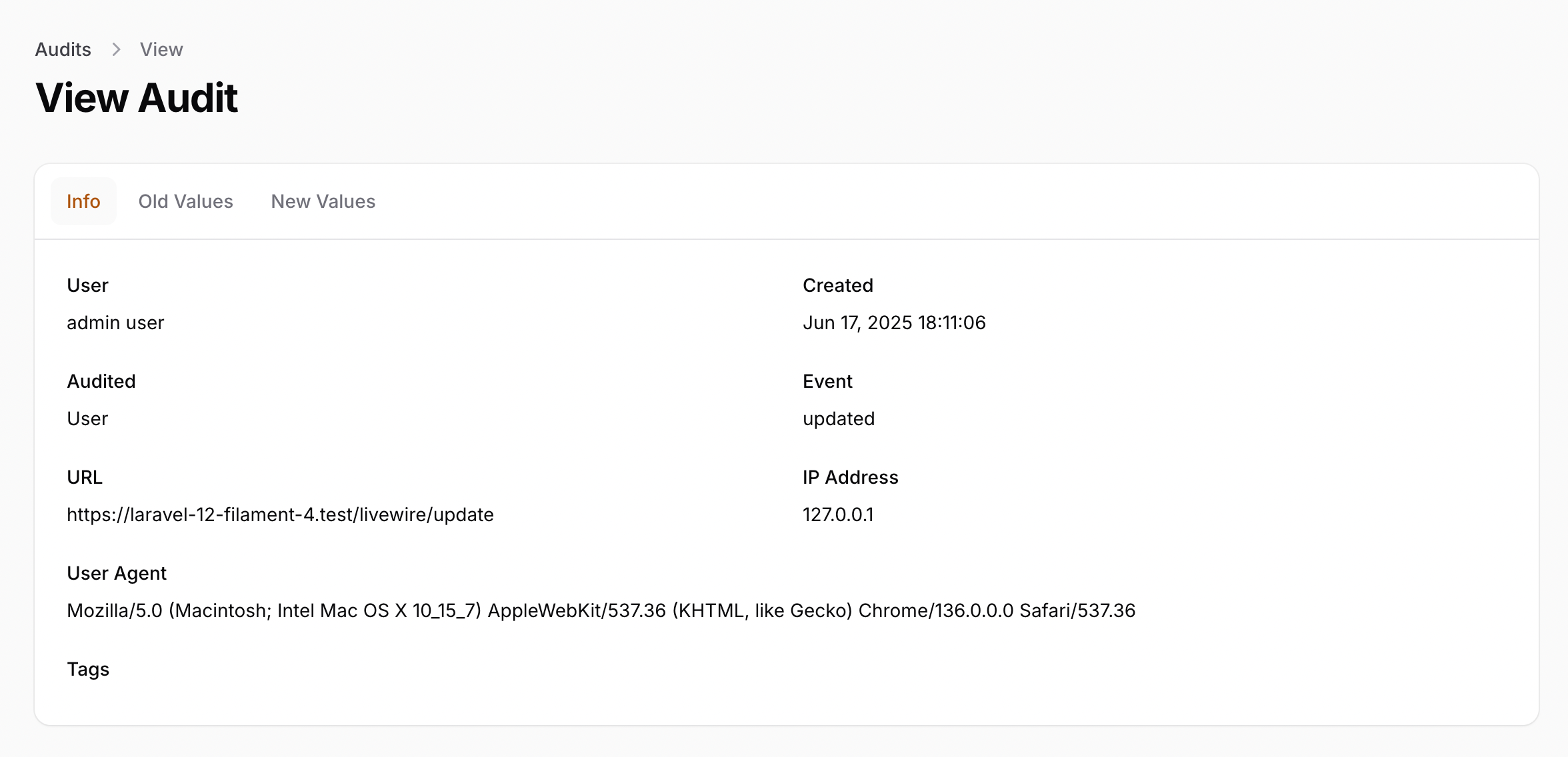
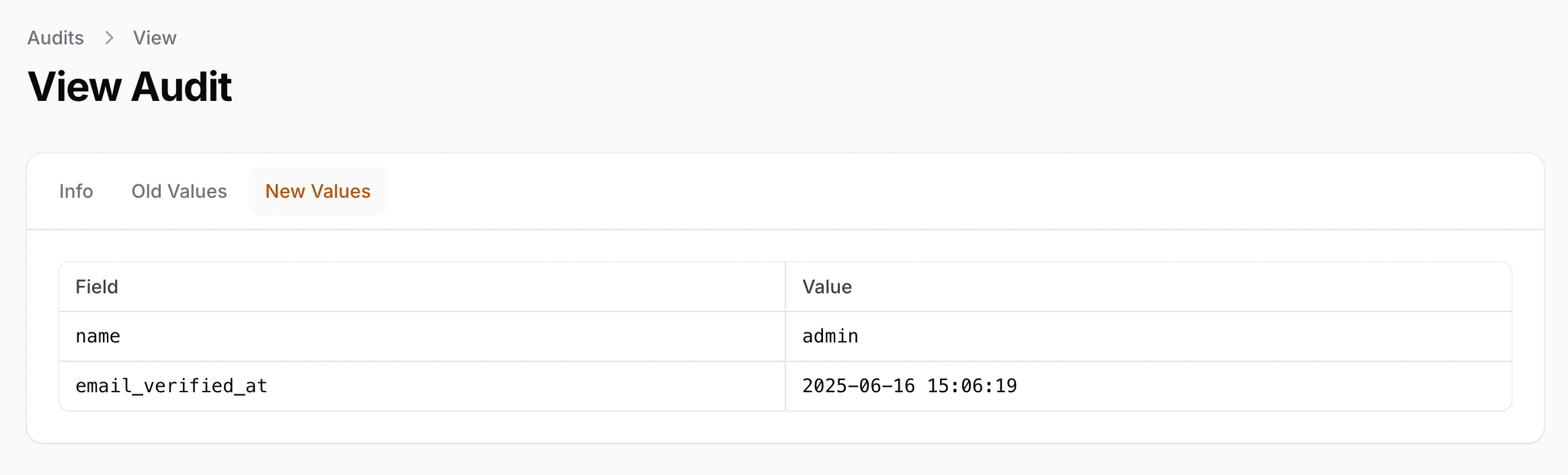
View Audit
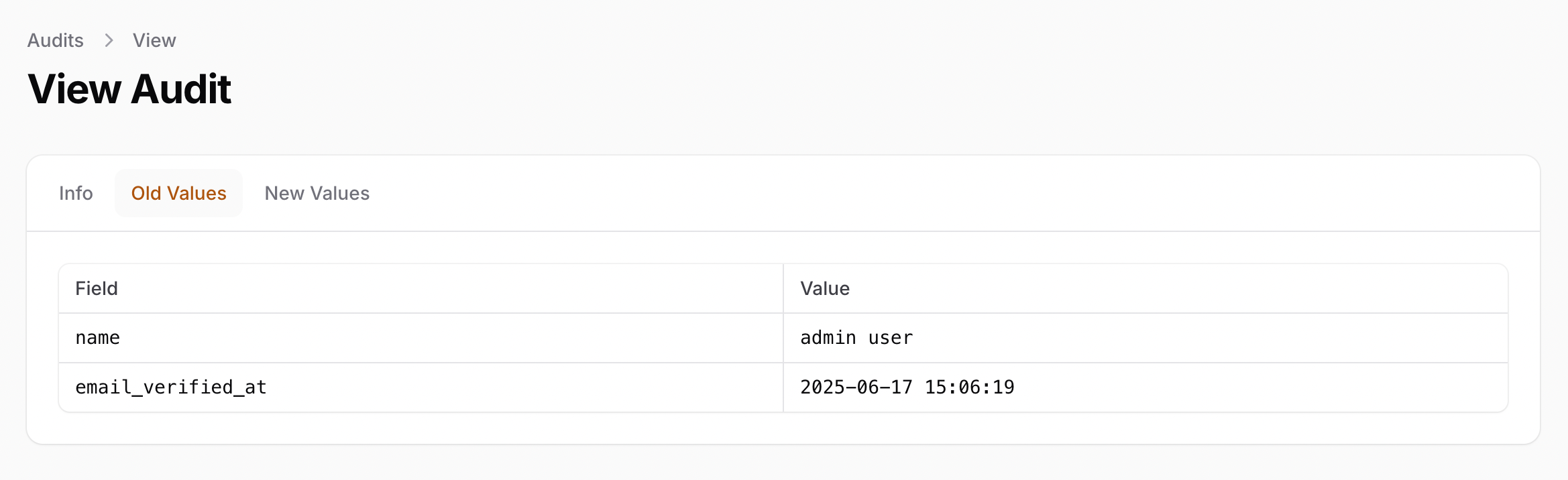
Restore Action
Extending Columns
In case you need to add a column to the AuditsRelationManager that does not already exist in the table, you can add it in the config using the format denoted in the example below, and it will be prepended to the table builder. The name of the column to be added is the key of an associative array that contains other information about the class, as shown in the example below. The class instance of the column must be added, but the methods can be left out if not required, or added wherever necessary.
<?php

return [

    'audits_extend' => [
       'url' => [
           'class' => \Filament\Tables\Columns\TextColumn::class, // required
           'methods' => [
               'sortable',
               'default' => 'NIL',
            ],
        ],
    ]

];
After adding this information in the config, please run this command for changes to take place.
php artisan optimize
Methods with two or more parameters can be specified with an array like so:
<?php

return [

    'audits_extend' => [
       'created_at' => [
           'class' => \Filament\Tables\Columns\TextColumn::class, // required
           'methods' => [
               'sortable',
               'date' => ['Y-m-d H:i:s', 'America/New_York'],
            ],
        ],
    ]

];
Custom View Data Formatting
If you want to modify the content of the audit to display the old and new values in a specific way, such as showing the value of a specific column instead of the ID for relationships, or even customize the entire view to display data in a different way than the default table, you can use one of these methods described below (first, make sure the plugin views are published):
Show a related column instead of foreign id
To use another field to be displayed for relationships instead of the foreign id, in old and new values, you can add on the mapping array, in filament-auditing.php config file, the label and field that should be displayed, as well as the related model, using the foreign key as the array key. For example, on an user relationship with the user_id foreing key, this config will display the user name along with the User label:
'mapping' => [
        'user_id' => [
            'model' => App\Models\User::class,
            'field' => 'name',
            'label' => 'User',
        ],
    ],
And you'd like to customize the view, you can do it in the published view views/vendor/filament-auditing/tables/columns/key-value.blade.php file.
Customizing the Old and New Values
If you need to customize the presentation for other old and new values, besides the related fields, you can add a formatAuditFieldsForPresentation($field, $record) method on the model that is auditable, with two parameters:
- the first parameter contains the name of the field (
old_valuesornew_values). - the second parameter contains de current audit record
This method must return the formatted audit fields.
For example, let's say you have an Article model that is auditable and contains a related user, and you added a formatAuditFieldsForPresentation($field, $record) method that returns the related user name instead of the id, and the data formatted with some HTML code:
<?php

namespace App\Models;

use Illuminate\Database\Eloquent\Model;
use OwenIt\Auditing\Contracts\Audit;
use OwenIt\Auditing\Contracts\Auditable;
use Illuminate\Database\Eloquent\Relations\BelongsTo;
use Illuminate\Support\Arr;
use Illuminate\Support\HtmlString;

class Article extends Model implements Auditable
{
    use \OwenIt\Auditing\Auditable;

    // ...

    public function formatAuditFieldsForPresentation($field, Audit $record)
    {
        $fields = Arr::wrap($record->{$field});

        $formattedResult = '<ul>';

        foreach ($fields as $key => $value) {
            $formattedResult .= '<li>';
            $formattedResult .= match ($key) {
                'user_id' => '<strong>User</strong>: '.User::find($record->{$field}['user_id'])?->name.'<br />',
                'title' => '<strong>Title</strong>: '.(string) str($record->{$field}['title'])->title().'<br />',
                'order' => '<strong>Order</strong>: '.$record->{$field}['order'].'<br />',
                'content' => '<strong>Content</strong>: '.$record->{$field}['content'].'<br />',
                default => ' - ',
            };
            $formattedResult .= '</li>';
        }

        $formattedResult .= '</ul>';

        return new HtmlString($formattedResult);
    }

    public function user(): BelongsTo
    {
        return $this->belongsTo(User::class);
    }
}
Customizing the Entire View Content
If you'd like to customize the entire view content, you may set the custom_audits_view config value to true on config/filament-auditing.php file:
'custom_audits_view' => true,
This modification will allow you to take full control of the display and tailor it to your specific requirements. You can now add your custom content on resources/views/vendor/filament-auditing/tables/custom-audit-content.blade.php file.
For example:
@php
$type = (string) str(class_basename($owner))->lower();
@endphp

@if(isset($records))
    <x-filament-tables::table>
        <x-slot name="header">
            @foreach($headers as $header)
            <x-filament-tables::header-cell>
                {{$header}}
            </x-filament-tables::header-cell>
            @endforeach
        </x-slot>
        @foreach($records as $audit)
            <x-filament-tables::row>
                @foreach ($audit->getModified() as $attribute => $modified)
                    <x-filament-tables::cell>
                        @lang($type.'.metadata', $audit->getMetadata())
                        <br />
                        @php
                            $current = $type.'.'.$audit->event.'.modified.'.$attribute;

                            $modified['new'] = $owner->formatFieldForPresentation($attribute, $modified['new']);

                            if (isset($modified['old'])) {
                                $modified['old'] = $owner->formatFieldForPresentation($attribute, $modified['old']);
                            }
                        @endphp

                        @lang($current, $modified)
                    </x-filament-tables::cell>
                @endforeach
            </x-filament-tables::row>
        @endforeach
    </x-filament-tables::table>
@else
    <div class="flex items-center justify-center h-32 text-gray-500 dark:text-gray-400">
        @lang($type.'.unavailable_audits')
    </div>
@endif
The owner record is available to this view via $owner variable. To pass some additional parameters to the view, you may use the custom_view_parameters config:
'custom_view_parameters' => [
    'headers' => [
        'Audit',
    ],
],
To format a field, you may also add a formatFieldForPresentation method on the owner model, with the field name and value as parameters, like in the example above. This method must return a formatted field.
For example, in an Article model, to return the name of the related user:
public function formatFieldForPresentation($field, $value)
{
    return match($field) {
        'user_id' => $value ? optional(User::find($value))->name : $value,
        default => $value,
    };
}
An example of the article.php lang file content used in the custom-audit-content.blade.php view code above:
<?php

return [
    'unavailable_audits' => 'No article audits available',

    'metadata' => 'On :audit_created_at, :user_name [:audit_ip_address] :audit_event this record via :audit_url',

    'updated' => [
        'modified' => [
            'order' => 'The Order has been modified from <strong>:old</strong> to <strong>:new</strong>',
            'title' => 'The Title has been modified from <strong>:old</strong> to <strong>:new</strong>',
            'content' => 'The Content has been modified from <strong>:old</strong> to <strong>:new</strong>',
            'user_id' => 'The User has been modified from <strong>:old</strong> to <strong>:new</strong>',
        ],
    ],
];
Permissions
Two permissions are registered by default, allowing access to:
audit: view auditsrestoreAudit: restore audits
You can override these permissions by adding a policy with audit and restoreAudit.
Event emitted
The auditRestored event is emitted when an audit is restored, so you could register a listener using the $listeners property to execute some extra code after the audit is restored.
E.g.: on Edit page of your resource:
protected $listeners = [
    'auditRestored',
];

public function auditRestored()
{
    // your code
}
Event listener
The audits relation manager listen to the updateAuditsRelationManager event to refresh the audits table.
So you can dispatch this event in the Edit page of your resource (e.g.: in a edit page of a PostResource -> app/Filament/Resources/PostResource/Pages/EditPost.php) when the form is updated:
protected function afterSave(): void
{
    $this->dispatch('updateAuditsRelationManager');
}
Warning
When dispaching this event, set the is_lazy configuration to false, on filament-auditing.php
config file, to avoid this exception: "Typed property Filament\Resources\RelationManagers\RelationManager::$table
must not be accessed before initialization"