
romansulzhyk / filament-import

Import CSV and Excel (.xlsx) files into any Filament v4 or v5 resource immediately, without a queue: delimiter and encoding detection, header matching, validation, upserts and a downloadable report of failed rows.
Requires
- php: ^8.2
- ext-mbstring: *
- ext-zip: *
- filament/filament: ^4.0|^5.0
- league/csv: ^9.16
- openspout/openspout: ^4.23
- spatie/laravel-package-tools: ^1.16
Requires (Dev)
- orchestra/testbench: ^9.0|^10.0|^11.0
- pestphp/pest: ^3.0|^4.0
- pestphp/pest-plugin-laravel: ^3.0|^4.0
- pestphp/pest-plugin-livewire: ^3.0|^4.0
Suggests
None
Provides
None
Conflicts
None
Replaces
None
README
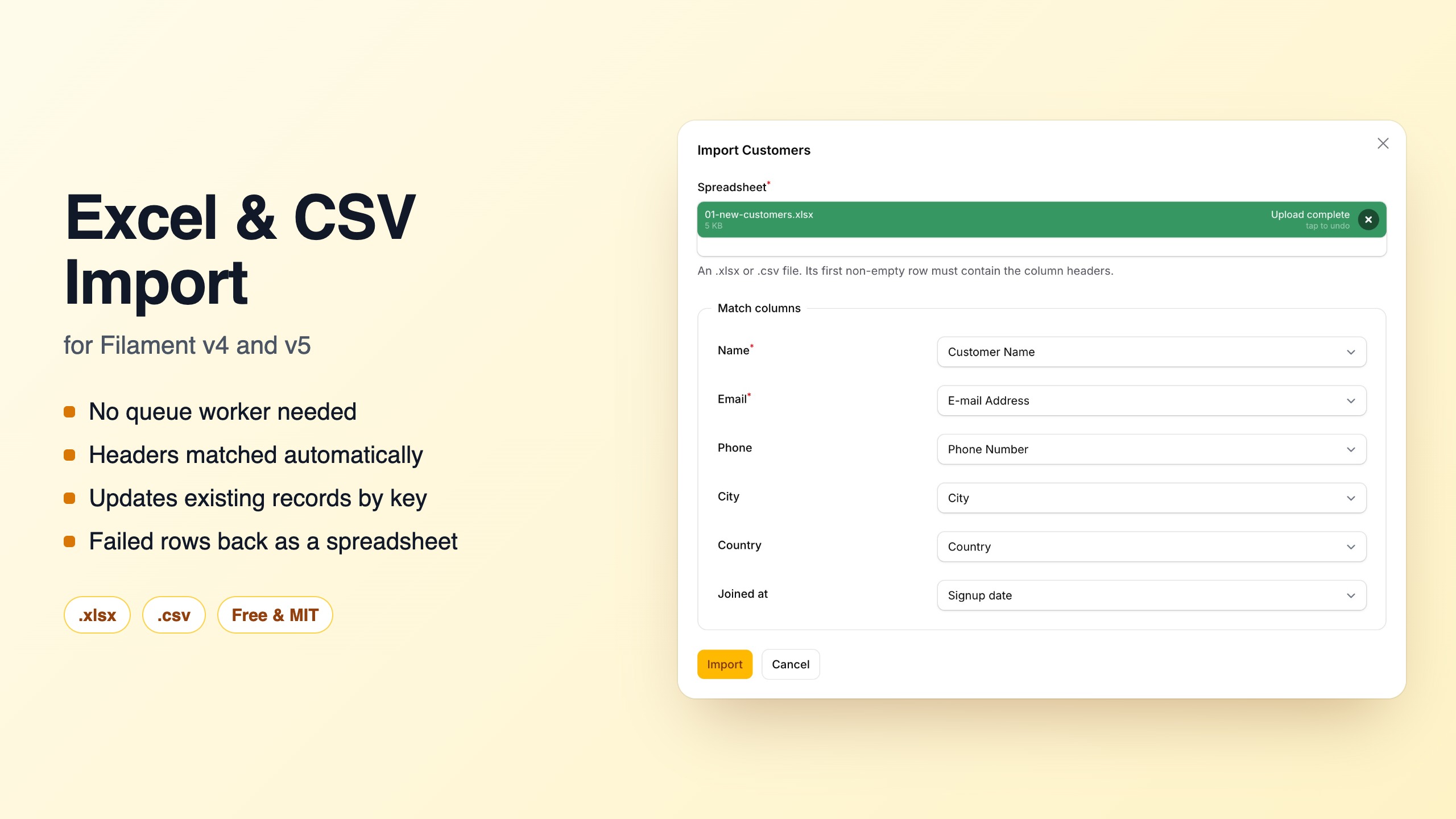

Import CSV and Excel (.csv, .tsv, .xlsx) files into any Filament v4 or v5 resource, immediately, with no queue worker.
Filament 4 and 5 · CSV and .xlsx · no queue · any CSV delimiter and encoding · runs your existing Importer classes · failed rows as .xlsx · 63 locales · free, MIT
- Works with zero configuration, reading columns from your model's
$fillable. - Or runs your existing Filament
Importerclasses, without queues and with.xlsxsupport that the core importer does not have. - Suggests which file column feeds which field, and lets the user correct it before importing.
- Reports every failed row with its spreadsheet line number, and offers the rejected rows as an
.xlsxthe user can fix and upload again. - Reads what Excel really exports: UTF-16 and legacy code-page CSVs (Windows-1250 to 1257, Thai, Shift_JIS, GBK, Big5, Korean), semicolon delimiters, Excel dates, and headers in 63 locales.
- Its interface is translated into the same 63 locales.
Requirements
| Supported | |
|---|---|
| PHP | 8.2+ |
| Laravel | 11.28+, 12, 13 |
| Filament | 4.0+, 5.x |
Installation
composer require romansulzhyk/filament-import
The package registers itself. To change the defaults, publish the config:
php artisan vendor:publish --tag=filament-import-config
Usage
Zero configuration
Add the action to a resource's list page:
use RomanSulzhyk\FilamentImport\Actions\ExcelImportAction;

class ListCustomers extends ListRecords
{
    protected function getHeaderActions(): array
    {
        return [
            ExcelImportAction::make(),
        ];
    }
}
Every $fillable attribute that is not $hidden becomes an import field. Anyone who can see the action can write any of those attributes, so narrow the list if some of them are sensitive:
ExcelImportAction::make()
    ->importColumns(['name', 'email', 'phone'])   // only these, and only if fillable
    ->exceptColumns(['role', 'is_admin']);         // never these
On a tenant-scoped resource in a panel with tenancy, the tenant ownership key (for example team_id) is never offered. Filament only re-assigns the tenant when a record is created, so an imported value could otherwise move existing records to another tenant through upsertBy().
Zero-config mode only imports the resource's own model, on the resource's own pages, when the resource is tenant-scoped. Filament assigns the tenant only in that case, so rows imported anywhere else (a relation manager, a relation page, another model or a subclass) would get no tenant, or a tenant or parent key taken from the file. The action refuses those placements with an explanation when its modal opens. To import there, list the columns with ->importColumns([...]), which still never includes the tenant key, and assign the tenant yourself. The simplest way is an importer class:
class ContactImporter extends Importer
{
    // ...columns...

    protected function beforeSave(): void
    {
        $this->record->team()->associate(Filament::getTenant());
    }
}

ExcelImportAction::make()->importer(ContactImporter::class);
A model that uses $guarded = [] has no $fillable, so zero-config mode refuses it with an error. Use ->importColumns([...]) together with $fillable, or an importer class.
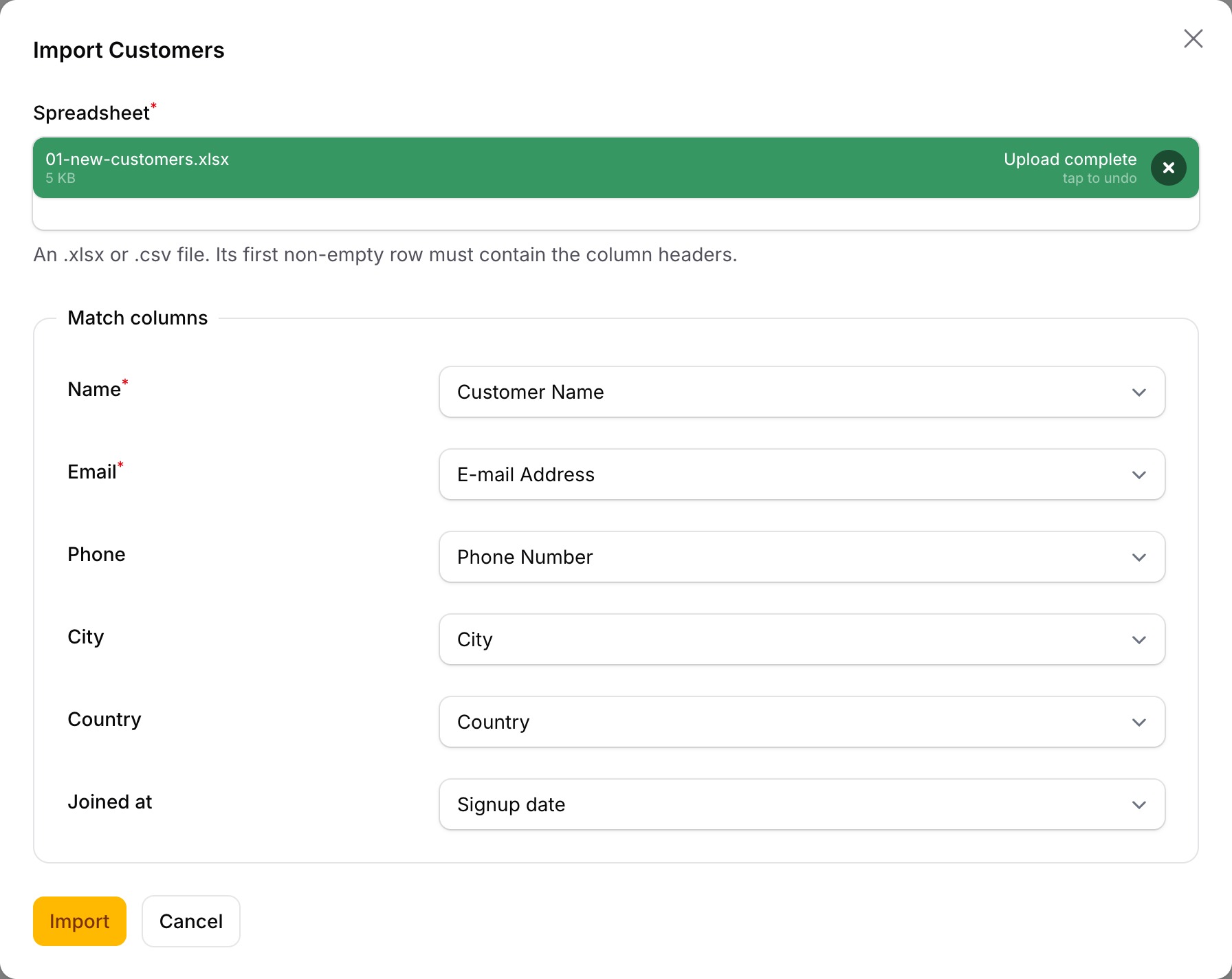
File headers are matched to fields automatically, and the user can correct any match before importing. Only strong matches are pre-selected:
- exact matches, such as
emailorEmail; - the same letters written differently:
E-mail,FirstName,first_name; - matches after dropping owner words or noise words:
Customer Email,E-mail Address,Phone Number; - near-identical spellings:
Adress; - whole headers that are a common name for the field in another language:
Місто,Telefon,Ciudad,Courriel,電話番号,البريد الإلكتروني. Every language Filament itself is translated into is covered except Russian. A word that could fit two of your fields, such as a first name when the file also has a surname column, is left for the user to map.
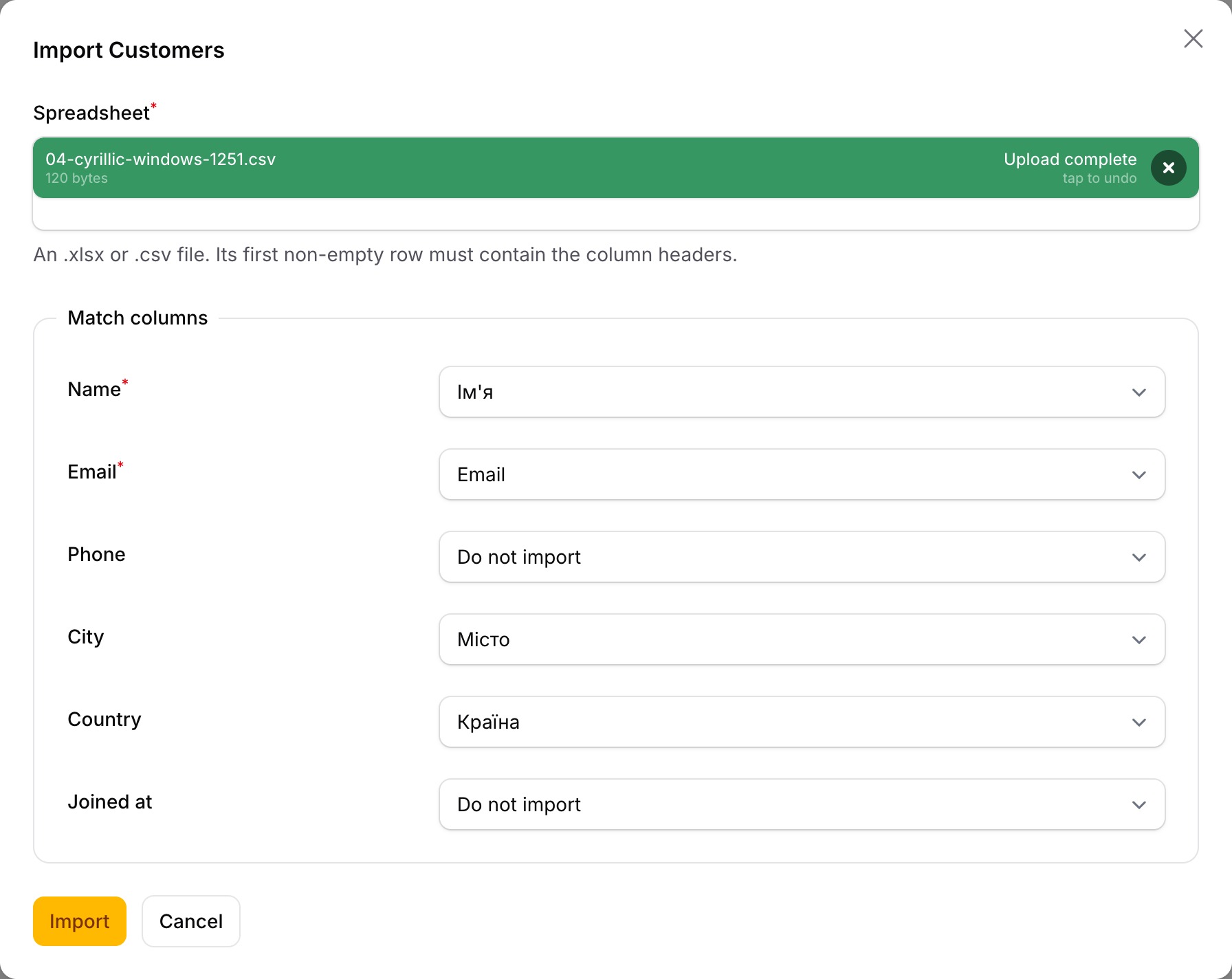
A header that merely contains a field name is left for the user to map. Examples are Username, Last Name, Company Name, Email Opt-in and Billing City, because pre-selecting them would silently put data in the wrong column.
Add validation, and update existing records instead of duplicating them:
ExcelImportAction::make()
    ->validateUsing([
        'name' => 'required|max:255',
        'email' => ['required', 'email'],
    ])
    ->upsertBy('email');
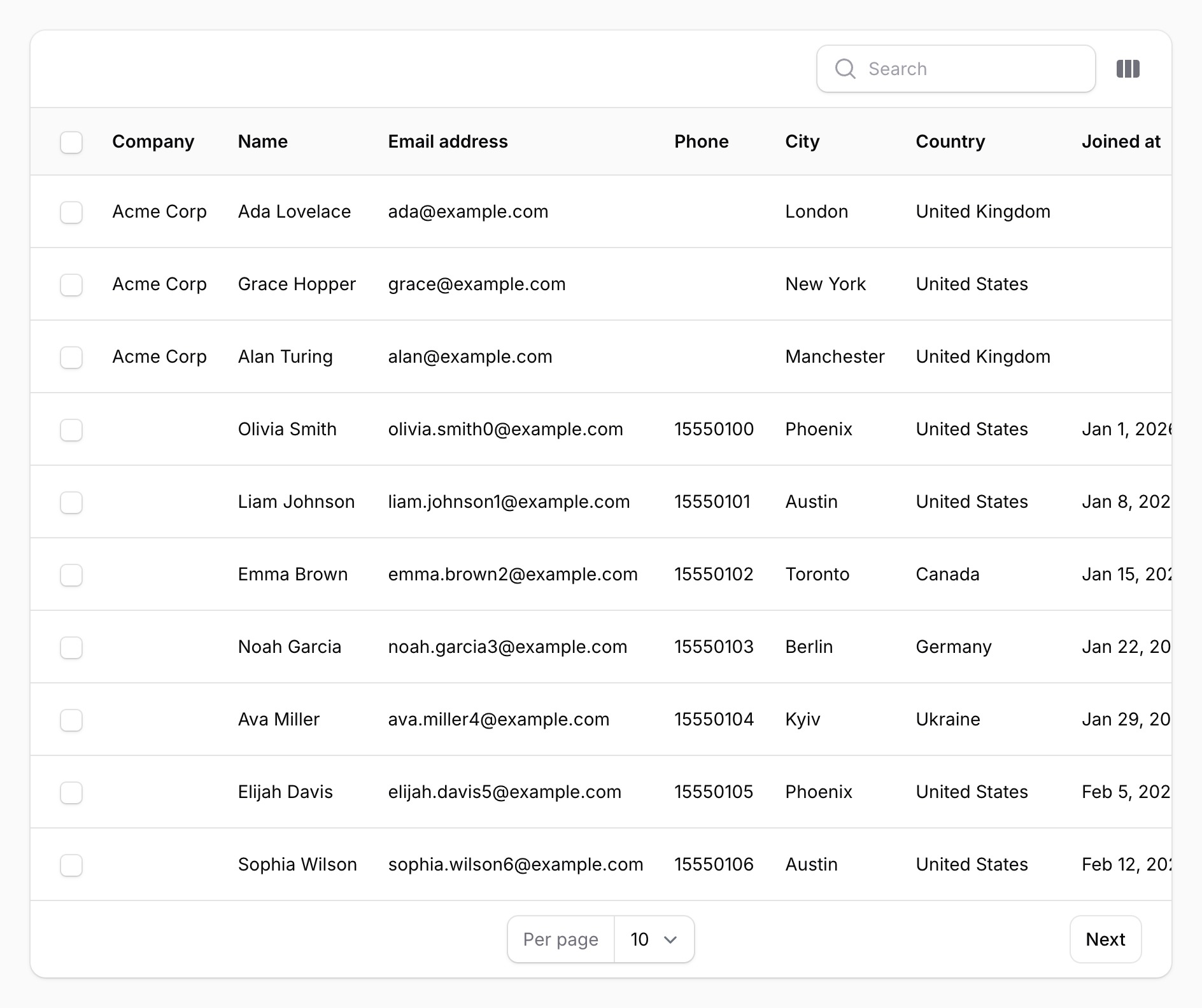
upsertBy() updates the record whose values in those columns match the row, and creates one otherwise. A row with a blank key is always created, never matched, so an empty cell cannot overwrite an unrelated record.
Fields with a required rule, and every upsertBy() key, must be mapped before the import can start. Leaving them on "Do not import" would otherwise skip their validation or turn every update into a duplicate.
With an existing Filament importer
If you already have a core Importer class, pass it in:
ExcelImportAction::make()
    ->importer(CustomerImporter::class);
It runs the importer's own columns, validation rules, casting, relationships, resolveRecord(), lifecycle hooks and getOptionsFormComponents() fields as the core ImportAction would, but in-process instead of through a job batch. The differences: no ImportStarted or ImportCompleted events are dispatched, and the Import model the importer receives is not saved, so it has no id and does not appear in import history. Relationships declared with ImportColumn::relationship(), upserts written in resolveRecord() and guess() hints all work unchanged.
validateUsing(), upsertBy(), importColumns() and exceptColumns() configure zero-config mode only. Combining them with ->importer() throws an exception rather than silently ignoring them.
Hooks and options
ExcelImportAction::make()
    ->beforeImport(function (array $data, $livewire, $excelImportAction) {
        // Runs before any row is written. Call $excelImportAction->halt() to stop.
    })
    ->afterImport(function (array $data, $livewire, $excelImportAction, ImportResult $result) {
        // $result->created, ->updated, ->skipped, ->failed(), ->failures
    })
    ->importerOptions(['send_welcome_email' => false]) // Available to the importer as $this->options
    ->optionsFormComponents([
        Select::make('source')->options(['fair' => 'Trade fair', 'web' => 'Website'])->required(),
    ])
    ->additionalData(fn (array $data) => ['source' => $data['source'], 'imported' => true])
    ->templateDownload(false) // hide the "Download template" link
    ->syncRowLimit(5000)
    ->csvEncoding('Windows-1250') // only if detection is not enough, see below
    ->acceptedFileTypes([...ExcelImportAction::ACCEPTED_FILE_TYPES, 'application/octet-stream'])
    ->maxFileSize(20480); // kilobytes
optionsFormComponents() adds fields to the modal. Their values reach an importer class as $this->options, merged over importerOptions(), and an importer's own getOptionsFormComponents() are shown automatically. additionalData() writes fixed values to every record in zero-config mode, after the file's values, so a file column can never override them. They are set directly rather than through $fillable, because they come from your code, and an upsertBy() key among them is also used to find the record to update. Validate any value a form field feeds into them, since a user could submit any option. They cannot set the tenant ownership key on a tenant-scoped resource: Filament assigns the tenant itself, and a fixed value would move records into another tenant. Keys given as an array are never offered for mapping; keys returned by a closure are still listed, but whatever the user maps to them is ignored.
The modal offers a "Download template" link: an .xlsx with one header per import column and the examples declared with ->example(), ->examples() or, from Filament 5.9, ->enum().
ExcelImportAction is a normal Filament action, so ->label(), ->icon(), ->color(), ->slideOver(), ->visible(), ->authorize() and every other action method work as usual.
Limits and how it works
Each row goes through the importer's own per-row pipeline, in its own database transaction on the model's connection. One bad row does not stop the file. Because every row is its own transaction (a savepoint when nested), a failed statement cannot poison the rows after it. That matters on PostgreSQL, although the suite itself runs on SQLite only.
Only the first worksheet of an .xlsx, in workbook order, is read. Blank rows above the header are skipped, and line numbers in errors still match the file. A column that has data in the first 200 rows but no header is kept as column_N, so its values reach the failed-rows report. Such unheaded data columns are only added up to the 256th column; columns that do have a header are always kept. Sheets that claim more rows than Excel's limit of 1,048,576 are refused. Old .xls files are refused with a request to save them as .xlsx.
A CSV may be delimited by commas, semicolons, pipes or tabs, and the delimiter is detected from the file. The encoding is detected too:
- UTF-8 (with or without a BOM) and UTF-16 with a byte order mark (Excel's "Unicode Text", some ad platforms' exports) in any app;
- Windows-1251 (Cyrillic) and Windows-1252 (Western European) in any app;
- the code page Excel uses for "CSV" in the app's locale: Windows-1250 for Central European languages, 1253 Greek, 1254 Turkish and Azerbaijani, 1255 Hebrew, 1256 Arabic, Persian and Urdu, 1257 Baltic, 874 Thai, Shift_JIS (CP932) Japanese, GBK (CP936) Simplified Chinese, Big5 (CP950) Traditional Chinese and CP949 Korean. It is used only when the letters that differ between that code page and Windows-1252 are letters of the app's language and would not read as a Western language instead, or, for non-Latin scripts, when the text decodes to whole words in that script. So a Western file with "Crème", "Muñoz" or "£3" still reads as Windows-1252 in a Polish or Japanese app. A file whose only special letters could also be Western is read as Windows-1252, as in 1.0.0: Slovak or Slovenian files whose only such letter is "č" (French "è"), and Hungarian files with "ő" but no "ű" (Portuguese "õ"). Apps whose users send such files should name the encoding with
->csvEncoding('Windows-1250'). The reverse also happens: an Icelandic Windows-1252 file reads as Turkish in a Turkish app, because Icelandic "þ", "ð" and "ý" share their bytes with Turkish "ş", "ğ" and "ı". Vietnamese Windows-1258 is not detected, because its tone marks cannot be told apart from Western accents reliably; name it with->csvEncoding('Windows-1258').
Legacy code pages cannot be told apart reliably from the bytes alone, so a file from a language other than the app's may still be misread. If your users' files come from elsewhere, name the encoding with ->csvEncoding('Shift_JIS') or the csv_encoding config key (FILAMENT_IMPORT_CSV_ENCODING). Asking users to save as .xlsx or "CSV UTF-8" avoids the question entirely.
A formula cell is imported as the result the spreadsheet app last saved for it. Files saved by Excel, LibreOffice or Google Sheets always carry that result. Two cases are not handled well:
- A formula whose result is an error, such as
#N/Afrom a lookup, imports as the formula text with OpenSpout 4.32 and as an empty value with OpenSpout 4.23. Validate such columns if they can contain errors. - A file generated by a library and never opened in a spreadsheet app may carry no saved result. A numeric formula then imports as
0.
Before an .xlsx is parsed, the archive must contain a workbook, and every entry in it is decompressed and its real size counted, stopping as soon as a limit is passed. A file is refused when its contents would expand beyond 100 MB, or beyond 200 times the uploaded file's size (see xlsx_max_uncompressed_bytes and xlsx_max_compression_ratio). The sizes the archive declares about itself are not trusted.
Files larger than sync_row_limit rows (default 2,000) are refused before anything is written, with a message telling the user to split the file. There is no queued mode in this version.
Measured on SQLite with an importer that validates five columns, on one machine:
| Rows | CSV | XLSX | Extra memory |
|---|---|---|---|
| 2,000 | 0.6 s | 0.9 s | ~2 MB |
| 10,000 | 3.1 s | 4.1 s | flat, the file is streamed |
A networked MySQL or PostgreSQL database is slower. Measure on your own database before raising the limit, and keep the result well inside your request timeout.
Importers that need a saved Import record. In this action the Import passed to your importer is an unsaved in-memory instance. $this->getImport()->user works. A hook that writes rows referencing import_id, or otherwise depends on the record existing in the database, does not. Keep those importers on the core ImportAction.
Security
-
The action authorizes like any Filament action. Add
->authorize(...)or->visible(...)as you would elsewhere. As with the core importer, rows are not checked against model policies; put per-record checks in your importer's hooks. -
The package does not store uploads. The file stays in Livewire's temporary upload storage until Livewire's own cleanup removes it; on S3, that needs a bucket lifecycle rule. When the temporary upload is remote, a local copy is made for reading and deleted when the request terminates, including under Octane.
-
The size limit (
maxFileSize()) and the accepted file types are enforced before the file is parsed. -
The failed-rows report is an
.xlsxwritten to the configured disk (localby default; keep it private). It contains every column of the rejected rows, including columns that were not imported, so the user can fix them and upload the file again. -
Every cell in the report is written as text. A value such as
=HYPERLINK(...)is shown as text, never run as a formula, and it is read back unchanged on re-upload, as are values like+15550101.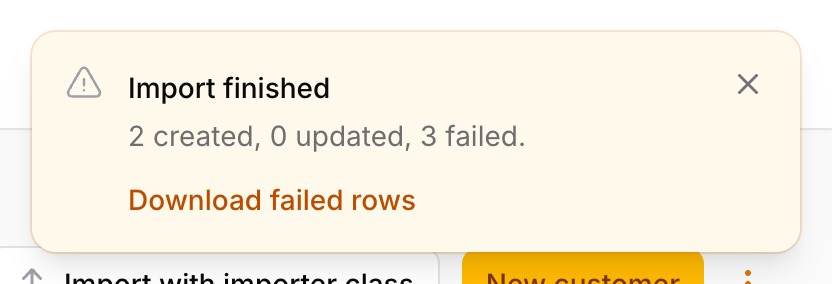
-
The report's download link is signed. It carries the panel's auth guard and the user's id, and works only for the user who ran the import, on that guard. No report is written when no user is signed in.
-
Reports are deleted after
failed_rows_ttl_minutes(default 24 hours, the same as the link). Old reports are pruned whenever a new one is written. A failure while pruning is reported to your exception handler and never fails the import. If imports are rare, or your disk does not allow listing files, schedulephp artisan filament-import:pruneas well.
Which import tool should I use?
An honest comparison, checked on 2026-09-28 from each package's README, composer.json and Packagist. Pick the one that fits:
| You need | Use |
|---|---|
.xlsx import on Filament 4 or 5 with no queue worker, or .xlsx for your existing core Importer classes |
This package |
| Files with tens of thousands of rows, processed in the background | Filament's core ImportAction (CSV only, queued) or waad/filament-import-wizard (queued, .xlsx and .xls) |
| A multi-step wizard with a row preview before anything is saved | waad/filament-import-wizard |
Legacy .xls files |
waad/filament-import-wizard, or a maatwebsite/excel based plugin |
An existing eightynine/filament-excel-import setup |
Its latest tagged release supports Filament 4 only; see the migration table below to move to this package |
What this package does that the others do not: it runs core Filament Importer classes in-process with .xlsx support; it detects legacy CSV encodings (UTF-16, Windows-1250 to 1257, Shift_JIS, GBK, Big5 and more); it matches headers and is translated in 63 locales; and it returns rejected rows as an .xlsx with line numbers that the user can fix and upload again.
What it does not do: there is no queued mode (files over 2,000 rows are refused by default), no separate preview step, and no .xls.
FAQ
Does Filament's ImportAction support .xlsx?
No. The core ImportAction reads CSV only and runs through queued job batches. This package adds .xlsx, and ExcelImportAction::make()->importer(YourImporter::class) runs the same Importer class without a queue.
How do I import Excel in Filament 5 without a queue worker?
composer require romansulzhyk/filament-import, then add ExcelImportAction::make() to the resource's list page header actions. Rows are written in the request, each in its own transaction, and the user sees the result immediately.
Is there a Filament CSV import plugin that works without a queue?
Yes, this one. Filament's core ImportAction imports CSV through queued job batches. ExcelImportAction imports the same CSV in the request, detects the delimiter and encoding, and also reads .xlsx and .tsv.
How do I accept CSV files that a browser or system labels with another MIME type?
Upload validation checks the file's detected type against a list. Extend it with ->acceptedFileTypes([...ExcelImportAction::ACCEPTED_FILE_TYPES, 'application/octet-stream']). The reader still decides from the file's contents and extension, so a binary file under an accepted type is refused, not imported as garbage.
How do I import a CSV with semicolons, a BOM or a Windows code page?
Nothing to configure: the delimiter and the encoding are detected. If your users send files in a code page that cannot be told apart from Western European, name it with ->csvEncoding('Windows-1250').
How do I update existing records instead of creating duplicates?
->upsertBy('email') in zero-config mode, or resolveRecord() in an importer class. A row with a blank key is always created and never overwrites another record.
How do I move from eightynine/filament-excel-import to Filament 5?
Change the use statement to RomanSulzhyk\FilamentImport\Actions\ExcelImportAction. validateUsing(), beforeImport(), afterImport() and additionalData() keep their signatures; the table below lists the rest.
How large can a file be?
2,000 rows by default, which imports in about a second on SQLite. Raise syncRowLimit() after measuring on your database, and keep it well inside your request timeout.
Does it work with AI coding assistants?
Yes. The package ships a Laravel Boost skill and guideline. After composer require, run php artisan boost:update (or boost:install) and select romansulzhyk/filament-import, and your agent gets the correct API instead of guessing another plugin's methods.
Coming from eightynine/filament-excel-import?
That plugin (eightynine/filament-excel-import on Packagist, eighty9nine/filament-excel-import on GitHub) has no Filament v5 release yet. This package reproduces its default behaviour, matching file headers to $fillable attributes, and these of its methods:
| eightynine method | Here |
|---|---|
ExcelImportAction::make() |
Supported. Change the use import to RomanSulzhyk\FilamentImport\Actions\ExcelImportAction. |
->validateUsing([...]) |
Supported, same signature. |
->beforeImport(fn ($data, $livewire, $excelImportAction) => ...) |
Supported, same arguments. |
->afterImport(fn ($data, $livewire, $excelImportAction) => ...) |
Supported. Also receives $result. |
->color(), ->slideOver(), ->label(), ->icon(), ->requiresConfirmation() |
Supported: standard Filament action methods. |
->additionalData([...]) |
Supported in zero-config mode. Also accepts a closure that receives the form $data. |
->beforeUploadField([...]) |
Use ->optionsFormComponents([...]). The fields appear below the file and column matching. |
->customImportData([...]) |
Use ->importerOptions([...]) with an importer class ($this->options), or ->additionalData() in zero-config mode. |
->sampleExcel(...) |
Built in: the modal's "Download template" link. Declare examples on the columns. |
Not supported in this version:
->use(YourImport::class), because it requiresmaatwebsite/excel: move the logic into a FilamentImporterclass and pass it with->importer().->processCollectionUsing()->mutateBeforeValidationUsing()->mutateAfterValidationUsing()->afterUploadField()->uploadField()->validateHeaders()->validateCustomCondition()->stopImportWithError()->stopImportWithWarning()->stopImportWithSuccess()->sampleFileExcel()
The default action name is excelImport, so it can sit next to the core import action on the same page.
Testing
composer install
vendor/bin/pest
vendor/bin/pest tests/Performance --group=performance
CI runs the suite on PHP 8.2 to 8.5 against Filament 4 and 5 and Laravel 11, 12 and 13, with the newest versions and with the lowest ones Composer will install. Composer skips releases with published security advisories, so outside the Laravel 11 jobs "lowest" is currently a later Filament release than 4.0.0 or 5.0.0; Filament 4.0.0 with Laravel 11.28 is tested exactly. Two notes: Filament 5 on PHP 8.2 is not covered, because its test tools need PHP 8.3; and Laravel 11 is end-of-life with open security advisories on every release, so it is tested but not recommended.
Translations
The interface is translated into 63 locales, following Filament's own locale names (pt_BR, zh_CN, sr_Latn and so on). Publish the files to change a wording or add a language:
php artisan vendor:publish --tag=filament-import-translations
Changelog
See CHANGELOG.md.
Security
Report security problems privately, as described in the security policy.
License
MIT. See LICENSE.md.