
mmuqiitf / filament-qr-code

Filament QR & Barcode: QR and barcode scanning (camera, image upload, hardware scanners, sequential fields) and QR generation for Filament v5.
Requires
- php: ^8.2
- bacon/bacon-qr-code: ^3.0.4
- filament/actions: ^5.8.3
- filament/filament: ^5.8.3
- filament/forms: ^5.8.3
- filament/infolists: ^5.8.3
- filament/support: ^5.8.3
- filament/tables: ^5.8.3
- illuminate/contracts: ^12.0|^13.0
- spatie/laravel-package-tools: ^1.16
Requires (Dev)
- larastan/larastan: ^3.0
- laravel/pint: ^1.30
- mockery/mockery: ^1.6.10
- nikic/php-parser: ^5.0
- orchestra/testbench: ^10.0|^11.0
- pestphp/pest: ^3.0|^4.0
- pestphp/pest-plugin-laravel: ^3.0|^4.0
- phpstan/extension-installer: ^1.3
- phpstan/phpstan: ^2.0
- phpstan/phpstan-deprecation-rules: ^2.0
Suggests
None
Provides
None
Conflicts
None
Replaces
None
- dev-main
- v1.0.3
- v1.0.2
- v1.0.1
- v1.0.0
- 0.6.x-dev
- v0.6.1
- v0.6.0
- v0.5.0
- v0.4.0
- v0.3.1
- v0.3.0
- v0.2.0
- v0.1.1
- v0.1.0
- dev-release/1.0.3
- dev-docs/rebrand-qr-barcode
- dev-docs/facade
- dev-feat/doctor-checks
- dev-ci/release-from-changelog
- dev-chore/filament-minimum-5.8.3
- dev-ci/gd-only
- dev-fix/flaky-image-cache-header
- dev-chore/release-1.0.2
- dev-feat/scanner-announcements
- dev-test/scan-lifecycle-announcements
- dev-feat/scanner-keyboard-focus
- dev-test/axe-browser-checks
This package is auto-updated.
Last update: 2026-10-31 10:07:39 UTC
README

Filament QR & Barcode scans QR codes and barcodes (camera, image upload and handheld scanners) and generates QR codes, built exclusively for Filament v5 and Laravel 12 / 13. Install it as mmuqiitf/filament-qr-code.
Features:
- 📷 Interactive Camera Scanner: Real-time camera stream, rear-camera prioritization with remembered choice, responsive decode box synced to the on-screen reticle, and image upload fallback with zero CDN latency.
- 🔗 Sequential Scanning: One shared camera feed walks through a multi-field checklist (
QrScanSequence), with editable or locked steps. - 🔫 Hardware Scanner Support: Native burst keystroke detection (<50ms) that absorbs trailing
Enterkeys to prevent premature form submissions. - 📦 Batch Collector (Repeaters & Lists): Continuous scanning mode with duplicate protection and sound/haptic confirmation for rapid inventory logging.
- 🎨 Full QR Generator Suite: Generate SVG & PNG QR codes with captions/text overlays, logo embedding, and schema components for Forms, Tables, Infolists, and Actions.
- 🔊 Sensory Confirmation: Instant zero-latency synthesized Web Audio tone and mobile haptic feedback, pitch and duration tunable per component.
Try it
The filament-qr-code-example app demos every component (scanner showcase, cashier POS, work-order sequence, QR customizer, products resource):
git clone https://github.com/mmuqiitf/filament-qr-code-example && cd filament-qr-code-example
composer setup            # composer + npm install, .env, key, SQLite migrations, asset build
php artisan db:seed       # admin@example.com / password
composer dev              # http://localhost:8081/admin
Screenshots
From the example app (seeded demo data).
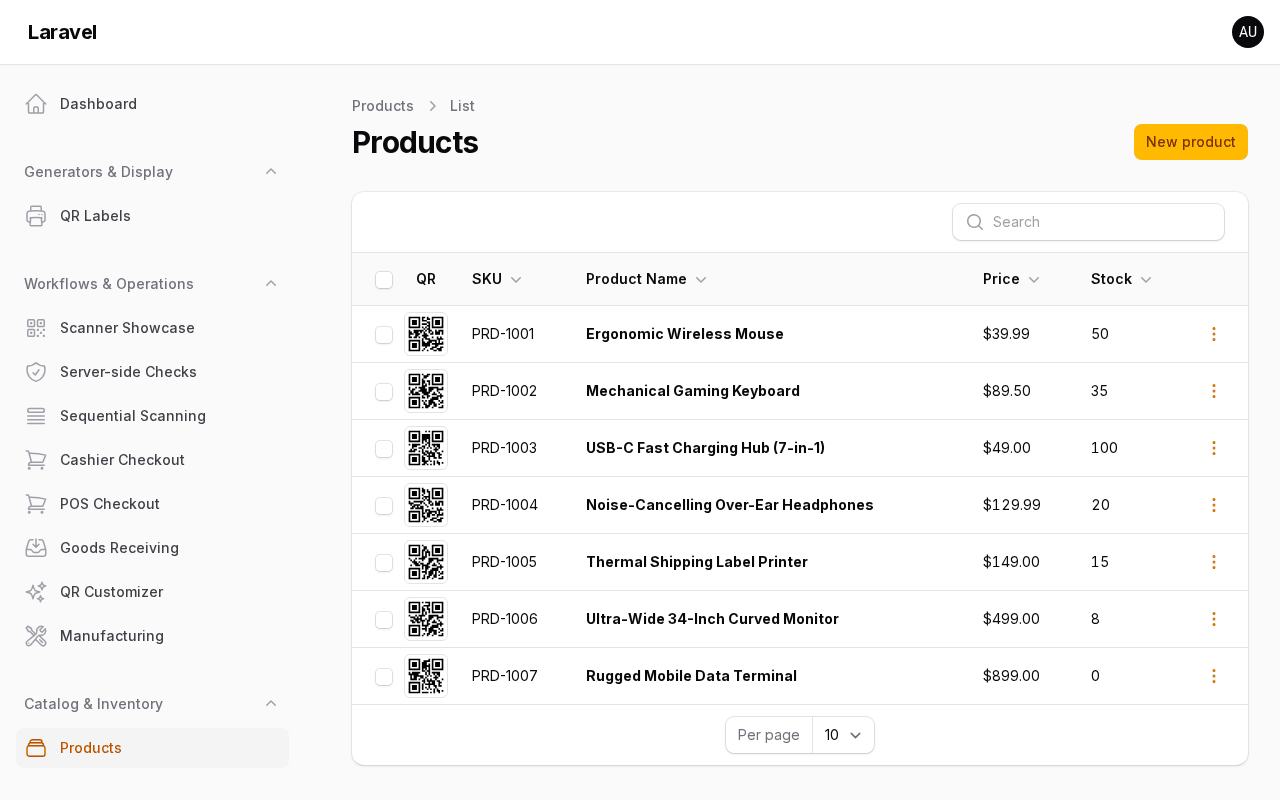 Products table with QR column |
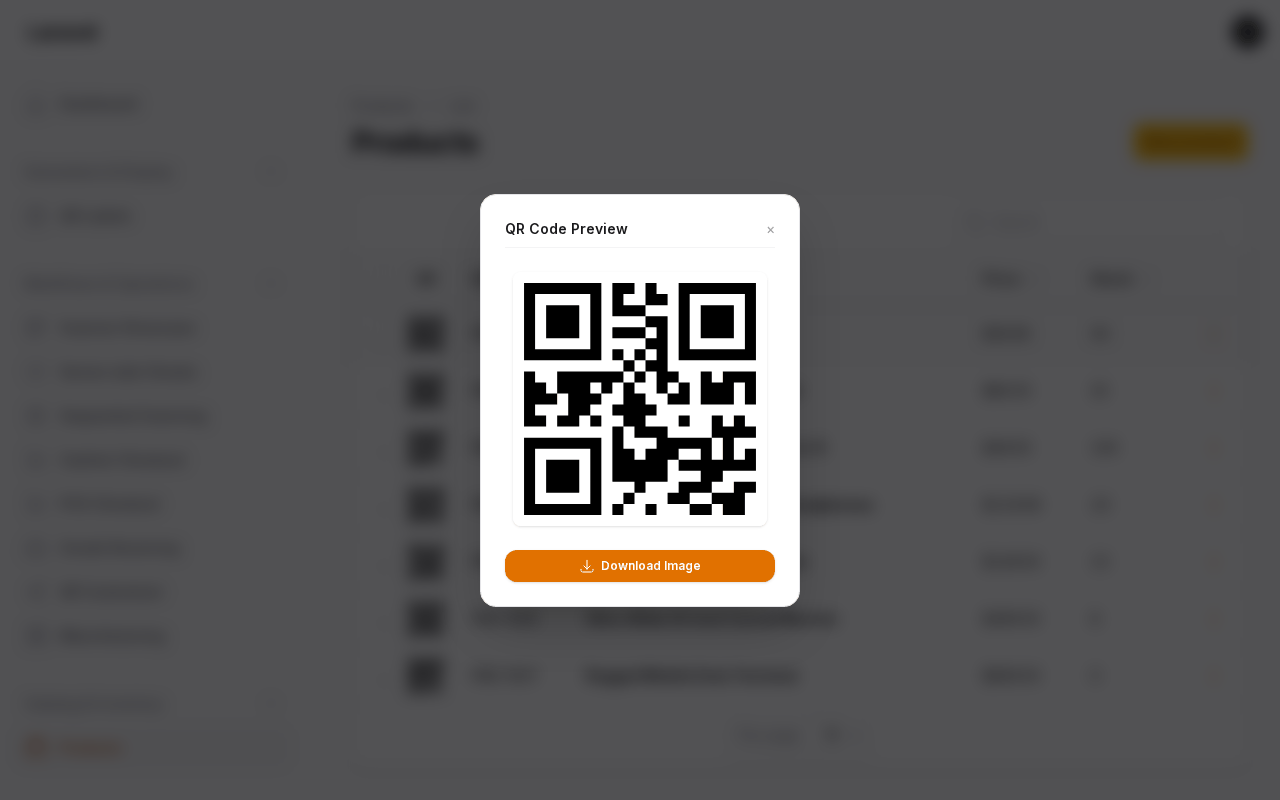 QR preview modal |
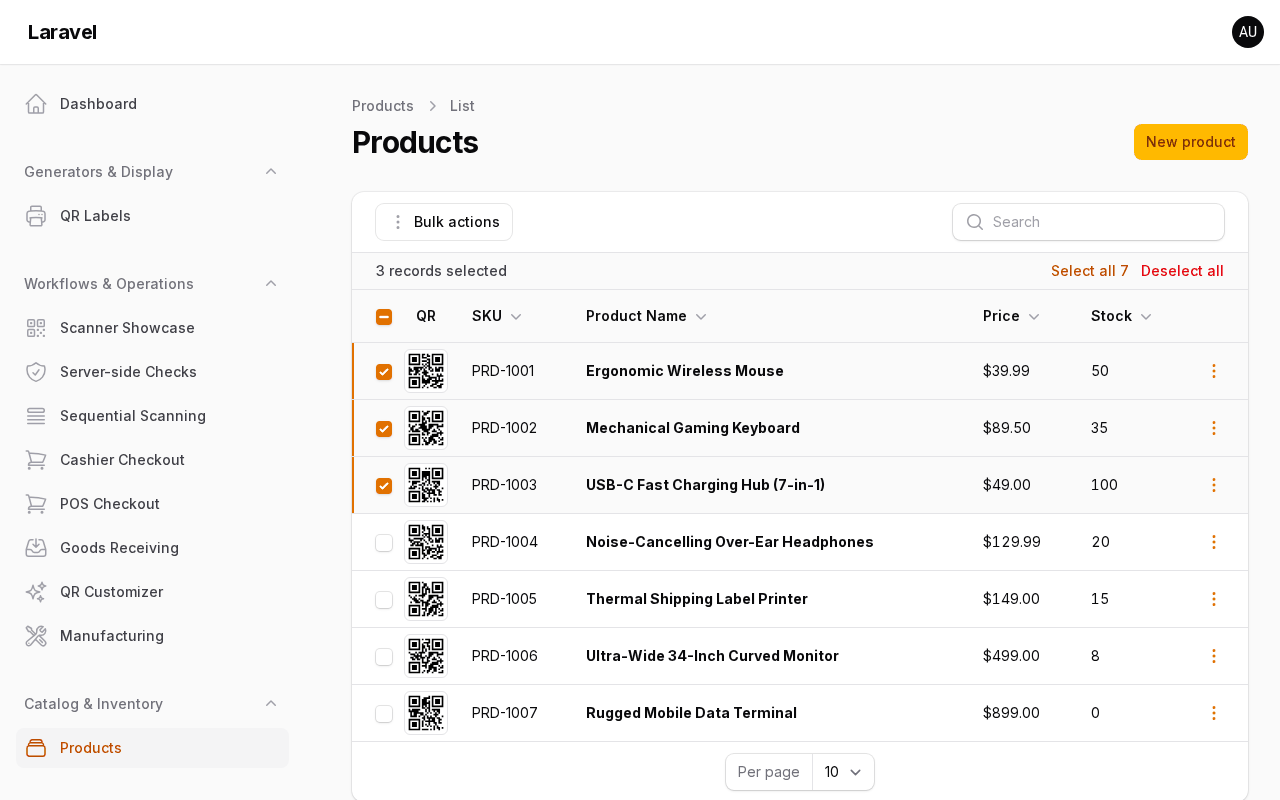 Bulk ZIP export |
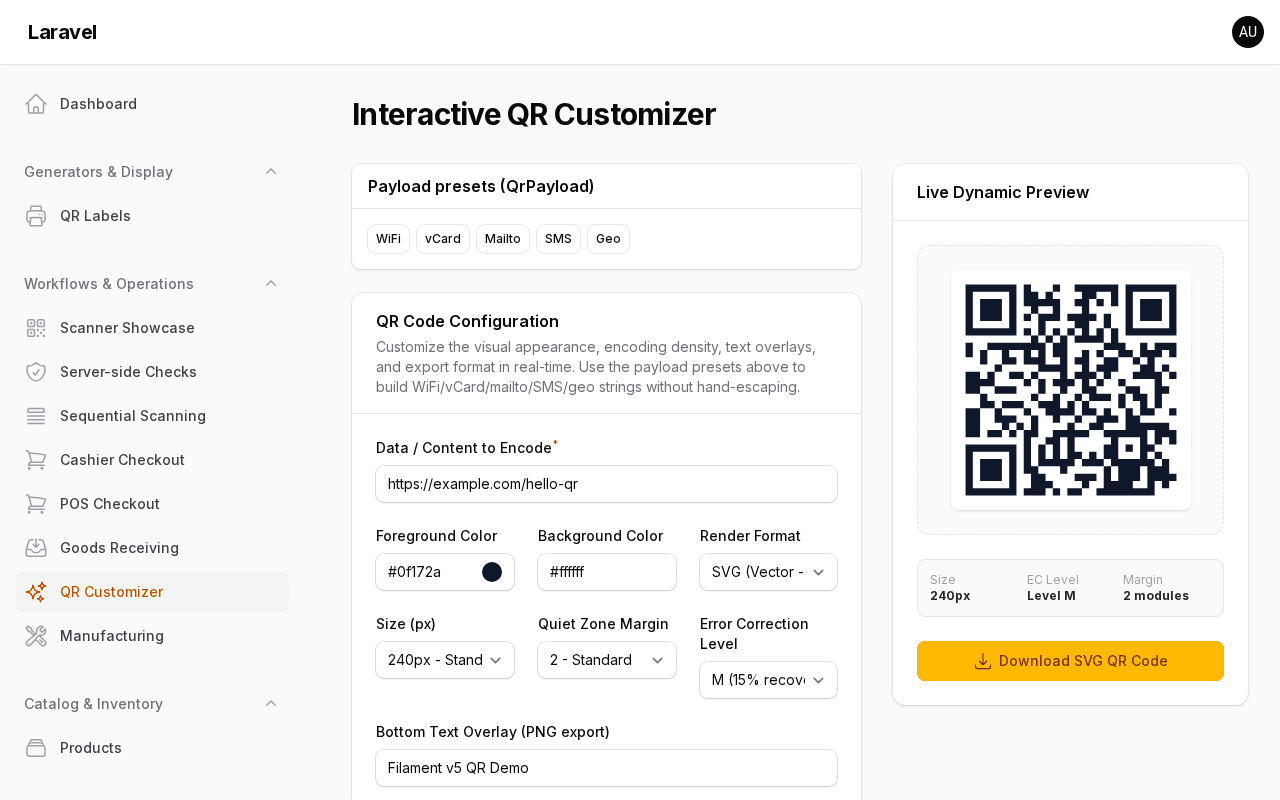 QR customizer |
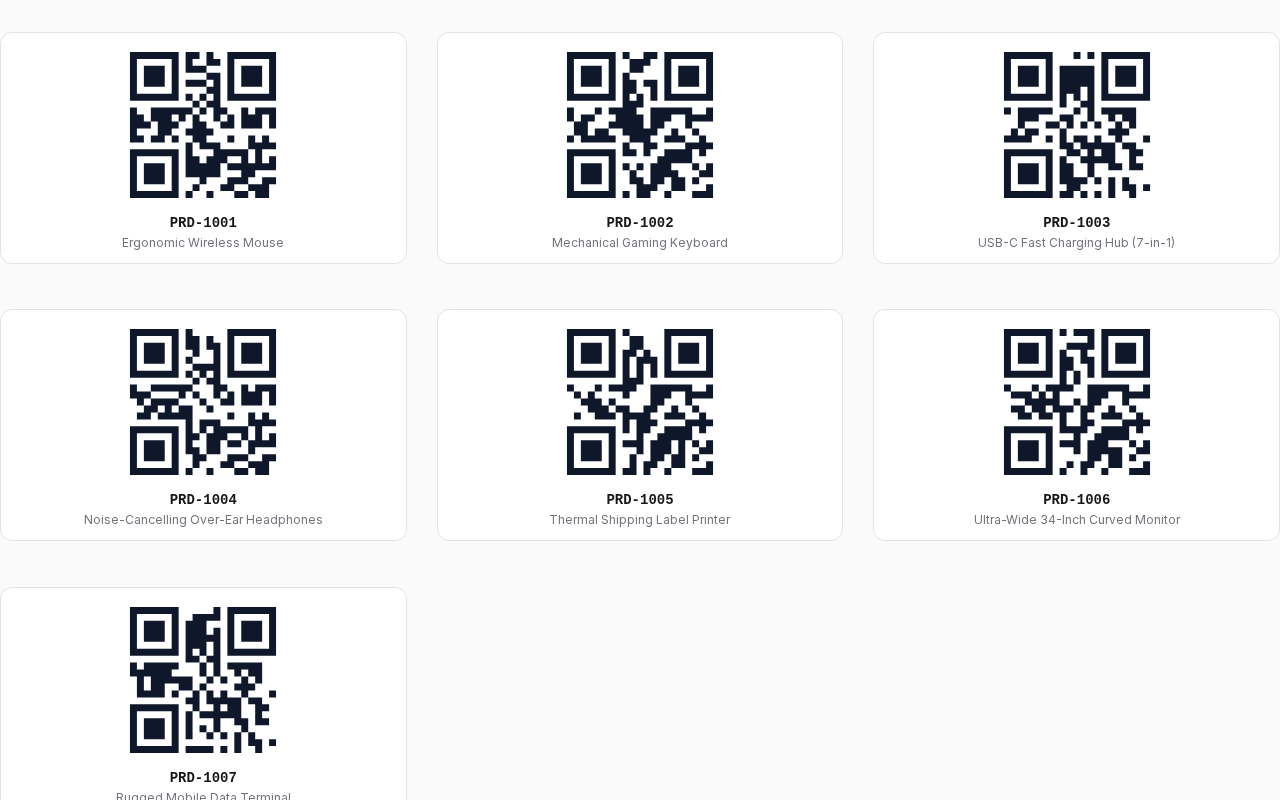 Print sheet |
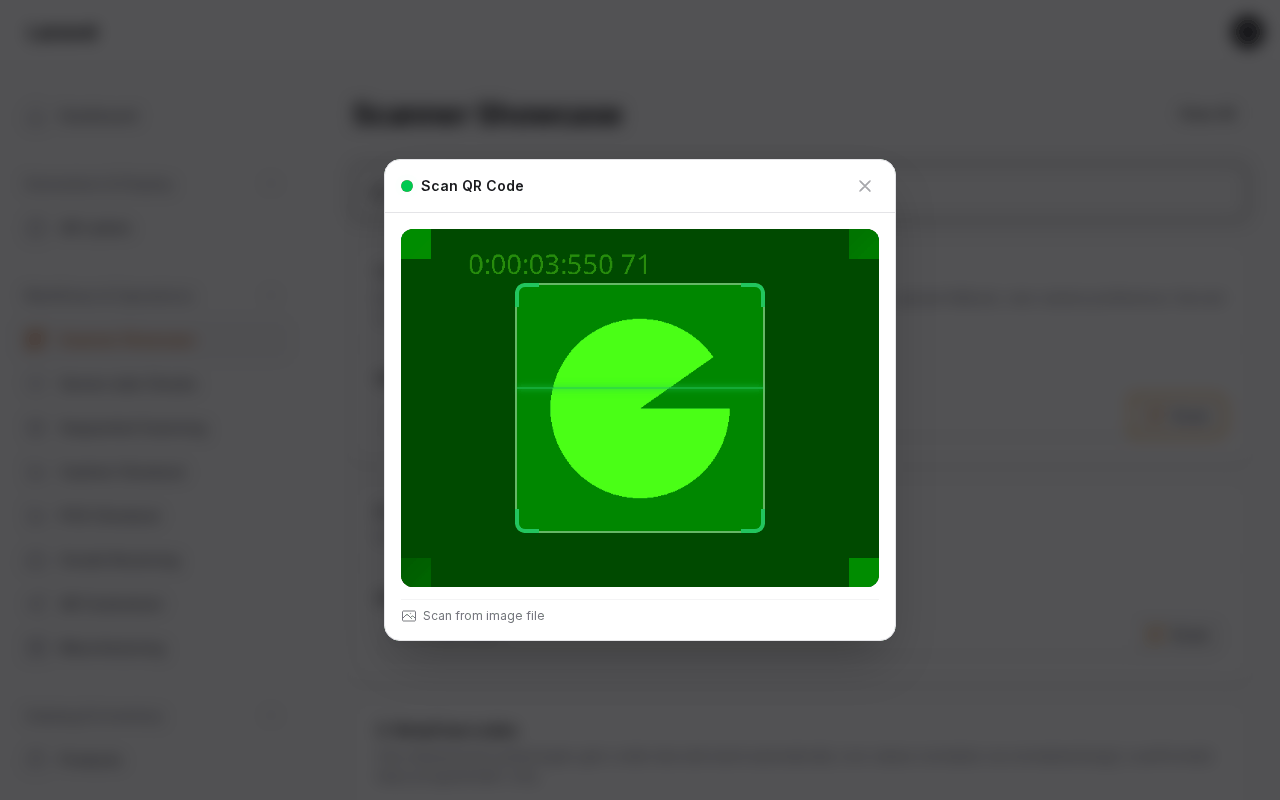 Scanner modal |
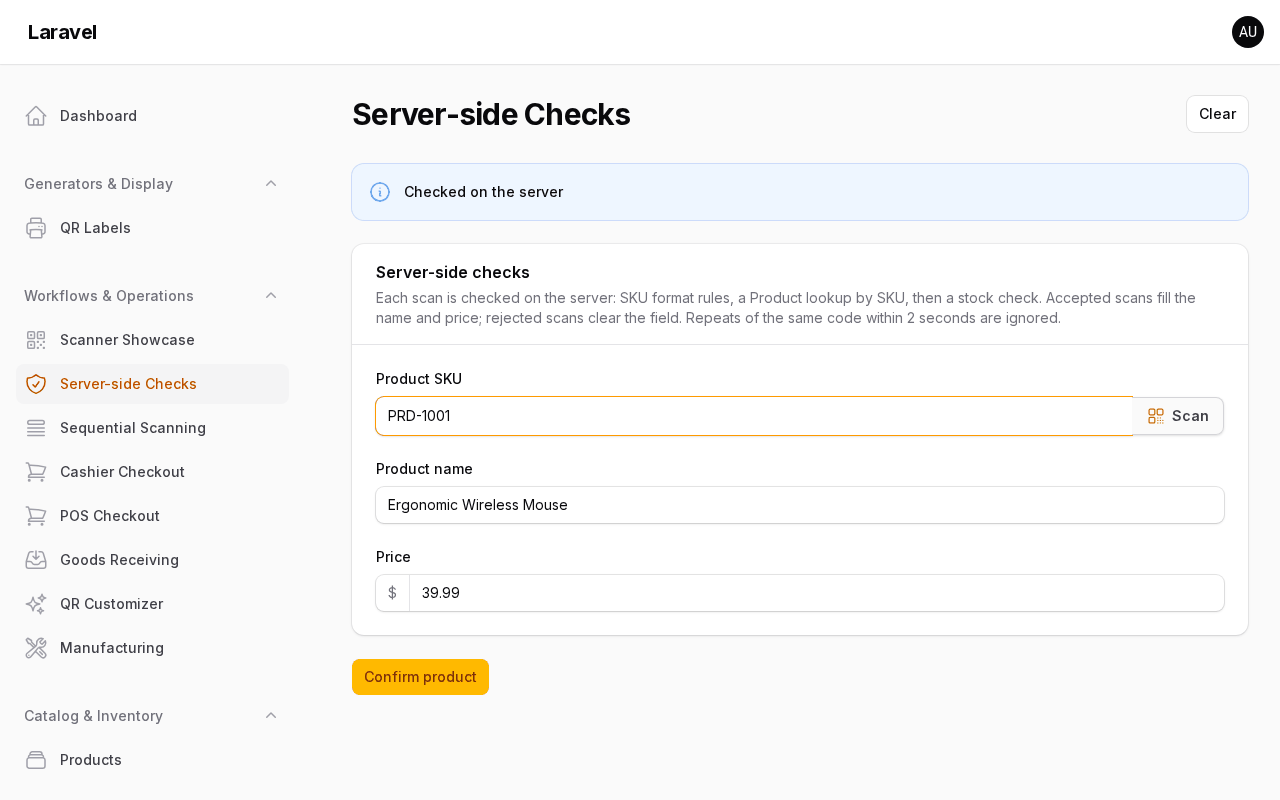 Server check accepted |
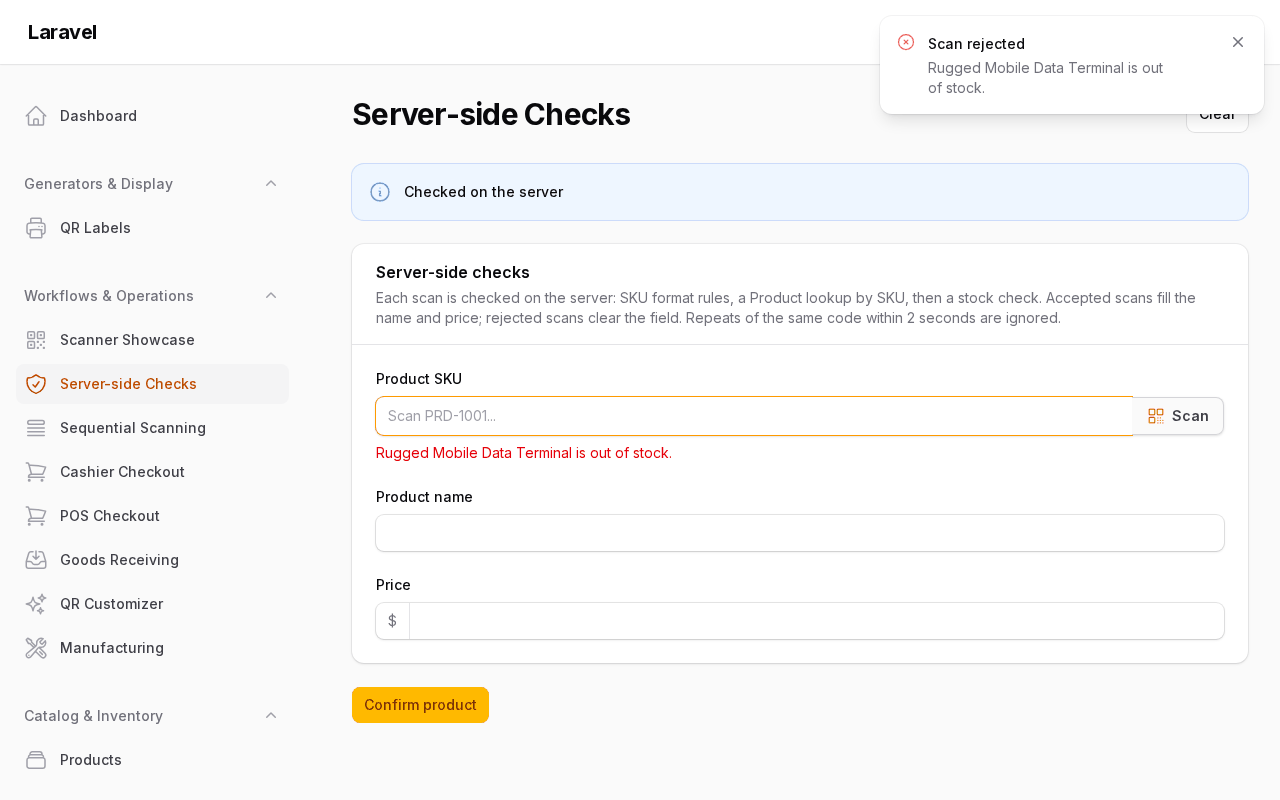 Server check rejected |
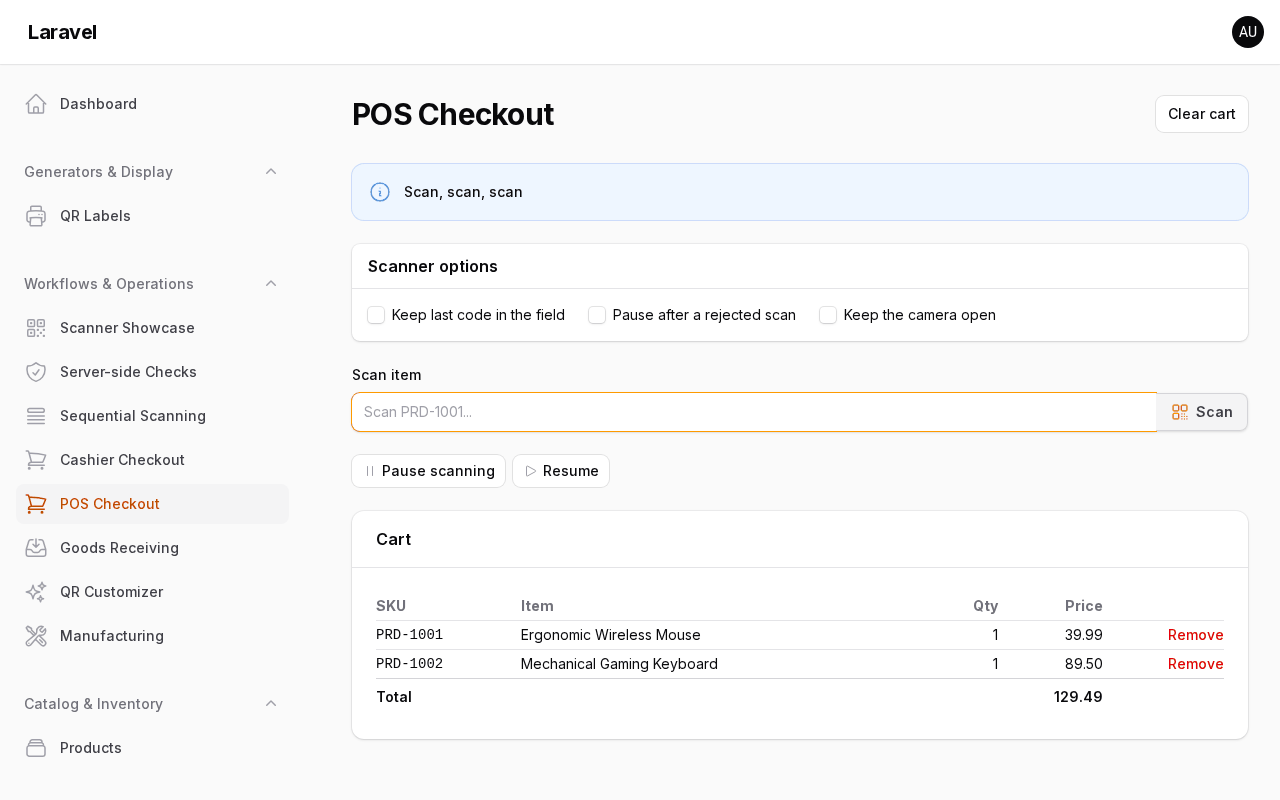 POS checkout |
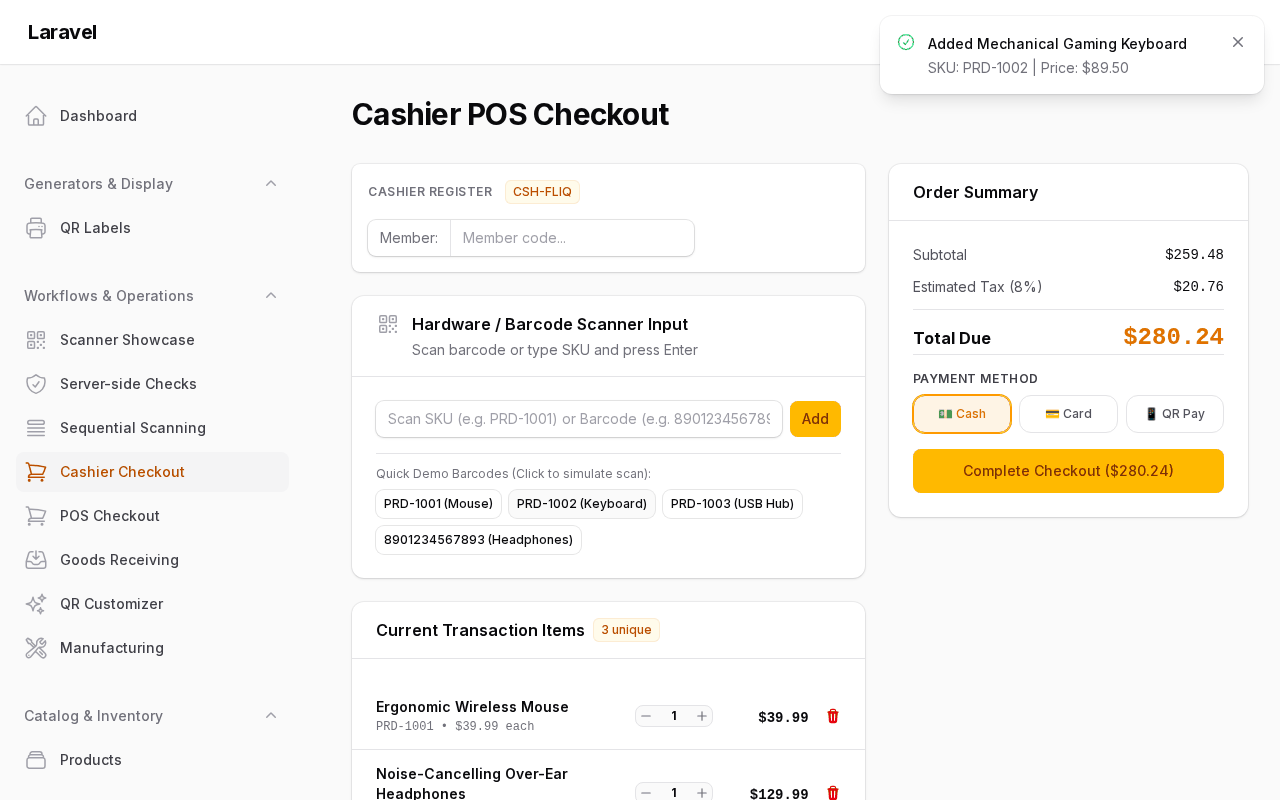 Station listener |
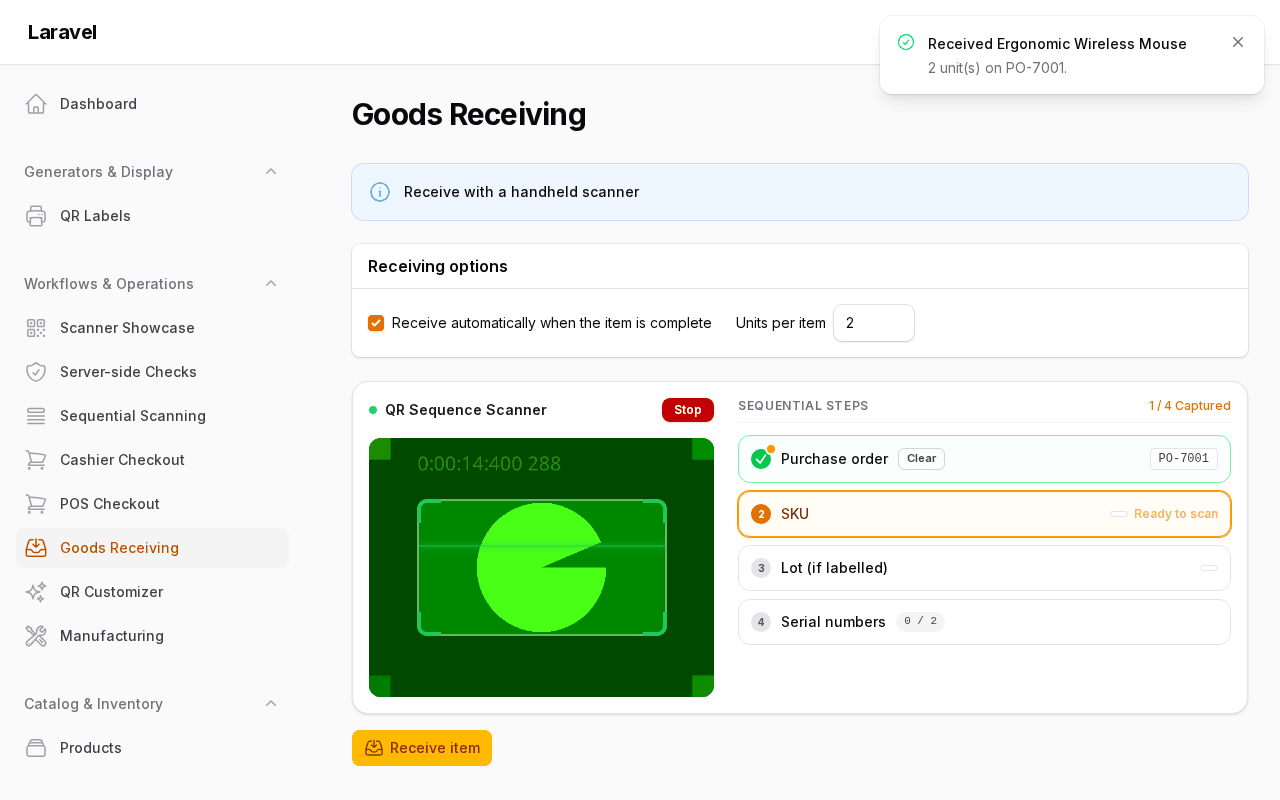 Goods receiving |
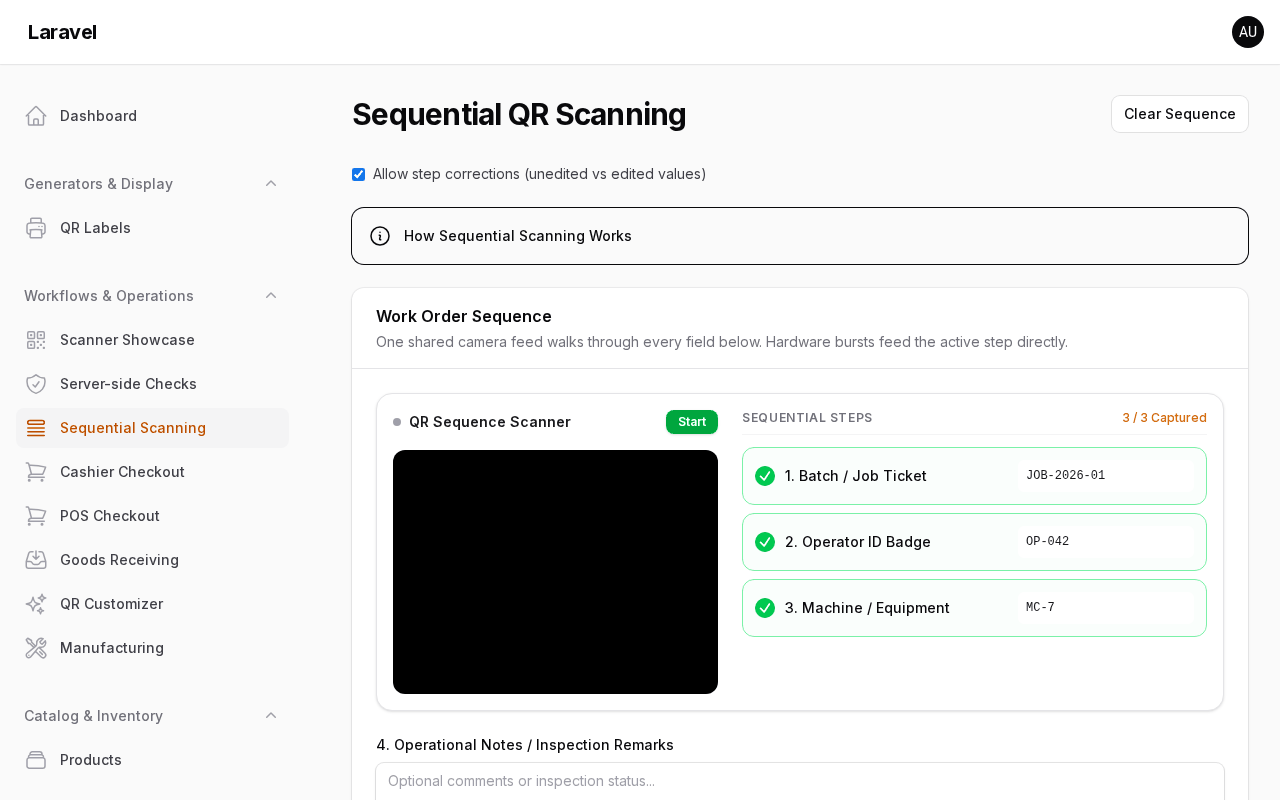 Work order sequence |
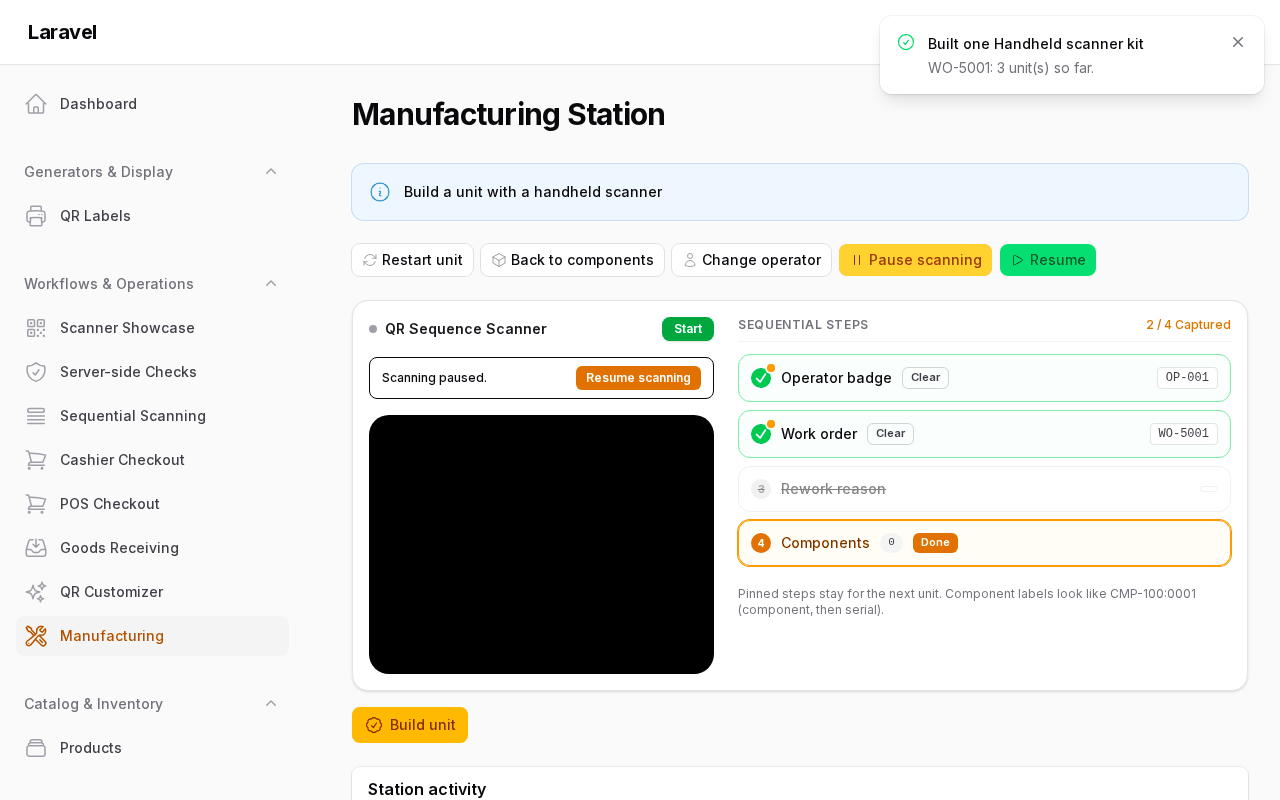 Manufacturing paused |
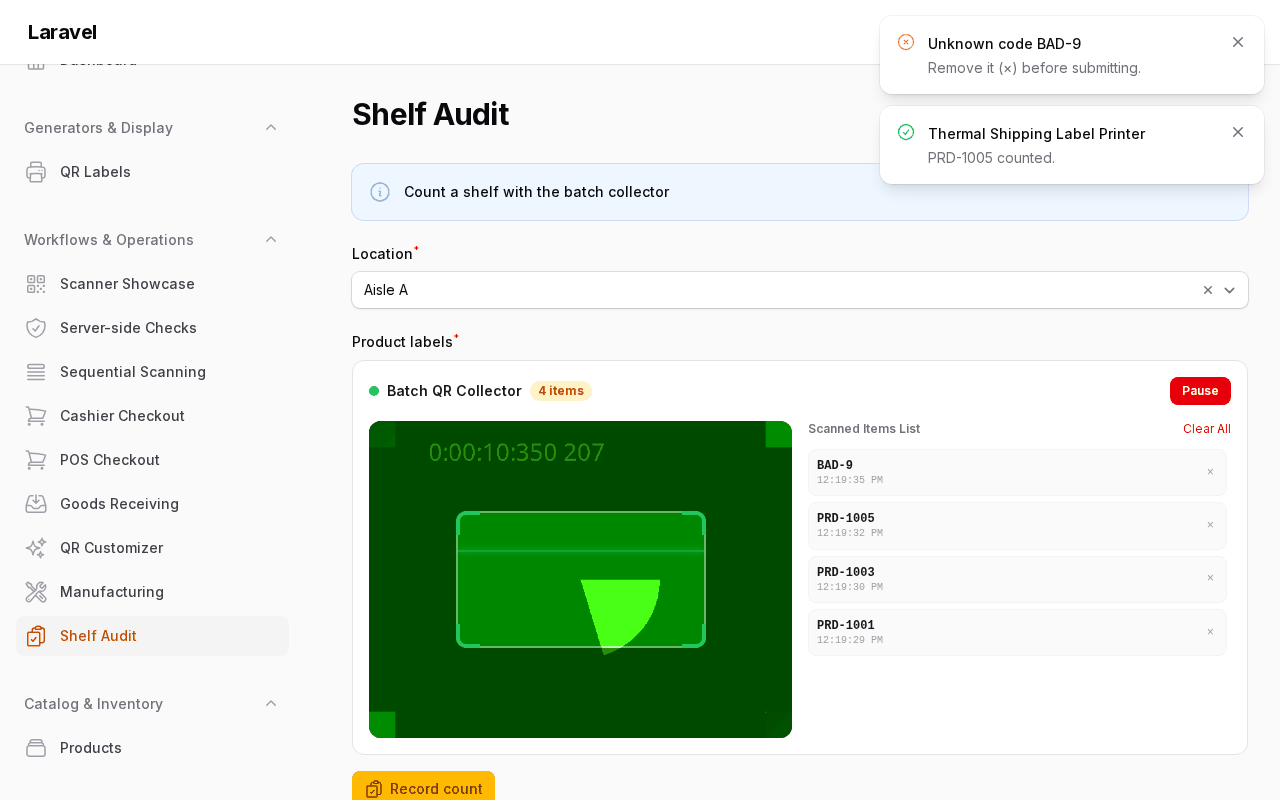 Shelf audit collector |
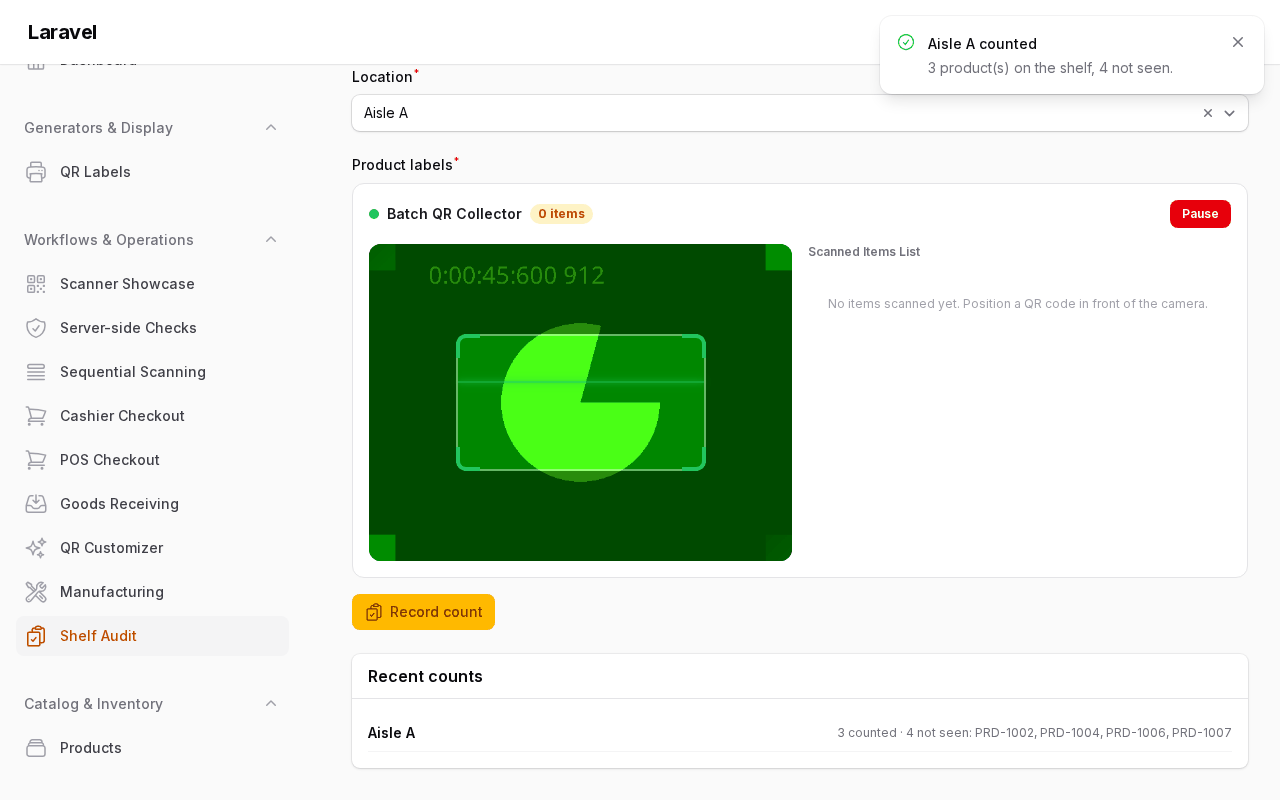 Shelf audit recorded |
Requirements
- PHP
^8.2, Laravel 12/13, Filament 5.8.3 or newer (v5). - PNG generation needs
gdorimagickplus system fonts (fonts-dejavu-coreon Debian). - Camera scanning needs a secure context (
httpsorlocalhost). - The camera bundle (
html5-qrcode) is compiled intoresources/dist/— no CDN. After changing anything underresources/jsorresources/css, rebuild withnpm run build(CI fails when committeddist/is stale).
How it works
- Camera scanning runs fully in the browser: a modal viewfinder streams the camera through the bundled decoder. The decoder chunk lazy-loads on first camera use; pages that only render QR images never fetch it.
- Hardware scanners emulate keyboards: they burst keystrokes in a few dozen milliseconds and end with a terminator key (
Enter/Tab). The interceptor buffers bursts, swallows the terminator so forms don't submit, and routes the value to the active field. - Sequences and collectors write through
$wire.setinto your Livewire form state, so scanned values behave like typed input (validation and reactivity included). Camera DOM lives underwire:ignoreso Livewire morphs never kill a running feed. - Generation is server-side: renders are cached in-process plus in the Laravel cache, so repeated values encode once. Table modal previews load lazily through a signed image route instead of embedding a data-URI per row.
Getting started in 5 minutes
-
Install the package:
composer require mmuqiitf/filament-qr-code
-
Register the plugin in your panel provider. This step is optional, because the service provider registers the JS and CSS for every panel, but it keeps the setup explicit:
use Filament\Panel;
use Mmuqiitf\FilamentQrCode\FilamentQrCodePlugin;

public function panel(Panel $panel): Panel
{
    return $panel
        // ...
        ->plugin(FilamentQrCodePlugin::make());
}
-
Add the package views to your theme. Buttons, overlays and layout use Tailwind classes in the package views, so your panel theme must scan them. Create a theme if you don't have one (
php artisan make:filament-theme), add the@sourceline, then runnpm run build:/* resources/css/filament/admin/theme.css */ @source '../../../../vendor/mmuqiitf/filament-qr-code/resources/views/**/*';
-
Publish the assets (run it again after every package update):
php artisan filament:assets
-
Add your first field to a resource form:
use Filament\Schemas\Schema;
use Mmuqiitf\FilamentQrCode\Enums\BarcodeFormat;
use Mmuqiitf\FilamentQrCode\Forms\Components\QrScanner;

public static function configure(Schema $schema): Schema
{
    return $schema->components([
        QrScanner::make('sku')
            ->label('SKU')
            ->formats([BarcodeFormat::QrCode, BarcodeFormat::Code128]),
    ]);
}
Expected result: the form shows a text input with a camera button. The button opens a modal viewfinder. It needs https or localhost and asks for camera permission. The modal also has an image-upload fallback. A decoded code fills the input and closes the modal. A USB or Bluetooth gun typing into the focused input fills it too, and its Enter doesn't submit the form. If the buttons look unstyled, step 3 is missing. Run php artisan qr-code:doctor to check your setup.
The full walkthrough, with config publishing, symbologies and a first server check, is in Getting started.
Usage
Which component do I need?
| Job | Use | Why not the others |
|---|---|---|
| One input scanned by camera, upload, typing, or gun | QrScanner |
Sequence/collector add moving parts a single field doesn't need. |
| Cashier/POS gun, no camera UI | QrHardwareScannerListener + one funnel method |
QrScanner's field listener would double-handle the same burst. |
| One camera walking many fields in order | QrScanSequence |
Chained nextField() hops between separate cameras; the sequence shares one feed. |
| Two fields, hand focus from one to the next | QrScanner::nextField() |
A sequence is overkill without a shared checklist. |
| Many scans into one list (stocktake, receiving) | QrCollector / QrCollectAction |
Sequences map one scan to one field; collectors append. |
| Show a QR (form, table, infolist, download) | QrCodeDisplay / QrColumn / QrEntry / DownloadQrAction |
Scanner components capture; these only render. |
| Many QRs out at once (labels, handover) | DownloadQrBulkAction + print sheet |
Single downloads don't scale past a handful of rows. |
Next steps
- Scanning: QR Scanner Field, Station Listener for hands-free guns, Scan Sequence Container, server-side checks and the cashier POS tutorial.
- Batch Collector Scanning:
QrCollector/QrCollectAction. - Generating: display components, downloads, ZIP export and payload builders.
- Tuning: config defaults are in Reference, and component setters always win over them. Live-scan normalization and audit logging are in Customizing.
- Every public method: the generated API map.
Documentation
| Page | What it covers |
|---|---|
| Getting started | install to first working scan, step by step |
| Scanning | QR Scanner Field, Station Listener, Scan Sequence Container, focus handoff, server checks, continuous mode, runtime control, POS tutorial |
| Batch collecting | continuous inventory scanning in repeaters and tables |
| Generating | display components, download actions, ZIP export, facade, payloads |
| Customizing | custom lookups, normalization, check stages, hooks, auditing, macros, styling, render hooks, views |
| Extension points | every seam in one table: PHP closures, contracts, macros, render hooks, CSS variables, JS decoder, router, events |
| Events | every browser event fired or listened for, and every Laravel event with its properties |
| Reference | every config key, translations, the @internal policy |
| API map | every public class, method, enum and config key (generated) |
| FAQ | iOS torch, secure context, offline use, guns, multiple panels |
| Upgrade guide | breaking changes between versions |
| Recipes | POS checkout · Goods receiving · Work-order station · Label generator page · Custom inputs · Styling · ZXing decoder. Each one runs in the example app. |
For AI agents and LLMs
- AI guide: a component picker, invariants, common mistakes and full-import examples for coding agents.
llms.txtis the index, andllms-full.txthas every doc in one file.- Laravel Boost picks up the bundled guideline (
resources/boost/guidelines/core.blade.php) and skill when you runphp artisan boost:install.
Troubleshooting
Run the built-in checks first:
php artisan qr-code:doctor
| Symptom | Likely cause | Fix |
|---|---|---|
| Camera modal says no devices / access denied | Page served over plain http (not localhost) |
Serve via https or test on localhost; browsers block cameras in insecure contexts. |
| Camera modal empty on first open | Permission not granted yet, labels unavailable | Grant permission, reopen; the remembered localStorage choice wins afterwards. |
| Unstyled buttons, layout differs from the panel | Panel theme doesn't @source the package views |
Add @source '../../../../vendor/mmuqiitf/filament-qr-code/resources/views/**/*'; to your theme CSS and rebuild (Styling). |
| Stale scanner UI after updating the package | Committed dist/ rebuilt but host serving old assets |
npm run build in the package, then php artisan filament:assets in the host app. |
| PNG looks wrong / text overlay is blocky | Missing GD/Imagick or system fonts | Install gd or imagick plus fonts-dejavu-core; the service falls back to GD bitmap fonts otherwise. |
| Sequence submit misses scanned values | The form reads the steps from a different place than the sequence writes them | Give the sequence ->statePath() and read it via mergeSequenceState(); the flat {form}.{step} paths follow the schema statePath(). |
| Same burst handled twice | A custom key handler next to the package's wedge router | Register the handler with FilamentQrCode.router.register() so each burst has one owner (Extension points). |
| Typed text becomes a "scan" | minBarcodeLength too low for a keyboard-heavy form |
Raise minBarcodeLength to 4–6 on that component. |
| Scan lands in the wrong input (e.g. search) | Station Listener fell back to the first empty form input | QrHardwareScannerListener::make([...])->fallbackToAnyInput(false) (or hardware_scanner.fallback_to_any_input => false); listen for qr-scan-unrouted. |
| A slow or Bluetooth gun's short codes are missed | min_fast_keys (default 3) needs three fast gaps in a row |
Lower it on that component with ->minFastKeys(1) (or hardware_scanner.min_fast_keys). |
nextField() / listener misses a field |
Name does not match exactly | Use the exact field name; nested paths like items.0.sku are supported, and sku never matches parent_sku. |
| Table page is slow with many QRs | Eager modal data-URIs per row | Keep ->lazyModal() (default) and the persistent cache enabled; tune generator.cache_ttl. |
Security notes
Lazy modal previews are served by the signed filamentQrCode.image route. Signatures already stop tampering; if QR data or logo paths can come from users, turn on the opt-in hardening (all off by default): generator.logo_base_paths limits logos to listed directories, and image_route.ttl / throttle / strict_colors add expiring URLs, a rate limit and #rrggbb-only colours. See Image route security.
Reporting issues
- Run
php artisan qr-code:doctorand include its output. - Include your PHP / Laravel / Filament versions (
php -v,composer show laravel/framework filament/filament), plus for camera issues the browser and whether the page is served overhttps/localhost, and for gun issues the scanner model and its suffix keys. - Describe expected vs actual, with a minimal schema snippet that reproduces it.
Security vulnerabilities are handled privately — see Security Vulnerabilities, not public issues.
Contributing
PRs welcome! See CONTRIBUTING.md for the test suite, static analysis, code style, and frontend build workflow.
Changelog
Please see CHANGELOG.md for more information on what has changed recently, and UPGRADE.md when moving between minor versions.
Security Vulnerabilities
Please review our security policy on how to report security vulnerabilities.
Credits
License
The MIT License (MIT). Please see License File for more information.