
jeffersongoncalves / laravel-centrifugo

Laravel broadcasting driver for Centrifugo: publishes through the server HTTP API, signs expiring HS256 connection and subscription tokens from your routes/channels.php rules, and ships a drop-in Laravel Echo stand-in built on centrifuge-js.
Package info
github.com/jeffersongoncalves/laravel-centrifugo
pkg:composer/jeffersongoncalves/laravel-centrifugo
Requires
- php: ^8.2
- guzzlehttp/guzzle: ^7.8|^8.0
- illuminate/broadcasting: ^12.0|^13.0
- illuminate/http: ^12.0|^13.0
- illuminate/routing: ^12.0|^13.0
- illuminate/support: ^12.0|^13.0
- illuminate/view: ^12.0|^13.0
- spatie/laravel-package-tools: ^1.16
Requires (Dev)
- larastan/larastan: ^3.0
- laravel/pint: ^1.24
- orchestra/testbench: ^10.0|^11.0
- pestphp/pest: ^3.0|^4.0
- pestphp/pest-plugin-laravel: ^3.0|^4.0
Suggests
None
Provides
None
Conflicts
None
Replaces
None
README
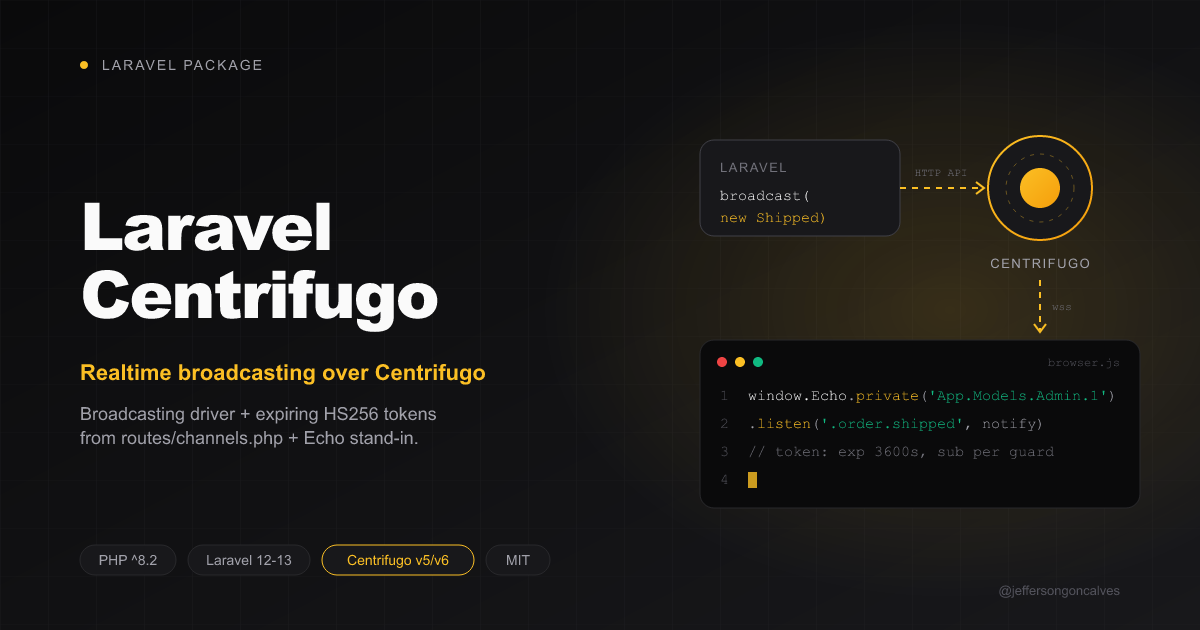
Laravel Centrifugo
Laravel broadcasting driver for Centrifugo (v5/v6):
- Publishes events through Centrifugo's server HTTP API (
/api/broadcast). - Authorizes private channels with expiring HS256 subscription tokens, decided by your own
routes/channels.phprules — guards included. - Ships a drop-in Laravel Echo stand-in (built on
centrifuge-js) covering what Filament and Livewire call:Echo.private(...).listen()/.stopListening(),Echo.channel(...),Echo.socketId()and theEchoLoadedevent. No npm install, no Pusher protocol.
Using Filament? See jeffersongoncalves/filament-centrifugo, which wires this into a panel's realtime notifications.
Requirements
- PHP 8.2+, Laravel 12 or 13
- A Centrifugo v5/v6 server
Installation
You can install the package via composer:
composer require jeffersongoncalves/laravel-centrifugo
Optionally publish the config:
php artisan vendor:publish --tag="centrifugo-config"
Centrifugo server
Minimal Centrifugo v6 config.json:
{
  "client": {
    "token": { "hmac_secret_key": "<SECRET>" },
    "allowed_origins": ["https://your-app.com"]
  },
  "http_api": { "key": "<API_KEY>" }
}
Expose /connection/websocket to browsers (same origin behind a reverse proxy, or a subdomain like ws.your-app.com). Keep the admin UI off the public internet ("admin": {"enabled": false}).
Configuration
BROADCAST_CONNECTION=centrifugo
CENTRIFUGO_API_URL=http://127.0.0.1:8000/api   # server HTTP API, reached from PHP
CENTRIFUGO_API_KEY=<API_KEY>                   # http_api.key
CENTRIFUGO_TOKEN_HMAC_SECRET=<SECRET>          # client.token.hmac_secret_key
CENTRIFUGO_URL=https://ws.your-app.com         # browser URL; empty = same origin /connection/websocket
CENTRIFUGO_TOKEN_TTL=3600                      # token lifetime (seconds), refreshed by centrifuge-js
The centrifugo broadcasting connection is registered for you — no edit to config/broadcasting.php is needed.
Enable Laravel's broadcasting auth route, which signs the subscription tokens:
// bootstrap/app.php
->withBroadcasting(__DIR__.'/../routes/channels.php')
Usage
Authorize channels as usual:
// routes/channels.php
Broadcast::channel('App.Models.User.{id}', fn ($user, $id) => (string) $user->id === $id);

// A second guard, e.g. a Filament panel on `admin`:
Broadcast::channel('App.Models.Admin.{id}', fn ($admin, $id) => (string) $admin->id === $id, ['guards' => ['admin']]);
Add the script to authenticated pages only (guests can't get a token):
@auth
    <x-centrifugo::scripts />
@endauth

{{-- connect as the `admin` guard instead of the default one --}}
<x-centrifugo::scripts guard="admin" />
Then use window.Echo exactly like Laravel Echo:
window.Echo.private(`App.Models.User.${userId}`)
    .listen('.order.shipped', (payload) => console.log(payload))
Livewire #[On('echo-private:App.Models.User.{id},.order.shipped')] listeners work too. The socket only opens on the first subscription.
Multiple guards
Every guard that may connect must be listed in centrifugo.guards (default ['web']):
// config/centrifugo.php
'guards' => ['web', 'admin'],
The Centrifugo user id is the model class plus key in Laravel's channel style (App.Models.Admin.1), so a User #1 and an Admin #1 logged in on the same browser stay separate users.
Not supported
Presence channels, whispers and broadcast()->toOthers() (socketId() returns an empty string).
Testing
composer test
Rebuild the bundled script after changing resources/js/echo.js:
pnpm install && pnpm run build
Changelog
Please see CHANGELOG for more information on what has changed recently.
Contributing
Please see CONTRIBUTING for details.
Security Vulnerabilities
Please review our security policy on how to report security vulnerabilities.
Credits
License
The MIT License (MIT). Please see License File for more information.