
jeffersongoncalves / filament-saved-filter

Saved filters for Filament tables: save, share and restore filters, sort, search and column visibility as tabs or a dropdown, with presets, JSON export/import and multi-tenancy.
Package info
github.com/jeffersongoncalves/filament-saved-filter
pkg:composer/jeffersongoncalves/filament-saved-filter
Requires
- php: ^8.2
- filament/filament: ^5.3
- jeffersongoncalves/laravel-saved-filter: ^1.10
- league/csv: ^9.27
- spatie/laravel-package-tools: ^1.16
Requires (Dev)
- jeffersongoncalves/pest-plugin-database-migrations: ^1.0
- larastan/larastan: ^3.0
- laravel/pint: ^1.0
- orchestra/testbench: ^10.0|^11.0
- pestphp/pest: ^3.0|^4.0
- pestphp/pest-plugin-laravel: ^3.0|^4.0
Suggests
None
Provides
None
Conflicts
None
Replaces
None
README
Filament Saved Filter
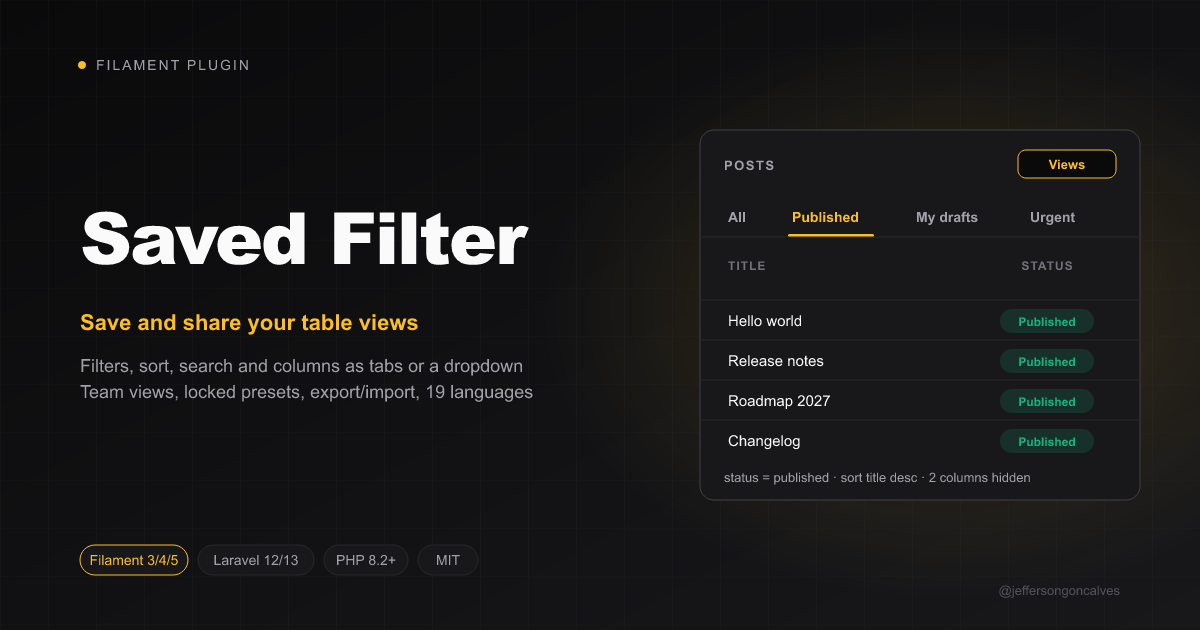
Let your users save the state of any Filament table — applied filters, sort, search term and visible columns — under a name, and get back to it in one click. Saved filters show up as tabs above the table or in a "Views" dropdown, can be shared with the team, marked as default, managed in a slide-over and moved around as JSON.
Built on jeffersongoncalves/laravel-saved-filter, which holds the model, the presets, the prune/export/import commands and the events.
Features
- Save current view — filters, sort, search, per-column searches, toggled columns, column order, records per page and grouping, with a name, icon and color.
- Tabs or dropdown — one tab per saved filter (plus "All"), or a list in the "Views" menu.
- Default view — opened automatically when the user lands on the table (a URL with filters still wins).
- Team views — share a filter with the other users of the tenant. Tabs show who else sees a view: Preset, Shared, or the colleague who created it.
- Keyboard shortcuts —
Ctrl/Cmd+Shift+Ssaves the current view,Ctrl/Cmd+Shift+Mopens "Manage views"; opt-inAlt+1…9andAlt+]/Alt+[to switch views. Shortcuts never fire while typing in a field. - Locked presets — created in a seeder or by users you allow; everyone sees them, nobody changes them.
- Manage views — rename, reorder, change icon/color, set the default and delete, in a slide-over.
- Update view — overwrite the active filter with the current table state.
- Modified badge + revert — once the table drifts from the active view, the "Views" button shows Modified and Revert changes restores the saved state.
- Email reports (opt-in) — "Email this view" sends the records as CSV/XLSX now; each user can schedule the report of any view they see (daily, weekly or monthly), for themselves only.
- Export / import (opt-in) — download the views as JSON and upload them in another environment (files up to 1 MB; rows with malformed fields are skipped; a view with the same name is overwritten, skipped or imported as "Name (2)", your choice).
- Shareable links — the active view is in the URL (
?view=4), so a link opens it, in the dropdown mode too. - Any table page — list pages,
ManageRelatedRecordsand custom pages withInteractsWithTable. - Safe restores — filters, columns and sort columns that no longer exist in the table are skipped, no exceptions.
- Multi-tenancy — scoped to the Filament tenant; database-per-tenant setups work as is.
- Events for auditing, 19 languages, Filament 3, 4 and 5.
Compatibility
| Branch | Filament | Package version |
|---|---|---|
| 1.x | 3.x | ^1.0 |
| 2.x | 4.x | ^2.0 |
| 3.x | 5.x | ^3.0 |
Installation
composer require jeffersongoncalves/filament-saved-filter:"^3.0"
php artisan vendor:publish --tag="saved-filter-migrations"
php artisan migrate
Upgrading? Run the same
vendor:publish+migrateagain after each update: new columns (likecolumn_searches) come as new migrations, and the ones you already ran are skipped.
Register the plugin in your panel provider:
use JeffersonGoncalves\Filament\SavedFilter\SavedFilterPlugin;

public function panel(Panel $panel): Panel
{
    return $panel
        ->plugins([
            SavedFilterPlugin::make(),
        ]);
}
Add the trait to the list page of every resource that should have saved filters:
use Filament\Resources\Pages\ListRecords;
use JeffersonGoncalves\Filament\SavedFilter\Concerns\HasSavedFilters;

class ListOrders extends ListRecords
{
    use HasSavedFilters;

    protected static string $resource = OrderResource::class;
}
A Views button appears in the table header. Once the user saves a view, the tabs show up.
Configuration
SavedFilterPlugin::make()
    ->dropdown()                                            // list the views in the "Views" menu instead of tabs
    ->canShare(fn () => auth()->user()->can('share-views')) // who may share views with the team (default: everyone)
    ->canManagePresets(fn () => auth()->user()->isAdmin())  // who may create/edit locked presets (default: nobody)
    ->scopedToTenant(false)                                 // ignore the Filament tenant (default: scoped)
    ->exportable()                                          // show "Export views" (default: off)
    ->importable()                                          // show "Import views" (default: off)
    ->emailReports()                                        // "Email this view" + scheduled email reports (default: off)
    ->keyBindings(save: ['mod+shift+s'], manage: null)      // change or disable (null) the action shortcuts
    ->tabShortcuts(),                                       // Alt+1…9 / Alt+] / Alt+[ to switch views (default: off)
With tabShortcuts(), Alt+1 opens "All", Alt+2 the first saved view and so on, Alt+] / Alt+[ cycle through them. Physical keys are used, so it works on any keyboard layout and with the macOS Option key.
On tables with ->reorderableColumns() (Filament 4 and 5), a view also keeps the column order the user dragged in the column manager; columns added to the table later go last, removed ones are skipped. Until the user reorders, a view follows the table's own order.
Records per page and grouping are only restored when the table still offers them (->paginationPageOptions(), ->groups()); otherwise the table's defaults are used.
Your own tabs
If the page already has tabs, the page's getTabs() wins over the trait's. Combine both by spreading the saved filter tabs:
public function getTabs(): array
{
    return [
        'active' => Tab::make()->modifyQueryUsing(fn ($query) => $query->where('active', true)),
        ...$this->getSavedFilterTabs(),
    ];
}
Your own table()
The trait adds its actions in table(). If your list page overrides table(), call the hook yourself:
public function table(Table $table): Table
{
    return $this->configureSavedFilters(parent::table($table)->striped());
}
Other table pages
The trait works on ManageRelatedRecords pages (tabs included) and on any page with InteractsWithTable. Such pages define their own table(), so call configureSavedFilters() there:
class SalesReport extends Page implements HasTable
{
    use HasSavedFilters;
    use InteractsWithTable;

    public function table(Table $table): Table
    {
        return $this->configureSavedFilters($table->query(Order::query())->columns([...])->filters([...]));
    }
}
Pages without tabs list the views in the "Views" menu. Email reports stay on list pages: they rebuild the page outside a request, which needs nothing but its class.
Table key
Filters are stored per resource class on list pages and per page class anywhere else. Override getSavedFilterResource() to share them between pages or to key them differently:
public function getSavedFilterResource(): string
{
    return 'orders';
}
Email reports
Turn them on with ->emailReports() and tell each list page which Filament exporter builds the file. Pages without one don't show the actions.
use App\Filament\Exports\OrderExporter;

public function getSavedFilterExporter(): ?string
{
    return OrderExporter::class;
}
- Email this view sends the current table state (saved or not) to the user, as CSV or XLSX.
- Email report (in the "Views" menu, opens on the active view or lets you pick one): each user turns a report on or off for themselves, on their own views, shared ones and presets, and picks daily, weekly or monthly, the day, the time, the timezone (their own
timezoneattribute by default, else the app's) and the format. The form tells what is scheduled for the picked view. It goes only to that user. - My email reports lists the user's reports on every table of the tenant, to turn them on or off or remove them in one place.
- The email has an Open the view button (
?tab=saved-4with tabs,?view=4with the dropdown). - The file uses the exporter's columns enabled by default and its formatting, on the records of the view as that user sees them: the report is built with their login and tenant, and nothing is sent when they lost access to the resource or the tenant, or when the view is no longer shared with them.
- "Don't send when there are no records" skips the occurrences where the view is empty.
- Text that a spreadsheet would run as a formula (starting with
=,+,-or@) is prefixed with'. - The users need an
emailattribute and the app needs a working mailer and queue.
Scheduling and delivery come from laravel-saved-filter: saved-filter:send-reports is registered on the scheduler every 15 minutes, so the server only needs php artisan schedule:run in cron. Files over reports_max_attachment_size (10 MB) aren't attached: install laravel-report-url to send them as temporary download links.
Presets
Presets are saved filters without owner: every user of the tenant sees them and they are locked. Create them in a seeder:
use JeffersonGoncalves\SavedFilter\Models\SavedFilter;

SavedFilter::query()->updateOrCreate(
    ['resource' => OrderResource::class, 'name' => 'Waiting for payment', 'owner_id' => null, 'tenant_id' => null],
    ['filters' => ['status' => ['value' => 'pending']], 'icon' => 'heroicon-o-clock', 'is_public' => true, 'is_locked' => true],
);
…or let users allowed by canManagePresets() tick Save as a locked preset for everyone when saving. Provision them between environments with php artisan saved-filter:export / saved-filter:import (see laravel-saved-filter).
Multi-tenancy
With Filament tenancy the views are stored with the current tenant's key and listed per tenant. For database-per-tenant packages (stancl/tenancy) run the migration in the tenant databases; tenant_id stays null and the connection keeps each tenant apart.
Auditing
SavedFilterCreated, SavedFilterDeleted and SavedFilterApplied (with the user) are dispatched from JeffersonGoncalves\SavedFilter\Events — listen to them to feed spatie/laravel-activitylog or any audit log.
Translations
The UI ships in 19 languages: ar, az, de, en, es, fa, fr, hi, it, ja, nl, pl, pt, pt_BR, ru, tr, uk, uz and zh_CN. Publish them to change any string:
php artisan vendor:publish --tag=filament-saved-filter-translations
Missing your language? Copy resources/lang/en/saved-filter.php and open a pull request.
Roadmap
- Saved filters inside relation managers on edit/view pages.
- Per-view badge with the record count.
- One-click unsubscribe link in the report email.
Requirements
- PHP 8.2 or higher
- Filament 5.x
Testing
composer test
Changelog
Please see CHANGELOG for more information on what has changed recently.
Contributing
Please see CONTRIBUTING for details.
Security Vulnerabilities
Please review our security policy on how to report security vulnerabilities.
Credits
License
The MIT License (MIT). Please see License File for more information.