
jeffersongoncalves / laravel-saved-filter

Saved table filters for Laravel: store, share and restore filters, sort, search and column visibility per user, tenant and resource, with presets, JSON export/import and pruning.
Package info
github.com/jeffersongoncalves/laravel-saved-filter
pkg:composer/jeffersongoncalves/laravel-saved-filter
Requires
- php: ^8.2
- laravel/framework: ^12.0|^13.0
- spatie/laravel-package-tools: ^1.16
Requires (Dev)
- jeffersongoncalves/pest-plugin-database-migrations: ^1.0
- larastan/larastan: ^3.0
- laravel/pint: ^1.24
- orchestra/testbench: ^10.0|^11.0
- pestphp/pest: ^3.0|^4.0
- pestphp/pest-plugin-laravel: ^3.0|^4.0
Suggests
- jeffersongoncalves/laravel-report-url: Email report files too large to attach as temporary download links (^1.0)
Provides
None
Conflicts
None
Replaces
None
README
Laravel Saved Filter
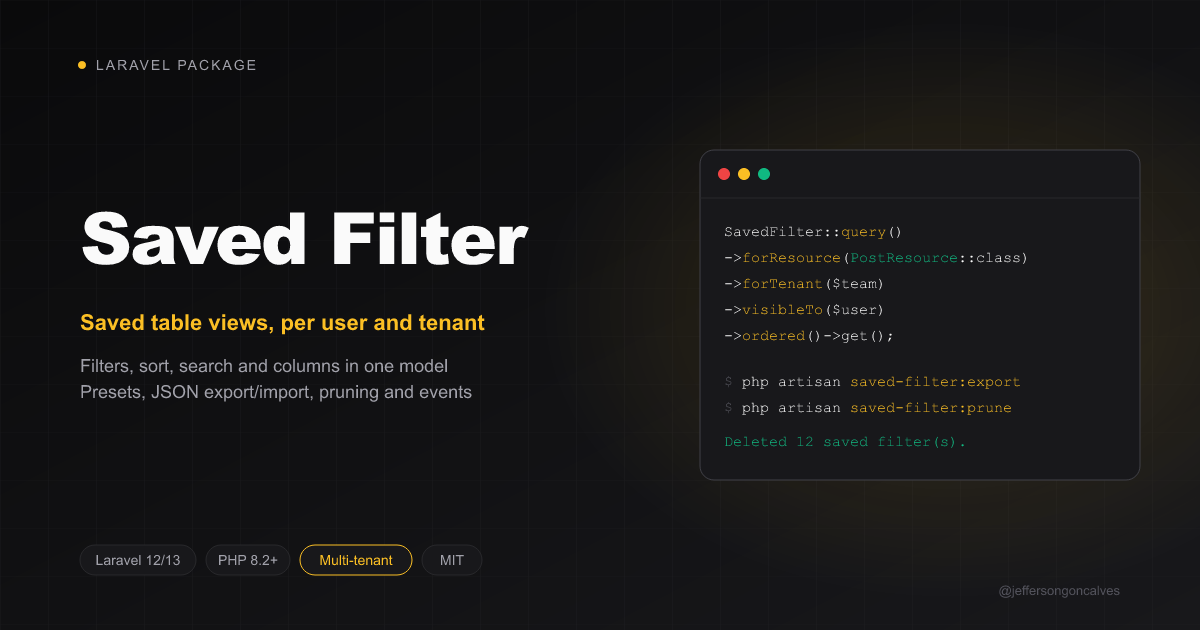
Store the state of a data table — applied filters, sort, search term and which columns are visible — as named saved filters (a.k.a. saved views), per user, per tenant and per table. Share them with the team, ship locked presets from code, move them between environments as JSON and prune the ones nobody can use anymore.
This package is the storage layer: a model, a migration, scopes, events and Artisan commands. For the Filament UI (save button, tabs or dropdown, manage slide-over), use jeffersongoncalves/filament-saved-filter.
Installation
composer require jeffersongoncalves/laravel-saved-filter
php artisan vendor:publish --tag="saved-filter-migrations"
php artisan migrate
Optionally publish the config:
php artisan vendor:publish --tag="saved-filter-config"
Upgrading from 1.0 or 1.1? Those versions ran their migrations straight from the package. Publish and migrate as above anyway: the migrations skip a table or columns that already exist, so 1.1 installs change nothing and 1.0 installs get the new columns.
Upgrading to 1.3 or later? Publish and migrate again to get the new
column_searchescolumn (1.3),saved_filter_reportstable (1.4),column_ordercolumn (1.6) and reportstimezonecolumn (1.10); the migrations you already ran are skipped.
The model
JeffersonGoncalves\SavedFilter\Models\SavedFilter, table saved_filters:
| Column | |
|---|---|
owner_type, owner_id |
polymorphic owner (any model, any guard; int, UUID or ULID keys). null = preset |
tenant_id |
the tenant, null without tenancy |
resource |
the table the filter belongs to — usually a Filament resource class, any string works |
name, icon, color |
how it's shown |
filters |
filter state, keyed by filter name (JSON) |
sort_column, sort_direction |
asc / desc |
toggled_columns |
{"column": true/false} (JSON) |
column_order |
the columns in display order, as the UI names them (JSON list), null = the table's own order |
search |
search term |
column_searches |
per-column search terms, {"column": "term"}, nested for dotted names (JSON) |
records_per_page |
pagination option ("25", "all"), null = the table's default |
grouping, grouping_direction |
group name and asc / desc, null = not grouped |
is_default |
opened automatically — one per owner, tenant and resource (marking another unmarks the previous one) |
is_public |
visible to the other users of the tenant |
is_locked |
read-only in the UI |
order_column |
position among the owner's filters |
use JeffersonGoncalves\SavedFilter\Models\SavedFilter;

SavedFilter::query()->create([
    'owner_type' => $user->getMorphClass(),
    'owner_id' => $user->getKey(),
    'resource' => PostResource::class,
    'name' => 'Published this month',
    'filters' => ['status' => ['value' => 'published']],
    'sort_column' => 'created_at',
    'sort_direction' => 'desc',
    'toggled_columns' => ['body' => false],
]);

// what a user sees on a table: their own filters, the public ones and the presets
SavedFilter::query()
    ->forResource(PostResource::class)
    ->forTenant($team)          // model, key or null
    ->visibleTo($user)
    ->ordered()
    ->get();

SavedFilter::query()->ownedBy($user)->get();   // ownedBy(null) = presets
SavedFilter::query()->presets()->get();

$filter->makeDefault();
$filter->isPreset();
$filter->isOwnedBy($user);
$filter->isVisibleTo($user);   // same rule as visibleTo()
Scheduled reports
JeffersonGoncalves\SavedFilter\Models\SavedFilterReport, table saved_filter_reports: one user's email schedule for one saved filter. Any user may subscribe to a filter they see; the report goes to that user only. This package decides when and to whom a report goes and sends the email; the UI that knows the table decides what is in the file (e.g. filament-saved-filter).
| Column | |
|---|---|
saved_filter_id |
the filter; deleting it deletes its reports |
user_type, user_id |
the subscriber (string key, like the owner) — one report per filter and user |
frequency |
daily, weekly or monthly |
day |
ISO weekday (1 = Monday) for weekly, day of the month (1-28) for monthly |
time |
HH:MM, on the clock of timezone |
timezone |
IANA name (America/Sao_Paulo), null = the app timezone; 08:00 stays 08:00 across DST |
format |
csv / xlsx |
context |
consumer data, e.g. the Filament panel and page (JSON) |
is_active |
paused when false |
last_sent_at |
when the last occurrence went out |
SavedFilterReport::query()->active()->forUser($user)->get();
$filter->reports;
$report->isDue();   // once per occurrence (lastOccurrence()), never for one older than the report, never while inactive
Sending
saved-filter:send-reports is scheduled every fifteen minutes (just run Laravel's scheduler). For each active report that is due and whose filter the user still sees, it marks the occurrence as sent and queues SendSavedFilterReport, which asks the bound builder for the file and sends SavedFilterReportNotification to the user's email (an on-demand notification: the user model doesn't need Notifiable). Users without an email get nothing.
The notification is a regular Laravel MailMessage, so it uses your app's notification template, theme and logo: how many records are attached, an Open the view button when the builder gives a url, and for scheduled sends when it goes out ("Sent every week (Monday) at 08:00.") and how to stop it. Texts are translated (saved-filter::saved-filter.mail.*, 19 locales). The view name is escaped, so a shared view can't put links or formatting into someone else's email. Restyle it like any notification: php artisan vendor:publish --tag=laravel-notifications / --tag=laravel-mail.
The job tries 3 times (1 and 5 minutes apart); when every attempt fails, the occurrence is given back and the next run sends it again. The command runs withoutOverlapping()->onOneServer(), so with several servers running the scheduler the cache driver must support locks (redis, database, memcached, dynamodb).
The file comes from an implementation of BuildsSavedFilterReports bound in the container — filament-saved-filter binds one. Without a binding the command sends nothing and leaves the reports due.
use JeffersonGoncalves\SavedFilter\Contracts\BuildsSavedFilterReports;
use JeffersonGoncalves\SavedFilter\ReportFile;

class PostsReportBuilder implements BuildsSavedFilterReports
{
    // $state = SavedFilter::STATE attributes
    // $context = the report's context plus 'tenant_id', and for scheduled sends 'saved_filter_id' and 'report_id'
    public function build(Model $user, array $state, string $name, string $format, array $context): ?ReportFile
    {
        // null = this user may not get it
        return new ReportFile(
            content: $csv,
            fileName: 'posts.csv',
            count: $rows,
            url: route('posts.index'),                                   // "Open the view" button
            unsubscribeUrl: URL::signedRoute('reports.unsubscribe', $id), // one-click stop link (optional)
        );
    }
}

$this->app->bind(BuildsSavedFilterReports::class, PostsReportBuilder::class);
- Language: when the user model implements
HasLocalePreference, the file is built and the email sent inpreferredLocale()(on-demand notifications don't do that by themselves). - Large files: over
reports_max_attachment_size(10 MB by default, inconfig/saved-filter.php) the file isn't attached. With aHostsReportFilesimplementation bound (e.g. jeffersongoncalves/laravel-report-url), the email carries a Download the report button and when the link expires; without one, it gives the record count and the link to the view. - Empty reports: set
reports_send_emptytofalseto skip the email when there are no records.
use JeffersonGoncalves\SavedFilter\Contracts\HostsReportFiles;
use JeffersonGoncalves\SavedFilter\ReportLink;

class TemporaryReportLinks implements HostsReportFiles
{
    public function host(ReportFile $file, Model $user): ?ReportLink
    {
        Storage::disk('s3')->put($path = 'reports/'.Str::uuid().'/'.$file->fileName, $file->content);

        return new ReportLink(Storage::disk('s3')->temporaryUrl($path, $expires = now()->addDays(7)), $expires);
    }
}
Multi-tenancy
- Single database: pass the tenant to
forTenant()and store it intenant_id(a string column, so int, UUID and ULID keys all fit).forTenant(null)matches the rows without a tenant. - Database per tenant (e.g.
stancl/tenancy): run the migration in the tenant databases and leavetenant_idnull — the connection already isolates the data.
Presets
A preset is a filter without owner: every user of the tenant sees it. Lock it so nobody can change it from the UI. Create them in a seeder:
SavedFilter::query()->updateOrCreate(
    ['resource' => OrderResource::class, 'name' => 'Waiting for payment', 'owner_id' => null, 'tenant_id' => null],
    ['filters' => ['status' => ['value' => 'pending']], 'is_public' => true, 'is_locked' => true, 'is_default' => true],
);
Export and import
Move presets between environments (staging → production) or keep them in Git:
php artisan saved-filter:export storage/saved-filters.json            # every preset without tenant
php artisan saved-filter:export --resource="App\Filament\Resources\OrderResource" --tenant=5
php artisan saved-filter:import storage/saved-filters.json --tenant=5 --locked
The file holds only the portable columns (no owner, tenant or ids). Importing updates the presets with the same resource and name and creates the others. From code:
$rows = SavedFilter::query()->presets()->get()->map->toPortableArray();

SavedFilter::import(['saved_filters' => $rows->all()], owner: $user, tenant: $team, locked: false);
Pruning
php artisan saved-filter:prune                                   # owners deleted, resource classes gone
php artisan saved-filter:prune --resource=legacy-orders --dry-run
Deletes the filters whose owner no longer exists and those whose resource looks like a class name (App\...) that doesn't exist anymore. --resource adds discontinued tables by name. It also deletes the reports whose subscriber no longer exists (a deleted filter takes its reports along). Schedule it if you like:
Schedule::command('saved-filter:prune')->weekly();
Events
| Event | When |
|---|---|
SavedFilterCreated |
a filter is created |
SavedFilterDeleted |
a filter is deleted (also by saved-filter:prune) |
SavedFilterApplied |
a UI applies a filter to a table (dispatched by filament-saved-filter), with the user |
All live in JeffersonGoncalves\SavedFilter\Events and carry $savedFilter. Hook them to spatie/laravel-activitylog or any audit trail:
Event::listen(SavedFilterApplied::class, fn (SavedFilterApplied $event) => activity()
    ->performedOn($event->savedFilter)
    ->causedBy($event->user)
    ->log('applied'));
Configuration
| Key | Default | |
|---|---|---|
table |
saved_filters |
|
model |
SavedFilter::class |
extend the model (relations, policies) and point this key at your class |
Testing
composer test
Changelog
Please see CHANGELOG for more information on what has changed recently.
Contributing
Please see CONTRIBUTING for details.
Security Vulnerabilities
Please review our security policy on how to report security vulnerabilities.
Credits
License
The MIT License (MIT). Please see License File for more information.