
asignua / filament-json-yaml-editor

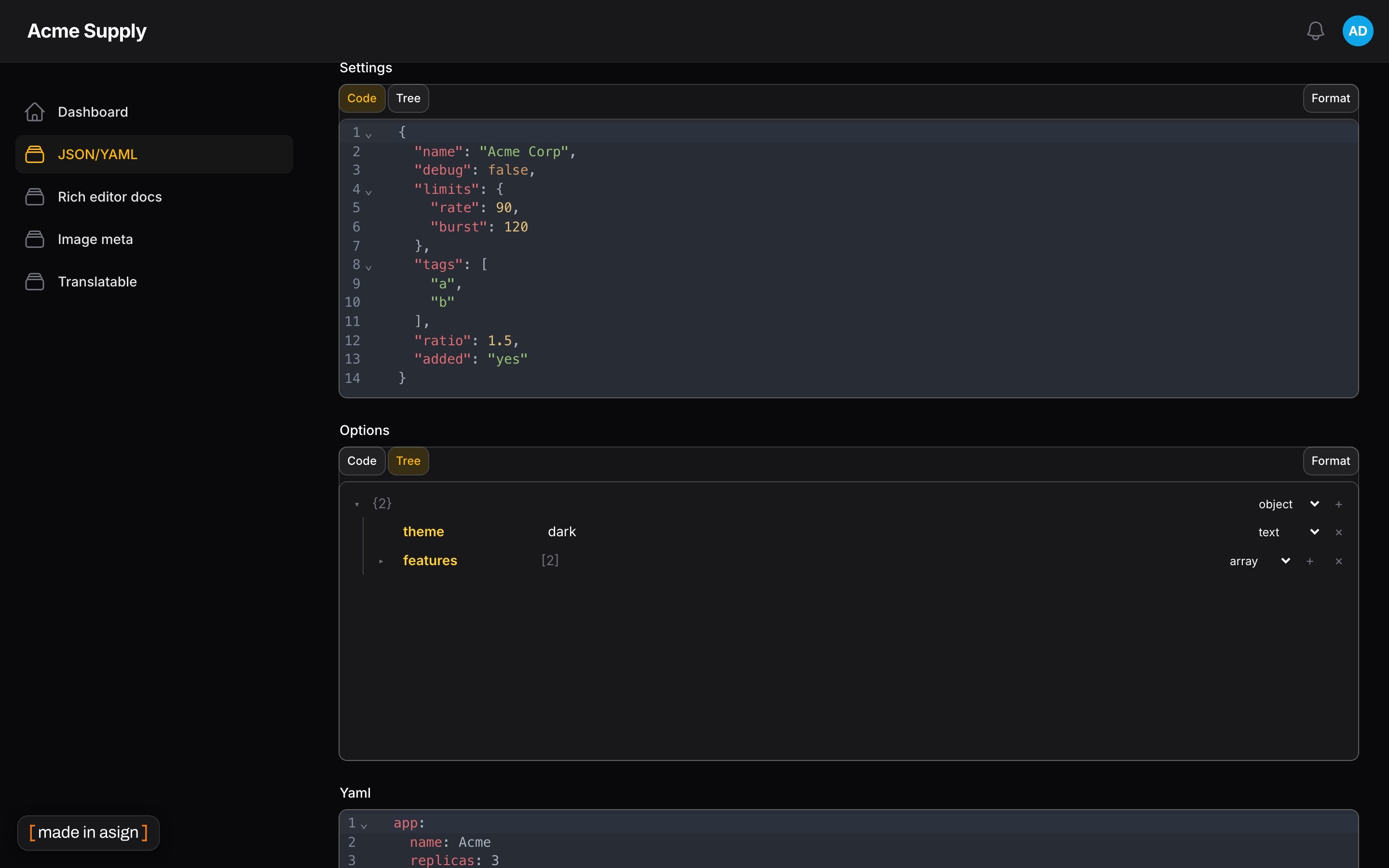
JSON and YAML editing for Filament 5: a JsonEditor field with a code view (highlighting, line numbers, folding) and an editable tree view, live validation with the error line, a Format button and optional JSON Schema; a YamlEditor field with live lint; read-only JsonEntry and YamlEntry for infolists
Package info
github.com/asignua/filament-json-yaml-editor
pkg:composer/asignua/filament-json-yaml-editor
Requires
- php: ^8.3
- filament/filament: ^5.0
- illuminate/contracts: ^12.0|^13.0
- phiki/phiki: ^2.2
- spatie/laravel-package-tools: ^1.16
- symfony/yaml: ^7.0|^8.0
Requires (Dev)
- justinrainbow/json-schema: ^6.0
- larastan/larastan: ^3.0
- laravel/pint: ^1.18
- opis/json-schema: ^2.6
- orchestra/testbench: ^10.0|^11.0
- phpunit/phpunit: ^11.5|^12.0
Suggests
- justinrainbow/json-schema: Server-side JSON Schema validation (JsonSchemaRule).
- opis/json-schema: Alternative engine for JsonSchemaRule (draft 2020-12).
Provides
None
Conflicts
None
Replaces
None
README

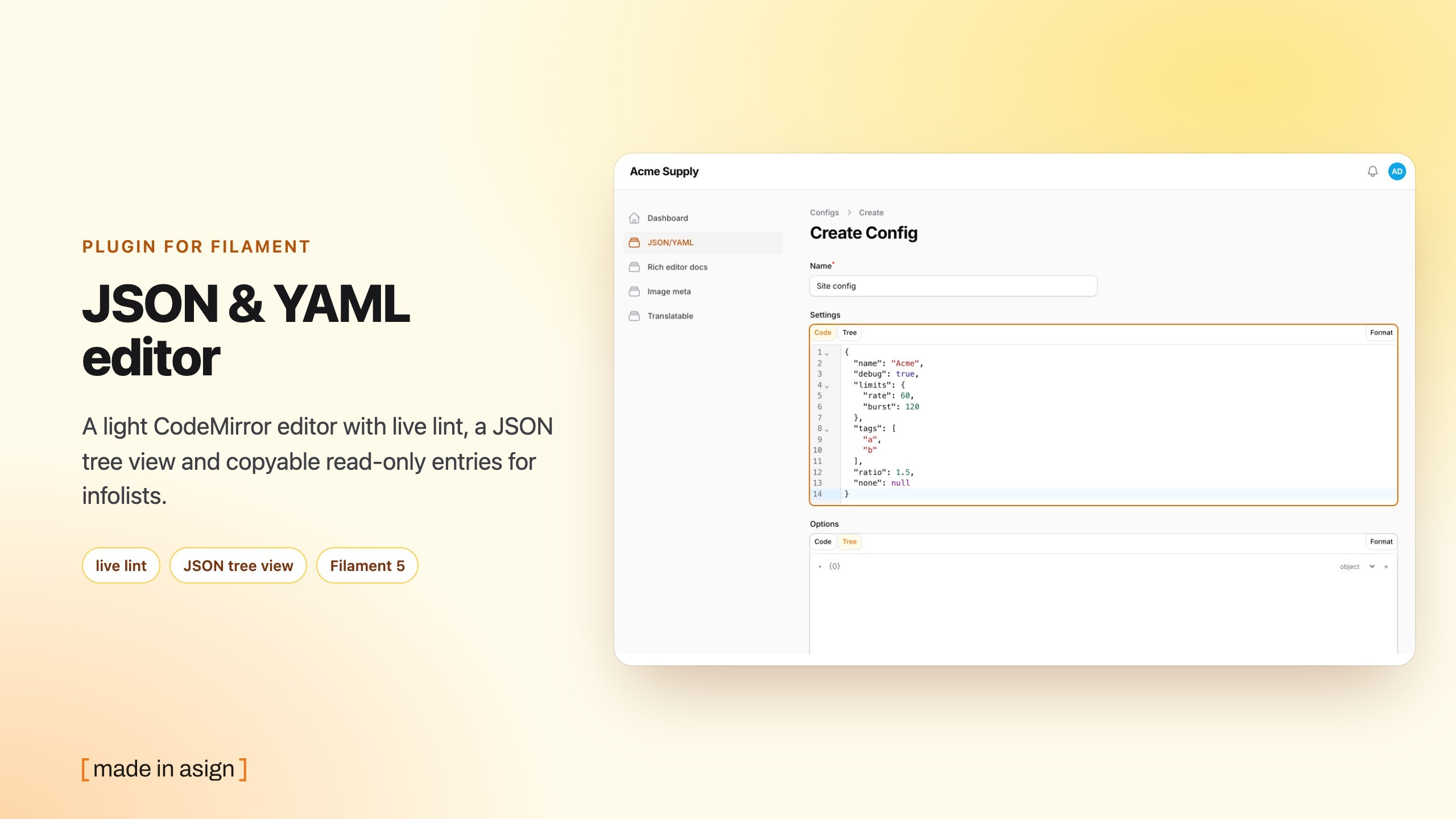
JSON and YAML editing for Filament 5: two form fields and two infolist entries.
Filament 5 ships a CodeEditor, but it is a plain text editor: no tree view, no validation, no schema, no formatting.
The popular Filament 3 plugin for this (invaders-xx/filament-jsoneditor)
has no Filament 4/5 release, and YAML editing has had nothing at all.
-
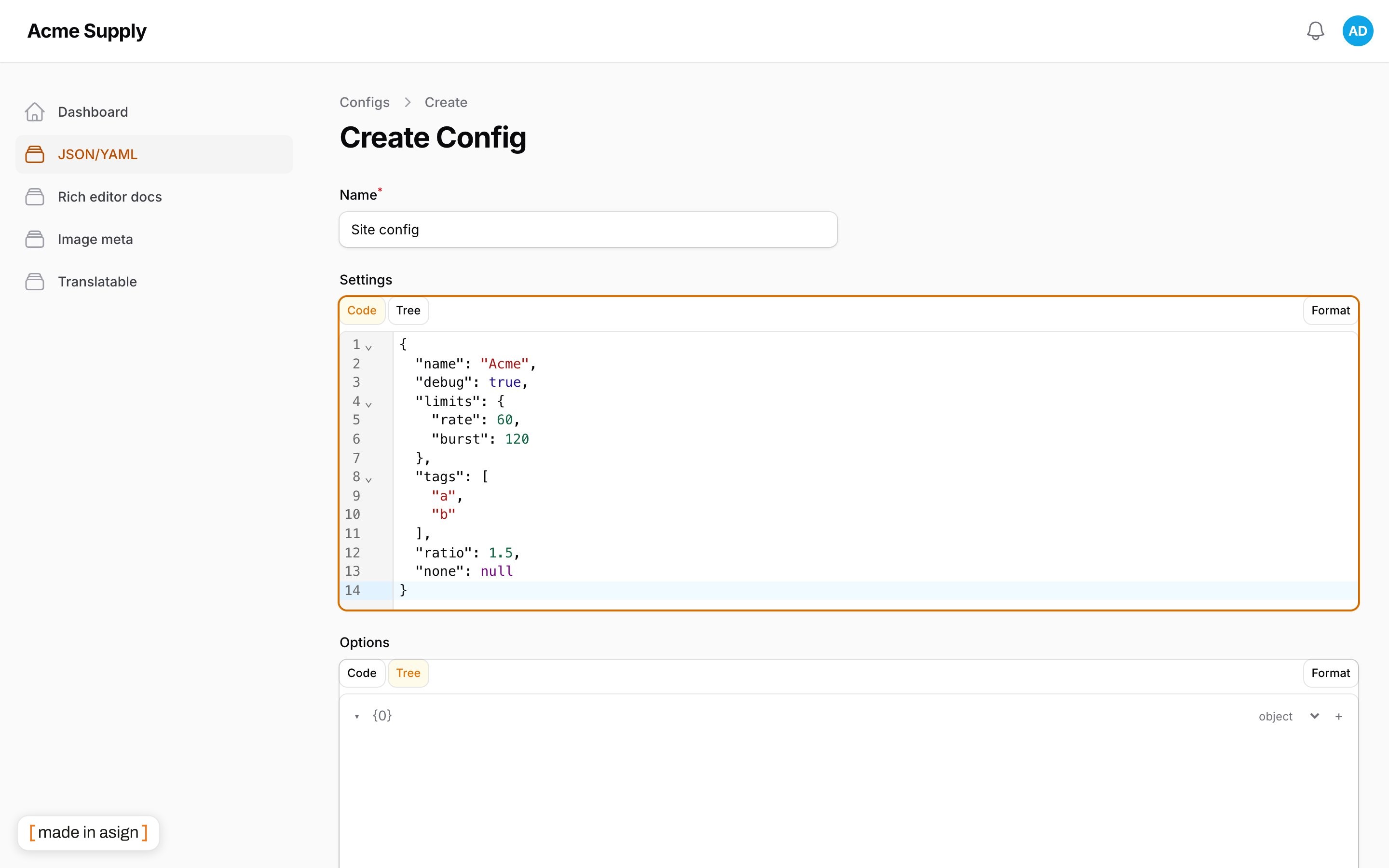
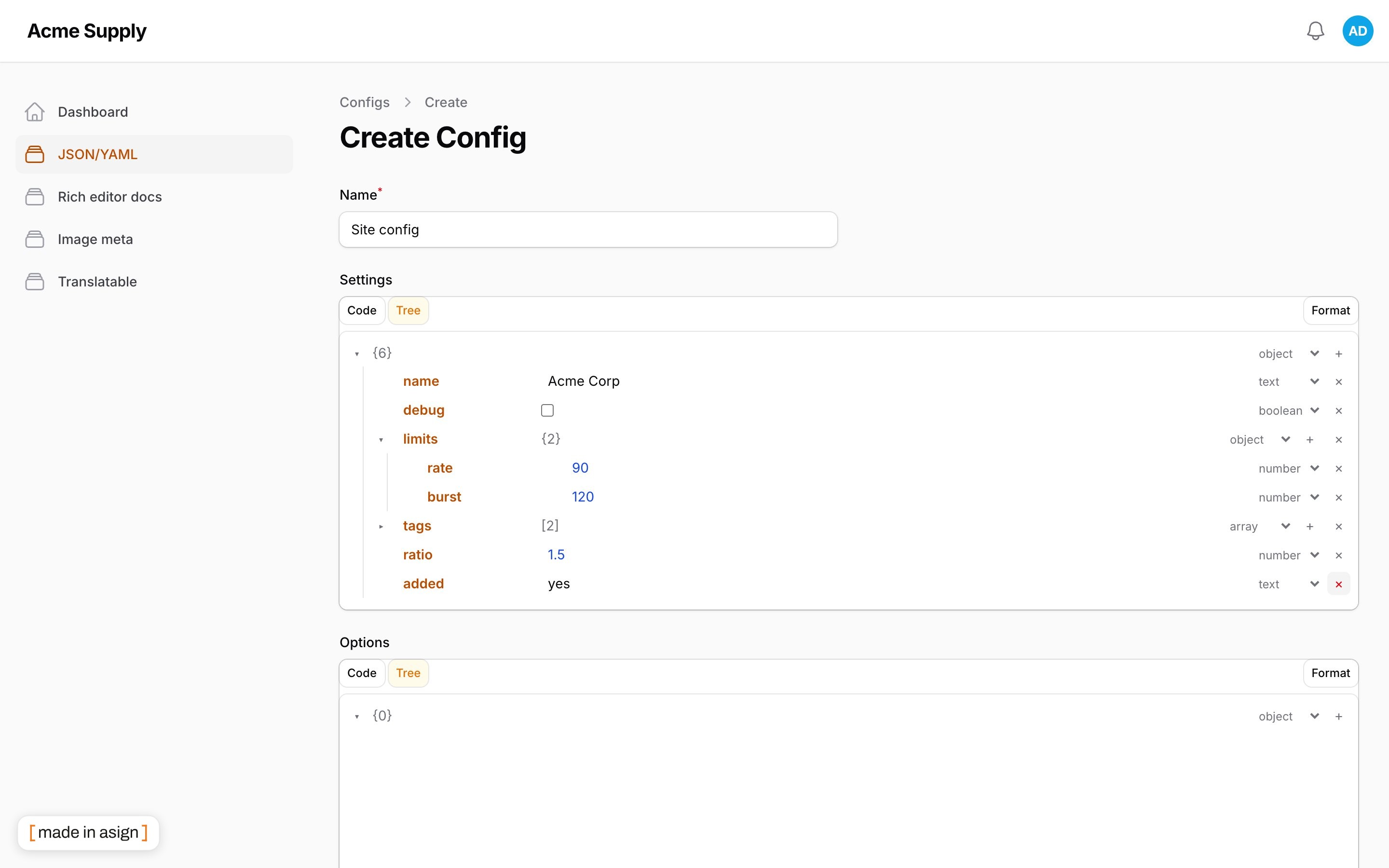
JsonEditor: a code view (highlighting, line numbers, folding) and a tree view (expand / collapse, edit values, rename keys, change types, add and remove), live validation with the error line, a Format button, optional JSON Schema. -
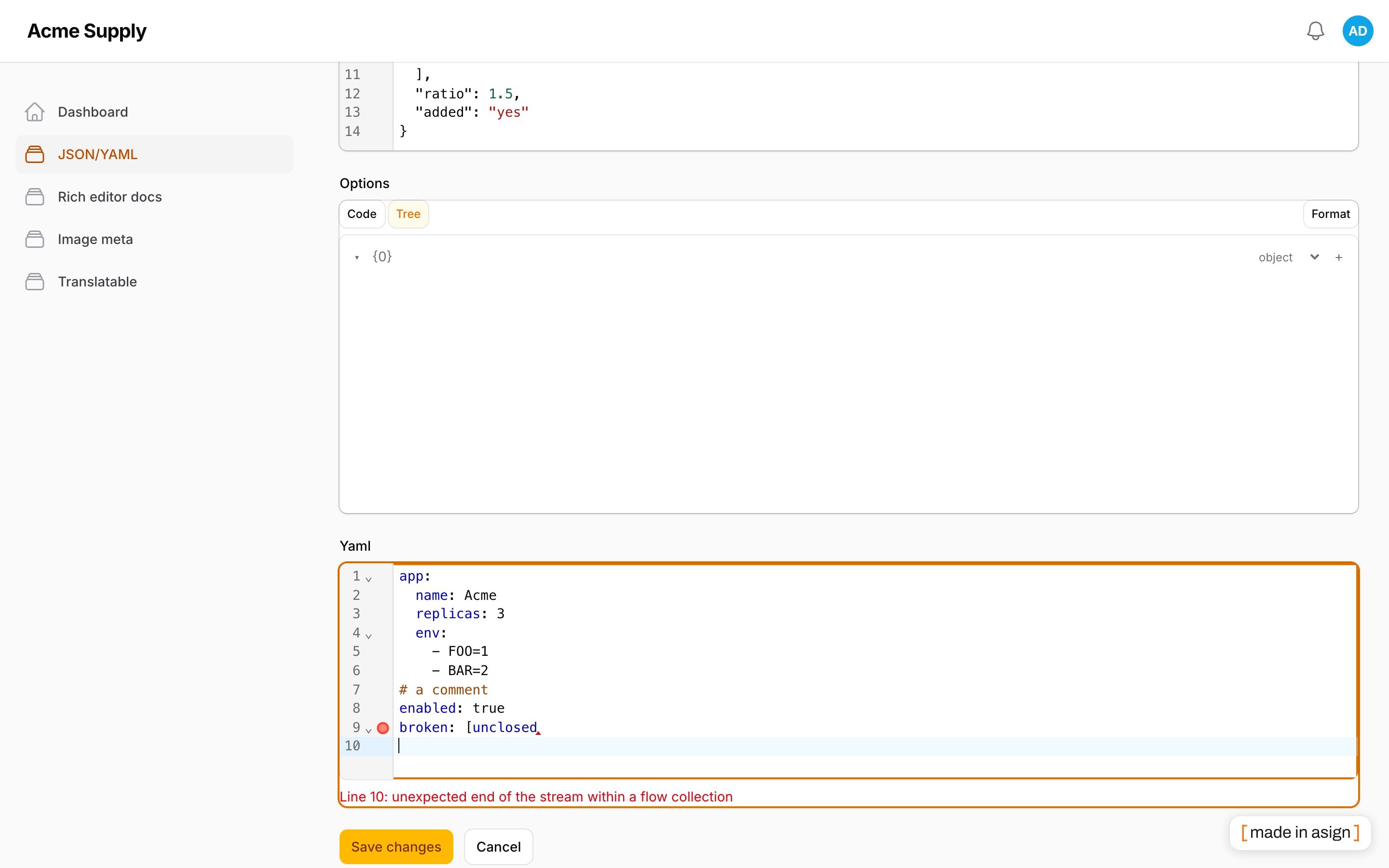
YamlEditor: the same code view with the YAML language and a livejs-yamllint that shows the error line. -
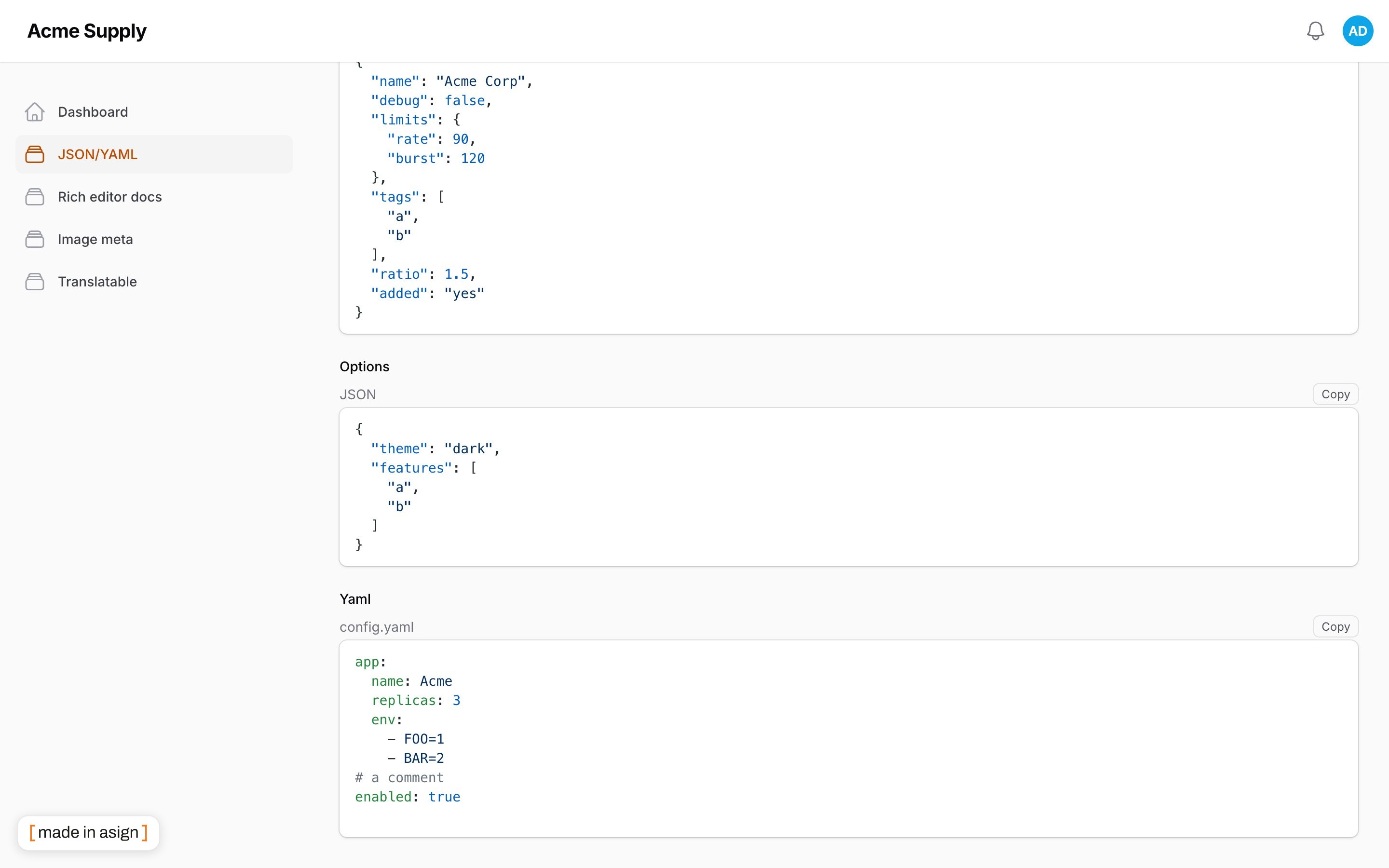
JsonEntry/YamlEntry: read-only highlighted, collapsible blocks with a copy button, for infolists. -
Server-side rules for all of it:
JsonRule,YamlRule(symfony/yaml) andJsonSchemaRule.
Screenshots
Requirements
- PHP 8.3+
- Filament 5, Laravel 12 or 13
symfony/yamlandphiki/phiki(installed with the package)- Optional, for
JsonSchemaRule:opis/json-schema(preferred) orjustinrainbow/json-schema
Installation
composer require asignua/filament-json-yaml-editor
php artisan filament:assets
Nothing to register on the panel. The editor bundle (CodeMirror 6, js-yaml, the tree view; about 475 kB minified,
160 kB gzipped, against ~985 kB for Filament's own code editor that bundles 13 languages) is an Alpine component loaded
on request: a page without an editor never downloads it. A 5 kB stylesheet is registered with Filament's assets.
Usage
use Asignua\FilamentJsonYamlEditor\Enums\EditorMode;
use Asignua\FilamentJsonYamlEditor\Forms\JsonEditor;
use Asignua\FilamentJsonYamlEditor\Forms\YamlEditor;

JsonEditor::make('settings')
    ->asArray()                                   // the model gets an array (for `array` / `json` casts)
    ->modes([EditorMode::Code, EditorMode::Tree]) // default; one mode hides the switch
    ->defaultMode(EditorMode::Tree)
    ->format()                                    // the "Format" button (on by default)
    ->indent(4)                                   // Format / tree / array display
    ->height('28rem')                             // or ->height(400) for pixels
    ->schema($jsonSchema);                        // server-side JSON Schema

YamlEditor::make('config')
    ->asArray()     // parse to an array on save; array from the model is dumped for display
    ->inline(4)     // Yaml::dump(): the level where it switches to {a: 1} flow style (default 10)
    ->indent(2)
    ->schema($jsonSchema); // the parsed document is checked against a JSON Schema
State is text by default: what the user typed is what the model gets, comments and formatting included.
->asArray() hands the model a decoded array instead. An array (a Collection, an ArrayObject, an object) coming from
the model is always shown as text. Blank text is stored as null.
Without an explicit ->asArray() the field follows the model's cast: a column cast to array, json, object,
collection, AsArrayObject or AsCollection (and their encrypted variants) gets an array, because handing such a cast
the text would store a JSON string literal instead of an object. ->asArray(false) forces text (for a column without
such a cast, or one whose cast takes text). Outside a model (a
custom page, a nested ->statePath()) nothing is detected: pass ->asArray() yourself.
With ->asArray() an empty JSON object {} stays an object in both fields: it is stored as {} (an empty YAML map
a: {} too, while a: [] is stored as []), and when the form is reopened the text is built from the stored column,
not from the cast's arrays (which would turn it into []). This holds for the plain JSON casts; an encrypted cast
stores ciphertext, so its {} is shown (and saved back) as []. A non-empty object whose keys are 0..n
({"0": "x", "1": "y"}, or YAML 0: x) is a list to PHP and is stored as ["x", "y"]. YAML timestamps
stay strings (released: 2024-01-01 is stored as "2024-01-01", at: 2024-01-01T00:00:00Z as
"2024-01-01T00:00:00+00:00"), not unix integers; an unquoted date key (2024-12-25: x) stays the string "2024-12-25" too (block maps and lists only; a date key inside a flow map {2024-12-25: x} is not supported).
Integers beyond PHP_INT_MAX change type with ->asArray(). PHP cannot hold them as numbers, so
{"id": 12345678901234567890} is stored as {"id": "12345678901234567890"}: the digits are kept, but from then on the
value is a string — the editor shows it quoted and a ->schema() with type: integer rejects it. If they must stay
numbers, keep the column as text: remove the array / json cast from the model attribute and leave ->asArray() off, so
the text is stored as typed. Do not combine ->asArray(false) with a column that keeps its array cast: the cast would
encode the text again and store a JSON string literal. Translatable attributes
(spatie/laravel-translatable) are never switched to an array automatically.
Both fields are ordinary Filament fields: ->required(), ->disabled() (read-only editor), ->live(), ->columnSpanFull(), ...
work as usual.
Validation
The syntax rule is added automatically (->validateSyntax(false) turns it off; the in-browser lint stays). With
->asArray() the rule stays regardless: text that does not parse would otherwise be saved as null over the stored value. The rules are
also usable on their own:
use Asignua\FilamentJsonYamlEditor\Rules\JsonRule;
use Asignua\FilamentJsonYamlEditor\Rules\JsonSchemaRule;
use Asignua\FilamentJsonYamlEditor\Rules\YamlRule;

$request->validate([
    'a' => ['nullable', JsonRule::make()->containerOnly()], // object or array only
    'b' => ['nullable', new YamlRule],
    'c' => ['nullable', JsonSchemaRule::make($schema)],       // array, JSON string or decoded object
    'd' => ['nullable', JsonSchemaRule::make($schema)->yaml()->maxErrors(3)],
]);
JsonSchemaRule needs opis/json-schema or justinrainbow/json-schema; with neither installed it throws a
LogicException instead of silently passing. Syntax errors are JsonRule / YamlRule's job: the schema rule skips
text it cannot parse. Client-side schema validation is deliberately not bundled (an engine would double the bundle).
With justinrainbow/json-schema only $refs to the bundled draft meta-schemas resolve; remote and file:// references
are refused (reported as a validation error) so that a schema coming from data cannot make the server fetch URLs or read
files. opis/json-schema does not fetch unregistered URIs either.
Infolist entries
use Asignua\FilamentJsonYamlEditor\Infolists\JsonEntry;
use Asignua\FilamentJsonYamlEditor\Infolists\YamlEntry;

JsonEntry::make('settings')->collapsed()->maxHeight('16rem');
YamlEntry::make('config')->inline(4)->summary('config.yaml')->collapsible(false);
The state may be an array, an object, a Collection or text. Highlighting is done on the server with Phiki exactly like
Filament's CodeEntry (light and dark themes, ->lightTheme() / ->darkTheme() / ->grammar() work), the block is a
native <details> element, and the copy button copies the text. ->copyable(false) removes it.
Configuration
There is no config file. Everything is a fluent option on the field or entry; see the method list above and the translations section for the labels.
Gotchas
- Tree view re-serialises on edit. Editing a value, a key or a type in the tree rewrites the document with
JSON.stringify: integer-like keys ("1","2") are re-ordered by JavaScript, and numbers beyond 2^53 lose precision. Expanding and collapsing nodes is not an edit and leaves the text alone; so does the code view. - YAML aliases are bounded. A document whose aliases expand past a budget (1M nodes plus 10 per byte of source) fails the syntax rule, so a "billion laughs" document cannot exhaust memory on save, schema validation or display.
- YAML comments. They survive while the state stays text.
->asArray()parses to an array, so comments are gone. - YAML is parsed with no object flags.
symfony/yamlnever instantiates PHP objects from!php/objecttags here. - JSON tree is JSON only.
YamlEditorhas no tree view. wire:ignore. The editor owns its DOM; a state change from the server ($set,fill) is pushed into it. An array set that way is shown as text (JSON pretty-printed, YAML dumped byjs-yaml).- Run
php artisan filament:assetsafter install and after every update; the bundle is served frompublic/js/asignua/.
Translations
English, Ukrainian, German, Spanish, French, Italian, Dutch, Polish, Brazilian Portuguese and Turkish, namespace
json-yaml-editor::messages. Publish to override:
php artisan vendor:publish --tag=filament-json-yaml-editor-translations
AI agents
The package ships Laravel Boost guidelines in resources/boost/guidelines/core.blade.php.
Testing
composer test            # PHPUnit (Orchestra Testbench + workbench panel)
composer analyse         # PHPStan level 8
composer format          # Pint
npm ci && npm test       # node: pure JS logic, the tree view and a smoke test of the Alpine component (jsdom)
npm run build            # rebuild resources/dist/json-yaml-editor.js with esbuild (commit the result; CI fails when it differs)
Changelog
See CHANGELOG.
License
MIT. See LICENSE.