
serhii-f8 / filament-studio

Dynamic data model manager for Filament — build unlimited collections with custom fields, EAV storage, versioning, and multi-tenancy
Requires
- php: ^8.3
- filament/filament: ^5.0
- laravel/mcp: ^0.3 || ^0.5 || ^0.6 || ^0.8 || ^0.9
- spatie/laravel-package-tools: ^1.16
Requires (Dev)
- dedoc/scramble: ^0.13
- orchestra/testbench: ^10.0 || ^11.0
- pestphp/pest: ^4.0
- pestphp/pest-plugin-laravel: ^4.0
- pestphp/pest-plugin-mutate: ^4.0
- spatie/laravel-permission: ^7.2 || ^8.0
Suggests
None
Provides
None
Conflicts
None
Replaces
- flexpik/filament-studio: v1.8.1
README
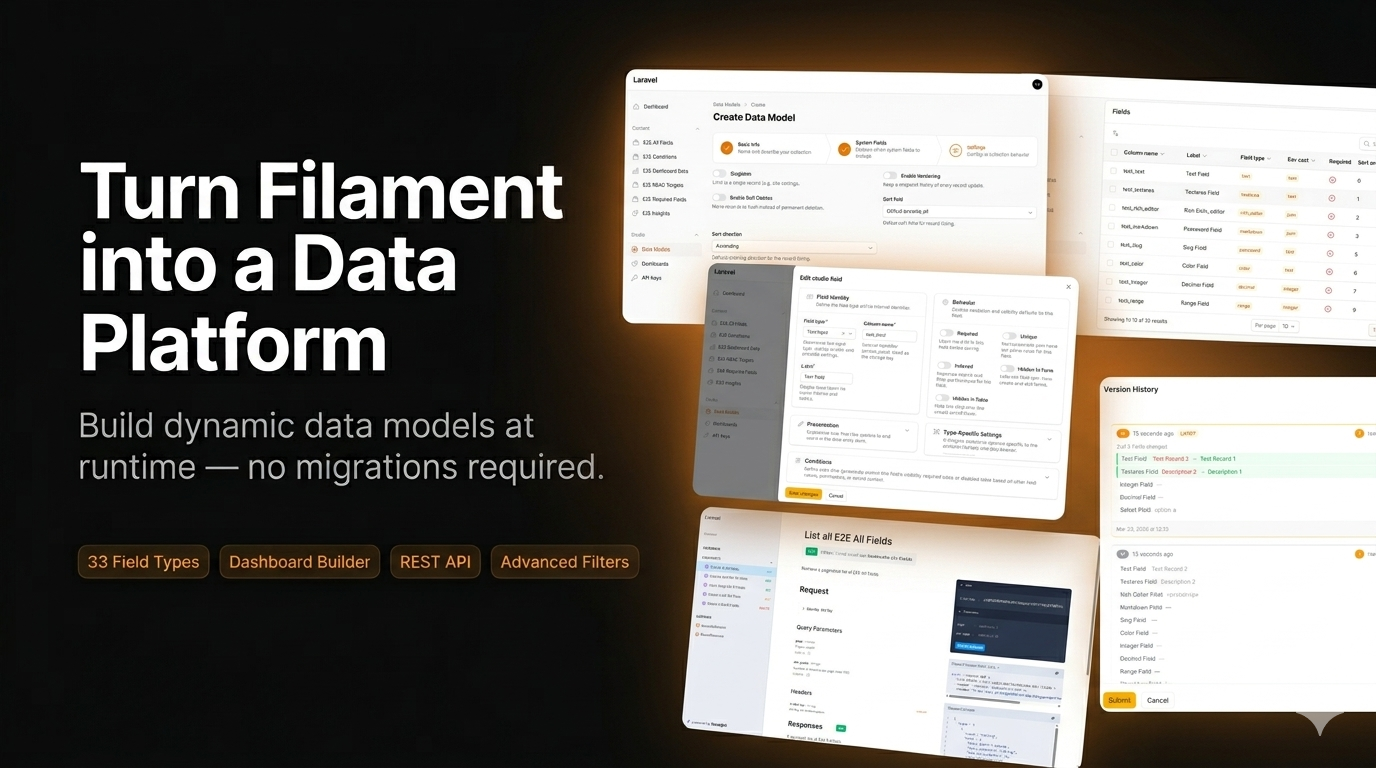
Filament Studio
Let your users build their own data structures — inside the Filament panel you already ship.
Filament Studio adds a visual data model manager to any Filament v5 panel. Your team (or your client) creates collections and fields through the admin UI, and Studio generates the forms, tables, filters, dashboards, REST API and automations for them — at runtime, with no migration and no deploy.
The problem
It's 5pm on Friday. Your client emails: "Can we add a 'Preferred Contact Method' to the customer form? And a report of customers by region?"
| Without Filament Studio | With Filament Studio |
|---|---|
|
You are not in the loop. |
Every "just one more field" request stops being a deploy. The schema becomes data your users own, instead of code you maintain.
See it in action
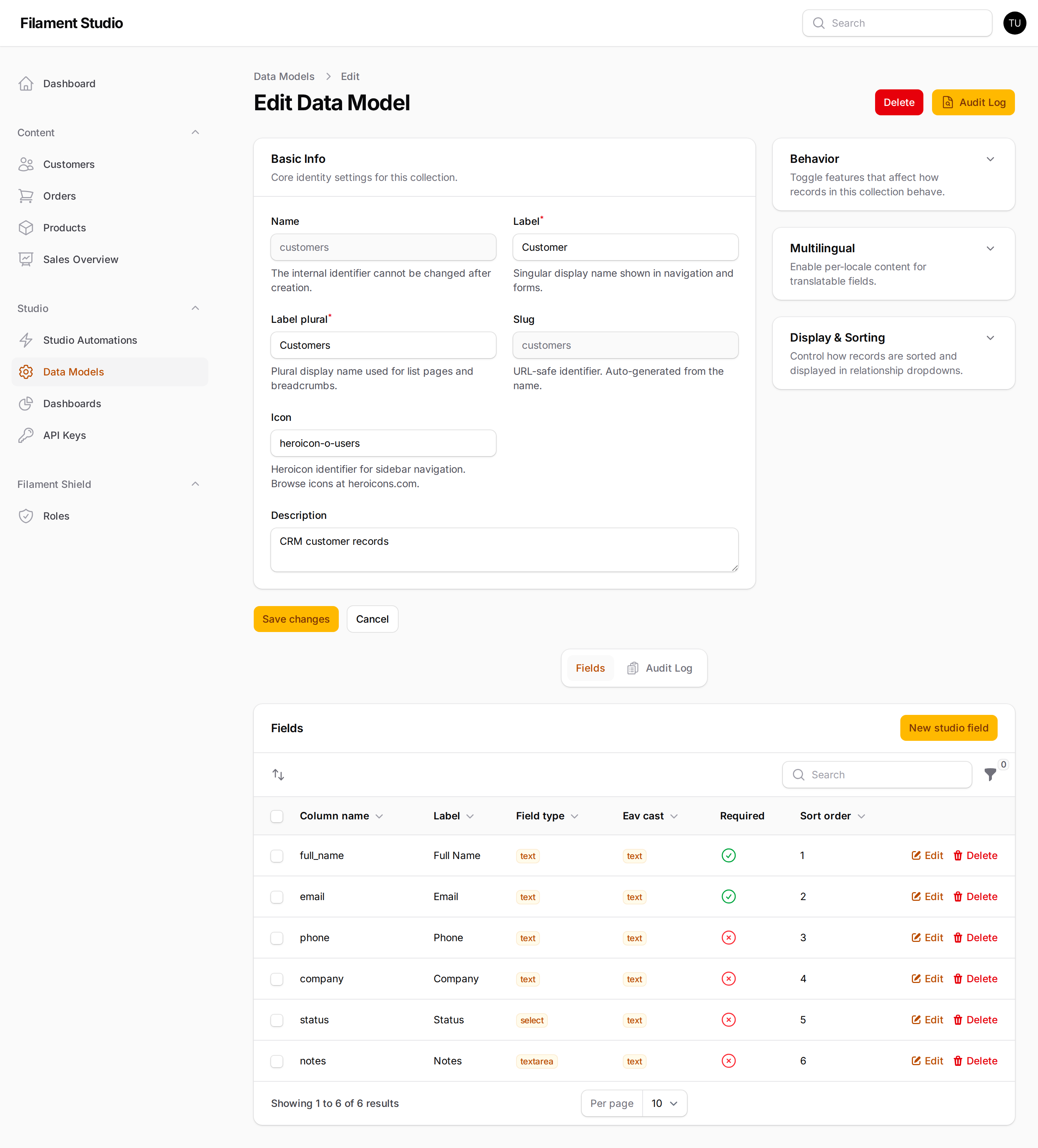
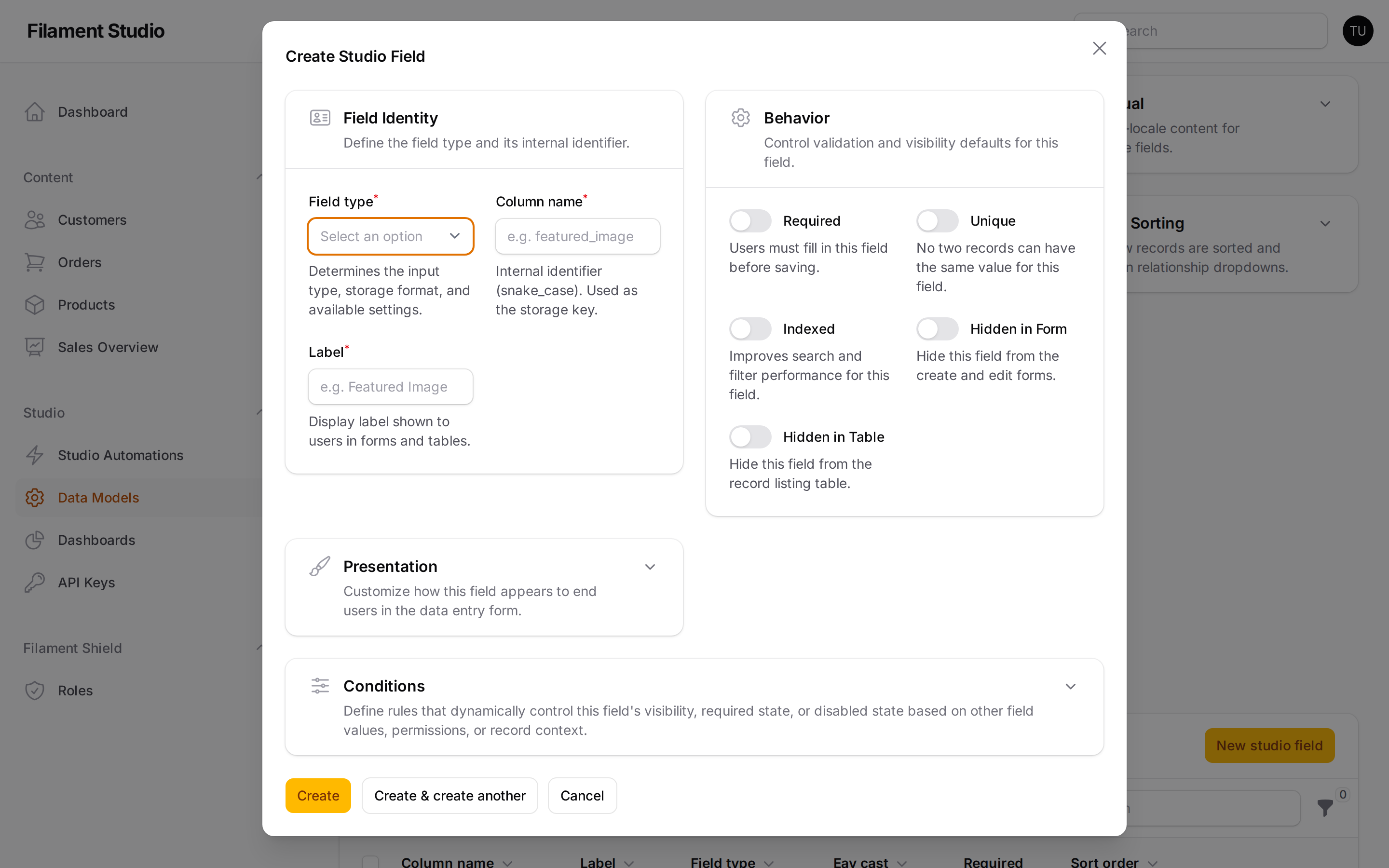
Define a collection's fields through the UI — no migration:
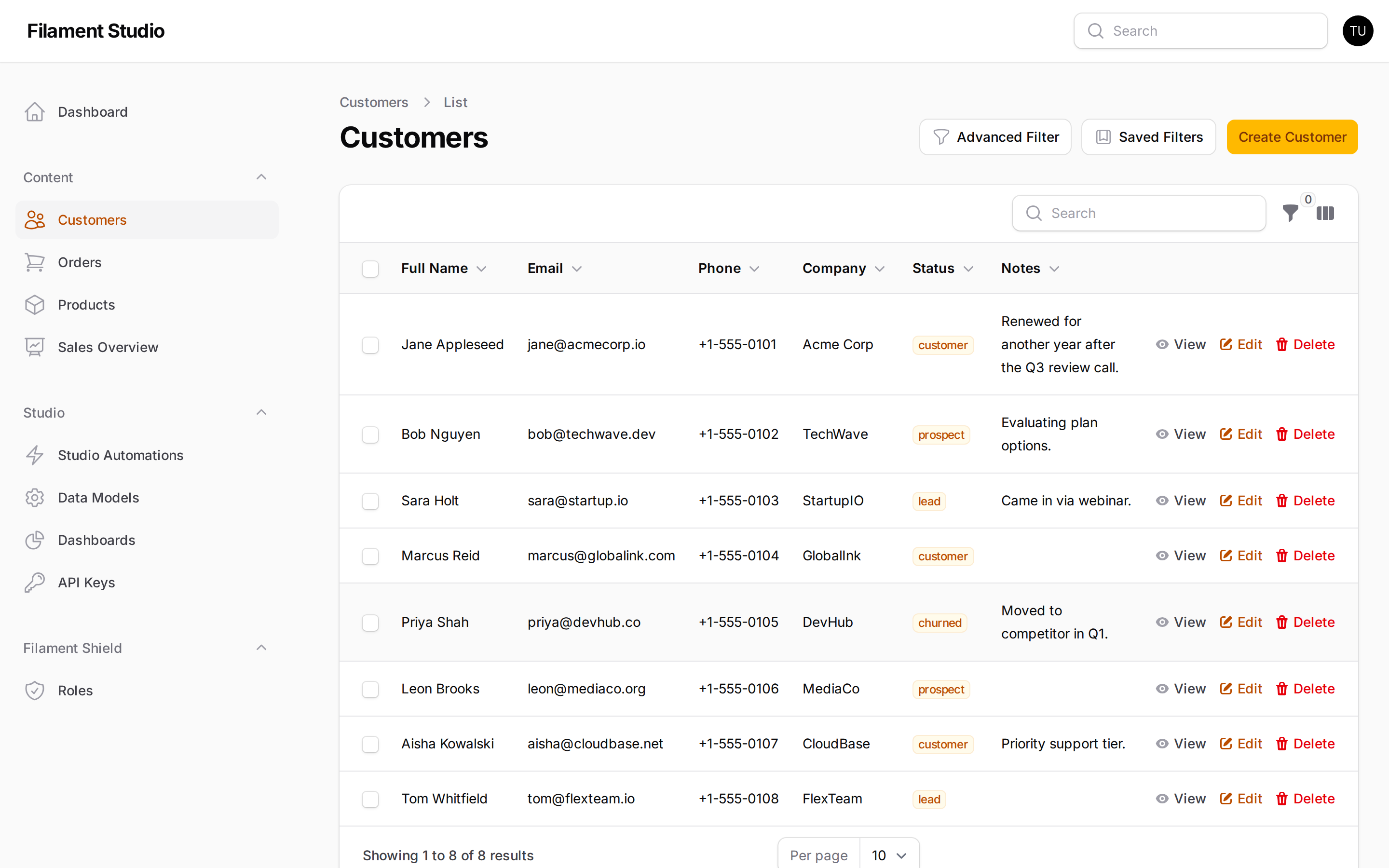
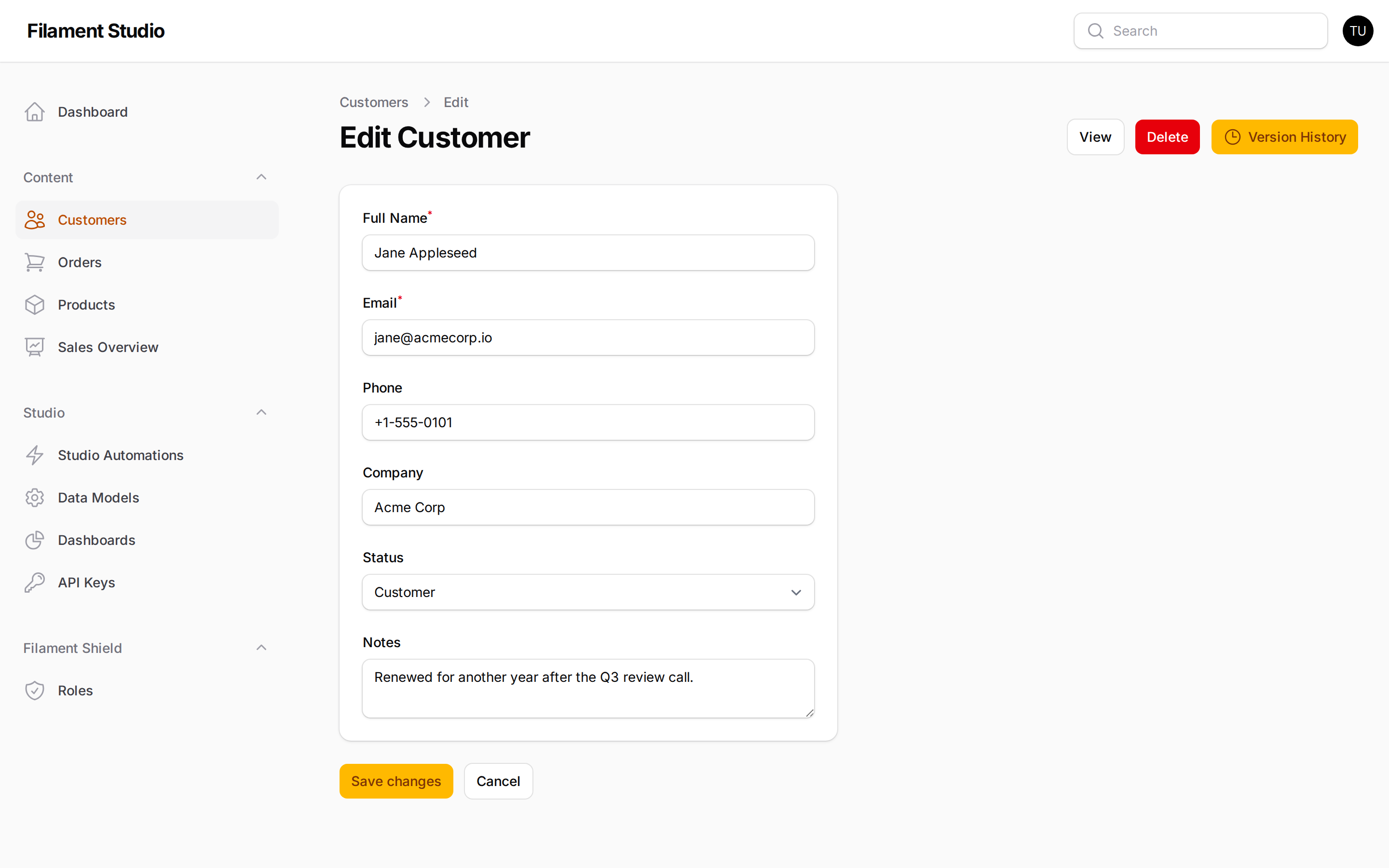
Every collection gets a full CRUD interface, generated from those fields:
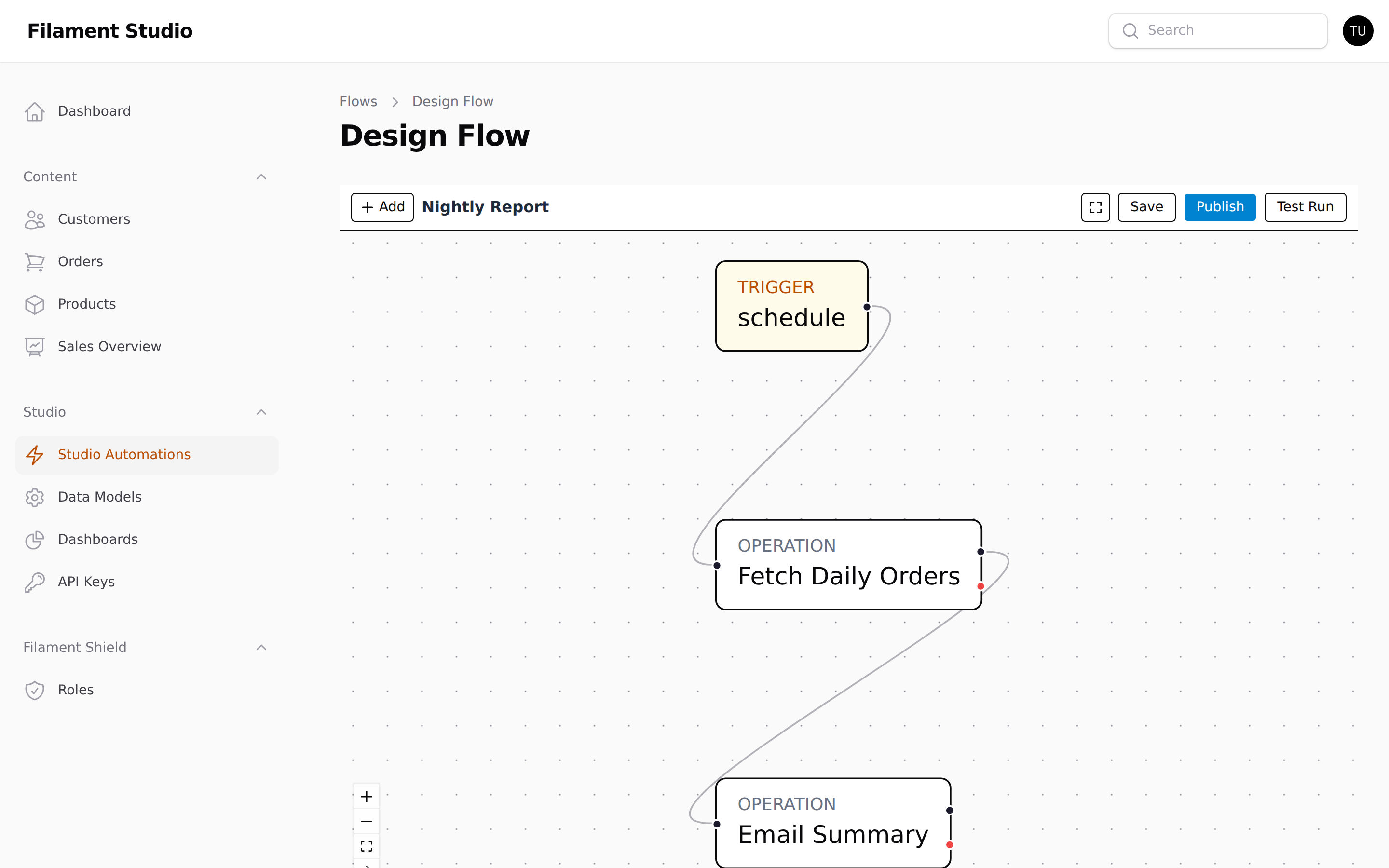
Data changes can trigger real automation, designed on a visual canvas:
More screenshots in the gallery at the bottom, and step-by-step walkthroughs in the User Guide.
Who it's for
Agencies shipping client admin panels. Hand the client a panel they can extend themselves. The "can you add a field" emails stop.
Internal tools teams. Ops, finance and support each want their own tracker. Give them one panel and let each team model its own data instead of queueing behind your sprint.
Headless CMS backends. Editors define content types in the UI; your frontend reads them over the REST API with per-collection API keys.
Multi-tenant SaaS. Every tenant gets its own collections, records, dashboards and API keys, isolated by tenant_id across every model.
When not to use it
Being honest saves you a refactor later. Reach for regular Eloquent models instead when:
- The schema is known and stable. If you already know you need
orderswith fifteen fixed columns, a migration is simpler, faster and easier to query. - You need heavy analytical queries. EAV stores each value in its own row, so wide reporting queries mean many joins. Studio is built for operational CRUD, not for a data warehouse.
- You depend on database-level constraints across fields. Composite foreign keys, multi-column unique indexes and check constraints don't translate to EAV storage.
Studio and hand-written resources coexist fine in one panel — use each where it fits.
Quick Start
composer require serhii-f8/filament-studio
php artisan vendor:publish --tag="filament-studio-migrations"
php artisan migrate
Register the plugin on your panel:
use Flexpik\FilamentStudio\FilamentStudioPlugin;

public function panel(Panel $panel): Panel
{
    return $panel->plugins([
        FilamentStudioPlugin::make(),
    ]);
}
Open your admin panel — there's a new Studio section in the sidebar. Create a collection, add a few fields, and you have a working CRUD interface.
Optional configuration:
FilamentStudioPlugin::make()
    ->navigationGroup('Content')
    ->enableVersioning()
    ->enableSoftDeletes()
    ->enableApi()
    ->fieldTypes(['currency' => CurrencyFieldType::class])
    ->panelTypes([CustomMapPanel::class]);
php artisan vendor:publish --tag="filament-studio-config"
What you get
Collections and fields, defined at runtime
Create a collection, add fields, and Studio generates the form, table, filters and validation. Fields can be reordered, made required or unique, hidden from forms or tables, and shown conditionally based on other values.
33 field types across 9 categories:
| Category | Types |
|---|---|
| Text | Text, Textarea, Rich Editor, Markdown, Password, Slug, Color, Hidden |
| Numeric | Integer, Decimal, Range |
| Boolean | Checkbox, Toggle |
| Selection | Select, Multi-Select, Radio, Checkbox List, Tags |
| Date & Time | Date, Time, Datetime |
| File | File, Image, Avatar |
| Relational | Belongs To, Has Many, Belongs To Many |
| Structured | Repeater, Builder, Key-Value |
| Presentation | Section Header, Divider, Callout |
Dashboards your users build themselves
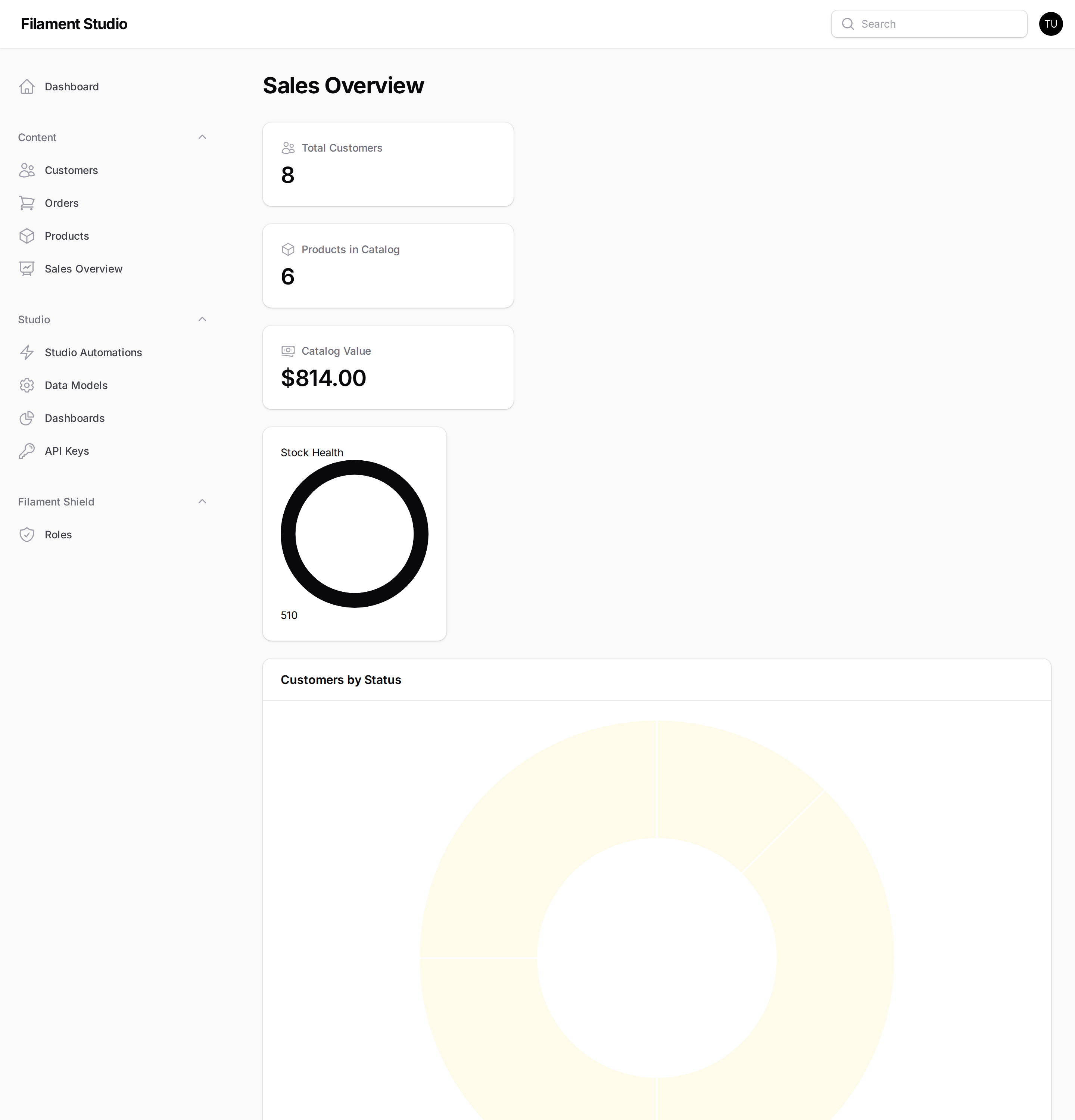
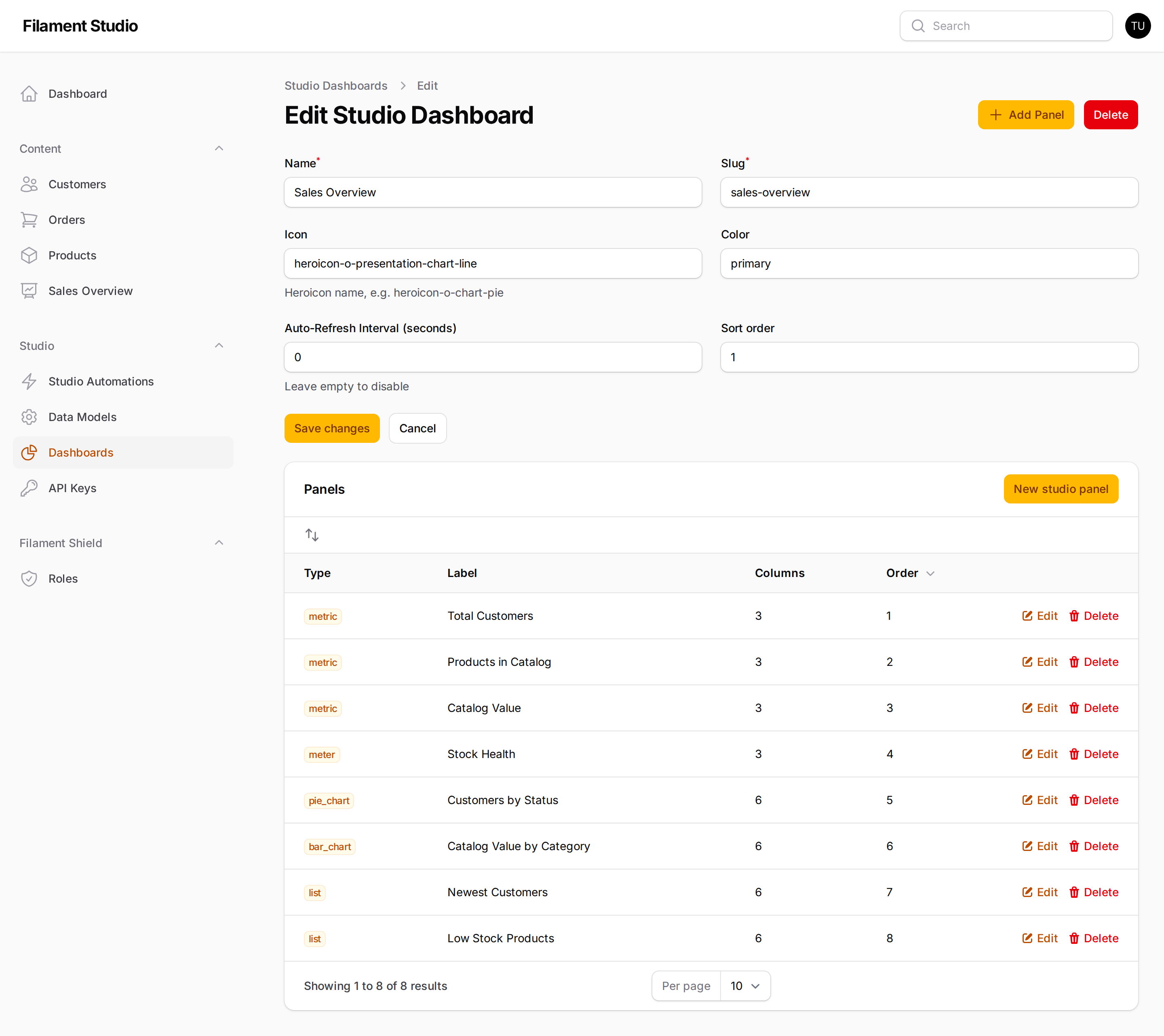
Non-developers assemble dashboards from a panel picker — no widget classes to write. 9 panel types (Metric, List, Time Series, Bar, Line, Pie, Meter, Label, Variable) can be placed on dashboards, collection pages or record pages, with aggregate functions and dynamic variables like $CURRENT_USER and $NOW.
Filtering that survives real questions
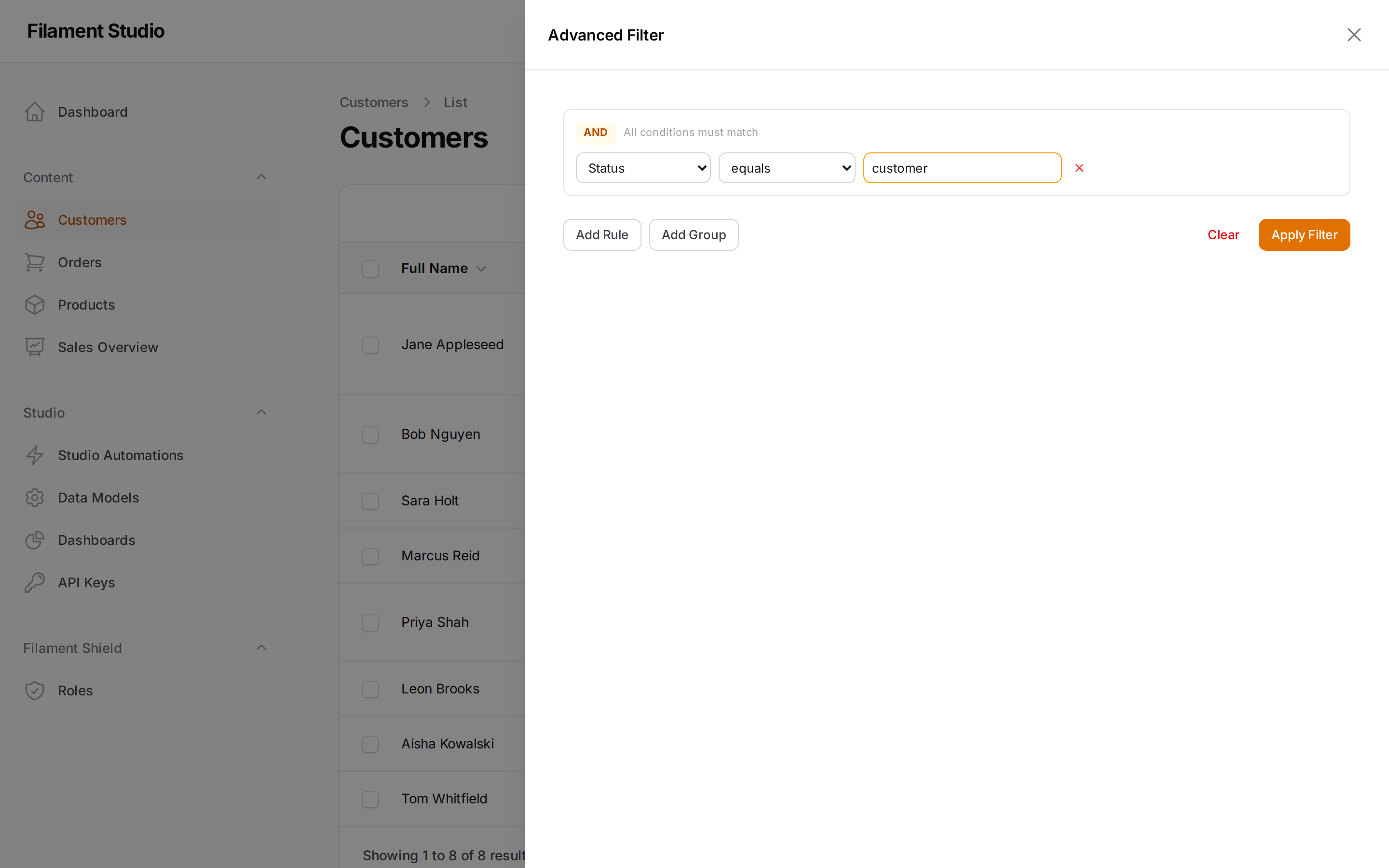
A visual filter builder with 23 operators and nested AND/OR groups, so "customers in Germany who are either overdue or high-value" is a filter, not a support ticket. Operators adapt to the field type, and useful filters can be saved and shared with the team.
A REST API you didn't have to write
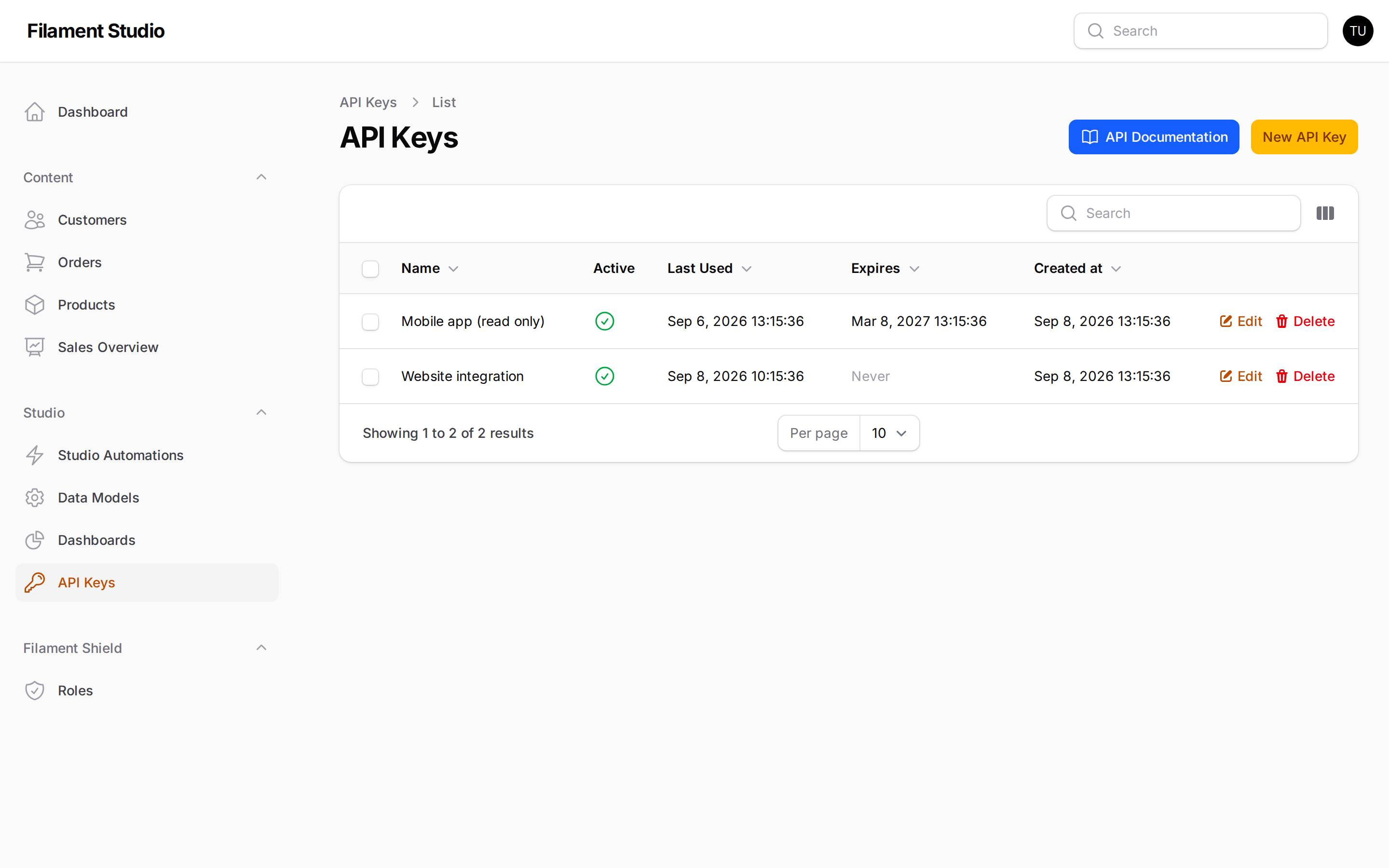
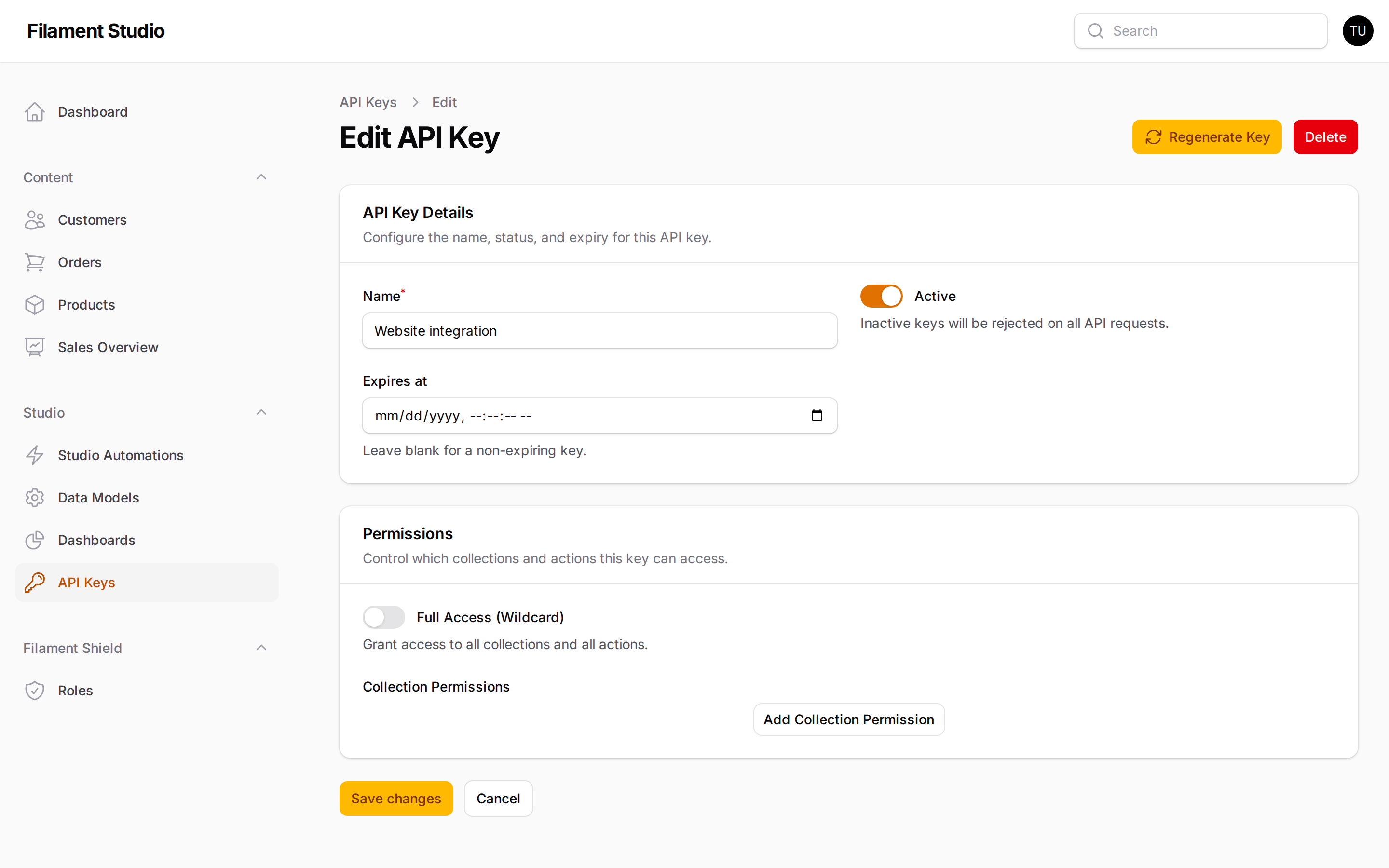
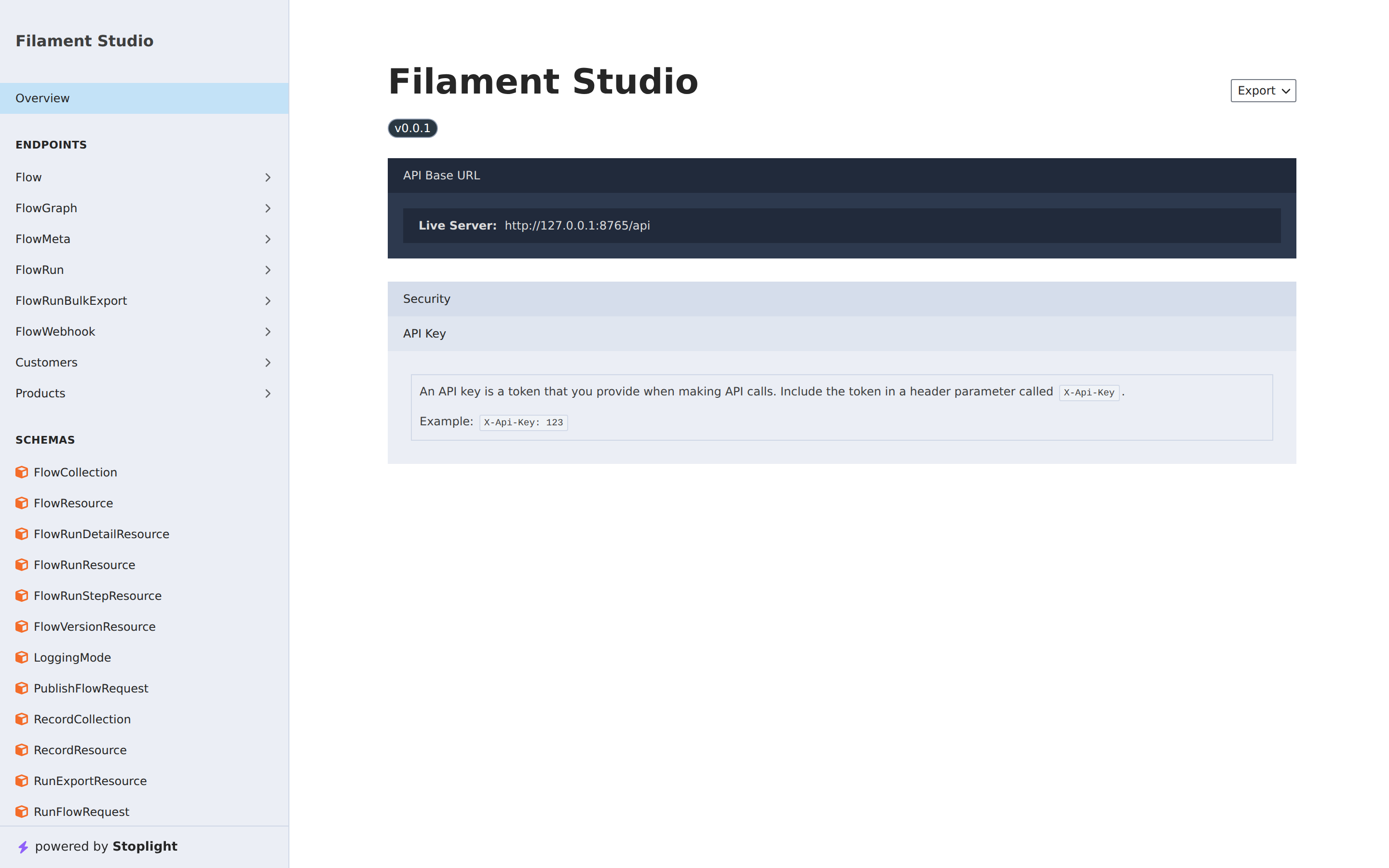
Turn on the API and every collection gets CRUD endpoints with API key auth, per-collection permissions, rate limiting and OpenAPI documentation generated via Scramble.
Workflow automation (Flows)
Data changes can start real work. Triggers (manual, webhook, collection event, cron schedule) kick off a graph of operations — record CRUD, conditions, payload transforms, HTTP requests, emails, or another flow.
- Draft → publish versioning — edit a live draft, dry-run and step through it, then publish an immutable, restorable version
- Full observability — every run records a step tree of inputs, outputs, timing and status
- Security by default — HMAC-signed, rate-limited, IP-allowlisted webhooks; dangerous operations need explicit publish-time confirmation; sensitive values are masked before logs are written
Flows are opt-in via flows.enabled. See the Flows documentation.
AI-native (MCP server)
A built-in Model Context Protocol server lets Claude, Cursor or Windsurf manage your data model in natural language — 34 tools covering schema design, data access, dashboards and administration.
{
  "mcpServers": {
    "filament-studio": {
      "type": "stdio",
      "command": "php",
      "args": ["artisan", "mcp:start", "studio"],
      "env": { "STUDIO_API_KEY": "your-key", "STUDIO_MCP_ENABLED": "true" }
    }
  }
}
Built for production
- Multi-tenancy — every collection, record, dashboard and API key is scoped to its tenant
- Multilingual — opt-in per-locale values with automatic fallback, an admin locale switcher, and locale-aware API responses
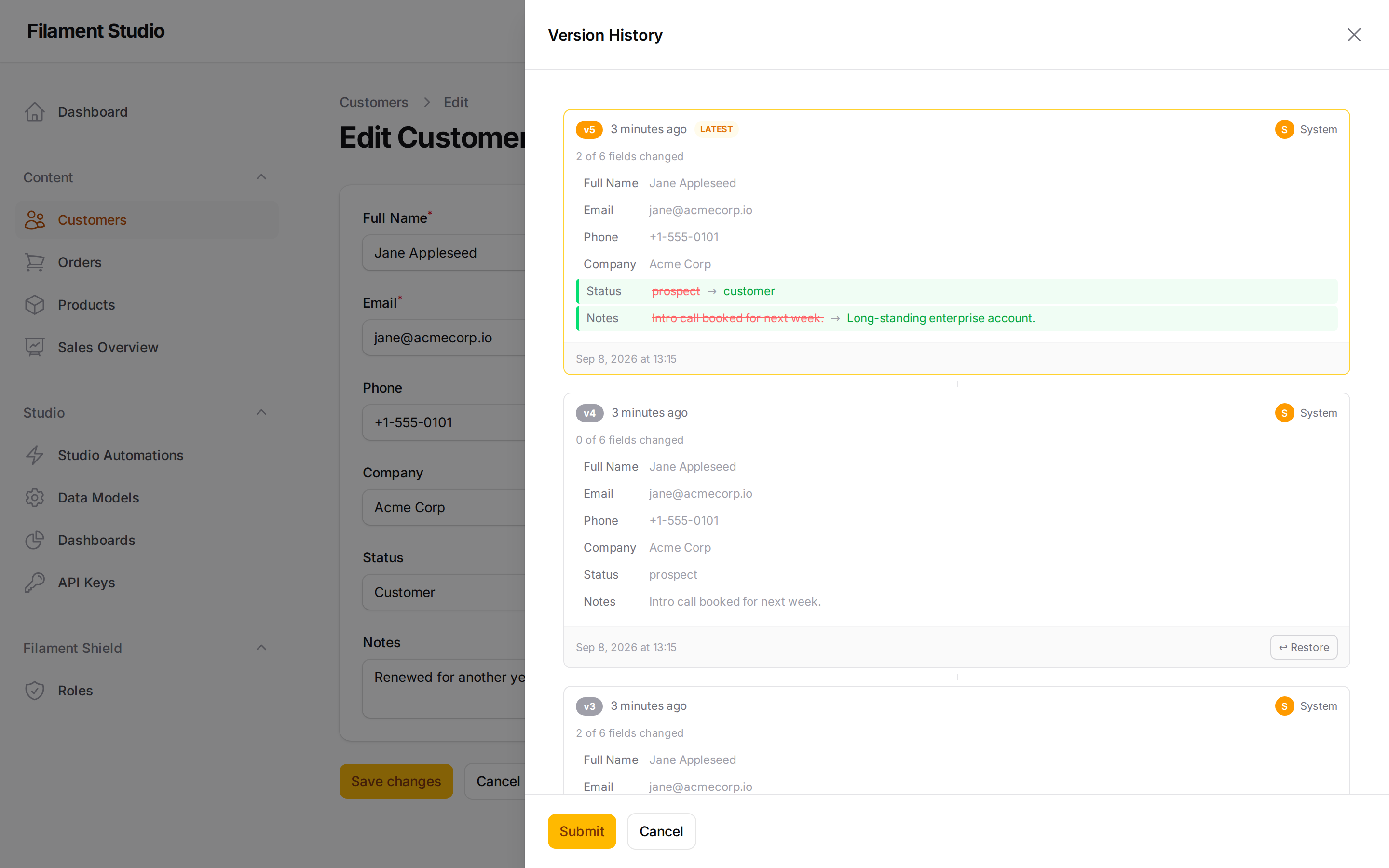
- Versioning & soft deletes — snapshot history with one-click restore, per locale, and a recycle bin for deleted records
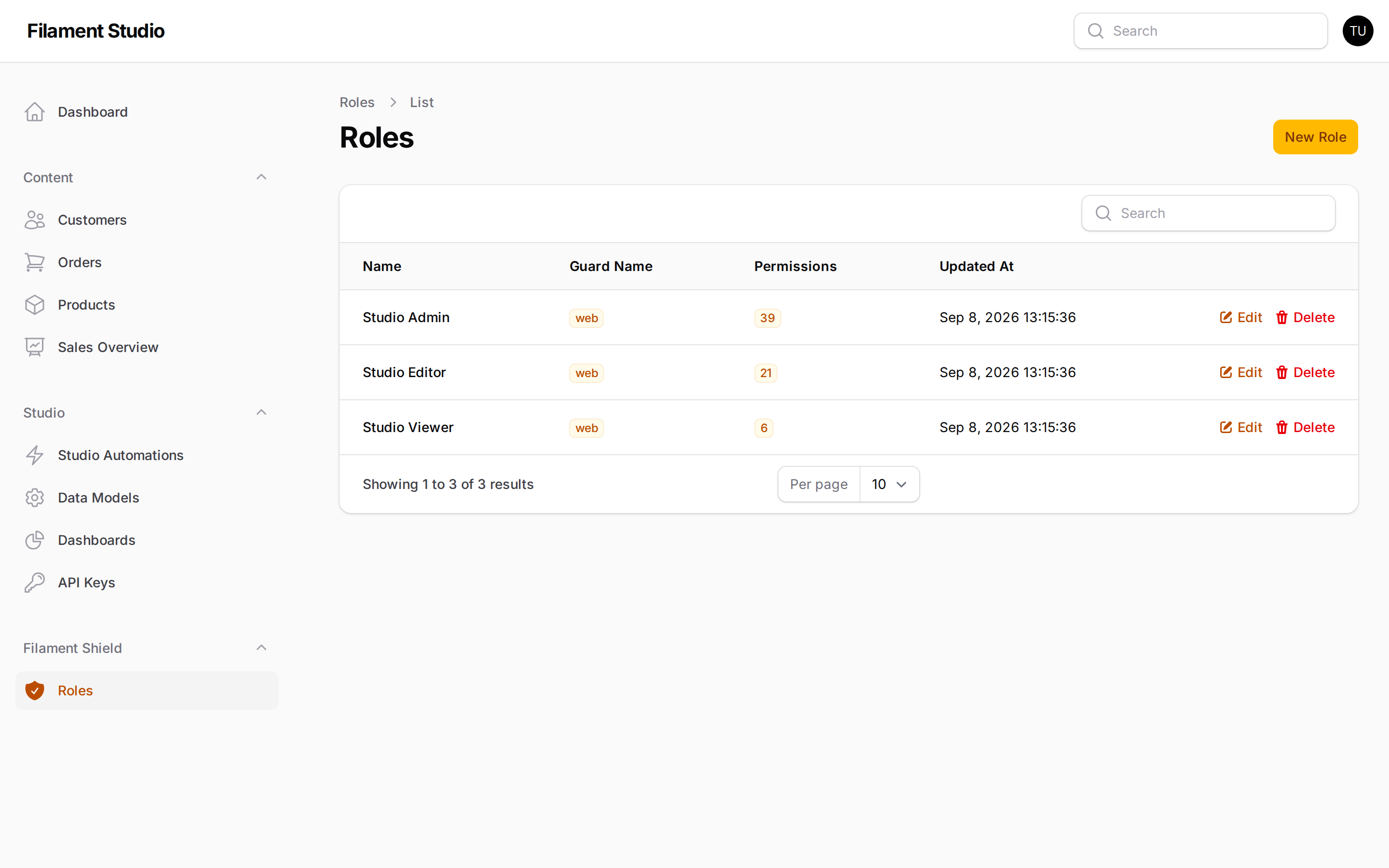
- Authorization — policy-based access with per-collection CRUD permissions, auto-synced to
spatie/laravel-permissionwhen it's installed (and gracefully skipped when it isn't) - Extensible — register custom field types, panel types, flow operations, triggers and lifecycle hooks
Proof it works
- 1,784 tests across unit, feature and integration suites (Pest v4 + Orchestra Testbench)
- Mutation-tested — an MSI target of ≥80% per module, not just line coverage
- CI on PHP 8.3 and 8.4 on every push
vendor/bin/pest
How it works
Instead of a table per collection, Studio uses EAV (Entity-Attribute-Value) storage across four tables:
| Table | Purpose |
|---|---|
studio_collections |
Schema definitions (name, slug, settings) |
studio_fields |
Field definitions per collection (type, settings, validation) |
studio_records |
Record entries (UUID, collection, tenant) |
studio_values |
Typed data storage (text, integer, decimal, boolean, datetime, JSON columns) |
Values live in six typed columns rather than one stringly-typed blob, so sorting and comparison stay native to the database and type safety survives the trip.
Extending
Custom field types
use Flexpik\FilamentStudio\FieldTypes\AbstractFieldType;
use Flexpik\FilamentStudio\Enums\EavCast;

class RatingFieldType extends AbstractFieldType
{
    protected static string $key = 'rating';
    protected static string $label = 'Rating';
    protected static string $icon = 'heroicon-o-star';
    protected static EavCast $eavCast = EavCast::Integer;
    protected static string $category = 'numeric';

    public function settingsSchema(): array { /* ... */ }
    public function toFilamentComponent(): Component { /* ... */ }
    public function toTableColumn(): ?Column { /* ... */ }
    public function toFilter(): ?Filter { /* ... */ }
}
Lifecycle hooks
FilamentStudioPlugin::afterCollectionCreated(fn ($collection) => /* ... */);
FilamentStudioPlugin::afterFieldAdded(fn ($field) => /* ... */);

FilamentStudioPlugin::modifyFormSchema(fn (array $schema, $collection) => $schema);
FilamentStudioPlugin::modifyTableColumns(fn (array $columns, $collection) => $columns);
FilamentStudioPlugin::modifyQuery(fn ($query) => $query);
Documentation
New to Studio, or handing it to a non-technical team? Start with the User Guide — a plain-language, screenshot-led walkthrough written for the people who use the panel, not the people who install it.
| Guide | Description |
|---|---|
| User Guide | Plain-language walkthrough for editors and administrators |
| Installation | Requirements, setup, and verification |
| Configuration | Config file, plugin options, feature flags |
| Field Types | All 33 built-in types, EAV storage, field settings |
| Dashboards & Panels | Dashboard builder, 9 panel types, variables |
| Filtering | 23 operators, filter trees, saved filters |
| REST API | Endpoints, authentication, permissions, rate limiting |
| MCP Server | AI assistant integration — 34 tools, stdio & HTTP transport |
| Flows | Workflow automation — triggers, operations, versioning, webhook security |
| Conditional Logic | Dynamic visibility, required, and disabled states |
| Authorization | Policies, permissions, Spatie integration |
| Multi-Tenancy | Tenant scoping, lifecycle hooks |
| Multilingual | Locale config, translatable fields, API locale support |
| Record Versioning | Snapshots, restore, soft deletes |
| Hooks & Events | Lifecycle hooks, schema modification |
| Custom Field Types | Building your own field types |
| Custom Panel Types | Building your own dashboard panels |
| Extending Flows | Building your own operations and triggers |
Requirements
- PHP 8.3+
- Laravel 11+
- Filament v5
Screenshot gallery
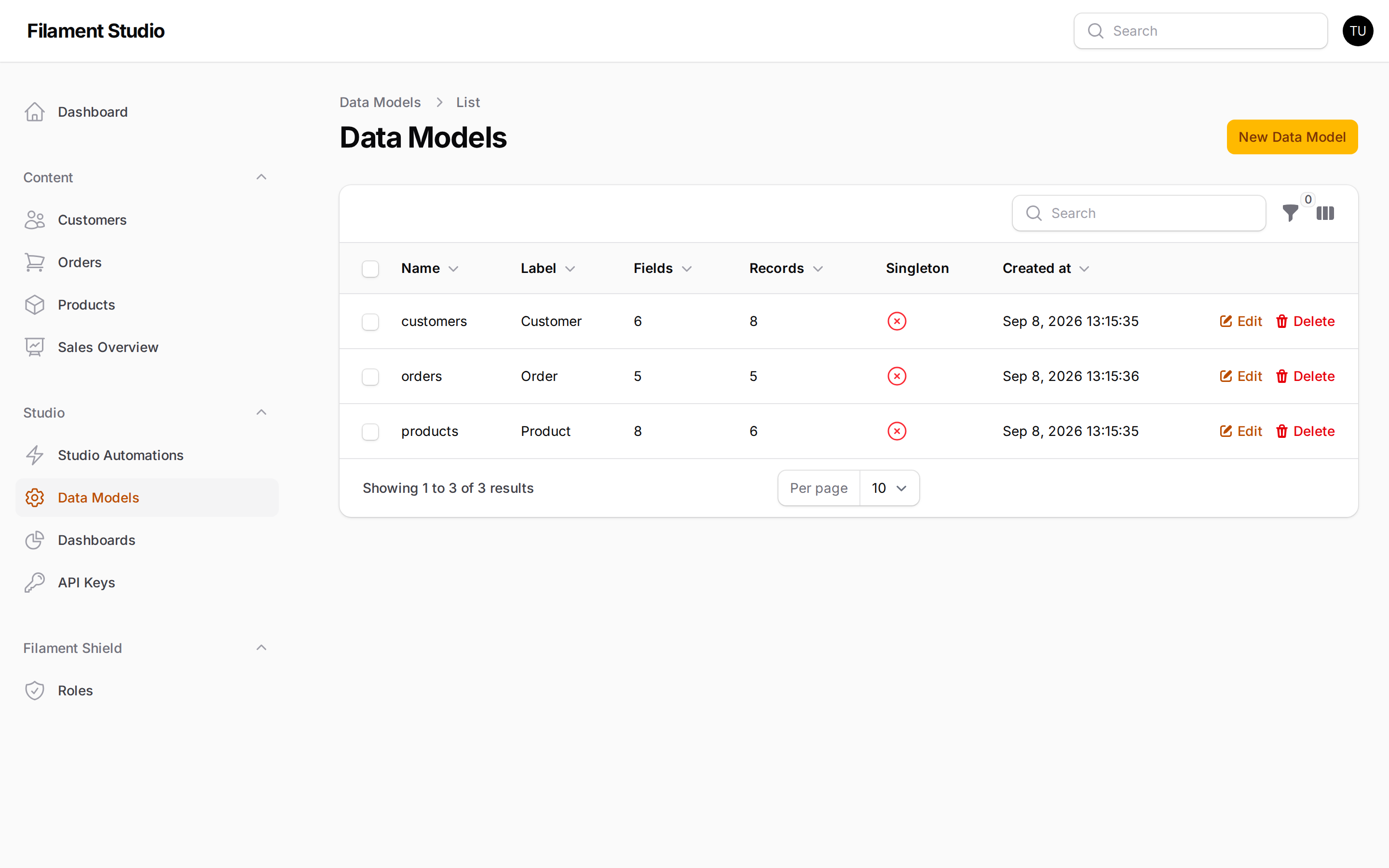
Collections list
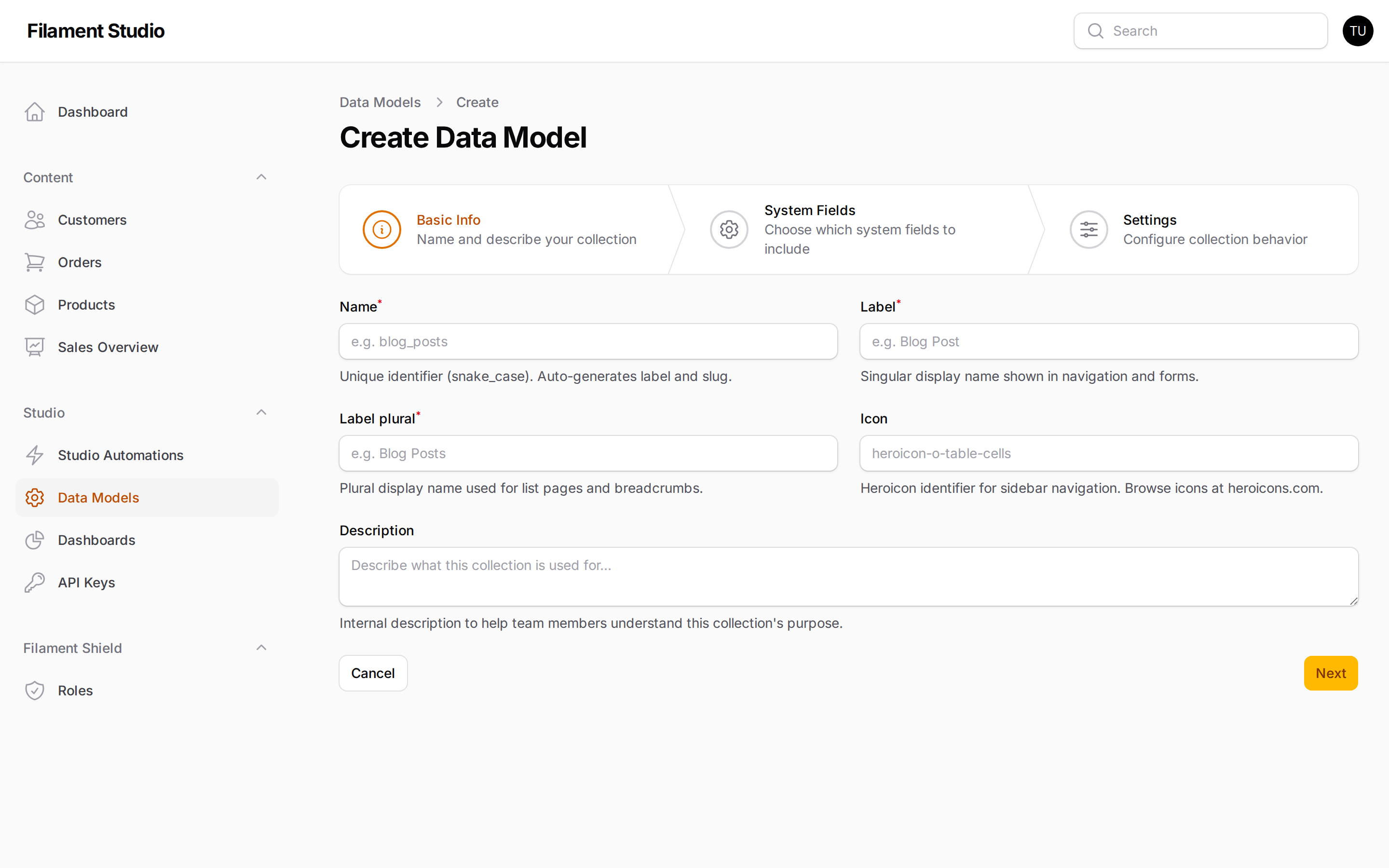
Create a collection
Fields list
Field editor
Records list
Record editor
Advanced filter builder
Version history
Dashboard
Dashboard editor
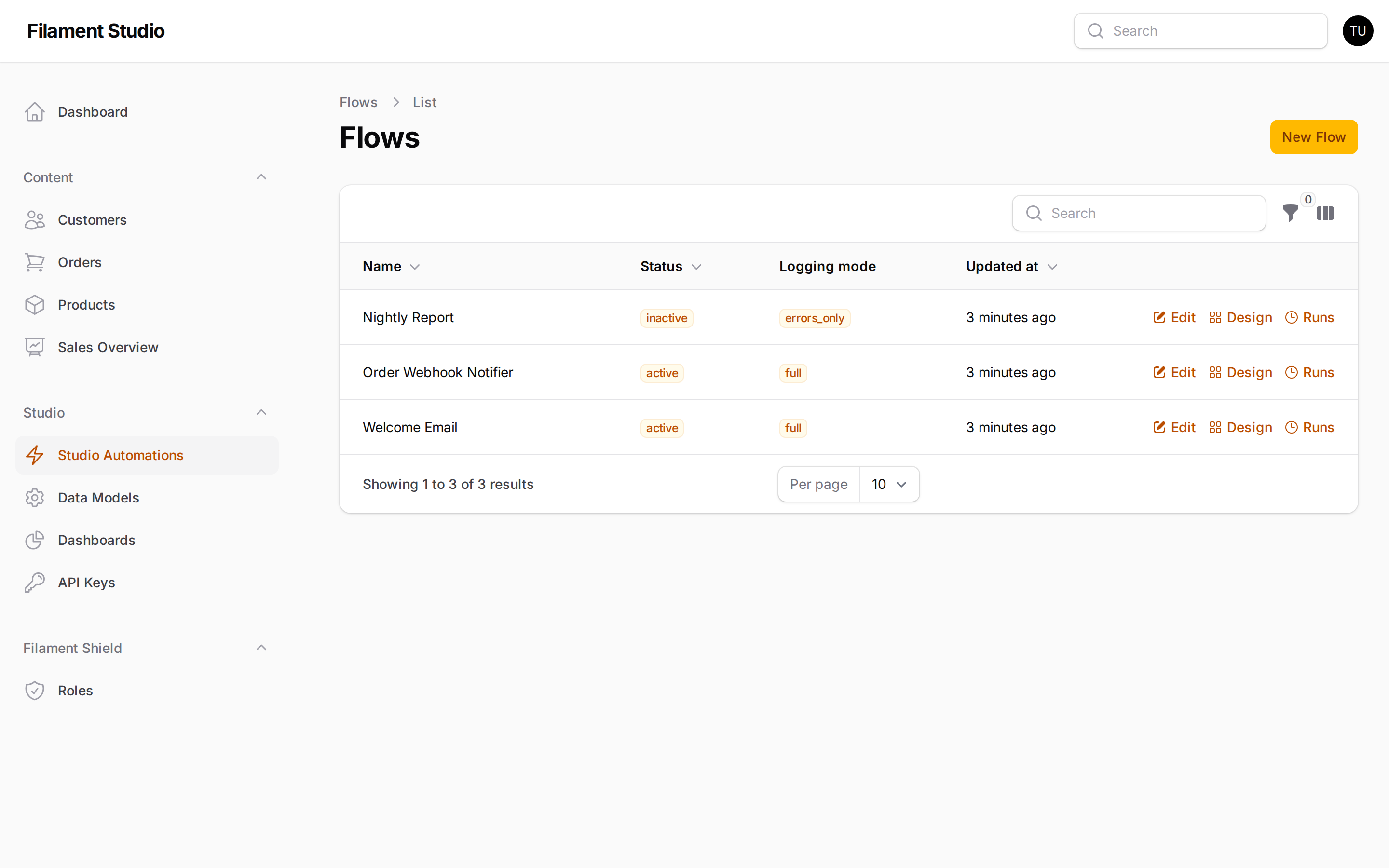
Flows list
Flow designer canvas
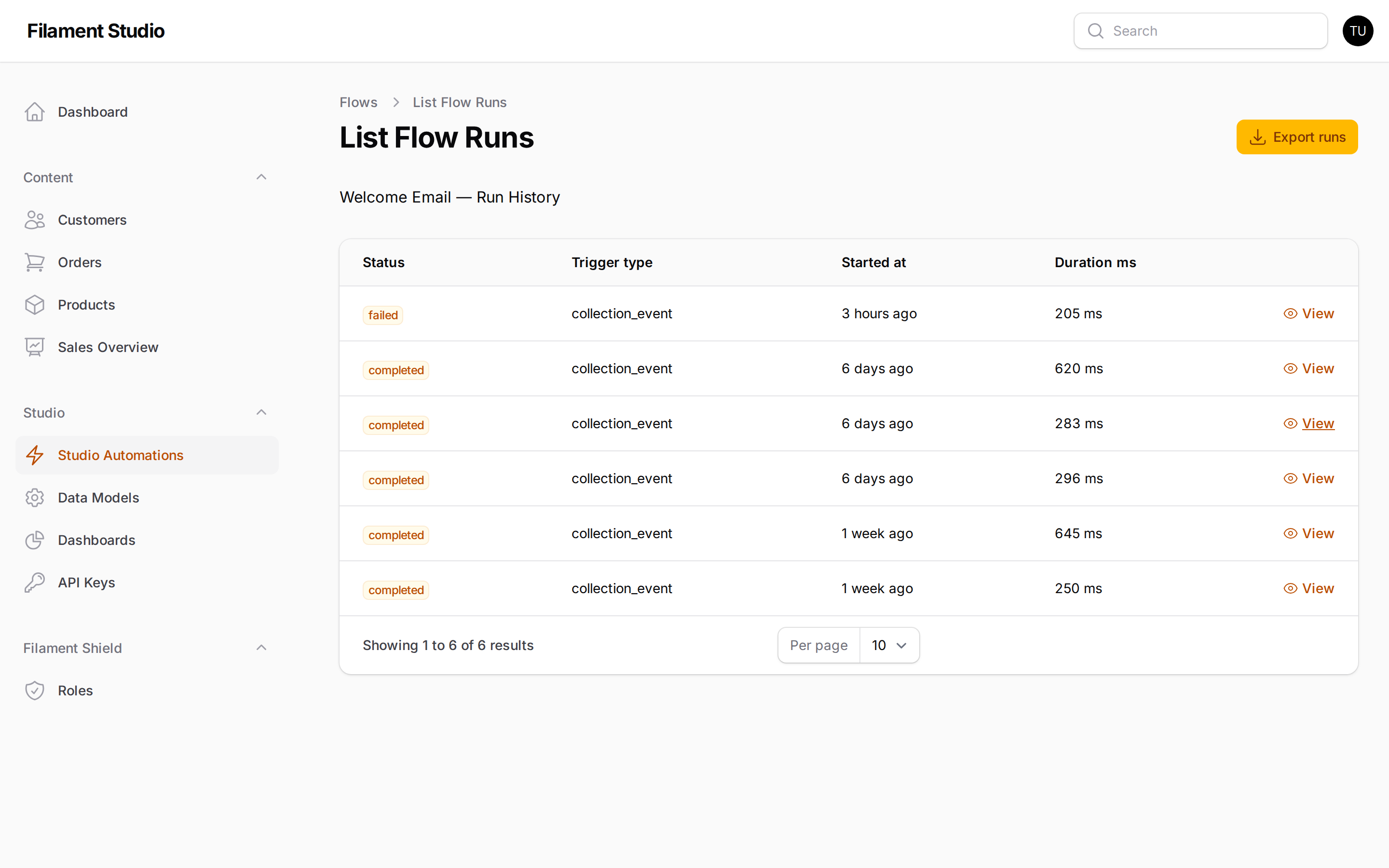
Flow run history
API keys
API key editor
API documentation
Roles & permissions
Changelog
See CHANGELOG for recent changes.
Contributing
See CONTRIBUTING for details.
Security
Please report vulnerabilities through GitHub's private vulnerability reporting rather than a public issue. See SECURITY.md for details.
Credits
License
The MIT License (MIT). See LICENSE for details.