
promethys / checkbox-tree

A Filament form component that provides hierarchical checkbox selection with parent-child relationships.
Fund package maintenance!
Requires
- php: ^8.1
- filament/forms: ^3.0
- spatie/laravel-package-tools: ^1.15.0
Requires (Dev)
- laravel/pint: ^1.0
- nunomaduro/collision: ^7.9|^8.0
- orchestra/testbench: ^8.0|^9.0|^10.0
- pestphp/pest: ^2.1|^3.0
- pestphp/pest-plugin-arch: *
- pestphp/pest-plugin-laravel: *
- phpstan/extension-installer: ^1.1
- phpstan/phpstan-deprecation-rules: ^1.0|^2.0
- phpstan/phpstan-phpunit: ^1.0|^2.0
Suggests
None
Provides
None
Conflicts
None
Replaces
None
README
If this plugin is useful to you, consider giving it a ⭐ on GitHub.
This plugin provides a hierarchical checkbox tree component for Filament forms. Display checkboxes in a parent-child tree structure with automatic state management.
Architecture & Compatibility
This component extends Filament's native CheckboxList component, ensuring seamless integration with the Filament ecosystem while adding powerful hierarchical capabilities:
Preserved CheckboxList Features:
- All validation methods (
required(),rules(), etc.) - Bulk actions (
bulkToggleable(),selectAllAction(),deselectAllAction()) - Search functionality (
searchable(),searchPrompt()) - Disabled state (
disabled()) - Relationship handling (
relationship()) - State management methods (
default(),dehydrateStateUsing()) - HTML support (
allowHtml()) - Splitting options into columns (
columns(),gridDirection()) - Full compatibility with Filament's styling system and dark mode
Enhanced for Hierarchical Use:
- Descriptions: Integrated directly into the options array structure for better organization
- State Management: Intelligent parent-child state synchronization with indeterminate states
- Data Storage: Configurable leaf-only or full hierarchy storage
- Tree Operations: Collapsible sections and parent-child selection logic
This architecture ensures you get all the familiar CheckboxList functionality plus powerful new features specifically designed for hierarchical data structures.
Features
- Hierarchical Structure - Display checkboxes in unlimited nested levels
- Parent-Child Control - Checking a parent automatically selects all children
- Indeterminate States - Visual indication when only some children are selected
- Collapsible Sections - Expand/collapse parent nodes with smooth animations
- Search - Filter tree items by keyword, shows parents when children match
- Bulk Actions - Select all / Deselect all buttons with customizable labels
- Native Filament Styling - Uses Filament's checkbox component, works with custom themes
- Dark Mode Support - Fully compatible with Filament's dark mode
- Flat Array Storage - Stores selections as a simple array, compatible with JSON columns and relationships
How It Works
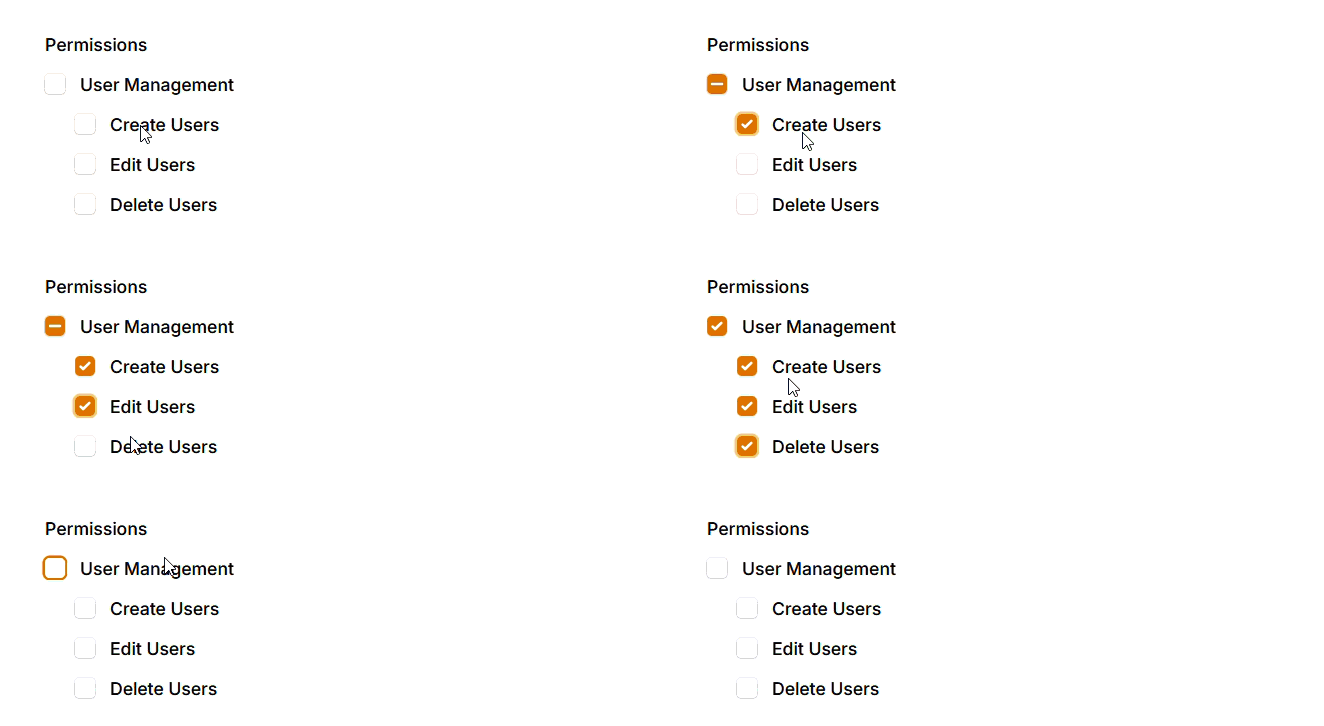
- Check a parent - All children become checked, parent shows as checked
- Uncheck a parent - All children become unchecked
- Check some children - Parent shows indeterminate state (dash)
- Check all children - Parent automatically becomes checked
- Uncheck all children - Parent automatically becomes unchecked
Use Cases
- Permission management with grouped permissions
- Category/subcategory selection
- Feature flags with hierarchical options
- Department/team hierarchies
- Any multi-level checkbox selection
Requirements
- PHP 8.1+
- Laravel 10.x+
- Filament 3.x
Installation
Install via Composer:
composer require promethys/checkbox-tree
Publish Filament assets (required):
php artisan filament:assets
Clear caches:
php artisan optimize:clear
Usage
use Promethys\CheckboxTree\CheckboxTree;

CheckboxTree::make('permissions')
    ->label('Permissions')
    ->options([
        'user_management' => [
            'label' => 'User Management',
            'children' => [
                'create_users' => 'Create Users',
                'edit_users' => 'Edit Users',
                'delete_users' => 'Delete Users',
            ],
        ],
        'content_management' => [
            'label' => 'Content Management',
            'children' => [
                'create_posts' => 'Create Posts',
                'edit_posts' => 'Edit Posts',
                'publish_posts' => 'Publish Posts',
            ],
        ],
    ])
Stored Data Format
By default, only leaf nodes (items without children) are stored:
['create_users', 'edit_users', 'delete_users']
This works seamlessly with:
- JSON database columns
- Pivot tables via Filament relationships
- Simple array storage
To include parent keys in the stored value, use storeParentKeys():
CheckboxTree::make('permissions')
    ->storeParentKeys()
    ->options([...])

// Stored value: ['user_management', 'create_users', 'edit_users', 'delete_users']
Flat Options with parent_id
You can provide flat options with parent_id references instead of manually nesting:
CheckboxTree::make('permissions')
    ->hierarchical('parent_id')
    ->options([
        'user_management' => ['label' => 'User Management', 'parent_id' => null],
        'create_users' => ['label' => 'Create Users', 'parent_id' => 'user_management'],
        'edit_users' => ['label' => 'Edit Users', 'parent_id' => 'user_management'],
        'delete_users' => ['label' => 'Delete Users', 'parent_id' => 'user_management'],
        'post_management' => ['label' => 'Post Management', 'parent_id' => null],
        'create_posts' => ['label' => 'Create Posts', 'parent_id' => 'post_management'],
    ])
The component automatically builds the tree structure. Items with parent_id => null become root items.
The label field must be label. Falls back to the array key if label is not provided.
Descriptions
Add description text below checkbox labels:
CheckboxTree::make('permissions')
    ->options([
        'admin' => [
            'label' => 'Administrator',
            'description' => 'Full system access',
            'children' => [
                'manage_users' => [
                    'label' => 'Manage Users',
                    'description' => 'Create, edit, and delete users',
                ],
                'manage_settings' => 'Manage Settings',
            ],
        ],
    ])
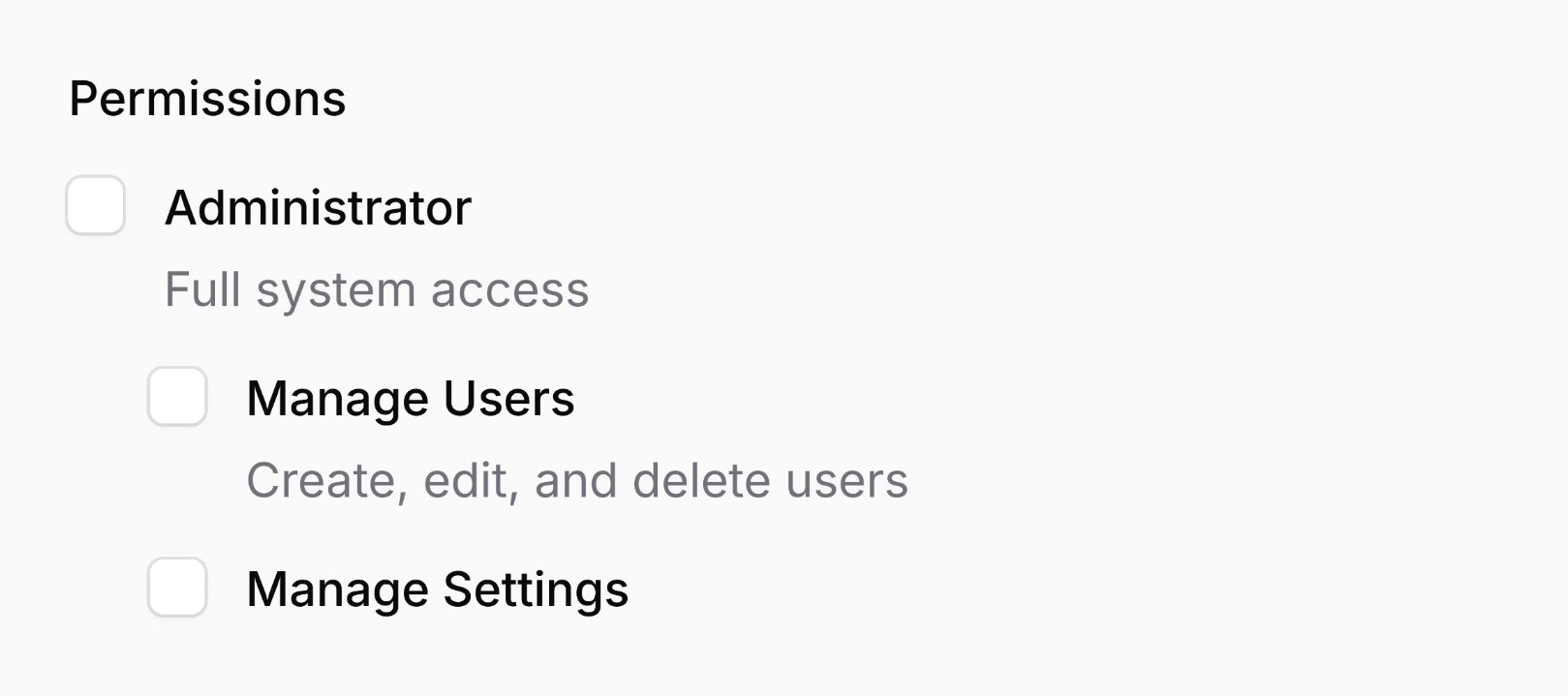
Descriptions are optional and displayed in smaller, muted text below the label.
HTML Support
By default, Filament escapes any HTML in option labels (native behavior inherited from CheckboxList). If you'd like to allow HTML, you can use the allowHtml() method. The plugin supports HTML formatting for both labels and descriptions:
CheckboxTree::make('permissions')
    ->options([
        'admin' => [
            'label' => '<span class="text-blue-500">Administrator</span>',
            'description' => '<span class="text-xs">Full system access</span>',
            'children' => [
                'manage_users' => [
                    'label' => '<span class="text-blue-500">Manage Users</span>',
                    'description' => '<span class="text-xs">Create, edit, and delete users</span>',
                ],
                'manage_settings' => 'Manage Settings',
            ],
        ],
    ])
    ->allowHtml()
You can also use instances of Illuminate\Support\HtmlString or Illuminate\Contracts\Support\Htmlable. This approach provides better security and allows you to render HTML or even markdown:
CheckboxTree::make('permissions')
    ->options([
        'admin' => [
            'label' => new HtmlString('<strong>Administrator</strong>'),
            'description' => str('**Full system** access')->inlineMarkdown()->toHtmlString(),
            'children' => [
                'manage_users' => [
                    'label' => new HtmlString('<strong>Manage Users</strong>'),
                    'description' => str('**Create**, **edit**, and **delete** users')->inlineMarkdown()->toHtmlString(),
                ],
                'manage_settings' => new HtmlString('<strong>Manage Settings</strong>'),
            ],
        ],
    ])
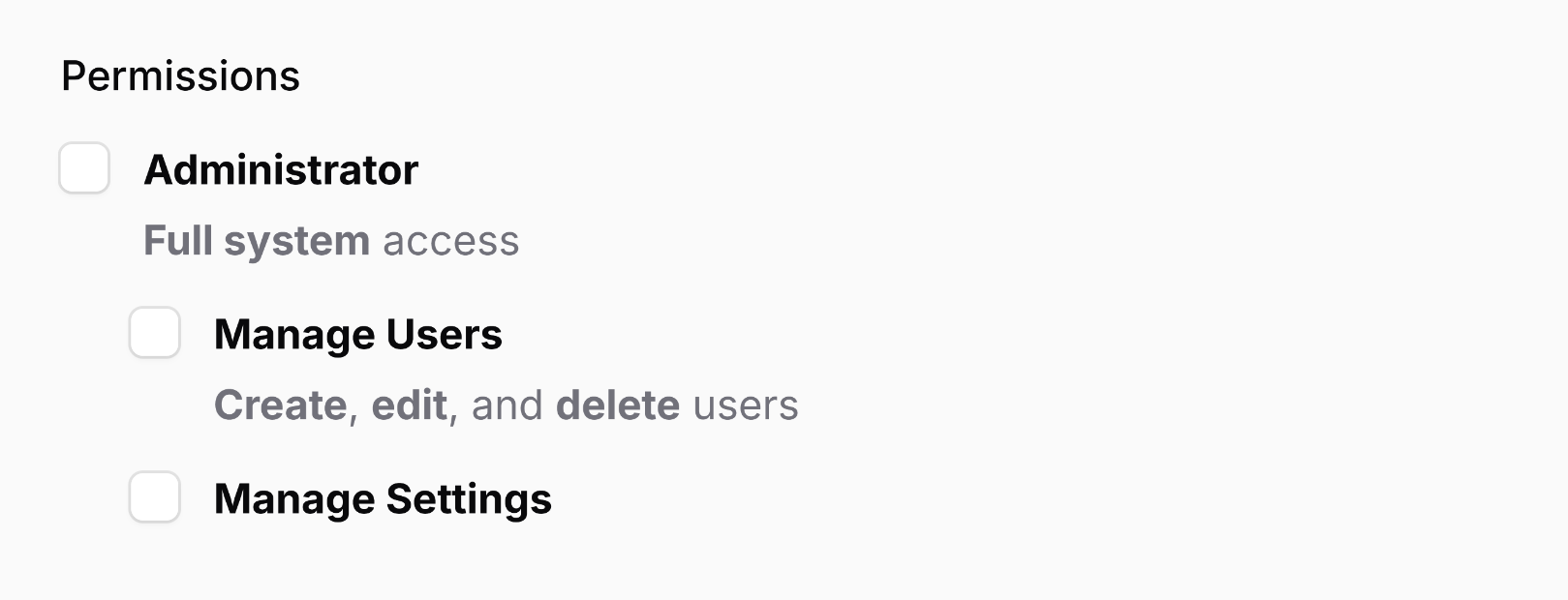
Security Warning: Always ensure that HTML content is safe to render. User-generated content should be properly sanitized to prevent XSS attacks.
Multi-Level Nesting
The component supports unlimited nesting depth:
CheckboxTree::make('categories')
    ->options([
        'electronics' => [
            'label' => 'Electronics',
            'children' => [
                'computers' => [
                    'label' => 'Computers',
                    'children' => [
                        'laptops' => 'Laptops',
                        'desktops' => 'Desktops',
                    ],
                ],
                'phones' => 'Mobile Phones',
            ],
        ],
    ])

With Validation
Standard Filament validation works:
CheckboxTree::make('permissions')
    ->required()
    ->options([...])
Disabled State
CheckboxTree::make('permissions')
    ->disabled()
    ->options([...])
Disabling Specific Options
Disable individual options using a closure:
CheckboxTree::make('permissions')
    ->disableOptionWhen(fn (string $value): bool => $value === 'delete_users')
    ->options([...])
When a parent is disabled, all its children are automatically disabled too:
// Disables "User Management" and all its children
CheckboxTree::make('permissions')
    ->disableOptionWhen(fn (string $value): bool => $value === 'user_management')
    ->options([...])
When all children of a parent are disabled, the parent is automatically disabled as well:
// Disables all children of "User Management", so the parent becomes disabled too
CheckboxTree::make('permissions')
    ->disableOptionWhen(fn (string $value): bool => in_array($value, [
        'create_users', 'edit_users', 'delete_users',
    ]))
    ->options([...])
Collapsible Sections
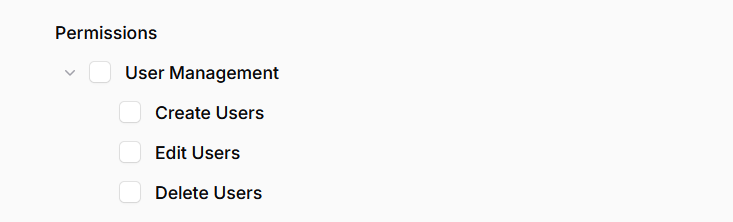
Enable collapsible parent nodes:
CheckboxTree::make('permissions')
    ->collapsible()
    ->options([...])
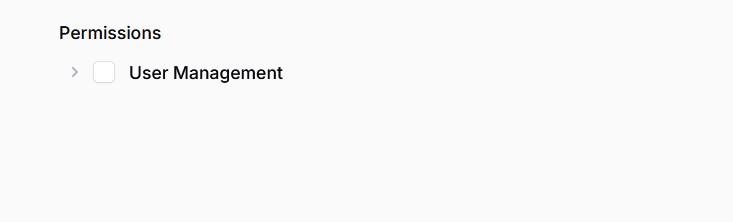
Start with all sections collapsed:
CheckboxTree::make('permissions')
    ->collapsible(defaultCollapsed: true)
    ->options([...])
Search
Enable search to filter tree items:
CheckboxTree::make('permissions')
    ->searchable()
    ->options([...])
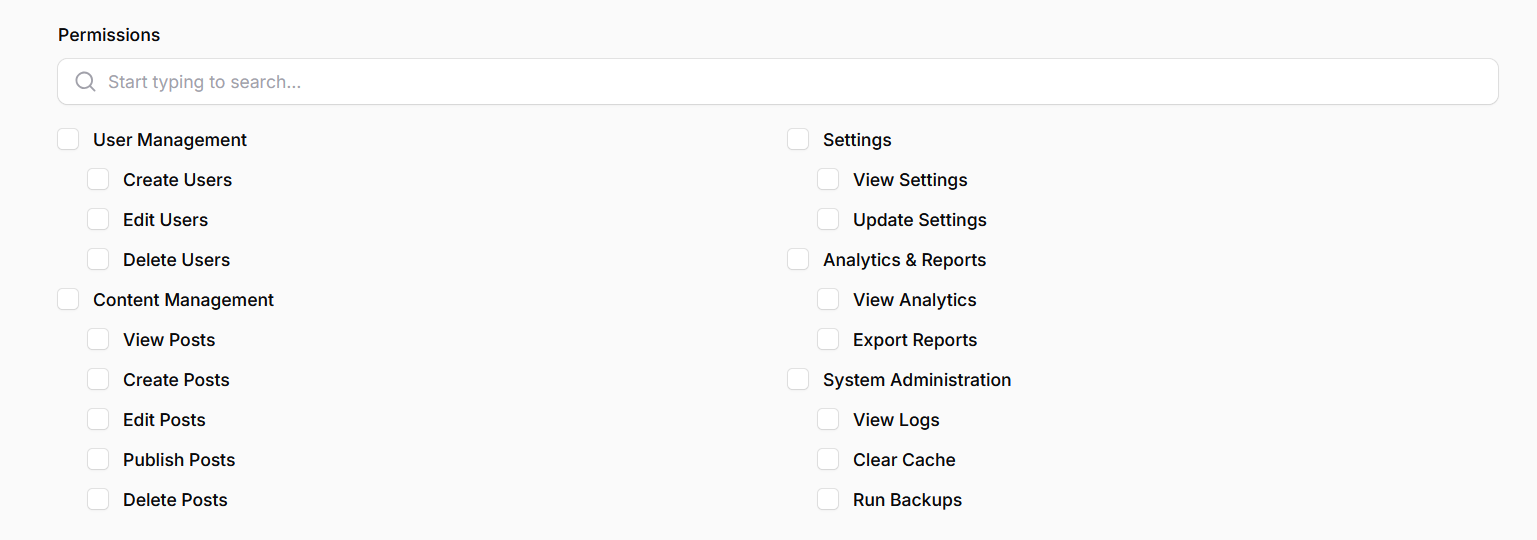
Customize the search placeholder:
CheckboxTree::make('permissions')
    ->searchable()
    ->searchPrompt('Search permissions...')
    ->options([...])
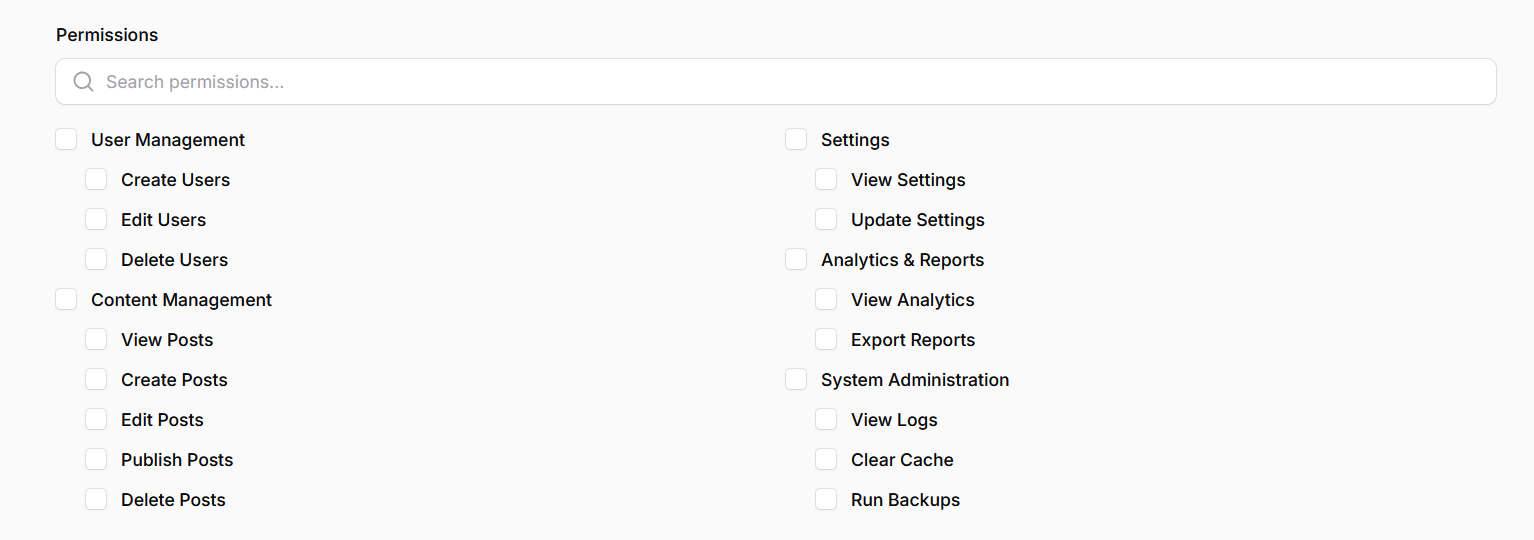
When searching, parent nodes are shown if any of their children match the search term.
Bulk Actions
Enable "Select all / Deselect all" buttons:
CheckboxTree::make('permissions')
    ->bulkToggleable()
    ->options([...])
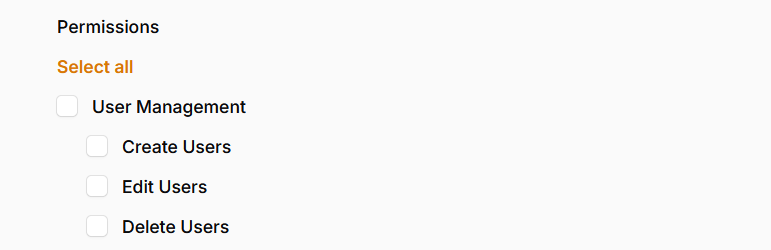
Customize the action labels:
CheckboxTree::make('technologies')
    ->bulkToggleable()
    ->selectAllAction(
        fn ($action) => $action->label('Select all technologies')
    )
    ->deselectAllAction(
        fn ($action) => $action->label('Clear selection')
    )
    ->options([...])
Eloquent Relationships
Build a tree directly from a BelongsToMany relationship with hierarchical records:
// Model: Permission has parent_id column
CheckboxTree::make('permissions')
    ->relationship('permissions', 'name')
    ->hierarchical('parent_id')
The component will:
- Fetch all related records from the pivot table
- Build a tree structure based on
parent_id - Save selected values back to the pivot table
With query modification:
CheckboxTree::make('permissions')
    ->relationship(
        'permissions',
        'name',
        fn ($query) => $query->where('active', true)
    )
    ->hierarchical('parent_id')
Known Issues
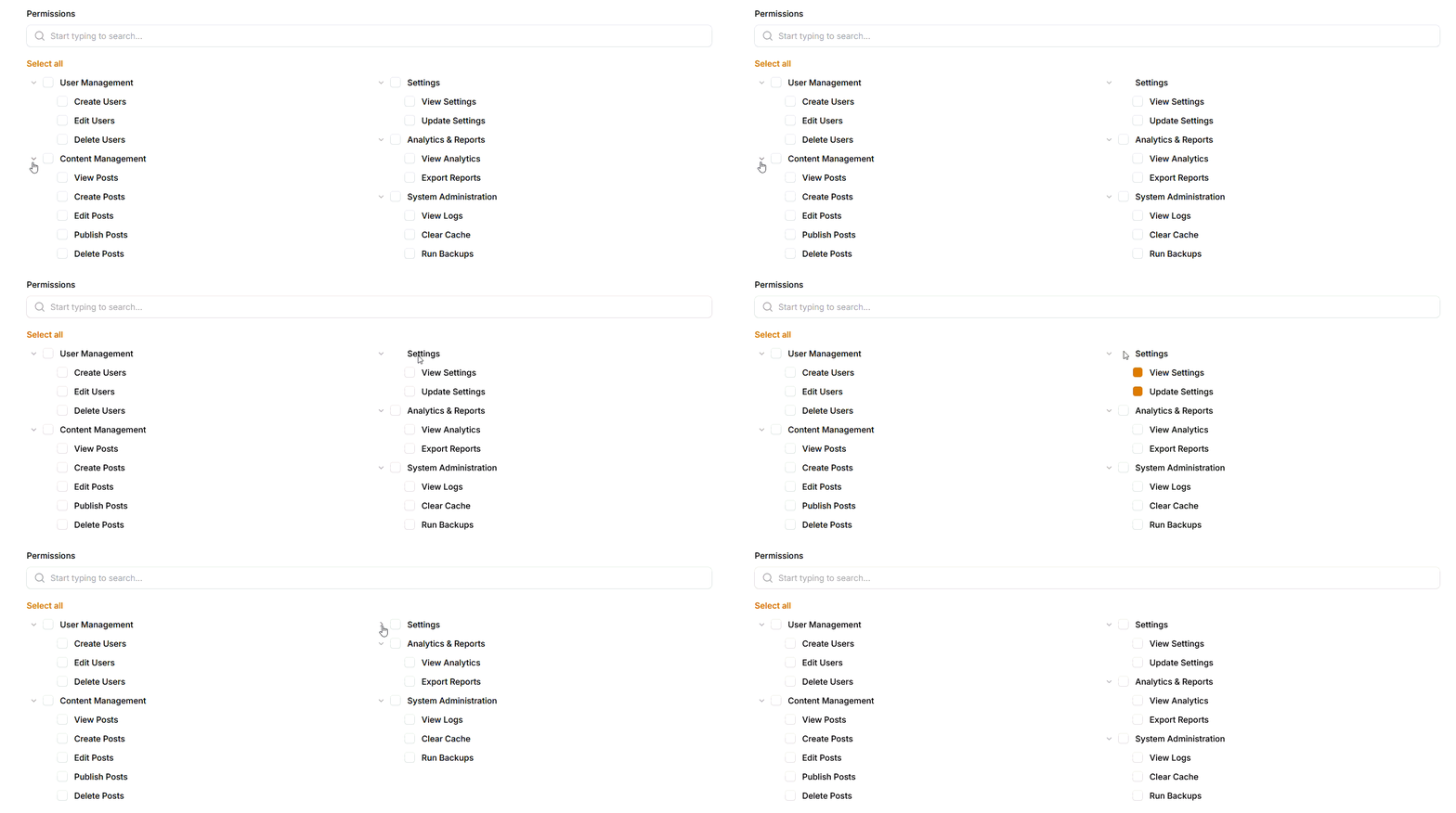
Checkbox flickering in multi-column layouts — When using columns() with collapsible or searchable trees, checkboxes may occasionally flicker or briefly disappear during column reflow (collapse/expand, search filtering). This is a browser rendering bug with CSS multi-column layouts and dynamic content. The checkboxes remain functional — only the visual rendering is affected. Reloading the page or triggering a repaint (e.g. resizing the window) resolves it.
Development
# Clone the repository
git clone https://github.com/promethys/checkbox-tree.git

# Install dependencies
composer install
npm install

# Build assets
npm run build

# Run tests
composer test
Changelog
See CHANGELOG for recent changes.
Issue Guidelines
If you encounter a bug or unexpected behavior, please help us help you by following these guidelines:
- Create an issue on GitHub: Create an issue on GitHub
- Describe the issue clearly: What did you try to do? What did you expect to happen? What actually happened?
- Include relevant code snippets: Show any relevant model, config, or page setup related to the issue.
- Share error messages: If possible, paste the full error output or stack trace.
- Attach screenshots: Visuals often help us understand UI-related bugs or logic problems more quickly.
- Mention your setup: Let us know your PHP version, Laravel version, Filament version, and the version of this plugin.
The more details you provide, the faster and better we can help. Thank you!
Contributing
Contributions are welcome! Please follow these guidelines:
- Fork the repository and create a feature branch
- Run
composer formatto apply code style (Laravel Pint) - Add tests for any new functionality (
composer test) - Ensure PHPStan passes (
composer analyse) - Submit a pull request with a clear description
License
The MIT License (MIT). See LICENSE for more information.