markup-carve / symfony-carve

Symfony bundle to render Carve markup to HTML via carve-php.
Package info
github.com/markup-carve/symfony-carve
Type:symfony-bundle
pkg:composer/markup-carve/symfony-carve
Fund package maintenance!
Requires
- php: ^8.2
- markup-carve/carve-php: ^0.1.14
- psr/log: ^1.1 || ^2.0 || ^3.0
- symfony/cache-contracts: ^2.5 || ^3.0
- symfony/config: ^6.4 || ^7.0
- symfony/console: ^6.4 || ^7.0
- symfony/dependency-injection: ^6.4 || ^7.0
- symfony/http-kernel: ^6.4 || ^7.0
Requires (Dev)
- php-collective/code-sniffer: ^0.6.0
- phpstan/phpstan: ^2.0
- phpunit/phpunit: ^11.0 || ^12.0 || ^13.0
- symfony/cache: ^6.4 || ^7.0
- symfony/framework-bundle: ^6.4 || ^7.0
- symfony/twig-bundle: ^6.4 || ^7.0
- symfony/validator: ^6.4 || ^7.0
- symfony/yaml: ^6.4 || ^7.0
- twig/twig: ^3.0
Suggests
- symfony/cache: To cache rendered HTML through a cache pool
- symfony/twig-bundle: To use the {{ value|carve }} Twig filter and carve() function
- symfony/validator: To use the ValidCarve constraint
- symfony/yaml: To read YAML frontmatter through RenderedCarve::meta()
Provides
None
Conflicts
None
Replaces
None
This package is auto-updated.
Last update: 2026-10-23 12:50:37 UTC
README

Symfony bundle that renders Carve markup to HTML using carve-php.
Carve is a lightweight markup language for structured documents, with clear, consistent syntax.
Installation
composer require markup-carve/symfony-carve
Register the bundle (Symfony Flex does this automatically; otherwise add it to config/bundles.php):
return [
    // ...
    MarkupCarve\SymfonyCarve\CarveBundle::class => ['all' => true],
];
Usage
Service
CarveRenderer renders with the bundle configuration and is autowirable:
use MarkupCarve\SymfonyCarve\CarveRenderer;

public function show(CarveRenderer $carve): Response
{
    $html = $carve->render('# Hello *world*');
    $text = $carve->renderText('# Hello *world*');
    $markdown = $carve->renderMarkdown('# Hello *world*');
    $ansi = $carve->renderAnsi('# Hello *world*');

    // HTML plus the table of contents and frontmatter
    $result = $carve->renderResult($source);
    $result->html;
    $result->toc();          // [['level' => 1, 'text' => 'Hello', 'html' => ..., 'id' => ...]]
    $result->meta('title');  // JSON frontmatter, or YAML with symfony/yaml installed

    // One rendering context with other options
    $comment = $carve->withOptions(['preset' => 'comment', 'safe_mode' => 'strict']);

    return new Response($html);
}
withOptions() accepts safe_mode, raw_html, profile (or its alias preset),
on_disallowed, mode, soft_break_mode, xhtml, source_lines and
smart_typography. Any other key throws, so a typo never renders silently with the
defaults.
CarveTools holds the source-level operations:
use MarkupCarve\SymfonyCarve\CarveTools;

$tools->format($source);                      // canonical source, as `carve fmt` prints it
$tools->format($source, alignTables: true);   // also pad pipe-table columns
$tools->isFormatted($source);
$tools->lint($source);                        // list of MarkupCarve\Carve\Lint\LintWarning
$tools->lint($source, '/srv/docs', '/srv/docs/main.crv'); // follow includes below a root
$tools->fromMarkdown($markdown);
$tools->fromHtml($html);
$tools->fromDjot($djot);
$tools->import($source, 'markdown');          // markdown, html or djot
lint() runs every rule of carve-php's DocumentLinter. With an include root,
findings in included files carry file and includedBy.
Twig
{# filter and function, both taking optional render options #}
{{ article.body|carve }}
{{ comment.body|carve({preset: 'comment', safe_mode: 'strict'}) }}
{{ carve('# Inline /snippet/') }}

{# plain text and Markdown filters (escaped normally by Twig) #}
{{ article.body|carve_text }}
{{ article.body|carve_markdown }}

{# canonical Carve source, optionally with aligned tables #}
{{ draft|carve_format(align_tables = true) }}

{# a file below carve.include_root, with its includes expanded #}
{{ carve_file('handbook/index.crv') }}

{# table of contents and frontmatter #}
{% set doc = carve_document(article.body) %}
<title>{{ doc.meta('title') }}</title>
{% for heading in doc.toc %}<a href="#{{ heading.id }}">{{ heading.text }}</a>{% endfor %}
{{ doc.html|raw }}

{# lint findings: rule, message, line, column #}
{% for finding in carve_lint(draft) %}{{ finding.line }}: {{ finding.message }}{% endfor %}
Only HTML from carve and carve_file is marked safe, so Twig does not double-escape
it. Every other output is escaped normally. Safe mode only affects HTML rendering;
profiles apply to every output format.
carve_file() throws unless include_root is configured. A relative path resolves
against that root, and a path outside it is refused, so a template never reads an
arbitrary file.
Console commands
bin/console carve:render docs/page.crv                     # HTML to stdout
bin/console carve:render docs/page.crv --format=text       # html, text, markdown or ansi
bin/console carve:render docs/page.crv --preset=comment -o page.html

bin/console carve:lint docs/                               # every *.crv below docs/
bin/console carve:lint docs/book.crv --include-root=docs   # also lint included files

bin/console carve:fmt docs/page.crv                        # print the canonical form
bin/console carve:fmt docs/ --check                        # fail if a file is not formatted
bin/console carve:fmt docs/ --write --align-tables         # rewrite in place, pad tables

bin/console carve:convert README.md -o README.crv          # markdown, html or djot
bin/console carve:convert page.html --from=html
carve:render uses the bundle configuration and expands includes when
include_root is set. carve:lint runs every carve-php document lint rule and exits
non-zero on findings, so it fits a CI step. carve:fmt --check exits non-zero when a
file differs from its canonical form; --write and --check cannot be combined.
carve:convert guesses the input format from the extension (.md, .html, .djot)
unless --from names it.
Validation
With symfony/validator installed, the ValidCarve constraint checks that a value
parses as Carve:
use MarkupCarve\SymfonyCarve\Validator\ValidCarve;

final class Comment
{
    #[ValidCarve(preset: 'comment', maxLength: 5000, lint: true)]
    public string $body = '';
}
| Option | Default | Description |
|---|---|---|
preset |
null |
The markup has to fit this profile: full, article, comment or minimal. |
strict |
false |
Parse warnings count as violations. |
lint |
false |
Lint findings count as violations. |
maxLength |
null |
Maximum length in characters. |
message |
see below | Violation message; {{ error }} is replaced with the reason. |
The default message is This value is not valid Carve markup: {{ error }}. Violation
codes are ValidCarve::INVALID_ERROR, TOO_LONG_ERROR and DISALLOWED_ERROR. null
and the empty string pass, so combine it with NotBlank when a value is required.
Configuration
# config/packages/carve.yaml
carve:
    safe_mode: true          # true | false | strict
    raw_html: strip          # strip | escape | allow
    profile: null            # null | full | article | comment | minimal
    on_disallowed: null      # null | strip | to_text | error
    mode: interactive        # interactive | static
    soft_break_mode: null    # null | newline | space | br
    xhtml: false
    source_lines: false
    smart_typography: null   # null | true | false
    symbols: {}              # trusted HTML for :name: symbols
    labels: {}
    extensions: []
    diagrams: []
    include_root: null       # absolute trusted filesystem root
    cache:
        enabled: false
        pool: cache.app
        ttl: null
        prefix: carve
        version: null
| Key | Type | Default | Description |
|---|---|---|---|
safe_mode |
bool|strict |
true |
HTML sanitization. strict always strips raw HTML and also blocks style, srcdoc and formaction attributes. Keep it on for untrusted input. |
raw_html |
enum | strip |
How raw HTML is handled when safe_mode is true: strip, escape, allow. |
profile |
enum|null | null |
Restrict markup features using full, article, comment, or minimal. |
on_disallowed |
enum|null | null |
What a profile does with disallowed markup: strip, to_text or error. |
mode |
enum | interactive |
static applies graceful degradation for print, PDF, email and other script-free targets. |
soft_break_mode |
enum|null | null |
Render soft breaks as newline, space or br. |
xhtml |
bool | false |
Emit XHTML-compatible self-closing tags. |
source_lines |
bool | false |
Add 1-based data-source-line attributes for editor scroll-sync. |
smart_typography |
bool|null | null |
Force smart typography on or off. |
symbols |
map | {} |
HTML replacements for :name: symbols. Inserted unescaped, so never fill it from user input. |
labels |
map | {} |
Overrides for generated UI labels. |
extensions |
list | [] |
carve-php extensions, see below. |
diagrams |
string[] | [] |
Diagram fenced-block presets to enable, see below. |
include_root |
string|null | null |
Absolute containment root for file-backed rendering. |
cache.* |
map | off | Render caching, see below. |
Setting safe_mode: false disables sanitization entirely. Only do this for fully trusted input.
Unknown values are rejected when the container compiles.
Extensions
Each entry is an extension type name, or a map with a type key and the extension's
constructor options in snake_case:
carve:
    extensions:
        - autolink
        - smart_quotes
        - { type: heading_permalinks, symbol: '#' }
        - { type: table_of_contents, toc_class: page-toc }
        - { type: wikilinks, url_template: '/wiki/{page}' }
        - { type: mentions, user_url_template: '/users/{name}' }
Supported types: admonition, ascii_heading_ids, autolink, citations,
code_callouts, code_group, color_swatch, default_attributes, details,
external_links, fenced_render, frontmatter, glossary, heading_level_shift,
heading_numbers, heading_permalinks, heading_reference, img_fence, index,
inline_footnotes, list_table, lowercase_heading_ids, math_block, mentions,
mermaid, plantuml, plus_bullet, semantic_span, smart_quotes, spoiler,
tab_normalize, table_of_contents, tabs, toc_placement, wikilinks. A fully
qualified extension class name works too.
url_template on wikilinks slugs the page name into {page}: [[Main Page]] links
to /wiki/main-page. An unknown type or option fails at container build time instead of
being ignored. Every render builds fresh extension instances, so collected state such as
the table of contents never leaks between two snippets on one page.
Caching
carve:
    cache:
        enabled: true
        pool: cache.app    # any service implementing Symfony\Contracts\Cache\CacheInterface
        ttl: 3600          # seconds; null keeps the pool default
        prefix: carve
        version: null
Entries are keyed by the source and a fingerprint of every render option, the extension
configuration and the carve-php version, so changing the configuration or upgrading the
engine never serves stale HTML. File renders below include_root also record a content
hash for each include target, including missing ones, and re-render when any of them
changes or appears.
An extension passed as an object that holds a closure cannot be fingerprinted, so caching
stays off for that renderer unless you set cache.version and bump it whenever that
extension changes. Extensions configured by name, including wikilinks with
url_template, are fingerprinted normally.
File includes
Twig filters and CarveRenderer::render() accept anonymous strings, so they
never read files. Set an absolute include_root and call the explicit file API
for trusted, file-backed content:
$report = $renderer->renderFileWithReport('/srv/docs/book/main.crv');
$html = $report['value'];
$warnings = $report['warnings'];
$dependencies = $report['dependencies'];
renderFile() is the HTML-only convenience form. Relative includes resolve
from the file containing each directive and cannot traverse or follow a symlink
outside the configured root. Warning reports omit resolver details and replace
outside paths before they reach the optional PSR logger.
include_root has to be an absolute path, and the renderer refuses a relative
one rather than resolving it against the working directory, which is arbitrary
with respect to the document.
The dependency list contains resolved and attempted targets. Applications that cache rendered HTML must include those identities in their invalidation policy, including missing targets, so creating a formerly missing file invalidates its parent. The bundle's own cache does this already.
Diagrams
By default a fenced block like ``` plantuml renders as a plain code block. Listing a
preset under diagrams turns that fence into a hydration element for a client-side renderer:
# config/packages/carve.yaml
carve:
    diagrams: ['plantuml', 'mermaid']
Now ``` plantuml renders as <pre class="plantuml">...</pre> and ``` mermaid
as <pre class="mermaid">...</pre>, ready for a browser library to pick up.
| Preset | Fence word(s) | Output |
|---|---|---|
mermaid |
mermaid |
<pre class="mermaid"> |
plantuml |
plantuml, puml |
<pre class="plantuml"> |
d2 |
d2 |
<pre class="d2"> |
graphviz |
dot, graphviz |
<pre class="graphviz"> |
wavedrom |
wavedrom |
<pre class="wavedrom"> |
vega_lite |
vega-lite |
<div class="vega-lite"><script type="application/json"> |
chart |
chart |
<div class="chart"><script type="application/json"> |
abc |
abc |
<pre class="abc"> |
The bundle only emits the markup - it does not ship or load any renderer. You supply the client side:
- Graphviz, D2 render fully offline (no server, no external call) with the WebAssembly helpers
from
@markup-carve/carve-grammars:renderDiagrams(orrenderGraphvizDiagrams/renderD2Diagrams). - PlantUML has no practical in-browser renderer; render it via a Kroki
server with the same package's
renderKrokiDiagramshelper.⚠️ Privacy / GDPR: the default Kroki server is the public
https://kroki.io, so the PlantUML source is sent to a third party outside your domain. For sensitive content, or to stay offline, point the helper'sserveroption at a self-hosted or localhost Kroki, and disclose the external call to end users where required. - Mermaid, WaveDrom, Vega-Lite, Chart.js, ABC each need their own browser library loaded on the page (mermaid.js, wavedrom, vega-embed, chart.js, abcjs).
Unknown names in the whitelist are rejected by config validation; the accepted values are exactly the presets above.
Demo
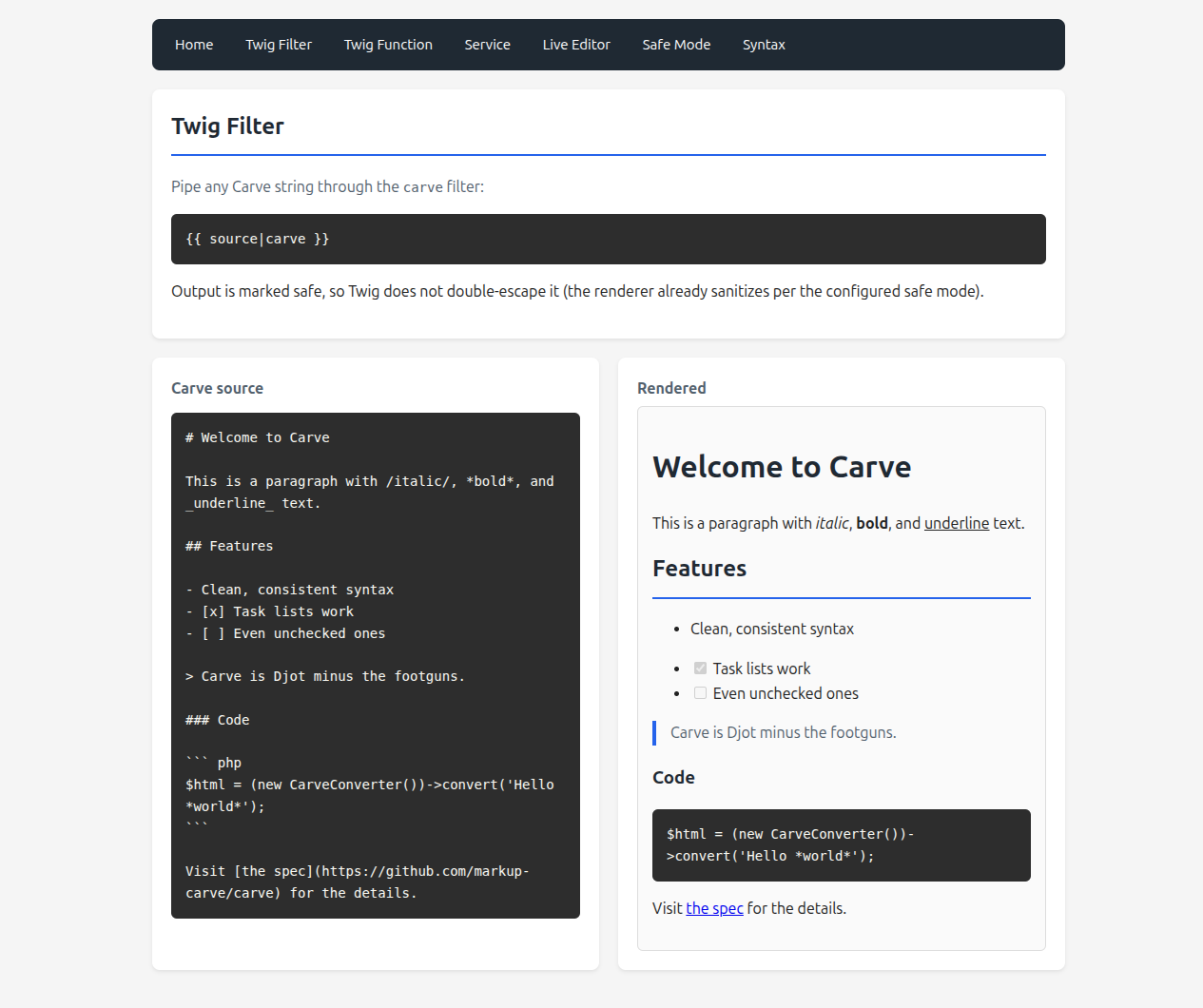
A full runnable demo app lives at symfony-carve-demo: the Twig filter and function, the CarveRenderer service, a live editor, a safe-mode comparison, and a syntax gallery.