
madbuilder / framework

Mad Framework: the open-source Laravel runtime behind MadBuilder apps. Server-driven <mad-*> Blade components, reactive UI without a build step, IAM, i18n, PDF, MCP server and AI copilot.
Requires
- php: ^8.4
- bacon/bacon-qr-code: ^3.0
- dompdf/dompdf: ^3.1
- laravel/ai: ^1.0.1
- laravel/framework: ^13.0
- laravel/mcp: ^1.0.1
- laravel/serializable-closure: ^1.3|^2.0
- league/commonmark: ^2.8
- openspout/openspout: ^5.3
- picqer/php-barcode-generator: ^3.2
Requires (Dev)
None
Suggests
- harrygulliford/laravel-firebird: Firebird database support.
- league/flysystem-aws-s3-v3: Needed when MAD_UPLOAD_DISK points to an s3 disk (^3.0).
- yajra/laravel-oci8: Oracle database support.
Provides
None
Conflicts
None
Replaces
- mad/framework: v5.193.3
- dev-main
- v5.193.3
- v5.193.2
- v5.193.1
- v5.193.0
- v5.190.0
- v5.189.2
- v5.189.1
- v5.189.0
- v5.188.0
- v5.187.0
- v5.186.1
- v5.186.0
- v5.185.0
- v5.184.1
- v5.184.0
- v5.183.1
- v5.183.0
- v5.182.5
- v5.182.0
- v5.181.1
- v5.178.1
- v5.178.0
- v5.177.1
- v5.177.0
- v5.176.0
- v5.175.1
- v5.175.0
- v5.174.0
- v5.173.2
- v5.173.1
- v5.170.1
- v5.170.0
- v5.169.0
- v5.168.0
- v5.167.0
- v5.166.1
- v5.165.0
- v5.164.2
- v5.164.1
- v5.164.0
- v5.163.0
- v5.162.2
- v5.162.1
- v5.162.0
- v5.161.1
- v5.161.0
- v5.160.0
- v5.159.1
- v5.159.0
- v5.158.1
- v5.158.0
- v5.157.1
- v5.157.0
- v5.156.0
- v5.154.0
- v5.151.1
- v5.141.2
- v5.141.1
- v5.141.0
- v5.140.3
- v5.140.2
- v5.140.1
- v5.140.0
- v5.139.1
- v5.139.0
- v5.138.0
- v5.137.0
- v5.136.5
- v5.126.0
- v5.125.0
- v5.124.0
- v5.123.0
- v5.122.1
- v5.118.0
- v5.117.11
- v5.117.10
- v5.117.9
- v5.115.2
- v5.115.1
- v5.114.1
- v5.114.0
- v5.113.0
- v5.112.1
- v5.112.0
- v5.111.3
- v5.111.2
- v5.111.1
- v5.111.0
- v5.110.0
- v5.109.0
- v5.108.1
- v5.108.0
- v5.107.0
This package is auto-updated.
Last update: 2026-10-21 14:05:13 UTC
README
English · Português (Brasil)
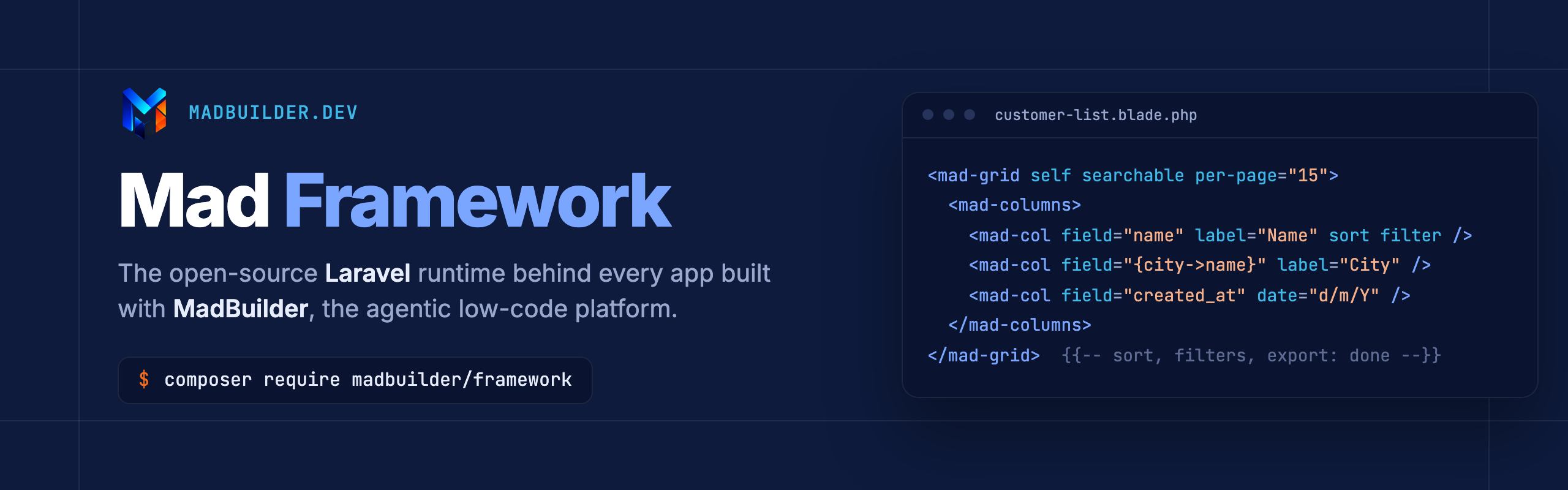
Mad Framework is the runtime of every application built with MadBuilder, the agentic low-code platform that turns a data model, a visual editor and an AI agent into a real Laravel project you own.
It gives Blade more than 250 <mad-*> tags, from a single currency field to a full kanban, gantt chart, spreadsheet or point of sale. It adds a reactive layer that needs no JavaScript build, and the plumbing every business app ends up needing: permissions per action, audit trail, multi-tenancy, i18n, PDF documents, exports, a REST layer, an MCP server and an embedded AI copilot.
All of it runs on plain Laravel 13: Eloquent models, controllers, Blade views, routes and migrations. No proprietary engine behind your app, and the runtime itself is MIT.
Why Mad Framework
- It is just Laravel. Generated apps are standard Laravel projects that any PHP developer can pick up. Open the files, change them, deploy them wherever you want.
- Screens in a few lines of Blade. Components talk to Eloquent directly. A searchable, sortable, filterable, exportable grid is one tag, and a master-detail form fits on a screen.
- Reactive, server-driven UI.
mad:click,mad:modeland@madBindconnect the page to public properties of a PHP component. State changes are diffed and pushed back to the browser; Alpine.js does the rest. - Business-ready from day one. IAM with permissions per action, audit log, multi-tenancy and business units, four languages (English, Spanish, Portuguese, European Portuguese), PDF documents, Excel/CSV/PDF export, REST resources and error tracking.
- Built for agents. Every app can expose its own MCP server, with CRUD and query tools that respect user permissions, mask personal data and write an audit trail. An AI copilot and AI-built dashboards run inside the app.
- Ready for Brazil, open to the world. CEP and CNPJ lookups that fill in the form, money and document masks, and six databases: MySQL/MariaDB, PostgreSQL, SQLite, SQL Server, Oracle and Firebird.
A quick look
A listing screen. Sorting, per-column filters, search, pagination and export come with the tag:
<mad-page-container>
    <mad-page-header title="Customers" icon="users" breadcrumb="Customers">
        <actions>
            <mad-btn navigate="CustomerForm" variant="primary" icon="plus">New customer</mad-btn>
        </actions>
    </mad-page-header>

    <mad-page-content>
        <mad-grid self per-page="15" searchable :search-columns="['name', 'email']">
            <mad-columns>
                <mad-col field="id" label="#" width="70" sort />
                <mad-col field="name" label="Name" sort filter />
                <mad-col field="{city->name}" label="City" sort />
                <mad-col field="created_at" label="Customer since" date="d/m/Y" sort />
            </mad-columns>
            <mad-actions>
                <mad-nav icon="pencil" label="Edit" target="CustomerForm::onEdit({id})" />
                <mad-act method="onDelete" icon="trash-2" label="Delete" danger confirm="Delete this customer?" />
            </mad-actions>
        </mad-grid>
    </mad-page-content>
</mad-page-container>
The form that opens from it, and the component behind the form:
<mad-form submit="onSave">
    <mad-form-section title="Customer" icon="user">
        <mad-form-grid :cols="2">
            <mad-input-field name="name" label="Name" required />
            <mad-input-field name="email" label="E-mail" type="email" />
            <mad-dbcombo-field name="city_id" label="City" model="City"
                display="{name} - {state}" order-by="name" />
            <mad-money-field name="credit_limit" label="Credit limit" prefix="$" />
        </mad-form-grid>
    </mad-form-section>

    <mad-form-actions>
        <mad-btn type="submit" variant="primary" icon="save">Save</mad-btn>
    </mad-form-actions>
</mad-form>
<?php

use App\Models\Crm\Customer;
use Mad\Component\MadComponent;
use Mad\Form\MadForm;
use Mad\Form\MadValidationException;
use Mad\Http\MadResponse;

class CustomerForm extends MadComponent
{
    protected static string $wrapper = self::DRAWER; // opens as a side drawer
    protected static string $title   = 'Customer';

    public MadForm $form;
    public ?int $customerId = null;

    public function mount(array $params = []): void
    {
        $this->form = new MadForm('form');

        if (! empty($params['id'])) {
            $this->onEdit((int) $params['id']);
        }
    }

    public function onEdit(int $id): void
    {
        $customer = Customer::findOrFail($id);
        $this->customerId = (int) $customer->id;
        $this->form->fill($customer);
    }

    public function onSave(): MadResponse
    {
        try {
            // rules() comes from the model MadBuilder generates from your schema
            $this->form->validate(Customer::rules($this->customerId));

            $customer = Customer::findOrNew($this->customerId);
            $this->form->save($customer);

            return (new MadResponse())
                ->toast('Customer saved', 'success')
                ->closeDrawer()
                ->manageRow($customer->id, CustomerList::class); // refreshes that row in the open grid
        } catch (MadValidationException $e) {
            return $e->asInline(); // each message goes under its field
        }
    }

    protected function view(): string|array
    {
        return 'customers.customer-form';
    }
}
A dashboard with KPIs and charts that write their own queries:
<mad-form-grid :cols="3">
    <mad-db-metric-card name="orders" model="Order" total="count"
        label="Orders" icon="shopping-cart" format="integer" />
    <mad-db-metric-card name="revenue" model="Order" field="total" total="sum"
        label="Revenue" icon="circle-dollar-sign" format="money:$" variant="success" />
    <mad-db-metric-card name="customers" model="Customer" total="count"
        label="Customers" icon="users" format="integer" />
</mad-form-grid>

<mad-db-chart type="bar" name="revenue_by_seller" model="Order"
    group-by="seller" field="total" total="sum"
    title="Revenue by seller" format="currency:$" />
Reactivity without writing JavaScript. The method changes a PHP property and the page follows:
use Mad\Component\MadComponent;

class Counter extends MadComponent
{
    public int $count = 0;

    public function increment(): void
    {
        $this->count++;
    }

    protected function view(): string|array
    {
        return 'demo.counter';
    }
}
<mad-card>
    <h2>@madBind('count')</h2>
    <mad-btn variant="primary" icon="plus" mad:click="increment">Add one</mad-btn>
</mad-card>
What it looks like
Screens from a sample app generated by MadBuilder. Every one of them is rendered by this package.
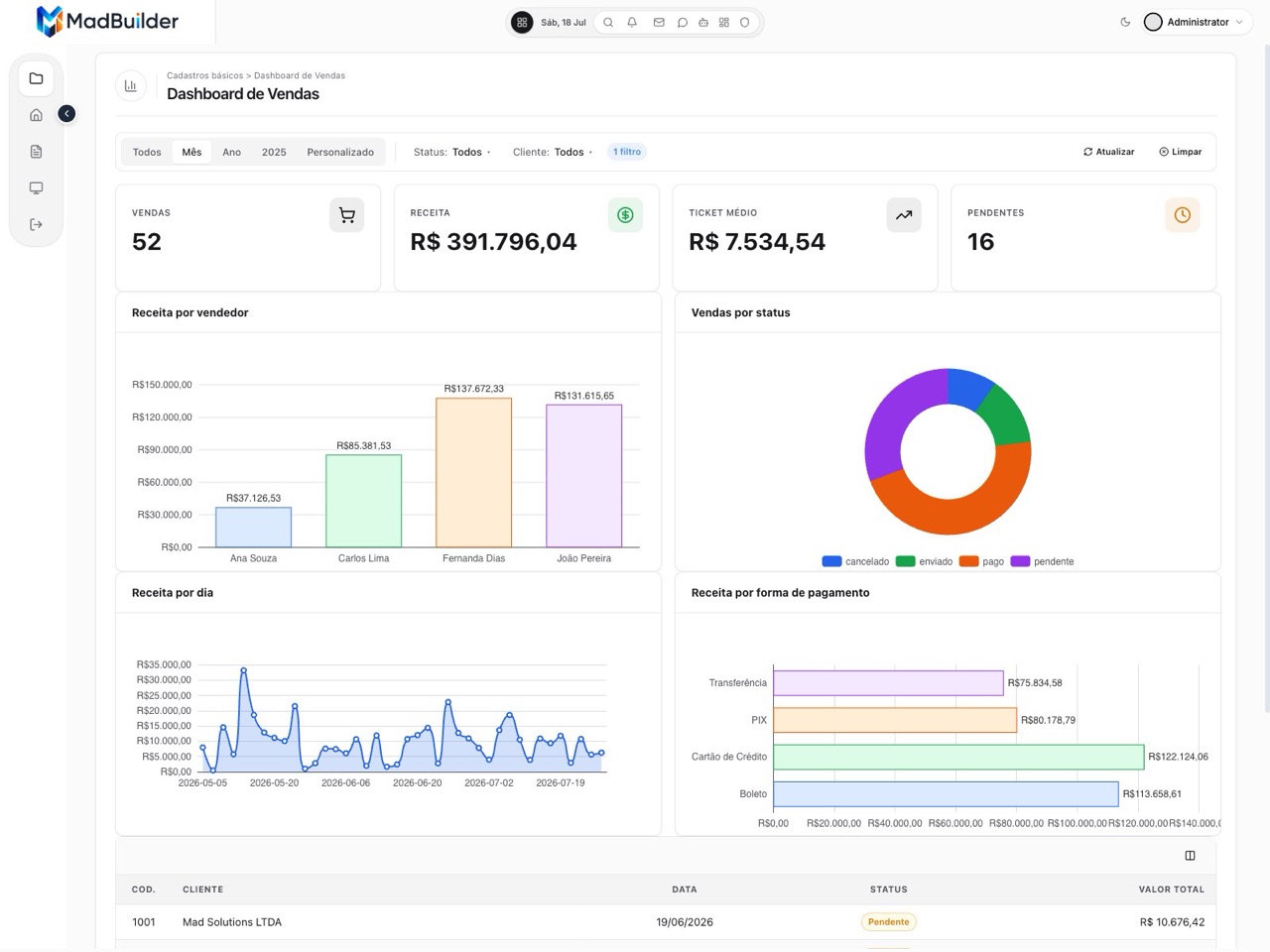 Dashboard: KPIs, charts and filters with <mad-db-metric-card> and <mad-db-chart> |
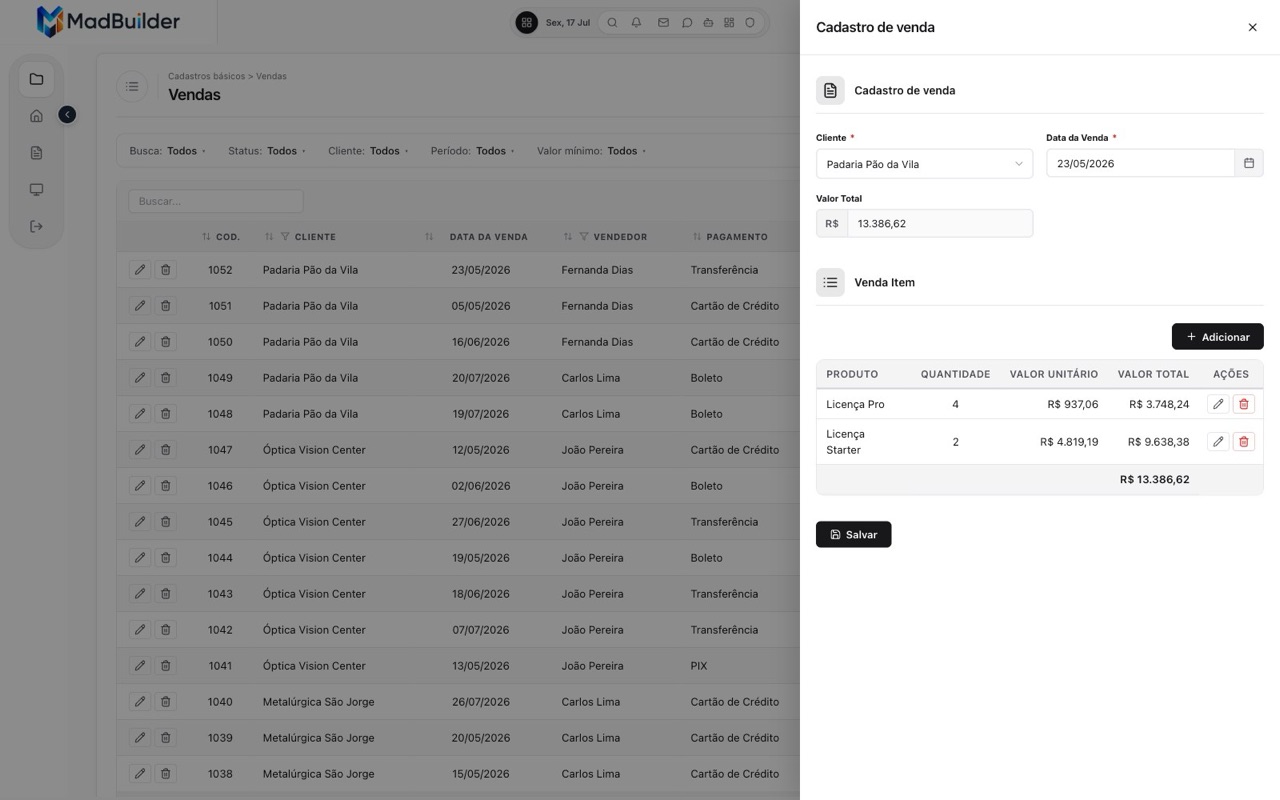 Master-detail form in a drawer, with line items and live totals |
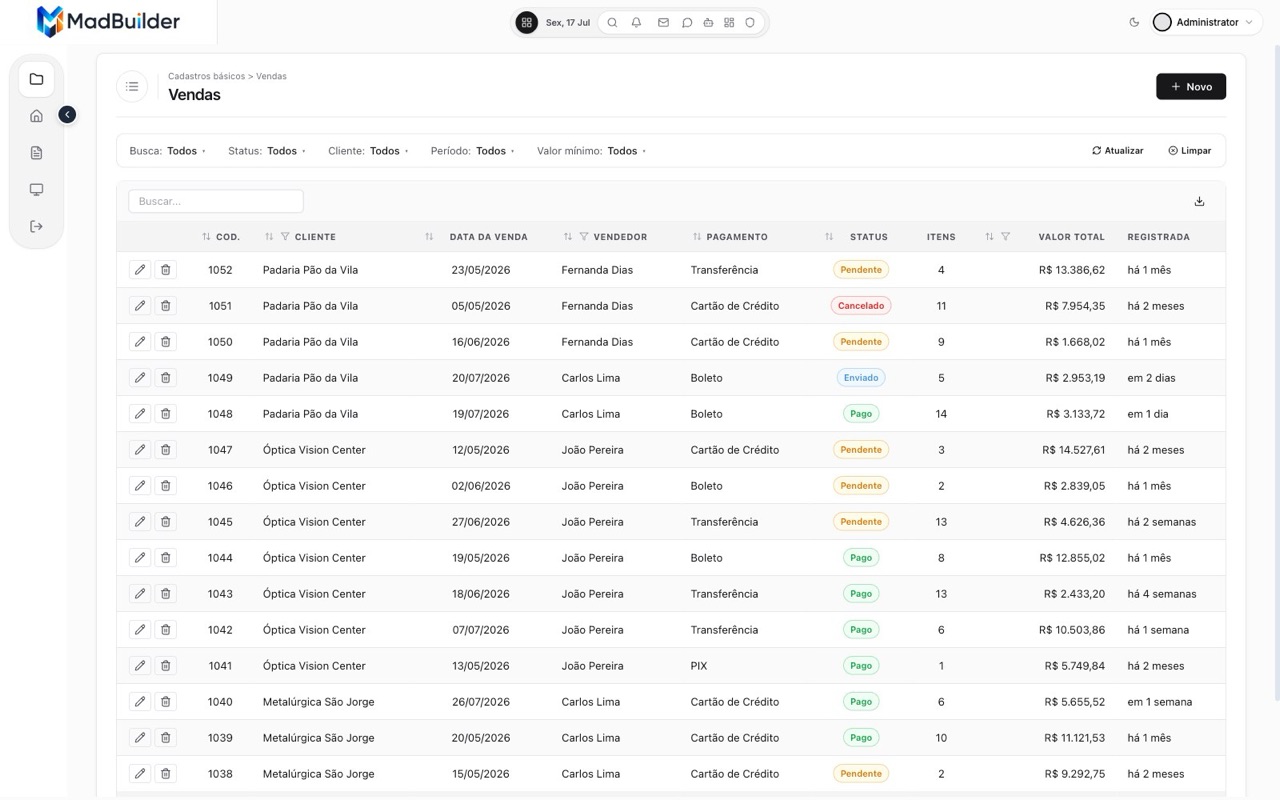 Listing: search, column filters, badges, export |
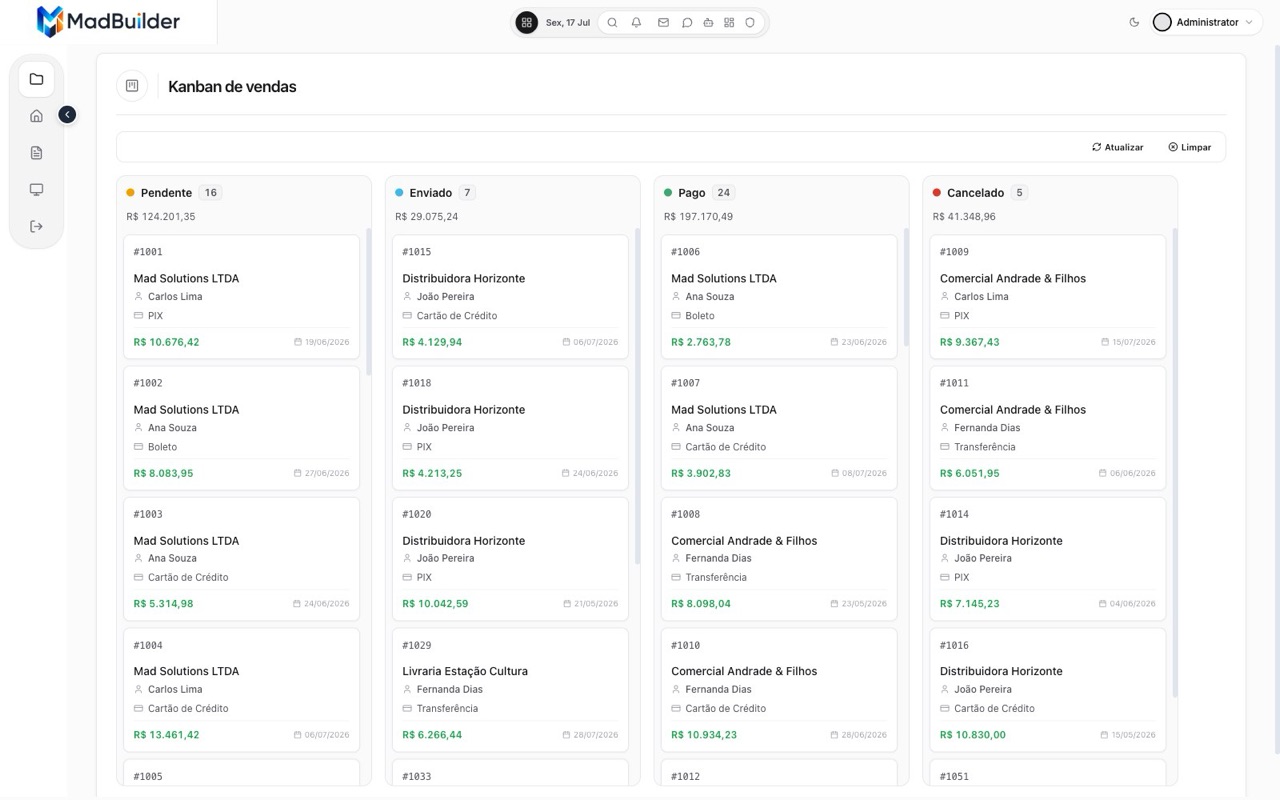 Kanban with drag and drop between stages |
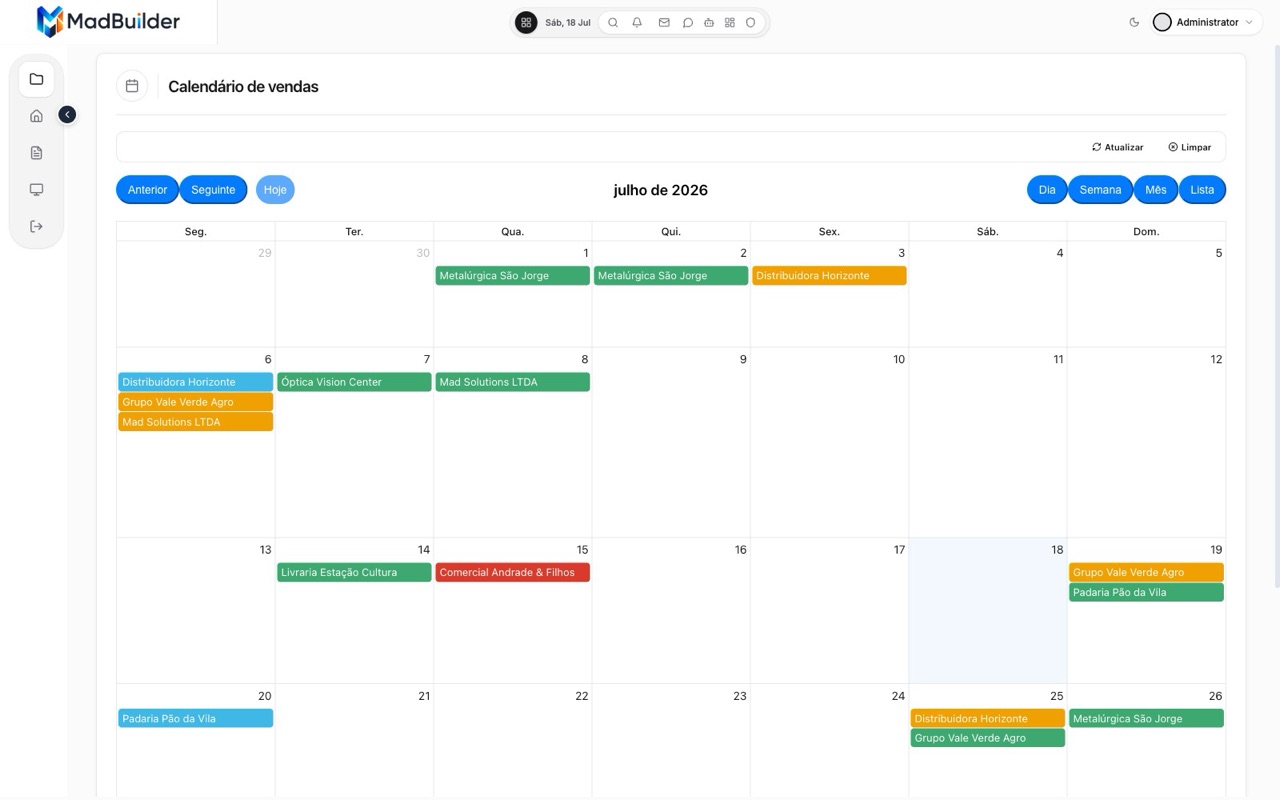 Calendar: month, week, day and list views |
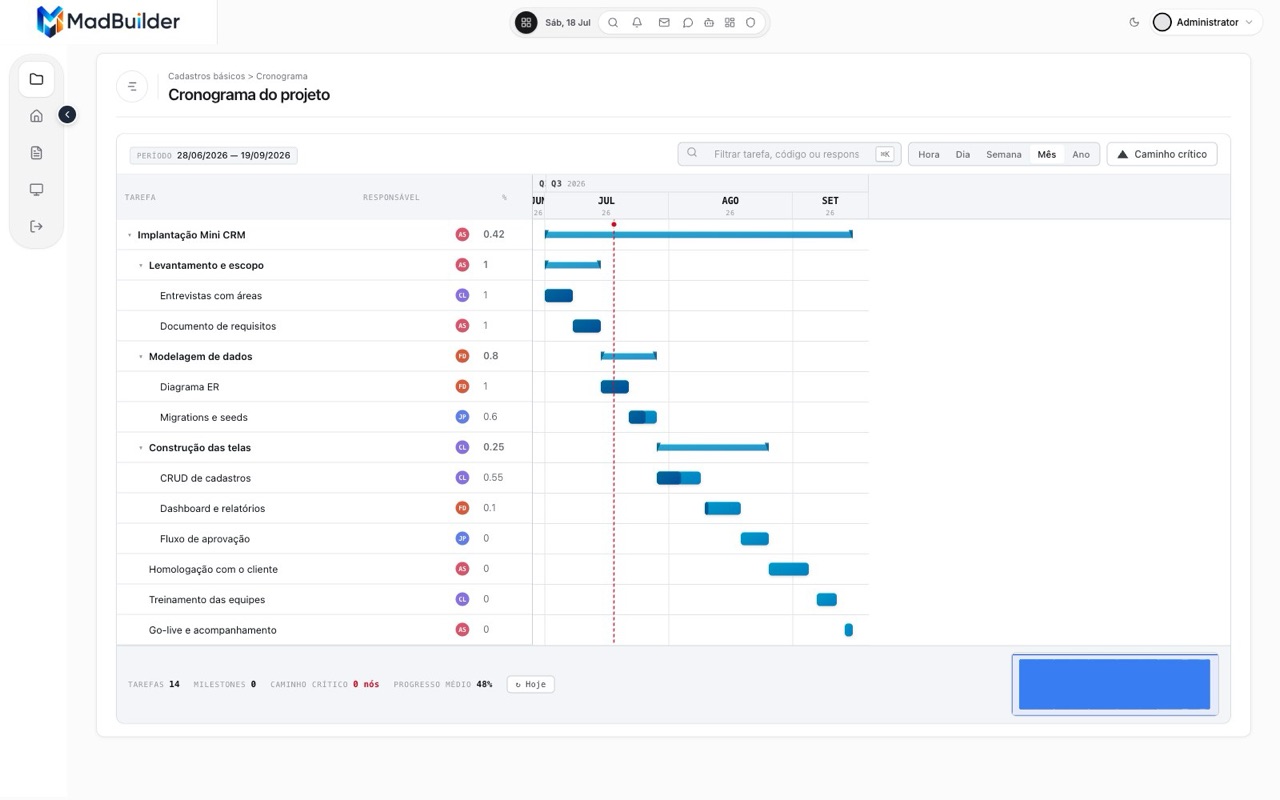 Gantt with phases, progress and critical path |
What is inside
| Area | Highlights |
|---|---|
| Layout | mad-page-container, mad-page-header, mad-tabs, mad-drawer, mad-modal, mad-card, mad-accordion, mad-steps, mad-wizard, mad-sidebar-nav |
| Forms | 40+ fields: text, number, money, date, date range, time, select, database combo, unique search, multi search, checklists, switch, color, icon, OTP, password, rich text, signature, file and image upload with cropping, CEP and CNPJ with auto-fill, line-item lists (mad-field-list) and master-detail (mad-detail-form) |
| Lists | mad-grid with sorting, column filters, advanced filters, inline editing, grouping, totals, bulk actions and Excel/CSV/PDF export; mad-data-table, mad-tree-view, mad-pivot-table, and mad-sheet for spreadsheet-style batch entry |
| Dashboards | mad-db-metric-card, mad-kpi-card, mad-db-chart (bar, line, pie, donut, rose, funnel, treemap), mad-heatmap (risk matrix, prioritization), mad-dash-filters, mad-goal-ladder, mad-stat-grid |
| Planning | mad-kanban, mad-calendar (with resources), mad-week-grid (weekly roster: people × days), mad-whiteboard (sticky-note board), mad-gantt (phases, dependencies, baseline), mad-timeline, mad-org-chart, mad-wf-map for approval workflows |
| Documents | mad-doc-* bands, tables, QR codes, barcodes, signatures and page numbers, rendered to PDF |
| Operations | mad-pdv point of sale, mad-reconcile for bank reconciliation, comments, attachments and change history |
| Public website | mad-site-* blocks: hero, features, pricing, FAQ, testimonials, blog and self-service sign-up |
| Platform | IAM and permissions per action, audit log, multi-tenancy and business units, i18n, REST resources, installer, MadTrace error tracking, MCP server, AI copilot |
The full reference of tags, props and recipes lives in the component docs.
MadBuilder: the agentic low-code platform
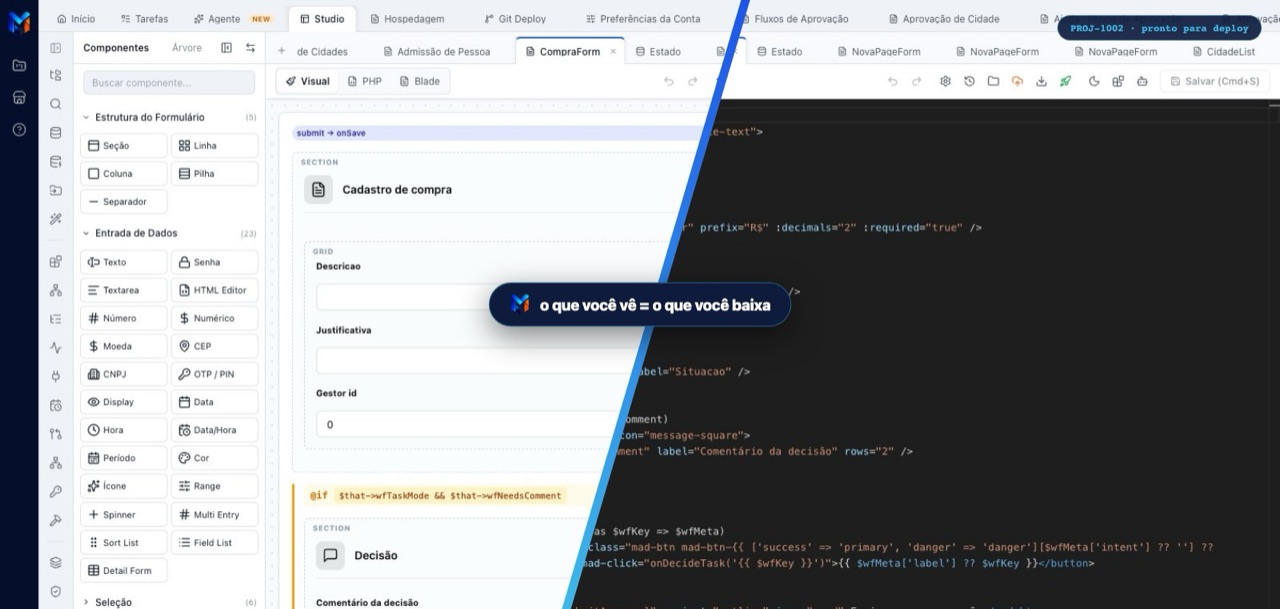
This package is the runtime; MadBuilder is where the apps are made. Draw the tables, build the screens visually or ask the AI, and get a Laravel project that runs on your server and opens in your editor.
-
Data modeling. Tables and relationships in a diagram your team edits together. Every change becomes an incremental migration.
-
An AI agent that builds. Ask in plain language. It reads the database, creates the tables that are missing and builds the screens from these ready-made components instead of writing everything from scratch, which is why it spends 65% to 75% fewer tokens.
-
13 screen types ready to start from: listing, form, dashboard, kanban, calendar, report, spreadsheet, timeline, org chart, wizard, approval queue, document and gantt.
-
Your code survives.
@mad-blockmarkers keep what you wrote by hand when a screen is regenerated. -
Test online. One click runs the system in an isolated environment, with the PHP version and database you choose.
-
Deploy anywhere. SSH to your server, push to your Git repository or download a ZIP. Or publish on MadCloud: your own domain, HTTPS, managed PostgreSQL or MySQL, staging and production environments and 30 days of backups, hosted in São Paulo.
-
Bring your own agent. Claude Code, Cursor or any MCP client can build screens, model data and publish, with one token per project and every call logged:
claude mcp add --transport http madbuilder https://api.madbuilder.dev/api/mcp-gateway \
    --header "Authorization: Bearer <your-token>"
Start building at madbuilder.dev →
Installation
With MadBuilder (recommended)
Every app MadBuilder generates already requires this package and ships with the version the platform tested. There is nothing to install.
In a Laravel application
composer require madbuilder/framework
The service provider is registered through package discovery. Keep in mind that the framework is built as the runtime of MadBuilder applications: several features rely on the application scaffold MadBuilder generates (IAM tables, menus, configuration and the installer). Using it in a Laravel app that MadBuilder did not create is not supported yet.
Requirements
- PHP 8.4 or newer
- Laravel 13
- MySQL/MariaDB, PostgreSQL, SQLite or SQL Server. Oracle and Firebird work with the optional drivers listed under
suggestincomposer.json.
Versioning
The framework follows semantic versioning. Every release has an entry in the changelog, written for the people who build screens with it; the same notes appear inside MadBuilder, on the What's new screen.
Community
- Questions and ideas: MadBuilder forum
- Bugs in the framework: GitHub issues
- Contributing: see CONTRIBUTING.md
- Security: please report vulnerabilities privately, as described in SECURITY.md
Credits
Mad Framework is created by Matheus Agnes Dias and the Mad Solutions team, and stands on the shoulders of great open-source work: Laravel, Alpine.js, Apache ECharts, Lucide, FullCalendar, TinyMCE, Cropper.js, SortableJS, Dompdf, OpenSpout, league/commonmark, BaconQrCode and php-barcode-generator.
License
Mad Framework is open-source software released under the MIT license. Copyright © 2025-2026 Mad Solutions LTDA.
The license covers the code. The MadBuilder and Mad Framework names and logos belong to Mad Solutions LTDA.
Made in Brazil 🇧🇷 with Laravel.