
kuzonet / overkill-about

Display a nice configurable about screen for your FilamentPHP project
Fund package maintenance!
Requires
- php: ^8.4
- filament/filament: ^4.7 || ^5.0
- spatie/laravel-package-tools: ^1.15.0
Requires (Dev)
- larastan/larastan: ^3.0
- laravel/pint: ^1.0
- nunomaduro/collision: ^8.0
- orchestra/testbench: ^9.0 || ^10.0 || ^11.0
- pestphp/pest: ^4.0
- pestphp/pest-plugin-arch: ^4.0
- pestphp/pest-plugin-laravel: ^4.0
- pestphp/pest-plugin-livewire: ^4.0
Suggests
None
Provides
None
Conflicts
None
Replaces
None
README


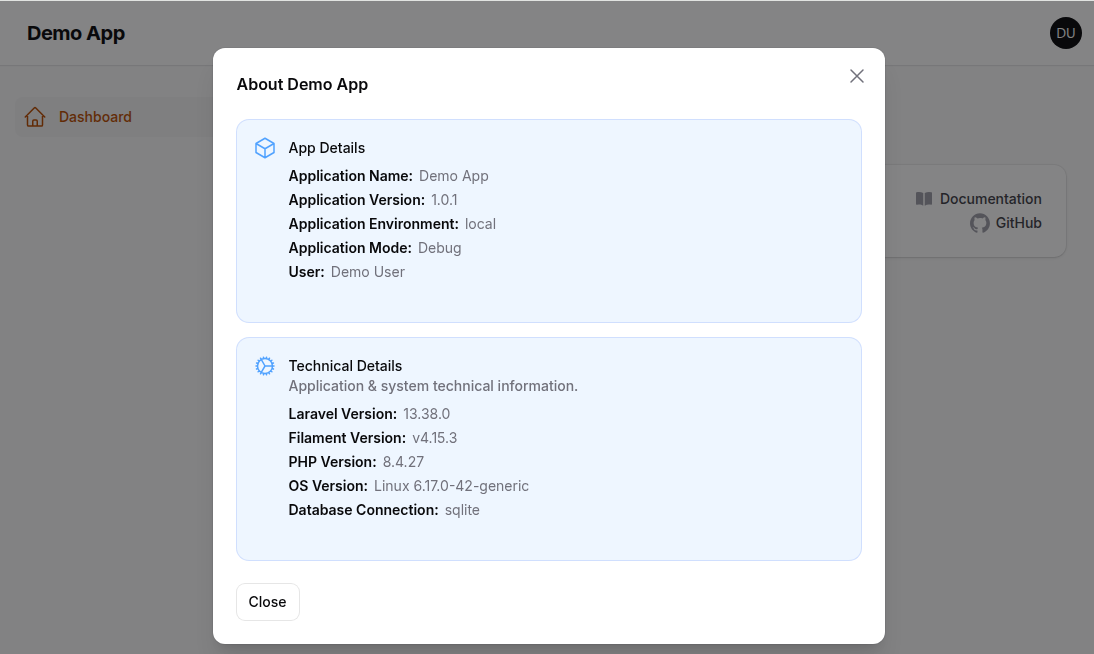
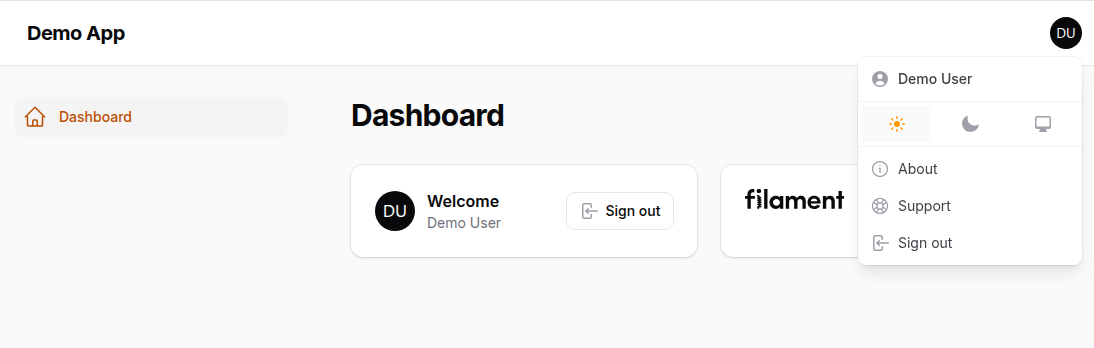
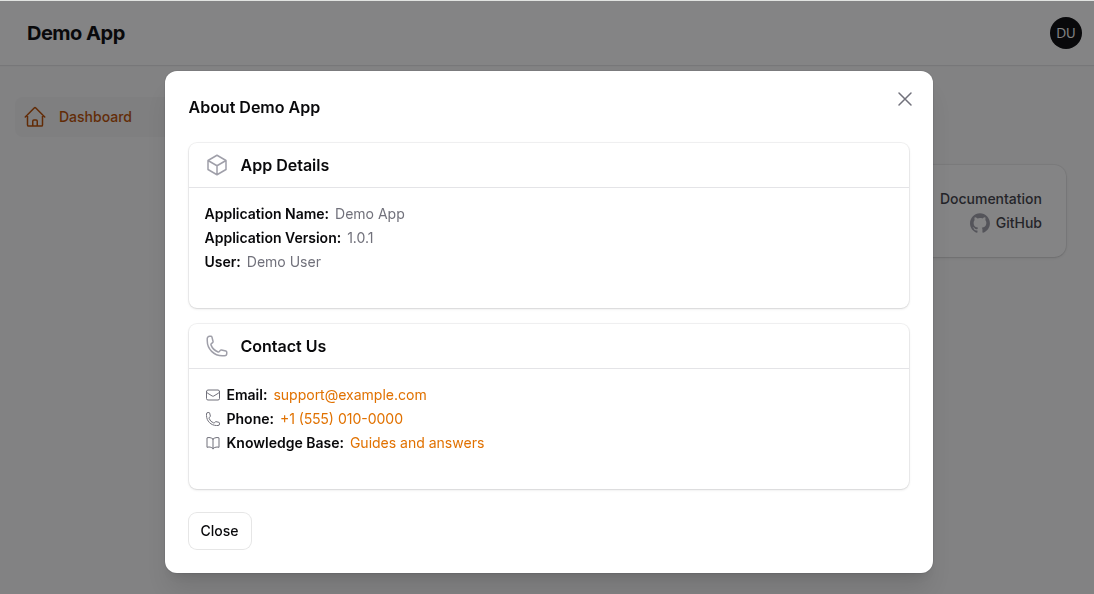
A Filament v4.7+ & v5 plugin that adds an About item to the panel's user menu. Clicking it opens a modal
showing the sections you define in config/overkill-about.php: app details, contact info, support
links, technical details, or anything else.
Each panel can have its own about screen: show technical detail on an admin panel and
support/knowledge-base links on a customer-facing app panel.
Why
Every app I build gets an About screen. When something breaks, it tells me which install, version and branch I'm actually looking at, so I stop debugging production while staring at staging. Users like it too, because "what version are you on?" finally has an answer that isn't "uh, the blue one?"
A sane person would hardcode a version number into a footer and call it a day.
I did not do that.
Instead, this plugin lets you build an About screen with sections, icons, links, collapsible panels, a different screen for every panel, Gate-based visibility, {user.name} placeholders and more than one menu item per panel. All of it is driven by a config file. Is any of that necessary to display a version number? No. Is it a fully armed battle station for a modal that says "v2.4.1"? Absolutely.
It's overkill, and you're welcome.
Requirements
- PHP 8.4+
- Laravel 11, 12 or 13
- Filament 4.7+ or 5 (4.7 added the callout component the modal uses)
- A custom Filament theme on each panel that uses the plugin, so the modal's Tailwind classes get compiled (see below)
Installation
You can install the package via composer:
composer require kuzonet/overkill-about
The modal is rendered from a Blade view styled with Tailwind classes. Filament's default
stylesheet doesn't include those utilities, so add the package views to your panel's
custom theme and
rebuild it (npm run build). It must be the panel's Filament theme (registered with
->viteTheme(), e.g. via php artisan make:filament-theme) — your app's resources/css/app.css
is not loaded inside the panel:
/* resources/css/filament/admin/theme.css */
@source '../../../../vendor/kuzonet/overkill-about/resources/views/**/*';
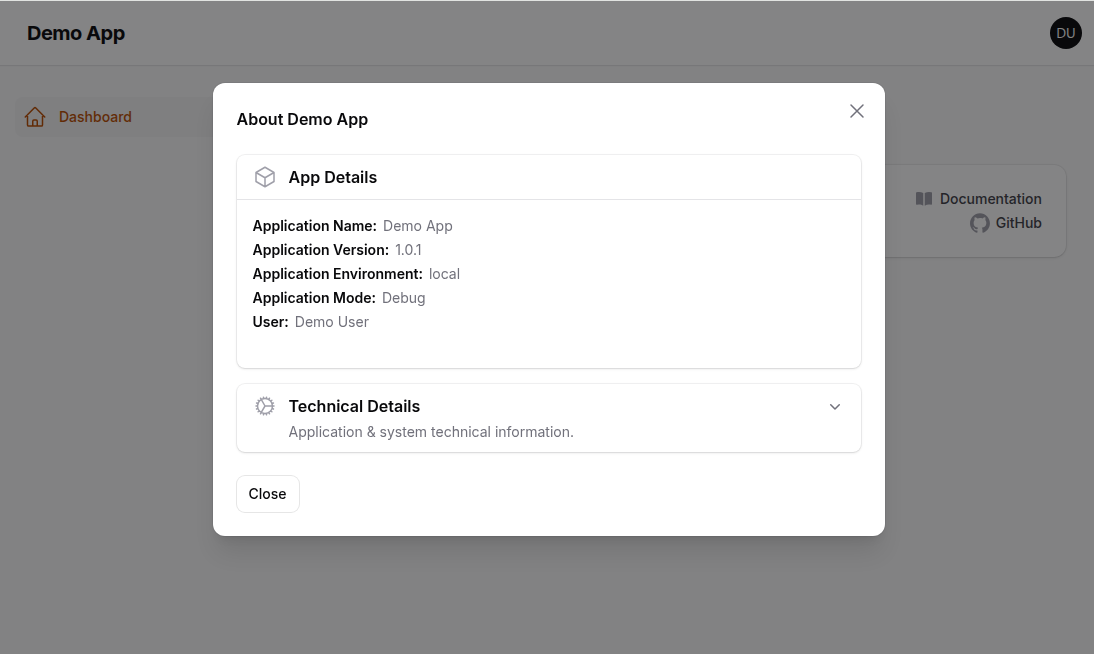
Pick the layout per panel with modal.layout: 'standard' (default) shows each section as a
callout; 'component' uses Filament sections, which also show the section description and
support collapsible / collapsed.
'component' layout, with a collapsible section:
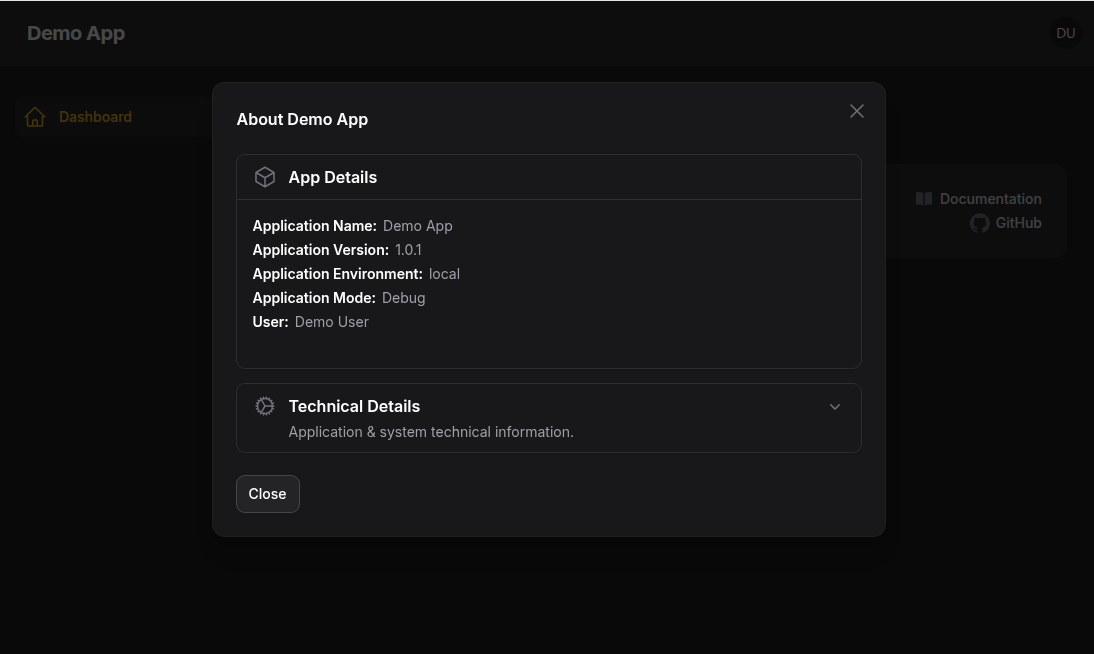
Both layouts follow Filament's dark mode:
modal.slide_over => true opens it as a slide-over instead of a centered modal.
To change the markup, publish the views and edit resources/views/vendor/overkill-about/about.blade.php:
php artisan vendor:publish --tag="overkill-about-views"
It works out of the box: the plugin ships with a sample config/overkill-about.php and shows it on
any panel registered with it. That default config is for demo purposes only: it contains
placeholder contact details and links, and shows technical details (PHP, Laravel and database
versions). Review it and replace its entries before going live. Publish your own copy to customize
it with the install command:
php artisan overkill-about:install
or publish it directly:
php artisan vendor:publish --tag="overkill-about-config"
This publishes config/overkill-about.php. Its top-level keys are panel ids (or screen names, see
Several menu items on one panel), and each entry is one about
screen:
return [
    'app' => [
        'menu' => ['label' => 'Support', 'icon' => 'heroicon-o-lifebuoy'],

        'sections' => [
            'application' => [
                'title' => 'App Details',
                'icon' => 'heroicon-o-cube',
                'items' => [
                    'Name' => env('APP_NAME'),          // shorthand: label => value
                    'Version' => env('APP_VERSION'),
                ],
            ],

            'contact_us' => [                           // no title: shown as "Contact Us"
                'icon' => 'heroicon-o-phone',
                'items' => [
                    'Email' => [
                        'value' => 'support@example.com',
                        'icon' => 'heroicon-o-envelope',
                        'url' => 'mailto:support@example.com',
                    ],
                    'kb' => [
                        'title' => 'Knowledge Base',
                        'value' => 'Guides and answers',
                        'url' => 'https://support.example.com/kb',
                    ],
                ],
            ],
        ],
    ],
];
Each section can set enabled, title, icon, description, collapsible, collapsed and
items. Each item can set enabled, title, value, icon, url and new_tab, or just be
'Label' => 'value'. A
missing title falls back to the key in proper case. An item with a null or blank value still
shows its label with an empty value; sections without items are left out, and a
panel with no entry shows the About item with just your app name. The published file's admin
entry uses every option.
Placeholders
Config is loaded before Laravel knows who is signed in, so don't call auth() in it. Use a
{user.<attribute>} or {tenant.<attribute>} placeholder instead; it's filled in for the
signed-in user or the current Filament tenant
when the modal opens:
'account' => [
    'title' => 'Signed in as {user.name}',
    'items' => [
        'Email' => ['value' => '{user.email}', 'url' => 'mailto:{user.email}'],
        'Team' => '{user.team.name}',          // relations work too
        'Workspace' => '{tenant.name}',        // empty on panels without tenancy
    ],
],
Placeholders work in section titles and descriptions, item titles, values and URLs, and the modal
heading, description and menu label. Attributes in the model's $hidden (such as password) are
never shown (nor, when a model sets $visible, anything outside it), and a missing attribute, a path
that isn't an attribute or relation, or no tenant shows as an empty value. Methods are never called. Only user and
tenant are supported, deliberately: anything wider, like config or environment values, could
expose secrets.
Showing parts to some users only
enabled on a panel, section or item can be true/false, or the name of a
Gate ability that's checked for the signed-in user
when the modal opens:
// config/overkill-about.php
'technicals' => [
    'enabled' => 'viewTechnicalDetails',
    'items' => [
        'PHP' => PHP_VERSION,
        'Server' => ['value' => 'web-01', 'enabled' => ['viewTechnicalDetails', 'viewServers']],
    ],
],
// AppServiceProvider::boot()
Gate::define('viewTechnicalDetails', fn (User $user) => $user->is_admin);
A list of abilities requires all of them. An ability that isn't defined hides the part, unless your app has a
Gate::before() callback that returns true (the usual super-admin check), which allows every
ability. Policies
and permission packages that register Gate abilities (e.g. spatie/laravel-permission) work too.
Usage
Register the plugin on each panel that should have an about screen:
use Kuzonet\OverkillAbout\OverkillAboutPlugin;

public function panel(Panel $panel): Panel
{
    return $panel
        // ...
        ->plugin(OverkillAboutPlugin::make());
}
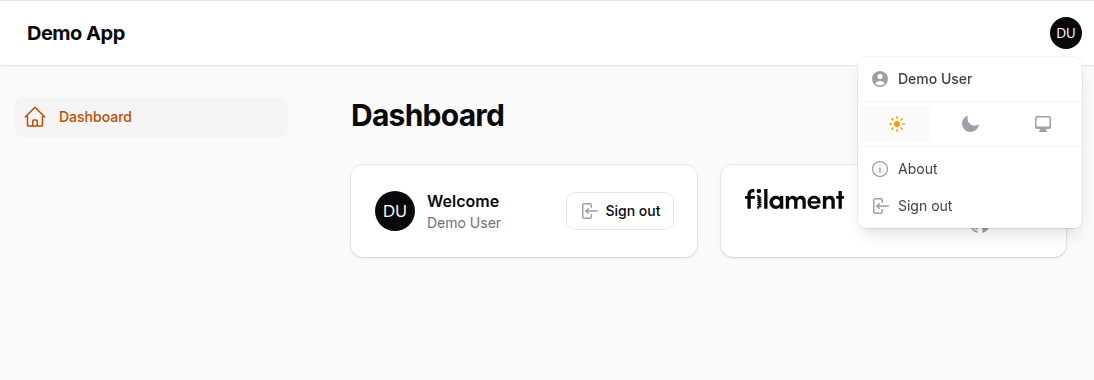
That's it — the plugin adds its own item to the panel's user menu. You do not need to add anything
to userMenuItems(), and any user menu items you already have are kept. Panels that don't register
the plugin don't show the item.
Several menu items on one panel
Pass a name to make() to add another menu item that shows the overkill-about.<name> config entry.
Each instance adds its own item, with its own modal, label, icon, sort and enabled rule:
->plugins([
    OverkillAboutPlugin::make(),           // "About": reads overkill-about.<panel-id>
    OverkillAboutPlugin::make('support'),  // "Support": reads overkill-about.support
])
// config/overkill-about.php
'support' => [
    'menu' => ['label' => 'Support', 'icon' => 'heroicon-o-lifebuoy', 'sort' => 2],
    'sections' => [
        'contact' => ['items' => ['Email' => ['value' => 'help@example.com', 'url' => 'mailto:help@example.com']]],
    ],
],
Both items then appear in the user menu, each opening its own modal:
The same name can be used on several panels to share one screen between them.
Plugin options
Content comes from the config file. The plugin can override presentation and visibility per panel:
OverkillAboutPlugin::make()
    ->label('Help & Support')                       // menu item label
    ->icon('heroicon-o-lifebuoy')                   // menu item icon
    ->sort(5)                                       // position in the user menu
    ->modalWidth('2xl')                             // Filament\Support\Enums\Width or string
    ->visible(fn () => Filament::auth()->user()->hasVerifiedEmail())
    ->authorize(fn () => Filament::auth()->user()->can('viewAbout'));
Every option also accepts a closure, evaluated when the menu renders.
Testing
composer test        # run the test suite
composer analyse     # static analysis (PHPStan)
composer test:lint   # check code style (Laravel Pint) without changing files
composer lint        # fix code style
Changelog
Please see CHANGELOG for more information on what has changed recently.
Contributing
Please see CONTRIBUTING for details, and follow our Code of Conduct.
Security Vulnerabilities
Please review our security policy on how to report security vulnerabilities.
Credits
License
The MIT License (MIT). Please see License File for more information.