Search by

janczakb / filament-flex-fields

janczakb

Filament v5 form fields plugin for Laravel — 79 components, virtualized Select with async search, Spatie Media Library & disk/S3 uploads, JSON custom fields without EAV, surveys, maps, signatures, lazy CSS/JS, Playground.

Package info

github.com/janczakb/filament-flex-fields

pkg:composer/janczakb/filament-flex-fields

Fund package maintenance!

janczakb

Buy Me A Coffee

Statistics

Installs: 19 556

Dependents: 0

Suggesters: 0

Stars: 68

Open Issues: 2


README

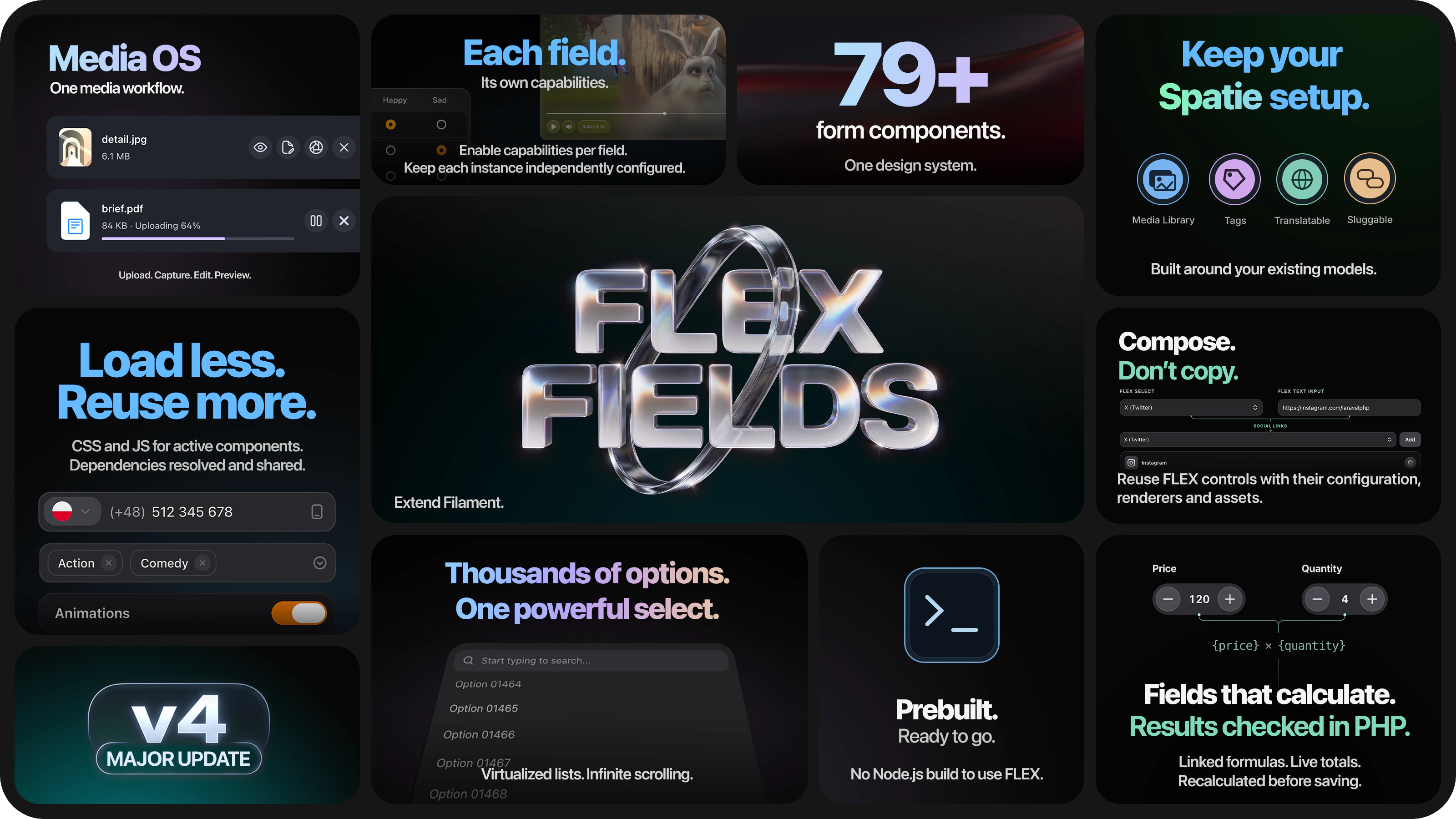
Filament Flex Fields — the Filament v5 form fields plugin for Laravel: 79 custom components, virtualized Select, Spatie Media Library uploads, JSON custom fields, lazy assets

Filament Flex Fields

The Filament v5 form fields plugin teams use instead of stitching many single-purpose packages
79 custom components · one design system · lazy CSS/JS · optional JSON custom fields · built-in Playground

Virtualized Select with async Livewire search · Spatie Media Library & disk/S3 uploads · phone, maps, signatures, rich editor, surveys — one cohesive kit for Laravel admin forms.

Pre-built assets · no Node.js in production · standalone fields or dynamic JSON schemas · docs for every component

Read the Filament Flex Fields documentation at flex-fields.bjanczak.com

Latest Version on Packagist License Total Downloads GitHub Stars GitHub Issues Tests

CI PHP 8.3+ Laravel 11+ Filament 5.x Filament compatibility matrix

Source-available. Free for most internal Filament admin panels under Permitted Free Use — commercial license only when you ship Flex Fields as a material SaaS dependency or redistribute it. See License.

Filament Flex Fields is an all-in-one Filament form fields / form components plugin for Filament v5 and Laravel admin panels: 79 custom components (64 form fields, 8 layout & schema pieces, 7 table columns), a unified --fff-* design system, first-class Spatie Media Library and disk/S3 uploads (Media Ingress), and an optional JSON custom-field layer without EAV tables.

If you need a drop-in select, phone, map, signature, survey grid, rich editor, or Spatie upload that looks and behaves like one product — this package is built for that, so you do not install a separate plugin for each field type.

Need a drag-and-drop form Studio on top? → Filament Flex Forms (premium companion)

Filament Flex Forms is a separate commercial product: Studio, public fill & embed, submissions, Insights, and integrations — built on these same Flex Fields components.

Buy Flex Forms · Docs · GitHub

Filament v5 form components in one plugin

Approach Best for What you need
Standalone components Fixed forms — profiles, checkout, CMS pages Import the field class and use Filament’s fluent API
JSON custom fields CRM attributes, tenant settings, variable product fields HasFlexFields + schemas in config or Field groups

Both modes share the same component library, design tokens, and lazy asset loading.

Filament select with virtualization & async search

SelectField extends Filament’s built-in Select with a headless combobox: virtualized scrolling for thousands of options, async Livewire search with pagination and rate limits, rich option rows (avatars, badges, descriptions), multi-select chips, create-option / smart suggest, grid layouts, and a mobile bottom sheet instead of a cramped desktop menu. UserSelect reuses the same Alpine entry; Icon picker shares the combobox engine; Tags, Phone, Country, and related pickers share the teleported select-menu stack — shared CSS/JS loads once per page. Full native Select API remains available.

SelectField docs

Filament Spatie Media Library uploads (or plain disk / S3)

Use FlexSpatieMediaLibraryFileUpload or Media Ingress (disk | spatie) for files, images, voice notes, signatures, and rich-editor attachments — including S3, Spatie conversions, signed URLs, and virus-scan hooks — without a separate upload-only plugin. Spatie packages are optional (composer suggest).

Media Ingress · File & image upload

Filament custom fields in a JSON column (no EAV)

Add HasFlexFields, store values in one JSON column, define schemas in PHP config / Field groups admin, and render with FlexFieldFormBuilder / FlexFieldStudio. Conditions, formulas, tenant packs, and RBAC — same components as standalone forms.

Docs index — JSON flex fields · config: config/filament-flex-fields.php

Instead of installing many Filament field plugins

Instead of a separate plugin for… Use in Flex Fields
Select / combobox / icon picker / tags SelectField, IconPickerField, TagsField, UserSelect
Spatie media / styled file uploads Media Ingress + FlexFileUpload / FlexSpatieMediaLibraryFileUpload
Custom fields / EAV attribute tables HasFlexFields JSON layer
Phone, country, currency, maps, address First-party fields in this kit
Signature, barcode, NPS, matrix surveys First-party fields in this kit
Settings cards, tabs, progress UI Layout & schema components + table columns

One design system, one lazy asset pipeline, one Playground — not a patchwork of unrelated CSS/JS.

Why Flex Fields?

Who it's for

Teams building Filament v5 backends that need more than stock inputs — CRM custom attributes, CMS editors, SaaS onboarding, marketplaces with configurable product fields, ops tools with barcodes and maps, or any admin UI that should feel like one product.

At a glance

Flex Fields Typical approach
Scope 79 fields, layouts, and table columns — one package Many single-purpose Filament plugins
Select & pickers Virtualized lists, async search, mobile bottom sheets, rich option rows Basic dropdowns that struggle at scale
Media Media Ingress — disk or Spatie, S3, virus scan, image conversions Separate upload plugins per storage backend
Design One --fff-* system — sizes, focus, menus, dark mode Mixed UI from unrelated packages
Flexibility Standalone fields or dynamic JSON on models — same components Usually one mode only
Performance Lazy per-field CSS/JS, shared chunks, pre-built dist/ — no npm in your app Global bundles or consumer-side builds
DX Playground for every component + dedicated doc per field Trial-and-error per plugin

Standout capabilities

SelectField & family — headless combobox with virtualized scrolling for thousands of options, async / Livewire search, rich rows (avatars, badges, descriptions), multi-select chips, create-option flows, grid layouts, and a mobile bottom sheet. UserSelect reuses the same Select entry; IconPickerField shares the combobox engine + teleported menu; Tags, Phone, Country, Timezone, Currency, Address, Map, and Social Links share the select-menu overlay stack — CSS/JS chunks load once per page, not once per field instance.

Media Ingress — one upload path for files, images, voice notes, signatures, and rich-editor attachments. Choose disk (including S3) or Spatie Media Library with full registerMediaConversions() support, virus scanning, private signed URLs, and multi-tenant disk rules. See Media Ingress.

Rich interactions — signature pads, barcode/QR camera scanning, Mapbox maps & address autocomplete, international phones, multi-currency money, weekly schedules, NPS/CSAT, animated todos, bubble multi-select, dual listboxes, and a YouTube/Vimeo/HTML5 video player.

JSON custom fields — define schemas in config or Field groups admin; store values in one JSON column via HasFlexFields. Conditions, formulas, tenant packs, and RBAC through FlexFieldFormBuilder / FlexFieldStudio.

Lazy assets (no duplicate CSS/JS) — each field queues only what it needs; request-scoped queues + SPA injector ensure the same stylesheet or hashed chunk is fetched once even if five SelectFields (or Select + Tags + Phone) appear on one form. Heavy libraries live in shared esbuild chunks (select-menu, combobox-engine, phone-lib, …). Pre-built resources/dist/ means no Node.js or Vite in your Laravel project.

Asset pipeline (technical)
  1. Lean corecore.css: design tokens and shared hint chrome only.
  2. Conditional critical preload — teleported menus and hold-confirm only when needed.
  3. Per-component queues — Blade @include(…load-stylesheet) enqueues CSS + Alpine chunks; FlexFieldStylesheetQueue / FlexFieldAlpineQueue dedupe within the request (5× ChoiceCards → 1× CSS).
  4. Batch markers + injectoremit-assets outputs data-fff-asset-batch spans; flex-field-asset-injector.js injects missing <link> / modulepreload, dedupes by href, and caches in-flight fetches across Livewire morph / Filament navigation (modal FOUC prevention).
  5. Lazy Alpine mount — heavy fields can defer init until visible (x-intersect).
  6. loadedOnRequest() — unused Filament-registered CSS never auto-loads via @filamentStyles.

See Performance-first assets for the Select-family share map, classes, and bundle metrics.

Playground & docs — preview components in your panel; every field documented with methods, validation, and examples at flex-fields.bjanczak.com.

Table of contents

Quick start

First-time install:

composer require janczakb/filament-flex-fields
php artisan filament:assets

Register the plugin on your Filament panel:

use Bjanczak\FilamentFlexFields\FilamentFlexFieldsPlugin;

public function panel(Panel $panel): Panel
{
    return $panel->plugin(FilamentFlexFieldsPlugin::make());
}

Then drop any component into a form — e.g. SelectField::make('status')->searchable() or MatrixChoiceField::make('priorities'). Full install options: Installation. Already installed? See Upgrading.

Fresh install: Select (virtualized combobox), schema conditions, FormBuilder, and playground demos work out of the box — no migrations required for core fields. Optional: php artisan fff:v3:upgrade refreshes the asset registry marker.

Custom Components (79)

Every item below is a custom class shipped by this package — own Blade views, CSS, and configuration API. This list does not include native Filament fields (TextInput, TagsInput, Repeater, etc.) used only as passthrough inside FlexFieldFormBuilder.

Full API for each component: https://flex-fields.bjanczak.com/docs/index.

Flagship highlights

Capability Where
Virtualized option lists (thousands of rows without DOM meltdown) SelectField, IconPickerField, TagsField, TodoListField
Async / Livewire search with pagination & rate limits SelectField, UserSelect, relationship-backed pickers
Mobile bottom sheets for searchable menus SelectField and shared combobox family
Disk or Spatie Media Library (S3-ready) via Media Ingress File / image / voice / signature / rich-editor attachments
Survey & configurator UX MatrixChoiceField, NpsField, BubbleChoiceField, ChoiceCards

Text & input (13)

Component What you get
FlexTextInput Production text field — speech dictation, emoji picker, password strength meter, clearable, prefix/suffix chrome
FlexTextareaField Autosizing textarea with smooth height animation and character counter
FlexRichEditor JSON-first rich text — toolbar a11y, responsive images, limits, fullscreen, autosave; optional Spatie attachments & image variants
PhoneField International phones with country flags, libphonenumber validation, and E.164-ready state
CountryField Searchable country picker with flags — same combobox UX as Select
TimezoneField IANA timezones with UTC offset, browser detection helpers, and searchable list
LinkPreviewField URL input with live Open Graph preview (horizontal, vertical, or full-width)
BarcodeScannerField Barcode & QR — Filament modal camera, format whitelist, EAN/UPC checksum, BarcodeDetector + ZXing, torch & camera flip
SocialLinksField Social profile links — platform picker, URL validation, custom platforms, reorder
SlugField Slug with permalink preview, uniqueness checks, regenerate & copy actions
TitleSlugField Title + slug pair with live URL preview; optional Spatie Sluggable
AddressAutocompleteField Mapbox address search with structured place storage
FlexVerificationCode OTP / 2FA digit groups with paste support and masked modes

Number & range (7)

Component What you get
NumberStepper Accessible +/- stepper with min/max, step, and keyboard control
CalculatorField Money/number input with shared calculator panel (desktop float + mobile sheet) and per-field memory
CurrencyField Multi-currency money with locale formatting, currency switcher, and precision control
FlexSlider Styled range slider with live value display
TrackSlider Track slider — single value, percentage, or min/max range
PriceRangeField Dual-handle price filter with optional histogram
TrafficSplit Weighted A/B-style traffic allocation UI

Choice & selection (18)

Component What you get
SelectField Flagship select — extends Filament Select with headless combobox UI: virtualized scrolling (from ~100 options), async Livewire search + paginated results, rich rows (avatar, badge, description), multi-select chips, grid option layouts, create-option / smart suggest, inline search, relationship mode, and a mobile bottom sheet (drag handle, sheet search, checkmarks). Full native Select API retained.
UserSelect User picker on the Select engine — avatar stacks, verification badges, searchable relationships
TagsField Tag pills with inline remove, combobox search, and free-create flows
FlexSpatieTagsField Spatie Tags sync on models using HasTags
IconPickerField Blade-icons picker — lazy SVG, virtual scroll, paginated search, W3C ARIA patterns
DualListboxField Two-panel transfer list with reorder and bulk move
SwitchField Animated toggle — row or inline layouts
CellSwitch Compact switch for dense UIs / table cells
SegmentControl Segmented control for mutually exclusive choices
ChoiceCards Rich single-select cards with icons and descriptions
ChoiceCheckboxCards Multi-select card grid
ImageChoiceCards Full-bleed image cards — single or multi
FlexChecklist Animated checklist with icons and helper text
TodoListField Animated todos — celebrations, sub-stacks, undo, reorder, search, virtualized scroll
BubbleChoiceField Pannable bubble multi-select with center magnification
FlexRadiolist Animated radio list with icons and descriptions
MatrixChoiceField Survey / configurator matrix — radio or checkbox per row, cell/row disable rules
FlexMatrixTable Advanced matrix with full Filament components inside cells

Date & time (11)

Component What you get
FlexDateField Segmented date input without calendar popover
FlexDatePicker Date picker with calendar popover
FlexTimeField Segmented time (12h / 24h, optional seconds)
FlexTimeSegmentsField Column time picker (HH:MM)

ScheduleField Weekly opening hours — day toggles, slots, breaks, copy-to-weekdays, timezone
FlexDateTimePicker Combined date + time
FlexDateRangeField Start / end date range
FlexDurationField Duration (hours / minutes)
FlexTimeRangeField Start / end time range
FlexMonthPicker Month picker
FlexYearPicker Year picker

Media, color & location (13)

Media Ingress — one pipeline for disk or Spatie Media Library (S3-ready), virus scanning hooks, signed URLs, image conversions, retention, and FormBuilder wiring. Migration notes: Media Ingress migration.

Component What you get

FlexFileUpload Styled uploads — webcam capture, URL import, security presets, Media Ingress disk/Spatie path
FlexImageUpload Image-focused upload with optimize / resize options
FlexSpatieMediaLibraryFileUpload First-class Spatie Media Library field (UUID state, conversions via model)
VoiceNoteRecorderField In-browser voice recorder — waveform, local playback, deferred or immediate upload
VoiceNoteSpatieRecorderField Voice notes stored through Spatie Media Library
VideoField Video URL / embed player — YouTube, Vimeo, and HTML5 sources
AudioField Audio URL / player with waveform; optional client-side Whisper transcription
MapPickerField Interactive Mapbox pin — drag marker, reverse geocode, address autofill

SignatureField Canvas signature pad — SVG/ffstage: state; optional Spatie sink for archival
CreditCardField Card preview with Luhn validation and CVV flip animation
ColorSwatchField Preset color swatches
FlexColorPickerField Advanced picker — grid, eyedropper, custom formats
CellSlider Compact track slider for dense layouts

Rating & surveys (2)

Component What you get
RatingField Star rating input with half-star and size options

NpsField NPS, CSAT & Likert — pills, segments, and emoji variants

Layout & display — schemas (8)

Component What you get
SegmentTabs Tabbed segment navigation for multi-section forms

TranslatableFields Locale tabs around any fields (JSON or Spatie Translatable)
ItemCard Single settings-style card row
ItemCardGroup Polished card group for settings pages
ItemCardStack Stacked cards for profile / settings editors
CoverCard Hero cover card for tabbed editors
ProgressBar Linear, pill, or segment progress
ProgressCircle Circular or semicircle progress

TranslatableTabs is a legacy alias of TranslatableFields (not counted separately). Ready-made recipes: Form layout patterns.

Table columns (7)

Component What you get
UserColumn Avatar + name/email with hover card
RatingColumn Star rating display
IconColumn Blade-icons display for IconPickerField values
MapPinColumn Location label with optional lat/lng metadata
ProgressColumn Numeric or ratio completion with optional value label
SignaturePreviewColumn Inline SVG signature thumbnail in table rows
StatusChipColumn Colored status chips from strings or {label, color} arrays

Actions (not in the 79)

Component What you get
HoldConfirmAction Press-and-hold Filament actions for destructive or irreversible operations

Total: 79 custom components64 form fields (including 3 Spatie variants) + 8 layout/schema + 7 table columns.

Use cases

Scenario Recommended components
CRM / SaaS custom attributes JSON flex fields + SelectField (async/virtualized), PhoneField, CountryField, UserSelect
CMS / page builder TitleSlugField, TranslatableFields, FlexRichEditor, FlexFileUpload / Spatie uploads
Large option catalogs SelectField + IconPickerField — virtualization, async search, mobile sheets
Product configurator MatrixChoiceField, ChoiceCards, PriceRangeField, ColorSwatchField
Surveys & assessments NpsField, TodoListField, BubbleChoiceField, MatrixChoiceField, FlexRadiolist, RatingField
SaaS onboarding ChoiceCards, SegmentTabs, CoverCard, ProgressCircle
E-commerce filters PriceRangeField, TrackSlider, DualListboxField, CalculatorField
User profile settings ItemCardGroup, PhoneField, TimezoneField, SignatureField, SocialLinksField
Ops / warehouse BarcodeScannerField, MapPickerField, VoiceNoteRecorderField
Payment forms CreditCardField, FlexVerificationCode
Location services MapPickerField, AddressAutocompleteField, MapPinColumn
A/B configuration TrafficSplit, SegmentControl

Screenshots

Filament SelectField - virtualized searchable select with async Livewire search, rich option rows, and mobile bottom sheet drawer

SelectField — Virtualized Select, Async Search & Mobile Sheet

FlexFileUpload - Styled file upload with webcam capture, URL import, and security presets

FlexFileUpload — Webcam & URL File Import

PhoneField - International phone number input field with country flag selectors, calling code auto-detection, and libphonenumber validation

PhoneField — International Phone Input

IconPickerField - Highly optimized searchable SVG icon picker with virtual scrolling, asynchronous preview loading, and WAI-ARIA combobox accessibility

IconPickerField — Virtual Scrolling & W3C ARIA

BubbleChoiceField - Panable bubble multi-select with center magnification, fringe shrink, and scalloped selection morph for Filament forms

BubbleChoiceField — Magnifying Bubble Multi-Select

TodoListField - Animated checklist with check/strike motion, celebrations, sub-stacks, undo toast, create/edit/delete, reorder, search, and virtualized infinite scroll

TodoListField — Animated Checklist with Celebrations

ImageChoiceCards - Full-bleed image choice cards with footer label and selection indicator, radio exclusive or checkbox multi, default and overlay layouts

ImageChoiceCards — Image Card Selection with Footer Bar

NpsField - Enterprise NPS, CSAT, and Likert scale inputs with pills, segments, and emoji variants, color-coded detractor/passive/promoter ranges, and optional deselect

NpsField — NPS, CSAT & Likert Survey Scales

CalculatorField - Numeric input with shared iOS-style calculator panel, per-field session memory, floating desktop panel, and mobile bottom sheet

CalculatorField — Shared Floating Calculator Panel

SignatureField - HTML5 canvas handwriting signature pad for Filament forms, allowing touch-friendly signatures with WebP export

SignatureField — Canvas Handwriting Signature Pad

MatrixChoiceField - Dynamic survey matrix choice grid with radio and checkbox modes, reactive disabled cells, and custom validations

MatrixChoiceField — Survey & Configurator Grid

FlexTextareaField - Advanced multi-line input with speech dictation, character counter, autosize, and integrated emoji picker

FlexTextareaField — Autosize Textarea with Voice & Emoji Input

ProgressBar and ProgressCircle - Multi-style visual progress indicators, linear trackers, and circular dashboard widgets for Laravel Filament

ProgressBar & ProgressCircle — Visual Progress Indicators

CurrencyField - Multi-currency localized money input with real-time formatting, automatic decimal separation, and prefix selector

CurrencyField — Multi-Currency Localized Input

MapPickerField - Interactive map coordinate pin picker with marker support, location autofill, and custom layouts for Filament

MapPickerField — Interactive Map Pin Selector

ItemCardGroup - Card-based layout component for structured settings blocks, user profiles, and clean Filament form layouts

ItemCardGroup — Card-Based Layout Group

DualListboxField - Highly interactive searchable dual panel transfer list for selecting and reordering multiple options in Filament v5

DualListboxField — Reorderable Two-Panel Transfer List

PriceRangeField - Dual-handle interactive price filter with histogram slider and minimum/maximum range controls

PriceRangeField — Dual-Handle Price Filter

CreditCardField - Real-time credit card preview wrapper with Luhn validation and dynamic CVV flip animations

CreditCardField — Interactive Card Preview

FlexColorPickerField - Color picker with preset swatches, opacity slider, visual grid, and eyedropper support

FlexColorPickerField — Advanced Color Picker

AudioField and VoiceNoteRecorderField - Web-based audio player with waveform visualizer and in-browser voice note recorder

AudioField & VoiceNoteRecorderField — Waveform Audio & Voice Messages

NumberStepper - Pill-shaped numeric stepper control with plus/minus buttons and dynamic NumberFlow animation

NumberStepper — Animated Numeric Control

ChoiceCards - Rich card-based selection list with custom icons, headers, badges, and selected highlight states

ChoiceCards — Rich Selection Grid

VideoField - Interactive video URL player supporting YouTube, Vimeo, and local HTML5 videos with custom media controls

VideoField — Video Player & Embed Component

TrackSlider - Track-style range slider supporting single values, percentage progress, and min/max range handles

TrackSlider — Inline Range & Segment Slider

SegmentControl - Elegant segmented sliding tab controls with support for icons, disabled states, and dynamic sizing

SegmentControl — Segmented Button Tab Switcher

CoverCard - Beautiful media card component for hero sections, product banners, or settings header blocks

CoverCard — Media Rich Hero Banner

ProgressCircle - Circular progress meters and semicircle tracking gauges for dashboard analytics

ProgressCircle — Semicircle & Circular Dashboard Metrics

RatingField - Highly customizable star rating input supporting custom icons, semantic color states, and fractional display

RatingField — Visual Star Rating Input

HoldConfirmAction - Custom action button requiring the user to press and hold to confirm high-risk actions like deletion

HoldConfirmAction — Press & Hold Button

SlugField combined with TranslatableFields showing multi-lingual title fields and live localized URL slug generation

SlugField & TranslatableFields — Translatable SEO Slugs

ColorSwatchField - Interactive color swatch picker supporting circle/square shapes, size configurations, and focus indicators

ColorSwatchField — Preset Color Swatches

FlexEmojiPicker - Integrated searching emoji picker popover with skin tone categories and custom category tabs

FlexEmojiPicker — Integrated Searchable Emoji Picker

FlexDateRangeField - Dark-themed calendar date picker with date range selection and custom calendar rendering

FlexDateRangeField — Dark Mode Calendar & Date Range Picker

ScheduleField - Weekly schedule editor with day toggles, multiple time slots, breaks, and copy-to-weekdays functionality

ScheduleField — Weekly Schedule Editor

LinkPreviewField - URL input field with live Open Graph / meta tag preview cards and server-side scraping

LinkPreviewField — Open Graph Link Preview Card

SocialLinksField - Social profile link editor with brand icons, validation, reordering, and custom platforms support

SocialLinksField — Social Profile Link Editor

BarcodeScannerField - Barcode and QR input with Filament modal camera scanner, format filtering, EAN/UPC checksum validation, and hybrid native + ZXing engines

BarcodeScannerField — Camera Barcode & QR Scanner

And More - Overview of the interactive Developer Playground with 79 Filament Flex Fields components

And More — 79 Components & Visual Playground

Requirements

Dependency Version
PHP 8.3+
Laravel 11+
Filament 5.x (filament/filament ^5.0)

Optional integrations (see composer.jsonsuggest):

Package Used for
spatie/laravel-sluggable Model-based slug generation in SlugField
spatie/laravel-translatable JSON translation storage for translatable titles
spatie/laravel-medialibrary FlexSpatieMediaLibraryFileUpload
filament/spatie-laravel-media-library-plugin Filament base class for media upload
spatie/laravel-tags FlexSpatieTagsField — sync tags on models using HasTags

Installation

Already ran Quick start? Jump to Setup. For version bumps, see Upgrading. Below: Packagist install, monorepo path repo, and optional Composer automation.

Composer (Packagist)

composer require janczakb/filament-flex-fields
php artisan filament:assets

Composer (path repository — monorepo)

{
    "repositories": [
        {
            "type": "path",
            "url": "packages/filament-flex-fields"
        }
    ],
    "require": {
        "janczakb/filament-flex-fields": "@dev"
    }
}
composer require janczakb/filament-flex-fields:@dev
php artisan filament:assets

Auto-discovered via composer.jsonextra.laravel.providers.

TrustedProxies (enterprise / reverse proxy)

Select, Tags, and IconPicker Livewire search endpoints share SelectSearchRateLimiter. Keys prefer the authenticated user id; guests fall back to Request::ip().

Behind Cloudflare, AWS ALB, or another reverse proxy, configure Laravel TrustedProxies (or TrustProxies middleware) so client IPs are derived correctly. Do not read X-Forwarded-For manually in application code — a misconfigured trust list would let clients spoof identities and bypass or poison rate limits.

See also SelectField search rate-limit notes.

Asset sync on every Composer run — optional but recommended; see Automate asset sync in Upgrading.

"scripts": {
    "post-autoload-dump": [
        "Illuminate\\Foundation\\ComposerScripts::postAutoloadDump",
        "@php artisan package:discover --ansi",
        "@php artisan filament:assets --ansi"
    ]
}

Setup

1. Register the plugin

use Bjanczak\FilamentFlexFields\FilamentFlexFieldsPlugin;

public function panel(Panel $panel): Panel
{
    return $panel->plugin(FilamentFlexFieldsPlugin::make());
}

2. Publish configuration (optional)

php artisan vendor:publish --tag=filament-flex-fields-config

3. Publish translations (optional)

Built-in locales ship with the package (en, pl). Publish them only when you need to customize strings in your app:

php artisan vendor:publish --tag=filament-flex-fields-translations

Files are copied to:

lang/vendor/filament-flex-fields/
├── en/
│   ├── default.php
│   ├── countries.php
│   ├── currencies.php
│   └── timezones.php
└── pl/
    ├── default.php
    ├── countries.php
    └── timezones.php

Why lang/vendor/? Laravel resolves package translation overrides only from lang/vendor/{namespace}/ (see FileLoader::loadNamespaceOverrides). A flat path such as lang/filament-flex-fields/ is not picked up for __('filament-flex-fields::...') unless you add custom loader logic. The vendor segment here is Laravel’s convention for published package lang files — it is not Composer’s vendor/ directory.

Translation files

File Purpose
default.php UI labels (placeholders, buttons, validation copy, search hints)
countries.php Country names for CountryField / PhoneField
currencies.php Currency names for CurrencyField
timezones.php Optional timezone name overrides for TimezoneField

Timezone names resolve in this order:

  1. timezones.php override (Europe/Warsaw → key Europe__Warsaw)
  2. PHP Intl for the active locale (requires ext-intl)
  3. Humanized IANA identifier (America/New_YorkNew York)

The field renders {name} (UTC±HH:MM) — only the name uses the chain above; offset is computed at runtime. You usually do not need to publish timezones.php unless you want custom wording.

Example override:

// lang/vendor/filament-flex-fields/pl/timezones.php
return [
    'Europe__Warsaw' => 'Warszawa',
];

Without publishing, the package uses its bundled translations automatically.

Adding a new locale

  1. Copy the structure from vendor/janczakb/filament-flex-fields/resources/lang/en/.
  2. Create lang/vendor/filament-flex-fields/{locale}/ with the files you need (default.php is usually enough to start).
  3. Add timezones.php only for manual timezone wording overrides.
  4. Set app.locale / Filament panel locale to your new locale.

You do not need to register anything else — filament-flex-fields::… lines resolve automatically.

Updating translations after a plugin upgrade

You usually do not need to re-publish translations when you update the package.

Laravel loads translations in two layers:

  1. Built-in files from the package (resources/lang inside the plugin)
  2. Your overrides from lang/vendor/filament-flex-fields/ merged on top with array_replace_recursive

That means:

  • New keys added in a new plugin version appear automatically, even if your published default.php is older and does not contain them yet.
  • Keys you customized in lang/vendor/... keep your wording.
  • Keys you never published/overrode always follow the latest built-in package text.
  • Timezone list labels follow PHP Intl by default, so new IANA zones work without updating lang files.

Recommended workflow

Situation What to do
You never published translations Run composer update only — new keys work out of the box
You customized a few strings Keep your lang/vendor/... files; do not re-publish with --force
You want to customize a new key from an upgrade Copy that key from vendor/janczakb/filament-flex-fields/resources/lang/{locale}/ into your published file
You need new country/currency keys in a published file Diff package countries.php / currencies.php and append only missing keys to your copy
You want custom timezone wording Add only those zones to published timezones.php

Re-run vendor:publish --tag=filament-flex-fields-translations only when you want a fresh file template. Avoid --force unless you intend to overwrite your edits.

4. Mapbox geocoding (MapPicker & AddressAutocomplete)

Set MAPBOX_ACCESS_TOKEN in .env. By default use_server_proxy is true — geocoding requests go through authenticated Laravel routes so the token never ships to the browser for search/reverse geocode:

MAPBOX_ACCESS_TOKEN=pk.…
FLEX_FIELDS_MAPBOX_SERVER_PROXY=true
FLEX_FIELDS_MAPBOX_CACHE_TTL=3600
FLEX_FIELDS_MAPBOX_RATE_LIMIT=60

Proxy routes use web + auth middleware by default (config/filament-flex-fields.phpmapbox.proxy_middleware). Disable the proxy only when you intentionally expose a public Mapbox token client-side.

Field API highlights: searchTypes(), language(), minSearchLength(), searchDebounce(), streetAddressesOnly(). See MapPickerField and AddressAutocompleteField.

5. Flex field audit trail (enabled by default)

# Enabled by default — set false to disable
FLEX_FIELDS_AUDIT_ENABLED=true
FLEX_FIELDS_AUDIT_COLUMN=flex_field_audit

HasFlexFields records value changes (user, timestamp, field key, old/new snapshot) in the configured JSON column.

6. Flex fields on a model (optional)

use Bjanczak\FilamentFlexFields\Concerns\HasFlexFields;

class Product extends Model
{
    use HasFlexFields;

    protected $casts = [
        'flex_field_values' => 'array',
    ];
}

Define schemas in config/filament-flex-fields.php or FlexFieldSchemaRegistry, then build with FlexFieldFormBuilder.

Quick usage

Standalone form components

use Bjanczak\FilamentFlexFields\Filament\Forms\Components\ChoiceCards;
use Bjanczak\FilamentFlexFields\Filament\Forms\Components\MatrixChoiceField;
use Bjanczak\FilamentFlexFields\Filament\Forms\Components\PhoneField;
use Bjanczak\FilamentFlexFields\Filament\Forms\Components\TitleSlugField;

ChoiceCards::make('plan')
    ->options(['basic' => 'Basic', 'pro' => 'Pro'])
    ->required();

MatrixChoiceField::make('priorities')
    ->mode('checkbox')
    ->rows(['dark_mode' => 'Dark mode', 'csv_export' => 'CSV export'])
    ->matrixColumns(['low' => 'Low', 'medium' => 'Medium', 'high' => 'High'])
    ->disableCellWhen('csv_export', 'high', 'dark_mode', 'high');

PhoneField::make('phone')->defaultCountry('PL');

TitleSlugField::make('title', 'slug')
    ->permalinkPreview()
    ->slugUnique();

Full API for every option: https://flex-fields.bjanczak.com/docs/index.

Schema / display components

use Bjanczak\FilamentFlexFields\Filament\Schemas\Components\ItemCardGroup;
use Bjanczak\FilamentFlexFields\Filament\Schemas\Components\ProgressCircle;

ProgressCircle::make()
    ->value(72)
    ->displayValue('72%')
    ->variant('semicircle');

ItemCardGroup::make([
    // Polished card-based settings rows…
]);

Playground

A dev UI page previews every custom component.

Setting Env variable Default
Plugin enabled FLEX_FIELDS_ENABLED true
Playground FLEX_FIELDS_PLAYGROUND true when APP_ENV=local
Nav group FLEX_FIELDS_PLAYGROUND_NAV_GROUP Settings & Tools
Nav sort FLEX_FIELDS_PLAYGROUND_NAV_SORT 91
FLEX_FIELDS_PLAYGROUND=false

Example slugs: matrix-choice, choice-cards, tags-field, title-slug-field, phone-field, file-upload, item-card-group, progress-circle.

Documentation

Document Contents
https://flex-fields.bjanczak.com/docs/index Complete per-component API — every method, option, validation rule, config key, and example
SelectField Virtualized select, async search, mobile bottom sheet, rich options
Media Ingress Disk vs Spatie, S3, conversions, voice/signature/rich-editor
https://flex-fields.bjanczak.com/docs/shared-concepts Asset pipeline, overlay coordinator, wire:ignore + Livewire sync patterns
CHANGELOG.md Version history and release notes
config/filament-flex-fields.php Schemas, UI defaults, playground, Mapbox, audit

FAQ

What is the best Filament form fields plugin for Filament v5? For teams that want one kit instead of many single-purpose packages: Flex Fields ships 79 components with a shared design system, virtualized Select + async search, Spatie Media Library / disk / S3 uploads, optional JSON custom fields, surveys, maps, signatures, and a Playground — documented per component.

Is Flex Fields an alternative to installing many Filament field plugins? Yes. One package covers select/combobox, Spatie & disk uploads, phone, maps, signature, NPS/matrix surveys, layouts, and table columns — with one --fff-* design system and lazy CSS/JS.

Does it support Filament Spatie Media Library file uploads? Yes — FlexSpatieMediaLibraryFileUpload plus the Media Ingress Spatie path for voice notes and related media. Spatie is optional via composer suggest.

Can I store Filament custom fields as JSON (no EAV tables)? Yes — HasFlexFields stores values in a JSON column; schemas live in config or Field groups. Same field components as standalone forms.

How is SelectField different from Filament’s built-in Select? Same public Select API, plus virtualized lists, async/paginated Livewire search, rich option rows, create-option flows, and a mobile bottom sheet. See SelectField.

Is Flex Fields free / open source? It is source-available and dual-licensed — not OSI “open source.” Free under Permitted Free Use for typical internal admin panels; commercial license for product SaaS / redistribution. See License.

Why choose Flex Fields over multiple Filament field plugins? One design system, one asset pipeline, one Playground, and 79 components that work together — standalone or as dynamic JSON attributes. You avoid conflicting CSS, duplicate JS, and inconsistent field APIs.

Do I need Node.js to use this package? No. Pre-built CSS/JS are committed to resources/dist/.

How does asset loading work? Each component queues only its CSS/JS. Request-scoped queues (FlexFieldStylesheetQueue, FlexFieldAlpineQueue) and the SPA injector ensure the same file is fetched once per page — even with many SelectFields or Select + Tags + Phone together. Shared stacks (select-menu, combobox-engine, …) are esbuild chunks. See Performance-first assets.

Do Select-based fields duplicate CSS/JS? No. Overlay menu CSS/JS and combobox chunks are shared across the select family; each field adds only a thin entry + private styles. Details in Select-family: what is shared.

Can I use components without the JSON flex-field system? Yes. Import any component directly into Filament forms — the JSON column and HasFlexFields trait are optional.

How many components are included? 79 custom UI classes with own views and CSS — listed in Custom Components (79).

Does SelectField support large lists and async search? Yes. SelectField virtualizes from ~100 options, supports Livewire async / paginated search, rich option rows, multi-select, create-option flows, and a mobile bottom sheet. See SelectField docs.

Does it work with Filament v4? No — this package targets Filament v5 only.

Is Spatie required? No. Sluggable, Translatable, and Media Library integrations are optional composer suggest packages.

Where is the Matrix Choice / survey grid? MatrixChoiceField — radio or checkbox mode, per-row validation, reactive disableCellWhen() / disableRowWhen(). See https://flex-fields.bjanczak.com/docs/matrixchoicefield.

Upgrading

When a new version is released, update the package and sync Filament assets into public/. You do not need Node.js, npm, or npm run build in your Laravel app — the plugin ships pre-built CSS/JS in resources/dist/.

Standard upgrade (Packagist)

composer update janczakb/filament-flex-fields
php artisan filament:assets

That is the full required workflow for most apps.

php artisan filament:assets syncs both Filament CSS/JS/Alpine bundles and bundled static media (MP3, emoji images, etc.) into public/filament-flex-fields-assets/. Fields resolve those files through FlexFieldAssets::assetUrl() with automatic cache busting.

Path repository (monorepo / local package)

composer update janczakb/filament-flex-fields
php artisan filament:assets

Automate asset sync (recommended)

Add this to your host app composer.json so filament:assets runs after every composer install / composer update:

"scripts": {
    "post-autoload-dump": [
        "Illuminate\\Foundation\\ComposerScripts::postAutoloadDump",
        "@php artisan package:discover --ansi",
        "@php artisan filament:assets --ansi"
    ]
}

What you usually do not need on upgrade

Step Needed?
npm install / npm run build in the host app No — assets are pre-built in the package
Manual copy of public/filament-flex-fields-assets/ No — synced by filament:assets
Publish config / translations Only when CHANGELOG documents new keys you want to set
php artisan optimize:clear Only if the panel still serves stale CSS/JS (rare)

After upgrading in the browser

Hard-refresh the Filament panel (Cmd+Shift+R / Ctrl+Shift+R) once if a field looks unstyled after deploy.

Version-specific notes

Read CHANGELOG.md for breaking changes, new config keys, and migration steps.

Performance-first assets

This is the technical reference for Lazy assets & shared chunks above.

No duplicate CSS/JS on a page

Guarantee How
5× the same field FlexFieldStylesheetQueue / FlexFieldAlpineQueue — request-scoped dedup; second enqueue returns empty
Select + Tags + Phone on one form Shared chunks (select-menu, flex-dropdown-coordinator, …) preload once; each field keeps a thin Alpine entry + private CSS only
Livewire morph / modal / navigate flex-field-asset-injector.js dedupes by href and reuses in-flight fetch promises
Unused fields Filament assets registered with loadedOnRequest() — nothing global until a field renders

Select-family: what is shared

Layer Shared once when any consumer renders Used by
Teleported menu CSS (teleported-menu, overlay-runtime) Yes — canonical dropdown + mobile sheet chrome (full-bleed, slide, handle, safe-area) Select, UserSelect, IconPicker, Tags, Phone, Country, Timezone, Currency, Address, Map, Social Links, Schedule
select-field.css (trigger / chips chrome) Yes when declared as a dep Select, UserSelect, IconPicker, Tags, Address/Map dropdown
select-menu JS (overlay / bottom sheet) Yes Select, UserSelect, IconPicker, Tags, Phone, Country, Timezone, Currency, Address, Map, Social Links, Schedule
combobox-engine JS (headless listbox) Yes SelectField, UserSelect, IconPickerField
Virtual adapter (fff-virtual-adapter) Yes Select, IconPicker, Phone, Country, Currency, Timezone/Schedule, DualListbox (virt only)
Thin Alpine entry (select-field.js, tags-field.js, …) Per component type (still once per type via queue) Each field

UserSelect extends SelectField and reuses the same select-field.js entry. DualListboxField is not on the select-menu stack — it only shares virtualization helpers.

CSS delivery pipeline

Step Class / file Role
1 Field blade @include(…load-stylesheet) Registers needed bundles when the field is on the page
2 FlexFieldStylesheetQueue / FlexFieldAlpineQueue Request-scoped dedup — 5× ChoiceCards → 1× choice-cards.css
3 emit-assets (via load-stylesheet) Emits hidden data-fff-asset-batch markers with stylesheet + chunk hrefs (full page and Livewire partials)
4 queued-stylesheets render hook Flushes any remaining pending() queues at STYLES_AFTER and BODY_END
5 flex-field-asset-injector.js Injects missing <link> / modulepreload, dedupes hrefs, prevents modal FOUC
6 loadedOnRequest() on Filament CSS assets Prevents unused bundles from auto-loading via @filamentStyles

Dependency order is declared in FlexFieldAssets::STYLESHEET_DEPENDENCIES and resolved depth-first in stylesheetsFor() (e.g. schedule-fieldtimezone-fieldflex-time-segments; tags-fieldselect-fieldteleported-menu).

JavaScript delivery pipeline

Step Class / file Role
1 x-load + thin {component}.js entry Alpine factory only — heavy libs in shared chunks
2 esbuild splitting: true + semantic chunk names flex-fields-select-menu-*, flex-fields-combobox-engine-*, flex-fields-phone-lib-*, …
3 alpine-manifest.json Maps each field → chunk list for preload
4 FlexFieldAlpineQueue Dedup modulepreload — one fetch per chunk per request
5 flex-field-asset-injector.js Loads missing chunks from morph batches; in-flight promise cache prevents duplicate fetches
6 Dynamic import() where possible e.g. libphonenumber, emoji picker — parse cost deferred until interaction

Bundle inventory

Pre-built assets ship in resources/dist/. The table below lists sample bundle sizes (raw + gzip KB). Full metrics are in resources/dist/bundle-metrics.json. JS = entry + preloaded chunks from alpine-manifest.json; CSS + deps = declared stylesheet dependencies.

Field / component JS (KB) CSS (KB)
core (always) 32.7 (gzip 6.7)
PhoneField 6.3 (gzip 2) + country-registry 4 (gzip 1.7) + fff-virtual-adapter 29.5 (gzip 8.6) + flex-dropdown-coordinator 1.8 (gzip 0.8) + observability 0.2 (gzip 0.2) + overlay-menu-keyboard 2.9 (gzip 1.1) + phone-lib 184.7 (gzip 43.2) + search-normalize 0.1 (gzip 0.1) + select-menu 40 (gzip 10.4) + theme-utils 0.6 (gzip 0.3) + virtualized-list 0 (gzip 0) 14.1 (gzip 2.7) + deps 31.1
CountryField 4.2 (gzip 1.5) + country-registry 4 (gzip 1.7) + fff-virtual-adapter 29.5 (gzip 8.6) + flex-dropdown-coordinator 1.8 (gzip 0.8) + observability 0.2 (gzip 0.2) + overlay-menu-keyboard 2.9 (gzip 1.1) + search-normalize 0.1 (gzip 0.1) + select-menu 40 (gzip 10.4) + theme-utils 0.6 (gzip 0.3) + virtualized-list 0 (gzip 0) 9.3 (gzip 2) + deps 31.1
FlexTextInput 11.2 (gzip 3.3) + emoji 19.7 (gzip 6.2) lazy + flex-dropdown-coordinator 1.8 (gzip 0.8) + flex-text-input-caret 0.7 (gzip 0.4) + shared 37.4 (gzip 13.4) + theme-utils 0.6 (gzip 0.3) 23 (gzip 3.8) + deps 3
TagsField 6.6 (gzip 2.2) + flex-dropdown-coordinator 1.8 (gzip 0.8) + observability 0.2 (gzip 0.2) + overlay-menu-keyboard 2.9 (gzip 1.1) + search-normalize 0.1 (gzip 0.1) + select-menu 40 (gzip 10.4) + theme-utils 0.6 (gzip 0.3) 2.3 (gzip 0.7) + deps 151.3
RatingField 0.7 (gzip 0.3) 4.7 (gzip 1.4)
SwitchField Alpine inline 12.8 (gzip 2.5)
UserSelect 55.4 (gzip 13.8) + combobox-engine 4.2 (gzip 1.8) + components-select-field-headless-combobox-livewire-search 15.9 (gzip 4.1) + entity-mention 1.9 (gzip 0.8) + fff-virtual-adapter 29.5 (gzip 8.6) + flex-dropdown-coordinator 1.8 (gzip 0.8) + flex-text-input-caret 0.7 (gzip 0.4) + observability 0.2 (gzip 0.2) + overlay-scrollbar 1.9 (gzip 0.8) + search-normalize 0.1 (gzip 0.1) + select-menu 40 (gzip 10.4) + select-trigger 3.9 (gzip 1.5) + theme-utils 0.6 (gzip 0.3) 13.4 (gzip 2.2) + deps 134.1
MapPickerField 7.5 (gzip 2.6) + flex-dropdown-coordinator 1.8 (gzip 0.8) + mapbox 15.5 (gzip 4.7) + observability 0.2 (gzip 0.2) + overlay-menu-keyboard 2.9 (gzip 1.1) + select-menu 40 (gzip 10.4) + theme-utils 0.6 (gzip 0.3) 9 (gzip 2.2) + deps 32.7
SelectField 55.4 (gzip 13.8) + combobox-engine 4.2 (gzip 1.8) + components-select-field-headless-combobox-livewire-search 15.9 (gzip 4.1) + entity-mention 1.9 (gzip 0.8) + fff-virtual-adapter 29.5 (gzip 8.6) + flex-dropdown-coordinator 1.8 (gzip 0.8) + flex-text-input-caret 0.7 (gzip 0.4) + observability 0.2 (gzip 0.2) + overlay-scrollbar 1.9 (gzip 0.8) + search-normalize 0.1 (gzip 0.1) + select-menu 40 (gzip 10.4) + select-trigger 3.9 (gzip 1.5) + theme-utils 0.6 (gzip 0.3) 116.2 (gzip 13.9) + deps 8.1

Sample bundles (10 of 69 production CSS files). Full per-file metrics — every component, shared chunk, and gzip size — live in resources/dist/bundle-metrics.json (regenerated on npm run build). JS = entry + preloaded chunks from alpine-manifest.json; CSS + deps = declared stylesheet dependencies.

License

Flex Fields is source-available and dual-licensed. In most real-world cases you can use it for free under Permitted Free Use in LICENSE (v1.1) — no purchase required. A commercial license is only needed when you go beyond that (typical examples: your own commercial SaaS/product where Flex Fields is a material dependency, or redistributing Flex Fields as a kit).

What free use (Permitted Free Use) allows

You can… Free?
Run Flex Fields in your company’s internal / staff Filament admin Yes — LICENSE §1.7(a)
Use staging, preview, CI, and local environments for the same entity Yes
Keep vendor/ and published Filament assets in a private application repo (no standalone FF transfer to third parties) Yes — §1.5(iii)
Override app CSS that targets Flex Fields output (e.g. .fff-*) Yes — §2.3
Apply local patches under vendor/ only for your permitted install Yes — §2.4
Build one client project as work-for-hire — client gets the running app, not a reusable standalone copy of Flex Fields Yes — §1.7(b)

Quick counsel

Question Answer
Internal staff back-office Free — §1.7(a)
Private app repo + published assets Allowed (free)
App CSS override of .fff-* Allowed (free)
Local vendor/ patch only for your install Allowed (free)
Publishing / redistributing a modified copy as a kit or standalone package Commercial license required

Free §1.7(b) does not apply if the client resells, licenses, or commercially distributes the product to third parties — then the distributing party needs a commercial license.

When a commercial license is typically required

Situation Plan (from COMMERCIAL.md)
Your commercial SaaS / product; customers use your app only (no standalone Flex Fields copy) Single Product ($169) or Unlimited ($299) — one-time
You sell or redistribute Flex Fields itself (starter kit, OEM, white-label field pack) Custom (from $1,500)

Questions: open a GitHub issue or email barek122@gmail.com.

Made with ❤️ by Bartłomiej Janczak