
asignua / filament-rich-editor-toolkit

Ten independent plugins for the Filament 5 RichEditor (TipTap): PasteCleanPlugin removes Word and Google Docs junk (mso-* styles, fonts, colour spans), can upload the pictures of such a paste instead of dropping them (SSRF-guarded) and, in strict mode, cuts a paste down to the field's toolbar, LinkO
Package info
github.com/asignua/filament-rich-editor-toolkit
pkg:composer/asignua/filament-rich-editor-toolkit
Requires
- php: ^8.3
- filament/filament: ^5.0
- illuminate/contracts: ^12.0|^13.0
- spatie/laravel-package-tools: ^1.16
- symfony/html-sanitizer: ^7.0|^8.0
- ueberdosis/tiptap-php: ^2.0
Requires (Dev)
- larastan/larastan: ^3.0
- laravel/pint: ^1.18
- orchestra/testbench: ^10.0|^11.0
- phpunit/phpunit: ^11.5|^12.0
Suggests
None
Provides
None
Conflicts
None
Replaces
None
README

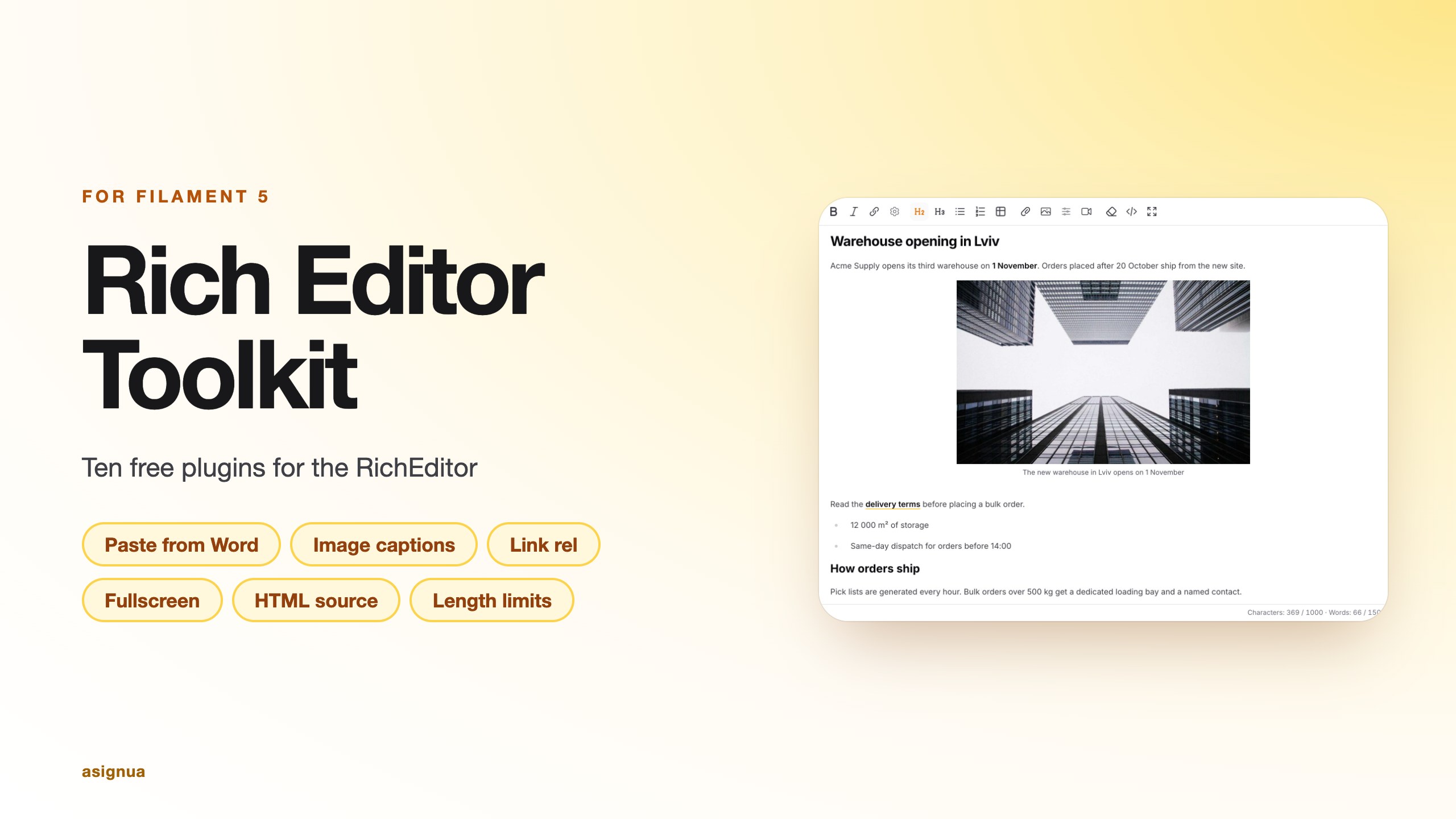
Ten free plugins for the Filament 5 RichEditor (TipTap) that fix the problems people keep
reporting in Filament's GitHub Help:
| Plugin | Fixes |
|---|---|
PasteCleanPlugin |
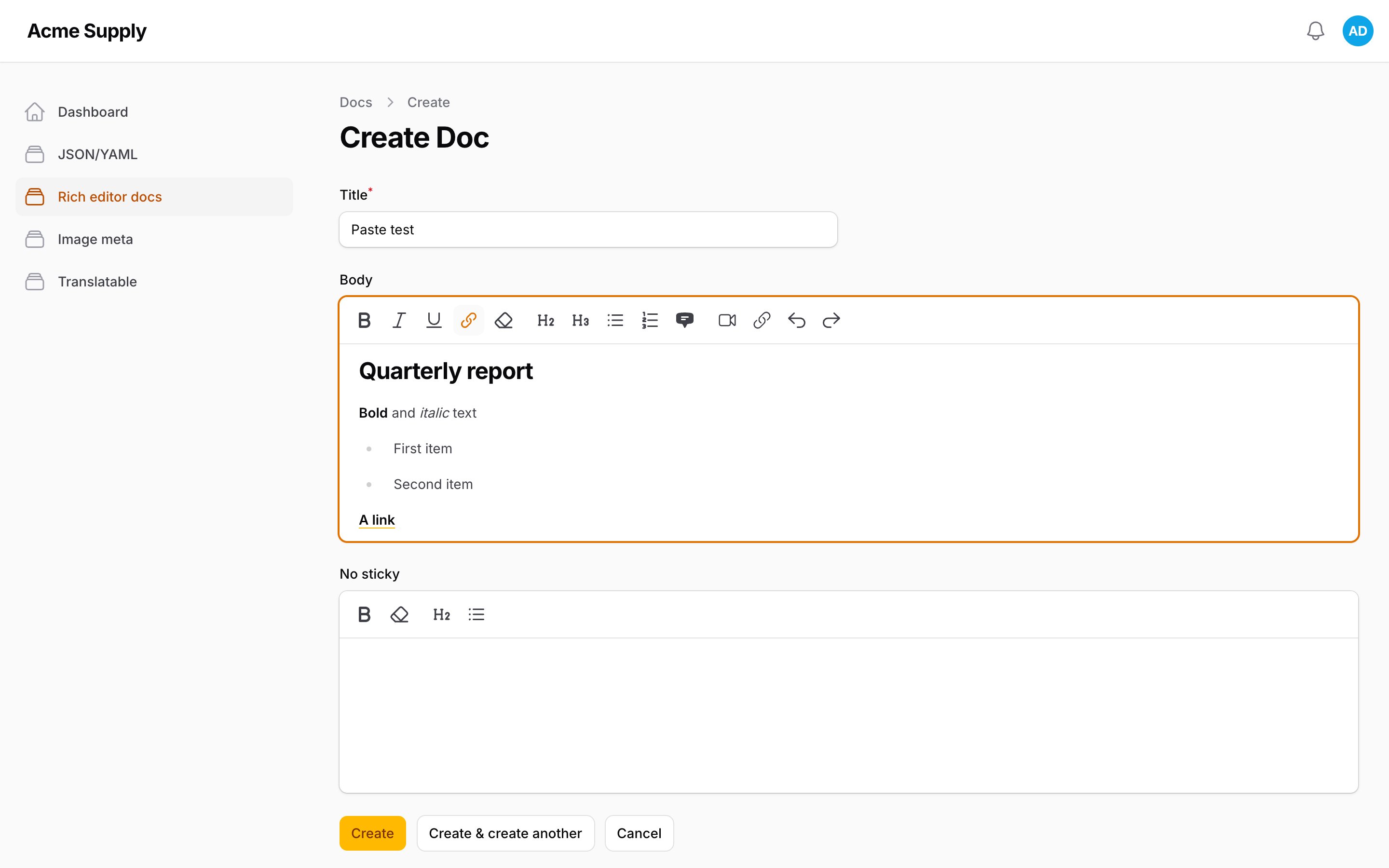
Pasting from Word / Google Docs drags in colours, fonts, mso-* junk and <span style> soup, and loses their pictures; optionally a paste is cut down to what the field's toolbar offers (#20484, #20048). |
CustomAttributesPlugin |
class, id, style and data-* written in the source view are silently stripped, in the browser and on the server. |
EmbedPlugin |
<iframe> / video embeds are removed by the schema and the sanitizer. |
ImageUrlPlugin |
No way to insert an image that lives on another site. |
ImagePropertiesPlugin |
No caption, no alignment, and no way to mark an image as decorative (alt="") (#8455, #16860, #20296). |
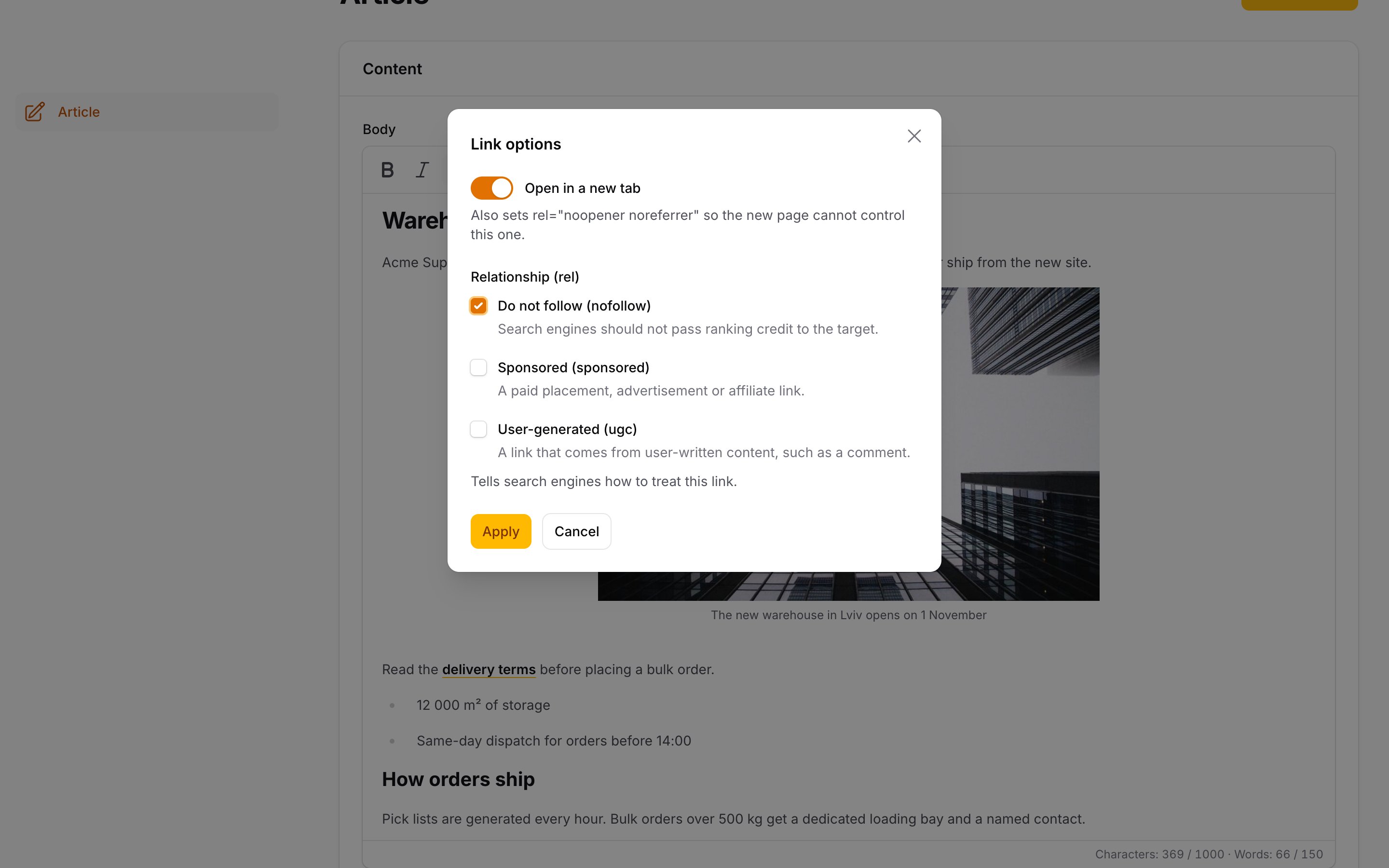
LinkOptionsPlugin |
No way to set rel (nofollow, sponsored, ugc) on a link, no control over what a stored rel/target may contain, no noopener guarantee (#16829, #19478, #5705, #19028). |
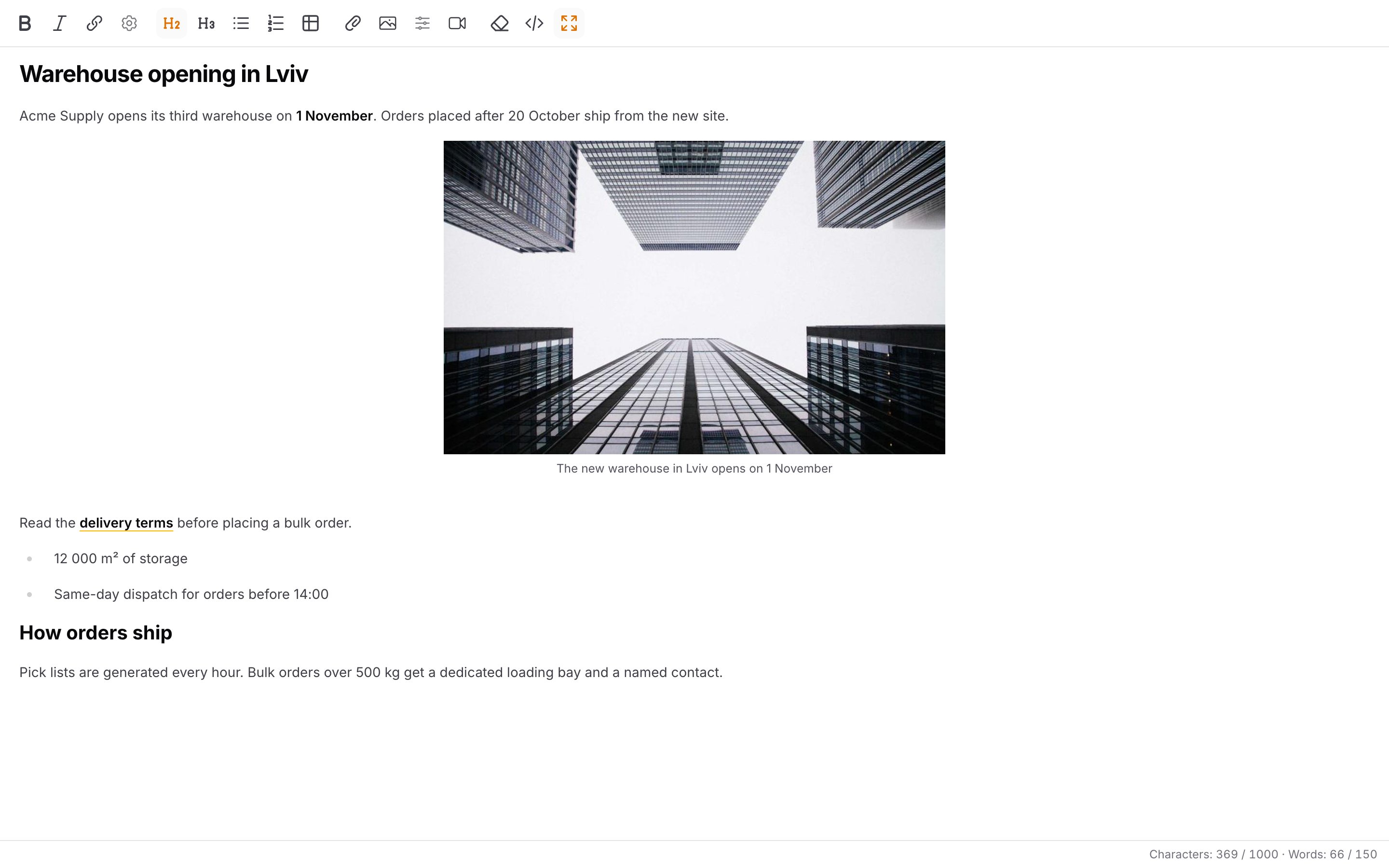
FullscreenPlugin |
No fullscreen mode for long content. |
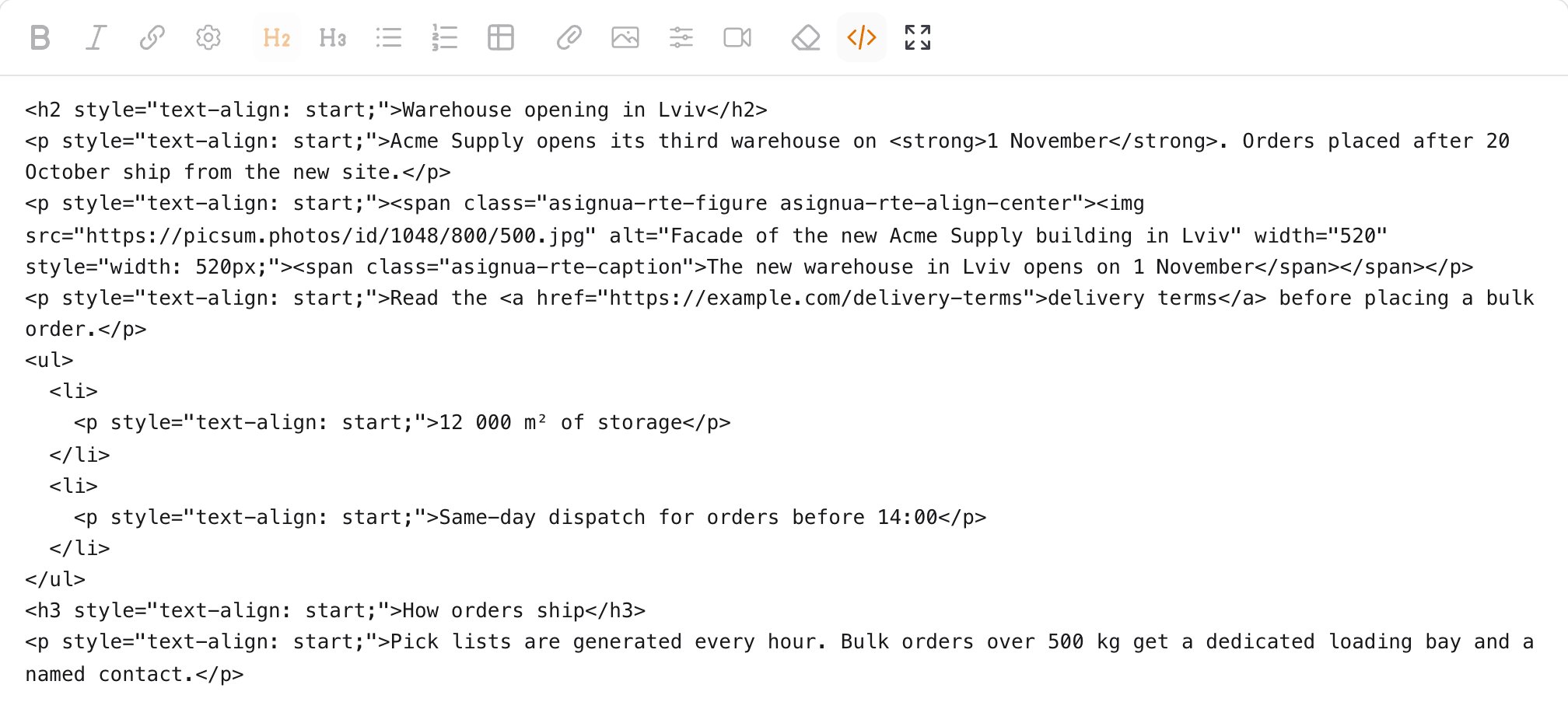
SourceCodePlugin |
No HTML source view (#17718, #19141). |
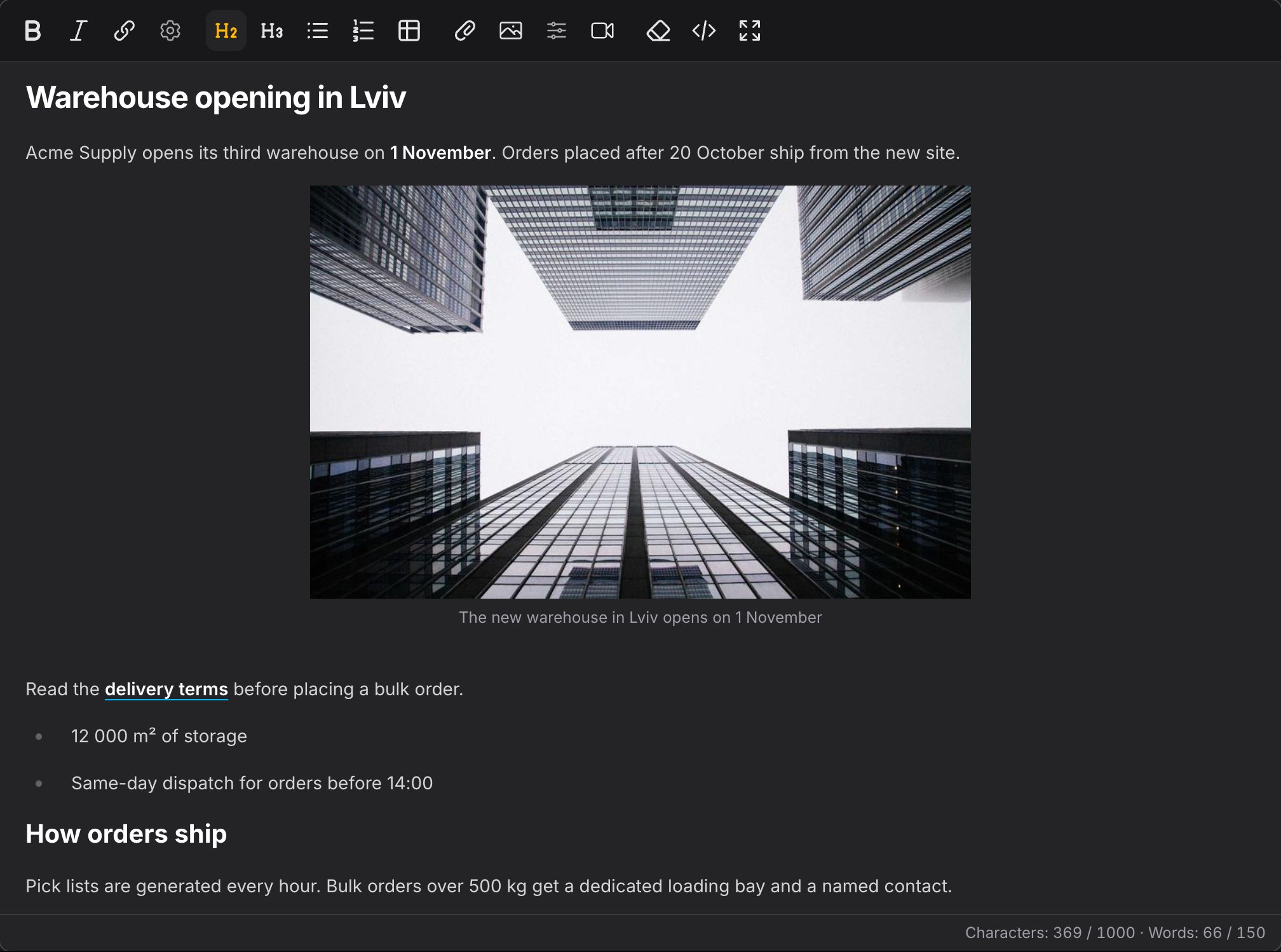
CharacterCountPlugin + RichTextLength |
No counter; limits that count HTML tags, or only characters, not the text the reader sees. |
StickyToolbarPlugin |
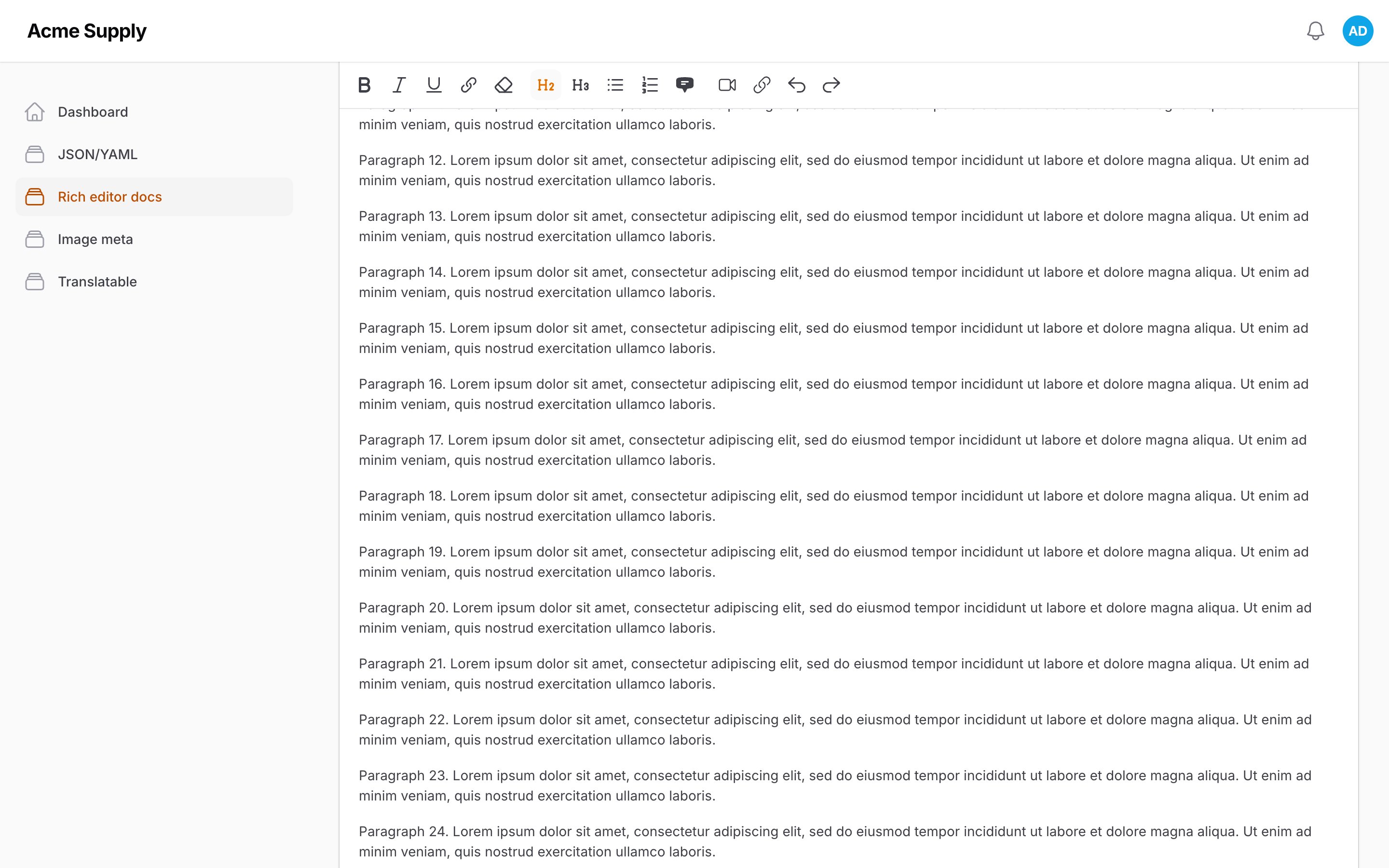
The toolbar scrolls away on long content (#17391, #16919, #11685). |
Each plugin works alone; take only what you need.
- Screenshots
- Requirements
- Installation
- Usage
- Rendering on the front end
- Configuration
- Gotchas
- Translations
- AI agents
- Testing
Screenshots
Requirements
- PHP 8.3+
- Filament 5
- Laravel 12 or 13
Installation
composer require asignua/filament-rich-editor-toolkit
php artisan filament:assets
filament:assets publishes the compiled editor modules. They are loadedOnRequest(): no <script> is printed on a page
without a rich editor, the editor imports them by URL.
Optionally publish the config and the translations:
php artisan vendor:publish --tag=filament-rich-editor-toolkit-config
php artisan vendor:publish --tag=filament-rich-editor-toolkit-translations
Usage
use Asignua\RichEditorToolkit\Plugins\CustomAttributesPlugin;
use Asignua\RichEditorToolkit\Plugins\EmbedPlugin;
use Asignua\RichEditorToolkit\Plugins\FullscreenPlugin;
use Asignua\RichEditorToolkit\Plugins\ImagePropertiesPlugin;
use Asignua\RichEditorToolkit\Plugins\ImageUrlPlugin;
use Asignua\RichEditorToolkit\Plugins\LinkOptionsPlugin;
use Asignua\RichEditorToolkit\Plugins\PasteCleanPlugin;
use Asignua\RichEditorToolkit\Plugins\SourceCodePlugin;
use Filament\Forms\Components\RichEditor;

RichEditor::make('body')
    ->plugins([
        PasteCleanPlugin::make(),
        CustomAttributesPlugin::make(),
        EmbedPlugin::make(),
        ImageUrlPlugin::make(),
        ImagePropertiesPlugin::make(),
        LinkOptionsPlugin::make(),
        FullscreenPlugin::make(),
        SourceCodePlugin::make(),
    ])
    ->textLength(max: 5000, maxWords: 800) // validation rule + counter
    ->toolbarButtons([
        ['bold', 'italic', 'link', 'linkOptions', 'cleanFormat'],
        ['h2', 'h3', 'bulletList', 'orderedList'],
        ['embed', 'imageUrl', 'imageProperties', 'sourceCode', 'fullscreen'],
    ]);
A toolbar button is shown only when it is listed in toolbarButtons() (cleanFormat, embed, imageUrl,
imageProperties, linkOptions, sourceCode, fullscreen); an unknown name makes Filament throw, so list only the plugins you installed.
PasteCleanPlugin
On Ctrl+V the structure stays (paragraphs, headings, lists, tables, links, bold/italic/underline) and colours, font
sizes, backgrounds and every class/id/style they carry disappear. A pasted link keeps its href only for
http(s):, mailto: and tel:; relative paths and #anchors (Word's #_Toc…, local file paths) become plain text. A paste from inside an editor is never
touched (the data-pm-slice cutoff), so it composes with CustomAttributesPlugin. The marker is ProseMirror's, not
the toolkit's: a paste copied from any ProseMirror/TipTap-based app (Confluence, GitLab, another CMS) skips the
cleanup too and keeps its class/style.
The cleanFormat button runs the same cleanup on the selected fragment of existing content. Unlike Filament's
clearFormatting it keeps headings and lists (that one runs clearNodes().unsetAllMarks()). What the editor itself
put there survives untouched: custom blocks, embeds (<iframe>), images (also ones inserted by URL or stored on another
host), code blocks, mentions and merge tags, grid, details and the lead paragraph. Every link stays too (relative
paths, #anchors, tel:, and a link's target/rel), except the script schemes
javascript:, vbscript:, data: and file:. The result goes back like a paste, so a few words picked out of a
paragraph stay in it, and a table cell selection is left alone. A prefix you list is kept whatever its scheme:
PasteCleanPlugin::make()->keepLinkPrefixes(['/internal-link/'])
Images from Word and Google Docs
By default a picture pasted from Word or Google Docs is removed: the clipboard carries a file:///C:/…/clip_image001.png
path (Word) or an https://lh7-rt.googleusercontent.com/… URL that a browser cannot read from script (Google Docs), and
Filament's own paste handler uploads only data: images. Switch the recovery on per field or globally
(paste_clean.upload_images):
RichEditor::make('body')
    ->toolbarButtons([['bold', 'attachFiles']]) // or ->fileAttachments()
    ->plugins([PasteCleanPlugin::make()->uploadImages()])
What happens:
- Word. The picture bytes are on the clipboard too, as
text/rtf({\pict … \pngblip <hex>}). The browser reads them and swaps eachfile:///source for adata:URL. The RTF has no names, so pictures are matched to the<img>tags by order; if the counts differ (a shape, a bullet picture, a missing RTF flavour) nothing is matched and the pictures are removed as before, because a wrong picture in the right place is worse than none. Only PNG and JPEG are recovered (EMF/WMF are not images a browser can show). Firefox and Safari may not exposetext/rtf; then the pictures are removed. - Google Docs. The browser asks the server to download the picture (see below) and gets a
data:URL back. - Then Filament takes over. The rewritten paste goes through Filament's own pasted-image upload: the field's accepted
file types and maximum size are enforced, the file is stored by the field's disk/directory/
saveUploadedFileAttachmentUsingand the image gets itsdata-id. Nothing is stored as base64. - What could not be recovered is removed and counted: the editor shows "Images that could not be imported: 2" (Filament's own file-validation message area) once the upload has finished.
It runs only on a field that takes file attachments (Filament's rule: the attachFiles button or ->fileAttachments()), and
never on a paste from inside an editor or a pasted file.
How the paste is intercepted. ProseMirror runs transformPastedHTML (the cleanup) first and then offers the paste to the
handlePaste of each plugin in turn; Filament's handler ignores that and re-reads event.clipboardData synchronously. The
rewrite needs await, so the module has priority 1000 (Filament's localFiles has 100), stops the original event, converts
asynchronously and then dispatches a new paste event on the editor whose clipboardData is a small stand-in holding the
rewritten HTML. Filament and ProseMirror see an ordinary paste of data: images. If you type while the pictures load, the cursor
is where you put it; otherwise the paste lands where it was made.
The server-side download (SSRF). The request URL comes from the browser, so every step is a gate
(Support\RemoteImageFetcher):
- https only, port 443, no credentials, no whitespace/control characters/backslashes; a plain DNS name (no IP literal,
localhost, or numeric forms such as2130706433). - The host must match
paste_clean.remote_image_hosts(default['*.googleusercontent.com'];*.x.y= any subdomain, never the bare domain; otherwise an exact name). A wildcard needs two labels after*.that are not a public suffix:*.com,*.co.uk,*.com.ua,*.github.ioand*.cloudfront.netmatch nothing (a best-effort list of common second-level suffixes and shared-hosting domains, not the full Public Suffix List; the browser applies the same rule). Write an internationalised host name in punycode (xn--...), in the list as well as in the URL: the check compares ASCII names, in PHP and in the browser alike. An empty list turns Google Docs off and leaves Word. - The name is resolved by the server and every address must be public: loopback, private, link-local (cloud metadata),
CGNAT, documentation, multicast and the IPv4-wrapping IPv6 ranges (mapped, translated
::ffff:0:a.b.c.d, NAT64, 6to4, Teredo) plus3fff::/20and5f00::/16are refused. A name that resolves to a public and a private address is refused (the shape of a DNS-rebinding setup). - The connection is pinned to the address that was checked (
CURLOPT_RESOLVE), so a second lookup cannot return something else. The request is made without a proxy, whateverHTTPS_PROXY/ALL_PROXY/NO_PROXYsay: the pin fixes where the client connects, and with a proxy that is the proxy, which would then resolve the name itself and could reach an internal address. A server that can only reach the internet through an egress proxy therefore cannot download Google Docs pictures (Word's keep working); allow direct https egress for this feature instead. - No redirects (a 3xx is a failure).
- Timeouts, and a byte cap on the bytes that come off the wire (
paste_clean.remote_image_max_kb, 5120 by default; the field's ownfileAttachmentsMaxSize()wins when smaller):Content-Length, and a capped sink that takes none of the write crossing the cap (a short write, which makes libcurl abort the transfer at once, on Guzzle 7 and 8). The response is never decompressed (Accept-Encoding: identity,decode_contentoff) and aContent-Encoding: gzipanswer is refused, so a few kilobytes of gzip cannot inflate into gigabytes. - The type is decided by the file's magic bytes (png, jpeg, gif, webp). The remote
Content-Typeis ignored; SVG and HTML are refused.
Who may call it. The download is an editor action (asignuaFetchRemoteImage) that the browser mounts without a modal:
the same Livewire request as every toolbar action. That gives it the page's session, CSRF protection and authorisation for
free, and it answers only with a data: URL or a short error code, never an exception message. On top of that it refuses
fields that are disabled or take no attachments.
- Authorisation. By default it needs a logged-in user (
auth()->check()); anonymous visitors get['error' => 'unauthorized']. Allow guests withpaste_clean.remote_image_guests => true, or decide per field:PasteCleanPlugin::make()->uploadImages()->authorizeRemoteImages(fn (RichEditor $component): bool => auth()->user()?->can('create', Post::class) ?? false)(also accepts a plaintrue/false). Without it, a public form with an editor would let anyone make your server fetch URLs. - Rate limits. Two buckets, both must have room: per viewer in total (
paste_clean.remote_image_rate_limit, 60 a minute) and per viewer and field (remote_image_rate_limit_per_field, 30). The viewer is the user id, or the IP for a guest. Behind a reverse proxy or CDN the IP is the visitor's only when Laravel'sTrustProxiesis configured: without it every guest shares the proxy's address (one bucket for all), and a list that trusts everybody lets a guest choose his own address.
Why a data: URL and not a direct upload: Filament's pasted-image
upload already does validation, storage and the attachment record, so reusing it keeps one code path and your
saveUploadedFileAttachmentUsing; the cost is about a third more bytes on the wire for the (capped) picture.
Strict paste
Filament always loads the whole TipTap schema, whatever toolbarButtons() says: a field with only a Bold button
still accepts a pasted table, an <h1> and links. Strict mode cuts a paste down to what the field's toolbar offers:
PasteCleanPlugin::make()->strict()
or for every field with the plugin, 'paste_clean' => ['strict' => true] in the config (a field's own strict(false)
wins). What happens without the matching button:
| Pasted | Without the button |
|---|---|
| table | each cell becomes a paragraph (table) |
<h1>-<h6> |
a paragraph if no heading button exists at all; otherwise the nearest offered level, and on a tie the deeper one (h2/h4 offered, h3 pasted: h4: a heading is demoted, never promoted) |
| lists | items become paragraphs (bulletList and orderedList both missing); with only one of them the other kind is converted to it |
| blockquote, code block, horizontal rule | paragraphs, paragraphs (lines kept as line breaks), removed |
| bold, italic, underline, strike, subscript, superscript, code, highlight, link | unwrapped: the text stays |
Images, embeds, custom blocks, grid, details and mentions have no toolbar-controlled counterpart here and are left alone.
Strict mode also applies to a paste from inside an editor (the data-pm-slice cutoff only skips the cleanup): the
toolbar is the field's rule, and two editors on a page may differ. When it changes such a paste it drops the slice
marker, because the marker describes the structure it changed.
How the browser knows the toolbar: a plugin cannot see the field, so the module reads the rendered toolbar. Every
stock button carries the TipTap name it toggles in its Alpine class binding (isActive('bold', [])); that is the
vocabulary needed here, it does not depend on the translated label, and dropdown groups and floating toolbars are read
the same way. A test pins the markup shape, so a Filament change fails the suite instead of silently turning strict
off. If the toolbar cannot be read (none rendered, no recognisable button) nothing is restricted: "cannot tell" never
means "strip everything". Keyboard shortcuts (Ctrl+B) are not a paste and are untouched.
CustomAttributesPlugin
Keeps class, id, style and further attributes you list, on paragraphs, headings, lists, tables, images, links,
details, grid, spans and generic <div> containers. A name the node declares itself belongs to the node and wins: an
<img> keeps class and style but not id (Filament's image node owns id as its media key, stored as
data-id), and an extra name such as title is not kept on a node that has its own title (image, iframe). It also stops legacy markup from collapsing: <div class="row"><img> <span>…</span></div> keeps its direct children, and <li><div>…</div></li> stays a list item. A <div> that wraps an <iframe> (a responsive embed wrapper) keeps it inside. A style/class that another extension writes itself is dropped only on its own tag (text-align on paragraphs and headings, width/height on images, lead and the grid classes on div); on a <td>, <table>, <iframe> or <p class="lead"> it is yours and stays.
// config/rich-editor-toolkit.php
'attributes' => ['data-track', 'aria-label', 'role'],
'types' => ['myCustomNode'],
The list is explicit because Symfony's HTML sanitizer, which Filament runs over every rendered rich text, cannot allow
data-* as a pattern. on* handlers, URL attributes (href, src, srcset, srcdoc, action, formaction,
ping, poster, ...), is, any name with : and framework directives (x-*, hx-*, v-*, ng-*, wire:*) are
never accepted: the panel runs Alpine over the editor, so an allowed x-init would be stored XSS against every admin.
That list is a backstop, not a whitelist; allow only what you need (data-*, aria-*, role, title).
->attributes([...]) / ->types([...]) on a plugin instance replace the config for that field only. A front-end request
never builds the form, so pass the same lists to the renderer, or the values are saved and dropped on the page:
CustomAttributesPlugin::make()->attributes(['data-track']);                      // the form
RichEditorToolkit::renderer($post->body, attributes: ['data-track'])->toHtml();   // the page
EmbedPlugin
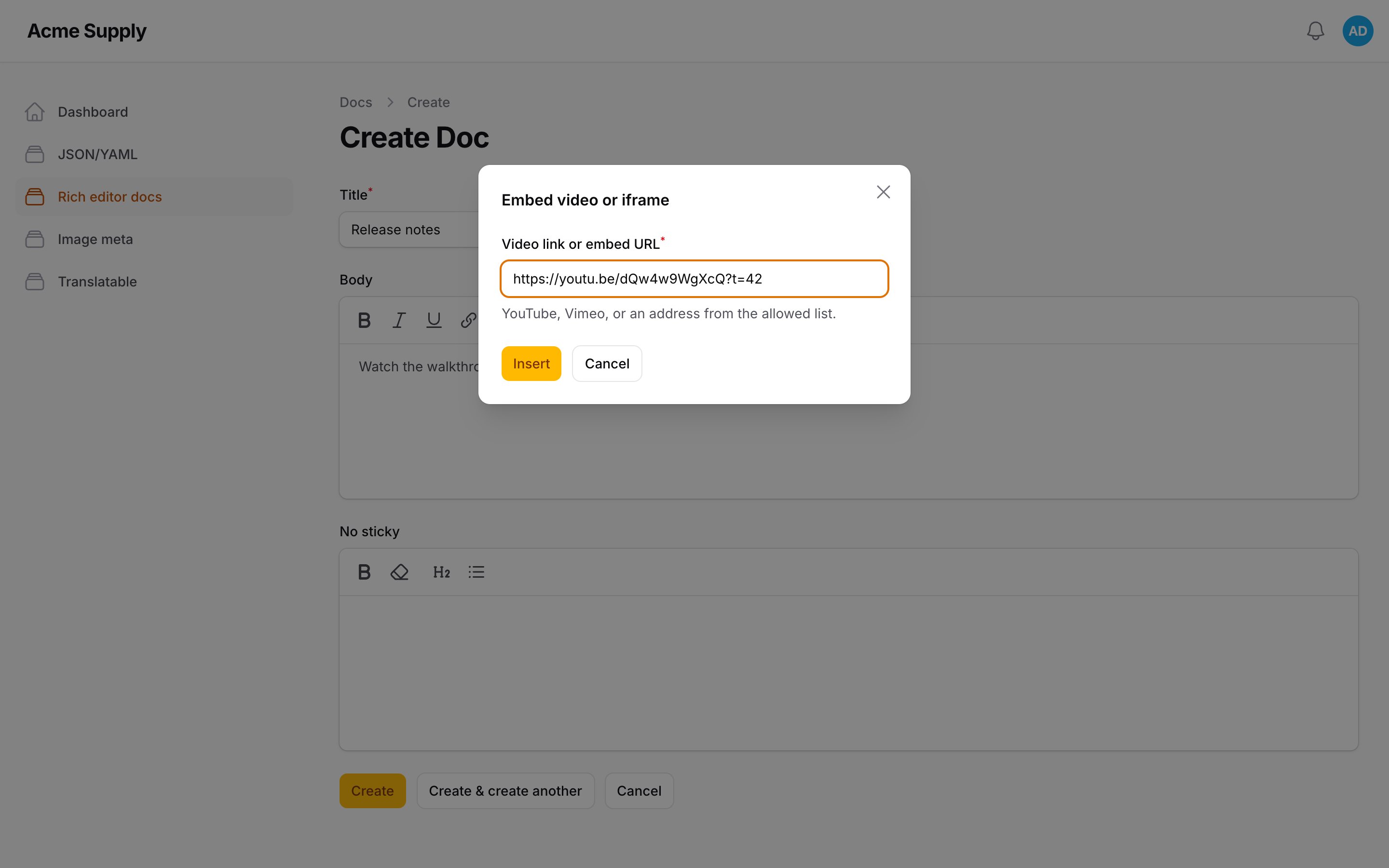
The "Embed" button takes a YouTube / Vimeo link (including youtu.be, Shorts, timecodes) or an https address from your
allow-list, and inserts a bare <iframe>. A video link is rebuilt from provider and id
(youtube-nocookie.com, no autoplay; an unlisted Vimeo video keeps its privacy hash), never copied. Pasted or
hand-written iframes pass the same check at once in the browser and when the HTML is parsed on the server; an iframe from
any other host does not exist as a node and is dropped. The check runs again when a node is rendered, so JSON content
(RichEditor::json(), an array handed to the renderer) cannot smuggle one in either. The same goes for the admin editor: an iframe node whose src fails the list is drawn as an inert placeholder, and the configured sandbox, allow and referrerpolicy are forced there too. YouTube's own embed code (www.youtube.com/embed/ID) and watch?v= / youtu.be / vimeo.com iframes are rebuilt to the youtube-nocookie.com / player.vimeo.com form rather than dropped. A host/path entry matches on a
segment boundary (the host is case-insensitive, the path is not), and a path with dot segments (/maps/embed/../../url), %2e, %2f or a backslash is refused.
'embed' => [
    'hosts' => ['www.google.com/maps/embed'],   // host or host/path/prefix, https only
    'sandbox' => 'allow-scripts allow-same-origin allow-presentation allow-popups',
],
sandbox, allow, referrerpolicy and loading="lazy" are forced onto every embed on render, whatever the stored HTML
says.
ImageUrlPlugin
Inserts an <img> that is loaded from the other site, not copied. Only absolute http(s) URLs are accepted;
ImageUrlPlugin::make()->hosts(['cdn.example.com']) restricts what the dialog accepts. It is not a content filter:
an <img> typed in the source view or pasted is not checked against it. http:// is accepted (mixed content on an
https site).
ImagePropertiesPlugin
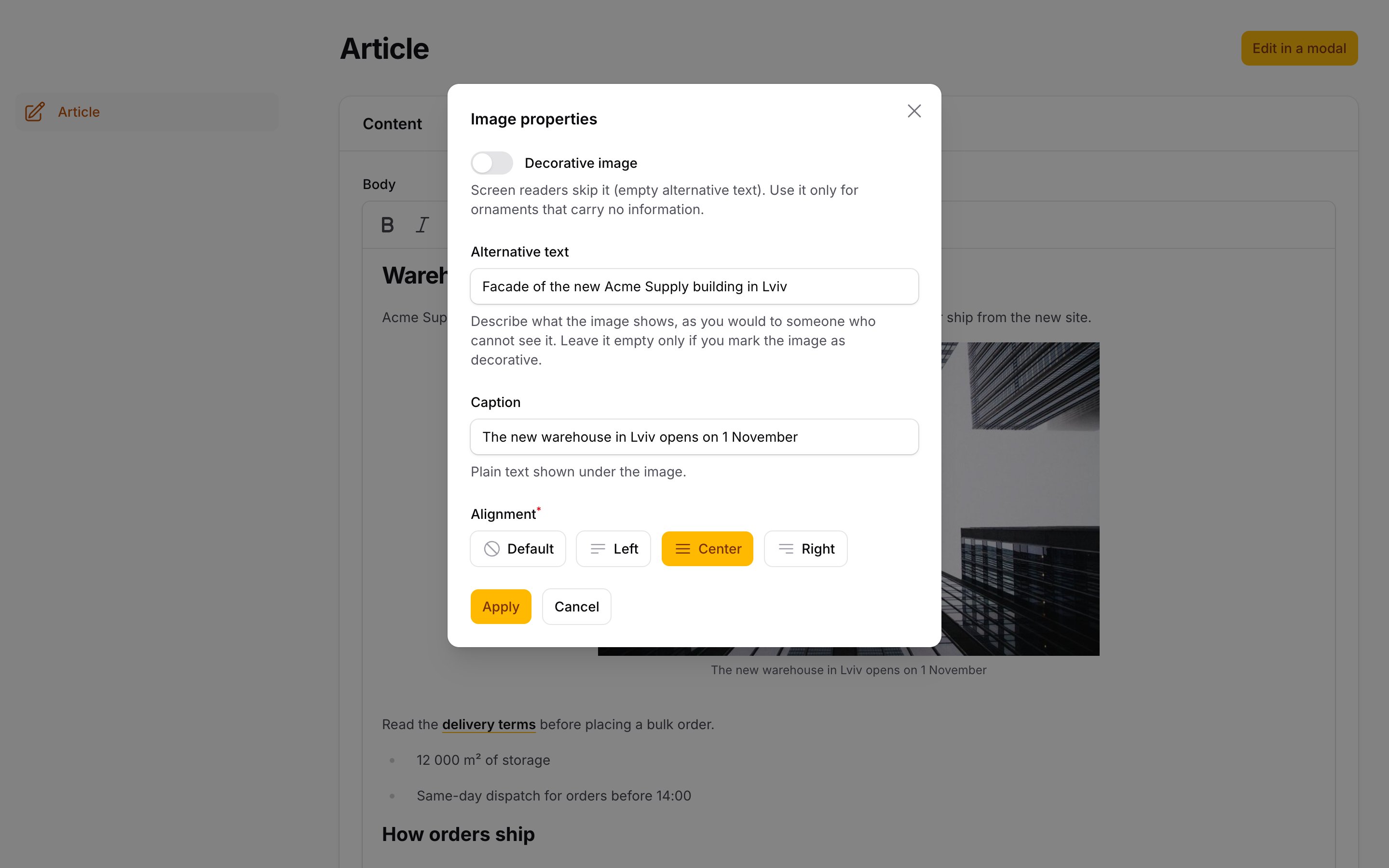
Alt text, a caption and an alignment for an image, from a dialog. List imageProperties in toolbarButtons(): the
button is enabled while an image is selected (click an image first) and opens a dialog with Alternative text,
Decorative image, Caption and Alignment (default, left, center, right).
What Filament already does, and this does not repeat. The stock "Attach files" dialog has an alt field, and
->resizableImages() gives width and height. What it cannot do: an empty alt="" (an empty field means "no alt", and the
server-side image node drops an empty one, so a screen reader reads the file name instead), a caption, and alignment. The plugin extends the
existing image node; data-id (the attachment key), resizing, ImageUrlPlugin and the class/style that
CustomAttributesPlugin keeps on the <img> work as before.
Markup. An image without a caption or alignment stays a bare <img>, byte for byte (no change to existing
content). With either it becomes
<p><span class="asignua-rte-figure asignua-rte-align-center"><img src="..." alt="..."><span class="asignua-rte-caption">Caption text</span></span></p>
It is a <span>, not <figure>/<figcaption>, on purpose: Filament's image is an inline node (the editor stores
it as <p><img></p>), and a <figure> inside a <p> is invalid HTML; browsers close the paragraph at <figure> and
leave two empty ones. A <figure> with one <img> and an optional <figcaption> typed in the source view or pasted
is read (alignment from an asignua-rte-align-* class or data-align) and written back in the span form; a
<figure> around anything else is left alone. A caption is plain text: markup in a <figcaption> is flattened, and
the text is escaped on output.
Put the button on the image. Filament shows a floating toolbar per node type; image is one of them:
RichEditor::make('body')
    ->plugins([ImagePropertiesPlugin::make()])
    ->floatingToolbars(fn (RichEditor $component): array => [
        ...$component->getDefaultFloatingToolbars(), // keep the grid and table toolbars
        'image' => ['imageProperties'],
    ]);
Front end. The plugin has a server half, so it is in RichEditorToolkit::plugins() / renderer() (add it to your
own renderer the same way). The alignment classes need CSS; most sites style them themselves. A tiny optional
stylesheet (centered block, left/right floats that stack on narrow screens, a small caption) ships with the package:
php artisan vendor:publish --tag=filament-rich-editor-toolkit-front-css
# -> public/vendor/filament-rich-editor-toolkit/image-properties.css
Alt text guidance. The alt text replaces the picture for someone who cannot see it, so describe what it says
here, not what it is ("Chart: applications doubled between 2023 and 2025", not "image of a chart"). Leave out
"image of"; keep it to a sentence; if the picture is repeated in the caption or the text around it, a short alt is
enough. A picture that carries no information (a divider, a flourish) is Decorative image: the plugin stores
alt="", which screen readers skip. A missing alt is the worst case (many readers announce the file name), so
decide for every image: describe it, or mark it decorative. The sanitizer writes an empty attribute as a bare alt,
which HTML reads as alt="".
LinkOptionsPlugin
rel and target of a link. List linkOptions in toolbarButtons(): the button is enabled while the cursor is in a
link and opens a dialog with Open in a new tab and the rel tokens nofollow, sponsored and ugc.
What Filament already does: its link dialog has a URL and an "Open in new tab" checkbox (target="_blank"), the TipTap
mark keeps target and rel, and the stock renderer passes both through. It never writes rel, and it checks nothing:
target="_top" or rel="whatever opener" in stored HTML reach the page unchanged. The stock link action is built by a
static factory with no seam for another field, and asignua/filament-rich-links writes its marker into the same link
mark, so this is a second button that changes only target/rel of the link under the cursor (updateAttributes('link', …)),
and leaves the address to the stock button or the rich-links one. A new tab always stores rel="noopener noreferrer".
The plugin has a server half: it is added by RichEditorToolkit::plugins() / renderer(), and the toolkit's renderer then
normalises every <a> it outputs:
targetis_blankor it is dropped (_self,_top, frame names);relkeeps only whitelisted tokens (link_options.rel_tokens: the HTML link types withoutopener, sorel="me"survives);- a
_blanklink always getsnoopener noreferrer, whatever the stored HTML says.
Optionally add rel tokens to links that leave the site, at render time only (the stored content is not changed):
// config/rich-editor-toolkit.php
'link_options' => ['external_rel' => ['nofollow'], 'internal_hosts' => ['shop.example.com']],

// or per renderer
LinkOptionsPlugin::make()->externalRel(['nofollow'])->internalHosts(['shop.example.com'])
"External" is an absolute http(s):// or protocol-relative URL whose host is not the host of app.url or an internal_hosts entry
(a leading www. is ignored; a subdomain is another host unless listed). Relative links, #anchors, mailto:/tel: and the
/ee-link/… markers of rich-links are never external. An editor cannot opt a single link out of external_rel.
FullscreenPlugin
A toolbar button that turns the field into a full-viewport overlay and back:
RichEditor::make('body')
    ->plugins([FullscreenPlugin::make()])
    ->toolbarButtons([['bold', 'link', 'fullscreen']]);
Esc leaves; the page scroll is locked while it is on and restored on exit; the toolbar stays on top while the content
scrolls; a field's own maxHeight()/minHeight() are ignored in fullscreen. The button is a toggle (aria-pressed,
active style). It works inside sections, tabs, repeaters and modals, in a panel or in a plain Livewire form, with or
without StickyToolbarPlugin: the module links its own small stylesheet (php artisan filament:assets publishes it).
The overlay is a fixed element at z-index: 35: above Filament's topbar and sidebar (30), below its modals (40), so
the link, embed and image dialogs opened from the fullscreen toolbar still open on top. Change it with
FullscreenPlugin::make()->zIndex(50), the fullscreen.z_index config or the --asignua-rte-fullscreen-z variable.
Esc is left to a modal that does not hold the editor, to an open toolbar dropdown and to any handler that already
called preventDefault(). The Esc that does leave fullscreen stops there, so an editor inside a modal does not close the modal too.
SourceCodePlugin
A sourceCode toolbar button that swaps the editing area for a plain <textarea> with the document's HTML, and back:
RichEditor::make('body')
    ->plugins([SourceCodePlugin::make()])           // ->indent(4) for four spaces
    ->toolbarButtons([['bold', 'link', 'sourceCode']]);
The HTML is pretty-printed (one block per line, containers indented; <pre> is never re-indented; void elements such as
<br> and <img> have no closing tag), monospace, always left-to-right, as tall as its content, or filling the screen
together with FullscreenPlugin. The button is a toggle (aria-pressed) and the textarea has an aria-label.
The round trip goes through the editor's schema. The edited HTML is handed to
editor.commands.setContent(html, { emitUpdate: true }): TipTap parses it with a DOMParser into a detached document and
then with the schema, so nothing is ever assigned to a live element, the field state is updated by Filament's own
update handler, and the server sanitizer is unchanged. The price is that markup the schema does not know is dropped
(<mark>, <table> without the table button's extension, an attribute nobody registered). The toolkit tells the editor
so: after leaving source mode a non-blocking notice, "Some markup is not supported by this editor and was removed.",
appears above the content when the result differs materially from what was typed. Not material (no notice):
whitespace and indentation, attribute order, comments, <b> for <strong> (<i>, <strike>, <del> likewise),
attributes the editor added (a link's rel/target), a bare <div>/<span>, loose top-level text wrapped in <p>, a
lone <p> inside a list item, cell or quote, <pre><code> for <pre>. Anything else (a lost element, attribute,
class, style, text, a different heading level or list type) shows it. The check errs on the side of a false notice.
Saving while still in source mode keeps the source. The textarea is pushed into the editor 400 ms after the last
keystroke, on blur/change (clicking Save blurs it first), synchronously on any Ctrl/Cmd keydown (Filament's save
shortcut mod+s fires neither blur nor submit), in a capturing submit listener on the enclosing form, and when leaving.
(There is no Livewire commit hook: Livewire builds a request's updates before it runs the hook and Filament copies the
editor state on the next tick, so a flush from there would be too late to be sent.) If the document changes underneath the
textarea (the server rewrites the attachment ids when the form is saved), the textarea is rebuilt from the editor, so the
stale text can never overwrite it. Text typed and not yet pushed at that moment (typing while a save is in flight) is
not thrown away and not pushed either, since it was written against the old document: it stays in the box, a status message
says that it is not applied and will be discarded on leaving source mode (copy it first), and all syncs are suspended until
you leave. While in source mode every toolbar tool except sourceCode and fullscreen is disabled.
class, id, style and the attributes you listed in attributes survive only if CustomAttributesPlugin is registered on
the field; with it, source mode is how editors add them. Tab is not trapped in the textarea (a keyboard user could
not leave it); type the indentation with spaces. Esc still leaves fullscreen. In a read-only editor the textarea is read-only.
No server half: do not add the plugin to the front-end renderer. source_code.indent sets the default indent (0 to 8).
CharacterCountPlugin and RichTextLength
A counter under the editor and a validation rule that count the plain text, the same way:
RichEditor::make('body')->textLength(max: 500, maxWords: 80, min: 20);
textLength() is a macro that adds the rule and the counter (counter: false for the rule alone,
showWords: true to show the word count without a word limit). Plugins added with plugins() are appended, so it
composes with the ones you already set. Without the macro:
RichEditor::make('body')
    ->plugins([CharacterCountPlugin::make()->maxCharacters(500)->maxWords(80)->warnAt(0.9)])
    ->rule(new RichTextLength(max: 500, maxWords: 80, min: 20));
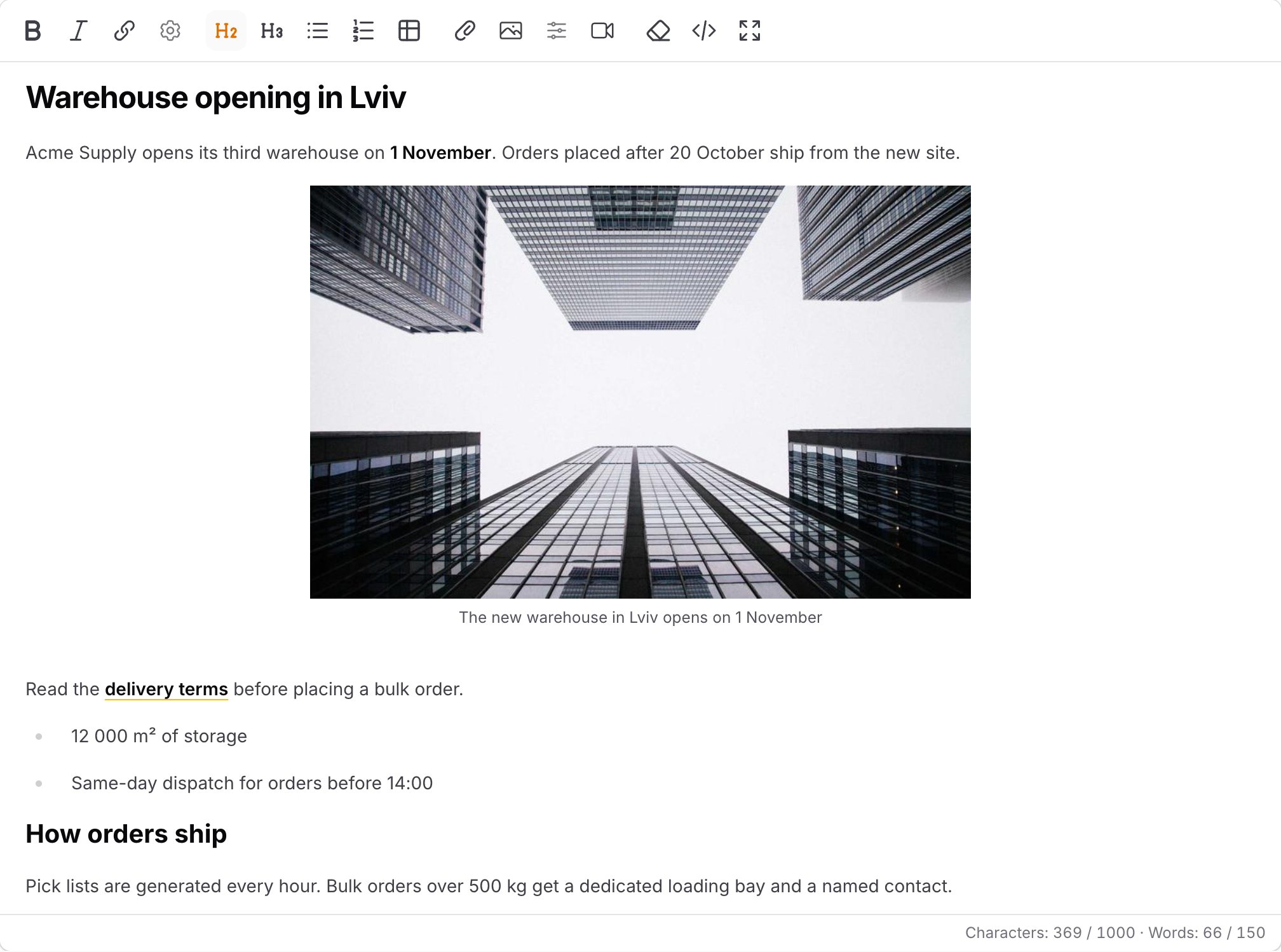
The counter shows "Characters: 123 / 500 · Words: 20 / 80", turns amber from warnAt() (default 90% of a limit) and red
above it, and tells screen readers once when it flips to "limit exceeded" (the visible number is not a live region). It
only displays: it never blocks typing and the browser is not trusted; the rule is the enforcement. Translatable
messages (text_length_max, text_length_min, text_length_max_words).
What is counted (one definition, implemented in JS and in Support\PlainText, and tested against shared fixtures on both
sides):
- text blocks (paragraphs, headings, list items, table cells, code blocks) joined by a newline; a hard break is a newline; empty blocks dropped;
- characters are Unicode code points with spaces; paragraph and line breaks are not counted;
- words are runs of non-whitespace; a no-break space and the other Unicode spaces separate words;
- images, embeds, custom blocks and mentions add nothing.
The rule accepts an HTML string or the TipTap JSON of a ->json() field. Null, '' and a document with no text pass,
like Laravel's own size rules: an empty document is required's business, so an optional field that holds <p></p>
can still be saved empty even with min.
Why not maxLength(): earlier Filament 5.x releases validated the raw HTML string (<p>Hello</p> was 12 characters,
#17028); newer ones count tiptap-php's getText(). Either
way it has no counter, no word limit and its number is not the one shown in the editor.
StickyToolbarPlugin
A panel plugin, CSS only:
use Asignua\RichEditorToolkit\StickyToolbarPlugin;

$panel->plugin(StickyToolbarPlugin::make()->offset('4rem'));
Filament 5 has RichEditor::stickyToolbar() per field; this makes it the default for every editor and fixes the case
where it silently does nothing, because a section, tab or repeater item clips with overflow: hidden (which turns it
into a scroll container that position: sticky cannot escape). Those containers are switched to overflow: clip.
Run php artisan filament:assets so the stylesheet is published.
Offset precedence: a field's own ->stickyOffset(), then the plugin's offset(), then Filament's own default (the topbar, or inside a modal the height of its sticky header); the plugin offset does not apply inside a modal.
Opt a single field out with RichEditor::make('body')->withoutStickyToolbar() (it sets data-toolkit-sticky="off", which the stylesheet respects, even over Filament's native ->stickyToolbar()).
Rendering on the front end
RichContentRenderer parses the stored HTML with the same tiptap-php schema and then sanitizes it, and both steps drop
what they do not know. Use the helper:
{!! \Asignua\RichEditorToolkit\RichEditorToolkit::renderer($post->body)->toHtml() !!}
or attach the plugins to a renderer you build yourself and render it through the toolkit:
$renderer = RichContentRenderer::make($post->body)
    ->customBlocks([...])
    ->plugins(RichEditorToolkit::plugins());

{!! RichEditorToolkit::toHtml($renderer) !!}
This adds CustomAttributesPlugin, EmbedPlugin, ImagePropertiesPlugin and LinkOptionsPlugin (the last two can be turned off, see
Upgrading from 1.0) and sanitizes with the toolkit's own sanitizer: a copy of
Filament's config plus your attribute allow-list and, when EmbedPlugin is attached, <iframe> whose src passes the
embed allow-list. Filament's shared sanitizer is never changed, so TextColumn::html(), TextEntry::html(),
notifications and the Markdown editor keep Filament's defaults. A renderer's own toHtml() uses that shared sanitizer,
which is why RichEditorToolkit::toHtml($renderer) is needed (the same goes for HasRichContent models:
RichEditorToolkit::toHtml($post->getRichContentAttribute('body')->getRenderer())). Do not add PasteCleanPlugin
to the renderer: the cleanup happens once, at paste time.
Configuration
See config/rich-editor-toolkit.php: attributes, types, embed, paste_clean
(keep_link_prefixes, strict, upload_images, remote_image_hosts, remote_image_max_kb, remote_image_rate_limit, remote_image_rate_limit_per_field, remote_image_guests), renderer (link_options, image_properties), link_options (rel_tokens, external_rel, internal_hosts), character_count (warn_at), fullscreen (z_index), source_code (indent), sticky_toolbar.
Upgrading from 1.0
RichEditorToolkit::plugins() / renderer() now also attach LinkOptionsPlugin and ImagePropertiesPlugin, so existing pages
render differently after the upgrade, without any change to your code:
| What | Before | Now |
|---|---|---|
<a target rel> |
stored values passed through | target is _blank or dropped; rel is filtered to link_options.rel_tokens (HTML link types, never opener); _blank forces noopener noreferrer |
old <figure><img><figcaption> |
<figure> markup |
read as an image with a caption and written as <span class="asignua-rte-figure"><img><span class="asignua-rte-caption">; markup inside the figcaption is flattened to text |
<img alt=""> |
the empty alt was dropped |
kept (a decorative image) |
They stay on by default: the editor-side plugins cannot work without them (a caption or an alignment that is saved but not rendered would silently vanish from the page), so turning them off by default would trade a visible change for a silent loss. To keep the 1.0 output byte for byte, opt out, per call or globally:
RichEditorToolkit::renderer($post->body, links: false, images: false)->toHtml();
RichEditorToolkit::plugins(links: false, images: false);   // for a renderer you build yourself
// config/rich-editor-toolkit.php
'renderer' => ['link_options' => false, 'image_properties' => false],
Further changes to be aware of: the Google Docs picture download now requires a logged-in user by default
(paste_clean.remote_image_guests, PasteCleanPlugin::authorizeRemoteImages()), runs without a proxy, and never decompresses;
a wildcard host over a public suffix (*.co.uk) no longer matches. Run php artisan filament:assets (new modules).
Gotchas
- Both halves, always.
CustomAttributesPlugin,EmbedPlugin,ImagePropertiesPluginandLinkOptionsPluginmust be in the editor and in the renderer. Miss the renderer and the data sits in the database and vanishes on the page. - Publish the assets. A missing
filament:assetsmeans a 404 for the module URL and aconsole.errorfrom Filament's loader. Nothing else fails, the plugin is just absent. - Node types. An attribute is kept only on the node types in the list (
Extensions\CustomAttributes::TYPESplus thetypesconfig). The PHP and the JS lists are identical on purpose; a test pins it. - A node's own attribute wins.
idon an<img>and any listed name a node declares itself (titleon image/iframe,width,src, ...) follow that node's rules, not the toolkit's; put the anchor on a wrapping element. - The sanitizer is the toolkit's own. Allowances apply only to
RichEditorToolkit::renderer()andRichEditorToolkit::toHtml(); a plainRichContentRenderer::toHtml()and every->html()column still drop<iframe>and the extra attributes. toolbarButtons(). ListcleanFormat,embed,imageUrl,imageProperties,linkOptions,fullscreen,sourceCodeonly when the matching plugin is registered.- Fullscreen is a fixed overlay, not the top layer. The top layer would paint above Filament's modals and hide the
dialogs opened from the toolbar. The price: an ancestor with
transform,filterorcontainmakesposition: fixedfill that ancestor instead of the screen.overflowon a section, tab or repeater does not clip it. - The source view is not a raw editor. What you type is parsed through the schema, like a paste: unknown markup
disappears (with a notice), and the textarea is rebuilt from the editor on the next visit. Use
CustomAttributesPluginforclass/id/style/data-*. - Image properties live on the image. The caption and the alignment are node attributes: the wrapper
<span>is built on output, and its ownclass/style/data-*are dropped when it is read back (the<img>'s are kept). Pasting a captioned image inside the editor keeps the caption and the alignment with it (Filament's paste handler splits the wrapper; the toolkit joins it again). A caption pasted from OUTSIDE the editor (another page, Word) is dropped with the wrapper. TheimagePropertiesbutton is disabled until an image is selected.ImageUrlPluginimages are fine.left/rightare floats: clear them below a section that must start on its own line. - Link options after the renderer change. With
LinkOptionsPluginin the renderer (it is inRichEditorToolkit::plugins()), a storedrelis filtered to the whitelist andtargetto_blankon every page, including old content. Add the tokens you rely on tolink_options.rel_tokens. ThelinkOptionsbutton is disabled outside a link; to change the address use the stock link button. Setting the address again with the stock button writestargetonly and removes therelyou set: uselinkOptionslast. - Pasted pictures need attachments, an RTF and a count that matches.
uploadImages()does nothing on a field without file attachments; Word pictures are recovered only when the clipboard hastext/rtfand as many recoverable pictures as<img>tags. Google Docs pictures are downloaded by the server: the host must be onremote_image_hosts, andapp.url/DNS/egress firewall of the server must allow the lookup. A picture over the field's size or type limit is removed, not uploaded. - Counter and rule are separate. The counter does not validate and the rule does not draw anything;
textLength()adds both. A browser can be bypassed, so keep the rule. - Strict paste is about pastes. It does not unformat existing content and does not stop Ctrl+B; the
cleanFormatbutton and the schema are unchanged. It is off by default.
Translations
English, Ukrainian, German, Spanish, French, Italian, Dutch, Polish, Brazilian Portuguese and Turkish. The namespace is
rich-editor-toolkit::.
AI agents
Laravel Boost guidelines ship in resources/boost/guidelines/core.blade.php.
Testing
composer test          # PHP (Testbench)
composer analyse       # PHPStan level 8
vendor/bin/pint --test
npm install
npm run test:js        # node --test + jsdom
npm run build          # recompile resources/dist (commit the result)