
amjadiqbal / filament-billing-console

A free, read-only Filament 4 and 5 billing console for Laravel Cashier (Stripe): customers, subscriptions, invoices, payments and an MRR and churn summary in your panel.
Package info
github.com/amjadiqbal/filament-billing-console
pkg:composer/amjadiqbal/filament-billing-console
Requires
- php: ^8.2
- filament/filament: ^4.0|^5.0
- illuminate/contracts: ^12.0|^13.0
- laravel/cashier: ^16.0
- spatie/laravel-package-tools: ^1.16
Requires (Dev)
- larastan/larastan: ^3.0
- laravel/pint: ^1.18
- orchestra/testbench: ^10.0|^11.0
- pestphp/pest: ^3.0|^4.0
- pestphp/pest-plugin-laravel: ^3.0|^4.0
- pestphp/pest-plugin-livewire: ^3.0|^4.0
Suggests
None
Provides
None
Conflicts
None
Replaces
None
README
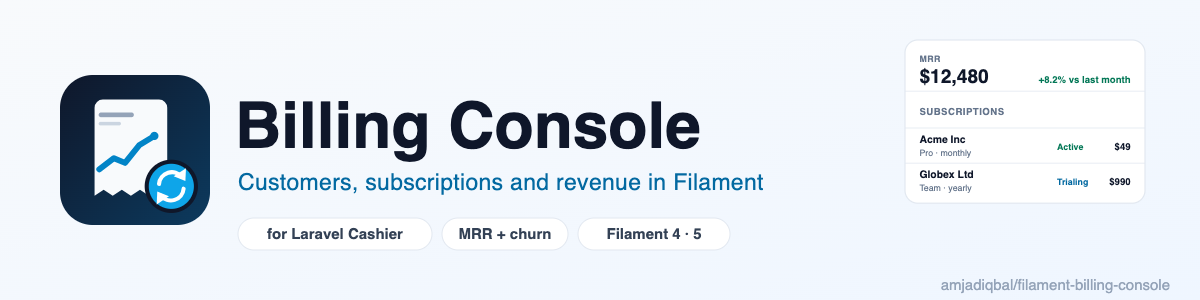
Billing Console for Filament
A free, read-only billing admin for apps that bill with Laravel Cashier (Stripe). See your customers, subscriptions, invoices and payments, plus MRR and churn, in your Filament panel instead of switching to the Stripe dashboard. It works with Filament 4 and 5.
What it does
Cashier keeps your subscriptions in your own database and everything else in Stripe. This plugin puts both in one place, under a Billing group in your panel:
- Customers: every user with a Stripe customer ID, their payment method and number of current subscriptions (active, trialing or past due). Search by name, email or Stripe ID; filter to who has a current subscription. The customer page shows their subscriptions, invoices and payments.
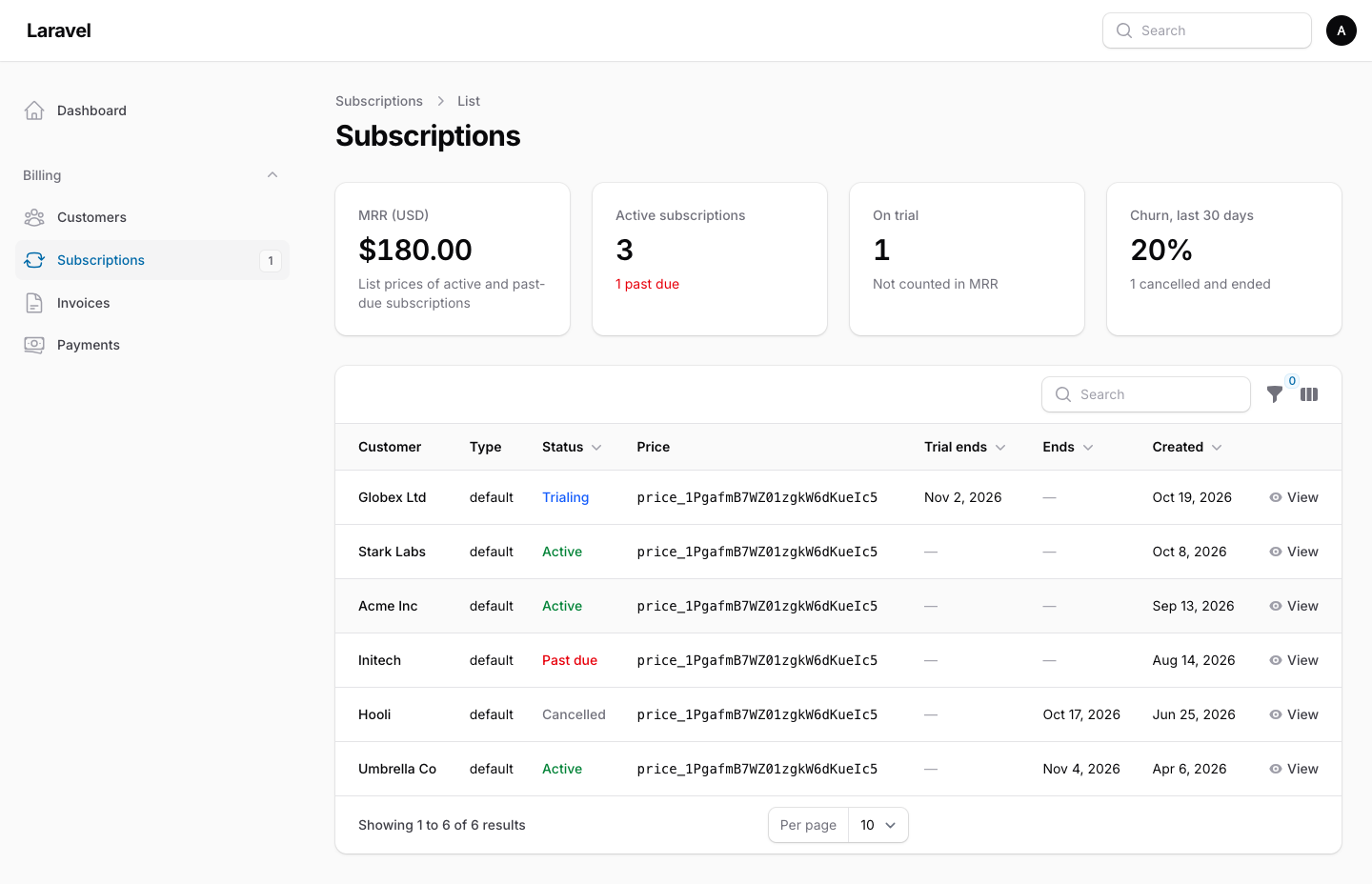
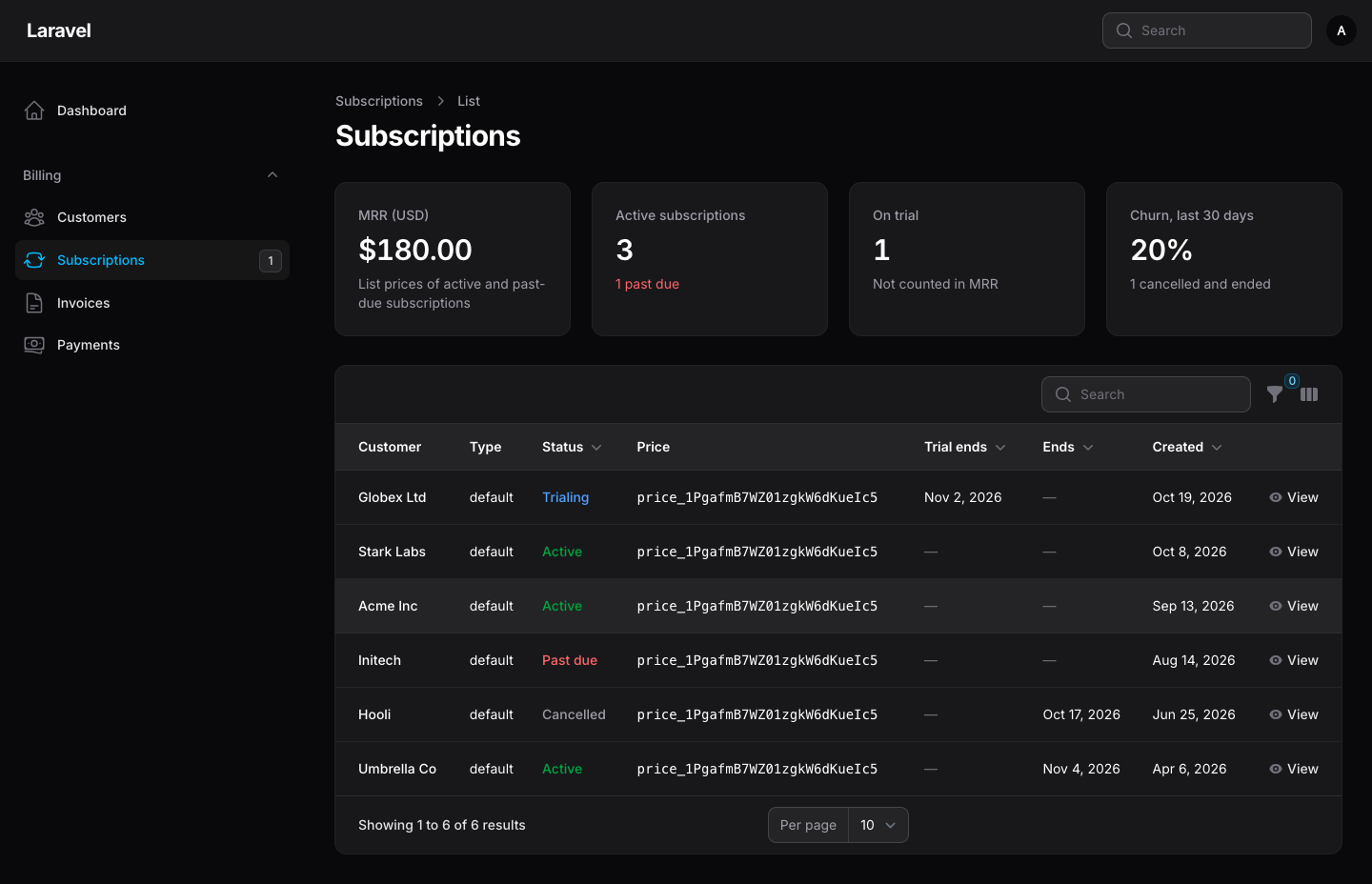
- Subscriptions: from your Cashier tables, with status (active, trialing, past due, cancelled, ...), price, trial and end dates. Filter by status or by "cancelled, still in grace period". Past-due and unpaid subscriptions are counted next to the menu item.
- Invoices and Payments: the latest invoices and charges, read from the Stripe API, with links to the invoice PDF and the receipt. Filter by status (for payments, the filter works on the loaded payments); failed payments show Stripe's reason.
- MRR and churn: monthly recurring revenue at list price, active, past-due and trialing subscriptions, and churn over the last 30 days. On the dashboard and above the subscriptions table.
- Open in Stripe: every customer, subscription, invoice and payment links to the same record in the Stripe dashboard, in test or live mode to match your key.
- Sync from Stripe: on a subscription, reads Stripe's copy and stores its status, dates and items in your Cashier
tables with Cashier's own webhook code (
customer.subscription.updated). Handy when a webhook was missed. Two differences from the webhook, on purpose: anincomplete_expiredsubscription keeps its row (only the status is updated; the webhook deletes it), and a sync is refused when Stripe says the subscription belongs to a different customer than its owner here. On a customer, it refreshes the payment method and syncs the subscriptions already in your Cashier tables; subscriptions that exist only in Stripe are not imported.
It never changes anything in Stripe. There are no refund, cancel, swap or charge buttons; those stay in the Stripe dashboard (or in a future Pro version, see below). "Sync from Stripe" only writes to your own Cashier tables, and it only runs after you confirm it.
Requirements
- PHP 8.2+ (8.3+ for Laravel 13)
- Laravel 12 or 13
- Filament 4 or 5
laravel/cashier16 with its migrations run, and a Stripe secret key inSTRIPE_SECRET
Installation
composer require amjadiqbal/filament-billing-console
Add the plugin to your panel:
use AmjadIqbal\FilamentBillingConsole\BillingConsolePlugin;

public function panel(Panel $panel): Panel
{
    return $panel
        // ...
        ->plugin(BillingConsolePlugin::make());
}
That's it. The plugin reads the same configuration Cashier uses: Cashier::$customerModel (usually
App\Models\User), Cashier::$subscriptionModel, cashier.secret and cashier.currency. It has no migrations,
config file or assets of its own, and it renders with Filament's own components, so it looks right in a stock panel.
Which Stripe key
Any secret key Cashier can use works. For the console alone, a restricted key with read access is enough:
Customers, Subscriptions, Invoices, Charges, Prices and Payment Methods (read). Your app's checkout still needs the key
it already has; the console uses whatever is in cashier.secret. The key is never shown in the panel, and error
messages from Stripe are cleaned of anything that looks like a key.
Who can see it
Billing data is sensitive, so decide who sees it. In order, the console uses:
-
authorizeUsing()on the plugin, if you set it. It replaces everything below.BillingConsolePlugin::make() ->authorizeUsing(fn (string $ability, $record, $user): bool => $user?->is_admin === true);
$abilityis one ofcustomers.viewAny,customers.view,customers.sync,subscriptions.viewAny,subscriptions.view,subscriptions.sync,invoices.viewAny,payments.viewAny,overview.view. -
A
viewBillingConsolegate, if your app defines one. Every ability must pass it first:Gate::define('viewBillingConsole', fn (User $user): bool => $user->is_admin);
-
Your model policies: the customer model's policy for customers, the subscription model's policy for subscriptions (
viewAny,view; "sync" uses asyncmethod if there is one, thenupdate, thenview). -
Otherwise everyone who can open the panel can see it. Panel access itself is already guarded by
canAccessPanel().
A policy that exists but has no method for the checked ability (for example no view) allows it, as when there is no
policy. The resources are not scoped to a Filament tenant: in a multi-tenant panel, limit them with authorizeUsing()
or a policy.
The resources are read-only: create, edit and delete are always denied.
Options
BillingConsolePlugin::make()
    ->navigationGroup('Billing')          // default "Billing"
    ->navigationSort(10)
    ->customers(true)                     // turn any part off with false
    ->subscriptions(true)
    ->invoices(true)
    ->payments(true)
    ->dashboardWidget(true)               // MRR and churn on the panel dashboard
    ->customerAttributes('name', 'email') // your customer model's name and email columns (email may be null)
    ->currency('usd')                     // MRR currency, default config('cashier.currency')
    ->cacheFor(300)                       // seconds to cache Stripe API reads, 0 to turn the cache off
    ->maxListRecords(100)                 // latest invoices or payments loaded per table (Stripe's page maximum is 100)
    ->syncsPerMinute(10);                 // "Sync from Stripe" actions per user per minute
How the numbers are worked out
- MRR adds up the subscription items of active and past-due subscriptions in your Cashier tables, at the list price of their Stripe price (yearly divided by 12, weekly times 52/12, and so on, times quantity). Not counted: discounts and coupons, tax, metered and tiered prices (they have no fixed amount), and prices in another currency. The card says how many items it left out. Trials are not counted.
- Churn, last 30 days is the number of subscriptions that are cancelled and ended in the last 30 days, divided by those plus today's active and past-due ones.
- Counts come from your database, so they are as current as your webhooks. Prices come from Stripe and are cached; only the first 1,000 recurring prices are read, and items on any other price are "not counted".
These are quick operating numbers, not accounting figures. For revenue reporting, use Stripe's own reports.
Stripe API use
The console only reads from Stripe. The tables and the MRR card list invoices, charges and recurring prices; these lists are cached (5 minutes by default, per mode), the client retries network errors twice, and failures (bad key, missing permission, rate limit, network) show a clear message in the table instead of an error page. Failures are not cached, so the next page load tries again.
"Sync from Stripe" reads live, never from the cache: the subscription, and through Cashier the customer with its
default payment method and, for a subscription cancelled at period end, its first item. Every sync attempt, including a
failed one, counts toward the per-user syncsPerMinute() limit.
Invoices and payments tables load the latest 100 records (your maxListRecords()), then search, sort and paginate
those in the panel. Filtering invoices by status asks Stripe for that status, so older ones show up too.
Testing
The test suite never calls Stripe. It serves recorded Stripe responses through stripe-php's HTTP client hook, and
scripts/ci-local.sh also runs a contract test against Stripe's official stripe-mock
(in Docker) to check the console against real response shapes.
composer test
Pro (planned)
A paid Pro version is planned for the write operations this free version leaves out on purpose: refunds, cancel, resume and swap, coupons, a failed-payment queue, revenue charts, multiple Stripe accounts and more gateways (Paddle, Mollie). The free version stays free and read-only.
Changelog
See CHANGELOG.md.
Support
- 🐛 Bug or feature request: open an issue
- 🔒 Security issue: please report it privately through GitHub's security tab
Need this customised, or something built?
I'm available for custom development, package integration, and technical consulting.
More packages
This is part of a family of open-source packages. See all of them.
| filament-uptime-monitor | Uptime and SSL checks managed in Filament, for spatie/laravel-uptime-monitor |
| filament-deleted-records | A recycle bin for Filament, for spatie/laravel-deleted-models |
| laravel-webhook-console | Browse, inspect and replay received webhooks, for spatie/laravel-webhook-client |
Credits
- Amjad Iqbal
- Billing: Laravel Cashier (MIT) and stripe-php (MIT).
This is an independent project. It is not affiliated with, endorsed by or sponsored by Stripe, Inc. or Laravel Holdings Inc. "Stripe" and "Laravel" are trademarks of their owners and are used here only to say what the plugin works with.
License
The MIT License (MIT). See LICENSE.md.