
vtech9nl / filament-polder-theme

Polder: an inset-layout theme for Filament panels, with light and dark mode and an optional compact density
Requires
- php: ^8.3
- filament/filament: ^5.0
Requires (Dev)
- larastan/larastan: ^3.0
- laravel/pint: ^1.18
- orchestra/testbench: ^10.0|^11.0
- pestphp/pest: ^4.0
- pestphp/pest-plugin-laravel: ^4.0
- pestphp/pest-plugin-livewire: ^4.0
Suggests
None
Provides
None
Conflicts
None
Replaces
None
This package is auto-updated.
Last update: 2026-10-22 19:31:28 UTC
README
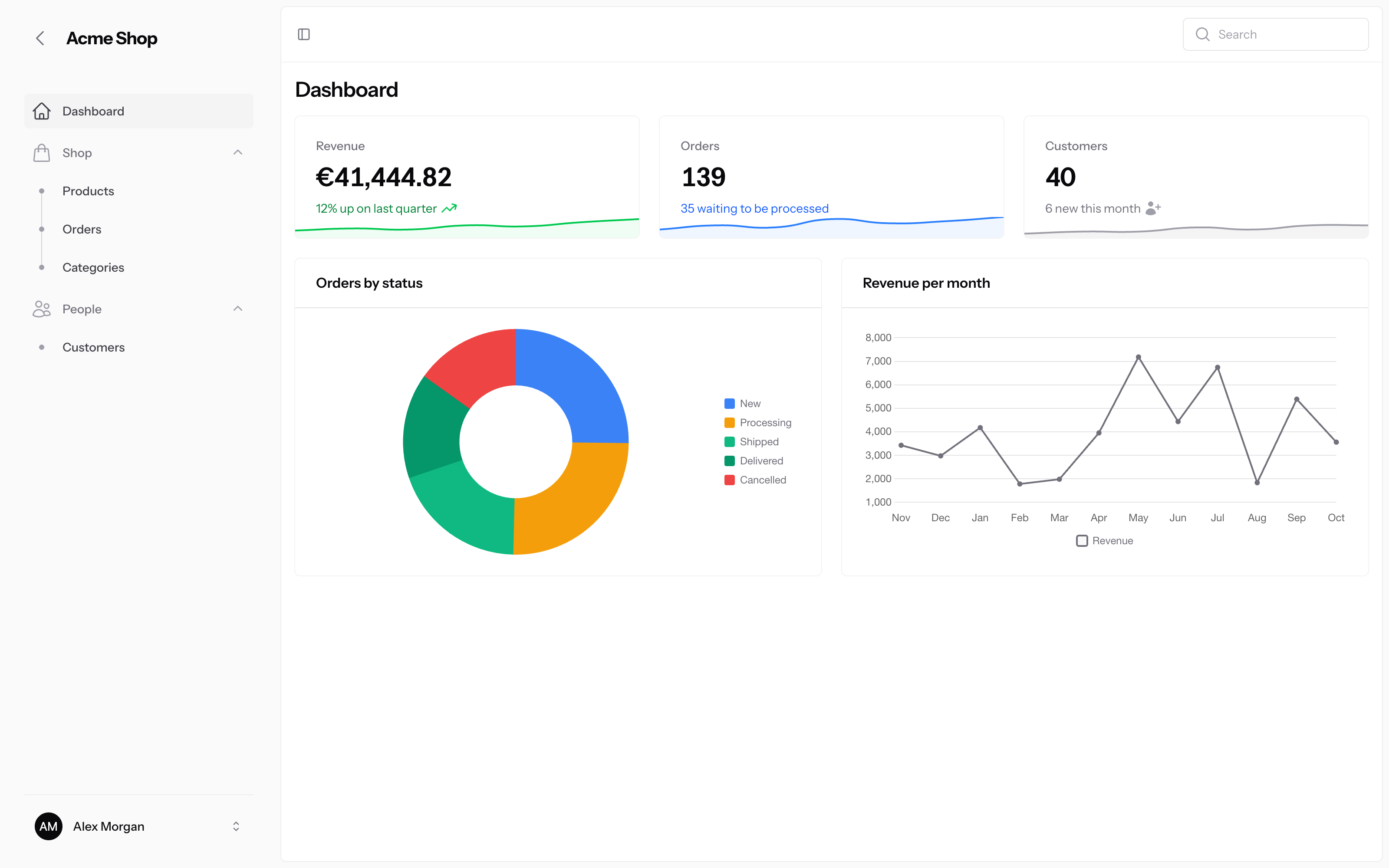
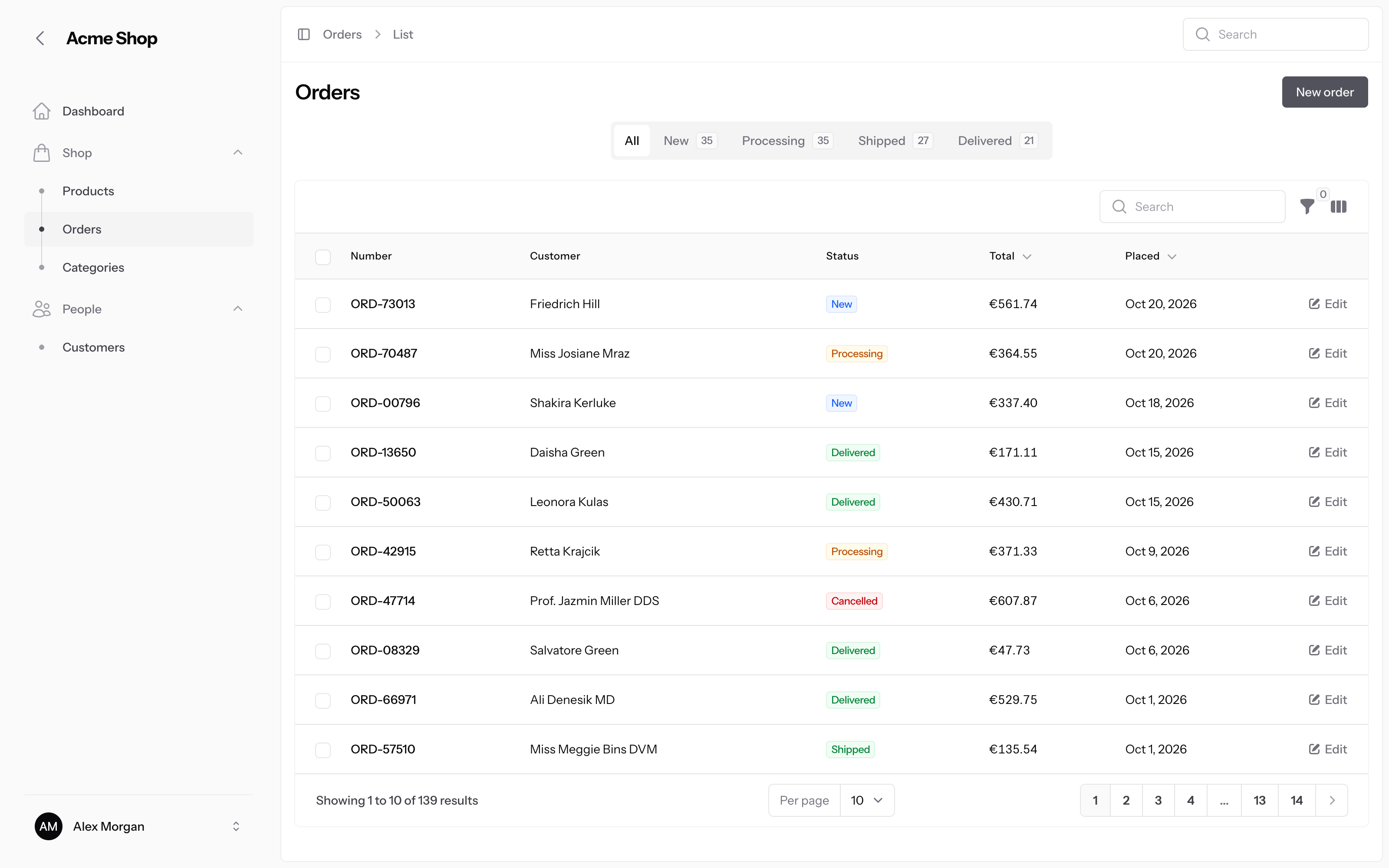
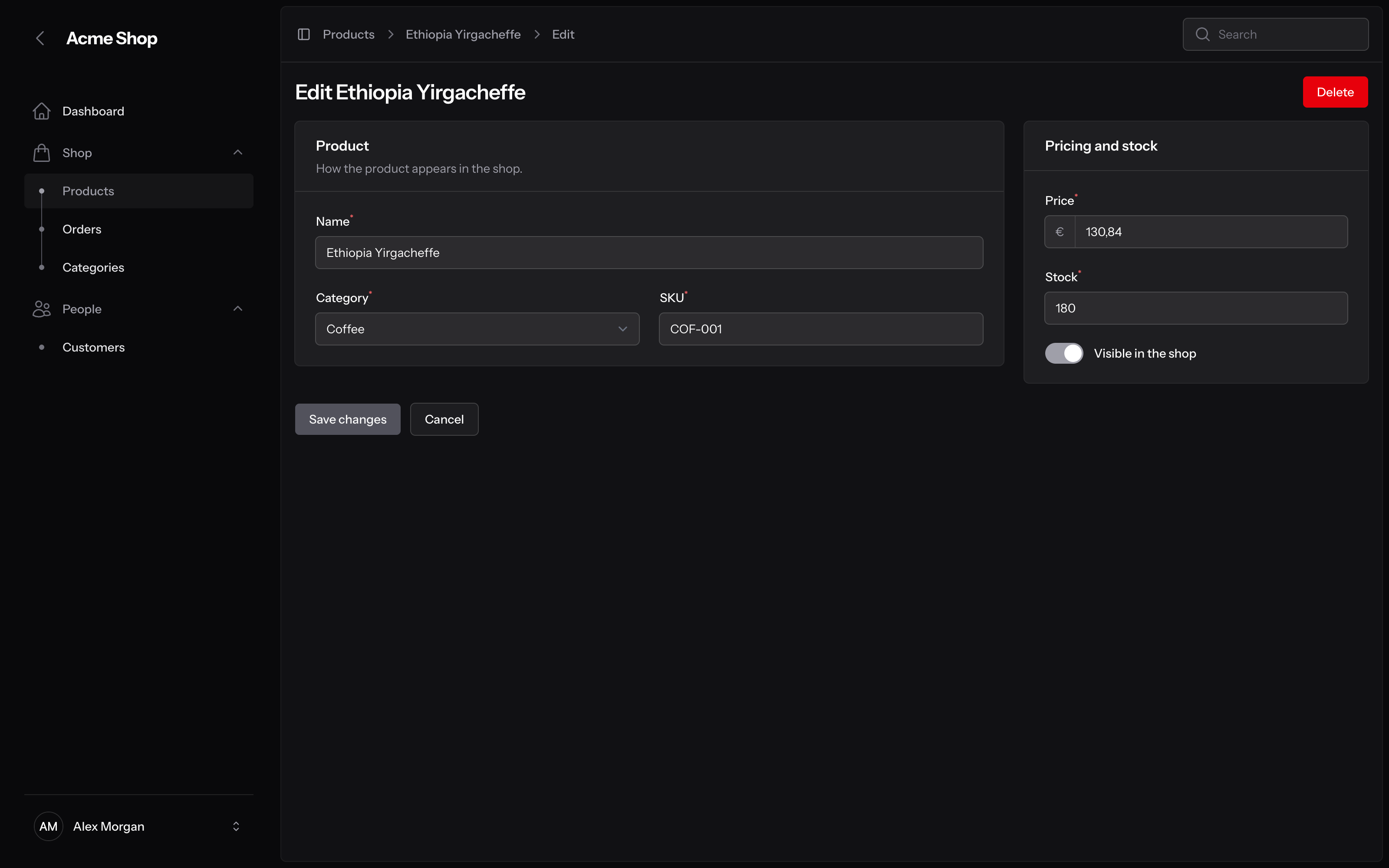
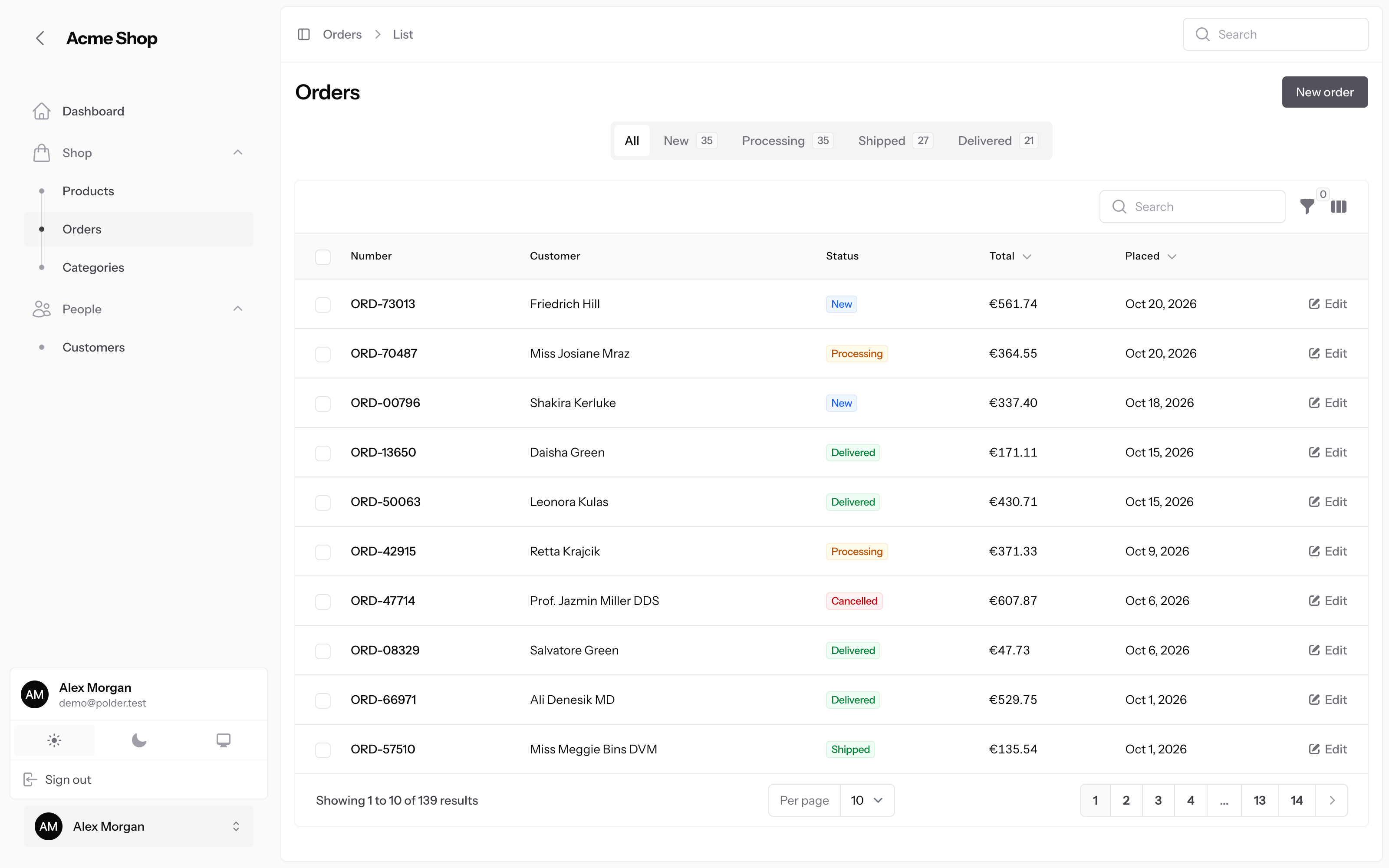
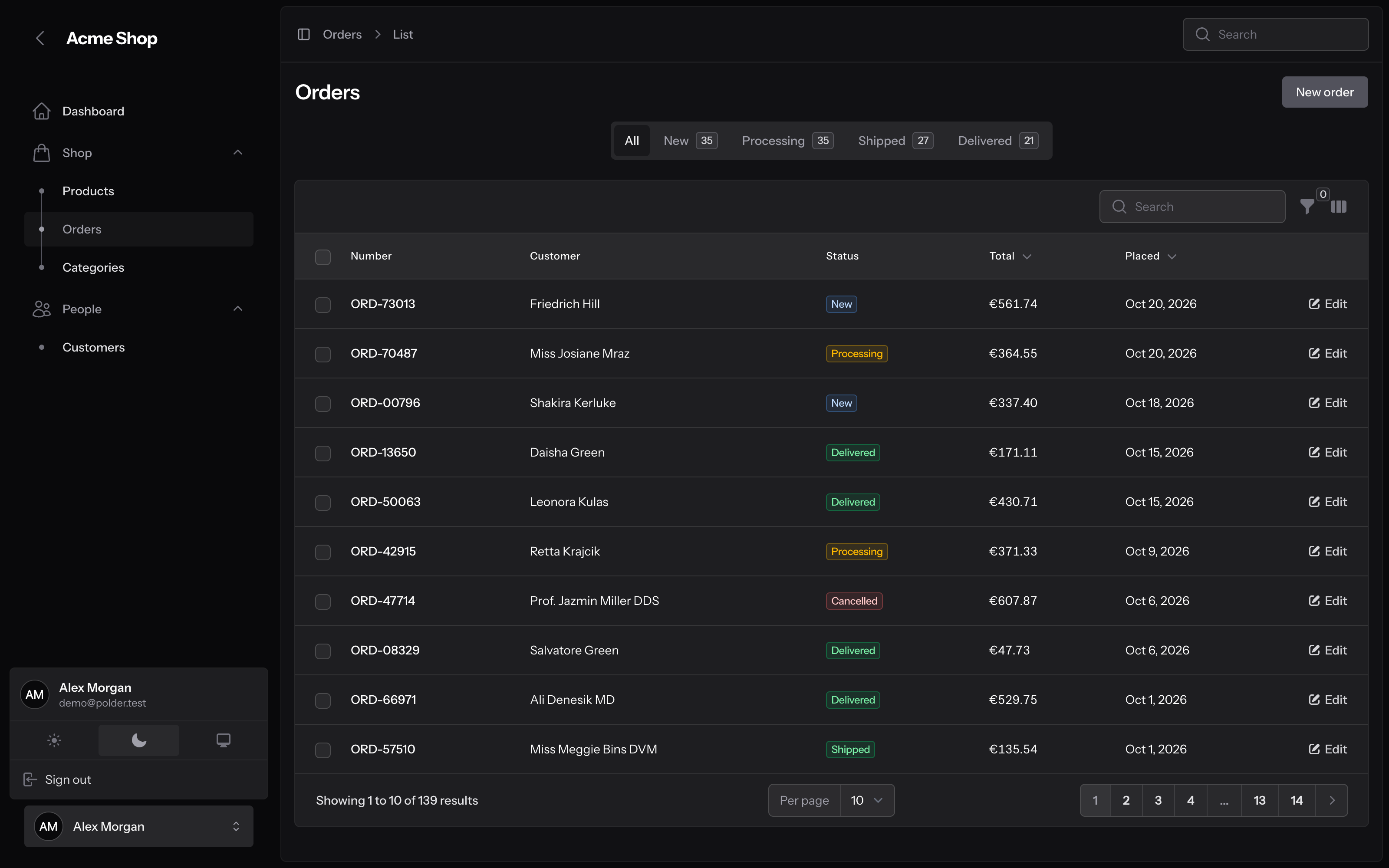
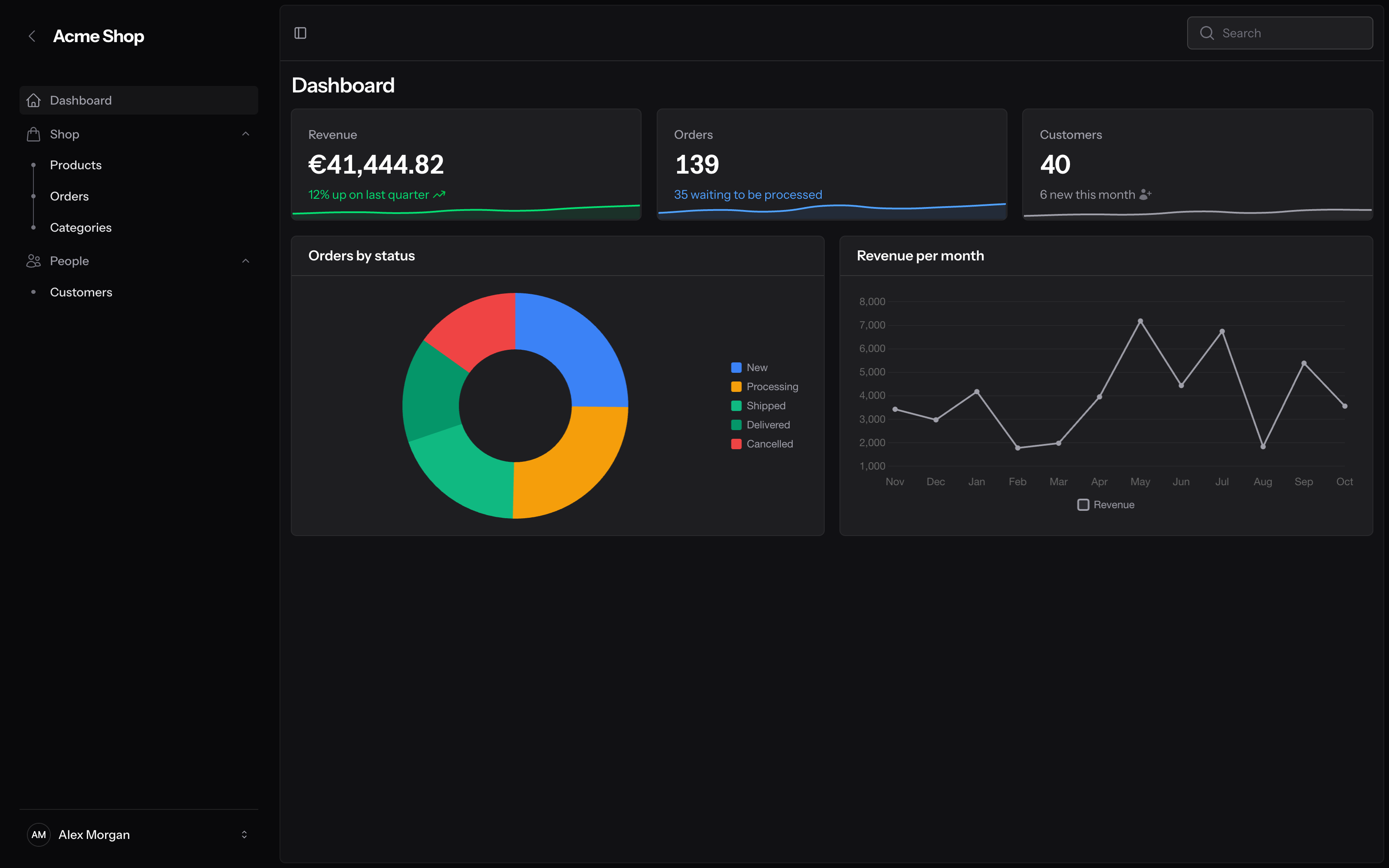
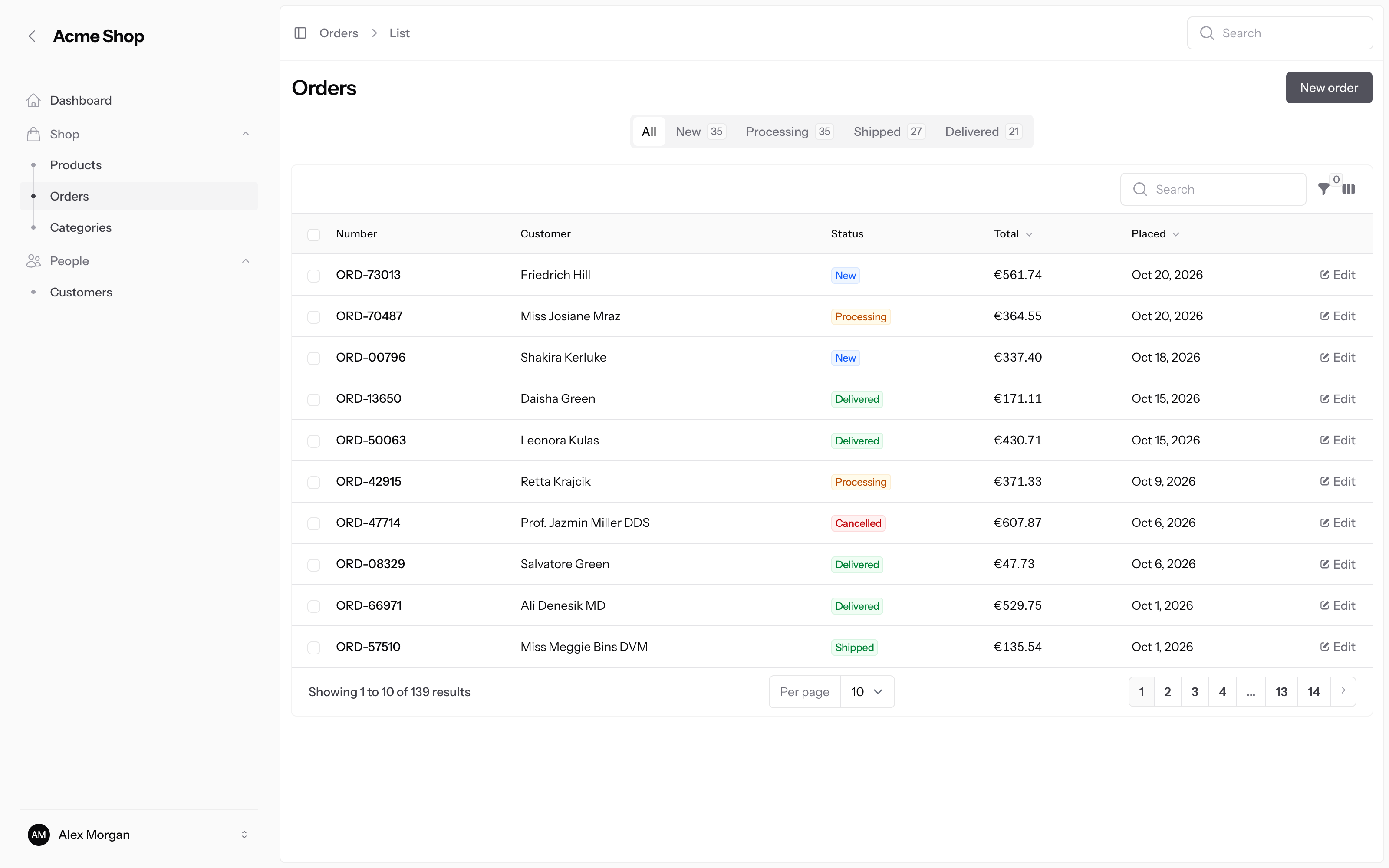
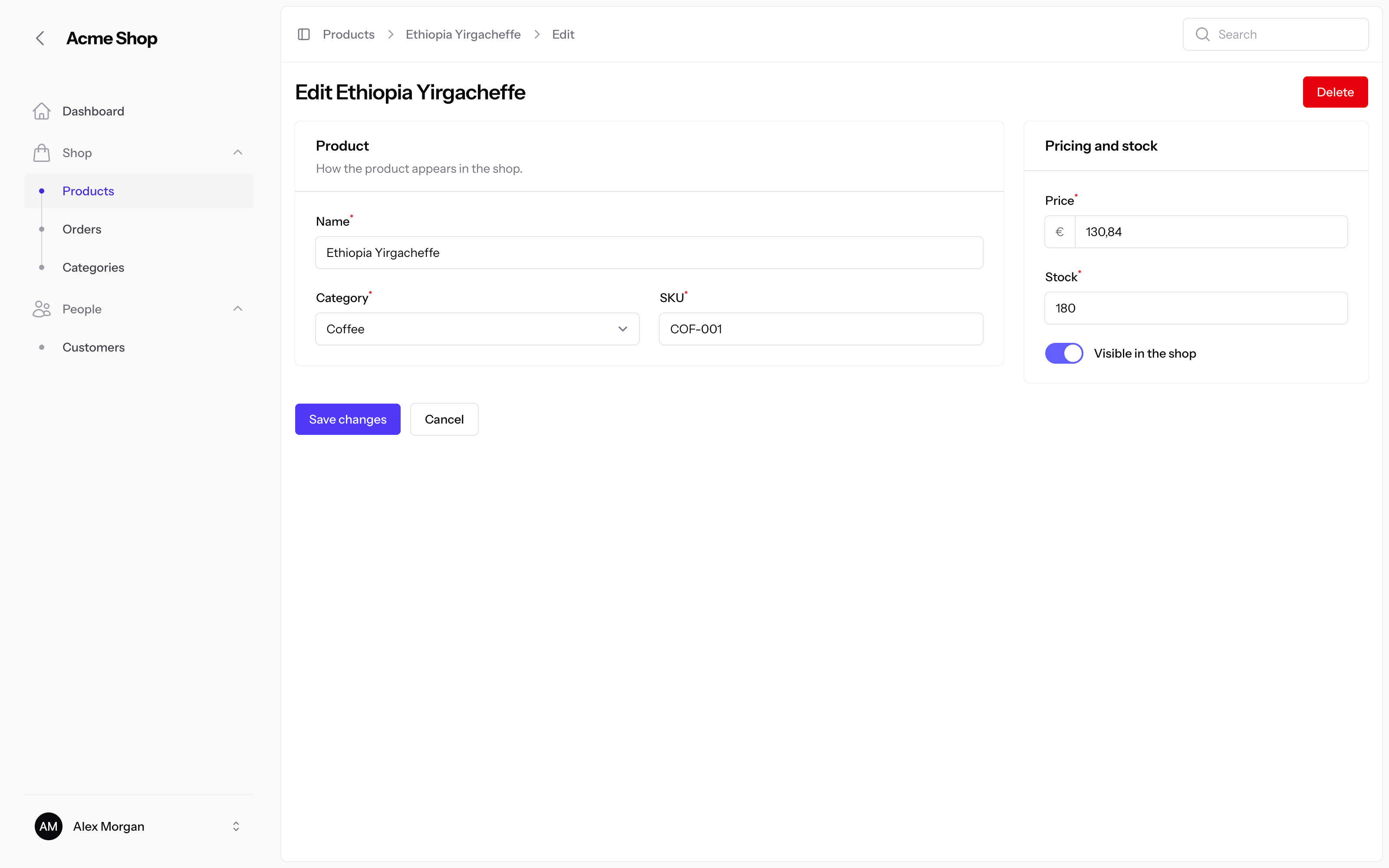
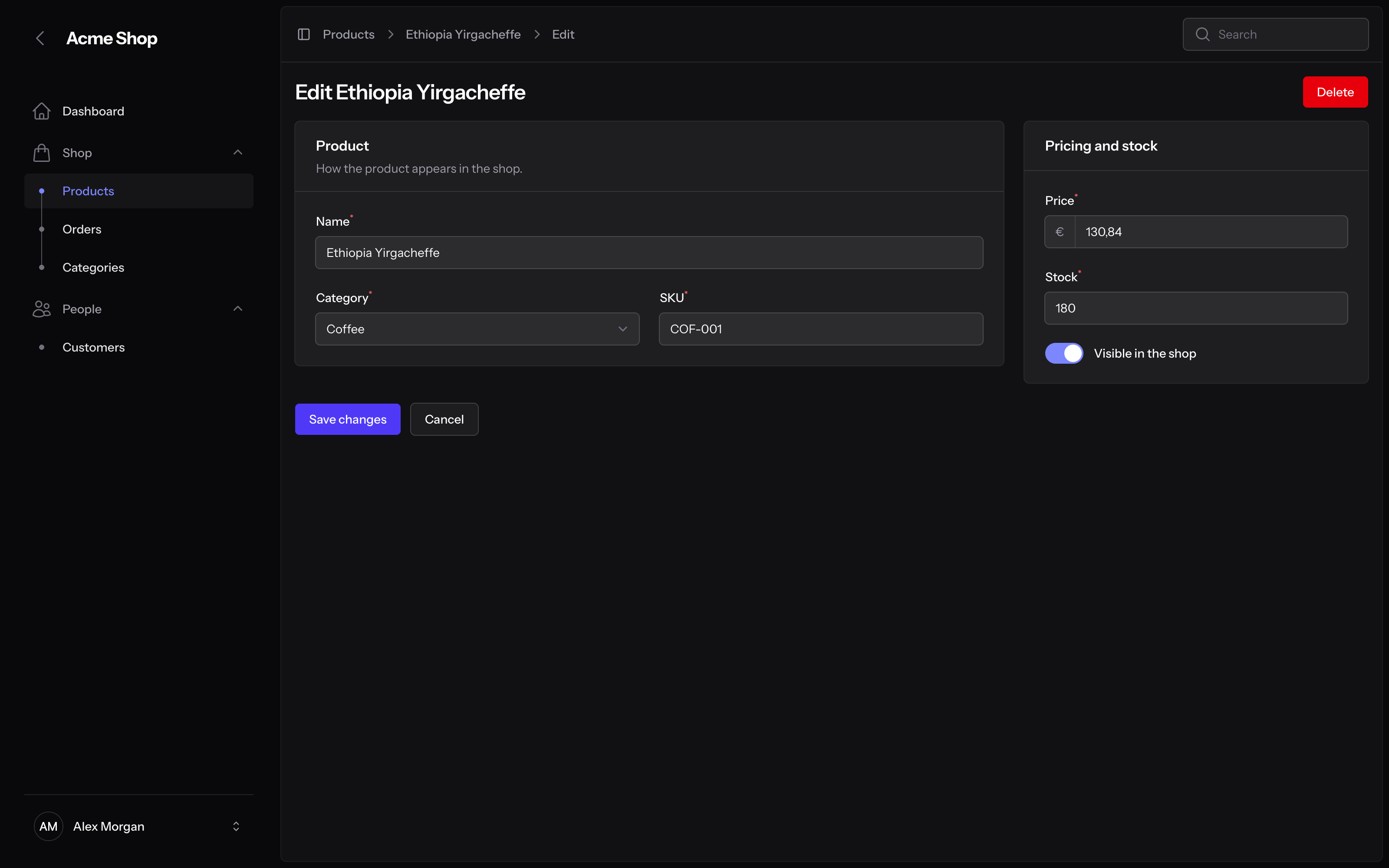
Polder is a theme for Filament v5 panels. The page content floats as a card on a quiet frame, next to a narrow sidebar that holds the user menu. A breadcrumb bar with a sidebar toggle sits at the top of each page, and phones get a bottom navigation bar.
Features
- Inset layout. The content card floats on the frame, and the user menu sits at the bottom of a 16rem sidebar.
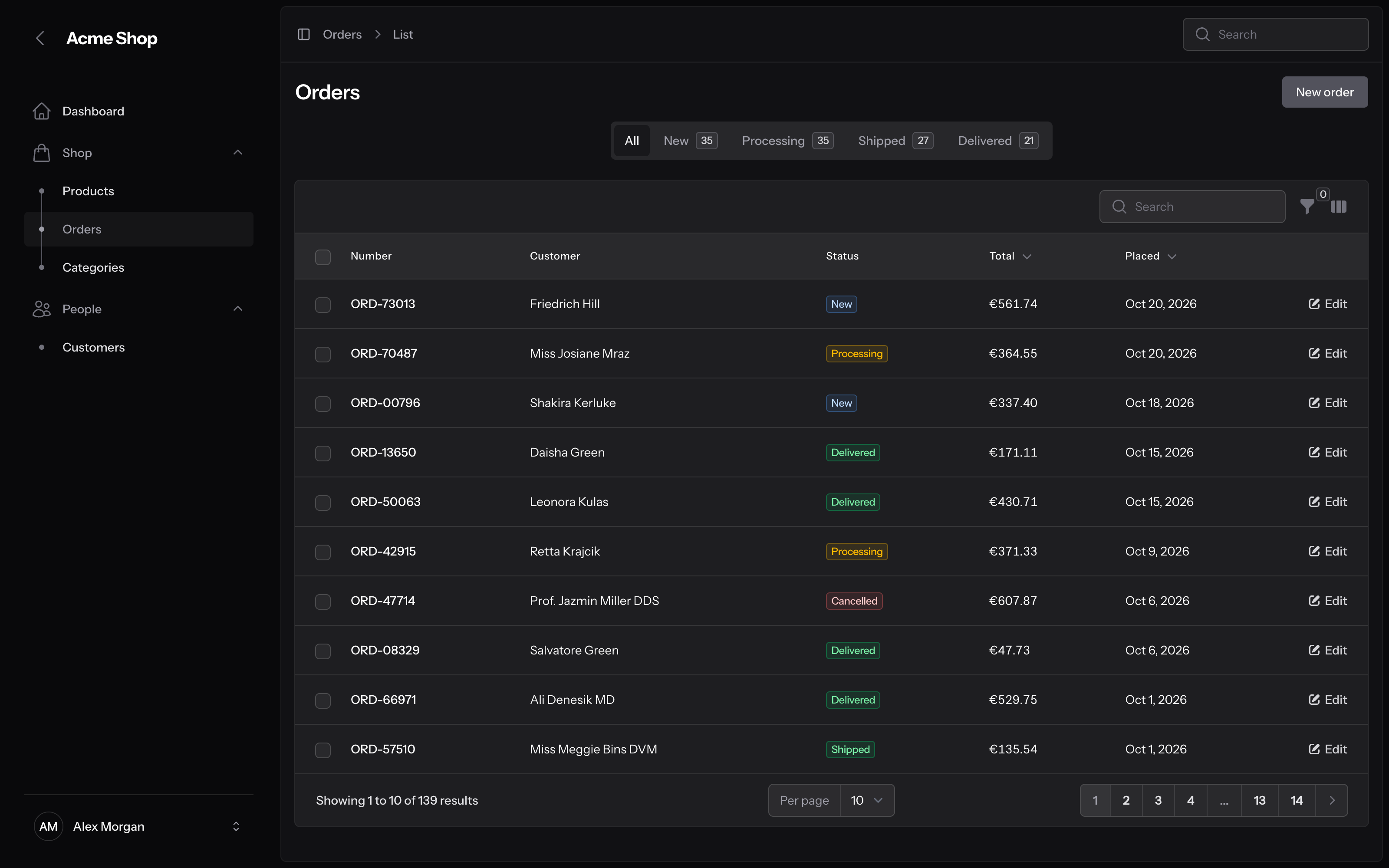
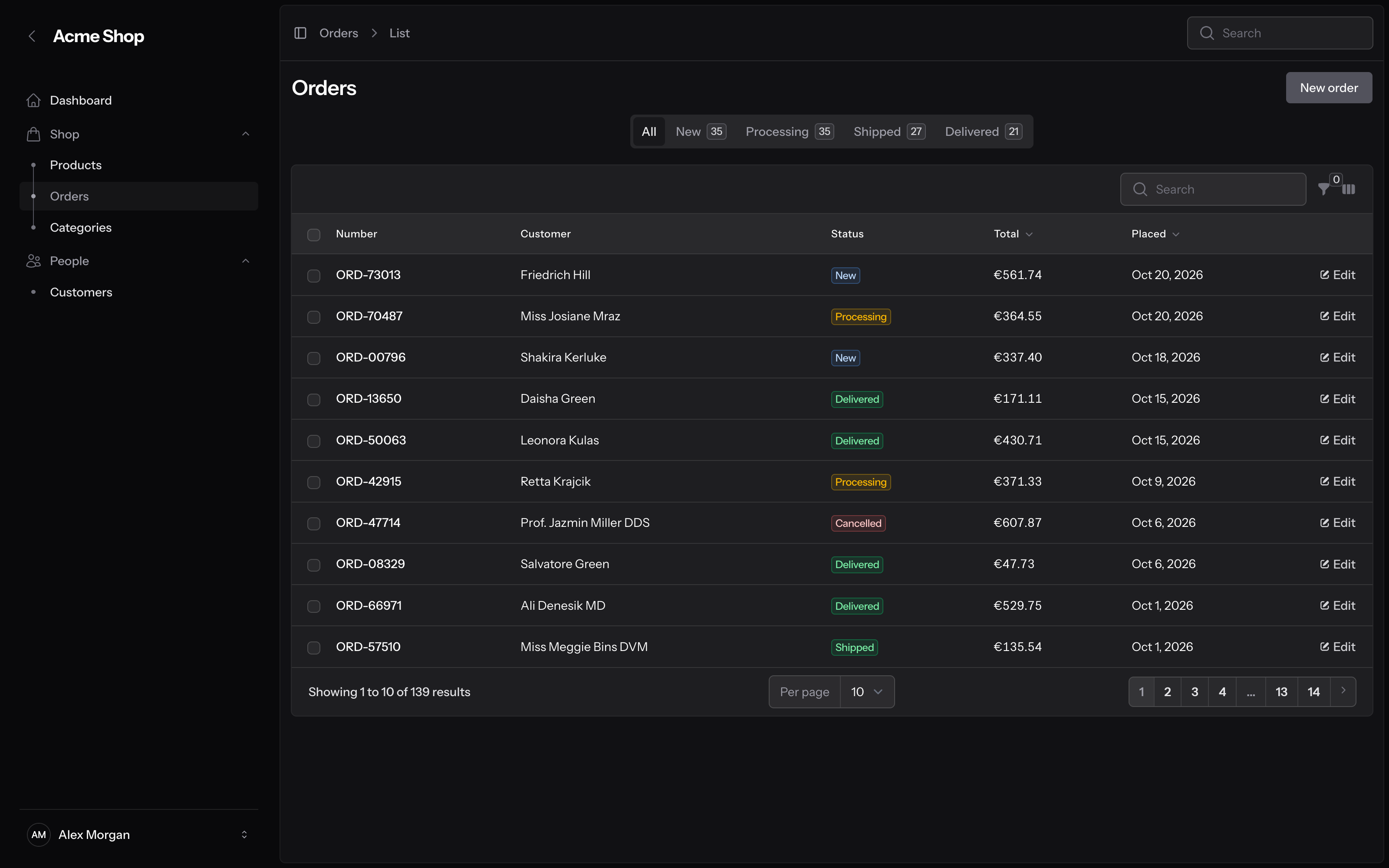
- Light and dark mode. Each mode has its own values. In dark mode, the frame, the card, the containers and the fields are four separate layers, so tables and fields stay easy to see.
- Your colours. Polder uses the
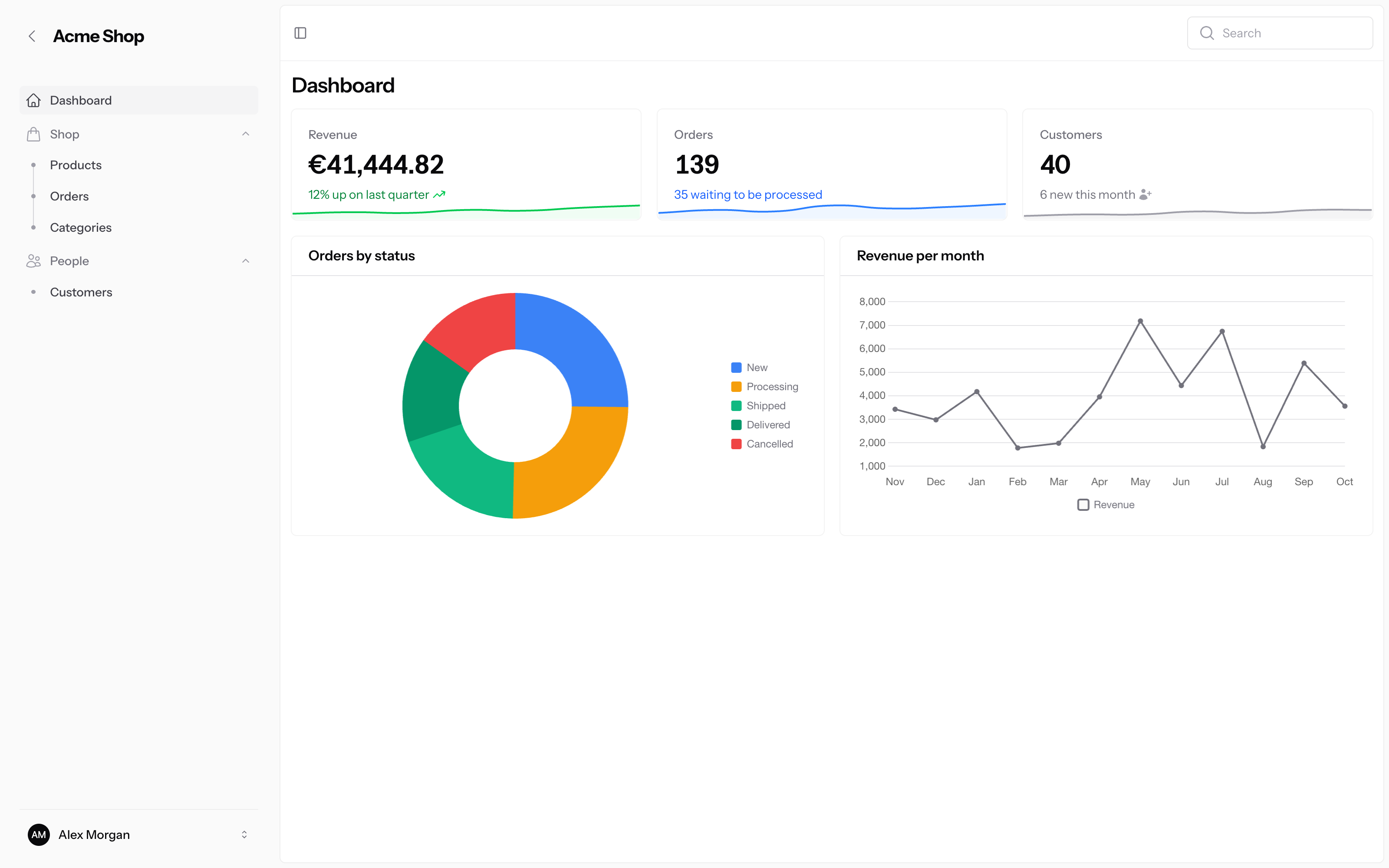
grayandprimarypalettes that you register on the panel. - Compact density. One method makes a panel denser. Fields and buttons keep their full size.
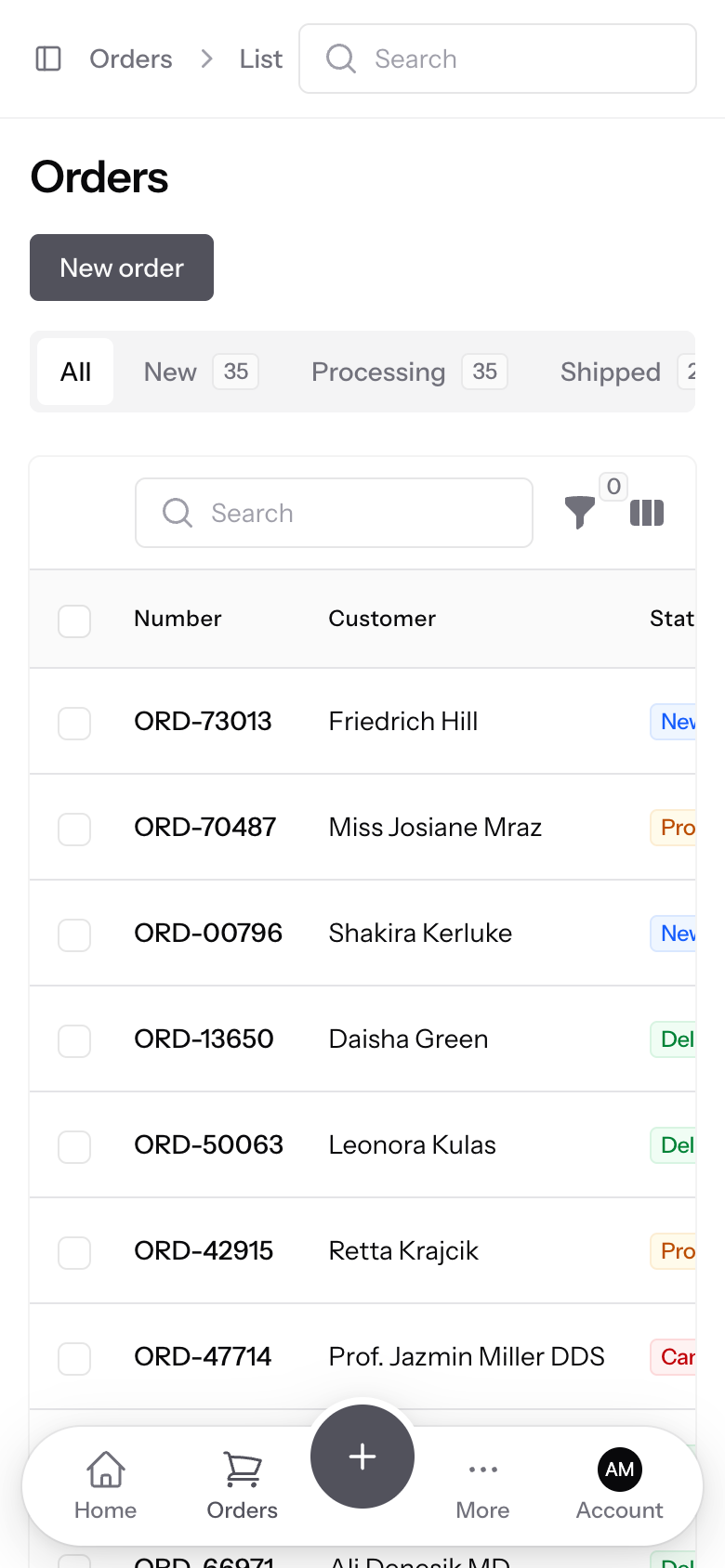
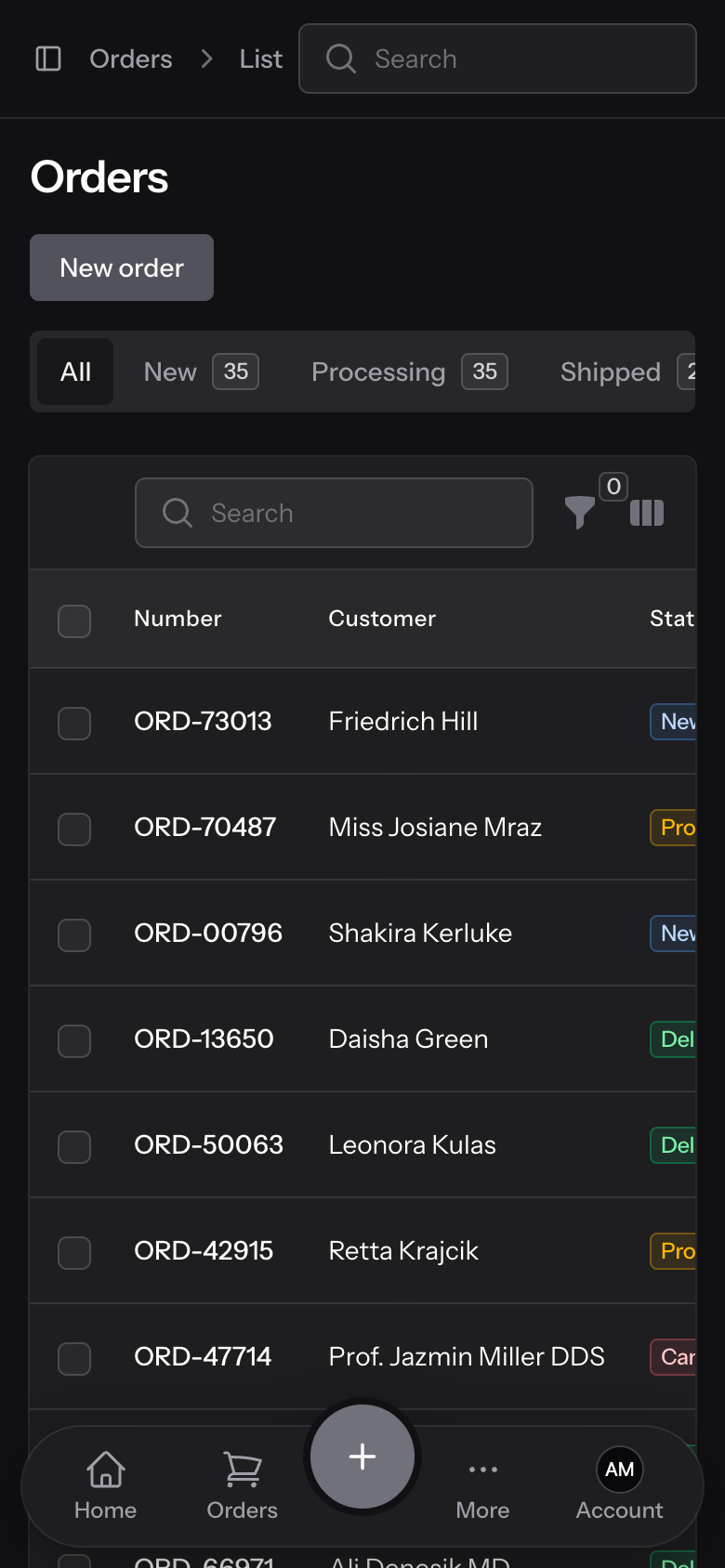
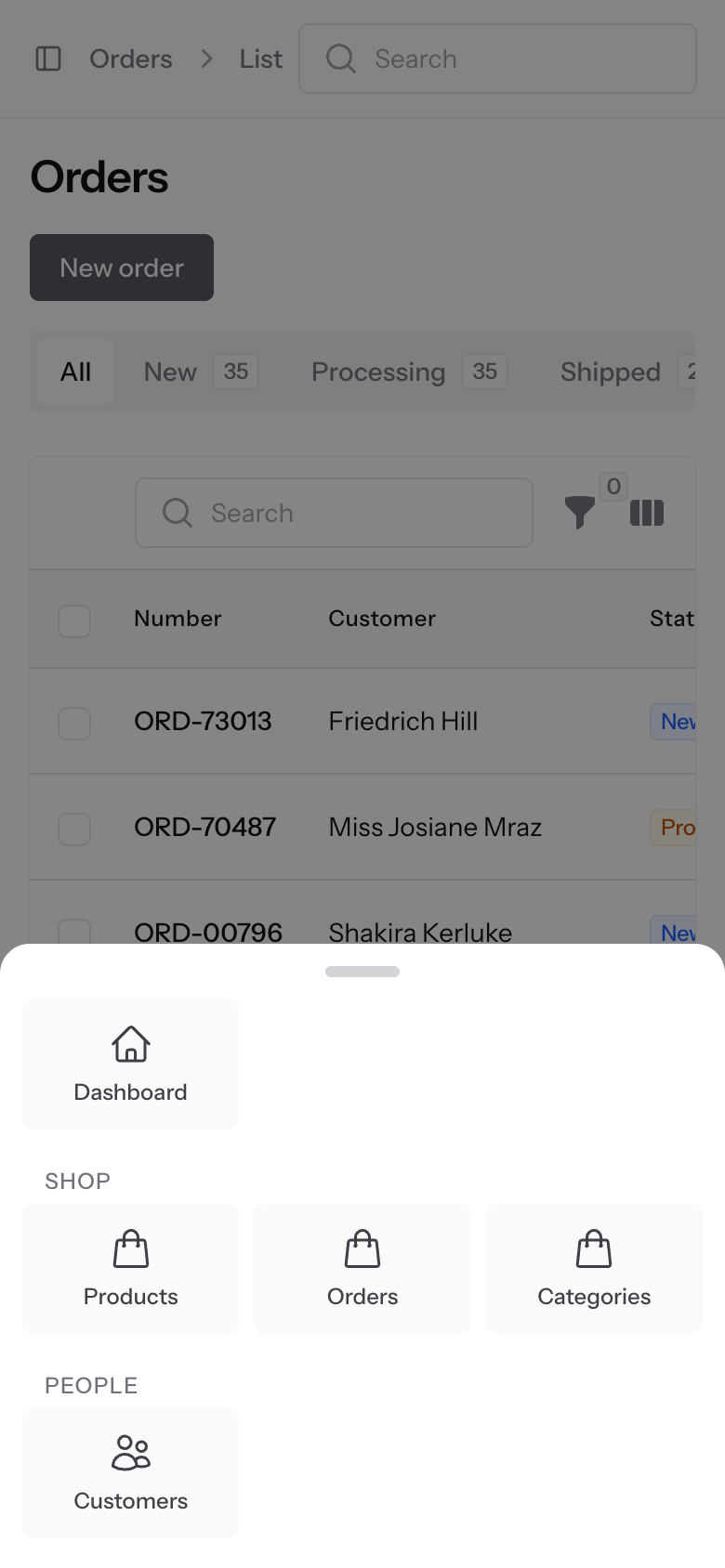
- Mobile navigation. A bottom bar for phones, floating or docked, with links, actions, bottom sheets and a centre button.
- Tenant switcher in the user menu, when you turn Filament's tenant menu off.
- Safe to customise. All rules sit in their own CSS layer, so your CSS overrides them without
!important. Every colour and size is a--polder-theme-*setting.
Screenshots
| Light | Dark |
|---|---|
 |
 |
 |
 |
 |
 |
Compact
| Light | Dark |
|---|---|
 |
 |
 |
 |
Mobile navigation
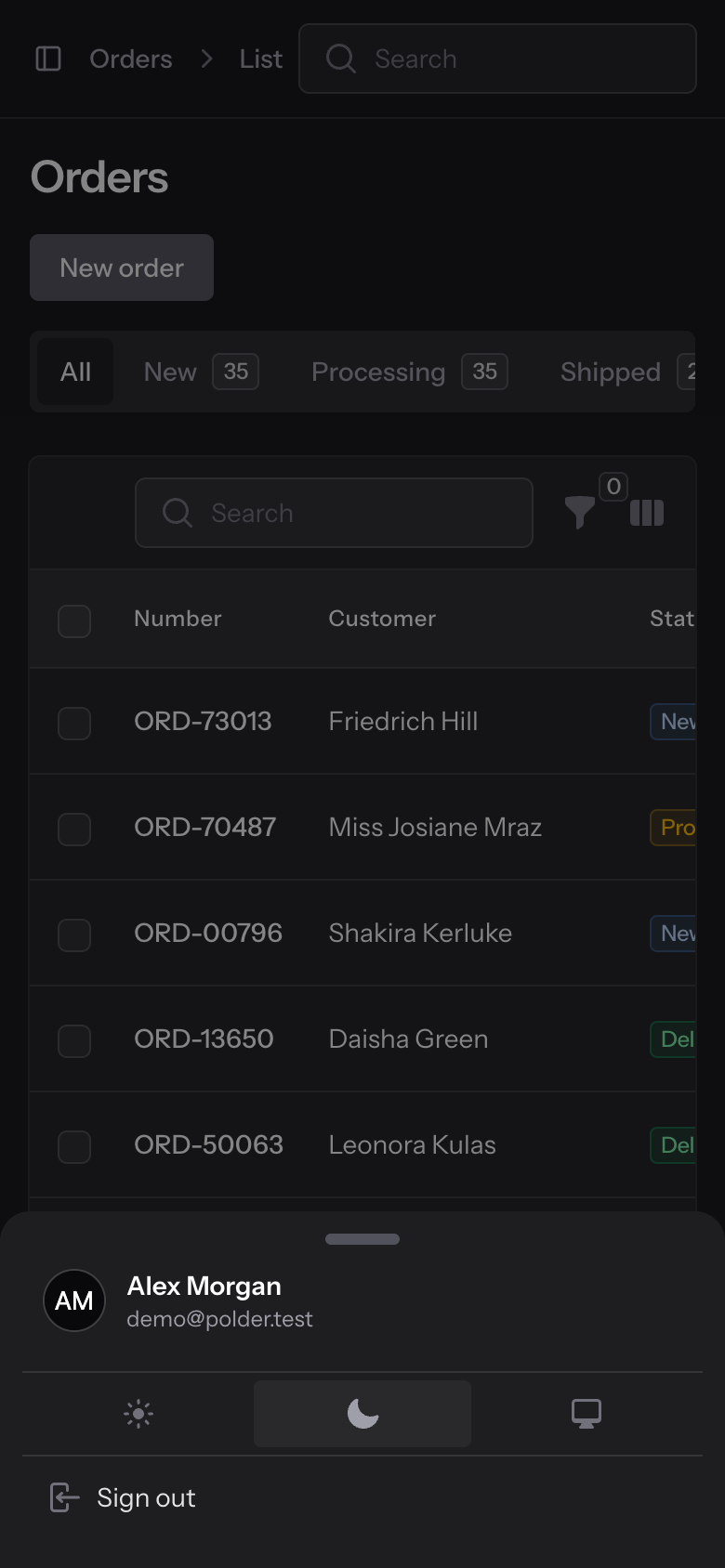
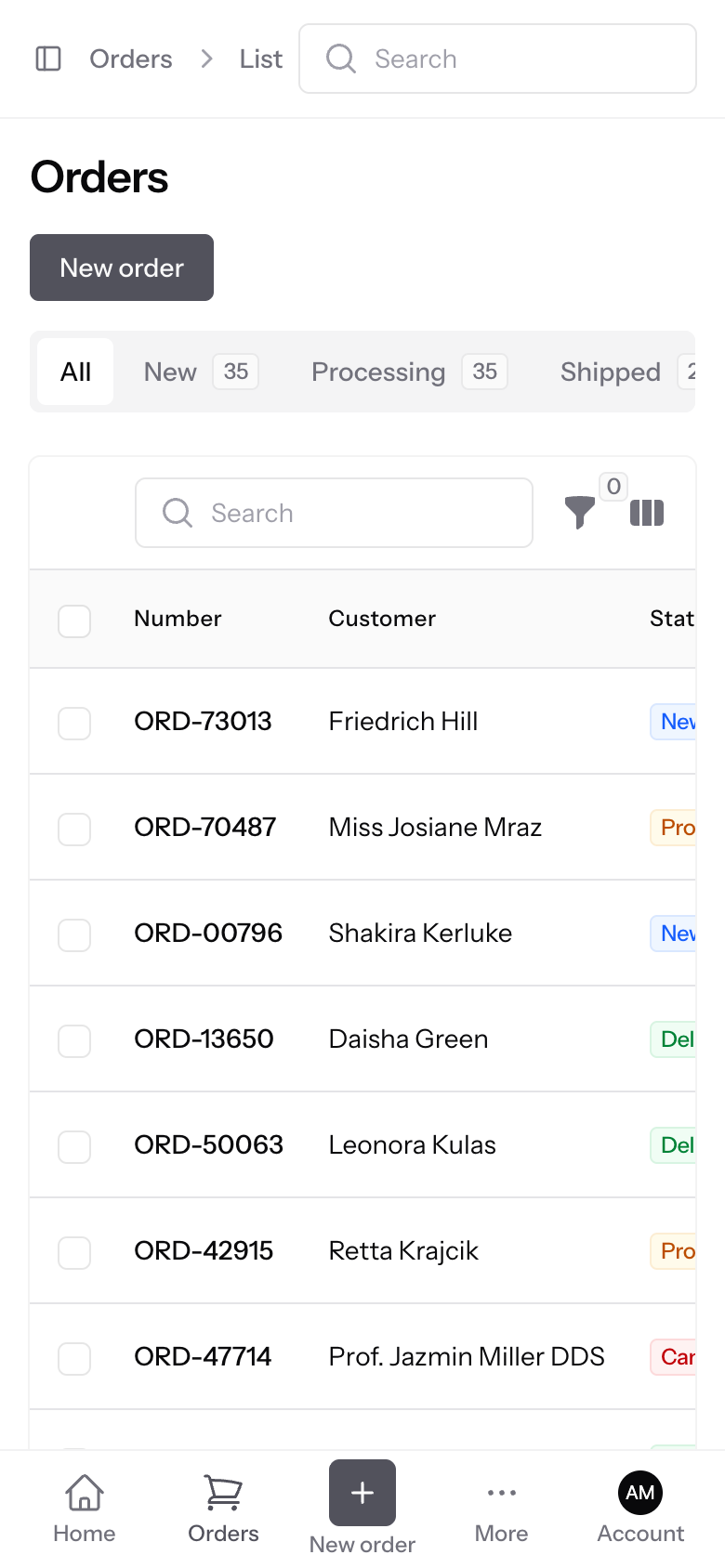
| Floating, light | Floating, dark | More sheet | Account sheet | Docked, flat button |
|---|---|---|---|---|
 |
 |
 |
 |
 |
With your own primary colour
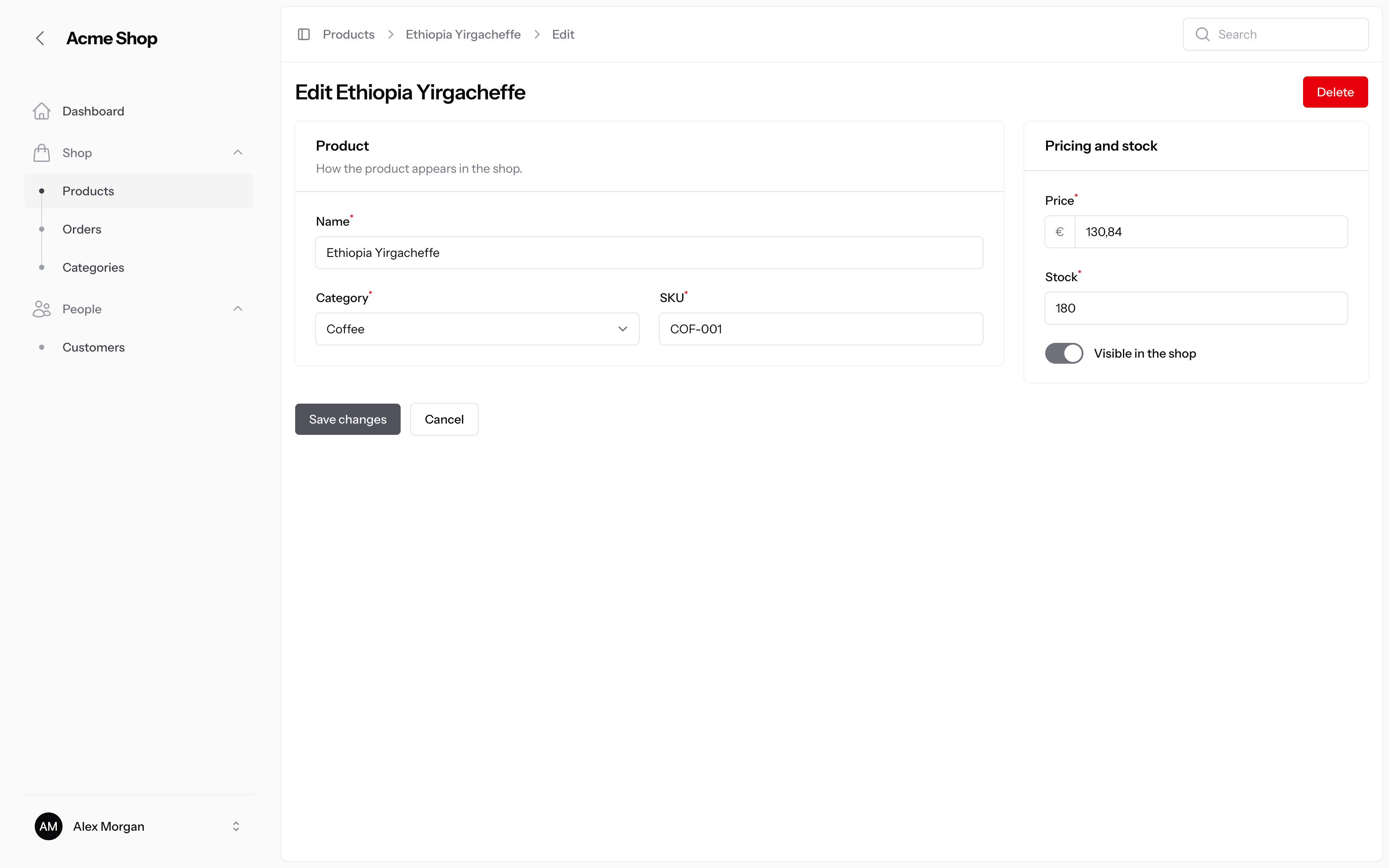
The same form with 'primary' => Color::Indigo:
| Light | Dark |
|---|---|
 |
 |
Requirements
- PHP 8.3 or higher
- Filament 5
- Tailwind CSS v4, through a custom Filament theme (step 3 makes one if you have none)
Installation
-
Install the package:
composer require vtech9nl/filament-polder-theme
-
Register the plugin on the panel, for example in
app/Providers/Filament/AdminPanelProvider.php:use VTech9NL\PolderTheme\PolderThemePlugin; public function panel(Panel $panel): Panel { return $panel // ... ->plugin(PolderThemePlugin::make()); }
-
If the panel has no custom theme yet, make one. Filament creates the CSS file, adds it to Vite and registers it on the panel:
php artisan make:filament-theme admin
-
Open the theme file, for example
resources/css/filament/admin/theme.css, and put Polder's imports around Filament's. The order matters:layers.csscomes first.@import '../../../../vendor/vtech9nl/filament-polder-theme/resources/css/layers.css'; @import '../../../../vendor/filament/filament/resources/css/theme.css'; @import '../../../../vendor/vtech9nl/filament-polder-theme/resources/css/theme.css'; @source '../../../../app/Filament/**/*'; @source '../../../../resources/views/filament/**/*';
-
Build the assets:
npm run build
To check the setup, run this in the browser console on a panel page. It must return ok:
getComputedStyle(document.body).getPropertyValue('--polder-theme-layer-order')
Configuration
All options are methods on the plugin:
PolderThemePlugin::make()
    ->compact()                // denser spacing on this panel
    ->font('Inter')            // default: Instrument Sans; null keeps the panel's font
    ->sidebarWidth('18rem')    // default: 16rem; null keeps the panel's width
    ->topbar()                 // keep Filament's topbar; default: hidden
    ->mobileNavigation(...)    // a bottom bar for phones, see below
Compact density
->compact() makes the panel denser. Form fields and buttons keep their full size, so they stay easy to click. Each panel has its own setting, so an admin panel can be compact while a customer panel is not.
Colours
Polder has no palette of its own. It uses the panel's colours, so you set them as usual:
use Filament\Support\Colors\Color;

$panel->colors([
    'primary' => Color::Indigo,
    'gray' => Color::Zinc,
]);
Mobile navigation
Below the lg breakpoint, Polder can show a bottom navigation bar. You build it from items, and you can put an action in the centre:
use App\Filament\Actions\NewOrderAction;
use App\Filament\Resources\Orders\OrderResource;
use Filament\Actions\Action;
use Filament\Pages\Dashboard;
use Filament\Support\Icons\Heroicon;
use VTech9NL\PolderTheme\MobileNavigation\MobileNavigation;
use VTech9NL\PolderTheme\MobileNavigation\MobileNavigationButton;
use VTech9NL\PolderTheme\MobileNavigation\MobileNavigationItem;
use VTech9NL\PolderTheme\MobileNavigation\MobileNavigationStyle;

PolderThemePlugin::make()
    ->mobileNavigation(
        MobileNavigation::make()
            ->style(MobileNavigationStyle::Floating)
            ->items([
                MobileNavigationItem::link('home')
                    ->label('Home')
                    ->icon(Heroicon::OutlinedHome)
                    ->url(fn (): string => Dashboard::getUrl()),
                MobileNavigationItem::link('orders')
                    ->label('Orders')
                    ->icon(Heroicon::OutlinedShoppingCart)
                    ->url(fn (): string => OrderResource::getUrl()),
                MobileNavigationItem::sheet('more')->navigation(),
                MobileNavigationItem::sheet('account')->userMenu(),
            ])
            ->centerAction(fn (): Action => NewOrderAction::make(), MobileNavigationButton::Raised),
    );
The bar puts the first half of the items to the left of the centre button and the rest to the right.
Styles
| Setting | Options |
|---|---|
->style() |
MobileNavigationStyle::Floating: a rounded bar above the content. MobileNavigationStyle::Docked: a full-width bar on the bottom edge. |
Second argument of ->centerAction() |
MobileNavigationButton::Raised: a round button that rises above the bar. MobileNavigationButton::Flat: a filled button in the row, with its label. |
Items
| Item | What a tap does |
|---|---|
MobileNavigationItem::link('name')->url(...) |
Opens a URL. The item is active when the URL is the current page, or when the ->isActiveWhen() closure returns true. |
MobileNavigationItem::action(fn (): Action => ...) |
Runs a Filament action: a modal, a slide-over, or a direct action. The label and icon come from the action, unless you set them on the item. |
MobileNavigationItem::sheet('name')->items([...]) |
Opens a bottom sheet with your own links and actions. |
MobileNavigationItem::sheet('name')->navigation() |
Opens a bottom sheet with the panel's full navigation. |
MobileNavigationItem::sheet('name')->userMenu() |
Opens a bottom sheet with the user menu: profile, theme, other tenants and sign out. |
MobileNavigationItem::sheet('name')->view('my.view') |
Opens a bottom sheet with your own Blade view. |
All items take ->label() and ->icon().
Visibility
By default the bar shows on every page of the panel, for signed-in users. To hide it on some pages, for example a printable page or a full-screen map, pass a condition. The closure can receive the page's route:
MobileNavigation::make()
    ->visible(fn (?string $routeName): bool => ! in_array($routeName, [
        'filament.admin.pages.print-labels',
        'filament.admin.pages.floor-plan',
    ]))
Using the current page
The bar's closures can receive the page the bar was opened on. The action runs in a later Livewire request, so the bar keeps this for you:
->centerAction(fn (?string $routeName, array $routeParameters): Action => LogActivityAction::make()
    ->fillForm(['animal_id' => $routeName === 'filament.app.resources.animals.view' ? $routeParameters['record'] : null]))
The page values come from the server, so a browser cannot change them. Still authorise any record that you load from them, as you would in any action.
Tenant switcher
When a panel has tenancy and you turn off Filament's tenant menu with ->tenantMenu(false), Polder lists the user's other tenants in the user menu. To change the section label, publish the translations:
php artisan vendor:publish --tag=polder-translations
Breadcrumb bar
The breadcrumb bar has a slot on its right side. To put content there, register a render hook. This example moves the global search into the bar:
use Filament\Enums\GlobalSearchPosition;
use Filament\Support\Facades\FilamentView;
use Illuminate\Support\Facades\Blade;
use VTech9NL\PolderTheme\PolderRenderHook;

// In the panel provider: stop Filament from putting the search in the sidebar.
$panel->globalSearch(position: GlobalSearchPosition::Topbar);

// In a service provider's boot() method:
FilamentView::registerRenderHook(
    PolderRenderHook::BREADCRUMB_BAR_END,
    fn (): string => Blade::render('@livewire(\Filament\Livewire\GlobalSearch::class)'),
);
Customisation
Polder reads these CSS custom properties. Set them in your theme file, after the imports. Set the size settings on :root and the colour settings on .fi-body. Use .dark .fi-body to change dark mode only.
| Setting | Default (light / dark) | Controls |
|---|---|---|
--polder-theme-spacing |
0.25rem |
Spacing scale of the panel |
--polder-theme-spacing-compact |
0.2rem |
Spacing scale when ->compact() is on |
--polder-theme-control-spacing |
0.25rem |
Spacing scale of fields, buttons and the breadcrumb bar |
--polder-theme-radius-md |
0.25rem |
Small corners: fields, buttons |
--polder-theme-radius-lg |
0.3rem |
Medium corners: dropdowns, navigation items |
--polder-theme-radius-xl |
0.35rem |
Large corners: sections, tables, the content card |
--polder-theme-inset |
2 × --polder-theme-spacing |
Space around the content card |
--polder-theme-ground |
gray-50 / gray-950 |
Frame and sidebar background |
--polder-theme-surface |
white / between gray-900 and gray-950 |
Content card and mobile bar background |
--polder-theme-surface-ring |
gray-950 5% / white 8% |
Content card outline |
--polder-theme-raised |
dark only: between gray-800 and gray-900 |
Sections, tables, stats, dropdowns, modals and sheets |
--polder-theme-raised-ring |
dark only: white 10% |
Outline of raised containers |
--polder-theme-field |
dark only: white 6% |
Form field background |
--polder-theme-divider |
dark only: white 10% |
Table row lines |
--polder-theme-rule |
gray-200 50% / white 10% |
Breadcrumb bar and docked bar divider |
--polder-theme-mobile-navigation-height |
4rem |
Height of the mobile bar |
For example, rounder corners everywhere and lighter containers in dark mode:
:root {
    --polder-theme-radius-xl: 0.75rem;
}

.dark .fi-body {
    --polder-theme-raised: var(--gray-800);
}
How Polder works
- CSS layers. All rules sit in
@layer polder-theme, between Filament's components and Tailwind's utilities. Your own CSS, outside any layer, always wins. The plugin also writes the layer order at the top of the page<head>, so a plugin stylesheet that loads before your theme cannot change it. - Two Blade views. Polder replaces
components/header/index(the breadcrumb bar) andcomponents/user-menu, only in panels that register the plugin; other panels keep Filament's own views. Each one starts from the Filament 5 view and adds only Polder's changes. A test fails when Filament changes either original view, and CI runs every week against the latest Filament 5 release. - No extra build step. Polder's own views use only
polder-theme-*classes, which the theme CSS styles. You do not need an@sourceline for the package.
Testing
composer test
composer analyse
Changelog
See CHANGELOG.md.
License
MIT. See LICENSE.md.