
voodflow / voodbuilder

VoodBuilder — Filament page builder and public site shell for Laravel.
Requires
- php: ^8.4
- filament/filament: ^5.0
- filament/spatie-laravel-media-library-plugin: ^5.0
- illuminate/contracts: ^12.0|^13.0
- ralphjsmit/laravel-seo: ^1.8
- solution-forest/filament-nestable-tree: ^1.0
- spatie/laravel-medialibrary: ^11.0
- spatie/laravel-package-tools: ^1.15
- spatie/laravel-settings: ^3.0|^4.0
- spatie/laravel-sluggable: ^3.8
- voodflow/vcookiebar: ^0.2
- voodflow/vmedia: ^0.2|^0.3
Requires (Dev)
- larastan/larastan: ^3.0
- laravel/pint: ^1.24
- orchestra/testbench: ^10.0|^11.0
- phpunit/phpunit: ^11.0
- spatie/laravel-markdown: ^2.7
Suggests
- livewire/livewire: Required only for EditorLivewireBlock: mounts a Livewire component as a published block. Already present via filament/filament.
- voodflow/vforms: Managed forms and submissions with optional VoodBuilder blocks.
- voodflow/voodbuilder-components: Saved components library and global classes.
- voodflow/voodbuilder-dynamic-api: HTTP/static/eloquent/callback API data sources for page bindings and List repeat.
- voodflow/voodbuilder-dynamic-data: Dynamic Data bindings, Model Integrations, and List repeat.
- voodflow/voodbuilder-elements: Remote Elements library for the section catalog.
- voodflow/voodbuilder-templates: Page template authoring (save, JSON import/export).
- voodflow/voodflow: Optional Site Visit workflow trigger and other automation nodes.
- voodflow/vpopups: Popup builder for VoodBuilder (same GrapesJS editor, targeting, analytics).
Provides
None
Conflicts
None
Replaces
None
- dev-main
- 1.11.83
- 1.11.82
- 1.11.81
- 1.11.80
- 1.11.79
- 1.11.78
- 1.11.77
- 1.11.76
- 1.11.75
- 1.11.74
- 1.11.73
- 1.11.72
- 1.11.71
- 1.11.70
- 1.11.69
- 1.11.68
- 1.11.67
- 1.11.66
- 1.11.65
- 1.11.64
- 1.11.63
- 1.11.62
- 1.11.61
- 1.11.60
- 1.11.59
- 1.11.58
- 1.11.57
- 1.11.56
- 1.11.55
- 1.11.54
- 1.11.53
- 1.11.52
- 1.11.51
- 1.11.50
- 1.11.49
- 1.11.48
- 1.11.47
- 1.11.46
- 1.11.45
- 1.11.44
- 1.11.43
- 1.11.42
- 1.11.41
- 1.11.40
- 1.11.39
- 1.11.38
- 1.11.37
- 1.11.36
- 1.11.35
- 1.11.34
- 1.11.32
- 1.11.31
- 1.11.30
- 1.11.29
- 1.11.28
- 1.11.27
- 1.11.26
- 1.11.25
- 1.11.24
- 1.11.23
- 1.11.22
- 1.11.21
- 1.11.20
- 1.11.19
- 1.11.18
- 1.11.17
- 1.11.16
- 1.11.15
- 1.11.14
- 1.11.13
- 1.11.12
- 1.11.11
- 1.11.10
- 1.11.9
- 1.11.8
- 1.11.7
- 1.11.6
- 1.11.5
- 1.11.4
- 1.11.3
- 1.11.2
- 1.11.1
- 1.11.0
- 1.10.0
- 1.9.0
- 1.8.0
- 1.7.3
- 1.7.2
- 1.7.1
- 1.7.0
- 0.1.166
- 0.1.165
- 0.1.164
- 0.1.163
- 0.1.162
- 0.1.161
- 0.1.160
- 0.1.159
- 0.1.158
- 0.1.157
- 0.1.156
- 0.1.155
- 0.1.154
- 0.1.153
- 0.1.152
- 0.1.151
- 0.1.150
- 0.1.149
- 0.1.148
- 0.1.145
- 0.1.144
- 0.1.143
- 0.1.142
- 0.1.141
- 0.1.140
- 0.1.139
- 0.1.138
- 0.1.137
- 0.1.136
- 0.1.135
- 0.1.134
- 0.1.133
- 0.1.132
- 0.1.131
- 0.1.130
- 0.1.129
- 0.1.128
- 0.1.127
- 0.1.126
- 0.1.125
- 0.1.124
- 0.1.123
- 0.1.122
- 0.1.121
- 0.1.120
- 0.1.119
- 0.1.118
- 0.1.117
- 0.1.116
- 0.1.115
- 0.1.114
- 0.1.113
- 0.1.112
- 0.1.111
- 0.1.110
- 0.1.109
- 0.1.108
- 0.1.107
- 0.1.106
- 0.1.105
- 0.1.104
- 0.1.103
- 0.1.102
- 0.1.101
- 0.1.100
- 0.1.99
- 0.1.98
- 0.1.97
- 0.1.96
- 0.1.95
- 0.1.94
- 0.1.93
- 0.1.92
- 0.1.91
- 0.1.90
- 0.1.89
- 0.1.88
- 0.1.87
- 0.1.86
- 0.1.85
- 0.1.84
- 0.1.82
- 0.1.81
- 0.1.80
- 0.1.79
- 0.1.78
- 0.1.77
- 0.1.76
- 0.1.75
- 0.1.74
- 0.1.73
- 0.1.72
- 0.1.71
- 0.1.70
- 0.1.69
- 0.1.68
- 0.1.67
- 0.1.66
- 0.1.65
- 0.1.64
- 0.1.63
- 0.1.62
- 0.1.61
- 0.1.60
- 0.1.59
- 0.1.58
- 0.1.57
- 0.1.56
- 0.1.55
- 0.1.54
- 0.1.53
- 0.1.52
- 0.1.51
- 0.1.50
- 0.1.49
- 0.1.48
- 0.1.38
- 0.1.37
- 0.1.36
- 0.1.35
- 0.1.34
- 0.1.33
- 0.1.32
- 0.1.31
- 0.1.30
- 0.1.29
- 0.1.28
- 0.1.27
- 0.1.26
- 0.1.25
- 0.1.24
- 0.1.23
- 0.1.22
- 0.1.21
- 0.1.20
- 0.1.19
- 0.1.18
- 0.1.17
- 0.1.16
- 0.1.15
- 0.1.14
- 0.1.13
- 0.1.12
- 0.1.11
- 0.1.10
- 0.1.9
- 0.1.8
- 0.1.7
- 0.1.6
- 0.1.5
- 0.1.4
- 0.1.3
- 0.1.2
- 0.1.1
- 0.0.11
- 0.0.10
- 0.0.9
- 0.0.8
- 0.0.7
- 0.0.6
- 0.0.5
- 0.0.4
- 0.0.2
- 0.0.1
- dev-improve/links-locales
- dev-improve/review-2026-09
- dev-feature/api-data-sources
This package is auto-updated.
Last update: 2026-10-15 14:39:50 UTC
README
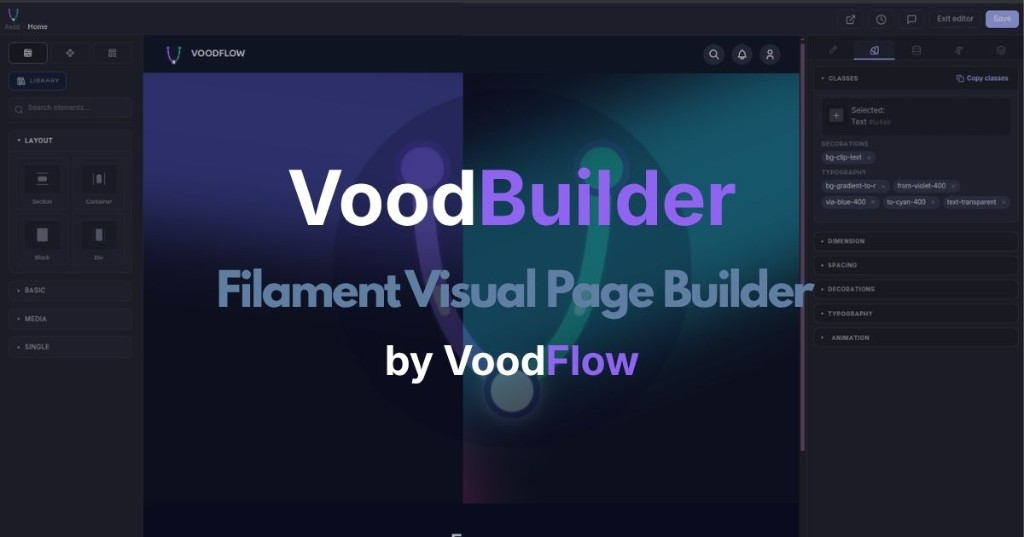
More than a CMS. More than a page builder. The Filament-native platform to design, run, and grow your public site.
Built for Laravel developers and agencies shipping real client sites — not demos. VoodBuilder is the visual site layer of the VoodFlow ecosystem (media, consent, popups, forms, content verticals, and more on the same Filament stack).
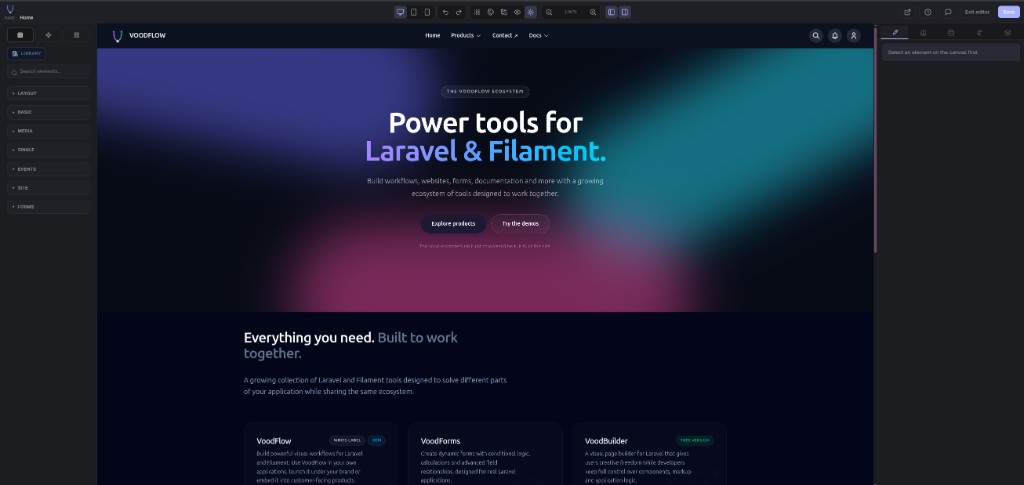
Docs: voodflow.com · Live demo: demo.voodflow.com
Features
| Capability | What you get |
|---|---|
| Visual editor | Drag-and-drop canvas, device previews, undo / redo, revision history, autosave, style inspector |
| Core blocks | Layout · Basic · Media · Single · Site blocks, plus local marketing sections (hero, features, CTA, FAQ, …) |
| Theme Studio | Map colours / sub-themes to Site pages and content channels; global light / dark preference |
| Chrome layouts | Shared header / footer / optional progress strip per channel; Integration tab for reading typography (live preview when companions register samples) |
| Site search | Header palette + full results page — ranking, channel filters, snippets with highlights, deep-linkable pagination |
| SEO | Per-page meta (title, description, robots, canonical), JSON-LD breadcrumbs / Article where relevant |
| Page access | Public, registered-only, profile-based gates, optional password unlock |
| Menu-driven URLs | Pages get public routes from Navigation (e.g. /about or /company/about) |
| Reserved paths | Companions declare URL prefixes so site-page catch-alls never shadow docs / tutorials / APIs |
| Media (included) | voodflow/vmedia — media library & admin UI, pulled in with Community |
| Cookie consent (included) | voodflow/vcookiebar — consent bar & script gating, pulled in with Community |
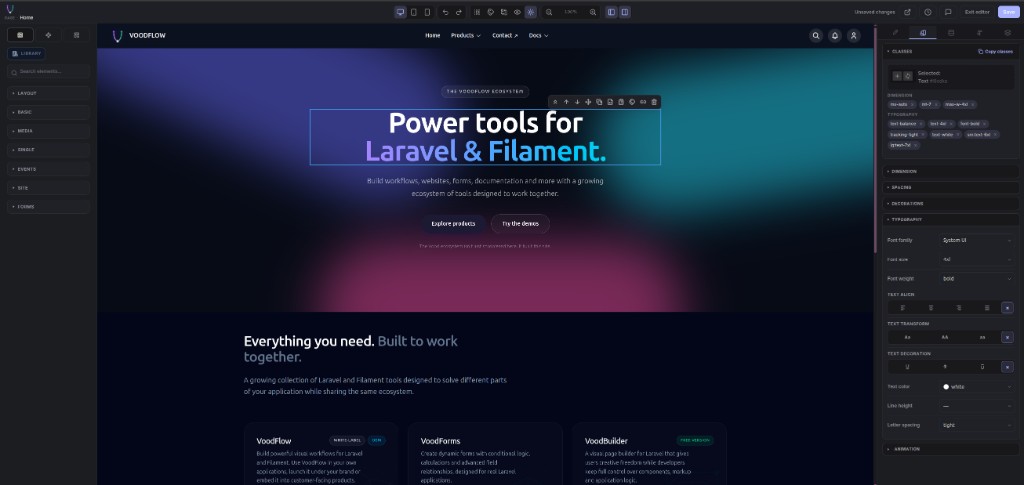
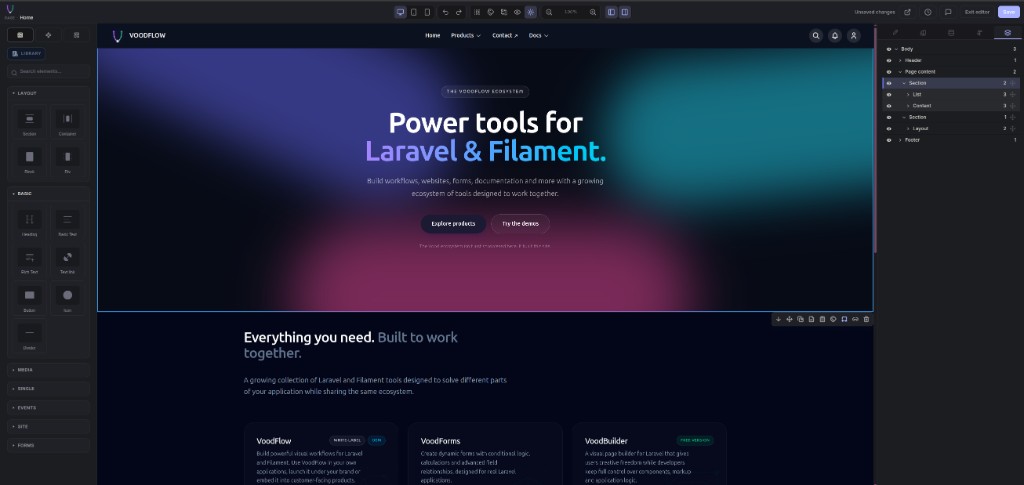
Paid companions (Elements, Dynamic Data, Dynamic API, Templates, Components, Popups, content verticals) extend the same editor. See Editions below, try the product on demo.voodflow.com, or read more on voodflow.com.
Editions
VoodBuilder ships as Community (this package) so you can evaluate the full visual site workflow with no licence key. Paid Developer and Agency editions unlock companion plugins via Anystack — same product family, same Filament panel.
Community
What you get with voodflow/voodbuilder alone — enough to judge fit before you buy:
- Visual page editor (GrapesJS), core blocks, Theme Studio, Chrome layouts
- Site pages, menus, SEO, page access gates, site search shell
- History / revisions, autosave, style inspector
voodflow/vmediaandvoodflow/vcookiebarincluded (Composer dependencies — register their Filament plugins for the admin UI)
Install from Packagist / Composer — no licence key for Community surfaces. Prefer a guided tour? Open demo.voodflow.com.
Developer
For solo developers and small teams building dynamic Filament sites. Adds the day-to-day authoring companions:
- Elements — remote Elements library and ready-made blocks
- Dynamic Data — bind Eloquent models to drive page content
- Templates — save, reuse, and share page templates
Licence: 1 seat (one concurrent activation). Unlimited sites on that licence.
Purchase: checkout.anystack.sh/voodbuilder-developer
Agency
For agencies and multi-person teams. Everything in Developer, plus agency tooling:
- Popups — build, publish, and track popups in the same editor
- Components — reusable components, UIKit import, custom code import
- Dynamic API — HTTP, Eloquent, static, and callback data sources on pages
Licence: 5 seats (five concurrent activations). Unlimited sites on that licence.
Purchase: checkout.anystack.sh/voodbuilder-agency
| Community | Developer | Agency | |
|---|---|---|---|
| Core editor & Theme Studio | ✓ | ✓ | ✓ |
| vmedia + vcookiebar | ✓ | ✓ | ✓ |
| Elements library | ✓ | ✓ | |
| Dynamic Data | ✓ | ✓ | |
| Templates | ✓ | ✓ | |
| Popups | ✓ | ||
| Components | ✓ | ||
| Dynamic API | ✓ | ||
| Seats | — | 1 | 5 |
| Sites | — | Unlimited | Unlimited |
Companion packages still need to be required with Composer (Developer / Agency bundles) and registered on the Filament panel (see Installation). The licence unlocks their capabilities; Community can install some companions for soft-gated UI, but paid surfaces need a Developer or Agency key.
Requirements
- PHP 8.4+
- Laravel 12+ / 13+
- Filament 5+
- Node.js + npm (for the host Vite build)
- Vite + Tailwind CSS v4 (theme CSS compiles in your app)
voodflow/vmedia(pulled in by Composer)voodflow/vcookiebar(pulled in by Composer)
Optional: laravel/fortify for public login / /account.
Installation
composer require voodflow/voodbuilder -W
php artisan voodbuilder:install
-W lets Composer settle Guzzle when a fresh Laravel app locked Guzzle 8 while a dependency needs Guzzle 7.
voodbuilder:install publishes config, runs migrations, seeds settings + empty menus (no sample pages by default), patches Vite / package.json (Editor, Tailwind, CodeMirror, fonts, …), runs npm install, and npm run build when npm is on PATH.
Then register plugins on your Filament panel. Only VoodbuilderPlugin is required — add others only if those packages are installed:
->plugins([
    \Voodflow\Voodbuilder\VoodbuilderPlugin::make(),
    \Voodflow\Vmedia\VmediaPlugin::make(), // recommended: media admin UI
    \Voodflow\Vcookiebar\VcookiebarPlugin::make(), // recommended: consent / script gating
    // \Voodflow\Vpopups\VpopupsPlugin::make(),
    // \Voodflow\Vforms\VformsPlugin::make(),
])
After install you should see Pages, Menus, Theme Studio, Settings (and Layouts when enabled) under the Voodbuilder nav group.
First visit to /: with no home page yet, the public site shows a setup card (create a Layout, then a Page). The default Blade header/footer is hidden on that screen — it is not a Layout record. Opt-in sample pages: VOODBUILDER_SEED_SAMPLE_PAGES=true.
Frontend build
Theme CSS and the editor compile through your app’s Vite (public/build/manifest.json). The package cannot ship a one-size-fits-all prebuilt bundle.
- Default:
voodbuilder:installalready runsnpm run build - Skip compile:
--skip-npm-build/--skip-npm, then laternpm run buildornpm run dev - If the public site shows a yellow “assets not built” notice, run
npm run buildfrom the app root
Admin menu & permissions
- Without Filament Shield: anyone who can open the Filament panel sees VoodBuilder resources
- With Filament Shield: generate and assign resource permissions, or set
VOODBUILDER_AUTHORIZATION=panelin.envto allow all panel users
Stock Laravel
GET /inroutes/web.phpoverrides the VoodBuilder home route — the install command removes it.
Do not publish duplicate package migrations.
Flags: --skip-npm, --skip-npm-build, --skip-seed, --skip-migrate, --force.
Site pages & routing
- Admin → Voodbuilder → Layouts — create a site shell (header/footer), then enable it.
- Admin → Voodbuilder → Pages — create a home page and open the visual editor.
- Admin → Voodbuilder → Menus — link menu items to the page (or to a named route / URL).
- Public URLs come from config:
| Mode | Example |
|---|---|
| Prefixed (default) | /pages/about |
Menu paths (menu_paths) |
/about or /company/about from the menu tree |
'pages' => [
    'enabled' => true,
    'route_prefix' => 'pages',   // '' + menu_paths → clean URLs from Navigation
    'menu_paths' => false,
],
Reserved first segments (admin, vmedia, voodbuilder, login, …) never become page sections, so package APIs are not shadowed. Companions can also call Voodbuilder::reservePathPrefix() for their public routes.
Theme Studio
Admin → Voodbuilder → Theme Studio maps sub-themes (palettes + optional CSS) to areas:
- Site pages
- Content channels (docs, tutorials, events, search, …) when those packages register channels
Light / dark is a global preference on top of the area theme.
Chrome layouts
Admin → Voodbuilder → Layouts — edit the shared shell (header, optional Progress zone, page content slot, footer) in the same visual editor.
- Progress zone — drop Reading Progress between header and page content so it is not nested in the nav
- Integration tab — typography controls (primary / secondary fonts, body + heading scales) with live preview when a companion registers
Voodbuilder::readingPreview() - Companions own reading layouts (
vdocs,vtuts, …); core stays layout-agnostic viaVoodbuilder::reservePathPrefix()
Site search
Built-in search across content channels that opt in:
- Header search palette (live matches, keyboard nav, recent queries)
- Results page with ranking, channel filter pills,
<mark>highlights, and?page=pagination - Settings → Search: results per page, per channel, snippet length
Companions make content searchable via the PHP SDK — details on voodflow.com.
SEO & page access
Per page you can combine:
- Visibility — public / registered users / profile-based gates
- Password — unlock form; session TTL configurable (
password_unlock_minutes) - SEO — meta title, description, robots, canonical on the morph
seorelation; gated pages default tonoindexunless overridden
Editor
- Block library with layout, media, and marketing sections
- Style inspector (Tailwind-aware)
- Device previews (desktop / tablet / mobile)
- Undo / redo and page revisions
- Media picker via vmedia
- Utilities such as reading progress and social share (specialized settings)
Dynamic blocks (pricing, companion data blocks, …) are re-rendered from Blade: Style Manager can persist backgrounds/borders on the block shell and on anchored nodes (data-voodbuilder-dropzone / data-voodbuilder-layer-name). Regenerated titles, plan cards, and unanchored markup are wiped on remount. See docs/dynamic-blocks.md.
Livewire blocks (EditorLivewireBlock, registered with Voodbuilder::editorServerBlock()) publish a mounted Livewire component — live search, load-more, server-validated forms — while the canvas keeps showing the static preview. Requires livewire/livewire (already pulled in by Filament v5).
Documentation
| Where | What |
|---|---|
| demo.voodflow.com | Live demo — try VoodBuilder in the browser |
| voodflow.com | Product site, guides, and ecosystem |
| docs/dynamic-blocks.md | Dynamic block styling limits (shell vs Blade-owned) |
Package CHANGELOG.md |
Release notes |
| SECURITY.md | Vulnerability reporting |
Support
- Demo: demo.voodflow.com
- Docs / product: voodflow.com
- Security: SECURITY.md (not via public issues)