
syzygymedia / filament-pro6pp-autocomplete

A FilamentPHP plugin that validates Duthc, Belgium and German postal codes and automatically fills address fields (street, neighborhood, city, state, country) using Pro6pp as the primary source.
Package info
github.com/syzygymedia/filament-pro6pp-autocomplete
pkg:composer/syzygymedia/filament-pro6pp-autocomplete
Requires
- php: ^8.2|^8.3
- filament/forms: ^4.0
- spatie/laravel-package-tools: ^1.15.0
Requires (Dev)
- larastan/larastan: ^3.0
- laravel/pint: ^1.0
- nunomaduro/collision: ^8.0
- orchestra/testbench: ^9.0|^10.0
- pestphp/pest: ^3.0
- pestphp/pest-plugin-arch: ^3.0
- pestphp/pest-plugin-laravel: ^3.0
- pestphp/pest-plugin-livewire: ^3.0
- phpstan/extension-installer: ^1.1
- phpstan/phpstan-deprecation-rules: ^2.0
- phpstan/phpstan-phpunit: ^2.0
- rector/rector: ^2.0
- roave/security-advisories: dev-latest
Suggests
None
Provides
None
Conflicts
None
Replaces
None
This package is auto-updated.
Last update: 2026-09-27 01:00:16 UTC
README
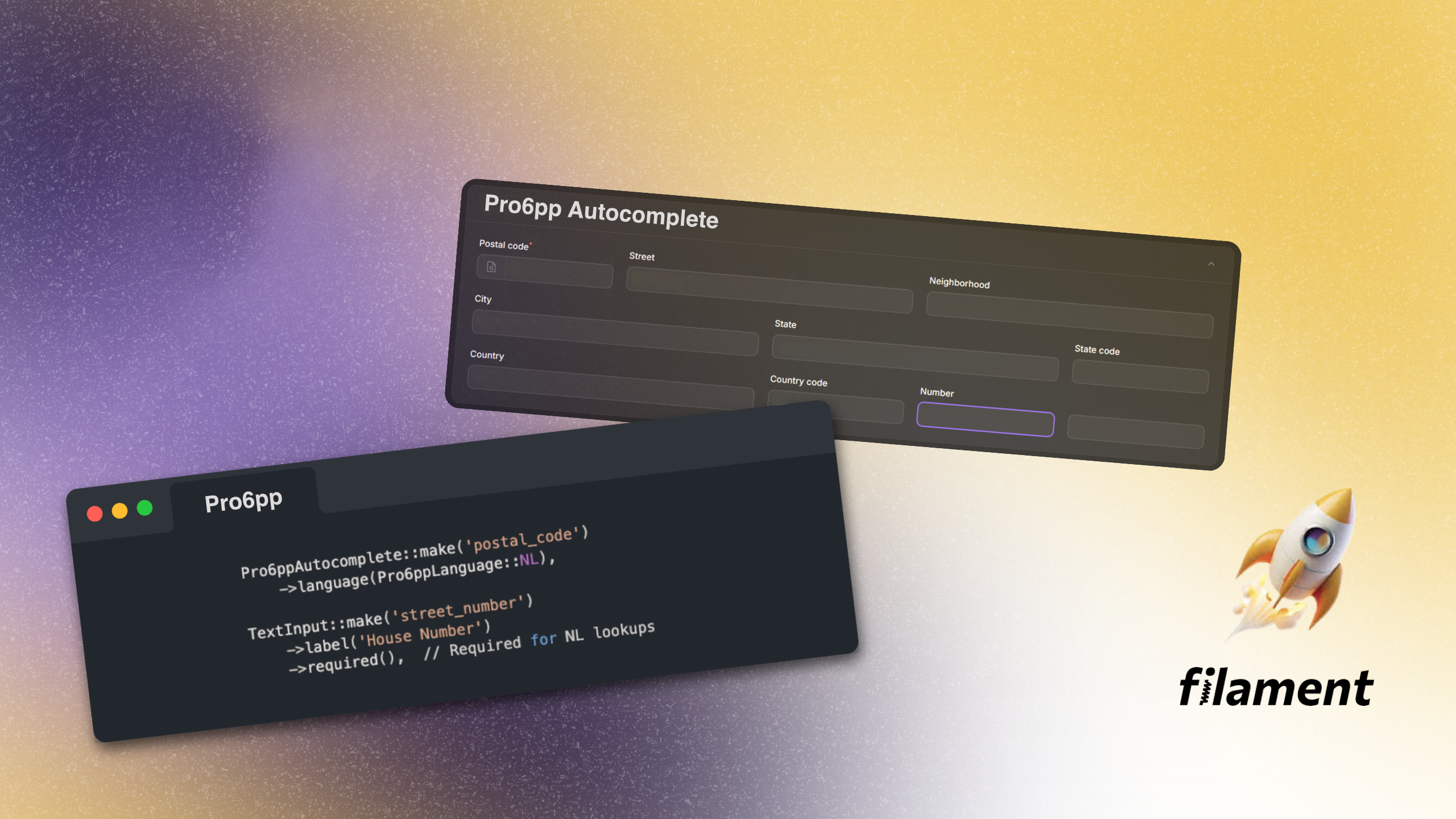
A clean and simple Filament v4 plugin that integrates Pro6PP postal code autocomplete functionality. This plugin provides seamless address lookup with support for multiple European countries.
Features
- 🌍 Multi-country support: Netherlands, Belgium, Luxembourg, Germany, France, Denmark, Austria, Switzerland
- ⚡ Backend API calls: All API requests are securely handled server-side
- 🎨 Country-specific validation: Automatic field requirements and formatting based on country
- 🎯 Smart field mapping: Automatically populates form fields with API response
- 🔘 Built-in search button: Clean suffix action button with magnifying glass icon
- ✅ Native Filament patterns: Uses TextInput + suffixAction - no custom views needed
- 🚫 Zero configuration: No traits, macros, or JavaScript required
Requirements
- PHP 8.2 or higher
- Filament v4.x
- Laravel 10.x, 11.x or 12.x
- Livewire 3.x
- Pro6PP API key (get yours at pro6pp.nl)
Installation
Install the package via Composer:
composer require syzygy/filament-pro6pp-autocomplete
Publish the configuration file:
php artisan vendor:publish --tag="filament-pro6pp-config"
Add your Pro6PP API key to your .env file:
PRO6PP_API_KEY=your-api-key-here
Usage
Basic Example (Netherlands)
For the Netherlands, postal code AND street number are required:
use Syzygy\FilamentPro6pp\Forms\Components\Pro6ppAutocomplete;
use Syzygy\FilamentPro6pp\Enums\Pro6ppLanguage;
use Filament\Forms\Components\TextInput;

public function form(Form $form): Form
{
    return $form->schema([
        Pro6ppAutocomplete::make('postal_code')
            ->language(Pro6ppLanguage::NL),

        TextInput::make('street_number')
            ->label('House Number')
            ->required(),  // Required for NL lookups

        // These fields will be auto-filled when the search button is clicked
        TextInput::make('street')->label('Street'),
        TextInput::make('settlement')->label('City'),
        TextInput::make('municipality')->label('Municipality'),
        TextInput::make('province')->label('Province'),
    ]);
}
Complete Example with Custom Field Bindings (Netherlands)
use Syzygy\FilamentPro6pp\Forms\Components\Pro6ppAutocomplete;
use Syzygy\FilamentPro6pp\Enums\Pro6ppLanguage;
use Filament\Forms\Components\TextInput;

public function form(Form $form): Form
{
    return $form->schema([
        Pro6ppAutocomplete::make('address_lookup')
            ->language(Pro6ppLanguage::NL)
            ->bindStreet('street')
            ->bindStreetNumber('street_number')
            ->bindSettlement('settlement')
            ->bindProvince('province')
            ->bindPostalCode('postal_code')
            ->bindCountry('country')
            ->bindCountryCode('country_code')
            ->bindLat('latitude')
            ->bindLng('longitude')
            ->nextFocusField('street_number'),

        TextInput::make('street_number')
            ->label('House Number')
            ->required(),  // Required for NL lookups

        // These fields will be auto-filled after lookup
        TextInput::make('street')->label('Street'),
        TextInput::make('settlement')->label('City'),
        TextInput::make('municipality')->label('Municipality'),
        TextInput::make('province')->label('Province'),
        TextInput::make('country')->label('Country'),
        TextInput::make('country_code')->label('Country Code'),
        TextInput::make('latitude')->label('Latitude'),
        TextInput::make('longitude')->label('Longitude'),
    ]);
}
Belgium / Luxembourg Example
For Belgium and Luxembourg, the user must also enter a street name before searching:
use Syzygy\FilamentPro6pp\Forms\Components\Pro6ppAutocomplete;
use Syzygy\FilamentPro6pp\Enums\Pro6ppLanguage;
use Filament\Forms\Components\TextInput;

public function form(Form $form): Form
{
    return $form->schema([
        Pro6ppAutocomplete::make('postal_code')
            ->language(Pro6ppLanguage::BE) // or Pro6ppLanguage::LU
            ->streetField('street'), // Tell component where to find street input

        TextInput::make('street')->label('Street')->required(),

        // These fields will be auto-filled
        TextInput::make('street_number')->label('House Number'),
        TextInput::make('settlement')->label('City'),
        TextInput::make('municipality')->label('Municipality'),
    ]);
}
Germany / France / Denmark / Austria / Switzerland Example
For these countries, users must enter postal code, city, and street:
use Syzygy\FilamentPro6pp\Forms\Components\Pro6ppAutocomplete;
use Syzygy\FilamentPro6pp\Enums\Pro6ppLanguage;
use Filament\Forms\Components\TextInput;

public function form(Form $form): Form
{
    return $form->schema([
        Pro6ppAutocomplete::make('postal_code')
            ->language(Pro6ppLanguage::DE) // or FR, DK, AT, CH
            ->settlementField('settlement')  // Where to find city
            ->streetField('street'),         // Where to find street

        TextInput::make('settlement')->label('City')->required(),
        TextInput::make('street')->label('Street')->required(),

        // These fields will be auto-filled
        TextInput::make('street_number')->label('House Number'),
        TextInput::make('municipality')->label('Municipality'),
        TextInput::make('state')->label('State'),
    ]);
}
Component Methods
Configuration Methods
language(Pro6ppLanguage|string $language)
Set the country/language for the autocomplete service.
Pro6ppAutocomplete::make('postal_code')
    ->language(Pro6ppLanguage::NL)
settlementField(?string $field)
For countries requiring city input (DE, FR, DK, AT, CH), specify which form field contains the city/settlement.
Pro6ppAutocomplete::make('postal_code')
    ->language(Pro6ppLanguage::DE)
    ->settlementField('city')  // Read from 'city' field
streetField(?string $field)
For countries requiring street input (BE, LU, DE, FR, DK, AT, CH), specify which form field contains the street.
Pro6ppAutocomplete::make('postal_code')
    ->language(Pro6ppLanguage::BE)
    ->streetField('street_name')  // Read from 'street_name' field
nextFocusField(?string $field)
Set which field should receive focus after successful lookup (default: 'street_number').
Pro6ppAutocomplete::make('postal_code')
    ->nextFocusField('house_number')
Field Binding Methods
By default, the component maps API responses to standard field names. Customize mappings with these methods:
Standard Fields (All Countries)
bindPostalCode(string $field)- Default:'postal_code'bindStreet(string $field)- Default:'street'bindStreetNumber(string $field)- Default:'street_number'bindPremise(string $field)- Default:'premise'bindSettlement(string $field)- Default:'settlement'bindCountry(string $field)- Default:'country'bindCountryCode(string $field)- Default:'country_code'bindLat(string $field)- Default:'lat'bindLng(string $field)- Default:'lng'
Country-Specific Fields
bindNeighbourhood(string $field)- NL: NeighborhoodbindDistrict(string $field)- NL, LU, DE, AT, CH: DistrictbindMunicipality(string $field)- NL, BE, LU, DE, DK, AT, CH: MunicipalitybindProvince(string $field)- NL, BE, DK: ProvincebindRegion(string $field)- BE, FR, DK: RegionbindBox(string $field)- BE: Box numberbindBoxPrefix(string $field)- BE: Box prefixbindCanton(string $field)- LU, CH: CantonbindDepartment(string $field)- FR: DepartmentbindCommune(string $field)- FR: CommunebindState(string $field)- DE, AT: State/Bundesland
Example with Custom Field Names
Pro6ppAutocomplete::make('zip_code')
    ->language(Pro6ppLanguage::NL)
    ->bindPostalCode('zip_code')      // Map to 'zip_code' instead of 'postal_code'
    ->bindStreet('address_line_1')    // Map to 'address_line_1'
    ->bindSettlement('city_name')     // Map to 'city_name'
    ->bindProvince('province_name')   // Map to 'province_name'
    ->nextFocusField('house_nr')      // Focus 'house_nr' field after lookup
How It Works
Architecture
- User Input: User enters required information (postal code, and optionally city/street)
- Click Search Button: User clicks the magnifying glass suffix action button
- Validation: Filament validates the postal code field
- Backend Call: Component reads form values and calls Pro6ppService
- API Request: Pro6ppService makes secure backend request to Pro6PP API
- Field Population: Response data populates form fields using Filament's
Sethelper - Focus Management: Optional auto-focus to next field
Technical Implementation
The component extends Filament's TextInput and uses suffixAction() to add a search button. The action closure receives the Set $set helper, which is used to update other form fields - this is the standard Filament pattern (inspired by filament-smart-cep).
protected function setUp(): void
{
    parent::setUp();

    $this->suffixAction(
        fn (): Action => Action::make('pro6ppLookup')
            ->icon('heroicon-o-magnifying-glass')
            ->action(function (Livewire $livewire, Set $set) {
                // Validate, call API, update fields with $set()
            })
    );
}
Country Requirements
Different countries have different lookup requirements:
| Country | Code | Postal Format | Required Fields | Additional Data |
|---|---|---|---|---|
| 🇳🇱 Netherlands | NL | 1234AB (4 digits + 2 letters) | Postal code + Street number | Neighborhood, District |
| 🇧🇪 Belgium | BE | 1234 (4 digits) | Postal code + Street | Box number, Region |
| 🇱🇺 Luxembourg | LU | 1234 (4 digits) | Postal code + Street | Canton, District |
| 🇩🇪 Germany | DE | 12345 (5 digits) | Postal code + City + Street | State (Bundesland) |
| 🇫🇷 France | FR | 12345 (5 digits) | Postal code + City + Street | Department, Region |
| 🇩🇰 Denmark | DK | 1234 (4 digits) | Postal code + City + Street | Region |
| 🇦🇹 Austria | AT | 1234 (4 digits) | Postal code + City + Street | State (Bundesland) |
| 🇨🇭 Switzerland | CH | 1234 (4 digits) | Postal code + City + Street | Canton |
Validation
Input Masking
The component automatically applies input masks based on the selected country:
- NL:
9999aa(e.g., 1012AB) - DE, FR:
99999(e.g., 10115) - BE, LU, DK, AT, CH:
9999(e.g., 1000)
Server-Side Validation
Pro6ppService handles all backend validation:
- API key verification
- Required field checking
- Postal code sanitization
- Error handling with user notifications
Error Handling
The plugin provides comprehensive error handling with user-friendly notifications:
- Missing API Key: Notification prompts user to add PRO6PP_API_KEY to .env
- Missing Required Fields: Warning about incomplete data before API call
- Address Not Found: Notification when Pro6PP API returns no results
- Connection Error: Handles API timeout and connection issues gracefully
- API Errors: Displays specific error messages from Pro6PP
Testing
Example Test Data
Netherlands (NL):
Postal code: 1012AB → Amsterdam addresses
Belgium (BE):
Postal code: 1000
Street: Wetstraat → Brussels addresses
Germany (DE):
Postal code: 10115
City: Berlin
Street: Unter den Linden
France (FR):
Postal code: 75001
City: Paris
Street: Rue de Rivoli
Technical Details
Stack
-
Backend: Laravel + Filament v4
-
Component: Extends
Filament\Forms\Components\TextInput -
Action Pattern: Uses
suffixAction()withSet $sethelper -
API: Pro6PP v2 REST API with HTTP Client
No Custom Views Required
Unlike many Filament plugins, this package doesn't require custom Blade views. It uses Filament's native TextInput with a suffixAction, making it simple, maintainable, and future-proof.
Data Flow
User fills fields → Clicks suffix button → Filament validates
→ Action closure executes → Reads form values via data_get()
→ Calls Pro6ppService → HTTP request to Pro6PP API
→ Response formatted → $set() updates form fields → Optional auto-focus
Credits
- Inspired by filament-smart-cep by Otavio Araujo
- Built by Syzygy Media
Changelog
Please see CHANGELOG for recent changes.
License
The MIT License (MIT). Please see License File for more information.