
spokospace / filament-ops-notify

Operational notifications (inquiries, errors, builds) for Laravel + Filament panels, delivered to Telegram forum topics.
Requires
- php: ^8.3
- filament/filament: ^5.0
- illuminate/contracts: ^12.0|^13.0
- spatie/laravel-package-tools: ^1.16
Requires (Dev)
- larastan/larastan: ^3.12
- laravel/pint: ^1.18
- orchestra/testbench: ^10.0|^11.0
- pestphp/pest: ^3.7|^4.0
- pestphp/pest-plugin-laravel: ^3.0|^4.0
Suggests
None
Provides
None
Conflicts
None
Replaces
None
- dev-main
- v1.3.1
- v1.3.0
- v1.2.0
- v1.1.0
- v1.0.0
- v0.10.0
- v0.9.0
- v0.8.0
- v0.7.0
- v0.6.0
- v0.5.2
- v0.5.1
- v0.5.0
- v0.4.0
- v0.3.0
- v0.2.1
- v0.2.0
- v0.1.2
- v0.1.1
- v0.1.0
- dev-docs/readme-case-study-link
- dev-docs/templates-config-comment
- dev-docs/refresh-screenshots
- dev-feat/settings-prefix-hashtag
- dev-feat/template-simple
- dev-events-clickable
- dev-design-forms
- dev-feat/template-editor
This package is auto-updated.
Last update: 2026-10-21 16:24:52 UTC
README
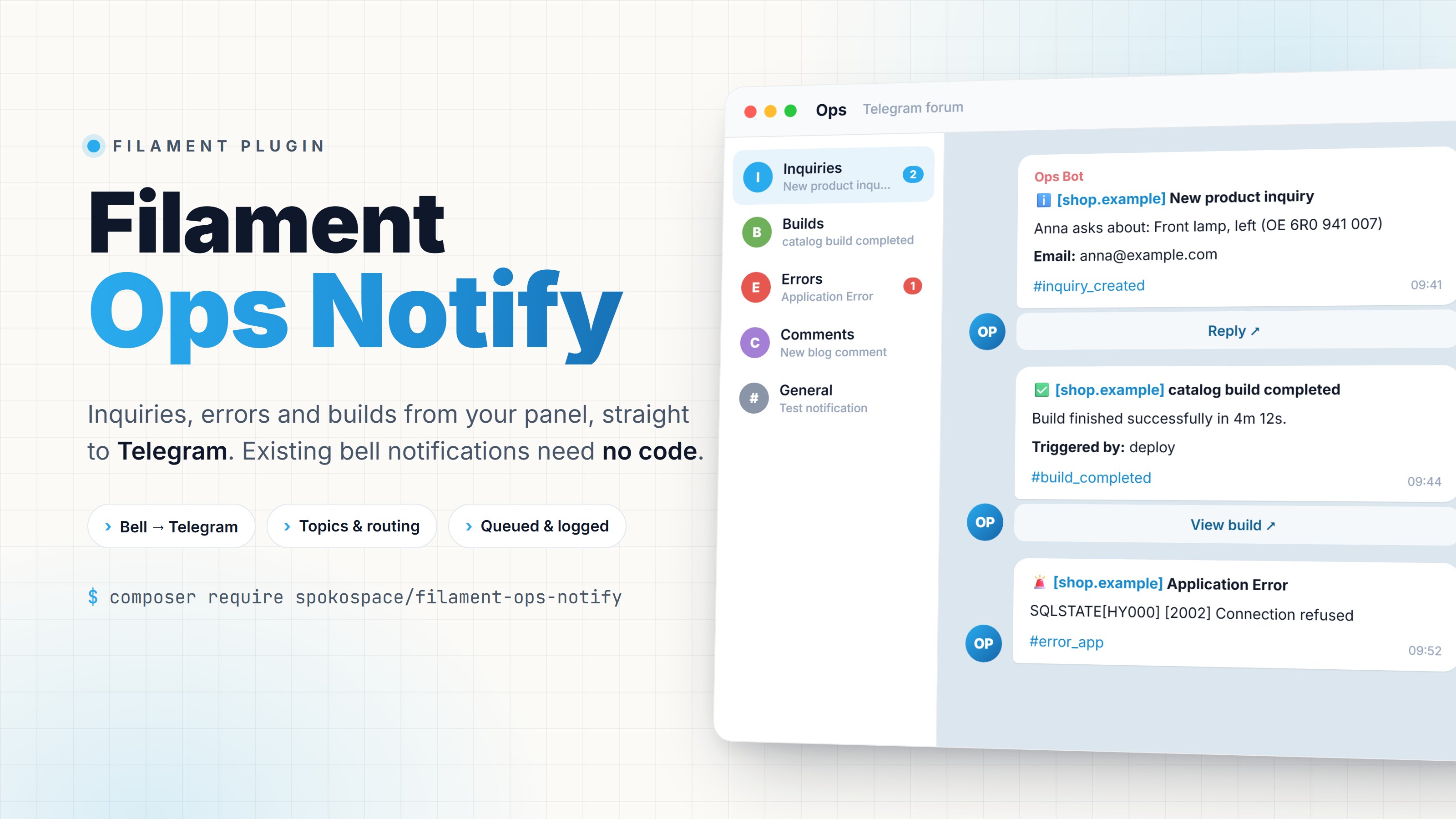
Filament Ops Notify

Operational notifications for Laravel + Filament panels: inquiries, errors and builds, delivered to Telegram forum topics. Built on Laravel notifications, so existing Filament database notifications reach Telegram with no code changes.
Features
- Bell notifications → Telegram, no code. Every
sendToDatabase()notification is forwarded once, however many users receive it (with a shared cache). - Any Laravel notification, too. Apps without the bell can forward mail, SMS or push notifications, once each and without secrets such as password reset links.
- Topics and routing. Create forum topics from the panel and route events to them by pattern
(
inquiry.*→ Inquiries). Filament notifications are routed by title. - Settings in the panel. Token (encrypted), chat id, service name, topics and rules, all without
touching
.env. - Message templates. Change an event's title, body, fields and hashtag by pattern in config
(
inquiry.*→ New inquiry from :field.Name); the panel switches the[service]prefix and the#eventline (Message templates). - Reliable delivery. Queued, retried, rate-limit aware, and never breaks the request that sent it.
- Bot profile. Pick an avatar (a preset or your own) and set the display name and descriptions from the panel.
- Translated. The panel ships in 25 languages, and a separate setting controls the language of the messages.
- History. Every message is logged with its status and Telegram error, and failed ones can be resent.
opsnotification channel and a fluentOpsMessagefor events that are not bell notifications.
Screenshots
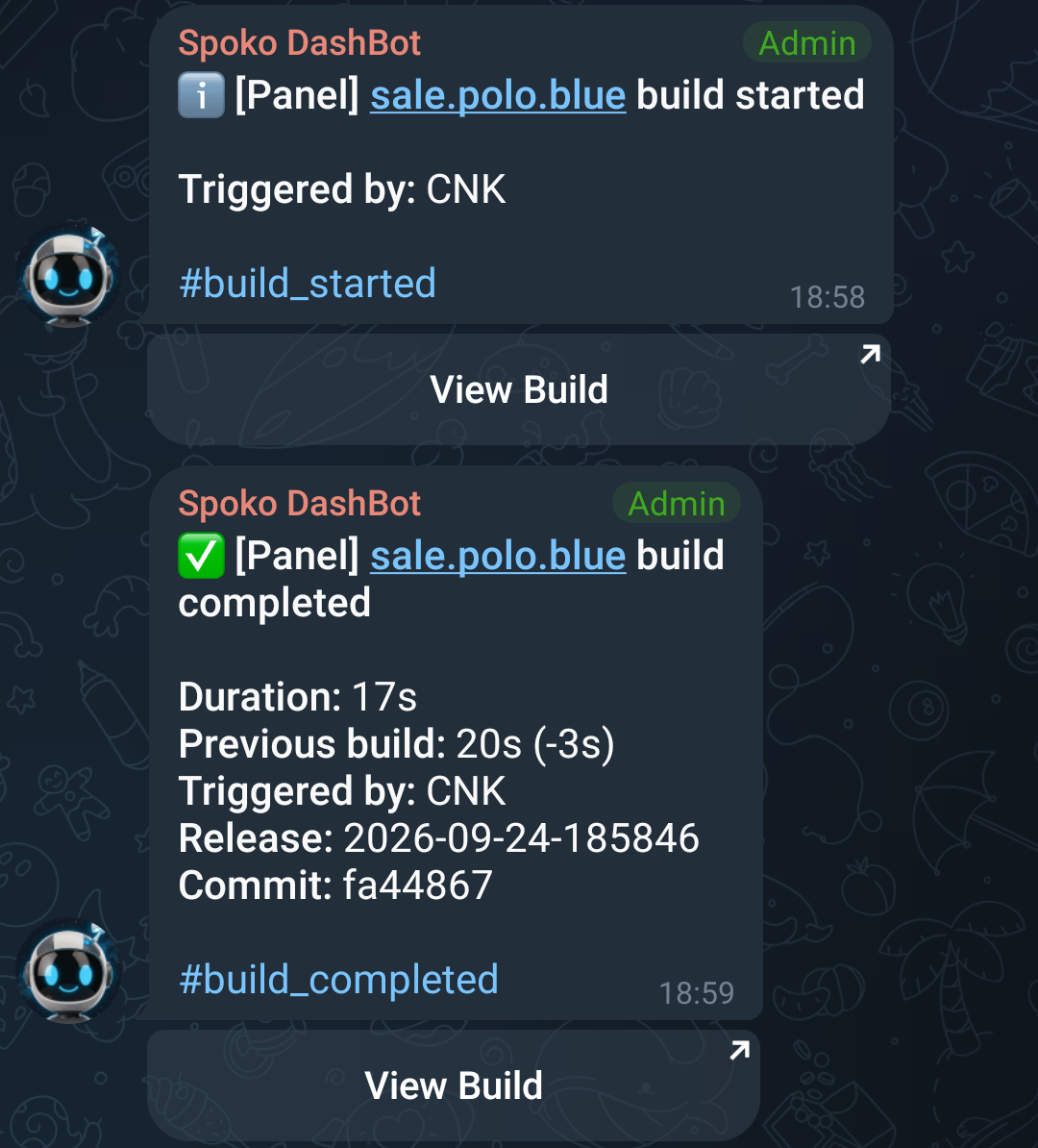
In Telegram: a build as the bot reports it to the Builds topic, started and then completed,
with the [service] prefix, bold field labels, the #event hashtag and a button on each message.
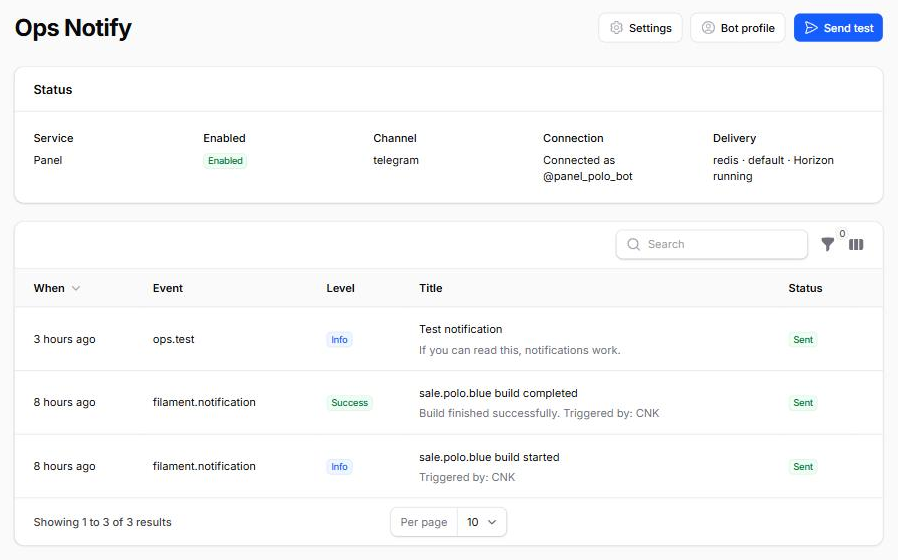
The Ops Notify page: the Telegram connection, where messages are delivered (queue and Horizon state), and the history of every message sent, with failed ones ready to resend.
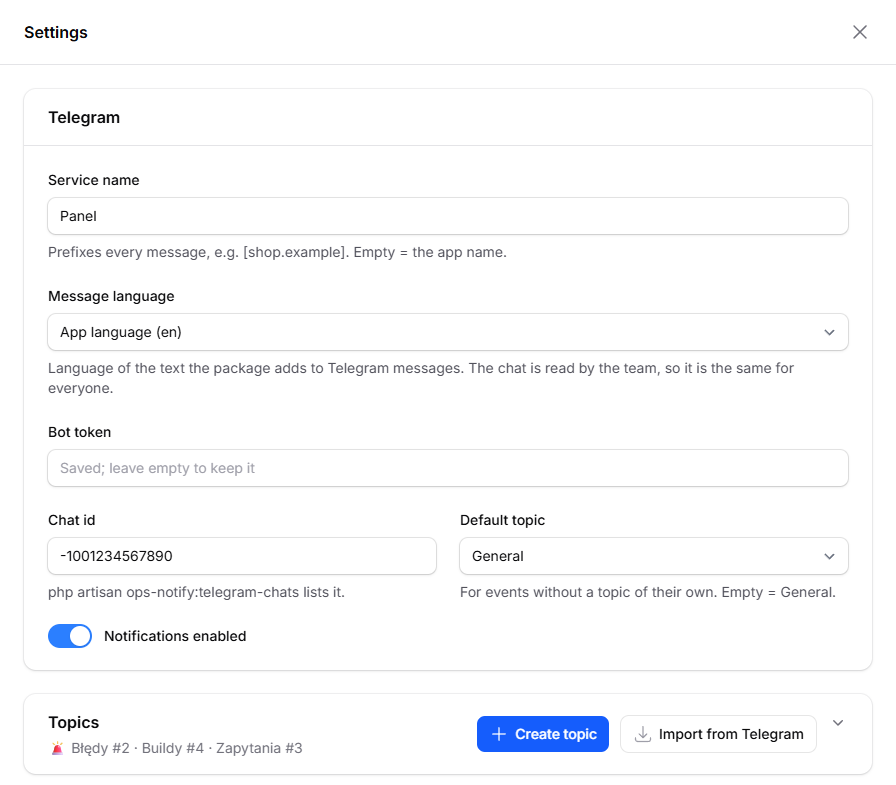
Settings: bot token, chat id and message language, forum topics that can be created in Telegram or imported from it, routing rules and forwarding rules. Filled lists collapse to a one-line summary.
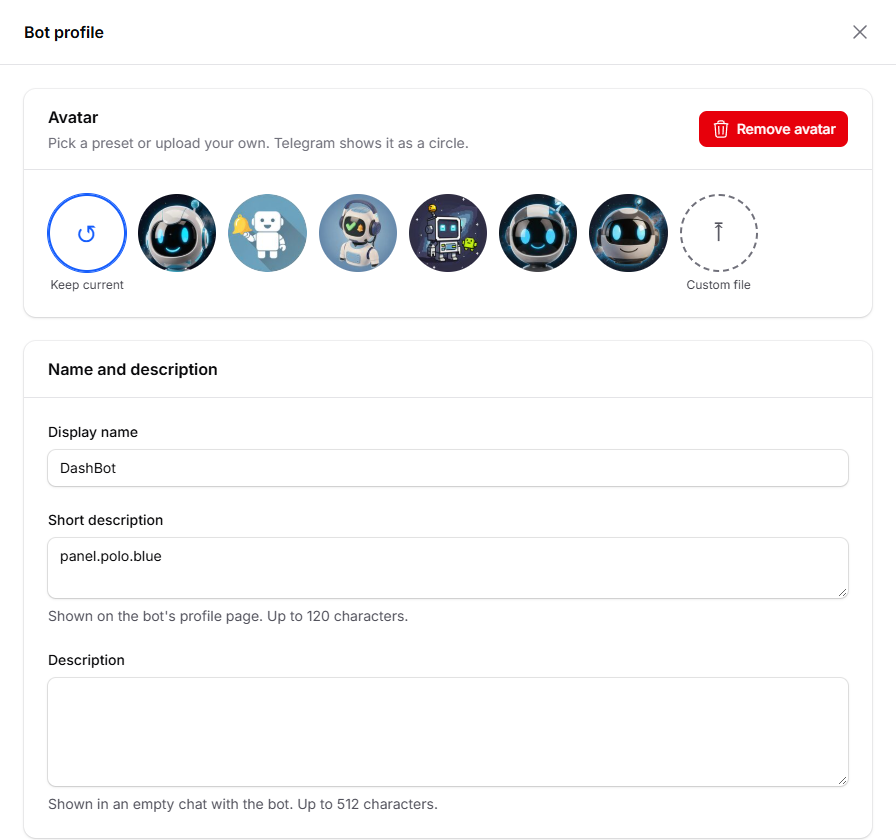
Bot profile: pick a preset avatar or upload your own, and set the name and descriptions Telegram shows.
Requirements
- PHP 8.3 / 8.4 / 8.5
- Laravel 12 / 13
- Filament 5
Installation
composer require spokospace/filament-ops-notify
php artisan migrate
use Spokospace\OpsNotify\Filament\OpsNotifyPlugin;

$panel->plugin(OpsNotifyPlugin::make()->navigationGroup('System'));
Then say who may use it. Until you do, the page opens only in the local environment:
// In a service provider's boot(), with your app's own admin check:
Gate::define('viewOpsNotify', fn (User $user): bool => $user->is_admin);
manageOpsNotify can limit Settings, Bot profile, Send test and Resend further. See
Who may use it.
Delivery runs on the queue, so the app needs a worker (Horizon or queue:work) and the scheduler.
Quick start
- Create a bot with @BotFather and a Telegram group with Topics turned on. Add the bot and promote it to admin.
- In the panel, open Ops Notify → Settings and enter the bot token and chat id.
- Press Send test.
The setup checklist has every step in order. Installing with an AI coding agent? Give it Installing with an AI agent.
Your existing Filament notifications now reach Telegram. To send something yourself:
use Spokospace\OpsNotify\OpsMessage;

OpsMessage::make('build.completed')
    ->success()
    ->title('Frontend build completed')
    ->field('Duration', '4m 12s')
    ->button('Open site', 'https://shop.example')
    ->send();
In Telegram it reads:
✅ [shop.example.com] Frontend build completed

Duration: 4m 12s

#build_completed
with an Open site button below. The title and field labels are bold.
Documentation
- Setup checklist: what to set up, in order, the rights the bot needs, and instructions for AI agents
- Installation: requirements, migrations, plugin options
- Telegram setup: bot, group, topics, finding the chat id, bot profile
- Settings: panel vs
.env, every option, languages, the Ops Notify page - Routing and topics: topics, event rules, forwarding Filament notifications
- Sending messages: the
opschannel, theOpsMessageAPI, message templates, delivery, tests - Drivers: writing your own channel driver
- Troubleshooting: common Telegram and queue errors and fixes
Testing
composer test
Credits
Built and maintained by spoko.space, where it runs in production on our own Filament panels. There's a case study with the story and screenshots behind it.
License
MIT, see LICENSE.md.