
smith89k / laravel-post-mcp

Let an AI app (Claude, ChatGPT, Cursor and others) manage the blog posts of any Laravel site through MCP, using the site's existing Post model.
Requires
- php: ^8.2
- illuminate/contracts: ^12.41.1|^13.0
- illuminate/database: ^12.41.1|^13.0
- illuminate/support: ^12.41.1|^13.0
- laravel/mcp: ^1.3
- laravel/prompts: ^0.3
- spatie/laravel-package-tools: ^1.92
Requires (Dev)
- larastan/larastan: ^3.0
- laravel/passport: ^13.0
- laravel/pint: ^1.20
- orchestra/testbench: ^10.8|^11.0
- phpunit/phpunit: ^11.5|^12.0
Suggests
- laravel/passport: Required for OAuth mode (claude.ai and Claude Desktop connectors).
- laravel/sanctum: Can be used for token mode instead of Passport personal access tokens.
- spatie/laravel-medialibrary: Required for the medialibrary media driver.
Provides
None
Conflicts
None
Replaces
None
README

Laravel Post MCP
Let an AI app (Claude, ChatGPT, Cursor and others) write and manage the blog posts of your Laravel site, using the Post model you already have.
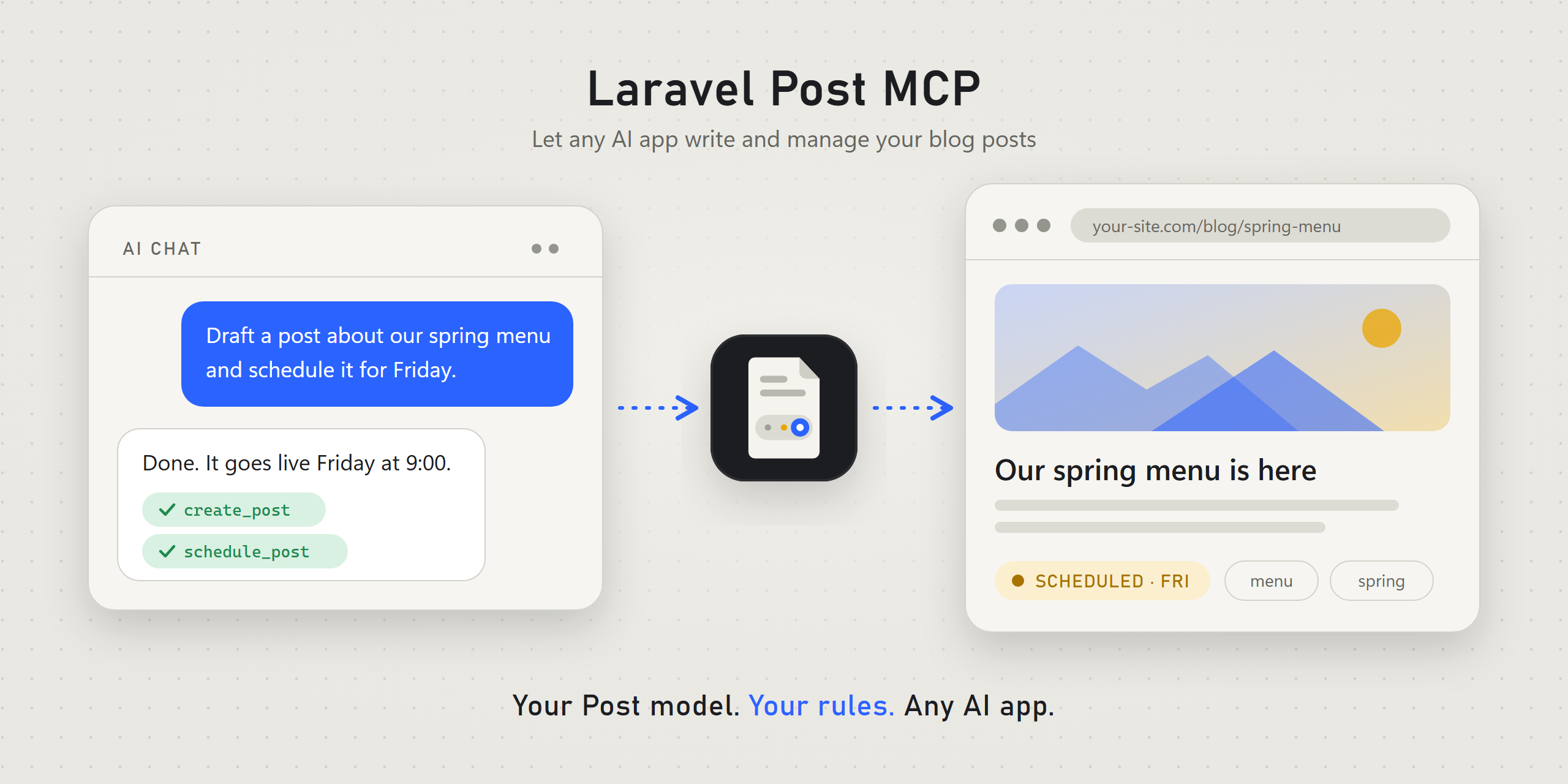
smith89k/laravel-post-mcp adds a Model Context Protocol server to your app with laravel/mcp. Your AI app connects to one URL, signs in with OAuth, and can then list, read, draft, edit, schedule and publish posts, and upload images. It does this with your own model, events, validation rules and storage. The package creates no blog tables.
- Adapts to your model. It reads your table columns,
$fillable/$guarded/$hidden,$casts, enums, relationships and FormRequest rules, and builds the tool schemas from them. - Saves like your admin does. Posts are saved through Eloquent, so your model events and observers run. You can also bind your own writer class.
- Safe by default. Every call checks a gate that denies everyone until you define it. Requests are rate limited. Every change is written to an audit log. Only the configured model is reachable, and there is no hard delete unless you turn it on.
Requirements
- PHP 8.2+
- Laravel 12.41+ or 13 (the minimum set by
laravel/mcp1.3) - Laravel Passport 13 for OAuth mode (needed by apps that sign in, such as Claude and ChatGPT)
Install in 3 steps
1. Require the package
composer require smith89k/laravel-post-mcp
2. Run the installer
php artisan post-mcp:install
The installer:
- asks which model holds your posts
- detects the title, slug, body, status, publish date, relations and images
- prints the field map
- writes
config/post-mcp.phpand publishes the audit log migration - checks your Passport setup and tells you exactly what is missing
- prints your connector URL
3. Allow yourself, then connect your AI app
Define who may use the tools, for example in AppServiceProvider::boot():
use Illuminate\Support\Facades\Gate;

Gate::define('use-post-mcp', fn ($user) => $user->is_admin);
Then add the connector URL in your AI app (see Connecting an AI app).
OAuth setup (if the installer reports it missing)
composer require laravel/passport
php artisan vendor:publish --tag=passport-migrations
php artisan migrate
php artisan passport:keys
- Add
Laravel\Passport\HasApiTokensandimplements Laravel\Passport\Contracts\OAuthenticatableto yourUsermodel. - Add an
apiguard toconfig/auth.php:'api' => ['driver' => 'passport', 'provider' => 'users']. - If your site has no route named
login(for example when you only use the Filament login), setPOST_MCP_LOGIN_URL=/admin/login. Passport sends signed-out users there before showing the consent screen.
Run php artisan post-mcp:install again at any time to re-check.
The tools
| Tool | What it does |
|---|---|
get_post_fields |
The field map: types, required fields, allowed values, live tag/category/relation values from the database, statuses, slug rules, content format |
list_posts |
Filter by status, search text, relation value, publish date range; paginated |
get_post |
One post by id or slug, with status and public URL |
create_post |
Creates a draft; publishes only with publish: true, schedules with publish: true + future publish_at |
update_post |
Partial update of writable fields only; never changes the status or the slug unless sent |
publish_post / unpublish_post / schedule_post |
Status changes (schedule_post only when you have a publish date column) |
upload_image |
From a public URL or base64, through your media driver; returns the URL and Markdown/HTML snippets, and can set a featured image |
delete_post |
Only when delete.enabled is true; needs confirm: true |
When validation fails, the tool answers with a readable list (- slug: The slug has already been taken.), so the AI app can fix the input and try again.
Check what the AI app will see at any time:
php artisan post-mcp:fields          # table
php artisan post-mcp:fields --json   # full map
Connecting an AI app
Your connector URL is APP_URL + route.path, for example https://example.com/laravel-post-mcp. It speaks MCP over Streamable HTTP, so any app that supports remote MCP servers can use it. AI apps only connect to HTTPS URLs that are reachable from the internet.
The settings page and the consent screen call each app by the name it registers with, so you see "What ChatGPT can do with your posts" when ChatGPT is the one connected.
Tested end to end with Claude. Other apps follow the same OAuth steps, but their menus change often: look for "custom connector", "MCP server" or "add a tool by URL".
Chat apps (Claude, ChatGPT and others)
- In the app's settings, add a custom connector (MCP server) and paste the connector URL.
- Connect. The app opens your site, you sign in, and you approve access on the consent screen.
In Claude this is Settings → Connectors → Add custom connector; connectors added on claude.ai also work in Claude Desktop. On team plans an owner may need to add the connector for the organization first.
Editors (Cursor, VS Code and others)
Add an HTTP MCP server to the editor's mcp.json, for example in Cursor (~/.cursor/mcp.json):
{ "mcpServers": { "posts": { "url": "https://example.com/laravel-post-mcp" } } }
or in VS Code (.vscode/mcp.json):
{ "servers": { "posts": { "type": "http", "url": "https://example.com/laravel-post-mcp" } } }
The editor opens your site to sign in. Desktop apps return from sign-in to their own kind of address (cursor://, vscode://); auth.app_schemes lists the ones allowed.
Claude Code
claude mcp add --transport http posts https://example.com/laravel-post-mcp
# then run /mcp inside Claude Code to sign in
Apps that cannot sign in
Use a fixed access key (set POST_MCP_AUTH=token):
php artisan passport:client --personal                    # once
php artisan post-mcp:token you@example.com --name="My app" # prints the key
Give the app the connector URL and the header Authorization: Bearer <key>. The --name is what the settings page shows. If your app uses Sanctum, set POST_MCP_GUARD=sanctum and post-mcp:token creates a Sanctum token instead.
Settings page
Site owners who don't edit code can open APP_URL/laravel-post-mcp/settings (or the connector URL in a browser) and choose, by clicking:
- for each field: Hidden, Can read or Can edit
- a friendlier name and a short note that tells the AI app how to fill the field in
- for each relation: whether the AI app can add new items (for example new tags)
Changes apply on the next request, with no cache to clear and nothing to deploy. The page is self-contained (no Vite, Tailwind or outside fonts), follows light and dark mode, and works without JavaScript.
It works inside the limits of config/post-mcp.php: it can switch things off and back on, never open what the config keeps closed. Secret-looking columns stay hidden, the title, slug, content, status and date fields can't be hidden, and relations missing from relations can't be switched on. Each locked switch says why on the page.
Who can open it: signed-in users the use-post-mcp gate allows (ui.middleware defaults to web and auth). Choices are stored in the post_mcp_settings table, so run php artisan migrate after updating. Until the table exists, the connector uses the config alone and the page asks for the migration. Turn the page off with ui.enabled => false.
Configuration reference
All settings live in config/post-mcp.php (publish with php artisan vendor:publish --tag=post-mcp-config).
| Key | Default | Meaning |
|---|---|---|
model |
App\Models\Post |
The Eloquent model the tools manage (POST_MCP_MODEL) |
server.name / server.instructions |
app name + " Posts" / built-in | What the AI app sees when it connects (POST_MCP_SERVER_NAME) |
route.path |
laravel-post-mcp |
Connector path (POST_MCP_PATH) |
route.middleware |
[] |
Extra middleware after authentication |
route.rate_limit |
60 |
Requests per minute per user; null turns it off (POST_MCP_RATE_LIMIT) |
ui.enabled / ui.path |
true / laravel-post-mcp/settings |
The settings page and its path (POST_MCP_UI_PATH) |
ui.middleware / ui.table |
['web', 'auth'] / post_mcp_settings |
Middleware before the gate check; table for the page's choices |
auth.mode |
oauth |
oauth (Passport) or token (POST_MCP_AUTH) |
auth.guard |
api |
Guard used to authenticate requests |
auth.gate |
use-post-mcp |
Ability checked on every call; undefined = everyone denied |
auth.oauth_registration / auth.oauth_rate_limit |
true / 10 |
Dynamic client registration and its per-minute limit |
auth.login_url |
null |
Adds a login route redirecting here, for sites without one |
auth.app_schemes |
claude, cursor, vscode, vscode-insiders, windsurf | Return-address schemes desktop apps may register besides https and localhost |
auth.register_authorization_view |
true |
Use the package's consent screen for Passport (a mcp.authorize view in your app wins) |
fields.discovery |
auto |
auto or explicit (only fields.only + role columns) |
fields.except |
[] |
Columns never exposed |
fields.overrides |
[] |
Per field: label, description, type, required, enum, rules, hidden, read_only |
fields.cache_ttl |
3600 |
Seconds the field map is cached; 0 = no cache |
title_column |
title |
Title column |
author_column |
null |
Filled with the signed-in user's id on create |
status.mode |
column |
boolean (a true/false flag) or column (string or backed enum) |
status.column / status.values |
status / draft, published, scheduled |
Column and the values for each status (scheduled may be null) |
status.published_at |
published_at |
Publish date column, or null (no scheduling) |
status.clear_date_on_unpublish |
false |
Clear the publish date when unpublishing |
slug.column / slug.strategy |
slug / from_title |
from_title, model (your model fills it) or none |
slug.reserved |
[] |
Slugs that clash with your routes |
content.column / content.format |
body / html |
html, markdown or blocks |
content.input_format / content.converter |
null |
Let the AI app write one format and store another (e.g. MarkdownToHtmlConverter) |
validation.create / validation.update |
null |
Your FormRequest classes; their rules and messages are applied |
relations |
[] |
Writable relations: label column, creatable, rules for new labels, description, and details the AI app fills in on new items (text, lists, images by URL) |
media.driver |
none |
none, disk, medialibrary or a class implementing MediaDriver |
media.disk / media.directory |
public / posts |
Where the disk driver stores images |
media.collection |
images |
Media library collection |
media.attach_to / media.attach_value |
null / path |
Featured image column (or collection) and whether it stores the path or URL |
media.max_kb / media.mimes / media.timeout |
5120 / jpg, jpeg, png, gif, webp / 15 |
Upload limits |
writer |
null |
A class implementing PostWriter |
public_url.route |
null |
Named route that takes the post, for links |
list.per_page / list.max_per_page / list.search / list.order_by |
15 / 50 / [title] / publish date |
Listing |
delete.enabled |
false |
Offer delete_post |
audit.enabled / audit.table / audit.log_channel |
true / post_mcp_audit_logs / null |
Audit log (POST_MCP_LOG_CHANNEL for the channel) |
Field rules
- The primary key, timestamps, generated columns and guarded columns are read-only.
$hiddencolumns and anything that looks like a secret (password,*_token,secret,api_key...) are never exposed, even with an override.- The status, publish date and author columns are managed by the package and change only through the status tools.
- Only relations listed in
relationsare readable or writable.belongsToandbelongsToManycan be set. - With
details, the AI app can finish a related item while writing the post, for example a new project with its description, links and logo. New items get every detail sent. Existing items get their empty details filled in, and list details (such as links) get new entries added; nothing already written is changed or removed. Any list can grow this way: described lists (each) are matched by their first part (the address), and lists nobody described get their entry shape from items already saved, so new entries may only use the parts saved ones have. Turn growing off per list withgrow => false, or with the "Can add more to existing ones" switch on the settings page. Every item is checked before anything is saved. Only columns that exist, are fillable and are not secret, hidden, keys or timestamps can be details.
Saving through your own services
use Smith89k\PostMcp\Contracts\PostWriter;

class PostServiceWriter implements PostWriter
{
    public function __construct(private PostService $posts) {}

    public function create(array $attributes, array $relations): Model { return $this->posts->create($attributes, $relations); }
    public function update(Model $post, array $attributes, array $relations): Model { return $this->posts->update($post, $attributes, $relations); }
    public function delete(Model $post): void { $this->posts->delete($post); }
}
Set 'writer' => PostServiceWriter::class, or bind PostWriter in a service provider.
A custom media driver
Implement Smith89k\PostMcp\Contracts\MediaDriver::store(ImageFile $image, ?Model $post): StoredImage and set media.driver to the class name. The image has already passed the type and size checks.
Security notes
- Authentication: OAuth 2.1 with PKCE through Passport, or a bearer token. The MCP route has no session and no CSRF exposure.
- Authorization: the gate is checked on every tool call, and everyone is denied until you define it. Use your existing admin check.
- Scope: tools only touch the configured model and the relations you list. There is no generic query or SQL tool.
- Rate limiting: per user on the MCP route, and per IP on OAuth client registration.
- Audit log: every create, update, publish, unpublish, schedule, upload and delete is stored with the user, the tool, the post and the changed fields. Set
audit.log_channelto also send it to a log. - Uploads: the real file type is checked (SVG is not allowed). URL fetches refuse private, loopback, link-local and reserved addresses, including on redirects, and connect to the address that was checked.
- Deleting is off by default and needs
confirm: truewhen on. - Dynamic client registration is public by design (RFC 7591). It is rate limited; set
auth.oauth_registrationtofalseand create clients by hand if you prefer.
FAQ
Does it create a posts table? No. It only adds the audit log table (and Passport's tables if you did not have them).
My status is a boolean is_published plus a published_at date. Use status.mode = boolean. A published post with a future date counts as scheduled.
My slug is made by a package or a model hook. Use slug.strategy = model. The package then never fills it.
The AI app keeps sending the wrong field. Run php artisan post-mcp:fields and add description, enum or rules overrides. They flow straight into the tool schemas.
I changed the config and the AI app still sees old fields. The field map is cached for fields.cache_ttl seconds. php artisan post-mcp:fields rebuilds it.
The AI app says it cannot connect. The URL must be public HTTPS, and /.well-known/oauth-protected-resource and /.well-known/oauth-authorization-server must be reachable. Check that Passport keys exist on the server and that APP_URL is your real https URL.
A client gets "Forbidden: The request origin is not allowed." laravel/mcp rejects browser Origin headers that are not your APP_URL. Publish its config (php artisan vendor:publish --tag=mcp-config) and add the origin to allowed_origins.
The consent screen fails with "Vite manifest not found". laravel/mcp's consent view loads resources/css/app.css through Vite. Run npm run build, or publish the view (php artisan vendor:publish --tag=mcp-views) and change the @vite line to fit your assets.
Can I use it without Passport? Yes, in token mode with Sanctum or a custom guard. Apps that sign in themselves (Claude, ChatGPT) need OAuth, though.
Upgrading from 0.1
- The connector moved from
/mcp/poststo/laravel-post-mcp. Remove the old connector in your AI app and add the new URL, or keep the old address withPOST_MCP_PATH=mcp/posts. If you publishedconfig/post-mcp.phpwith 0.1, itsroute.pathstill holds the old address: change it to use the new one. - Run
php artisan migrateto create thepost_mcp_settingstable for the new settings page. Until then the connector works from the config alone. - Clear the field map cache by running
php artisan post-mcp:fields.
See CHANGELOG.md for everything that changed.
Testing
composer test      # PHPUnit + Orchestra Testbench
composer analyse   # Larastan level 6
composer format    # Pint
The suite runs against three fixture models: a simple post (title/body/status), a rich post (author, category, tags, SEO fields, featured image, scheduling, FormRequests) and an unusual post (different column names, a custom key, an enum status and Markdown).
You can also try the server with the MCP Inspector:
npx @modelcontextprotocol/inspector
# Transport: Streamable HTTP, URL: https://your-site.test/laravel-post-mcp
License
MIT. See LICENSE.md.