
scalecommerce / videooptimizer-shopware

Deliver fast, adaptive, CDN-hosted videos in Shopware with VideoOptimizer - a privacy-friendly alternative to YouTube, Vimeo and self-hosting.
Package info
github.com/ScaleCommerce/videooptimizer-shopware
Type:shopware-platform-plugin
pkg:composer/scalecommerce/videooptimizer-shopware
Requires
- shopware/core: >=6.6.0.0 <6.8.0.0
Requires (Dev)
None
Suggests
None
Provides
None
Conflicts
None
Replaces
None
README
🎬 VideoOptimizer for Shopware
Deliver fast, adaptive, CDN-hosted video on your Shopware storefront — managed right inside the admin.
Product · API & docs · Report a bug
Manage VideoOptimizer libraries and videos without leaving Shopware, then embed them anywhere in Shopping Experiences via five ready-to-use CMS elements/blocks. A privacy-friendly, high-performance alternative to YouTube, Vimeo and self-hosting — the API token stays server-side, proxied through Shopware.
Built and maintained by ScaleCommerce GmbH, the team behind VideoOptimizer. Part of the
scalecommerce/videooptimizer-<platform>plugin family.
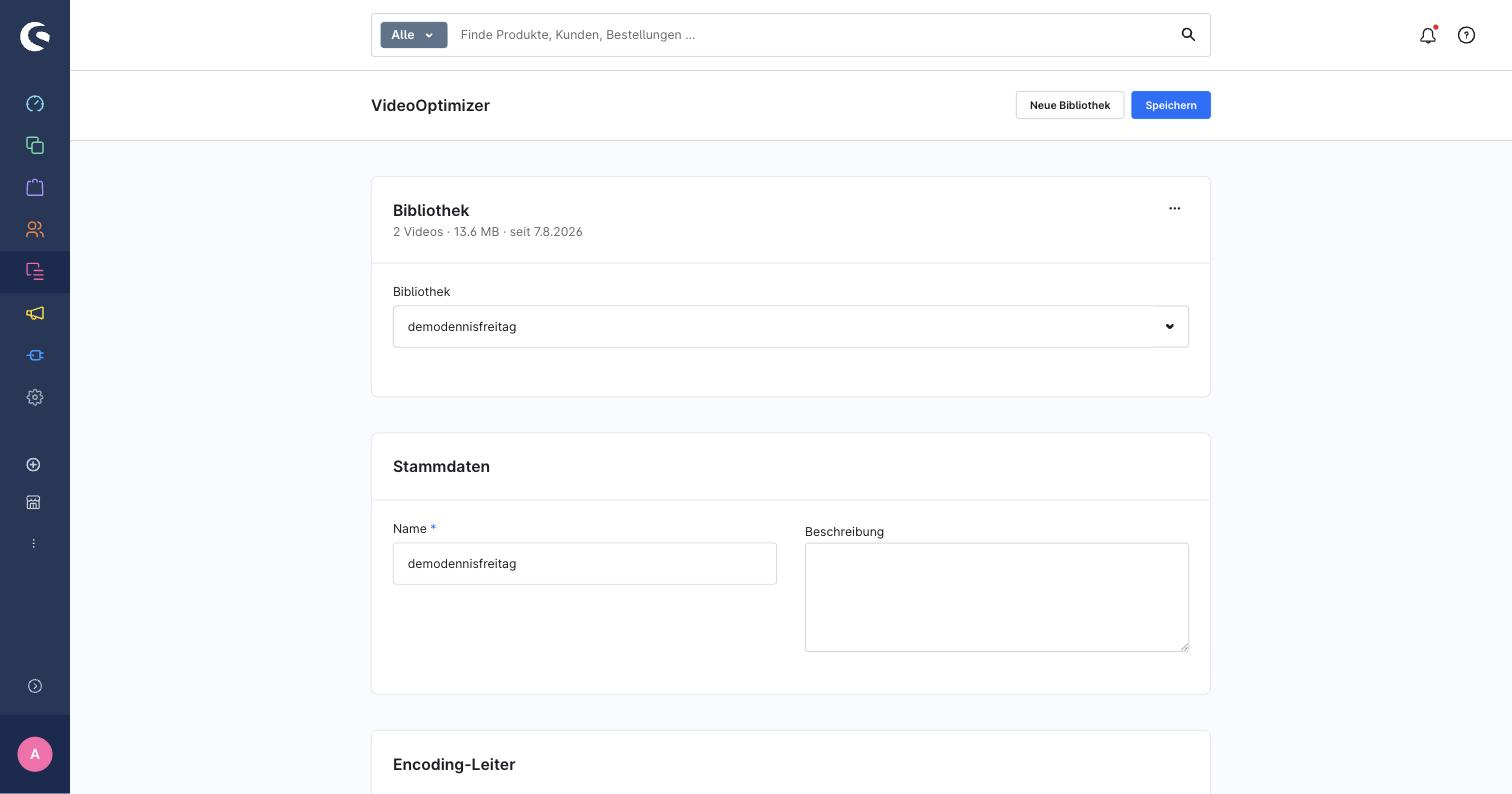
The library page follows Shopware's native layout — smart bar, cards, context menus.
✨ Highlights
- 📚 Library management — create and edit libraries (name, description) and their encoding ladder (codecs and resolutions), with add-on/unavailable options shown but disabled per the organization's plan; requeue all of a library's videos for re-encoding with the current ladder ("reprocess").
- ⬆️ Upload, URL import, rename, delete — upload via presigned multipart upload (transferred directly to storage, not through Shopware), or import a video from a public
https://URL. Deleting a video or a library asks for confirmation first. - 🖼️ Video detail overlay — pick the poster from 10 auto-generated frames, or upload a custom one (from disk or the Shopware media library); shows dimensions, duration and orientation.
- 🧱 Five CMS elements/blocks —
Video,Media split,Background hero,SpotlightandVideo grid, each with a presentation mode (poster/facade, lightbox, or embedded directly) and a player mode (native adaptive HLS via hls.js, or the hosted VideoOptimizer embed). - ⚡ Storefront performance — hls.js's light build, embed data cached per video, and only one lightweight embed loaded per video.
- 🔐 Token never touches the browser — stored server-side in the plugin configuration; all admin and storefront traffic to VideoOptimizer is proxied through Shopware.
- 🧩 Runs on 6.6 and 6.7 — compiled administration (6.6 webpack + 6.7 Vite) and storefront assets are shipped, no build step required.
Why deliver video through VideoOptimizer's CDN?
Video is the heaviest asset on most shop pages. Where it is hosted decides your page speed, your bandwidth bill, your conversion rate and your data-protection exposure.
vs. self-hosting (MP4 in your shop's media manager)
- Traffic stays off your server. Every play of a self-hosted video streams gigabytes straight from your web/origin server, competing with real shop requests and running up egress cost. VideoOptimizer serves every byte from edge CDN nodes, so your Shopware instance stays fast even during campaigns and traffic spikes.
- Adaptive bitrate (HLS) instead of one big file. VideoOptimizer automatically transcodes each upload into multiple resolutions (up to 4K) and streams HLS: the player picks the optimal quality for each visitor's device and connection — instant start, no buffering, no wasted mobile data.
- No manual encoding. Upload once; VideoOptimizer handles transcoding, posters and thumbnails.
- Better Core Web Vitals. Offloading heavy video improves LCP and overall storefront performance.
vs. YouTube / Vimeo embeds
- Your brand, not theirs. No foreign logos, no "up next" suggestions, no ads and no recommended competitor videos pulling customers out of your shop.
- Privacy & GDPR-friendly. YouTube/Vimeo embeds set third-party tracking cookies and load external scripts, forcing intrusive consent banners. VideoOptimizer streams your video from an EU-based CDN without ad-tracking.
- Full control & reliability. Your content isn't subject to a third-party platform's algorithm, regional blocks, monetisation rules or sudden takedowns.
| Self-hosted MP4 | YouTube / Vimeo | VideoOptimizer | |
|---|---|---|---|
| Server traffic / egress cost | High (from your origin) | Low | Low (edge CDN) |
| Adaptive streaming (HLS) | ✗ | ✓ | ✓ (up to 4K) |
| Storefront performance | ✗ (origin load) | ~ | ✓ (offloaded, optimized) |
| Own branding, no ads | ✓ | ✗ | ✓ |
| Privacy / GDPR, no tracking cookies | ✓ | ✗ | ✓ (EU CDN) |
| Automatic transcoding & thumbnails | ✗ | ✓ | ✓ |
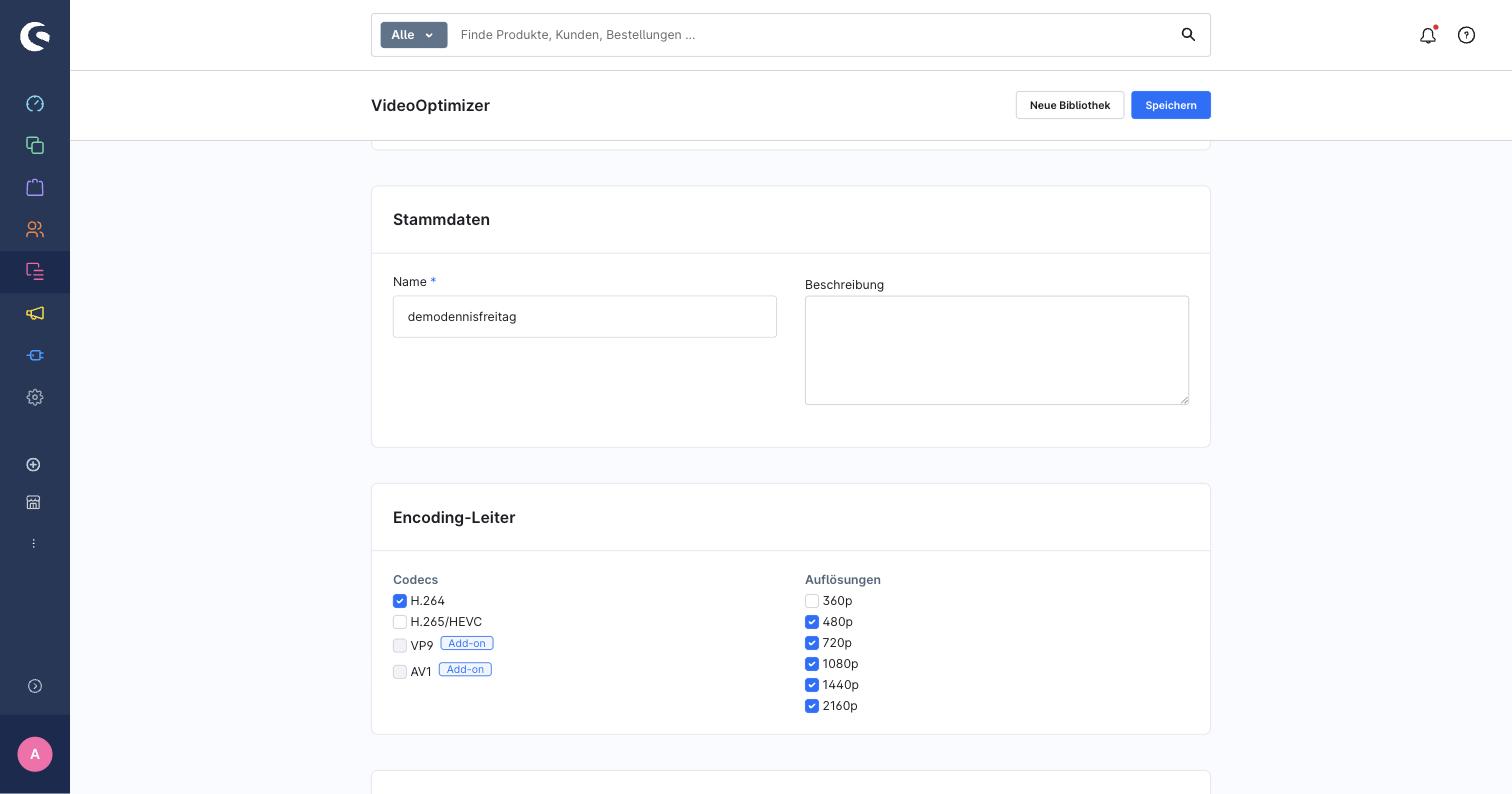
The encoding ladder as labelled checkbox groups, with paid add-ons flagged.
Requirements
- Shopware 6.6.x or 6.7.x
- PHP as required by your Shopware version (≥ 8.2)
- A VideoOptimizer account and API token (format
vp_...) — create one at https://videooptimizer.eu/ (see https://api.videooptimizer.eu/ for the API) - The token needs the
library:viewpermission for the org-wide video listing (browsing videos across all libraries); write operations (upload, import from URL, reprocess) require a self-hosted ("media managed") library
🚀 Quick start
- Install
composer require scalecommerce/videooptimizer-shopware
bin/console plugin:refresh
bin/console plugin:install --activate ScaleVideoOptimizer
bin/console cache:clear
- Add your token. Open Settings → System → Plugins → VideoOptimizer and paste your
vp_...API token. - Open the module. Go to Content → VideoOptimizer to create a library and manage videos.
Compiled administration (6.6 webpack build and 6.7 Vite build) and storefront assets ship with the plugin, so no build step is required for a normal install. If your project recompiles the storefront theme (e.g. after changing SCSS elsewhere), run the usual:
bin/console theme:compile
Manual install (without Composer/Packagist)
Place the plugin under custom/plugins/ScaleVideoOptimizer, then run the usual plugin lifecycle:
bin/console plugin:refresh
bin/console plugin:install --activate ScaleVideoOptimizer
bin/console cache:clear
Building from source
The repository ships pre-compiled administration and storefront assets, so building from source is only needed when working on the plugin itself:
bin/build-administration.sh   # rebuild the admin bundle (webpack for 6.6, Vite for 6.7)
bin/build-storefront.sh       # rebuild the storefront JS/CSS
To package a release build (.zip) for the Shopware Store or manual distribution:
shopware-cli extension build custom/plugins/ScaleVideoOptimizer
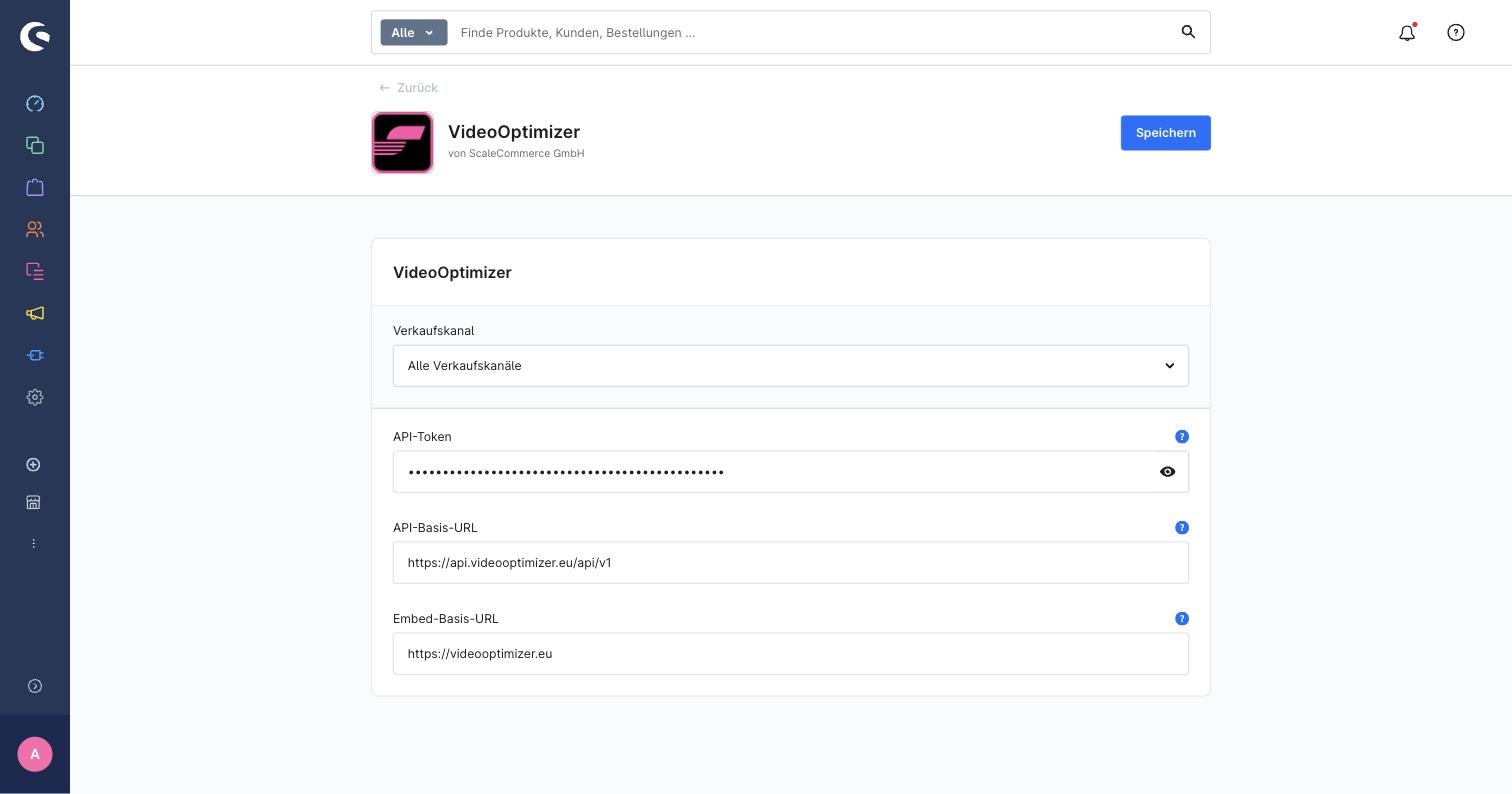
Plugin configuration: API token, API base URL and embed base URL.
Configuration
Under Settings → System → Plugins → VideoOptimizer:
| Field | Description |
|---|---|
apiToken |
Your VideoOptimizer API token (vp_...). |
apiBaseUrl |
API base URL, must be https://. Default: https://api.videooptimizer.eu/api/v1. |
embedBaseUrl |
Public host serving the hosted embed player, must be https://. Default: https://videooptimizer.eu. |
Permissions (ACL)
The module is gated by the scalecommerce_vo privilege group under Content, with the usual four roles:
| Role | Grants |
|---|---|
| Viewer | Read libraries, videos, encodings, thumbnails |
| Editor | Update libraries and videos, select/upload posters and thumbnails, reprocess a library |
| Creator | Create libraries, upload/import videos (depends on viewer + editor) |
| Deleter | Delete videos and libraries |
Poster and thumbnail selection and library reprocessing require update; deleting videos or libraries requires delete.
Usage
Admin module
Open Content → VideoOptimizer:
- Create a library, edit its name/description and encoding ladder, and trigger reprocess to requeue all of its videos for re-encoding with the current ladder.
- Add a video via file upload (presigned, direct to storage) or URL import; rename or delete a video from its tile's context menu.
- Open a video's detail overlay to pick a poster (10 auto-generated frames), upload a custom one, or choose one from the Shopware media library.
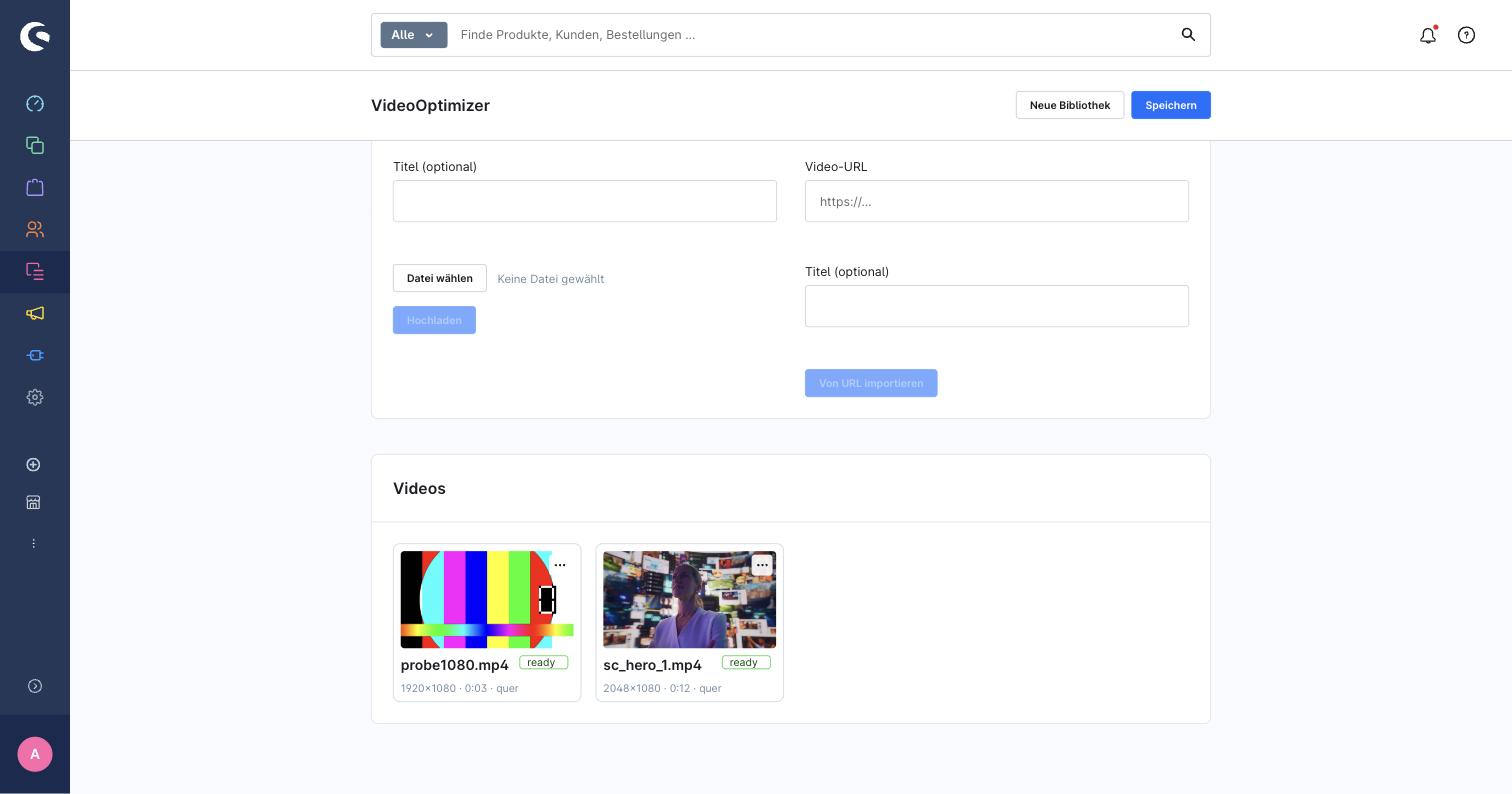
Add a video by file upload or URL import; manage existing videos from the tile grid.
Shopping Experiences
In a Shopping Experiences layout, add one of the five VideoOptimizer blocks from the Video category:
Video, Media split, Background hero, Spotlight, Video grid. Pick a video (or videos, for the grid)
via the gallery picker, then configure per element:
- Presentation mode — poster/facade, lightbox, or embedded directly (background hero is always a decorative, autoplaying background video).
- Player mode — native adaptive HLS player (hls.js) or the hosted VideoOptimizer embed (iframe), each with its own controls/autoplay/muted/loop options.
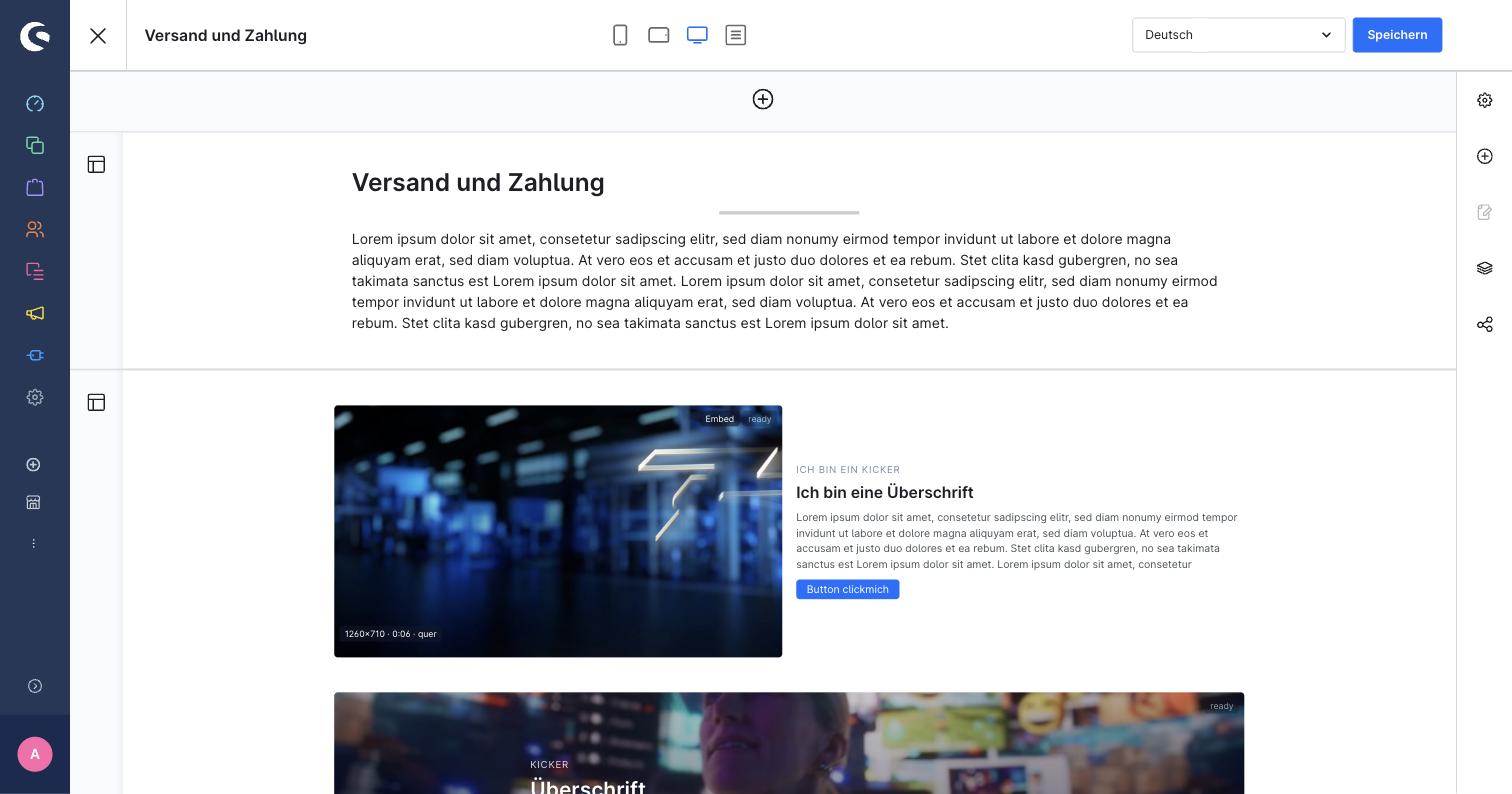
Media split and background hero placed in the Shopping Experiences editor.
Troubleshooting
| Symptom | Cause | Fix |
|---|---|---|
| A request fails with 400 "VideoOptimizer API token is not configured." | No token saved, or the configured API base URL isn't https:// |
Open Settings → System → Plugins → VideoOptimizer and save a valid vp_... token / an https:// base URL |
| The org-wide video listing (all libraries) fails with 403 | The token lacks the library:view permission |
Grant library:view to the token in your VideoOptimizer account, or browse per library instead |
Saving a non-https:// API/embed base URL is rejected |
Both URLs are required to be https:// so the token and storefront traffic are never sent in plaintext |
Use an https:// URL |
| A video renders nothing on the storefront | The video was deleted upstream, or a lookup failure is still cached (up to 60 seconds) | Wait for the cache to expire, or check the Shopware log for a warning naming the video UUID and the upstream error |
| The admin still shows the old UI after an update | The browser served the previous cached admin bundle | Hard-reload the administration (Cmd+Shift+R / Ctrl+Shift+R) |
Upgrading
composer update scalecommerce/videooptimizer-shopware
bin/console plugin:update ScaleVideoOptimizer
bin/console cache:clear
Then hard-reload the administration in your browser (Cmd+Shift+R / Ctrl+Shift+R) so it doesn't keep
serving the previous admin bundle from cache.
Check the CHANGELOG before upgrading — it lists every notable change and any manual follow-up.
Uninstalling
bin/console plugin:uninstall ScaleVideoOptimizer
The plugin configuration (including the API token) is removed by Shopware core on uninstall, unless you choose "keep user data".
🔐 How it works
The API token lives only in the plugin's system configuration. Every call to VideoOptimizer — from the admin module and from the storefront — is proxied through Shopware's own admin/storefront controllers, so the token is never sent to or exposed in the browser; the browser only ever receives short-lived presigned URLs for the direct-to-storage part uploads. Embed data for a given video is cached per video (successful lookups for 1 hour, failed lookups for 60 seconds) to keep storefront rendering fast and avoid hammering the upstream API, and the cache is invalidated immediately whenever a video's title, thumbnail or poster changes (or the video is deleted) in the administration. User-authored rich text and call-to-action URLs are sanitized both server-side and in the admin preview before they reach the storefront.
Development
Tests, rebuilding, 6.6 smoke-testing
Run the test suite from a Shopware installation with the plugin linked under custom/plugins:
composer install
vendor/bin/phpunit -c custom/plugins/ScaleVideoOptimizer/phpunit.xml.dist
Rebuild the compiled assets after changing admin or storefront source (and commit the rebuilt output —
src/Resources/public/administration/ and the storefront dist/ are versioned):
bin/build-administration.sh
bin/build-storefront.sh
The plugin targets both Shopware 6.6 and 6.7 from a single codebase; the administration bundle is built for each (webpack for 6.6, Vite for 6.7). Smoke-test the 6.6 build against a dockware 6.6 image before releasing, since the primary dev installation typically tracks 6.7.
Contributing
Issues and pull requests are welcome at github.com/ScaleCommerce/videooptimizer-shopware.
License
Released under the MIT License, © ScaleCommerce GmbH.
Ships hls.js (Apache License 2.0) for HLS playback in the content blocks — see THIRD-PARTY-NOTICES.md.