
postbase / postbase-php

Official PHP client SDK for Postbase, the self-hosted backend-as-a-service built on PostgreSQL.
Requires
- php: ^8.1
- guzzlehttp/guzzle: ^7.8
Requires (Dev)
- phpstan/phpstan: ^1.11
- phpunit/phpunit: ^10.5
Suggests
None
Provides
None
Conflicts
None
Replaces
None
This package is auto-updated.
Last update: 2026-10-03 14:11:40 UTC
README
The official PHP client for Postbase — a self-hosted, open-source backend as a service.
▶ Watch: Postbase overview
What is Postbase?
Postbase is a self-hosted backend platform built on PostgreSQL. It gives you a database with a REST query API, authentication (password, magic link, OTP, OAuth), file storage, and row-level security — all running on your own infrastructure.
postbase-php is the PHP client SDK for interacting with your Postbase instance — the same chainable query builder as postbasejs and postbasefl, adapted to idiomatic PHP: PSR-4 autoloading, typed/readonly DTOs, enums, and named arguments. It's wire-compatible with the same Postbase backend those SDKs talk to — built for server-side PHP (vanilla PHP, Laravel, Symfony).
Screenshots
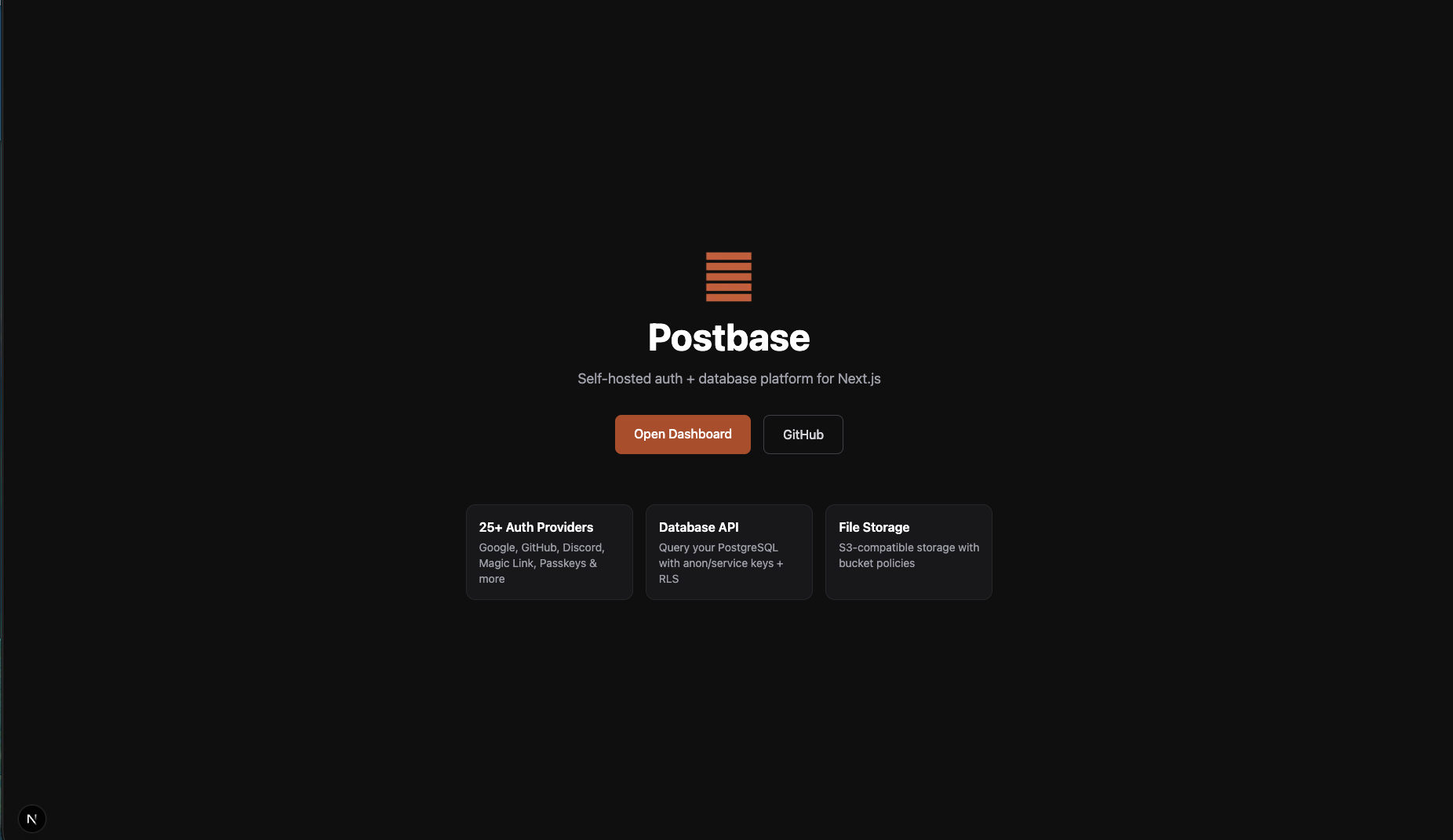
Self-hosted auth + database platform for Next.js
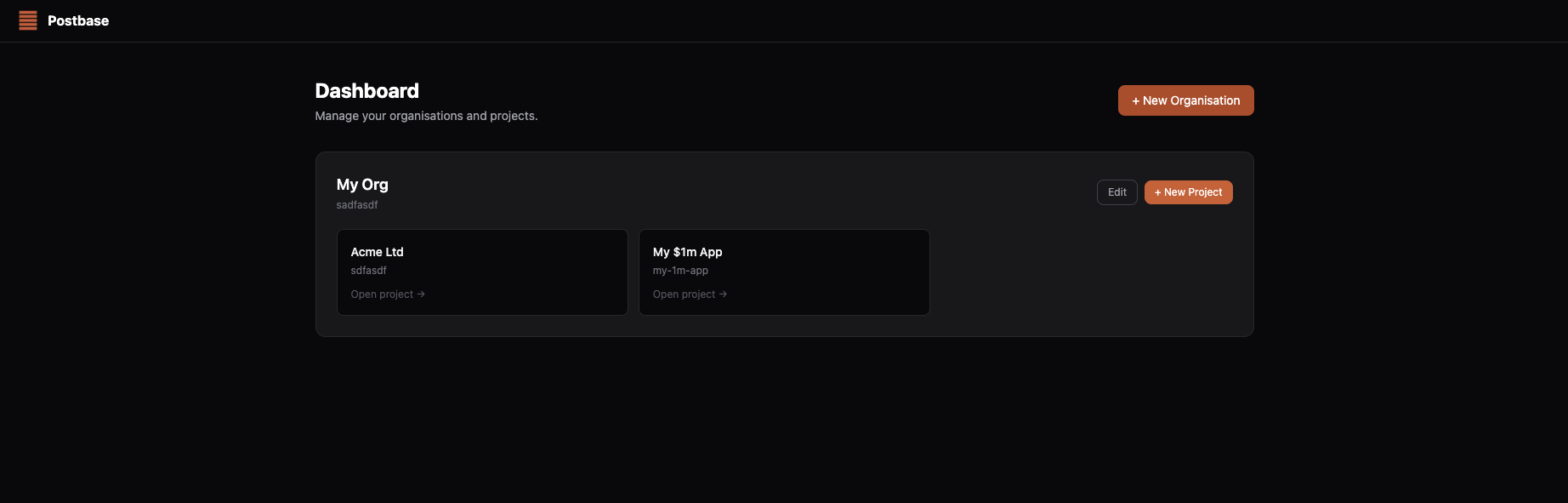
Dashboard — manage organisations and projects
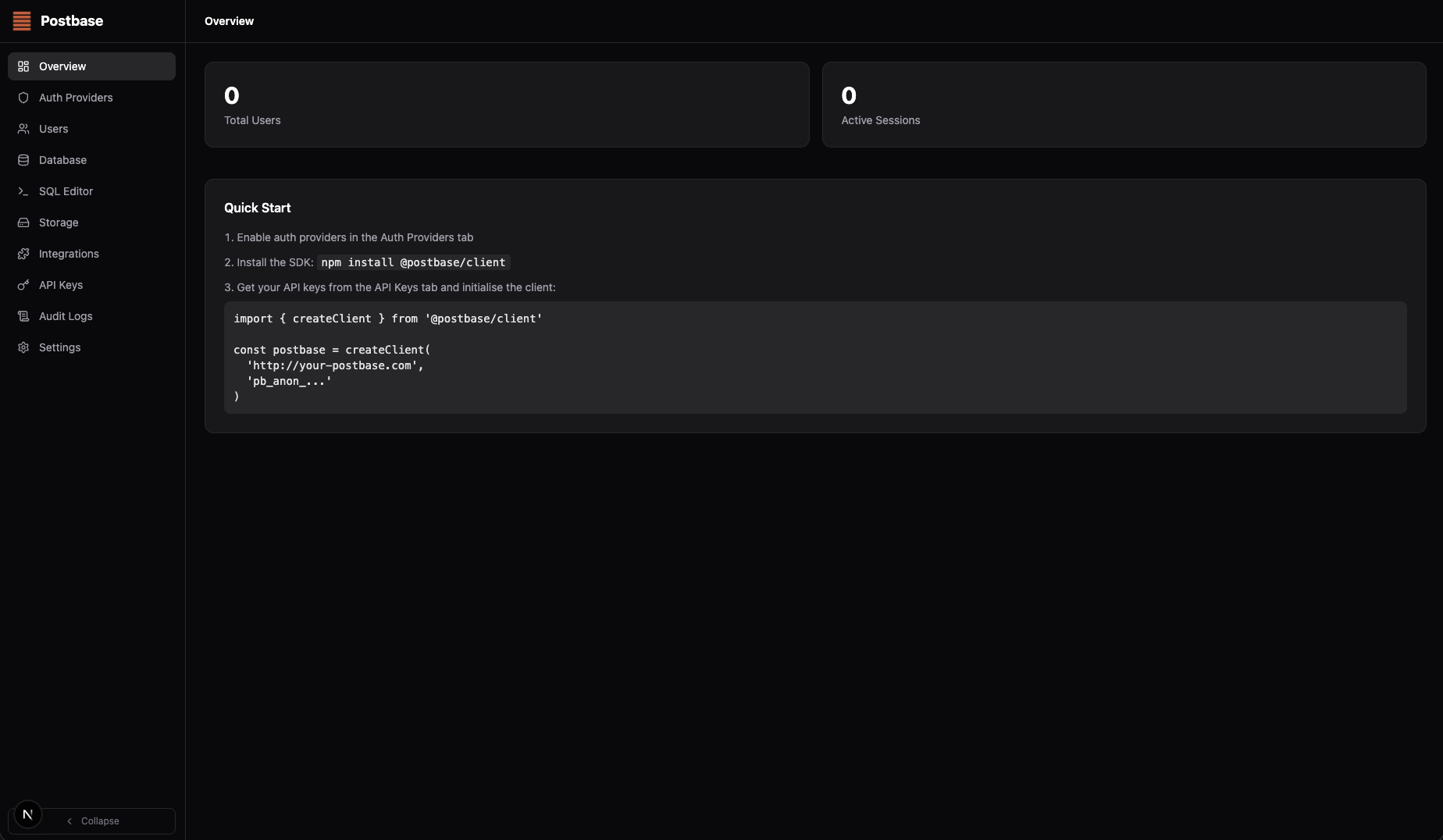
Project overview with quick-start guide
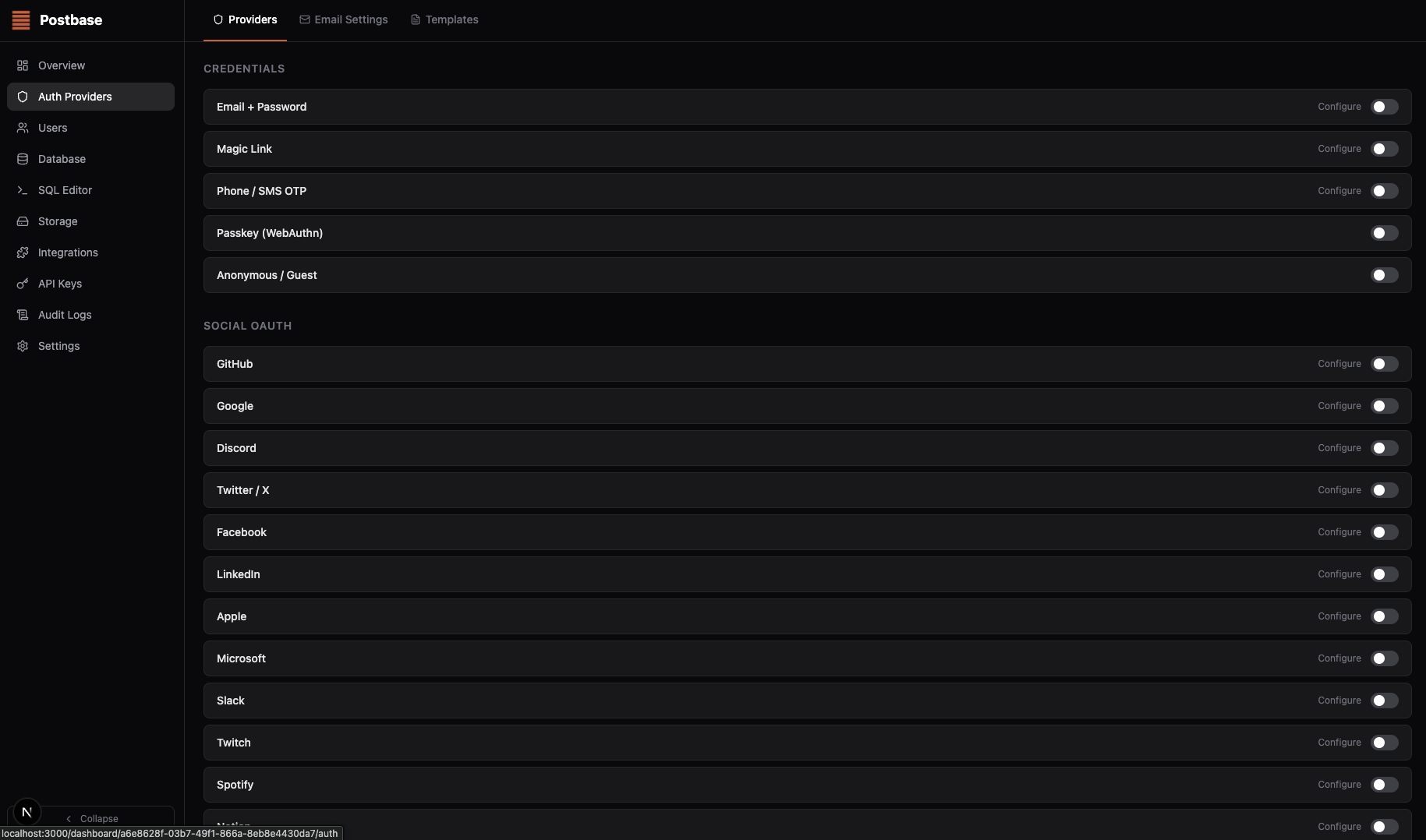
25+ auth providers — toggle any from the dashboard
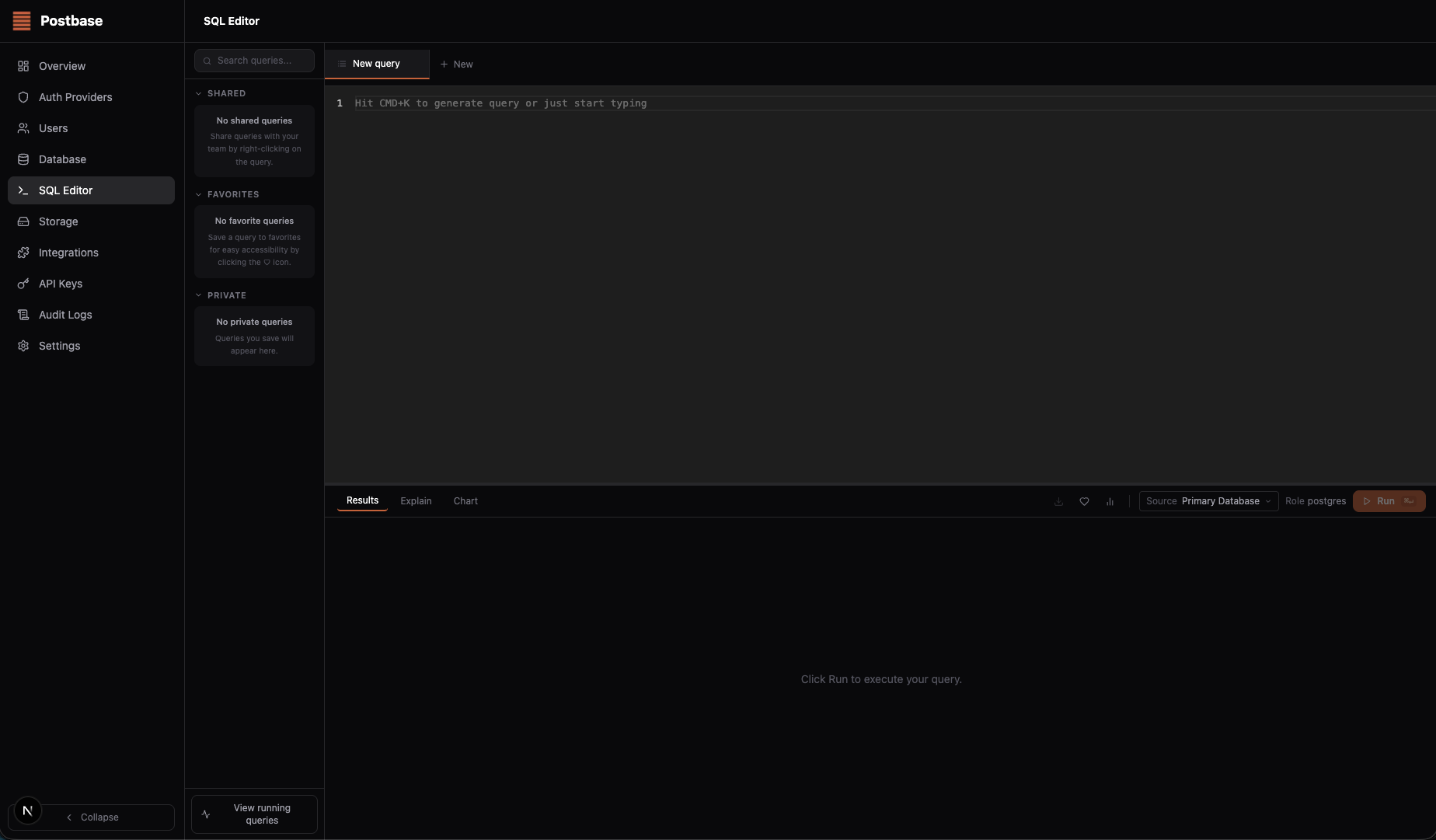
Built-in SQL editor with AI query generation
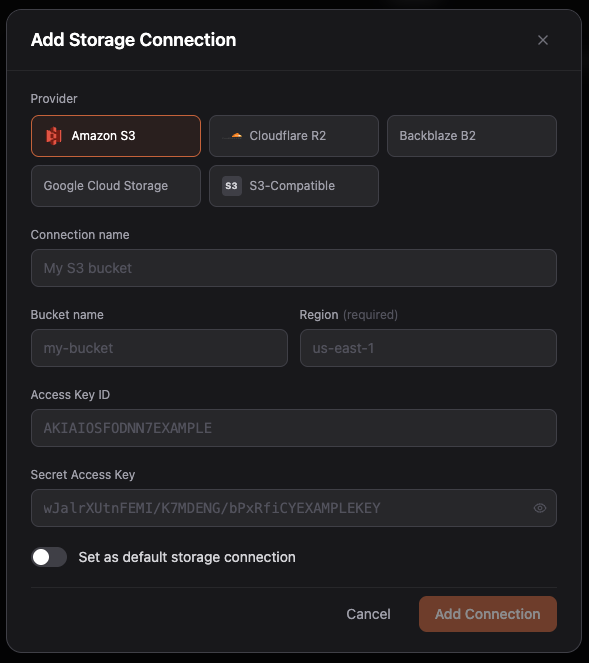
S3-compatible storage — connect Amazon S3, Cloudflare R2, Backblaze B2, and more
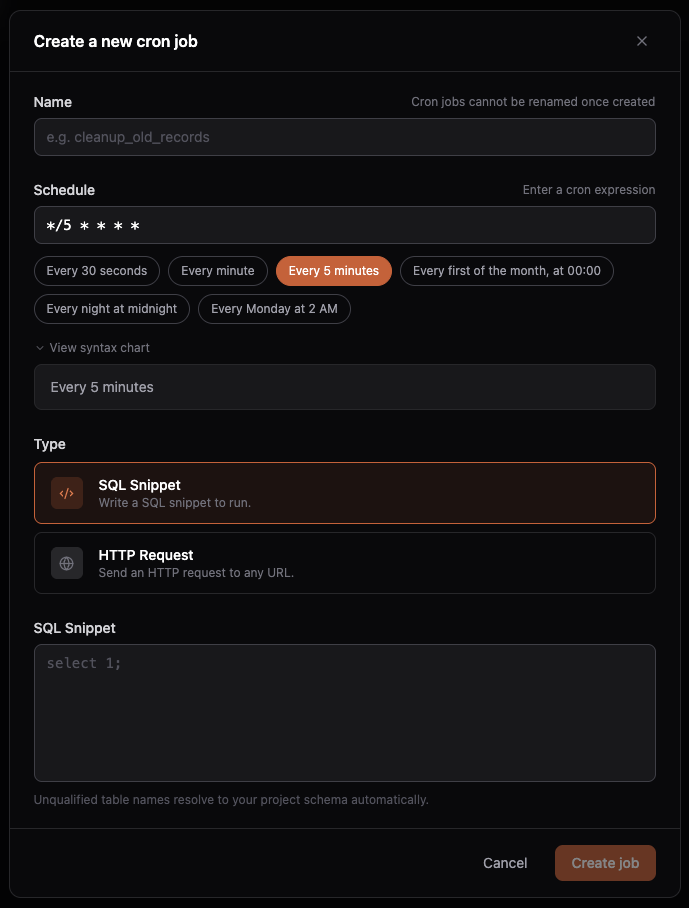
Scheduled cron jobs — run SQL snippets or HTTP requests on any schedule
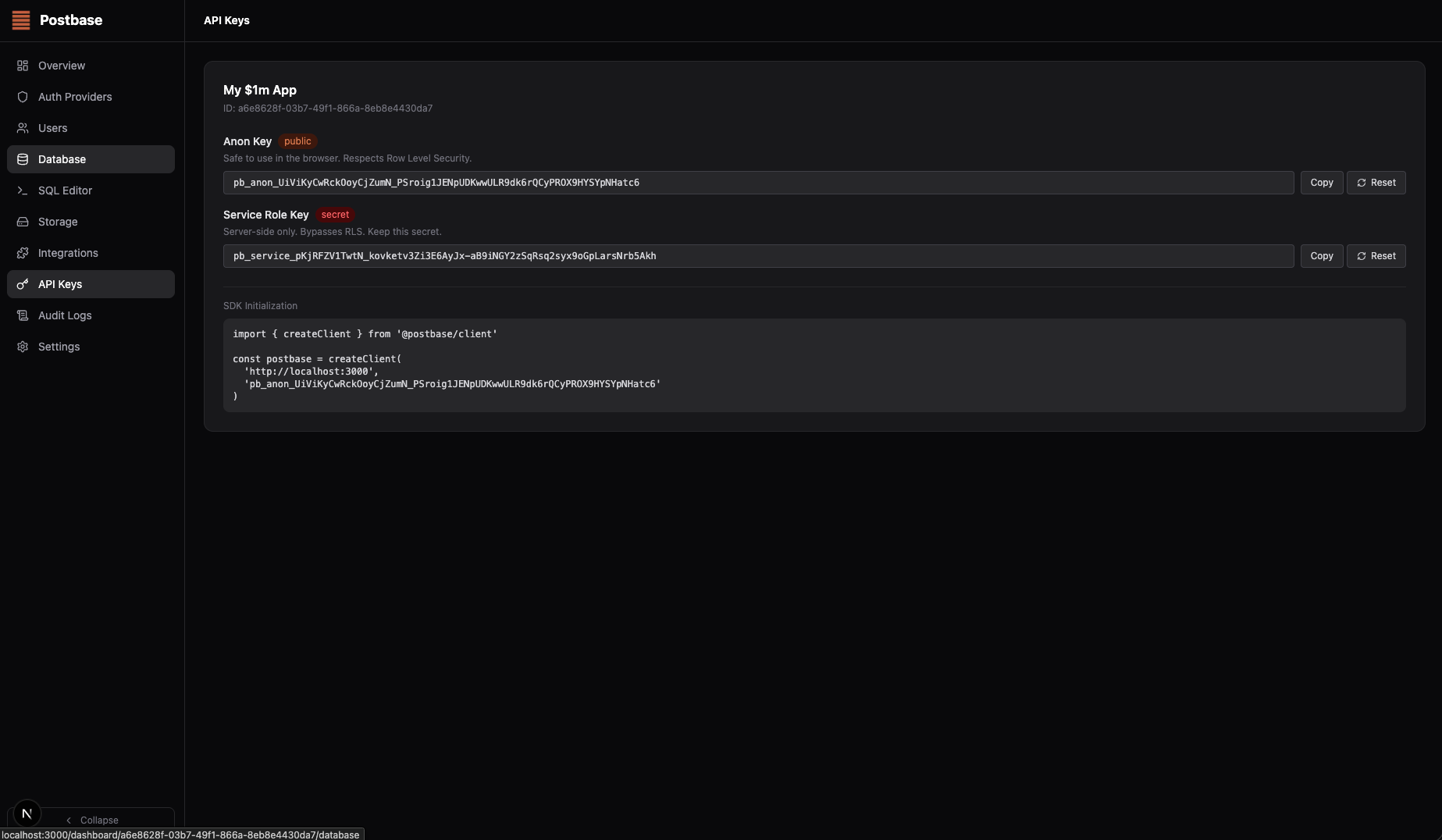
API keys — anon and service role keys with SDK snippet
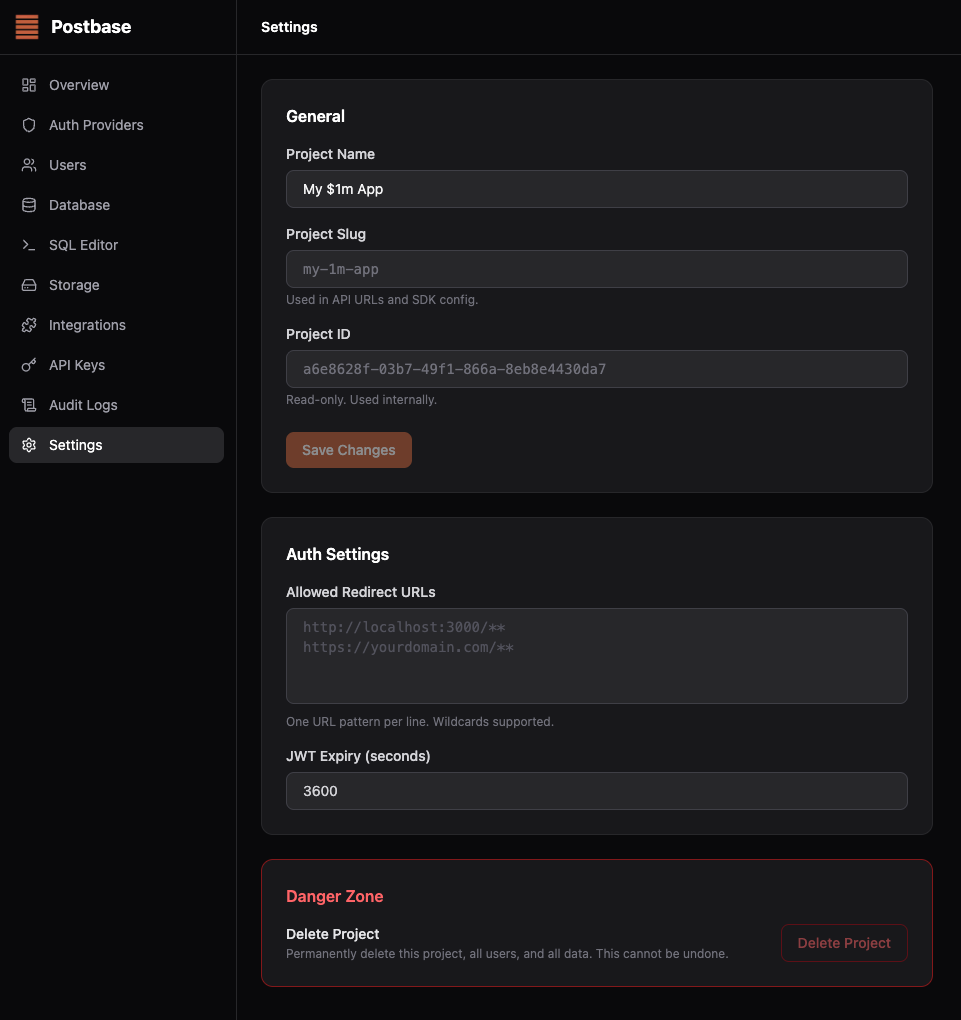
Project settings — configure auth redirect URLs, JWT expiry, and more
Requirements
- PHP 8.1+
- ext-json
Installation
composer require postbase/postbase-php
Quick Start
<?php

require 'vendor/autoload.php';

use Postbase\ClientOptions;

use function Postbase\createClient;

$postbase = createClient(
    'https://your-postbase-instance.com',
    'pb_anon_your_api_key',
    new ClientOptions(projectId: 'your-project-id'),
);

$result = $postbase->from('posts')->select()->execute();
print_r($result->data);
print_r($result->error);
Your URL, anon key, and project ID can be found in the API Keys section of your Postbase dashboard.
Database
Query your PostgreSQL tables with a fluent, chainable API. Query builders are immutable — every method returns a new builder — and lazy: nothing is sent until you call a terminal method.
A note on PHP and "awaiting" the query builder. The Dart and JS SDKs' builders are directly awaitable —
await postbase.from('posts').select()sends the request the moment youawaitit. PHP has no implicitawait, so nothing is sent over the wire until you call a terminal method:execute()(canonical),get()(ergonomic alias forexecute()),single()(expects exactly one row), ormaybeSingle()(expects zero or one row). Every other builder method —select(),eq(),order(),limit(), ... — is a pure, immutable step that returns a newQueryBuilderinstance without mutating the current one.
$builder = $postbase->from('posts')->select('id, title');
$publishedOnly = $builder->eq('published', true); // new instance; $builder is untouched

$all = $builder->execute();             // no filter applied
$published = $publishedOnly->execute(); // filter applied
Select
// Fetch all posts (wildcard or omit argument — both work)
$result = $postbase->from('posts')->select('*')->execute();
$result2 = $postbase->from('posts')->select()->execute();

// Select specific columns
$result3 = $postbase->from('posts')->select('id, title, created_at')->execute();

// With filters
$result4 = $postbase->from('posts')
    ->select('*')
    ->eq('status', 'published')
    ->order('created_at', ascending: false)
    ->limit(10)
    ->execute();

// Get total count
use Postbase\Query\SelectOptions;
use Postbase\Query\CountOption;

$result5 = $postbase->from('posts')
    ->select('*', new SelectOptions(count: CountOption::Exact))
    ->execute();
echo $result5->count;
Column aliasing with AS is parsed client-side, stripped before the request is sent, and used to rename keys in the returned rows:
$result = $postbase->from('posts')->select('id, title AS headline')->execute();
// $result->data[0] === ['id' => 1, 'headline' => '...']
Filter methods
Available on select(), update(), and delete() chains.
| Method | SQL equivalent |
|---|---|
->eq($col, $val) |
col = val |
->neq($col, $val) |
col != val |
->gt($col, $val) |
col > val |
->gte($col, $val) |
col >= val |
->lt($col, $val) |
col < val |
->lte($col, $val) |
col <= val |
->like($col, $pattern) |
col LIKE pattern |
->ilike($col, $pattern) |
col ILIKE pattern |
->in($col, $values) |
col IN (values) |
->is($col, null | bool) |
col IS NULL / TRUE / FALSE |
->contains($col, $val) |
col @> val |
->overlaps($col, $val) |
col && val |
->textSearch($col, $query) |
full-text search |
->or($filters) |
col = val OR col = val |
->not($col, $op, $val) |
NOT col op val |
Unlike Dart (
in_/is_) and Python, PHP does not reserveinorisas method names — they're only keywords in expression position, not in method-name position — so this SDK usesin()andis()with no trailing underscore.
$postbase->from('posts')
    ->select()
    ->eq('status', 'published')
    ->neq('author_id', 0)
    ->gt('views', 100)
    ->gte('views', 100)
    ->lt('views', 10000)
    ->lte('views', 10000)
    ->like('title', '%php%')
    ->ilike('title', '%PHP%')
    ->in('category', ['tech', 'news'])
    ->is('deleted_at', null)
    ->contains('metadata', ['featured' => true])
    ->overlaps('tags', ['php', 'sdk'])
    ->textSearch('body', 'backend as a service')
    ->not('status', 'eq', 'draft')
    ->execute();
.or() — Supabase-compatible filter string
Pass a Supabase-style filter string and the SDK parses it into structured filters before sending to the server. Commas separate OR conditions; values with commas are safe inside parentheses (used by in). Calling ->or() multiple times ANDs each independent OR-group together.
// Simple OR: match either condition
$result = $postbase->from('users')->select()->or('email.ilike.%alice%,name.ilike.%alice%')->execute();

// OR with in operator — values in parens are safe
$result2 = $postbase->from('orders')->select()->or('status.eq.active,status.in.(pending,review)')->execute();

// Combine OR with AND filters — the ->eq() is ANDed with the OR group
$result3 = $postbase->from('posts')
    ->select()
    ->eq('published', true)
    ->or('title.ilike.%hello%,body.ilike.%hello%')
    ->execute();
Supported operators inside ->or(): eq neq gt gte lt lte like ilike in is. You may also pass a pre-built array of Filter objects instead of a string.
Joins
Use ->join() to combine data from related tables. Builders are immutable and can be stacked.
use Postbase\Query\JoinType;

// Left join — include orders even if no matching user
$result = $postbase->from('orders')
    ->join('users', 'orders.user_id = users.id', JoinType::Left)
    ->select('orders.id, orders.total, users.email')
    ->execute();

// Multiple joins
$result2 = $postbase->from('orders')
    ->join('users', 'orders.user_id = users.id', JoinType::Left)
    ->join('products', 'orders.product_id = products.id')
    ->select('orders.id, users.email, products.name')
    ->eq('orders.status', 'active')
    ->order('orders.created_at', ascending: false)
    ->limit(20)
    ->execute();
Join types ($type defaults to JoinType::Inner if omitted): Inner, Left, Right, Full.
on expression rules — validated client-side against the same strict allow-list the server enforces, before the request is ever sent:
table.column = table.column- Comparison operators:
=,<,>,!=,<=,>= - Identifiers and dotted column references only — no raw SQL, no functions, no subqueries
// Valid
$postbase->from('orders')->join('users', 'orders.user_id = users.id');

// Invalid — throws InvalidArgumentException before any request is sent
$postbase->from('orders')->join('users', 'orders.user_id = users.id AND users.active = true');
Column aliases — when two joined tables share a column name (e.g. both have id), use AS to rename them. The SDK strips the alias before sending to the server and renames the keys in the returned rows client-side.
$result = $postbase->from('apis')
    ->join('pricing_plans', 'apis.pricing_plan_id = pricing_plans.id', JoinType::Left)
    ->select('apis.id AS api_id, apis.name, pricing_plans.id AS plan_id, pricing_plans.name AS plan_name')
    ->execute();
// $result->data[0] === ['api_id' => '...', 'name' => '...', 'plan_id' => '...', 'plan_name' => '...']
Limitation: if you select two columns with the same base name without aliasing both (e.g.
apis.id, pricing_plans.id), the server collapses them to oneidkey before the SDK sees the response — only one value survives. Always alias at least all but one of any colliding columns.
Raw SQL
For queries that can't be expressed with the builder (CTEs, window functions, complex aggregates), use postbase->sql(). RLS context is still enforced — the authenticated user's JWT is forwarded exactly as with ->from(). Params replace $1, $2, $3, ... placeholders (standard PostgreSQL positional parameters) — never interpolate values directly into the query string.
$result = $postbase->sql(
    'SELECT o.id, u.email
     FROM orders o
     INNER JOIN users u ON o.user_id = u.id
     WHERE o.status = $1',
    ['active'],
);

// Multiple params
$result2 = $postbase->sql(
    'SELECT p.title, COUNT(c.id) AS count
     FROM posts p
     LEFT JOIN comments c ON c.post_id = p.id
     WHERE p.author_id = $1 AND p.status = $2
     GROUP BY p.id, p.title
     ORDER BY count DESC
     LIMIT $3',
    [$userId, 'published', 10],
);
Insert
$result = $postbase->from('posts')->insert(['title' => 'Hello World', 'status' => 'draft'])->execute();
Update
$result = $postbase->from('posts')
    ->update(['status' => 'published'])
    ->eq('id', $postId)
    ->execute();
Upsert
$result = $postbase->from('profiles')
    ->upsert(['id' => $userId, 'username' => 'alice'], onConflict: 'id')
    ->execute();
Delete
$result = $postbase->from('posts')->delete()->eq('id', $postId)->execute();
Single row helpers
// Errors if not exactly one row
$result = $postbase->from('posts')->select('*')->eq('id', $postId)->single();
// ->error === 'No rows returned' or 'Multiple rows returned' if not exactly one row

// Returns null if not found (no error)
$result2 = $postbase->from('posts')->select('*')->eq('id', $postId)->maybeSingle();
// ->data === null, ->error === null, if not found
Pagination
// Limit + offset
$result = $postbase->from('posts')->select('*')->limit(20)->offset(40)->execute();

// Range (inclusive) — derives limit/offset the same way as the reference SDKs
$result2 = $postbase->from('posts')->select('*')->range(0, 19)->execute();
Mapping rows to model classes
Rows come back as plain associative arrays by default; pass a callable to ->map() to decode them into your own model:
final class Post
{
    public function __construct(
        public readonly int $id,
        public readonly string $title,
    ) {
    }

    public static function fromJson(array $json): self
    {
        return new self($json['id'], $json['title']);
    }
}

$result = $postbase->from('posts')
    ->select()
    ->map(Post::fromJson(...))
    ->execute();

// $result->data is a list<Post>
RPC (PostgreSQL functions)
Call a stored procedure or function in your project's schema:
$result = $postbase->rpc('get_nearby_posts', ['lat' => 37.7749, 'lng' => -122.4194, 'radius' => 10]);
Result types
Query results are plain readonly DTOs:
QueryResult { data, count, error }— fromexecute()/get().SingleResult { data, error }— fromsingle()/maybeSingle().
Like the reference SDKs, request failures (validation errors, network errors) are surfaced through error rather than thrown exceptions — check $result->error !== null before using $result->data. The one exception is a missing/empty base URL, which throws InvalidArgumentException at client construction time, since there's no sensible request to make at all.
Authentication
Sign up
$result = $postbase->auth->signUp('user@example.com', 'supersecret', rememberMe: true);
// $result->user, $result->session, $result->error
Sign in with password
$result = $postbase->auth->signInWithPassword('user@example.com', 'supersecret', rememberMe: true);
OTP & Magic Link (passwordless)
Magic link:
$postbase->auth->signInWithOtp('user@example.com', type: 'magiclink', redirectTo: 'https://yourapp.com/dashboard');
6-digit OTP code:
// 1. Request the code
$postbase->auth->signInWithOtp('user@example.com', type: 'otp');

// 2. Verify the code
$result = $postbase->auth->verifyOtp('user@example.com', '123456', rememberMe: true);
// $result->user, $result->session
Email OTP (the /email-otp flow)
$postbase->auth->signInWithEmailOtp('user@example.com');
$result = $postbase->auth->verifyEmailOtp('user@example.com', '123456', rememberMe: true);
OAuth (browser redirect, PKCE)
PHP is server-side with no browser/deep-link concept like Flutter, so OAuth is a plain redirect-based web flow: build the authorize URL and redirect the browser to it, then handle the callback route Postbase redirects back to.
// 1. Build the authorize URL and redirect the user's browser to it.
$oauth = $postbase->auth->signInWithOAuth('google', redirectTo: 'https://yourapp.com/auth/callback');
header('Location: ' . $oauth->url);
exit;

// 2. In your callback route, Postbase redirects the browser back with tokens
//    in the query string. Parse them directly from the incoming request:
$currentUrl = 'https://' . $_SERVER['HTTP_HOST'] . $_SERVER['REQUEST_URI'];
$result = $postbase->auth->handleOAuthCallback($currentUrl);
// $result->session, $result->user, $result->error
Register https://yourapp.com/auth/callback (or your chosen URL) as a redirect URL in your Postbase project's auth settings.
signInWithIdToken()(native Apple/Google SDK id-token exchange used by mobile apps that already hold anid_token) is intentionally not implemented in this SDK — it's a mobile-only flow with no natural PHP server-side use case. If you're building a PHP backend for a mobile app that performs its own native sign-in, exchange theid_tokendirectly against your Postbase instance's/api/auth/v1/{projectId}/oauth/id-tokenendpoint.
Remember me
rememberMe: true issues a 30-day refresh token instead of the default 7-day one. The flag is stored on the session row server-side, so it's carried forward automatically on every subsequent refreshSession() call — no need to keep resending it.
Supported directly (single call, no follow-up needed) on signUp, signInWithPassword, verifyOtp, and verifyEmailOtp.
Redirect-based OAuth is the one exception — the tokens come back as URL query params on the callback, not from a call you control, so there's no request body to put rememberMe in. Use setRememberMe afterwards instead:
$postbase->auth->setRememberMe(true);
// the current session's refresh token is now valid for 30 days
Get current user / session
$result = $postbase->auth->getUser();
$session = $postbase->auth->getSession();
session->expiresAtis the access token's expiry (short-lived, ~1 hour).session->refreshTokenExpiresAtis the refresh token's expiry (7 or 30 days depending onrememberMe). Don't useexpiresAtto reason about how long the user stays logged in.
Sign out
$postbase->auth->signOut();
Update user
$postbase->auth->updateUser(['name' => 'Alice', 'data' => ['plan' => 'pro']]);
Session persistence: CookieAdapter
PHP has no app-lifecycle equivalent to Flutter's secure-storage/shared-preferences model. For a typical PHP web app, session state belongs in $_SESSION or your framework's session/cookie store — not in SDK-managed device storage. Session persistence is off by default; the primary mechanism for forwarding sessions across stateless PHP request/response cycles is a CookieAdapter:
interface CookieAdapter
{
    /** @return Cookie[] */
    public function getAll(): array;

    /** @param CookieToSet[] $cookies */
    public function setAll(array $cookies): void;
}
A ready-made adapter for plain PHP superglobals ($_COOKIE / setcookie()) is included — this covers vanilla PHP directly, and most Laravel/Symfony apps too, since both frameworks expose superglobal-backed request/response objects:
use Postbase\Auth\SuperglobalsCookieAdapter;
use Postbase\ClientOptions;

use function Postbase\createClient;

$postbase = createClient($url, $anonKey, new ClientOptions(
    projectId: $projectId,
    cookieAdapter: new SuperglobalsCookieAdapter(),
));

$result = $postbase->from('posts')->select()->execute(); // RLS applies to the signed-in user
The session cookie is named postbase-session, matching the Dart and JS SDKs exactly, so sessions set by one SDK are readable by another against the same backend. To wire this into a framework's own Request/Response objects instead of raw superglobals, implement CookieAdapter directly:
use Postbase\Auth\Cookie;
use Postbase\Auth\CookieAdapter;
use Postbase\Auth\CookieToSet;

final class LaravelCookieAdapter implements CookieAdapter
{
    public function __construct(private readonly \Illuminate\Http\Request $request) {}

    public function getAll(): array
    {
        return array_map(
            fn (string $name, string $value) => new Cookie($name, $value),
            array_keys($this->request->cookies->all()),
            $this->request->cookies->all(),
        );
    }

    public function setAll(array $cookies): void
    {
        foreach ($cookies as $c) {
            cookie()->queue($c->name, $c->value, ($c->options['maxAge'] ?? 0) / 60, httpOnly: true);
        }
    }
}
After completing an OAuth flow or otherwise obtaining a session outside the normal sign-in calls, persist it with auth->setSession($session) — this writes the postbase-session httpOnly cookie via your CookieAdapter::setAll(), so subsequent requests using the same adapter are authenticated automatically.
$postbase->auth->setSession($session);
Admin (service role key required)
$admin = createClient($url, 'pb_service_your_service_key', new ClientOptions(projectId: $projectId));

// List users
$result = $admin->auth->admin->listUsers(page: 1, perPage: 50);

// Create user
$result2 = $admin->auth->admin->createUser('new@example.com', 'password', emailConfirm: true);

// Update / delete user
$admin->auth->admin->updateUserById($userId, ['email' => 'new@example.com']);
$admin->auth->admin->deleteUser($userId);
Storage
Upload a file
Pass contentType to ensure the correct MIME type is stored with the file. Accepts a raw string of bytes or a PHP stream/resource (e.g. from fopen).
$bucket = $postbase->storage->from('avatars');

// Bytes
$bytes = file_get_contents('avatar.png');
$result = $bucket->upload('user-123.png', $bytes, contentType: 'image/png');

// Or a stream
$stream = fopen('avatar.png', 'rb');
$result2 = $bucket->upload('user-123.png', $stream, contentType: 'image/png');

// Upsert (overwrite an existing file)
$result3 = $bucket->upload('user-123.png', $bytes, contentType: 'image/png', upsert: true);
Get public URL
$url = $postbase->storage->from('avatars')->getPublicUrl('user-123.png');
Download a file
$result = $postbase->storage->from('avatars')->download('user-123.png');
// $result->data is raw bytes (string)
Create a signed URL (temporary access)
$result = $postbase->storage->from('private-docs')->createSignedUrl('report.pdf', 3600); // 1 hour
List files
$result = $postbase->storage->from('avatars')->list('folder/', limit: 100);
Delete files
$postbase->storage->from('avatars')->remove(['user-123.png', 'user-456.png']);
Move / Copy
$postbase->storage->from('docs')->move('old-name.pdf', 'new-name.pdf');
$postbase->storage->from('docs')->copy('template.pdf', 'copy.pdf');
Bucket management
// Create
$postbase->storage->createBucket(
    'avatars',
    public: true,
    fileSizeLimit: 5 * 1024 * 1024, // 5 MB
    allowedMimeTypes: ['image/png', 'image/jpeg'],
);

// List
$buckets = $postbase->storage->listBuckets();

// Update
$postbase->storage->updateBucket('avatars', public: false);

// Delete
$postbase->storage->deleteBucket('avatars');

// Empty (delete all objects)
$postbase->storage->emptyBucket('avatars');
Send a transactional email using your project's configured email provider (e.g. AWS SES).
$result = $postbase->email->send(
    to: 'user@example.com',
    subject: 'Welcome!',
    text: 'Hello there',
    html: '<p>Hello there</p>',
    replyTo: 'support@example.com', // optional
);
// $result->ok
Row Level Security (RLS)
No SDK-side logic is required. When a user is signed in (via a forwarded X-Postbase-Token access token or X-Postbase-Session refresh-token cookie), their session JWT is automatically forwarded with every query. Your RLS policies can reference the user via:
current_setting('postbase.user_id', true)  -- the authenticated user's ID
current_setting('postbase.role', true)     -- the user's role
The server also always sets postbase.project_id on every request, even to NULL, to guarantee a pooled connection never leaks state between requests.
Example policy — users can only read their own rows:
CREATE POLICY "own rows" ON posts
  FOR SELECT USING (
    user_id = current_setting('postbase.user_id', true)::uuid
  );
Environment Variables
We recommend storing your Postbase credentials in your platform's env/secrets mechanism rather than hardcoding them (.env loaded via vlucas/phpdotenv, Laravel's .env, or your host's secret store):
POSTBASE_URL=https://your-postbase-instance.com
POSTBASE_ANON_KEY=pb_anon_...
POSTBASE_PROJECT_ID=your-project-id
# Service key — server-side only, bypasses RLS. Never expose this to end users.
POSTBASE_SERVICE_KEY=pb_service_...
Use your service role key (pb_service_...) only in trusted server-side code that end users never see the source or environment of — it bypasses RLS.
Type hints
Query results are plain readonly DTOs — QueryResult (data, count, error) and SingleResult (data, error). Rows come back as array<string, mixed> by default; pass a callable to ->map() on the builder to decode them into your own model (see Mapping rows to model classes above).
Realtime (WebSocket subscriptions)
Not implemented in this SDK — it isn't implemented in the reference SDKs either. It's on the roadmap as a stretch goal; open an issue on GitHub if you need it sooner.
Roadmap / not included
- Realtime/WebSocket support — not implemented in the reference SDKs either.
- Native OAuth
id_tokenflow (signInWithIdToken) — mobile-only, no natural PHP server-side use case; skipped for now. - Flutter-style secure-storage session persistence — not applicable to stateless PHP request cycles; use
CookieAdapteror native PHP sessions instead.
Testing
composer install
composer test      # PHPUnit — mocks HTTP at the Guzzle handler level, no real server required
composer analyse    # PHPStan
License
MIT — see LICENSE.
Built with love by the Postbase team.