
packstub / filament-nitpick

Themes for Filament panels: designed looks with a per-panel default, an open registry any package can add a theme to, and a picker that lets each user choose their own.
Fund package maintenance!
Requires
- php: ^8.3
- filament/filament: ^5.0
- illuminate/contracts: ^12.0 || ^13.0
- spatie/laravel-package-tools: ^1.92
Requires (Dev)
- laravel/pint: ^1.27
- orchestra/testbench: ^10.0 || ^11.0
- pestphp/pest: ^4.0 || ^5.0
- pestphp/pest-plugin-livewire: ^4.0 || ^5.0
Suggests
None
Provides
None
Conflicts
None
Replaces
None
This package is auto-updated.
Last update: 2026-10-21 14:01:30 UTC
README
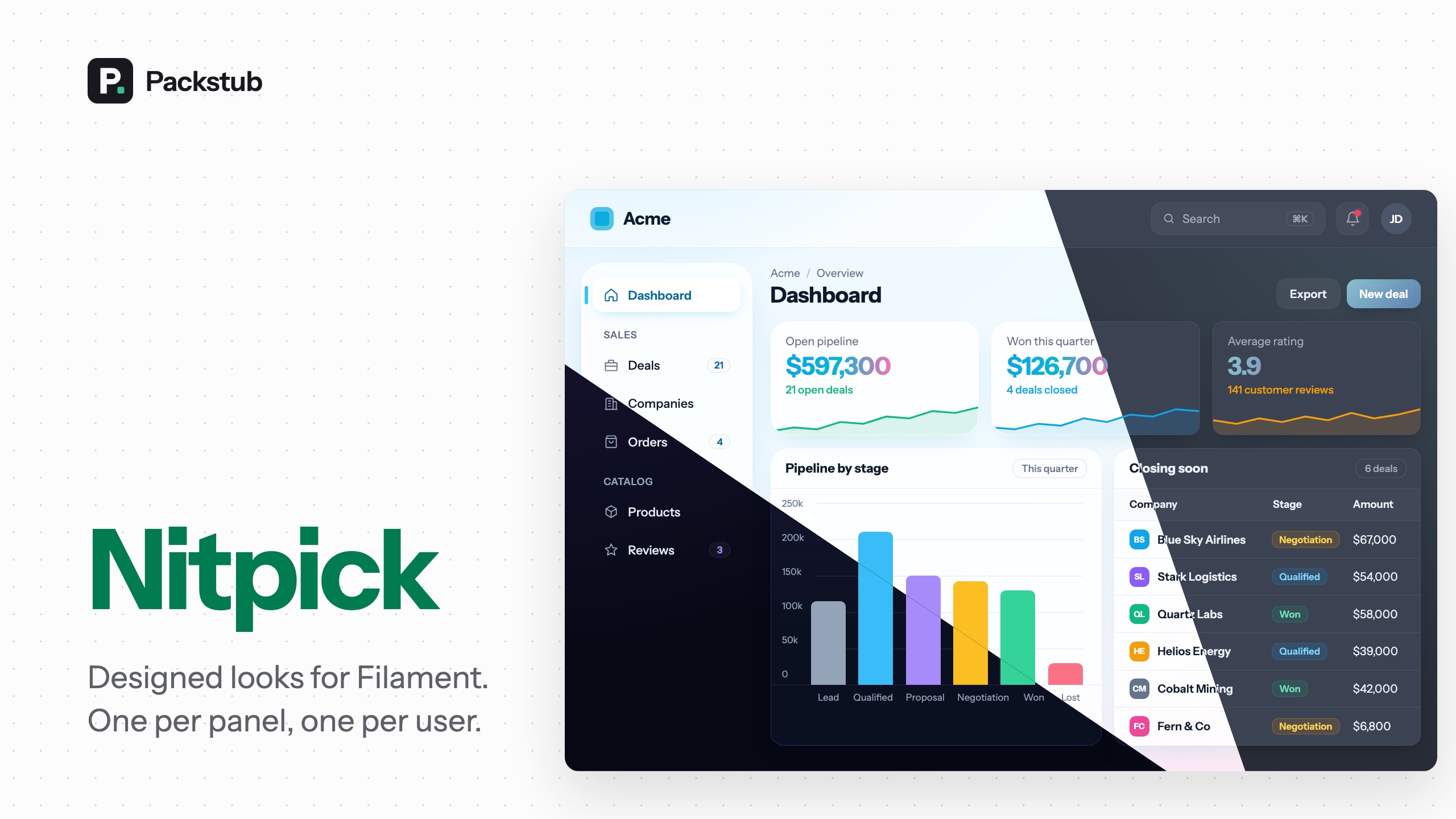
Themes for Filament panels, and a way for every person to pick their own.
A theme is a colour palette plus a stylesheet that restyles the panel. This plugin ships two designed ones, lets any package add more, gives each panel a default, and adds an Appearance page where a signed-in user chooses the theme they see, the way they already choose light or dark mode.
It is also a home for the themes you already like. Install a theme plugin from the Filament plugin directory, free or paid, and one line puts it in the picker beside the others:
use Noreviq\FilamentTheme\NoreviqThemePlugin;
use Packstub\Nitpick\Facades\Themes;
use Packstub\Nitpick\Theme;

// AppServiceProvider::boot()
Themes::register(
    Theme::make('noreviq')->plugin(fn () => NoreviqThemePlugin::make()),
);
Features
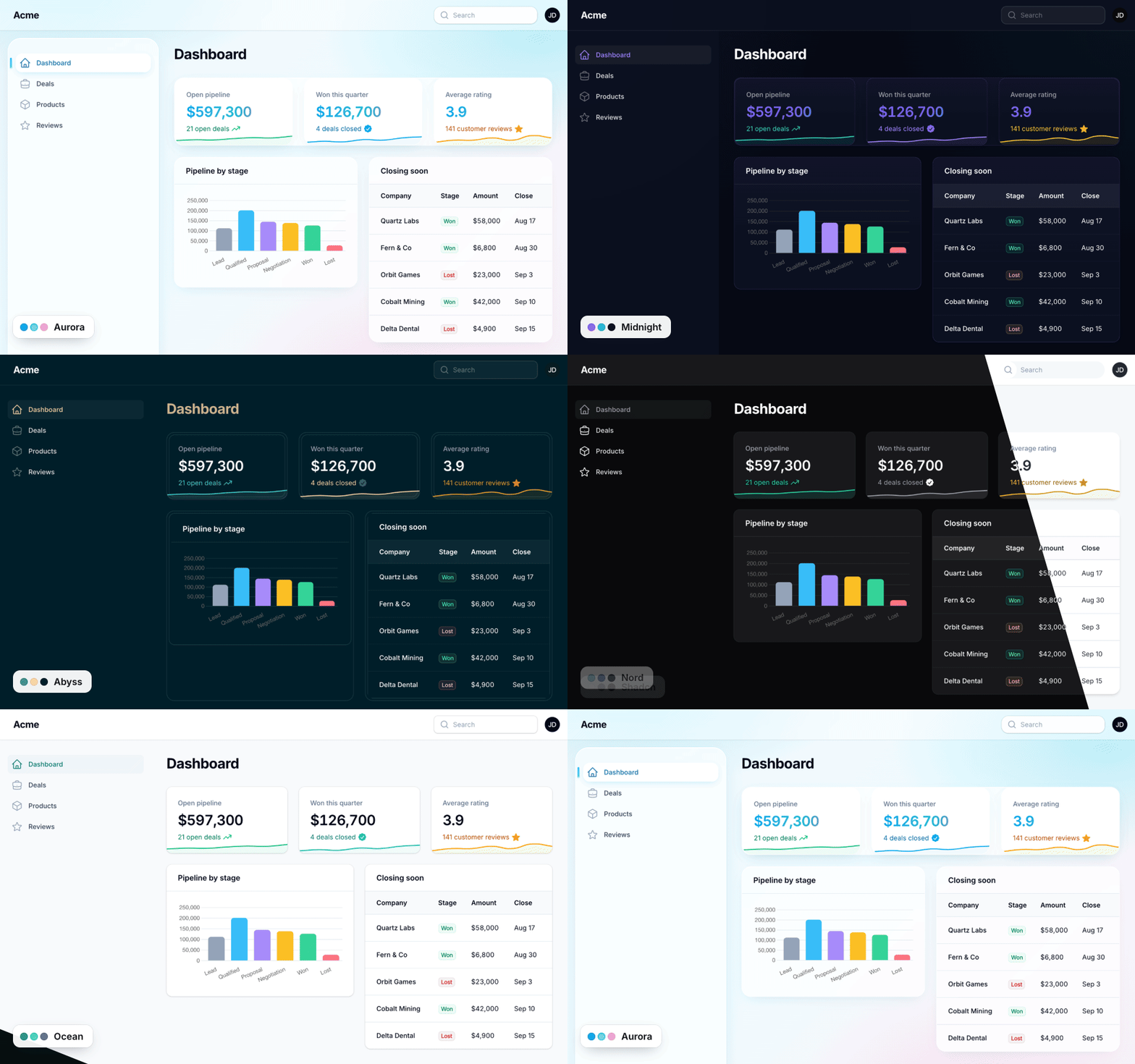
- Two bundled themes: Aurora, glass with a floating dock sidebar, and Midnight, dark with violet accents.
- Themes from the plugin directory: install a free or paid theme plugin and register it in one line; it joins the picker. Ready-made CSS and Vite-built themes alike.
- A theme per panel: each panel picks its themes and default; the default can follow the workspace.
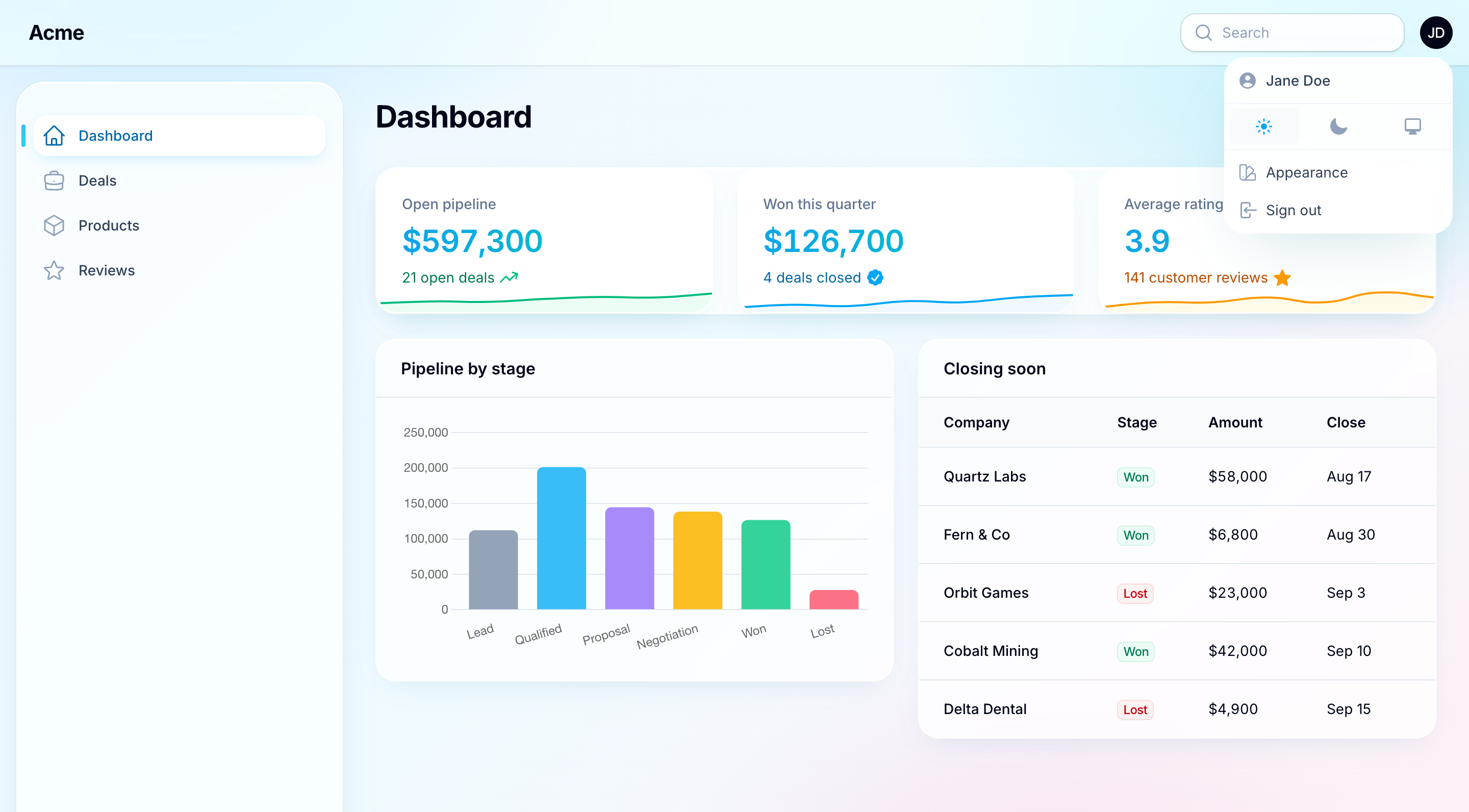
- A theme per user: an Appearance modal in the user menu where each person picks their theme, with a fade, slide or sweep as it changes.
- Write your own: a theme is a class with a palette, plus a stylesheet for a full redesign;
Theme::make()defines one inline, and->panel()lets it configure the panel (top navigation, fonts) while it is active. - Fits your brand: your colours and CSS on top of any theme.
- Dark mode and translations: both bundled themes have a dark variant; every string lives in a language file.
Compatibility
| Plugin | Filament | Laravel | PHP |
|---|---|---|---|
| 1.x | 5.x | 12.x, 13.x | 8.3+ |
Installation
composer require "packstub/filament-nitpick:^1.0@beta"
php artisan nitpick:install
php artisan filament:assets
The install command publishes the config file and the theme_preferences migration and offers to run it. Then register the plugin:
use Packstub\Nitpick\NitpickPlugin;

public function panel(Panel $panel): Panel
{
    return $panel
        // ...
        ->plugin(
            NitpickPlugin::make()
                ->default('aurora')
                ->picker(),
        );
}
That is the whole setup. The panel renders in Aurora, and Appearance appears in the user menu.
The bundled themes
| Theme | Feel | Preferred mode |
|---|---|---|
aurora |
Iridescent glass surfaces, a floating dock-style sidebar, sky and cyan accents. "Daybreak" in light mode, "Twilight" in dark. | Light |
midnight |
Deep near-black surfaces with a violet-to-cyan accent gradient. Keeps its shapes and palette on Filament's standard surfaces in light mode. | Dark |
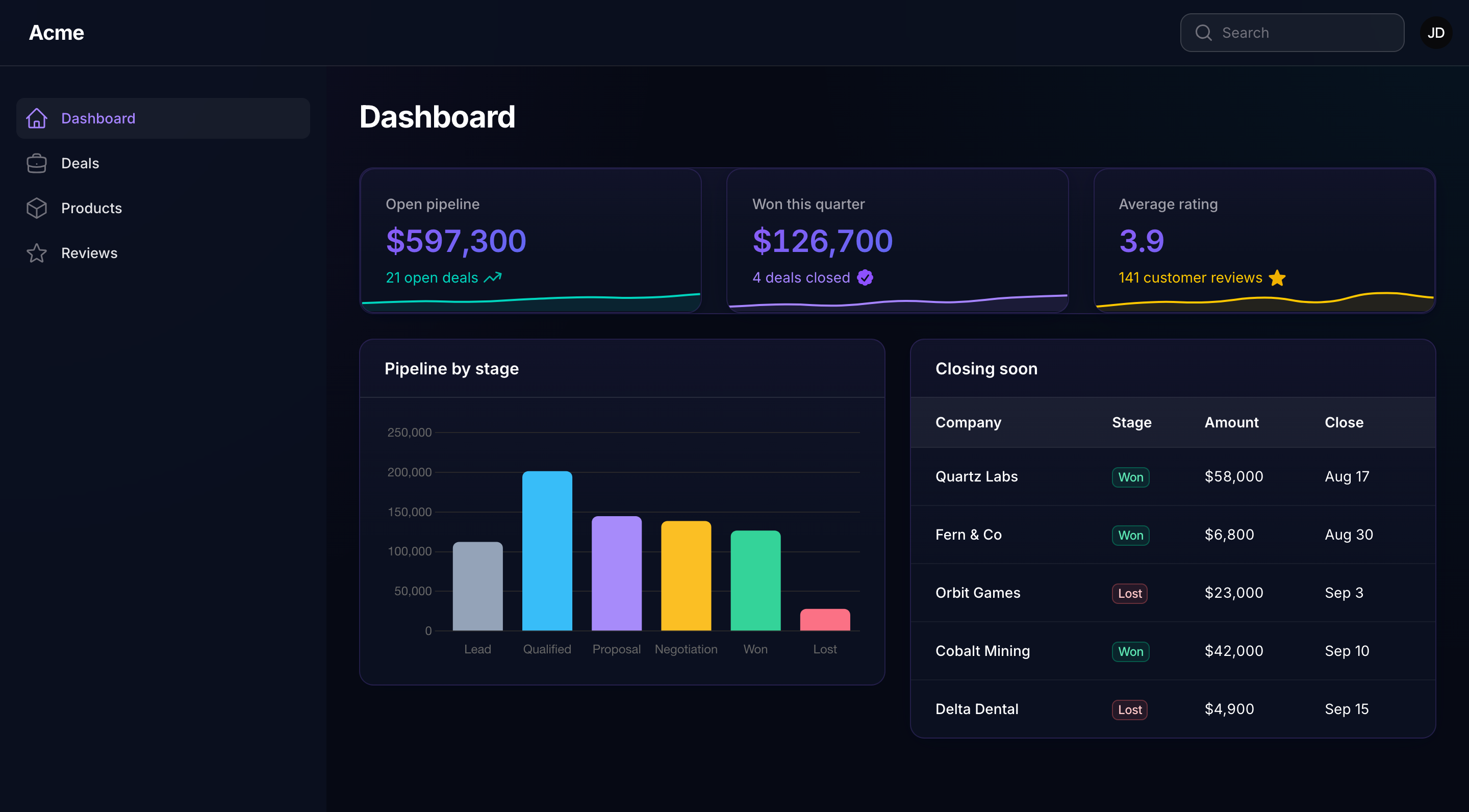
Both themes cover light and dark mode. This is Aurora after dark:
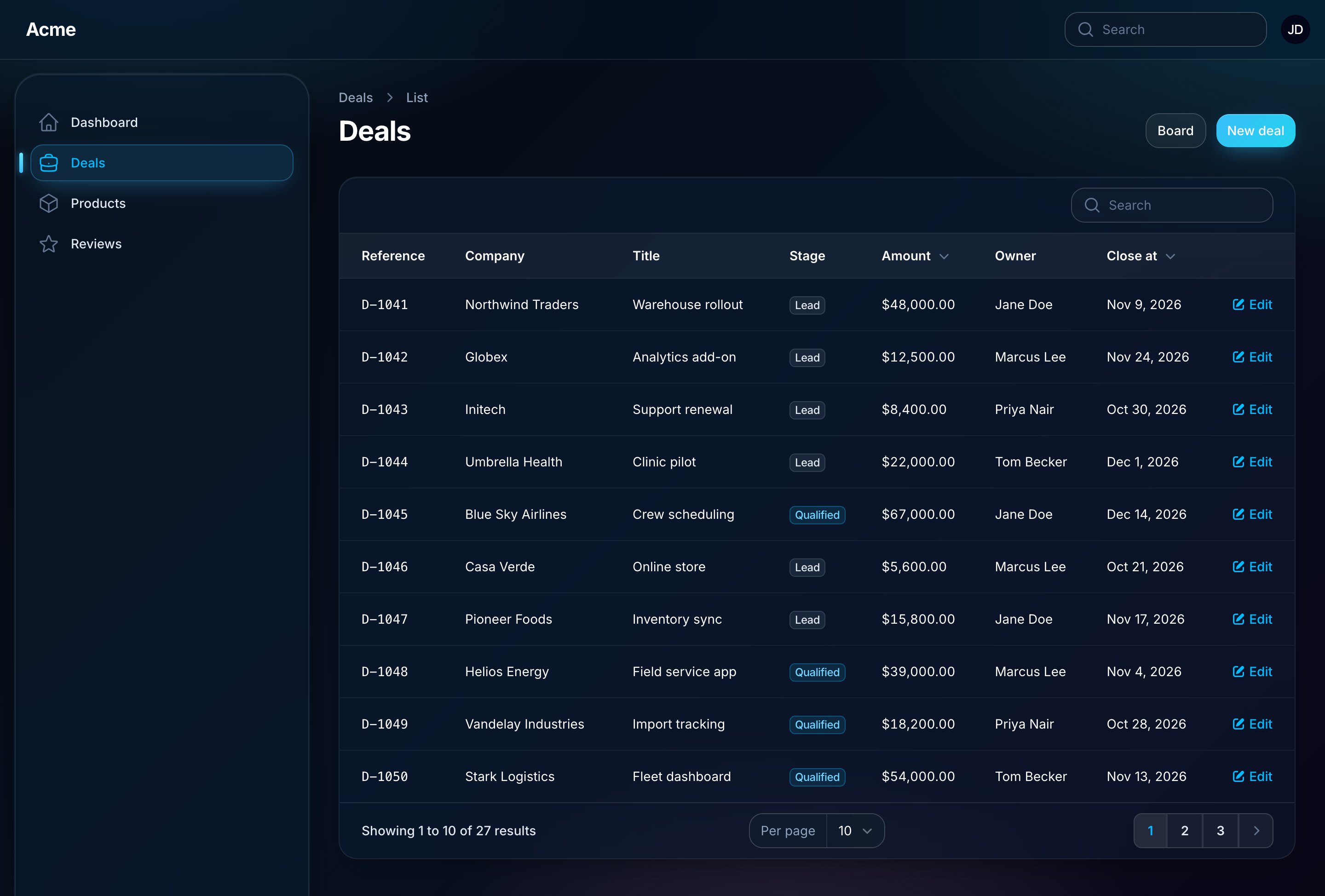
A theme's preferred mode becomes the panel's default mode while the theme is active. A user who has toggled light or dark keeps their choice.
Themes from the Filament plugin directory
The Filament plugin directory has a growing shelf of themes, free and paid, each with a character of its own. Any of them can sit in your picker beside the bundled ones, so a panel offers as many looks as you care to install.
Install the theme's package the way its own docs describe, then hand its plugin to a theme:
use Noreviq\FilamentTheme\NoreviqThemePlugin;
use Packstub\Nitpick\Facades\Themes;
use Packstub\Nitpick\Theme;

// AppServiceProvider::boot()
Themes::register(
    Theme::make('noreviq')->plugin(fn () => NoreviqThemePlugin::make()),
);
Run php artisan filament:assets and it is one more card on the Appearance page: a panel default, a per-user choice. The plugin joins the panel while its theme is active, and only then, so it styles the panel exactly as its own docs describe (palette, stylesheets, fonts, render hooks, layout) and leaves no trace while another theme is picked. Configure it the way its docs say (NoreviqThemePlugin::make()->corners(...)) and the theme follows. Picking it reloads the page.
The example is Noreviq, an open-source teal and graphite theme by Yousef Al-Jallad, in three steps:
composer require noreviq/filament-theme   # 1. the theme's package
#                                           2. the Themes::register() call above
php artisan filament:assets               # 3. publish its CSS
Themes that build with Vite work the same way. For Abyss, by Osama Nagi, add its stylesheet to vite.config.js as its docs ask, run npm run build, and register it:
Themes::register(
    Theme::make('abyss')->plugin(fn () => FilamentAbyssThemePlugin::make()),
);
Register as many as you like, one Theme::make() each. Themes walks through each kind of theme: ready-made CSS, a Vite theme, Tailwind source you compile (Nord), a palette without a plugin (Shadcn), and a theme that changes the layout (Press).
Writing a theme plugin? For theme authors covers the habits that make it work well in Nitpick, and in any app with more than one panel.
A theme per panel
use Packstub\Nitpick\Themes\Aurora;
use Packstub\Nitpick\Themes\Midnight;

NitpickPlugin::make()
    ->themes([Aurora::class, Midnight::class, 'ocean'])   // what this panel offers; defaults to every registered theme
    ->default(Midnight::class)                             // by class, id or instance
The default may be a closure, evaluated on every request:
use Filament\Facades\Filament;

NitpickPlugin::make()
    ->default(fn (): string => Filament::getTenant()?->theme ?? 'aurora')
Register the plugin on every panel that should be themed. Each has its own offer, default and user choices.
A theme per user
NitpickPlugin::make()->picker()
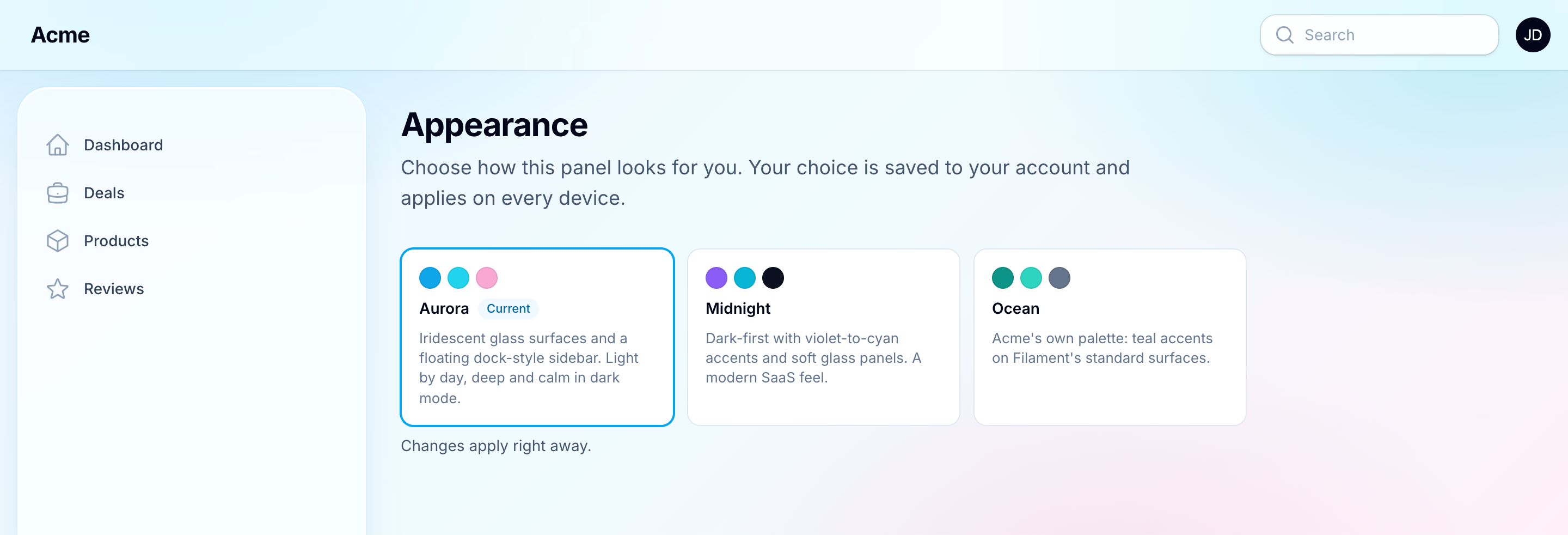
Turning this on:
- adds an Appearance item to the user menu that opens the picker in a modal of fixed width and columns, and registers an Appearance page (
/appearance) with the same picker; - saves each user's choice for this panel in the
theme_preferencestable (or the session, see Configuration); - changes the theme the moment a card is clicked, behind a short fade (
->picker(transition: Transition::Slide),Transition::Sweep, orfalsefor none). A theme that changes the layout reloads the page under the same cover, and the modal opens again.
To offer the picker inside your own profile form instead, drop in the field. It fills itself with the user's current theme and saves on change:
use Packstub\Nitpick\Filament\Forms\Components\ThemePicker;

ThemePicker::make(),
Each card shows the theme's swatches and name, with its description as the tooltip; ->descriptions() shows it under the name, and ->picker(fn (ThemePicker $picker) => $picker->descriptions()) on the plugin does the same on the Appearance page. Use ->persist(false) to handle the value yourself on submit, and NitpickPlugin::get()->setUserTheme($id) to save it. Reading and writing a choice from code:
$plugin = NitpickPlugin::get();

$plugin->getActiveTheme();          // what this request renders
$plugin->getUserTheme();            // the signed-in user's choice, or null
$plugin->setUserTheme('midnight');  // save; null clears it
Saving fires Packstub\Nitpick\Events\ThemeChanged.
Writing a theme
A palette-only theme is three methods:
use Filament\Support\Colors\Color;
use Packstub\Nitpick\Theme;

class Ocean extends Theme
{
    public function getId(): string
    {
        return 'ocean';
    }

    public function getLabel(): string
    {
        return 'Ocean';
    }

    public function getColors(): array
    {
        return ['primary' => Color::Teal, 'gray' => Color::Slate];
    }
}
Add a stylesheet to restyle the panel. Scope every rule to html[data-packstub-theme="ocean"] so other panels stay untouched, and declare the mode the design is made for:
use Filament\Enums\ThemeMode;

public function getStylesheetPath(): ?string
{
    return __DIR__.'/../resources/css/ocean.css';
}

public function getPreferredMode(): ?ThemeMode
{
    return ThemeMode::Light;
}
Register it from a service provider (or AppServiceProvider::boot()):
use Packstub\Nitpick\Facades\Themes;

Themes::register(Ocean::class);
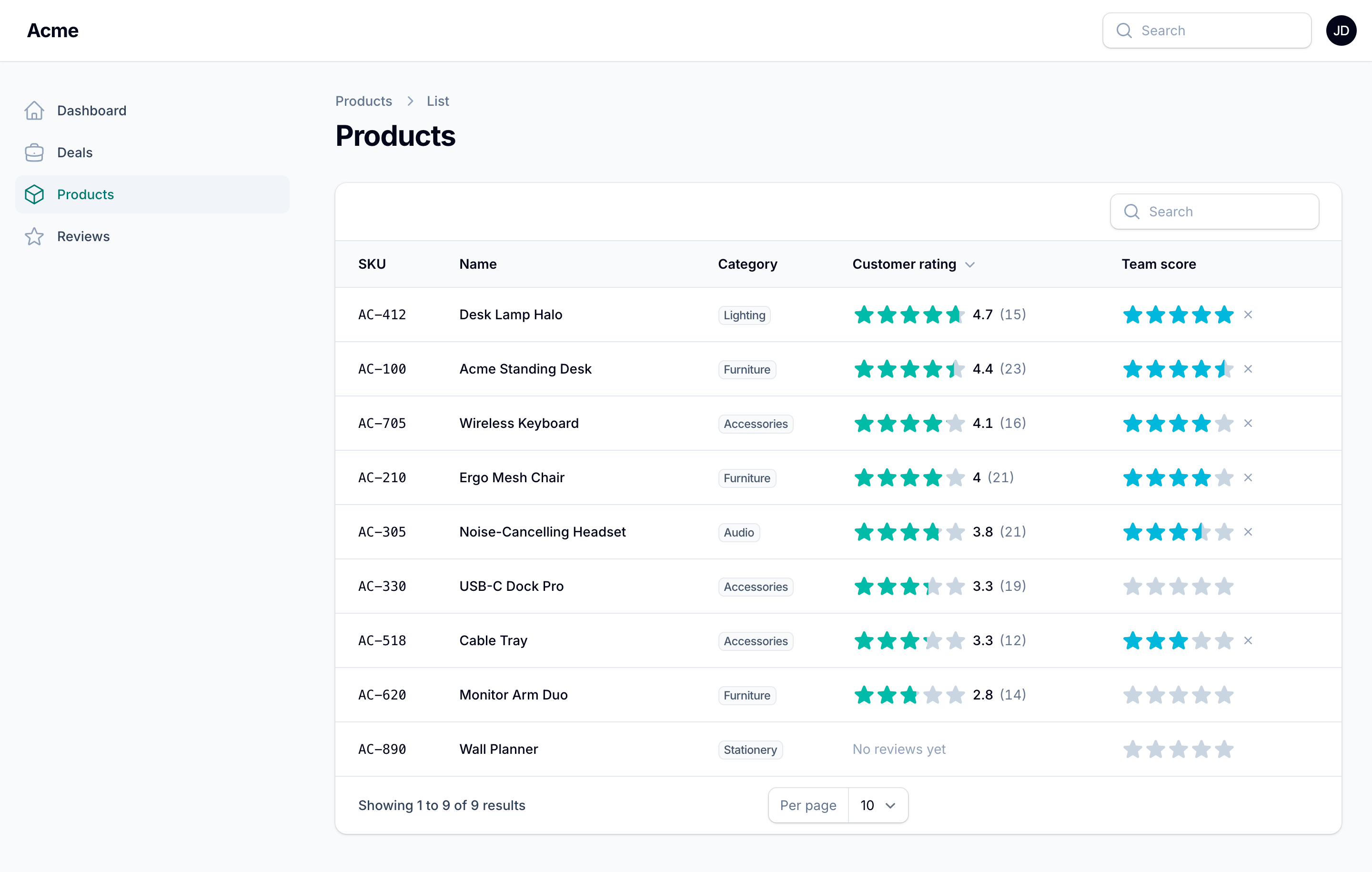
The stylesheet is registered as a Filament asset, so php artisan filament:assets publishes it. From there the theme can be a panel default, offered to users, or shipped as its own Composer package.
A small theme needs no class file. Theme::make() defines one where you register it:
use Packstub\Nitpick\Theme;

Themes::register(
    Theme::make('nord')
        ->colors(['primary' => Color::Sky, 'gray' => Color::Slate])
        ->stylesheet(resource_path('css/themes/nord.css'))
        ->mode(ThemeMode::Dark),
);
An anonymous class (new class extends Theme { ... }) works too.
A theme plugin from the Filament plugin directory joins the picker with Theme::make()->plugin(); see Themes from the Filament plugin directory.
A theme can also configure the panel while it is active, with top navigation or fonts:
Theme::make('newsroom')
    ->colors(['primary' => Color::Red])
    ->panel(fn (Panel $panel) => $panel->topNavigation()->font('Fraunces')),
More in Creating a theme.
Colour overrides and custom CSS
use Filament\Support\Colors\Color;

NitpickPlugin::make()
    ->colors(['primary' => Color::Indigo])       // on top of whichever theme is active
    ->customCss('css/admin-overrides.css')       // loaded after the theme's stylesheet
    ->forceMode(ThemeMode::Dark)                 // ignore the theme's preferred mode
Configuration
config/nitpick.php:
| Key | Default | What it does |
|---|---|---|
default |
'aurora' |
The theme when a panel sets no ->default() |
store |
'database' |
database (one row per user and panel) or session (no migration, forgotten at logout) |
table, connection, user_model |
Where the preferences live; the connection follows the user model, which is the central database under multi-database tenancy | |
colors, custom_css, force_mode |
App-wide equivalents of the plugin calls above |
Documentation
Full docs at packstub.dev/docs/filament-nitpick:
Testing
composer test
Changelog
See CHANGELOG.md.
Security
If you discover a security issue, email support@packstub.dev instead of using the issue tracker.
Credits
License
MIT. See LICENSE.md.