
packstub / filament-account-switcher

Switch between accounts in Filament: impersonate users, linked sub-accounts with password-confirmed escalation, and one-click developer logins. The panel UI of packstub/account-switcher.
Package info
github.com/packstub/filament-account-switcher
pkg:composer/packstub/filament-account-switcher
Fund package maintenance!
Requires
- php: ^8.2
- filament/filament: ^4.0 || ^5.0
- illuminate/contracts: ^12.0 || ^13.0
- packstub/account-switcher: ^1.1
- spatie/laravel-package-tools: ^1.92
Requires (Dev)
- laravel/pint: ^1.27
- orchestra/testbench: ^10.0 || ^11.0
- packstub/filament-session-replay: ^1.1
- pestphp/pest: ^4.0 || ^5.0
- pestphp/pest-plugin-livewire: ^4.0 || ^5.0
Suggests
- packstub/filament-session-replay: A Session replays button on the impersonation banner: switch back and land on the recordings of the person you were signed in as (1.1 or later).
Provides
None
Conflicts
None
Replaces
None
This package is auto-updated.
Last update: 2026-11-03 12:04:29 UTC
README
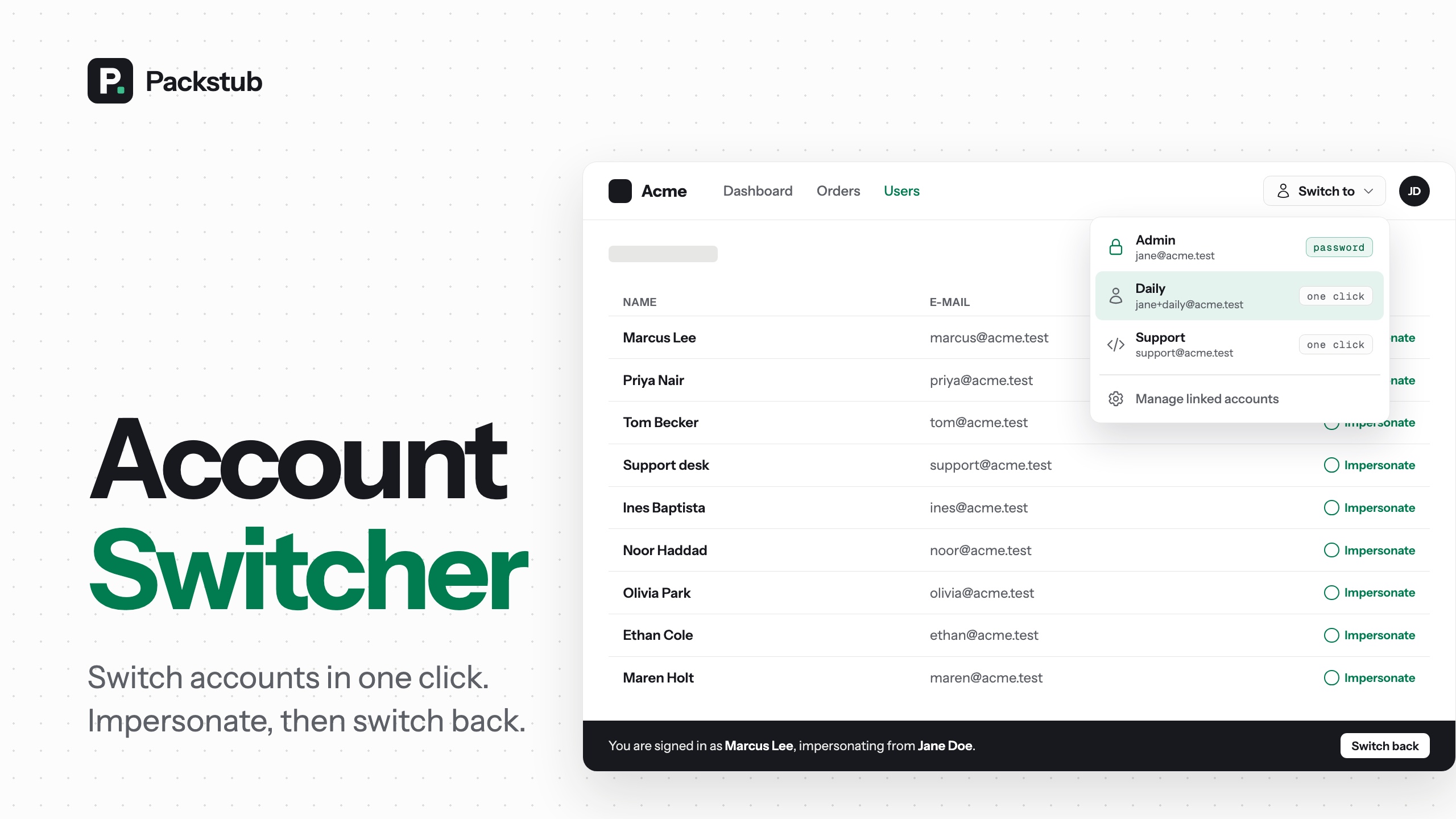
Switch between accounts in a Filament panel without signing out — safely, in production. The panel UI of Account Switcher for Laravel, which does the same in any Laravel app.
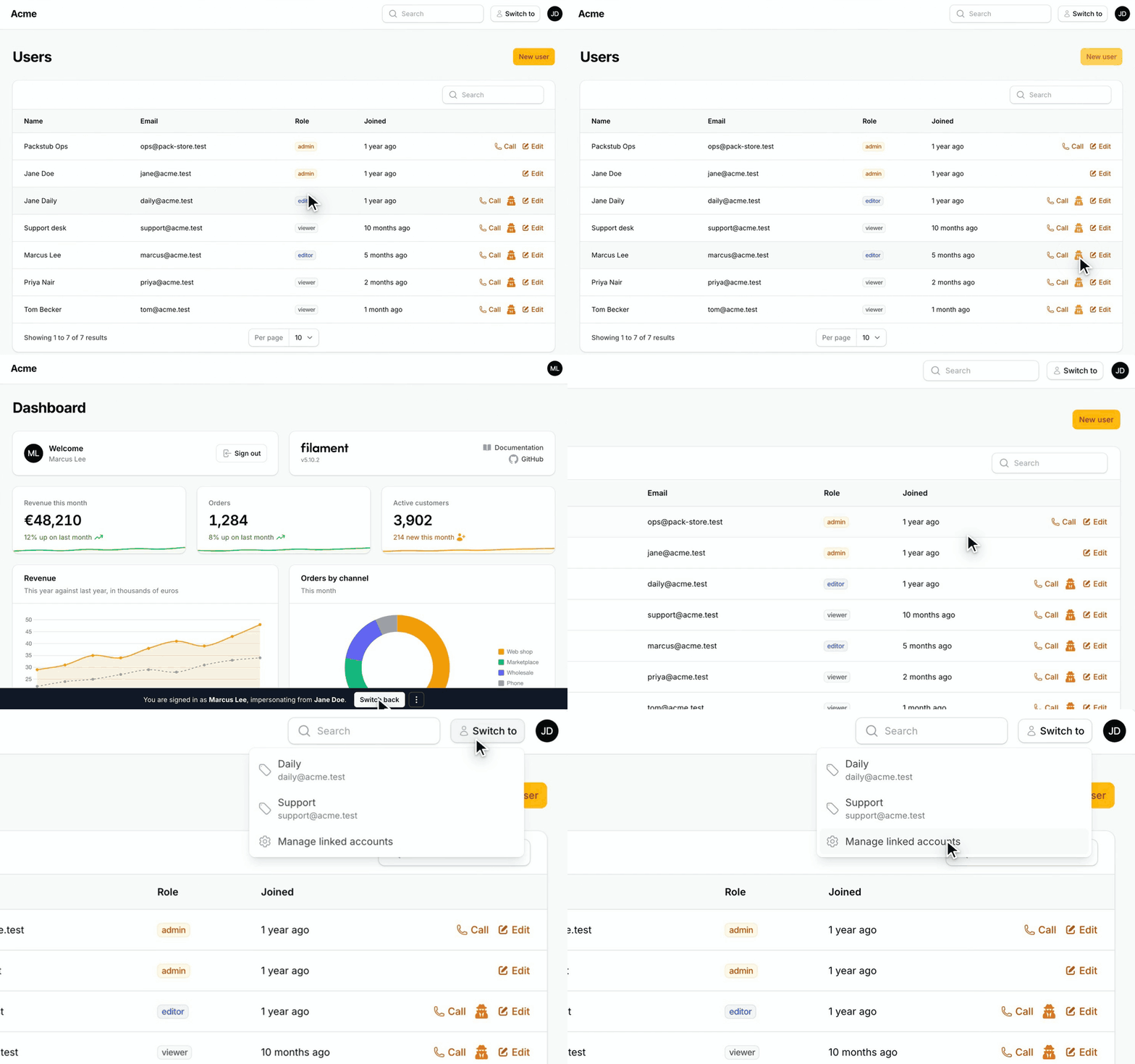
Features
- Linked accounts: work from a low-privilege account and switch up to admin only when you need it.
- Impersonation: an action for your users table, a banner with Switch back, rules on your model.
- Developer logins: one-click sign-in buttons for your seeded accounts, on the login page and in the "Switch to" menu (searchable, tagged, or any account in the database), only in the environments you allow.
- Audit trail: every switch logged with who, why, from where and any context you attach, plus events and a
log()call for switches made elsewhere. - Configurable per panel: turn each feature on or off, add your own rules, move the banner.
- Dark mode and translations: built from Filament components, every string in a language file.
Formerly xlite-dev/filament-impersonate — see the upgrade guide.
Compatibility
| Plugin | Filament | Laravel | PHP |
|---|---|---|---|
4.1+ (with packstub/account-switcher 1.x) |
4.x, 5.x | 12.x, 13.x | 8.2+ |
| 4.0 | 4.x, 5.x | 12.x, 13.x | 8.2+ |
3.x (xlite-dev/filament-impersonate) |
4.x, 5.x | 9.x – 12.x | 8.1+ |
Installation
composer require packstub/filament-account-switcher
php artisan packstub-account-switcher:install
Add the trait to your user model and the plugin to your panel:
use Packstub\AccountSwitcher\Concerns\HasLinkedAccounts;

class User extends Authenticatable implements FilamentUser
{
    use HasLinkedAccounts;

    public function canImpersonate(User $target): bool
    {
        return $this->hasRole('super-admin');
    }
}
use Packstub\AccountSwitcher\AccountSwitcherPlugin;

$panel->plugin(
    AccountSwitcherPlugin::make()
        ->developerLogins(['admin@example.com', 'user@example.com']),
);
Only need impersonation and developer logins? Add ->withoutDatabase() to the plugin and skip the install command: no migrations, no trait (without migrations).
Full walkthrough: Installation.
Linked accounts
Link the accounts one person owns. A Switch to menu next to the user menu lists them with their label and e-mail.
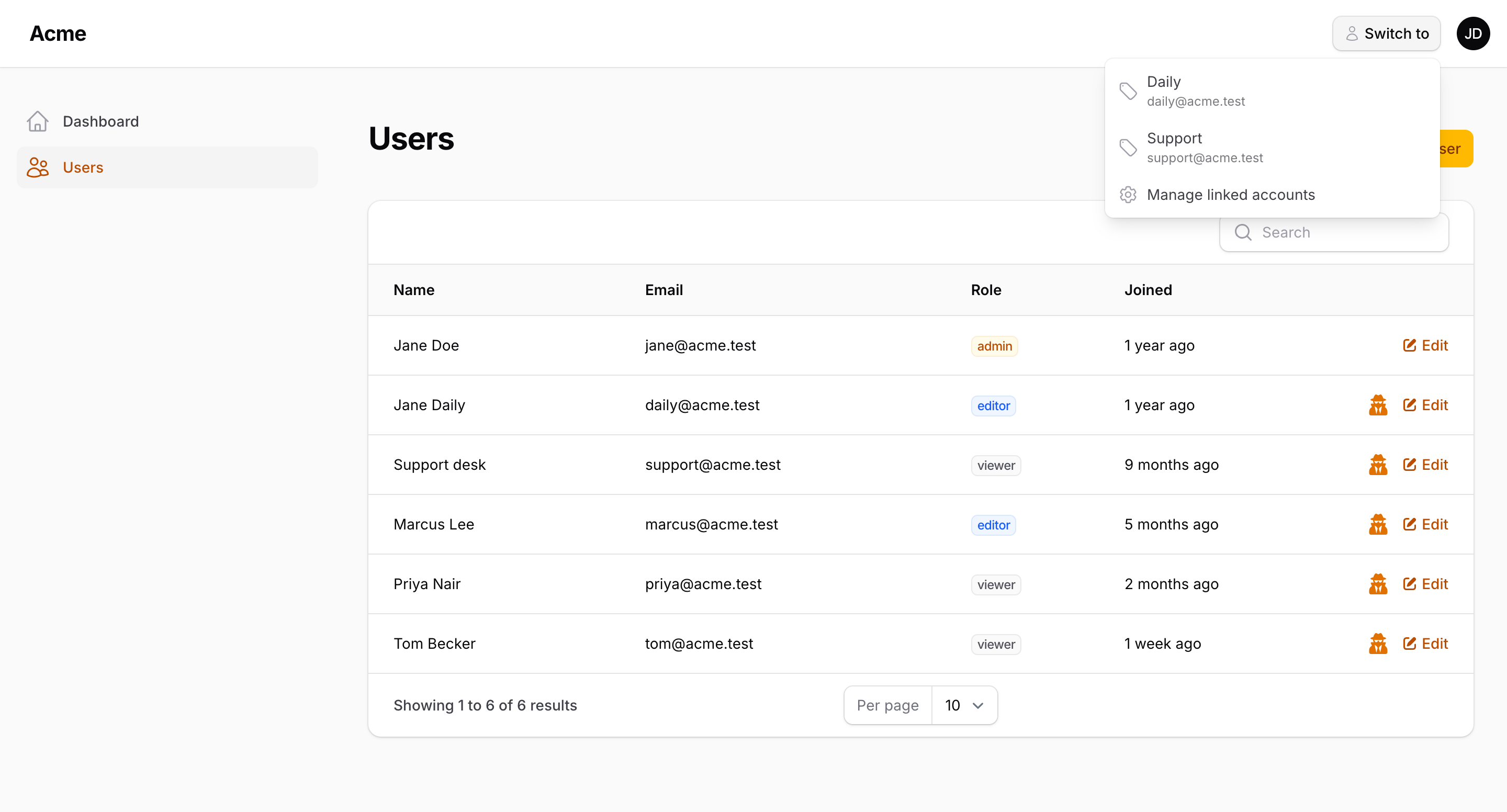
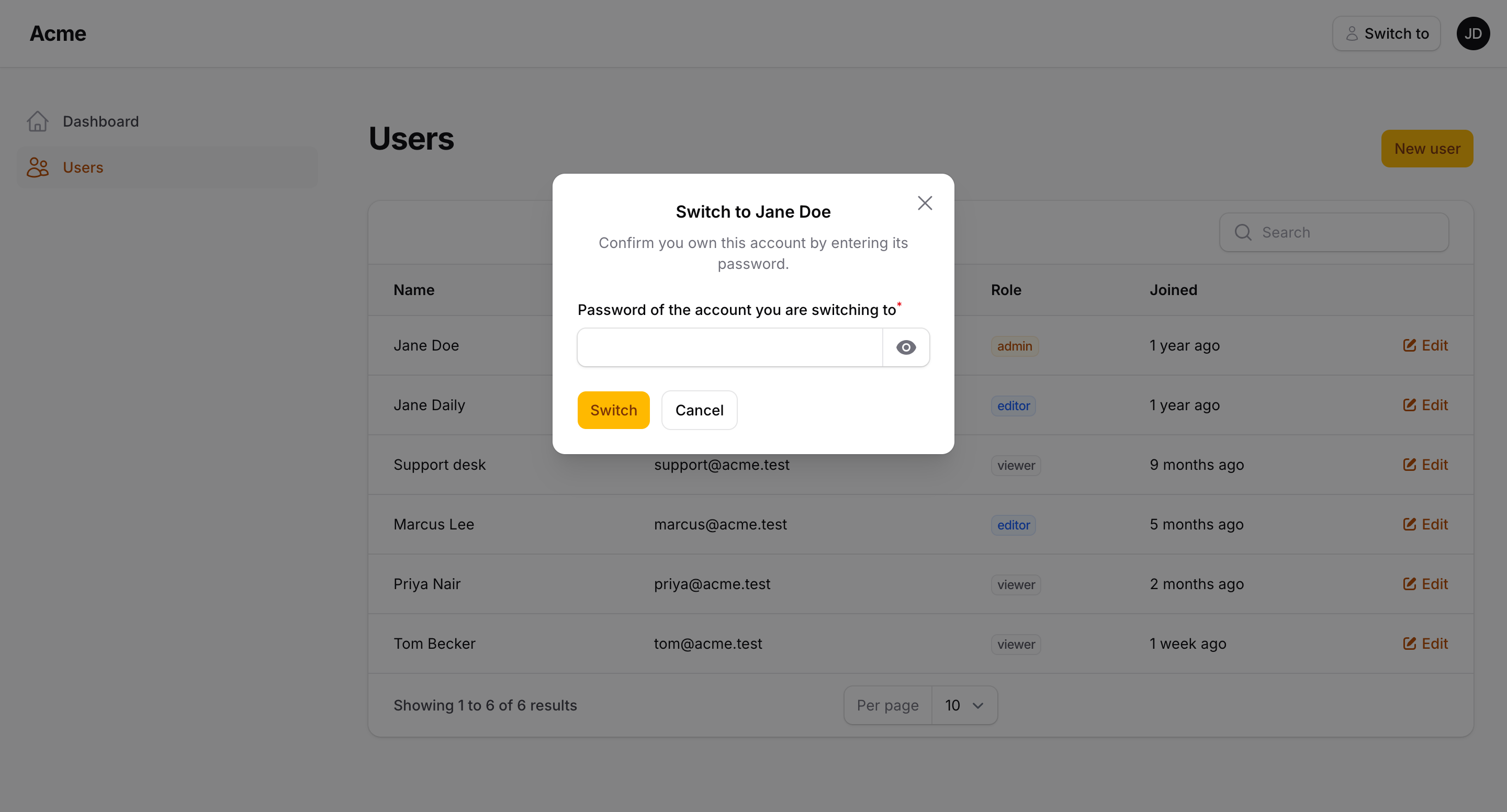
Switching down to a lower-privilege account is one click. Switching up asks for the target account's password, so a compromised daily session can never reach the admin account on its own.
The Linked accounts page (in the user menu) links an existing account, creates a sub-account, renames links and sets the per-link password rule.
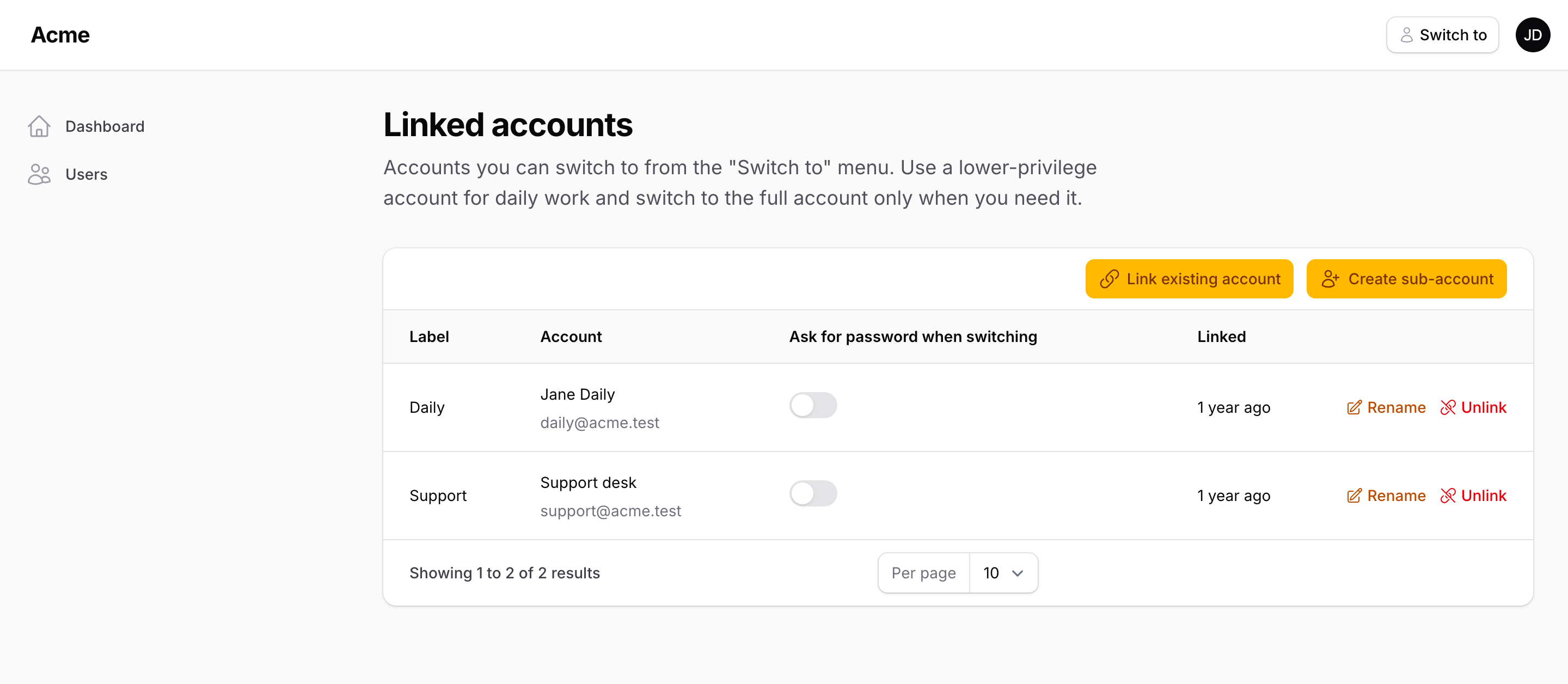
// Or link programmatically — one click down, password up
$admin->linkAccount($daily, label: 'Daily', requiresPassword: false);
Read more: Linked accounts · Security model.
Impersonation
Drop ImpersonateAction into your users table or a page header. It is hidden for records the current user may not impersonate, based on canImpersonate() / canBeImpersonated() on your model.
use Packstub\AccountSwitcher\Filament\Actions\ImpersonateAction;

->recordActions([
    ImpersonateAction::make(),
])
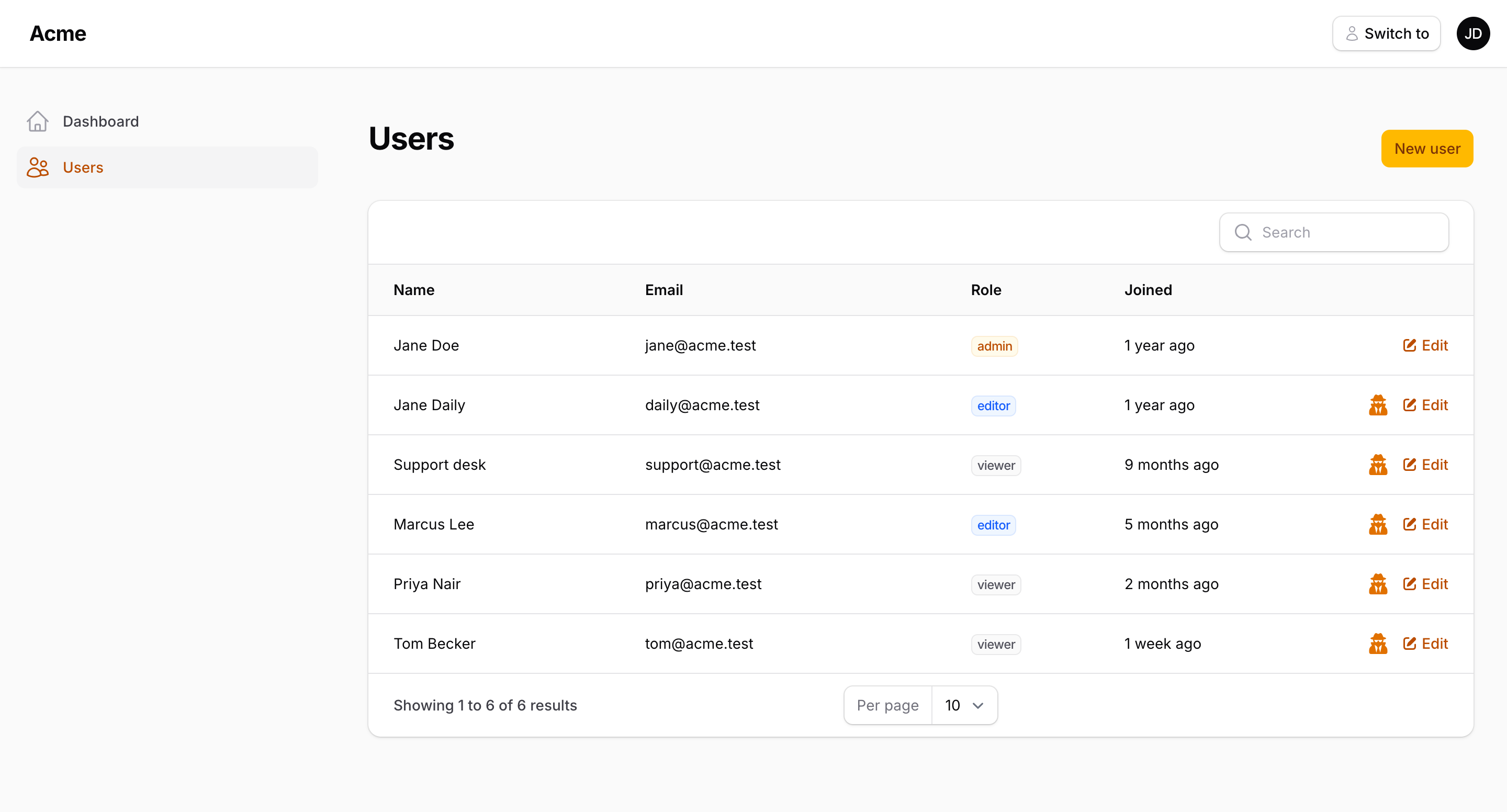
While impersonating, a banner stays visible on every page with a Switch back button and a ⋮ menu for your own links. With Filament Session Replay on the panel the menu offers Session replays: switch back and land on that person's recordings.
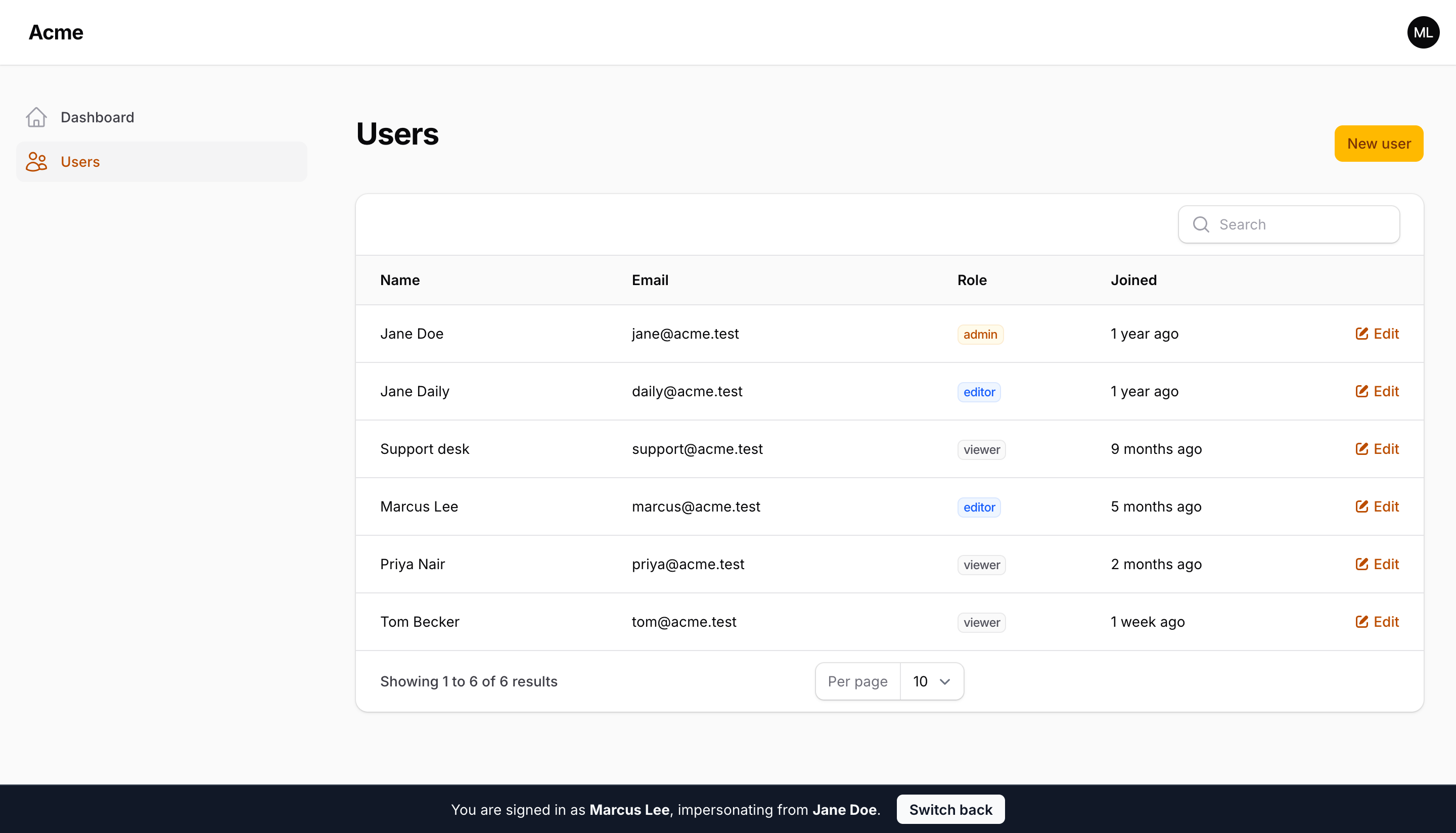
Read more: Impersonation.
Developer logins
One-click sign-in for the accounts you seed, shown under the login form. They only render in the environments listed in the config (local by default), whatever the panel says.
AccountSwitcherPlugin::make()
    ->developerLogins(['admin@example.com', 'user@example.com'])
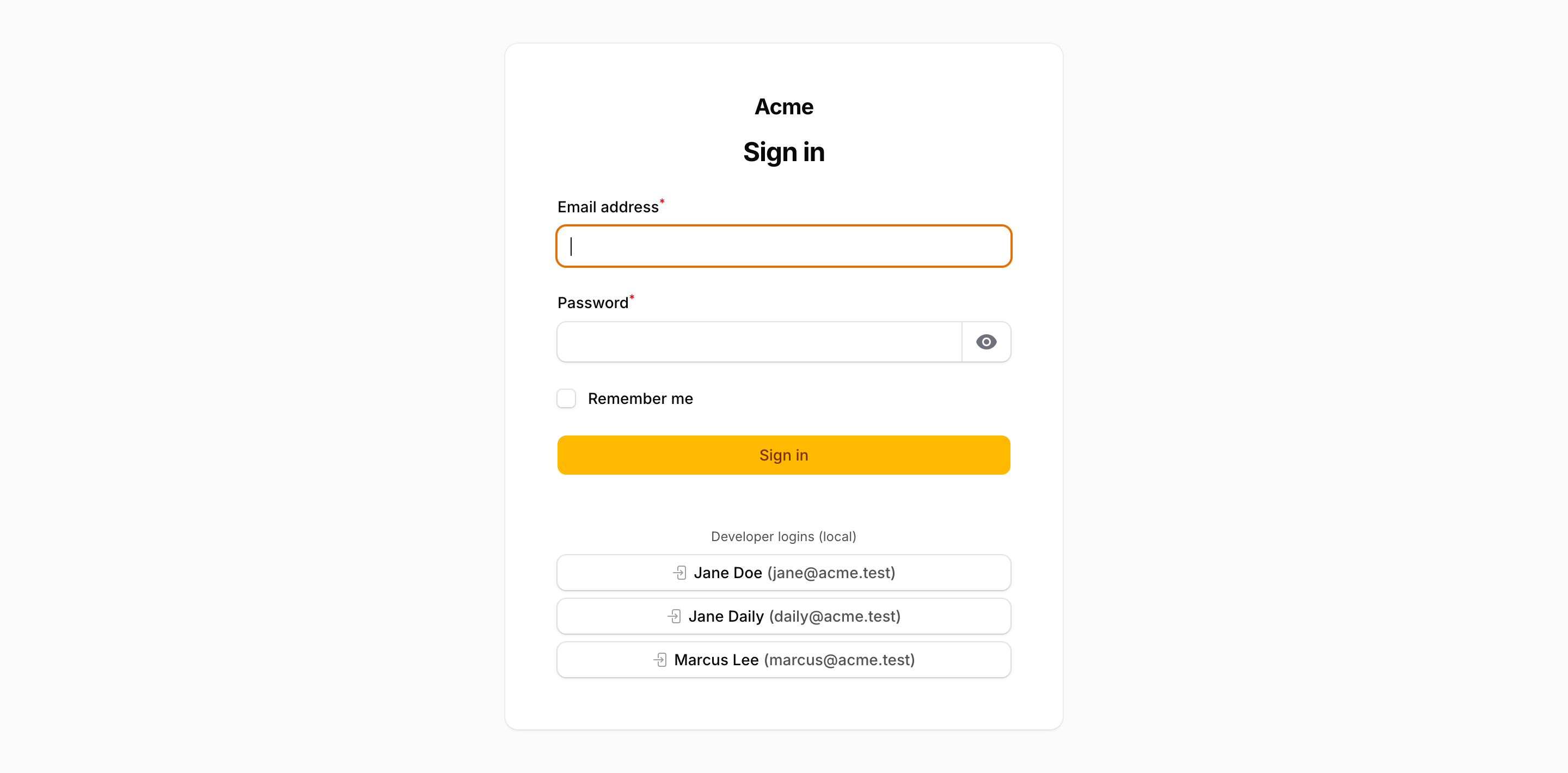
Read more: Developer logins.
Configuration
AccountSwitcherPlugin::make()
    ->impersonation()                                  // on by default
    ->linkedAccounts()                                 // on by default
    ->developerLogins(['admin@example.com'])           // off by default
    ->canImpersonateUsing(fn (User $by, User $target) => $by->can('impersonate', $target))
    ->canSwitchUsing(fn (User $from, User $to) => ! $to->is_locked)
    ->banner(position: 'top', style: 'light')
    ->redirectTo('/admin')
Read more: Configuration — the config file, events, the switch log and the AccountSwitcher facade.
Documentation
The same pages live in the docs/ directory of this repository.
Testing
composer test
Changelog
See the changelog.
Security vulnerabilities
Please e-mail support@packstub.dev rather than opening a public issue.
Credits
License
MIT. See the license file.