
mscode-pl / laravel-react-email

Build Laravel mailables with react-email
Requires
- php: ^8.1
- illuminate/contracts: ^10.0|^11.0|^12.0|^13.0
- spatie/laravel-package-tools: ^1.16
Requires (Dev)
- orchestra/testbench: ^8.0 || ^9.0 || ^10.0 || ^11.0
- pestphp/pest: ^2.0 || ^3.0 || ^4.0 || ^5.0
Suggests
None
Provides
None
Conflicts
None
Replaces
None
This package is auto-updated.
Last update: 2026-11-29 01:13:59 UTC
README
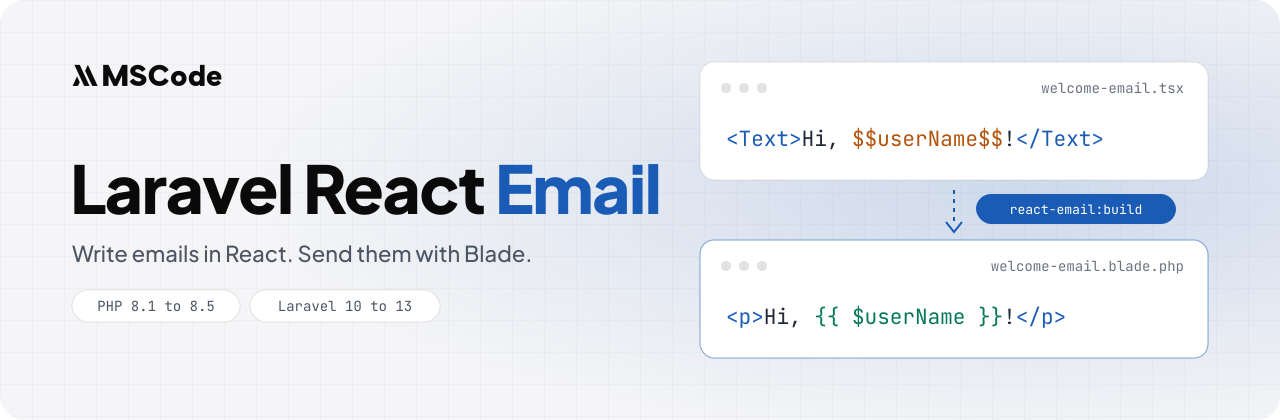
Build Laravel email templates with react-email components.
Blade fills in the variables from your Mailable at send time, so nothing is hardcoded into the HTML.
Installation · Quick start · Variables · Commands · Configuration
How it works
1. You write      resources/react-email/welcome-email.tsx
2. You run        php artisan react-email:build
3. It generates   resources/views/react-email/welcome-email.blade.php
4. You send       Mail::to($user)->send(new WelcomeEmail(...))
5. Blade fills in the real data at send time
The build step compiles your TSX to static HTML and replaces placeholder props with Blade expressions:
| In template | In compiled Blade |
|---|---|
$$name$$ |
{{ $name }} |
$$user.email$$ |
{{ $user['email'] }} |
blade.number('price') + {price.toFixed(2)} |
{{ $price }} |
<BladeForEach items="items"> |
@foreach($items as $item) |
<BladeIf condition="fee > 0"> |
@if($fee > 0) |
Installation
1. Composer
composer require mscode-pl/laravel-react-email
2. Publish config
php artisan vendor:publish --provider="MsCodePL\LaravelReactEmail\LaravelReactEmailServiceProvider" --tag="react-email-config"
3. npm dependencies
Install react-email and link the library from your vendor directory so TSX templates can import its helpers:
npm install react react-dom react-email @react-email/components tsx
Then add to your project's package.json:
{
  "dependencies": {
    "@react-email/components": "^1.0.12",
    "@mscode-pl/laravel-react-email": "file:vendor/mscode-pl/laravel-react-email"
  }
}
Run npm install once more to create the symlink:
npm install
The package is installed by Composer into vendor/ and is not published to npm.
The file: reference is what lets tsx resolve import { blade } from '@mscode-pl/laravel-react-email'.
Quick start
Generate a Mailable + template
php artisan make:react-email WelcomeEmail
Creates:
app/Mail/WelcomeEmail.phpresources/react-email/welcome-email.tsx
Write the template
resources/react-email/welcome-email.tsx:
import React from 'react';
import { Html, Head, Body, Container, Text, Button } from '@react-email/components';
import { blade } from '@mscode-pl/laravel-react-email';

interface WelcomeEmailProps {
    userName?: string;
    activationUrl?: string;
}

export default function WelcomeEmail({
    userName    = '$$userName$$',
    activationUrl = '$$activationUrl$$',
}: WelcomeEmailProps) {
    return (
        <Html>
            <Head />
            <Body style={{ fontFamily: 'Arial, sans-serif' }}>
                <Container>
                    <Text>Welcome, $$userName$$!</Text>
                    <Text>Click below to activate your account:</Text>
                    <Button href={activationUrl}>Activate Account</Button>
                </Container>
            </Body>
        </Html>
    );
}
Build
php artisan react-email:build
Send
app/Mail/WelcomeEmail.php:
use MsCodePL\LaravelReactEmail\ReactMailable;
use Illuminate\Mail\Mailables\Envelope;

class WelcomeEmail extends ReactMailable
{
    public function __construct(
        public string $userName,
        public string $activationUrl,
    ) {}

    public function envelope(): Envelope
    {
        return new Envelope(subject: 'Welcome!');
    }
}
ReactMailable picks the views from the class name: WelcomeEmail uses react-email.welcome-email (HTML) and react-email.welcome-email-text (plain text). To use a different template, override reactEmailView():
protected function reactEmailView(): string
{
    return 'account-activation';
}
In the local environment the template is rebuilt automatically when the compiled view is missing or older than the .tsx file, so you don't have to run the build command after every edit.
Mail::to($user)->send(
    new WelcomeEmail(
        userName: $user->name,
        activationUrl: route('activate', $user->activation_token),
    )
);
Variables
Simple string variables
Use $$variableName$$ directly in JSX text. The build step converts them to {{ $variableName }}.
export default function InvoiceEmail({
    invoiceNumber = '$$invoiceNumber$$',
    dueDate       = '$$dueDate$$',
}) {
    return (
        <Html>
            <Text>Invoice #$$invoiceNumber$$</Text>
            <Text>Due: $$dueDate$$</Text>
        </Html>
    );
}
Compiled Blade output:
<p>Invoice #{{ $invoiceNumber }}</p>
<p>Due: {{ $dueDate }}</p>
Nested object variables
Dot notation is converted to array access:
export default function OrderEmail({
    user  = { name: '$$user.name$$', email: '$$user.email$$' },
    shop  = { name: '$$shop.name$$' },
}) {
    return (
        <Html>
            <Text>Hello $$user.name$$,</Text>
            <Text>Your order at $$shop.name$$ is confirmed.</Text>
            <Text>Confirmation sent to $$user.email$$</Text>
        </Html>
    );
}
Compiled Blade output:
<p>Hello {{ $user['name'] }},</p>
<p>Your order at {{ $shop['name'] }} is confirmed.</p>
<p>Confirmation sent to {{ $user['email'] }}</p>
Numeric variables
Use blade.number('varName') so methods like .toFixed() work at build time without crashing:
import { blade } from '@mscode-pl/laravel-react-email';

export default function OrderEmail({
    subtotal = blade.number('subtotal'),
    total    = blade.number('total'),
}) {
    return (
        <Html>
            <Text>Subtotal: {subtotal.toFixed(2)} PLN</Text>
            <Text>Total: {total.toFixed(2)} PLN</Text>
        </Html>
    );
}
Compiled Blade output:
<p>Subtotal: {{ $subtotal }} PLN</p>
<p>Total: {{ $total }} PLN</p>
Blade handles the actual number formatting at send-time with
number_format($total, 2)etc.
Lists and arrays: <BladeForEach>
Use the <BladeForEach> component to loop over an array. Inside, write $$item.property$$ placeholders:
import { BladeForEach } from '@mscode-pl/laravel-react-email';

export default function OrderEmail() {
    return (
        <Html>
            <Text>Your items:</Text>
            <BladeForEach items="items">
                <Section>
                    <Text>$$item.name$$ x $$item.quantity$$: $$item.price$$ PLN</Text>
                </Section>
            </BladeForEach>
        </Html>
    );
}
Compiled Blade output:
@foreach($items as $item)
    <div>
        <p>{{ $item['name'] }} x {{ $item['quantity'] }}: {{ $item['price'] }} PLN</p>
    </div>
@endforeach
For nested arrays (e.g. order.items):
<BladeForEach items="order.items">
    <Text>$$item.name$$: $$item.price$$ PLN</Text>
</BladeForEach>
Compiles to:
@foreach($order['items'] as $item)
    <p>{{ $item['name'] }}: {{ $item['price'] }} PLN</p>
@endforeach
For nested loops, name the loop variable with as so the inner loop doesn't overwrite $item:
<BladeForEach items="orders" as="order">
    <Text>Order $$order.number$$</Text>
    <BladeForEach items="order.lines" as="line">
        <Text>$$line.name$$ x $$line.quantity$$</Text>
    </BladeForEach>
</BladeForEach>
Compiles to:
@foreach($orders as $order)
    <p>Order {{ $order['number'] }}</p>
    @foreach($order['lines'] as $line)
        <p>{{ $line['name'] }} x {{ $line['quantity'] }}</p>
    @endforeach
@endforeach
Empty lists: <BladeForElse>
<BladeForElse> compiles to @forelse. Put the fallback content in <BladeEmpty>:
<BladeForElse items="notifications">
    <Text>$$item.message$$</Text>
    <BladeEmpty>
        <Text>You have no notifications.</Text>
    </BladeEmpty>
</BladeForElse>
Conditional sections: <BladeIf>
Use <BladeIf> to wrap content that should only appear when a condition is true:
import { BladeForEach, BladeIf, blade } from '@mscode-pl/laravel-react-email';

export default function OrderEmail({
    total      = blade.number('total'),
    serviceFee = blade.number('serviceFee'),
}) {
    return (
        <Html>
            <BladeForEach items="items">
                <Text>$$item.name$$: $$item.price$$ PLN</Text>
            </BladeForEach>

            <BladeIf condition="serviceFee > 0">
                <Text>Service fee: {serviceFee.toFixed(2)} PLN</Text>
            </BladeIf>

            <Text>Total: {total.toFixed(2)} PLN</Text>
        </Html>
    );
}
Compiled Blade output:
@foreach($items as $item)
    <p>{{ $item['name'] }}: {{ $item['price'] }} PLN</p>
@endforeach

@if($serviceFee > 0)
    <p>Service fee: {{ $serviceFee }} PLN</p>
@endif

<p>Total: {{ $total }} PLN</p>
Variable names in conditions get a $ prefix and dot paths become array access. String literals, function calls and keywords are left alone, so plan === 'premium' && count(seats) > 1 compiles to $plan === 'premium' && count($seats) > 1.
Use <BladeElseIf> and <BladeElse> inside <BladeIf> for the other branches:
<BladeIf condition="plan === 'premium'">
    <Text>Thanks for being a Premium member.</Text>
    <BladeElseIf condition="plan === 'pro'">
        <Text>Thanks for being a Pro member.</Text>
    </BladeElseIf>
    <BladeElse>
        <Text>Upgrade to get more features.</Text>
    </BladeElse>
</BladeIf>
Blade components: <BladeComponent> and <BladeSlot>
Render any Blade component, including Laravel's mail:: components. Props that are placeholders become bound attributes, everything else is passed as a literal:
<BladeComponent name="mail::button" url={blade.string('url')} color="success">
    <BladeSlot name="title">Confirm your email</BladeSlot>
    Confirm
</BladeComponent>
Compiles to:
<x-mail::button :url="$url" color="success"><x-slot:title>Confirm your email</x-slot:title>Confirm</x-mail::button>
Unescaped HTML
blade.raw('content') compiles to {!! $content !!}. Use it only for HTML you trust, such as content rendered by your own CMS.
Shared components
Files in subdirectories of resources/react-email (for example components/Layout.tsx) are treated as shared code, not as templates. When any of them changes, the next react-email:build rebuilds every template.
blade() helper reference
| Helper | TypeScript type | Use when |
|---|---|---|
blade('name') |
any |
generic placeholder |
blade.string('name') |
string |
plain text, no method calls |
blade.number('name') |
number |
.toFixed(), arithmetic |
blade.array<T>('name') |
T[] |
.map(), .filter(), .reduce() |
blade.object<T>('name') |
T |
nested property access |
blade.raw('name') |
any |
trusted HTML, compiles to {!! $name !!} |
Commands
| Command | Description |
|---|---|
php artisan make:react-email <Name> |
Generate Mailable + TSX template |
php artisan react-email:build |
Compile changed templates to Blade views |
php artisan react-email:build welcome-email |
Compile only the given templates |
php artisan react-email:build --force |
Recompile everything, ignoring the change manifest |
php artisan react-email:build --clean |
Also remove compiled views whose source was deleted |
php artisan react-email:dev |
Start live-preview server at localhost:3000 (--port to change) |
react-email:build exits with a non-zero code when any template fails, so a broken template stops your deploy instead of reaching production.
Configuration
config/react-email.php:
return [
    // Source TSX templates
    'path' => env('REACT_EMAIL_PATH', resource_path('react-email')),

    // Compiled Blade output
    'build_path' => env('REACT_EMAIL_BUILD_PATH', resource_path('views/react-email')),
];
Requirements
- PHP 8.1 to 8.5 (Laravel 13 needs PHP 8.3+)
- Laravel 10, 11, 12 or 13
- Node.js 20.19+
License
MIT, see LICENSE.

Built and maintained by MSCode, a Polish software house that makes websites and web and mobile apps.