
mattakorn-limkool / filament-general-settings

Filament package to manage general settings
Package info
github.com/mattakorn-limkool/filament-general-settings
pkg:composer/mattakorn-limkool/filament-general-settings
Fund package maintenance!
Requires
- php: ^8.1
- filament/filament: ^5.0
- spatie/laravel-package-tools: ^1.15.0
Requires (Dev)
- laravel/pint: ^1.0
- nunomaduro/collision: ^8.0
- nunomaduro/larastan: ^3.0
- orchestra/testbench: ^9.0
- pestphp/pest: ^2.1
- pestphp/pest-plugin-arch: ^2.0
- pestphp/pest-plugin-laravel: ^2.0
- phpstan/extension-installer: ^1.0
- phpstan/phpstan-deprecation-rules: ^2.0
- phpstan/phpstan-phpunit: ^2.0
- spatie/laravel-ray: ^1.26
Suggests
None
Provides
None
Conflicts
None
Replaces
None
This package is auto-updated.
Last update: 2026-09-29 12:53:48 UTC
README
Create really fast and easily general settings for your Laravel Filament project.
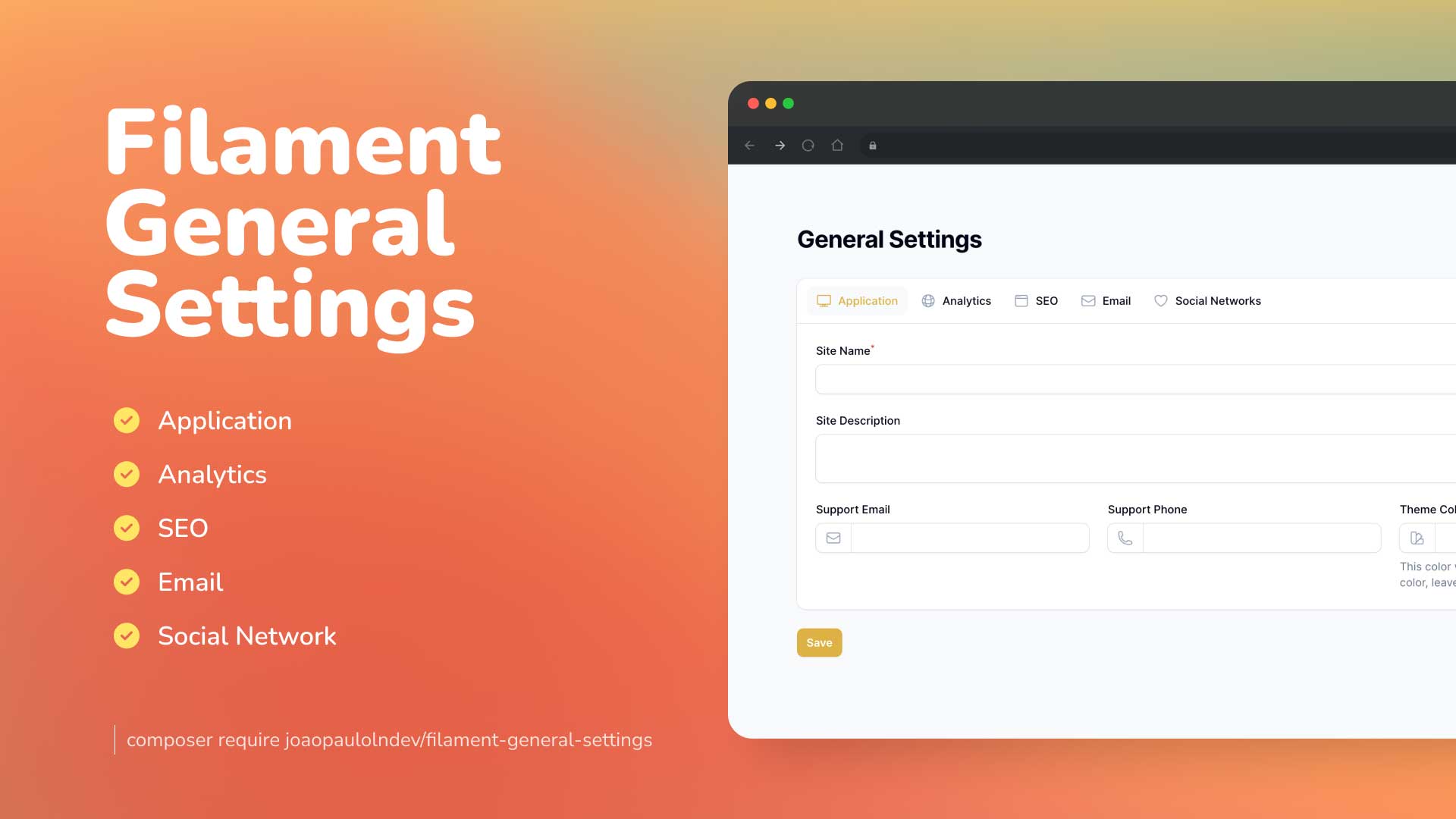
Features & Screenshots
- Application: Manage your system general settings, such as title, description, and theme color.
- Analytics: Add your Google Analytics tracking code to your system.
- SEO Meta: Manage your SEO meta tags, such as title, description, and keywords.
- Email: Manage your email settings, such as SMTP server, port, and credentials.
- Social Media Network: Manage your social media network links, such as Facebook, Twitter, Instagram, and LINE.
- Logo & Favicon: Upload and manage your site logo and favicon with image editor support.
- Multi-language Support: Available in English, Arabic, Spanish, French, Dutch, Portuguese, Portuguese (Brazil), and Thai.
- Support: Laravel 11 and Filament 5.x
Compatibility
| Package Version | Filament Version |
|---|---|
| 1.x | 3.x |
| 2.x | 4.x |
| 3.x | 5.x |
Installation
You can install the package via composer:
composer require joaopaulolndev/filament-general-settings:^3.0
Filament V4 - if you are using Filament v4.x, you can use this section Filament V3 - if you are using Filament v3.x, you can use this section
You can publish and run the migrations with:
php artisan vendor:publish --tag="filament-general-settings-migrations"
php artisan migrate
You can publish the config file with:
php artisan vendor:publish --tag="filament-general-settings-config"
Optionally, you can publish the views using
php artisan vendor:publish --tag="filament-general-settings-views"
Optionally, you can publish the translations using
php artisan vendor:publish --tag="filament-general-settings-translations"
Optionally, you can publish the assets using. Ex: to show images in default email providers.
php artisan vendor:publish --tag="filament-general-settings-assets"
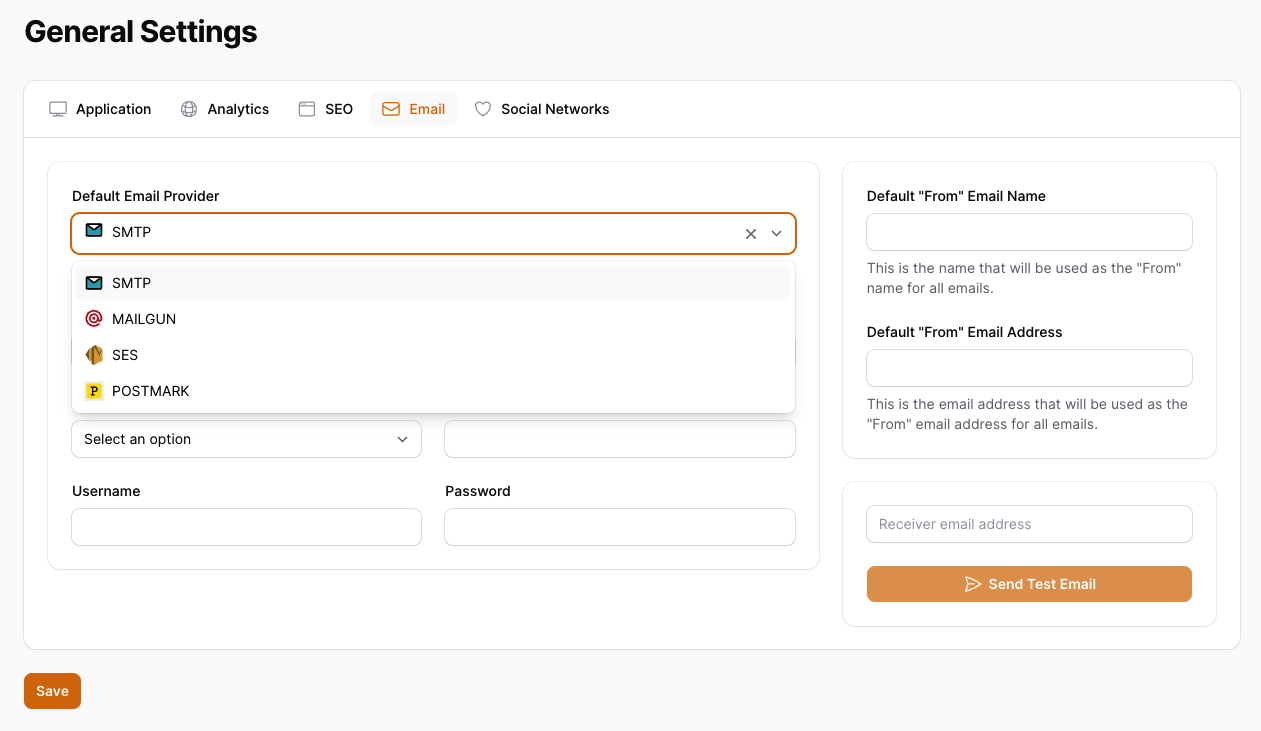
This is the contents of the published config file:
return [
    'show_application_tab' => true,
    'show_analytics_tab' => true,
    'show_seo_tab' => true,
    'show_email_tab' => true,
    'show_social_networks_tab' => true,
    'expiration_cache_config_time' => 60,
];
Optionally, if you would like to add custom tabs and custom fields follow the example on configuration using the keys show_custom_tabs and custom_tabs.
use Joaopaulolndev\FilamentGeneralSettings\Enums\TypeFieldEnum;

return [
    'show_application_tab' => true,
    'show_analytics_tab' => true,
    'show_seo_tab' => true,
    'show_email_tab' => true,
    'show_social_networks_tab' => true,
    'expiration_cache_config_time' => 60,
    'show_custom_tabs'=> true,
    'custom_tabs' => [
        'more_configs' => [
            'label' => 'More Configs',
            'icon' => 'heroicon-o-plus-circle',
            'columns' => 1,
            'fields' => [
                'custom_field_1' => [
                    'type' => TypeFieldEnum::Text->value,
                    'label' => 'Custom Textfield 1',
                    'placeholder' => 'Custom Field 1',
                    'required' => true,
                    'rules' => 'required|string|max:255',
                ],
                'custom_field_2' => [
                    'type' => TypeFieldEnum::Select->value,
                    'label' => 'Custom Select 2',
                    'placeholder' => 'Select',
                    'required' => true,
                    'options' => [
                        'option_1' => 'Option 1',
                        'option_2' => 'Option 2',
                        'option_3' => 'Option 3',
                    ],
                ],
                'custom_field_3' => [
                    'type' => TypeFieldEnum::Textarea->value,
                    'label' => 'Custom Textarea 3',
                    'placeholder' => 'Textarea',
                    'rows' => '3',
                    'required' => true,
                ],
                'custom_field_4' => [
                    'type' => TypeFieldEnum::Datetime->value,
                    'label' => 'Custom Datetime 4',
                    'placeholder' => 'Datetime',
                    'seconds' => false,
                ],
                'custom_field_5' => [
                    'type' => TypeFieldEnum::Boolean->value,
                    'label' => 'Custom Boolean 5',
                    'placeholder' => 'Boolean'
                ],
            ]
        ],
    ]
];
Enabling Logo and Favicon Feature
To enable the feature for choosing a logo and favicon within the application tab, you need the following steps:
- Publish the migration file to add the
site_logoandsite_faviconfields to the general settings table (only if you have installed the package before this feature):
php artisan vendor:publish --tag="filament-general-settings-migrations"
php artisan migrate
- Publish the configuration file:
php artisan vendor:publish --tag="filament-general-settings-config"
- Open the published configuration file config/filament-general-settings.php and set the following key to true:
return [
    // Other configuration settings...
    'show_logo_and_favicon' => true,
];
Usage
Add in AdminPanelProvider.php
use Joaopaulolndev\FilamentGeneralSettings\FilamentGeneralSettingsPlugin;

...

->plugins([
    FilamentGeneralSettingsPlugin::make()
])
Basic Configuration
If you want to show for specific parameters to sort, icon, title, navigation group, navigation label and can access, you can use the following example:
->plugins([
    FilamentGeneralSettingsPlugin::make()
        ->canAccess(fn() => auth()->user()->id === 1)
        ->setSort(3)
        ->setIcon('heroicon-o-cog')
        ->setNavigationGroup('Settings')
        ->setTitle('General Settings')
        ->setNavigationLabel('General Settings'),
    ])
Permission-Based Access Control (with laravel-permission)
You can integrate with laravel-permission to control access using roles and permissions:
->plugins([
    FilamentGeneralSettingsPlugin::make()
        ->permission('View:GeneralSettingsPage')  // Requires the user to have this permission
        ->setSort(3)
        ->setIcon('heroicon-o-cog')
        ->setNavigationGroup('Settings'),
    ])
To use this feature with filament-shield + laravel-permission:
- Ensure you have both packages installed in your main application:
composer require spatie/laravel-permission
composer require bezhansalleh/filament-shield
- Create the permission in your application:
php artisan shield:generate
- Configure the plugin with the permission name and the
canAccess()method will automatically check it.
Note: The permission() method is optional and only works when laravel-permission is installed in your main application. The plugin itself does not require it as a dependency.
Testing
composer test
Changelog
Please see CHANGELOG for more information on what has changed recently.
Contributing
Please see CONTRIBUTING for details.
Security Vulnerabilities
Please review our security policy on how to report security vulnerabilities.
Credits
License
The MIT License (MIT). Please see License File for more information.