
kholil / filament-analitik

Simple page analytics for Filament v4/v5
Requires
- php: ^8.2
- filament/filament: ^4.0|^5.0
- illuminate/contracts: ^11.0|^12.0|^13.0
- stevebauman/location: ^7.6
Requires (Dev)
- orchestra/testbench: ^8.0|^9.0|^10.0
- pestphp/pest: ^2.0|^3.0
- pestphp/pest-plugin-laravel: ^2.0|^3.0
Suggests
None
Provides
None
Conflicts
None
Replaces
None
README
Simple and lightweight page analytics plugin for Filament v4/v5. Track your website visitors, their location, and page views directly from your Filament dashboard.
A simple, free, and privacy-friendly alternative to Google Analytics. No complex setup, no external scripts, and no tracking cookies required. Just install and start tracking your website traffic instantly.
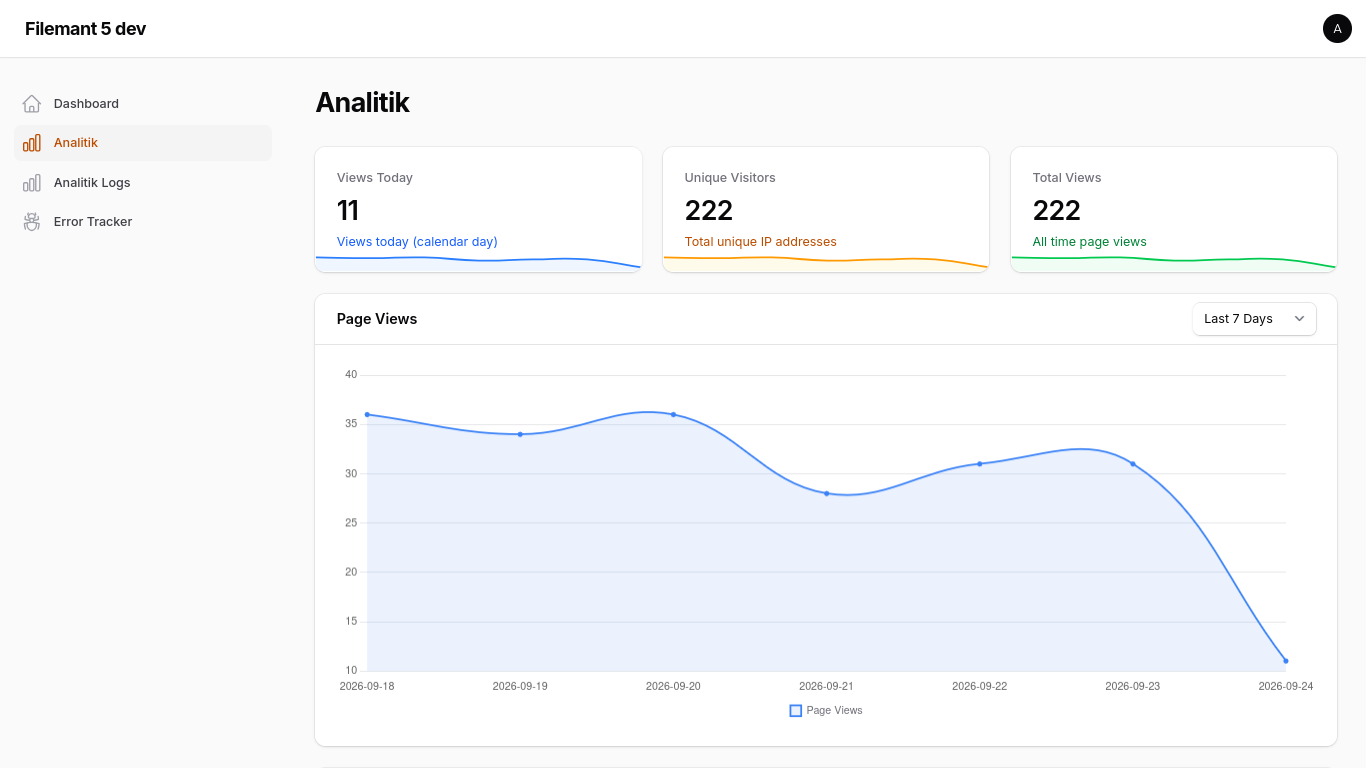
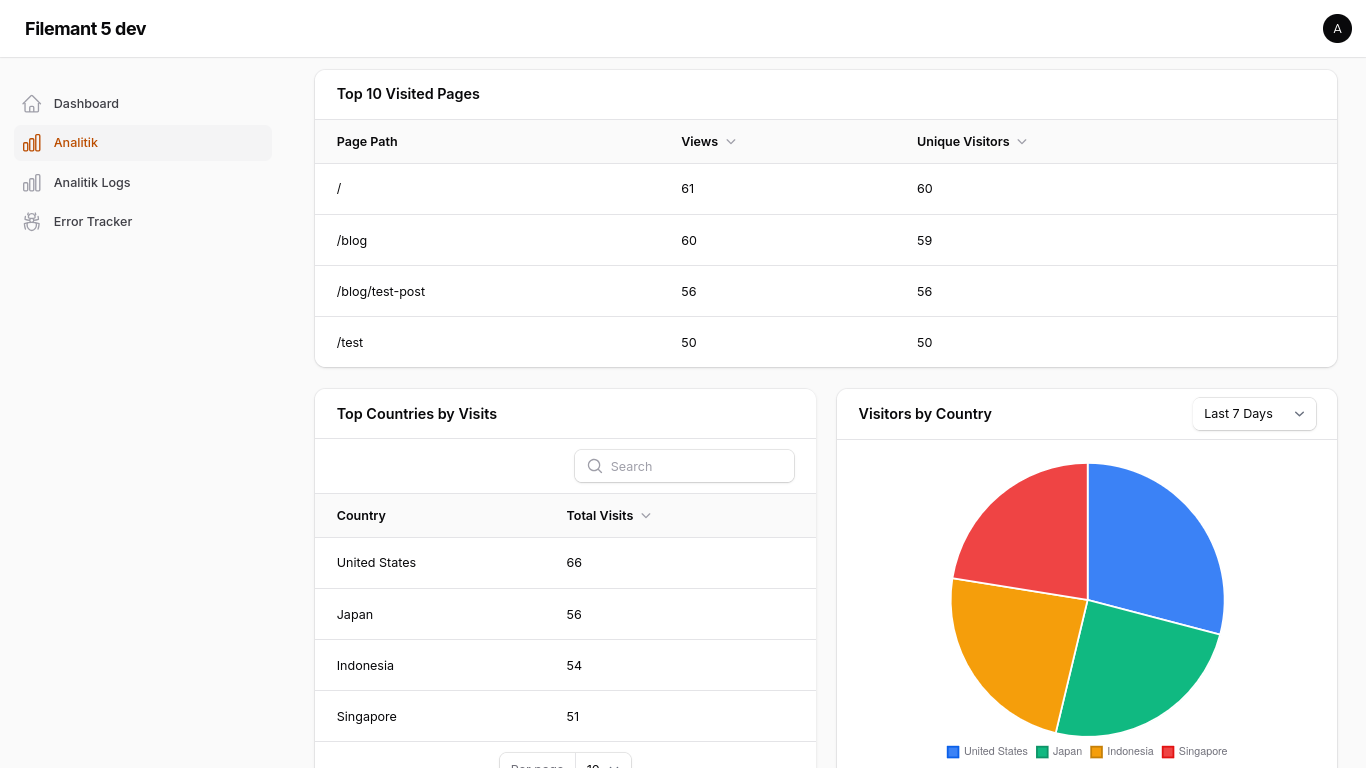
Features
- 🚀 Asynchronous Tracking: Uses Laravel Jobs to ensure zero performance impact on your application when using a queue worker (e.g. redis/database;
syncqueue connection runs inline). - 📍 Location Tracking: Automatically detects city, state, and country using stevebauman/location.
- 📊 Dashboard Widgets: Includes stats overview, page views chart, top pages table, top countries table, and visitors country chart widgets.
- 📋 Resource View: Manage and view detailed analytics logs in your Filament panel.
- 🛡️ Privacy Focused: Excludes Filament panel pages from tracking by default.
Installation
You can install the package via composer:
composer require kholil/filament-analitik
You must publish and run the migrations (autoloading from vendor is not supported):
php artisan vendor:publish --tag="filament-analitik-migrations"
php artisan migrate
You can publish the config file with:
php artisan vendor:publish --tag="filament-analitik-config"
Usage
1. Register the Plugin
Add the plugin to your Filament Panel provider:
use Kholil\FilamentAnalitik\FilamentAnalitikPlugin;

public function panel(Panel $panel): Panel
{
    return $panel
        // ...
        ->plugins([
            FilamentAnalitikPlugin::make(),
        ]);
}
2. Enable Tracking
To start tracking page views, you must add the TrackPageView middleware to your web routes.
Laravel 12+ (bootstrap/app.php)
->withMiddleware(function (Middleware $middleware) {
    $middleware->web(append: [
        \Kholil\FilamentAnalitik\Http\Middleware\TrackPageView::class,
    ]);
})
Middleware Logic
The middleware will:
- Only track
GETrequests with a200status code. - Automatically exclude any requests within the Filament admin panel.
- Dispatch a background job to handle the database insertion and location lookup.
Configuration
The configuration file (config/filament-analitik.php) allows you to customize the following settings:
- enabled: Enable or disable page view tracking.
- table_name: Change the database table name used to store page views (default:
'analitik'). Publish the config before running migrations if you change this value. - project_id: A unique identifier for this project. Useful for multi-tenant, SaaS, or centralized analytics setups where you collect analytics from multiple applications or websites into a single database.
- You can configure this easily in your
.envfile:FILAMENT_ANALITIK_PROJECT_ID="your-project-id"
- You can configure this easily in your
- exclude_bots: Enable or disable automatic bot and crawler filtering (default:
true). - bot_patterns: List of user-agent string patterns to exclude from analytics tracking.
- navigation: Customize the sidebar navigation settings:
- label: The text label displayed in the Filament sidebar (default:
'Analitik'). - group: The navigation group in the sidebar (default:
null/ no group). - icon: The icon used in the sidebar (default:
'heroicon-o-chart-bar').
- label: The text label displayed in the Filament sidebar (default:
Alternatively, you can also customize the sidebar navigation fluently when registering the plugin in your Panel Provider:
FilamentAnalitikPlugin::make()
    ->navigationLabel('My Custom Analytics')
    ->navigationGroup('System Reports')
    ->navigationIcon('heroicon-o-presentation-chart-line')
Authorization & Access Control
You can restrict access to the analytics dashboard and logs in three different ways:
1. Gate-Based Permissions
Define a Laravel Gate or Permission name (e.g. using Spatie Laravel-Permission) in your config/filament-analitik.php file:
'access' => [
    'gate' => 'view_analytics_logs',
],
2. Role-Based Access
Define an array of roles that are allowed to access:
'access' => [
    'roles' => ['admin', 'super-admin'],
],
Note: The plugin automatically integrates with package role methods such as $user->hasAnyRole($roles) or $user->hasRole($role) and falls back to checking a direct $user->role property.
3. Custom Fluent Callback
For custom or complex programmatic authorization logic, pass a Closure dynamically to the plugin registration in your Panel Provider:
use Kholil\FilamentAnalitik\FilamentAnalitikPlugin;

public function panel(Panel $panel): Panel
{
    return $panel
        ->plugins([
            FilamentAnalitikPlugin::make()
                ->canAccessUsing(fn () => auth()->user()?->email === 'admin@example.com'),
        ]);
}
Requirements
- PHP 8.2+
- Filament v4.0+ / v5.0+
- Laravel 11.0+ / 12.0+
License
The MIT License (MIT). Please see License File for more information.