
hamoi1 / filachat
FilaChat is a plugin for integrating real-time customer support chat into your application. Provides tools for both customer and agent chat interfaces, with features for managing and maintaining chat conversations.
Maintainers

Fund package maintenance!
Requires
- php: ^8.2
- filament/filament: ^5.0
- livewire/livewire: ^4.0
- spatie/laravel-package-tools: ^1.16
Requires (Dev)
- laravel/pint: ^1.0
- nunomaduro/collision: ^8.0
- orchestra/testbench: ^9.0
- pestphp/pest: ^3.0
- pestphp/pest-plugin-arch: ^3.0
- pestphp/pest-plugin-laravel: ^3.0
README
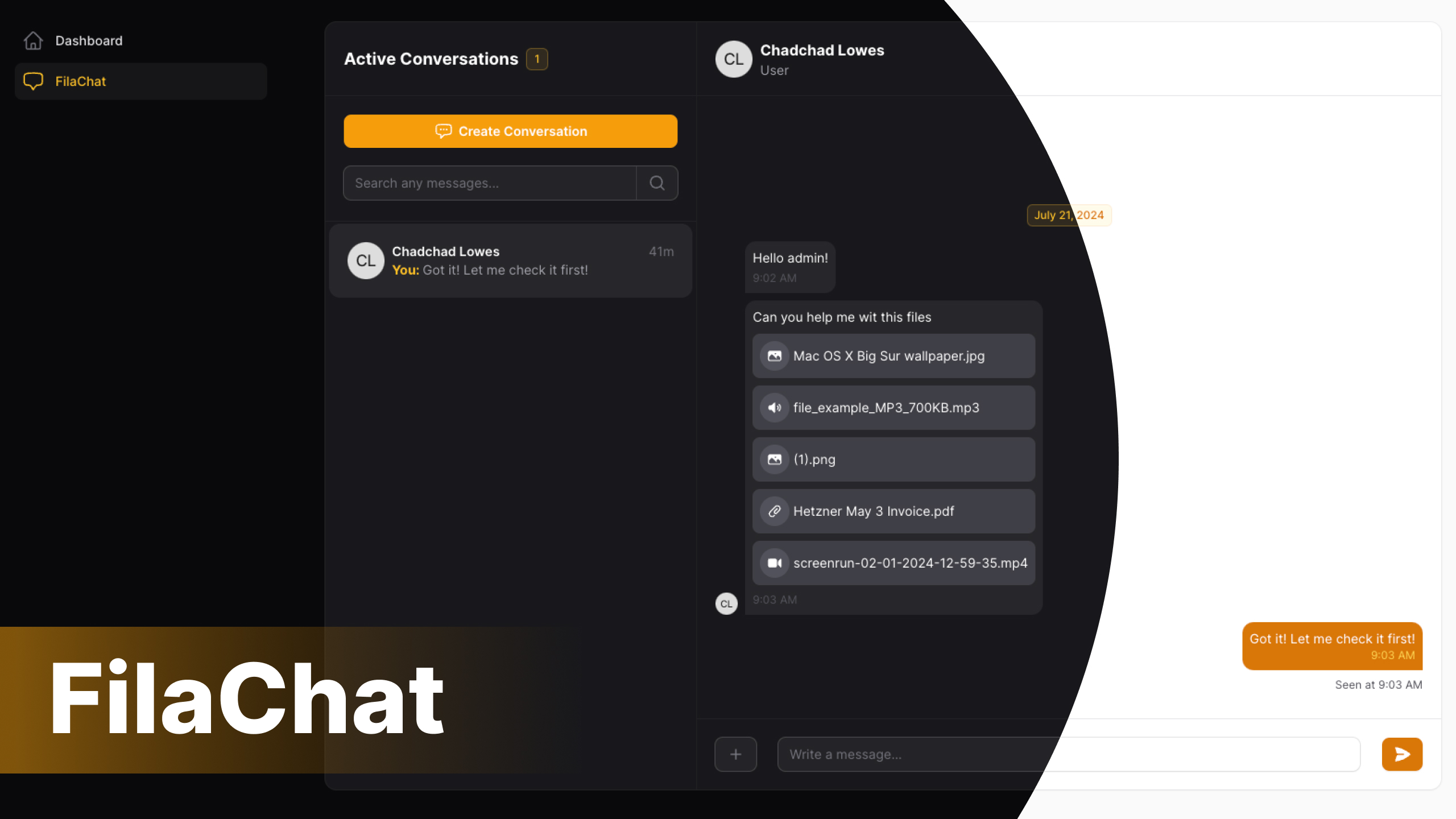
Filachat is a plugin for adding real-time customer support chat to your application. It provides tools for both customer and agent chat interfaces, with features for managing and maintaining conversations. You can also disable role constraints to let users chat with each other without restrictions.
Important
This plugin has two roles: agent and user. When role restrictions are enabled, agents cannot chat with each other, and users cannot chat with each other. Only agents and users can chat with each other, and vice versa. If role restrictions are disabled, agents and users can freely chat with one another without any restrictions.
Caution
This plugin has not been tested in a production environment. Use it at your own risk.
Installation
You can install the package via composer:
composer require jaocero/filachat
Run the following command to install FilaChat, which will take care of all migrations and configurations.
php artisan filachat:install
You can view the full content of the config file here: config/filachat.php
Next, execute the following command to generate assets in your public folder.
php artisan filament:assets
Note
This step is optional if you want to enable role restrictions. You only need to create an agent if you want to set up role-based chat support.
When you first install this plugin, you won’t have any agents set up yet. Agents are like admins who can provide chat support to your customers or users.
To create an agent, use the command below:
php artisan filachat:agent-create
Next, you need to apply the HasFilaChat trait to your models, whether it’s the agent model or the user model.
<?php

//...
use JaOcero\FilaChat\Traits\HasFilaChat;
//...
class User extends Authenticatable
{
    //...
    use HasFilaChat;
    //...
}
To integrate this plugin into your FilamentPHP application, you need to apply a custom theme.
Custom Theme Installation Filament Docs
Then add the plugin's views to your tailwind.config.js file.
content: [
    ...
    './vendor/jaocero/filachat/resources/views/**/**/*.blade.php',
    ...
]
Usage
You can now use this plugin and add it to your FilamentPHP panel provider.
<?php
//...
use JaOcero\FilaChat\FilaChatPlugin;
//..
class AdminPanelProvider extends PanelProvider
{
    //...
    public function panel(Panel $panel): Panel
    {
        return $panel
            //...
            ->plugins([
                FilaChatPlugin::make()
            ]);
    }

    //...
}
Important
To use this plugin, you need to have Laravel Reverb installed and enable FilamentPHP broadcasting in your application.
For the final step, you need to set up Laravel Reverb for your application. See Reverb for more details. After that, enable broadcasting for your FilamentPHP application by following this guide by Laravel Daily.
Then everytime you start your application in your local environment, you will need to run the following command to enable broadcasting:
php artisan reverb:start
When using file uploads, Livewire has a default file size limit of 12 MB. To change this limit, you need to publish the Livewire configuration file using the command php artisan livewire:publish --config and then adjust the rule.
<?php

return [
    //...
    'temporary_file_upload' => [
        'rules' => 'max:20000',       // Example: ['file', 'mimes:png,jpg']  | Default: ['required', 'file', 'max:12288'] (12MB)
    ],
    //...
];
You also need to adjust the post_max_size and upload_max_filesize settings in your php.ini file.
post_max_size = 20MB
upload_max_filesize = 20MB
Testing
composer test
Changelog
Please see CHANGELOG for more information on what has changed recently.
Contributing
Please see CONTRIBUTING for details.
Security Vulnerabilities
Please review our security policy on how to report security vulnerabilities.
Credits
License
The MIT License (MIT). Please see License File for more information.