
evgip / w3a

A custom modular PHP MVC forum matching the HMVC pattern.
Requires
- php: >=8.0
- ext-curl: *
- ext-fileinfo: *
- ext-gd: *
- ext-json: *
- ext-mbstring: *
- ext-openssl: *
- ext-pdo: *
- ext-pdo_mysql: *
- erusev/parsedown: ^1.8
- evgip/w3a-core: ^0.3.2
- phpmailer/phpmailer: ^7.1.1
Requires (Dev)
None
Suggests
None
Provides
None
Conflicts
None
Replaces
None
README
🇬🇧 English | 🇷🇺 Русский
Open-source Medium-style platform for authors and readers
Publish articles, discuss, follow authors — no ads, no algorithmic traps.
Demo · Installation · Structure · Contributing
📖 About
W3A is an independent platform where authors publish in-depth articles, share experience, and engage in meaningful discussions.
The project focuses on:
- 🎯 Content quality over virality
- 👤 Reader control over their own feed
- 🔒 Privacy without trackers and data selling
- 🏗️ Open source and extensible architecture
✨ Key Features
📰 For Readers
- Smart feed with four sections: recommendations, trending, staff picks, new publications
- Personalization through subscriptions to authors and tags
- Bookmarks and reading history
- Dark theme with automatic system preference detection
- RSS feeds for any section
✍️ For Authors
- Block editor based on Editor.js (headings, lists, quotes, code, images)
- Paywall — hide part of an article for subscribers only
- Statistics on views and reading time
- Subscribers and notifications about new comments
💬 Discussions
- Threaded comments sorted by Wilson Score
- Voting on articles and comments
- Karma system and moderation
- Reports and edit suggestions
🛡️ Moderation
- Staff Picks — curated collections
- Flag system for reports
- Moderation log with full history
- Edit suggestions from the community
🖼 Screenshots
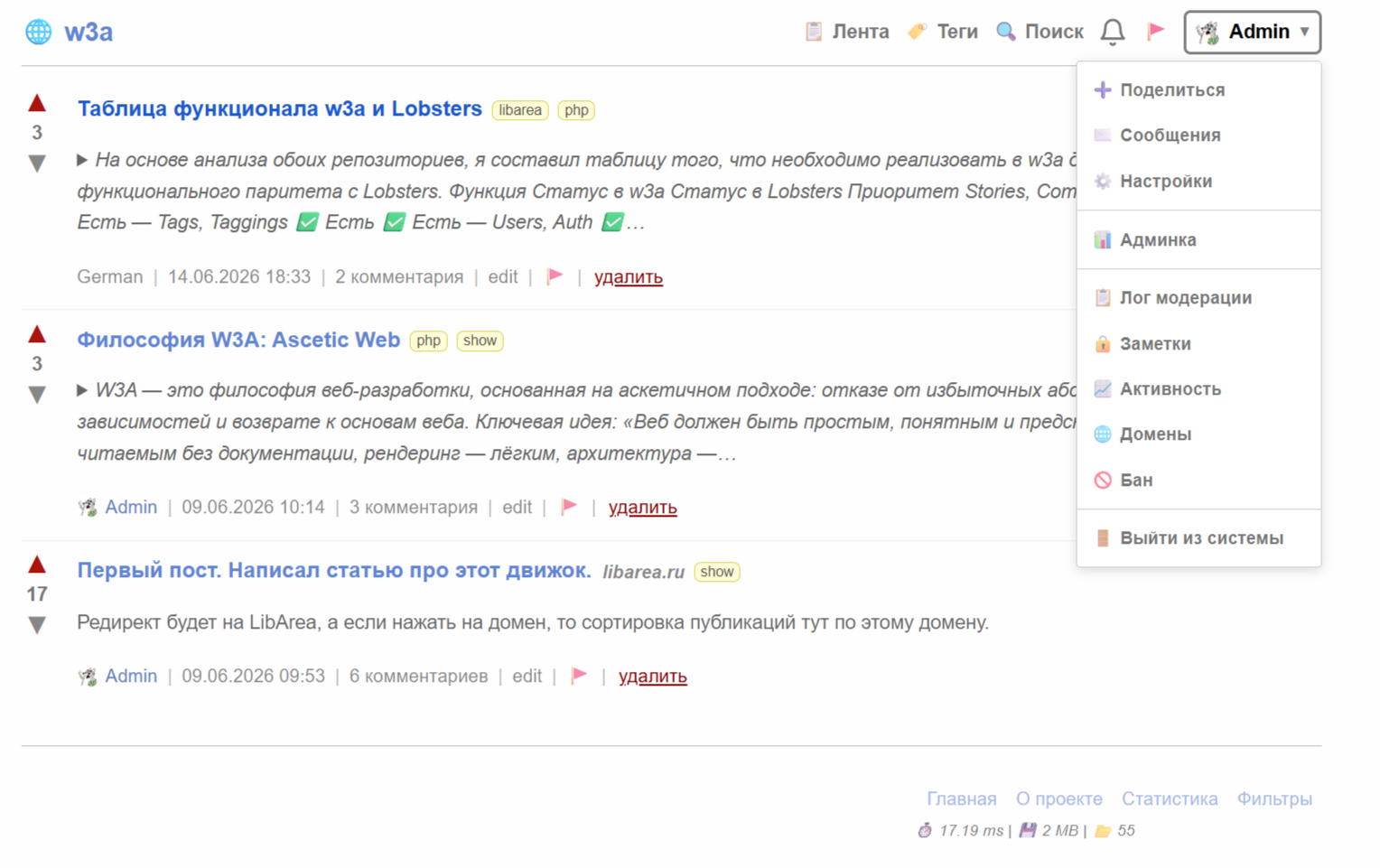
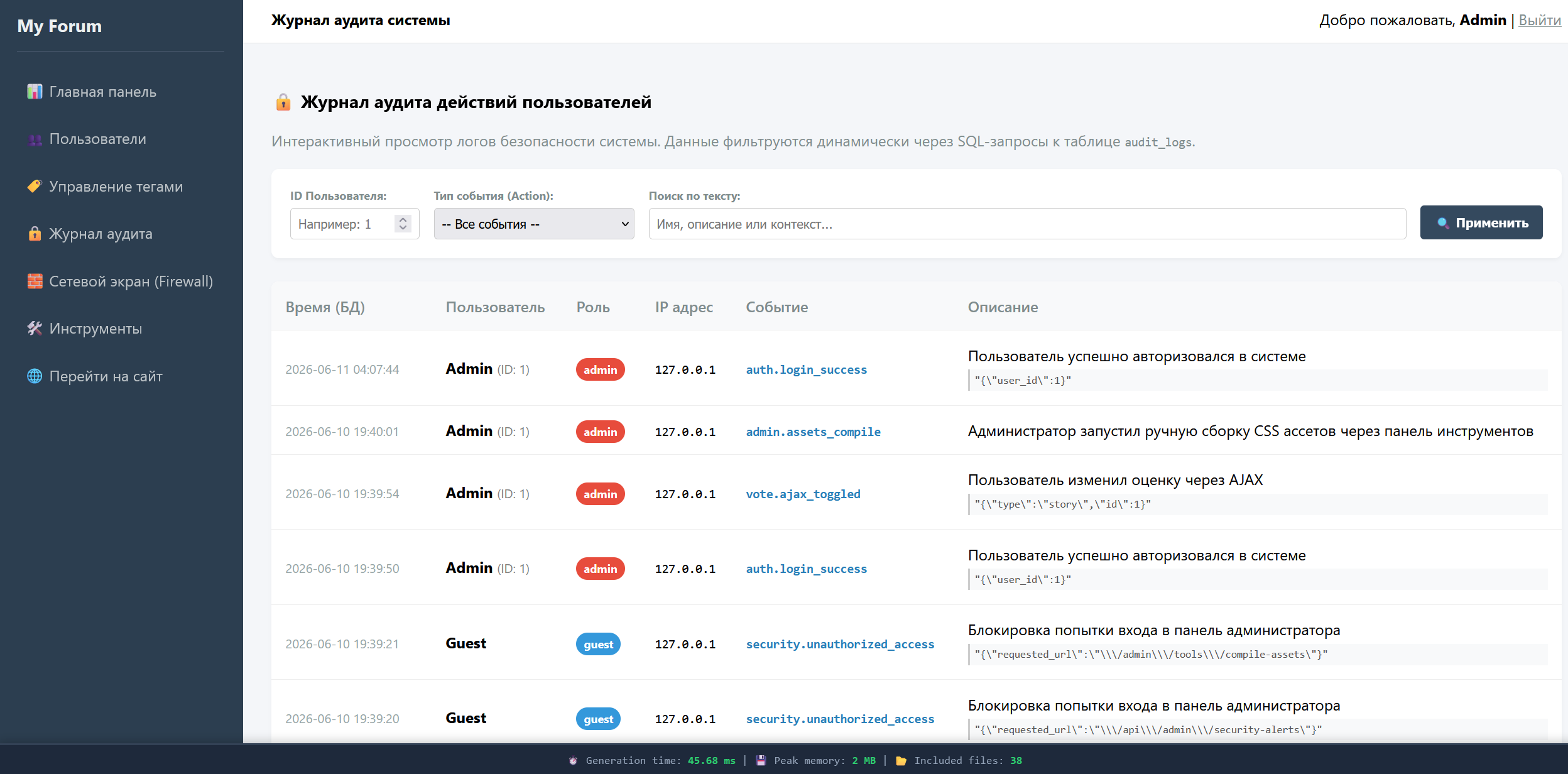
🏗 Architecture
The project is built on a custom MVC framework w3a-core with a modular architecture.
Tech Stack
| Component | Technology |
|---|---|
| Backend | PHP 8.1+ |
| Framework | w3a-core (custom, PSR-compliant) |
| Database | MySQL 5.7+ / MariaDB 10.3+ |
| Frontend | Vanilla JS (no heavy libraries) |
| Editor | Editor.js 2.30+ |
| Caching | FileCache (custom, no Redis) |
| Styles | Custom CSS framework (Medium-style) |
Project Modules
app/Modules/
├── Stories/          # Articles: CRUD, recommendations, trending, Staff Picks
├── Comments/         # Comments: tree, Wilson Score, editing
├── Votes/            # Voting for articles and comments
├── Users/            # Profiles, settings, karma
├── Auth/             # Registration, login, password recovery
├── Subscriptions/    # Subscriptions to authors and tags
├── Notifications/    # Real-time notifications
├── Messages/         # Private messages
├── Saved/            # Bookmarks
├── Muted/            # Mute lists
├── Flags/            # Content reports
├── Suggestions/      # Edit suggestions
├── Tags/             # Tags and categories
├── Wiki/             # Wiki pages for tags
├── Search/           # Full-text search
├── Stats/            # Statistics
├── Mod/              # Moderation tools
├── Admin/            # Admin panel
├── Invitations/      # Invitation system
├── Rss/              # RSS feeds
└── Common/           # Common components (Layout, CacheHelper)
🚀 Installation
Requirements
- PHP 8.1+ with extensions:
pdo_mysql,mbstring,json,fileinfo - MySQL 5.7+ or MariaDB 10.3+
- Composer
- Web server (Apache/Nginx)
Installation Steps
1. Clone the repository
git clone https://github.com/your-username/w3a.git
cd w3a
2. Install dependencies
composer install
3. Configure the environment
cp .env.example .env
Edit .env:
APP_NAME=W3A
APP_URL=http://localhost
APP_ENV=development

DB_HOST=127.0.0.1
DB_NAME=w3a
DB_USER=root
DB_PASS=

INVITATIONS_ENABLED=false
4. Create the database
CREATE DATABASE w3a CHARACTER SET utf8mb4 COLLATE utf8mb4_unicode_ci;
5. Import the schema
mysql -u root -p w3a < database/schema.sql
6. Create required directories
mkdir -p storage/cache/data
mkdir -p storage/logs
mkdir -p public/uploads/avatars
chmod -R 755 storage public/uploads
7. Configure the web server
The document root should point to public/:
Nginx:
server {
    listen 80;
    server_name w3a.local;
    root /path/to/w3a/public;
    index index.php;

    location / {
        try_files $uri $uri/ /index.php?$query_string;
    }

    location ~ \.php$ {
        fastcgi_pass unix:/var/run/php/php8.1-fpm.sock;
        include fastcgi_params;
        fastcgi_param SCRIPT_FILENAME $document_root$fastcgi_script_name;
    }
}
8. Open the website
Go to http://localhost and register the first user — they will automatically receive administrator privileges.
⚙️ Configuration
Main Config Files
| File | Purpose |
|---|---|
app/Config/app.php |
General application settings |
app/Config/database.php |
Database connection |
app/Config/cache.php |
Caching settings |
app/Config/storage.php |
File storage disks |
app/Config/security.php |
Rate limiting, CSRF |
app/Config/invitations.php |
Invitation system |
Rate Limiting
Spam protection is enabled by default:
- Global: 100 requests/min per IP
- For authenticated users: 300 requests/min
- Registration: 5 attempts/hour
- Comments: 30/min
Settings in app/Config/security.php.
📚 Usage
Writing an Article
- Log in to your account
- Click "➕ Create" in the header
- Start with a heading (H1 or H2)
- Add content via the block editor:
/— block menuCtrl+Shift+C— inline codeCtrl+Shift+K— code block
- Select tags
- Click "Publish"
Paywall (Restricted Content)
- In the editor, add a "🔒 Lock" block
- Everything below the lock will only be available to:
- Authenticated users (
members) - Or only the author's subscribers (
subscribers)
- Authenticated users (
Staff Picks
Administrators can feature the best articles:
- Open an article
- Menu ⋯ → "⭐ Add to Staff Picks"
- The article will appear in the sidebar on the home page
🗺 Roadmap
- Editor.js block editor
- Karma and voting system
- Subscriptions to authors and tags
- Staff Picks (editorial selection)
- Paywall for restricted content
- Recommendations and trending
- Dark theme
- Caching
- Email digest of the best articles
- PWA support
- Push notifications
- Two-factor authentication
- Export articles to Markdown/PDF
- Collaborative editing
🤝 Contributing
We welcome contributions! Here's how to get started:
- Fork the repository
- Create a feature branch:
git checkout -b feature/amazing-feature - Commit your changes:
git commit -m 'feat: add amazing feature' - Push to the branch:
git push origin feature/amazing-feature - Open a Pull Request
Code Style
- PSR-12 for PHP
- Comments in Russian or English
- Tests for new features (PHPUnit)
🛡 Security
If you find a vulnerability, do not create a public Issue. Write to budo@narod.ru — we will respond within 48 hours.
📄 License
Distributed under the MIT license.
🙏 Acknowledgments
- Editor.js — block editor
- Medium — design inspiration
- Lobste.rs — open architecture
- The PHP community for great tools
Made with ❤️ for the community