
ernestdefoe / marquee

Link discussions to movies, TV shows (down to the episode) and games, shown in the discussion hero. Data from TMDB and IGDB.
Fund package maintenance!
Requires
- php: ^8.3
- flarum/core: ^2.0
- flarum/tags: ^2.0
- guzzlehttp/guzzle: ^7.0
Requires (Dev)
- flarum/phpstan: ^2.0
- flarum/testing: ^2.0
Suggests
None
Provides
None
Conflicts
None
Replaces
None
README
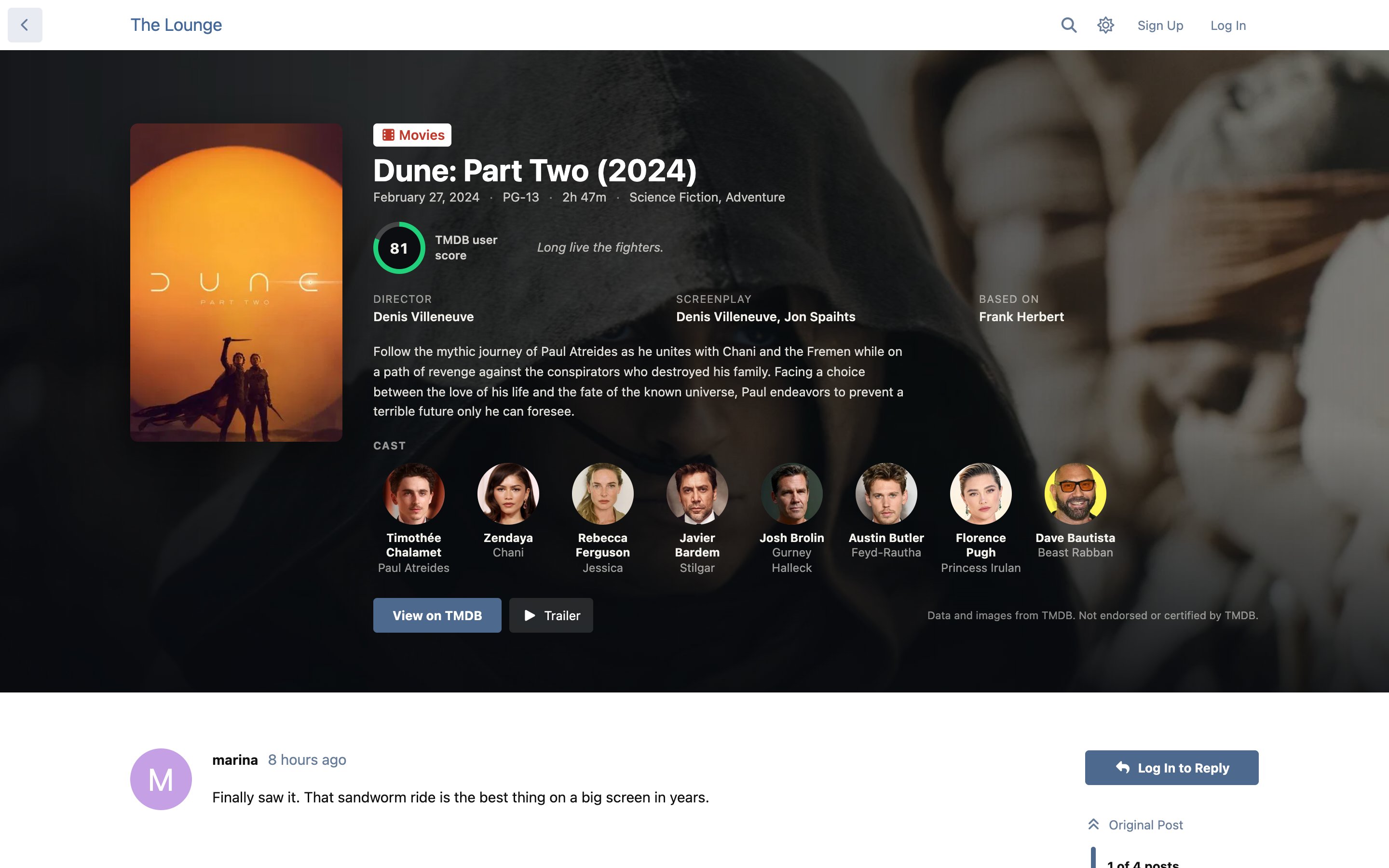
A Flarum 2 extension that links a discussion to a movie, a TV show (down to a single episode), a game, a music album or a book, and turns the discussion's header into that title's card: poster, backdrop, scores, cast and crew, tracklist, authors, synopsis and more. Movies and TV come from TMDB, games from IGDB and albums from Deezer and books from Open Library.
Features
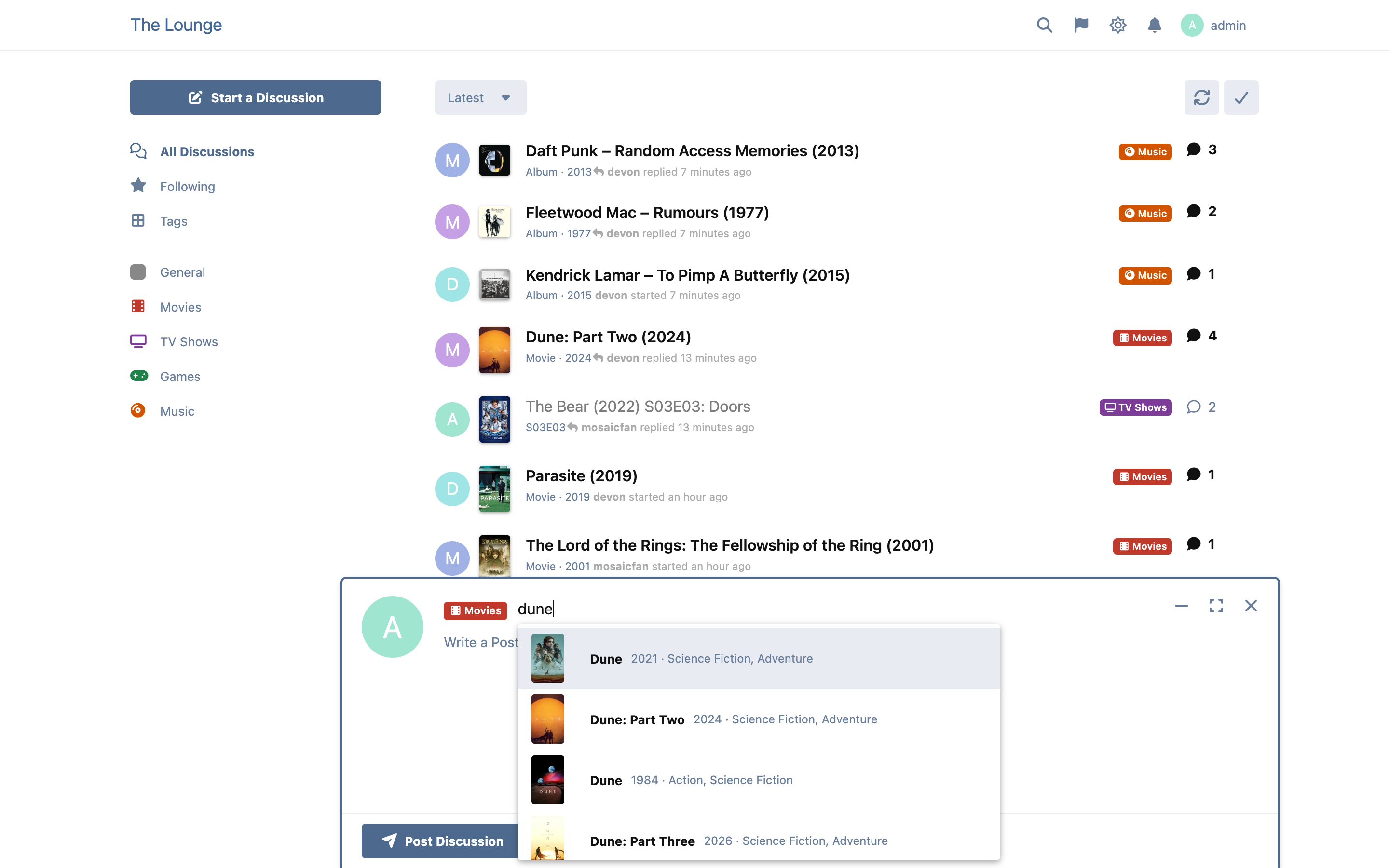
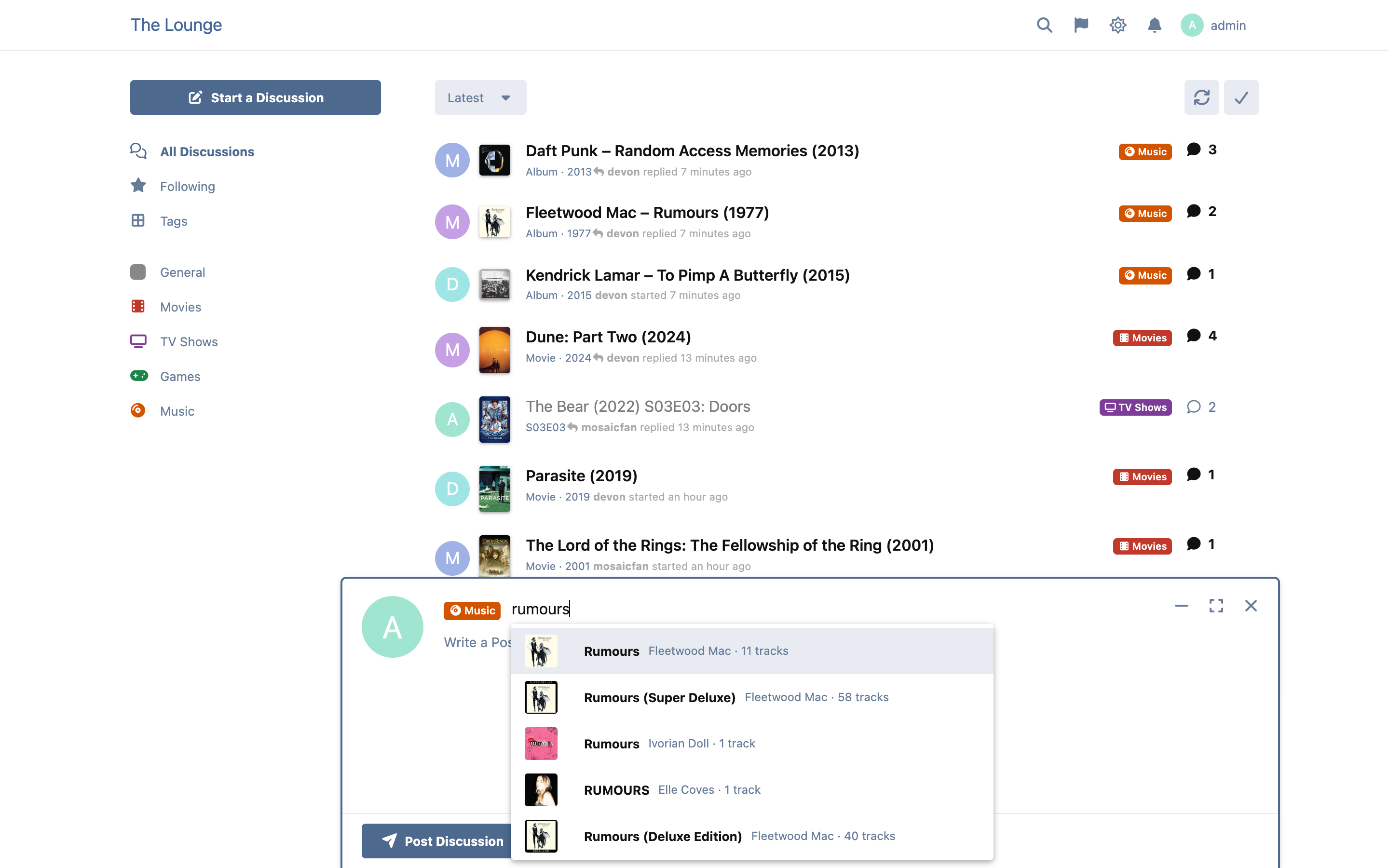
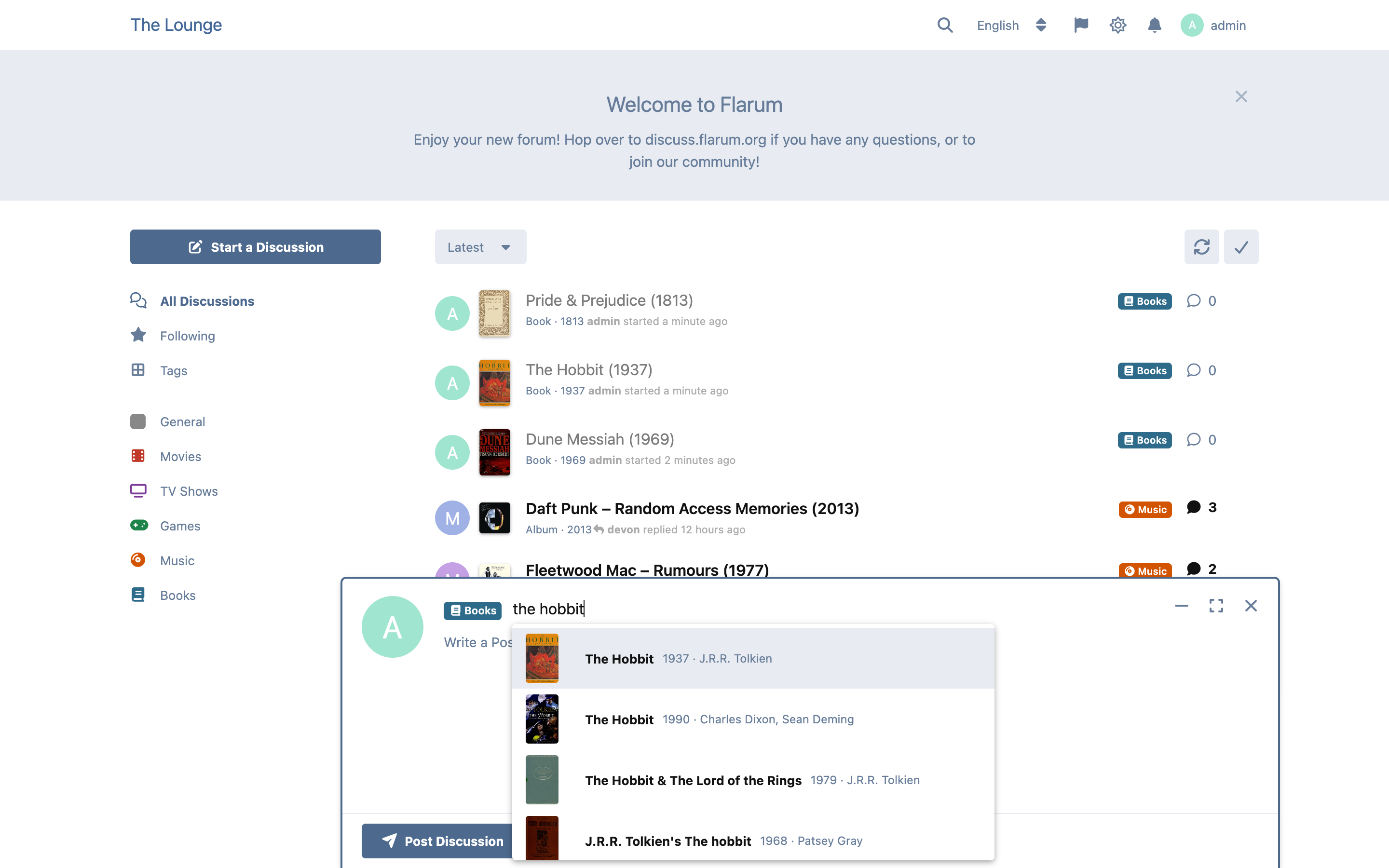
- Pick the title while you write the title. Choose a Movies, TV Shows, Games, Music or Books tag and the discussion title becomes a search box for that source, with posters in the results. Use the arrow keys and Enter, or ignore the list and type a normal title.
- The tag decides. You choose which tags use which source. Every other tag keeps the normal composer, untouched.
- A card in the discussion header. The poster, a full-width backdrop, scores, release date, rating, runtime, genres, director and writers (or developer and publisher), the synopsis, the cast with photos, and links to the source and the trailer.
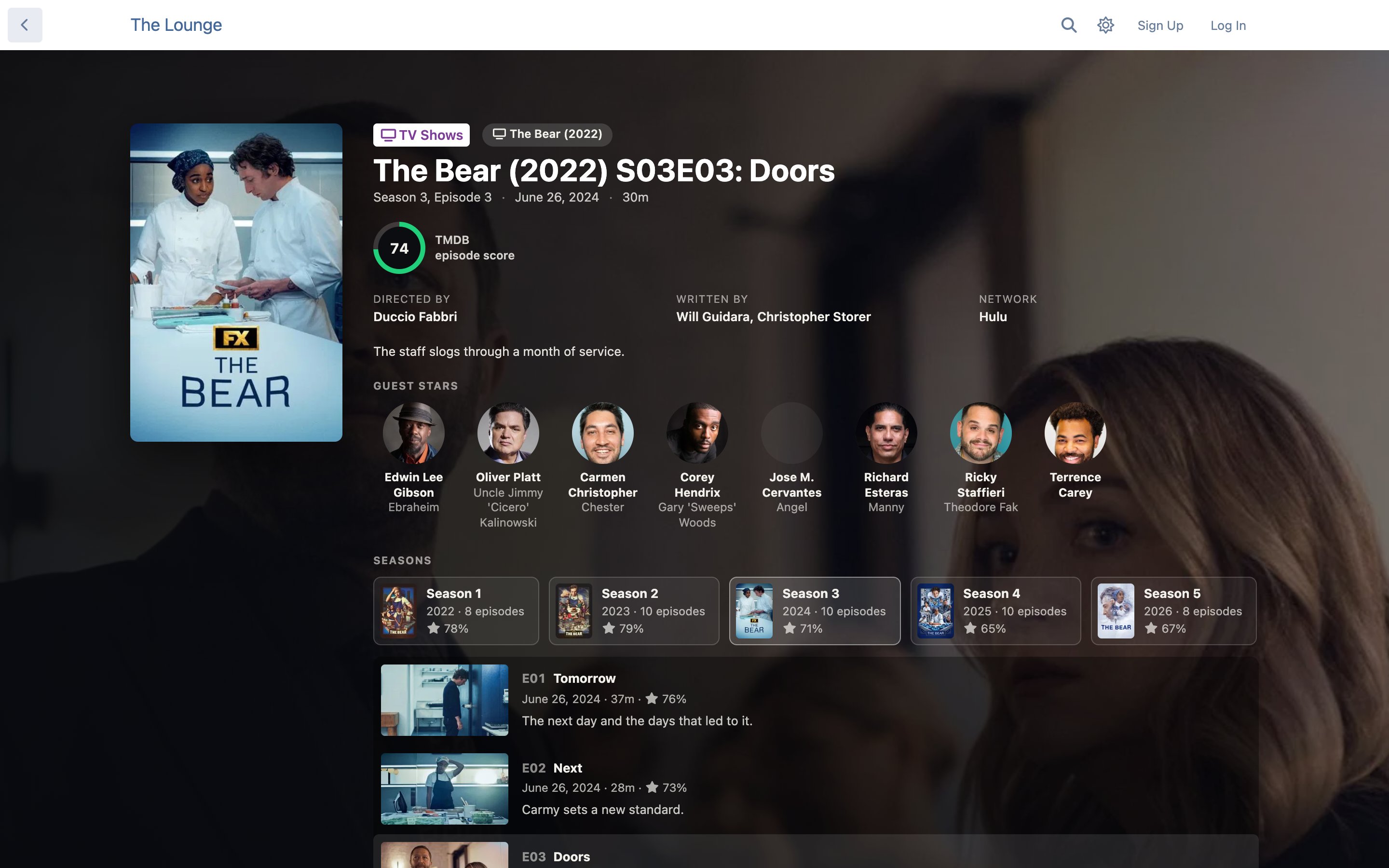
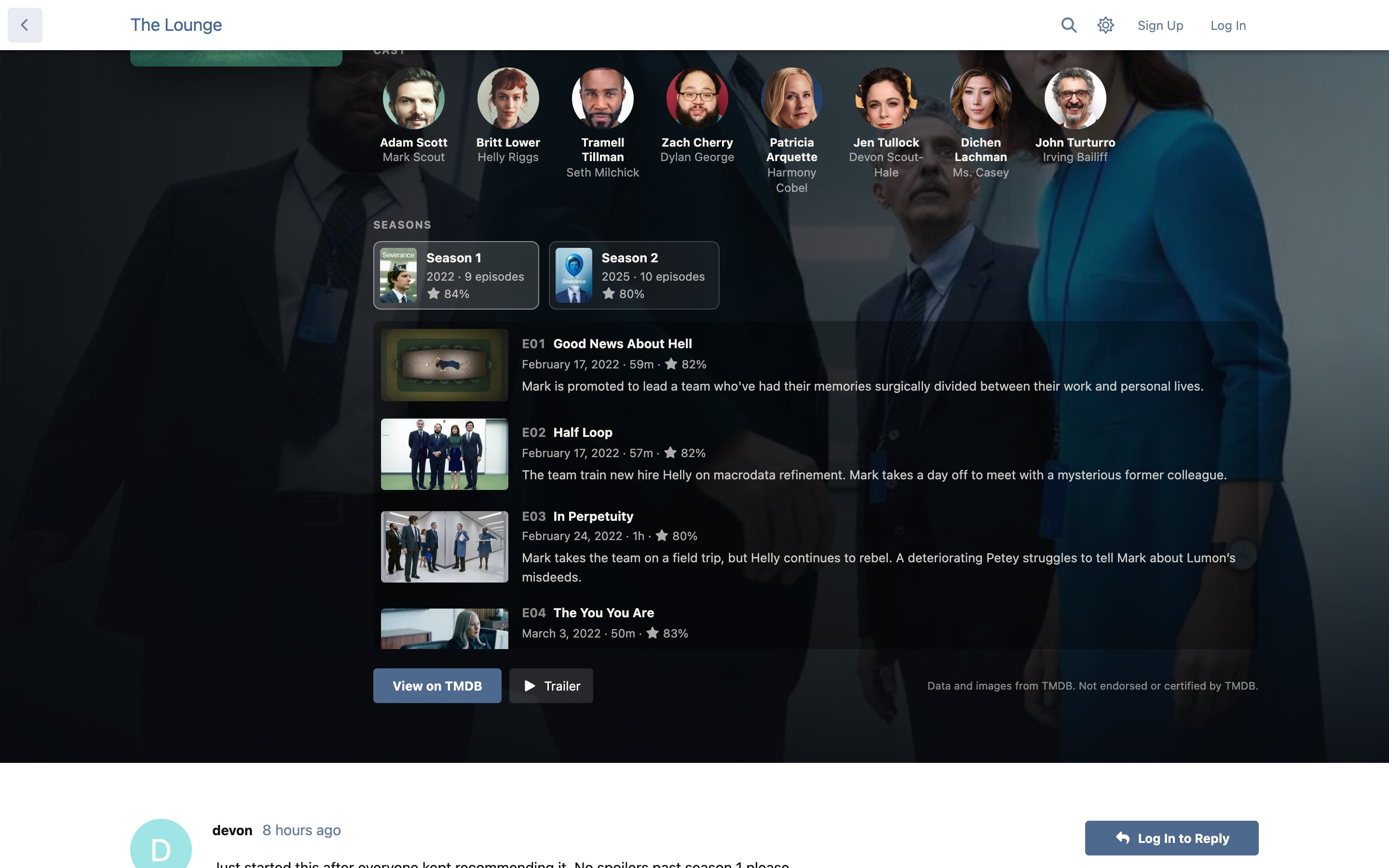
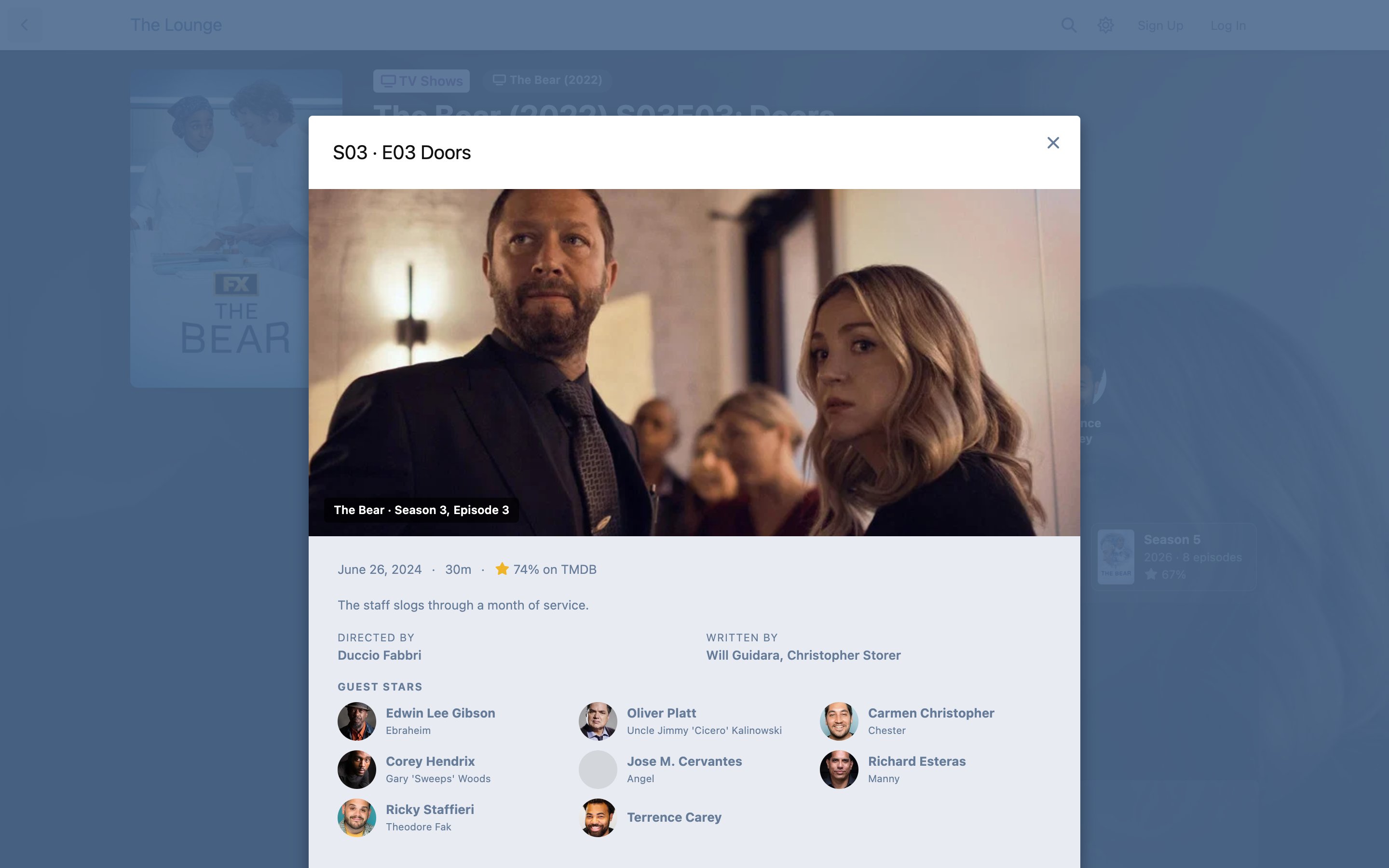
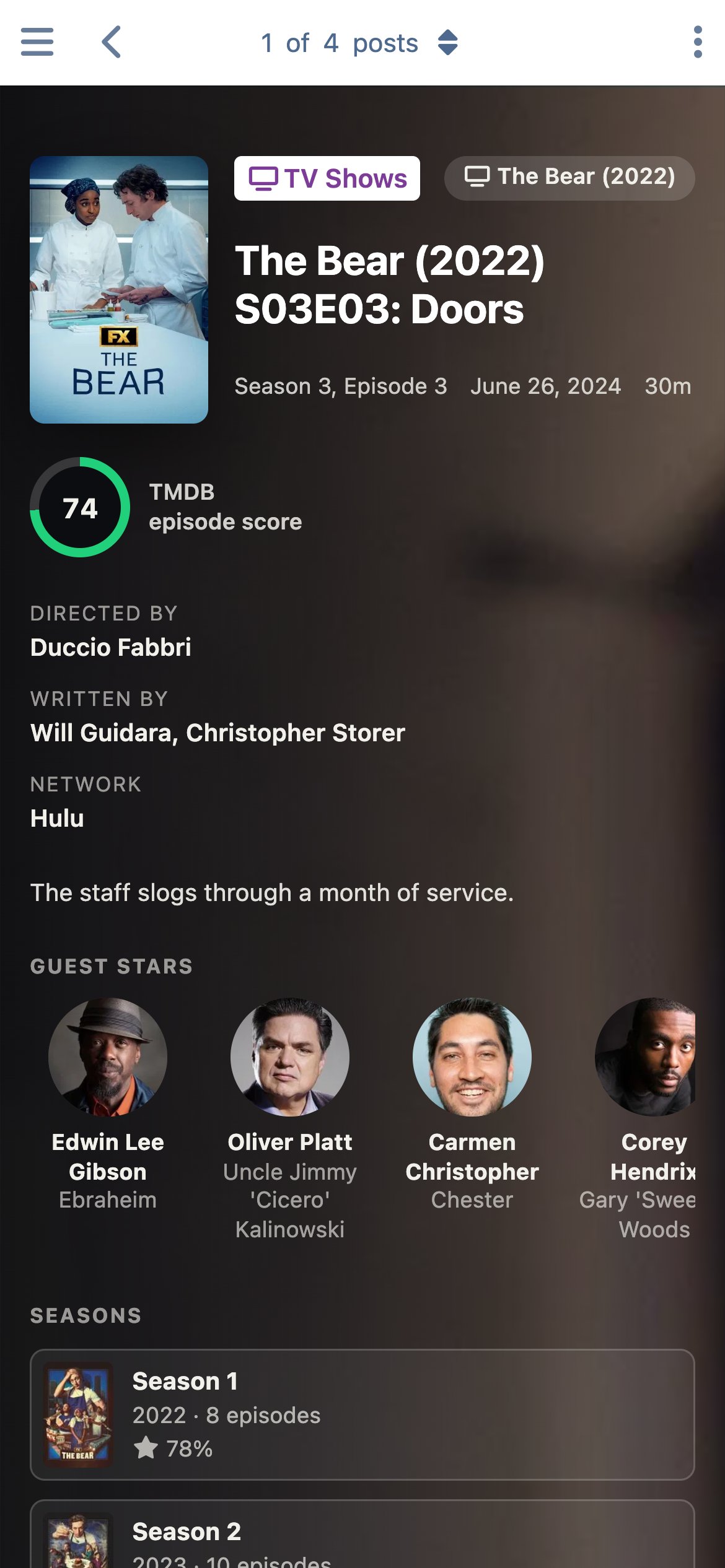
- TV down to the episode. Link a discussion to a whole show, one season, or one episode. Every show's card lists its seasons; open a season to see its episodes, and open an episode for its still, air date, runtime, score, director, writers, guest stars and synopsis, with previous and next buttons. Discuss this episode starts a discussion already titled and linked.
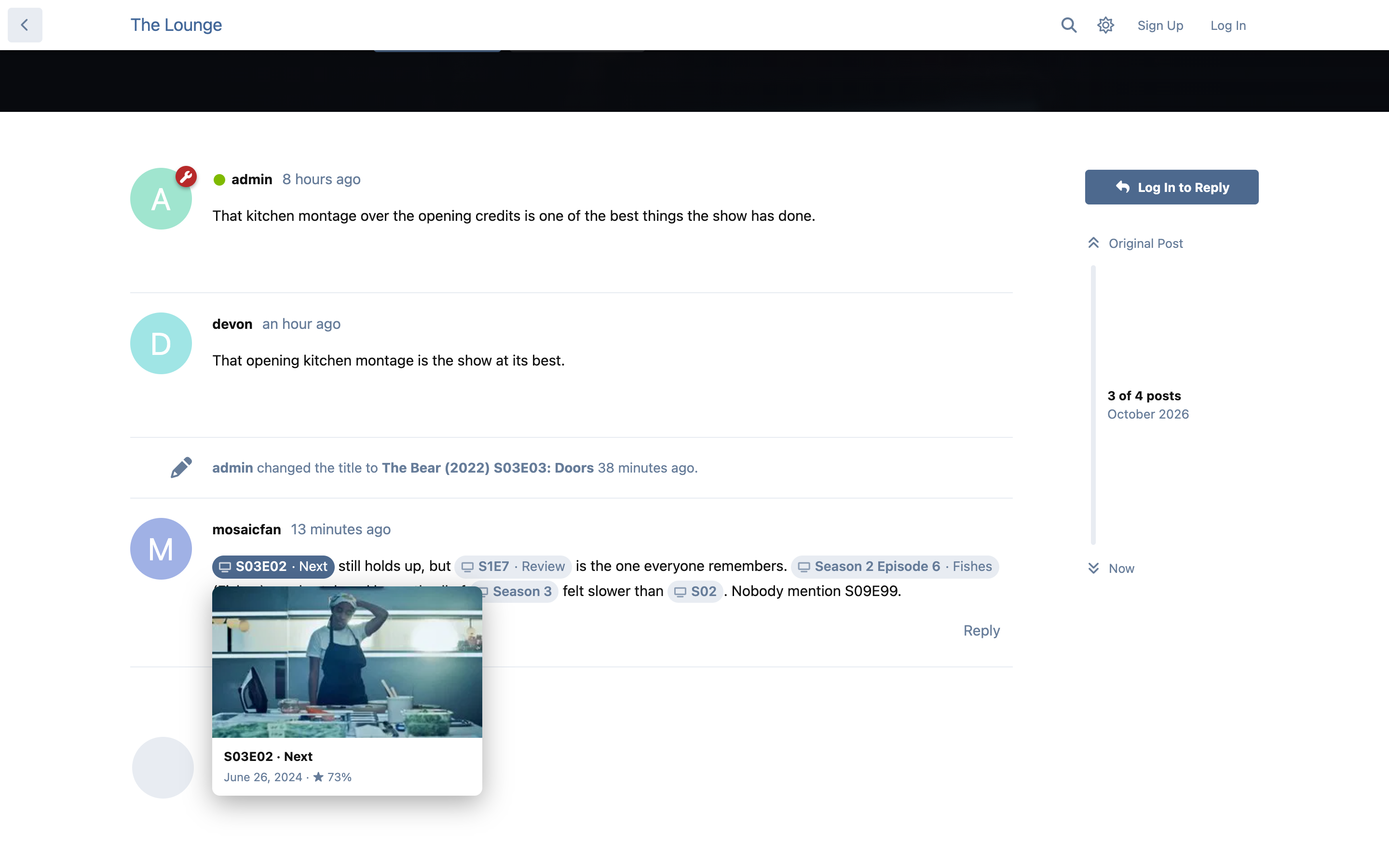
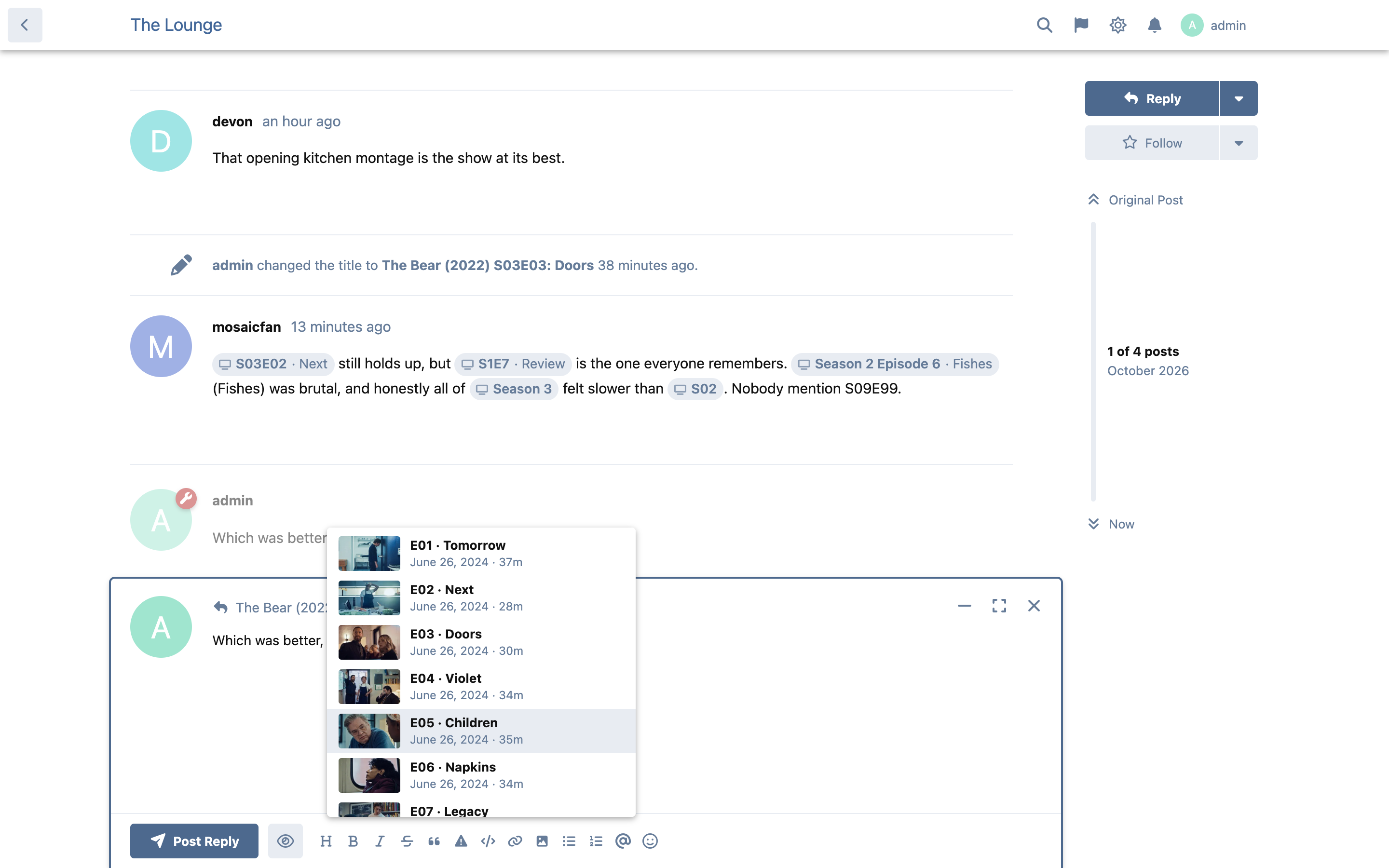
- Talk about episodes in any post. In a discussion about a show, write S02E04, S2E4, "Season 2 Episode 4", S02 or "Season 2" and it becomes a chip: an episode chip shows the episode's name, previews its still when you hover and opens its details when clicked; a season chip opens that season in the header. Typing S2E in the editor suggests that season's episodes. Outside show discussions the text stays exactly as typed.
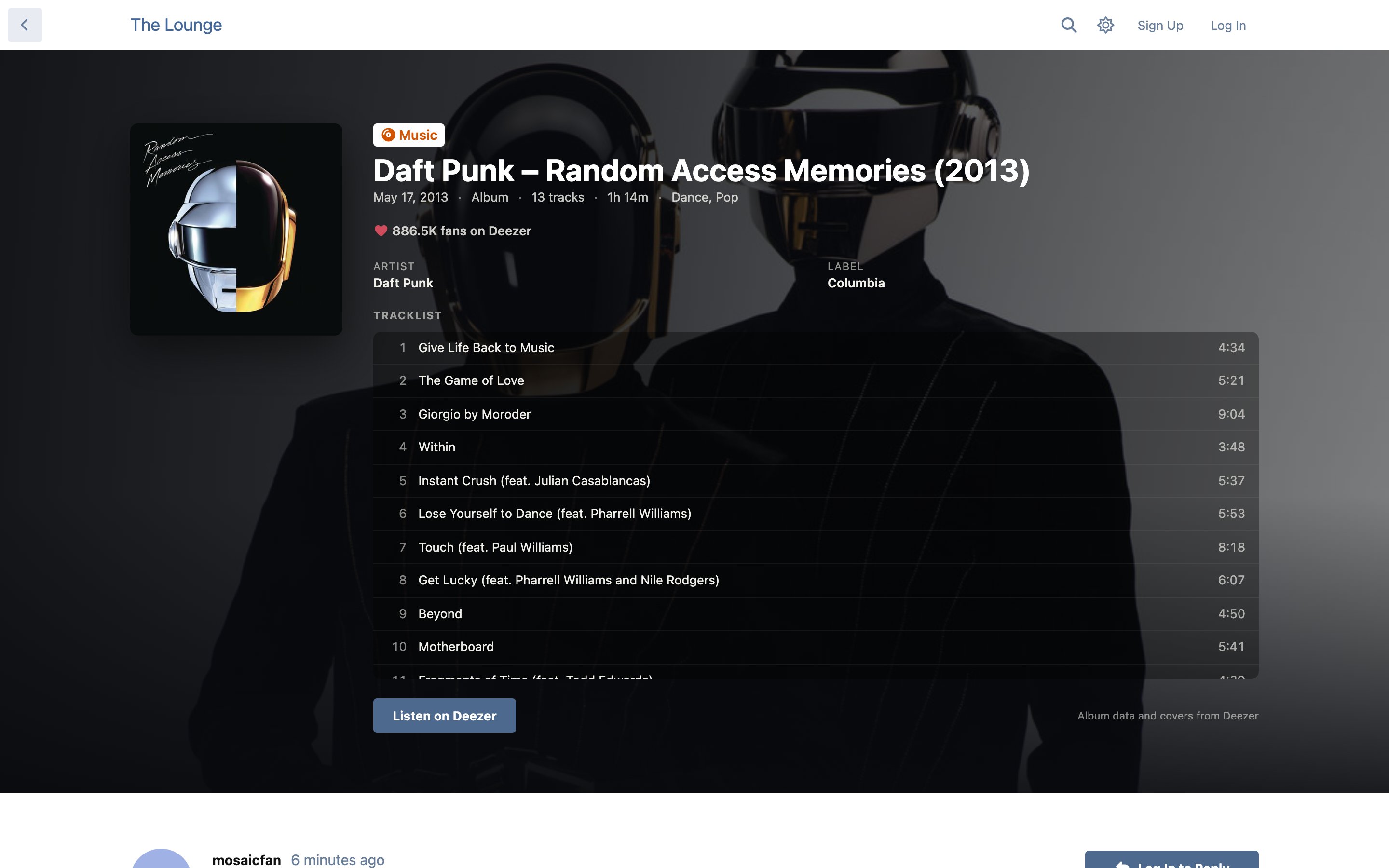
- Music albums, with no key to set up: the cover, the artist, release date, label, genres, length, fan count and the full tracklist.
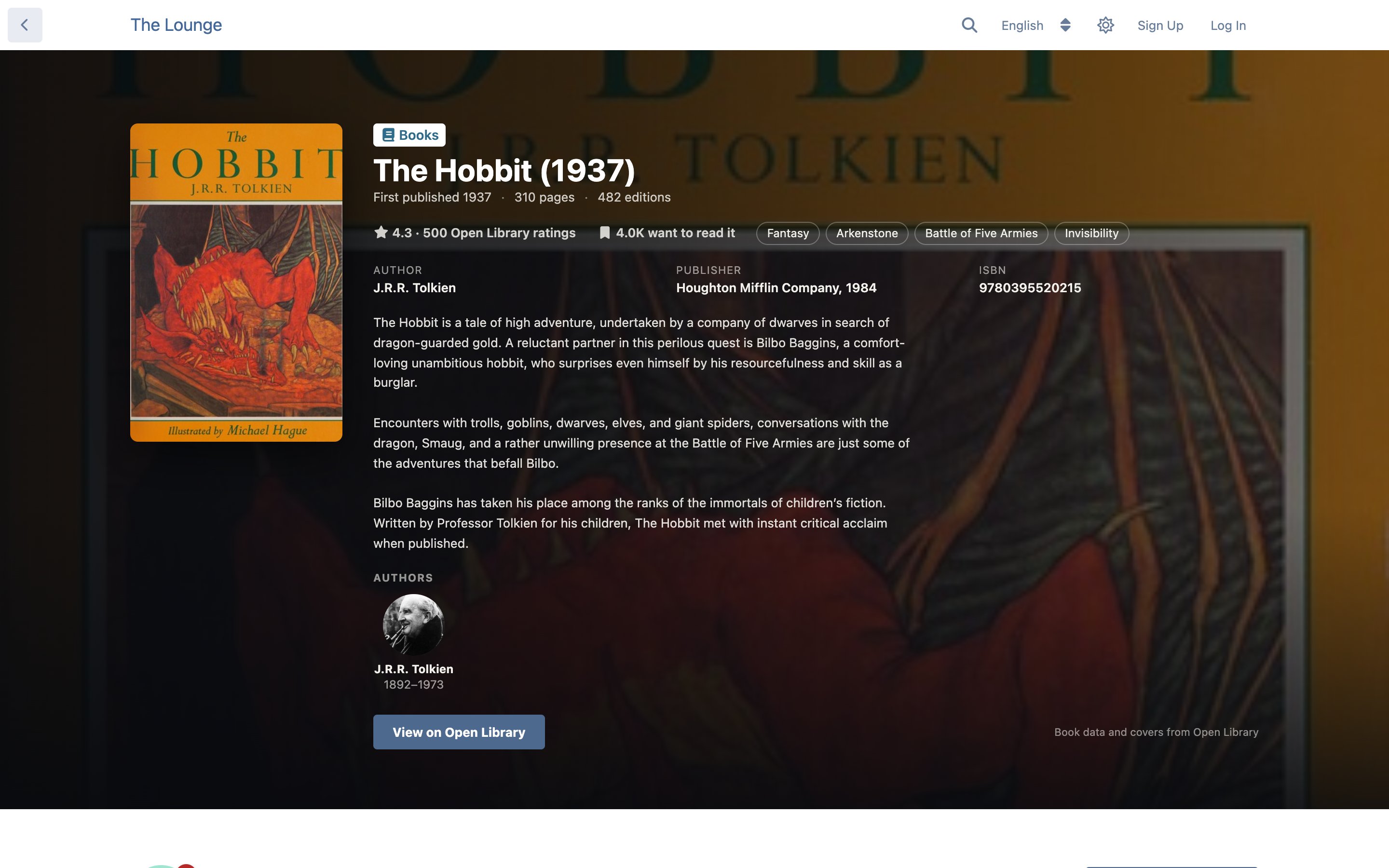
- Books, with no key to set up: search by title, author or ISBN, then the cover, authors with photos, first published year, pages, editions, publisher, ISBN, subjects, Open Library rating and the description. On a non-English forum the title, cover and publisher come from an edition in your language when Open Library has one.
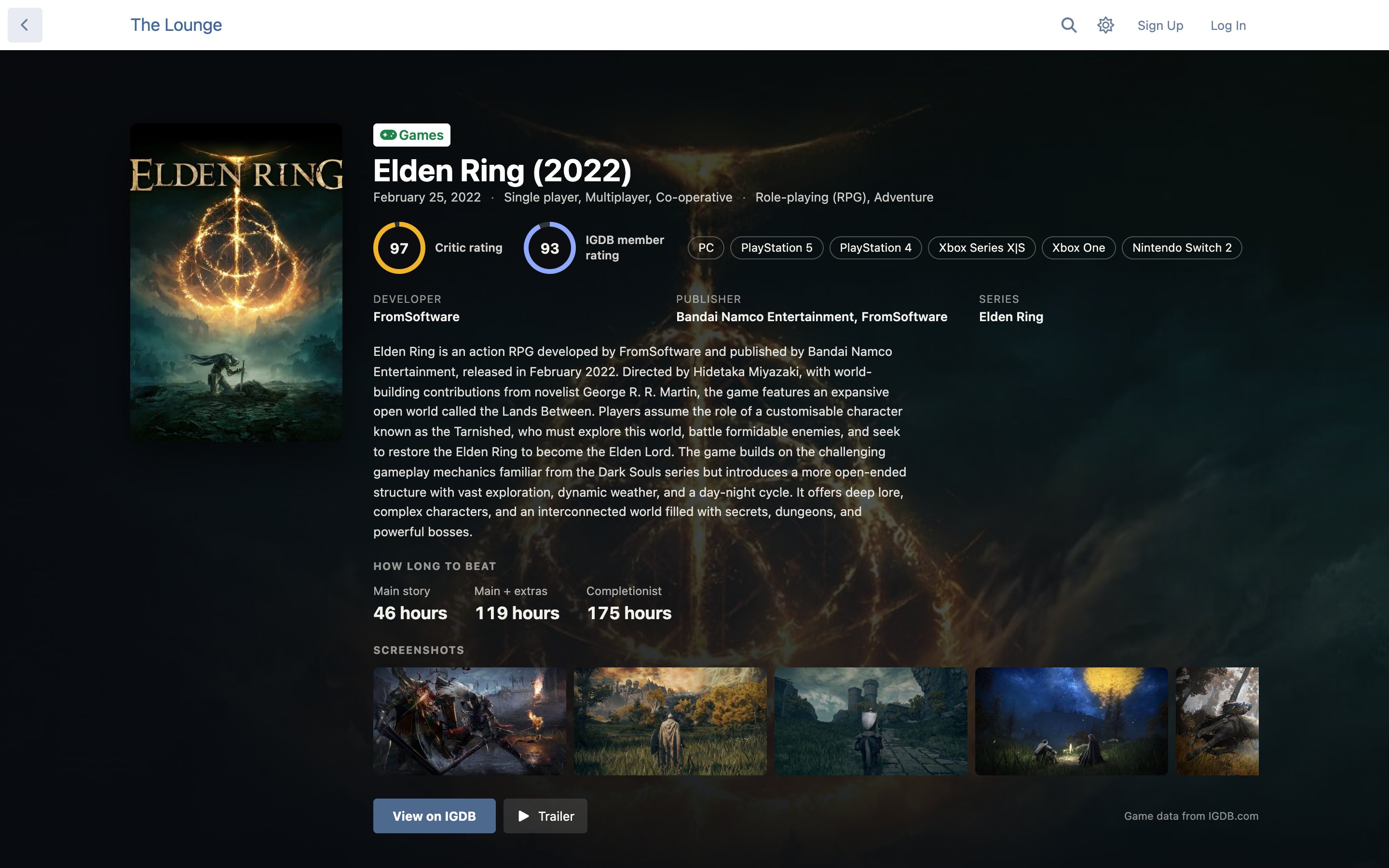
- Games. Critic and member ratings, platforms, developer, publisher, series, how long it takes to beat (main story, main plus extras, completionist) and screenshots.
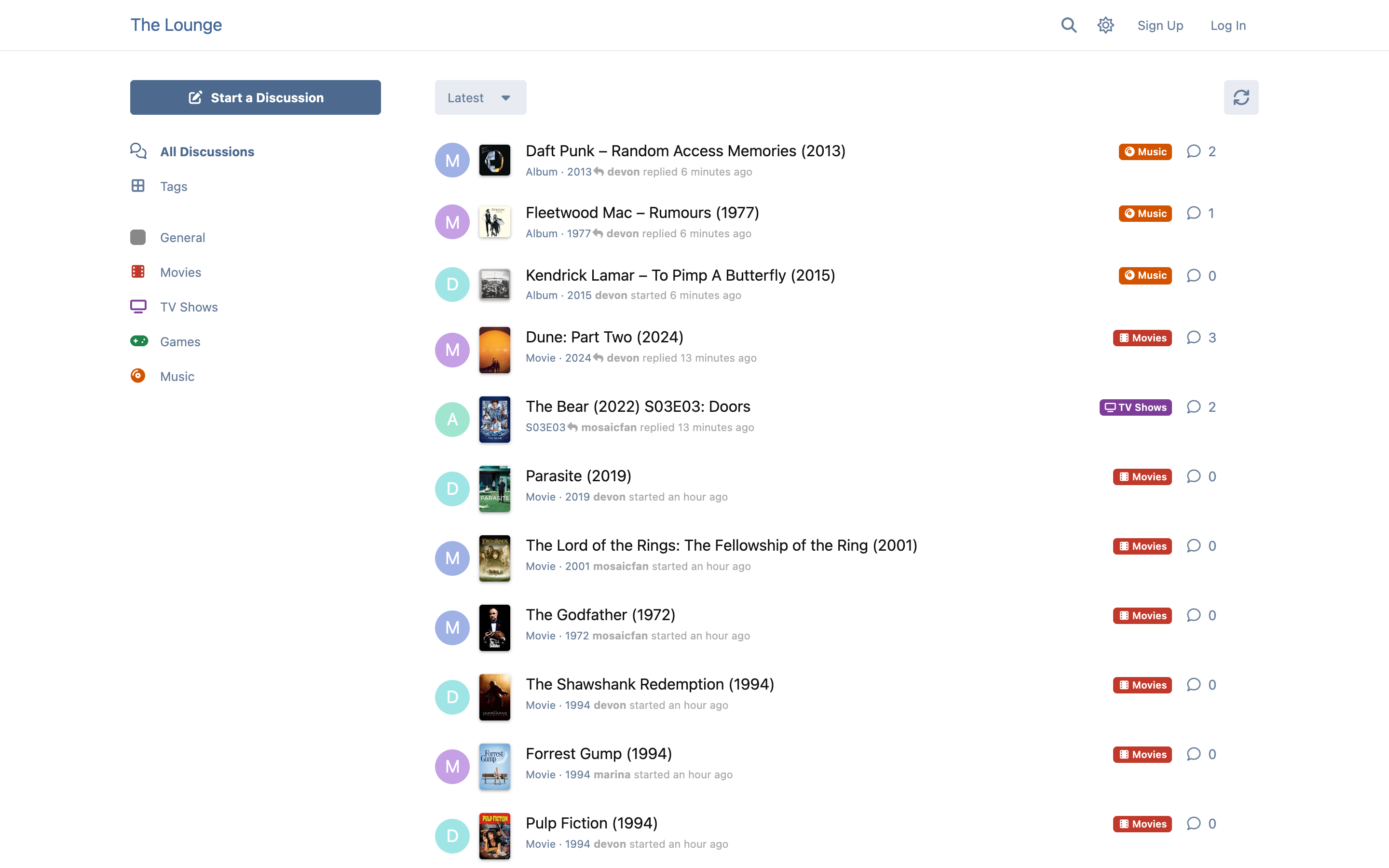
- Posters in the discussion list, with the title's year, or the season and episode, under each discussion.
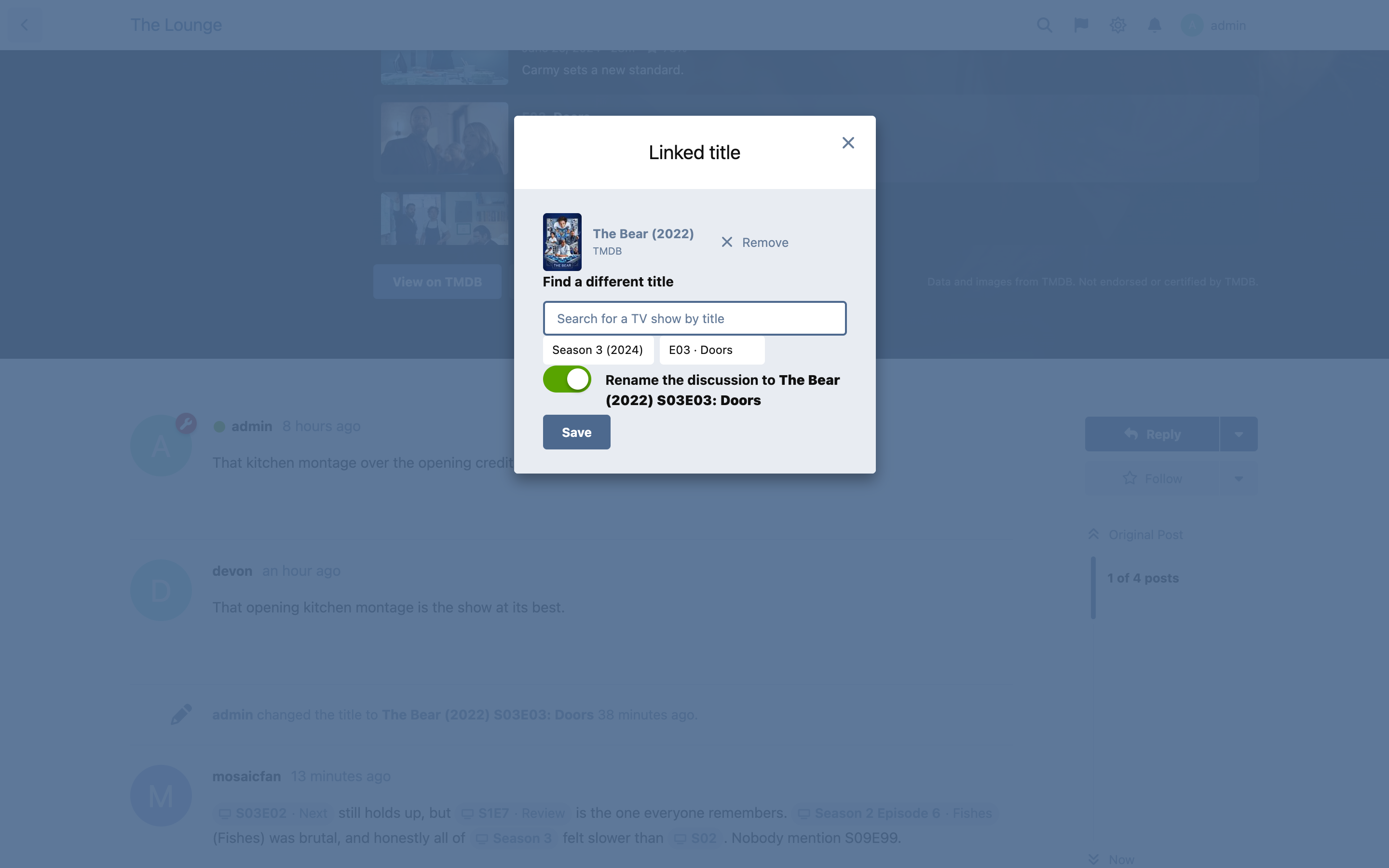
- Change it later. Anyone who can rename a discussion gets Change linked title in its controls menu: pick a different title, a different season or episode, or remove the link, and optionally rename the discussion to match.
- Works on any theme. Built and tested on Flarum's default theme and Bespoke. The card keeps the core header's classes, so themes that style the header still apply where it makes sense.
- Speaks your forum's language. Marquee ships in English and French, and every word on screen comes from the language files, so language packs and fof/linguist can add more. Movie and TV titles, synopses and genres follow the forum's default language automatically (or a language you choose). Dates and numbers follow the forum's locale. "Saison 2 Épisode 4" works in posts as well as "Season 2 Episode 4".
- Posters in the list are optional. Turn them off in the settings if another extension, such as FoF Discussion Thumbnail, already shows thumbnails there.
TV shows, seasons and episodes
Seasons and episodes in posts
Music
Books
Changing the linked title
Games
The discussion list
On a phone
Installation
composer require ernestdefoe/marquee
php flarum migrate
Then enable Marquee in your admin panel. It needs the bundled Tags extension.
Season and episode chips apply to posts written or edited after installing; older posts keep their plain text until they are edited.
Setting it up
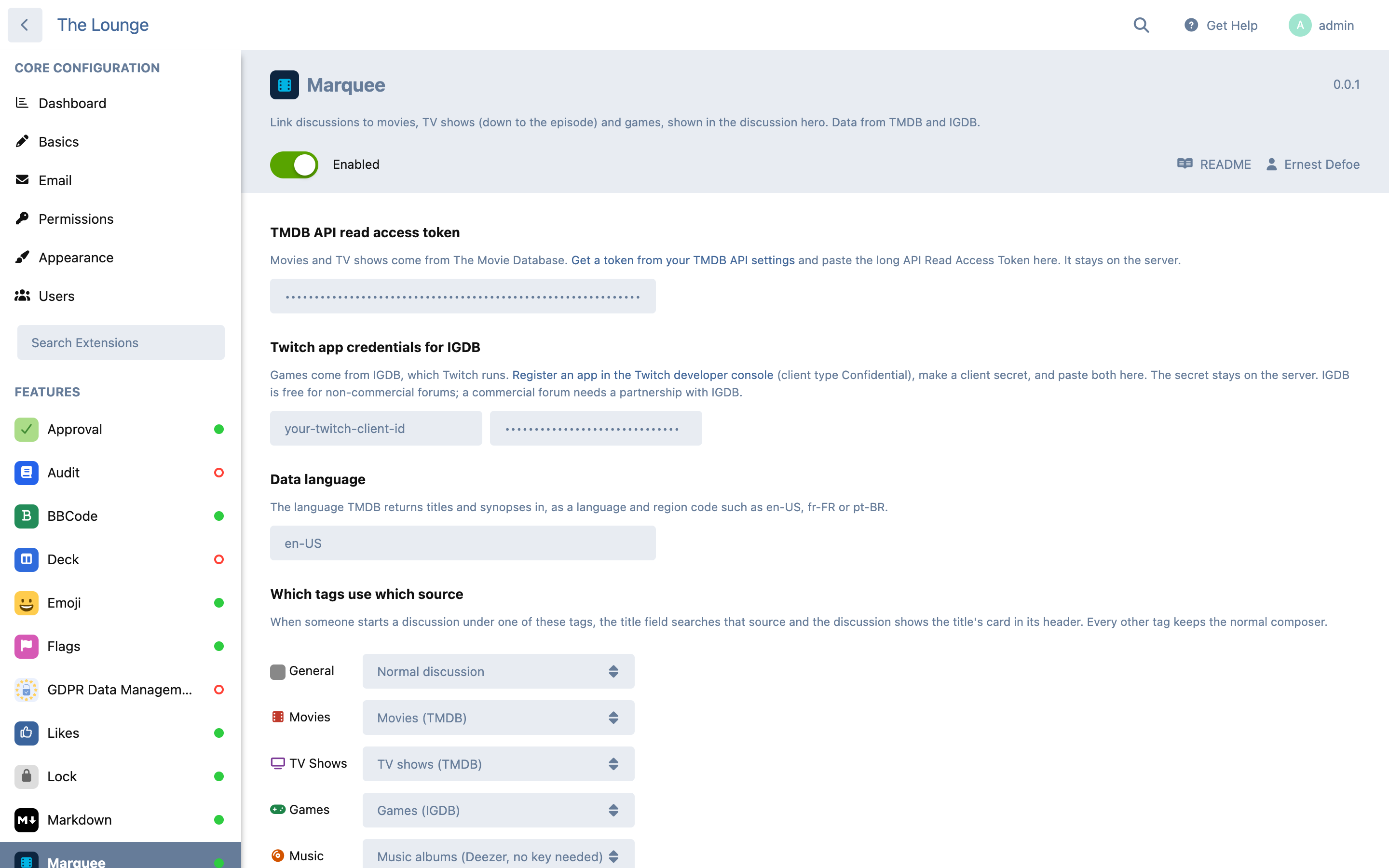
- Movies and TV (TMDB). Create a free account at themoviedb.org, open Settings → API, and copy the long API Read Access Token into Marquee's settings.
- Games (IGDB). Register an app in the Twitch developer console (Twitch runs IGDB). Use
https://localhostas the OAuth redirect URL (Marquee never uses it, but the form needs one), choose Confidential as the client type, then create a client secret. Copy the Client ID and secret into Marquee's settings. - Music (Deezer) and Books (Open Library) need nothing: both are public.
- Game descriptions from Wikipedia, no key. On a non-English forum, a game's description comes from Wikipedia in your language when it has an article on the game (found through Wikidata, which stores IGDB's ids), credited "Description from Wikipedia (CC BY-SA)" with a link. English forums are unchanged.
- Optional: DeepL. The rest of the game data and most book descriptions only come in English. Paste a DeepL API key (the free plan translates 500,000 characters a month) and they are translated into your data language once per title and kept.
- Choose your tags. In Which tags use which source, set your movie tag to Movies, your TV tag to TV shows, your games tag to Games your music tag to Music albums and your books tag to Books.
A source without its keys stays off: its tags behave like any other tag until the keys are added.
Updating
composer update ernestdefoe/marquee
php flarum migrate
php flarum cache:clear
Good to know
- Page views never call TMDB or IGDB. A title's details are fetched once, when someone links it, and stored on your forum. They refresh at most once a week, and only when someone links that title again. A TV season is fetched the first time anyone opens it.
- Lean on every page. The discussion list adds one database query in total, however many linked discussions it shows, and sends only each title's name, year and poster. The full details travel only with the discussion that shows them.
- Searches are cached and capped. Each search is kept for a day, so ten members typing the same title cost one call. Each member is limited to 40 searches a minute, and IGDB calls are paced to stay under its limit of four a second.
- Languages by source. TMDB has real translations, so movies and TV follow your language. IGDB's game data is English, with Japanese and Korean names only, so game descriptions come from Wikipedia in your language where it has the game; with a DeepL key the rest is translated: then game and book descriptions, genres and subjects are translated once per title and reused while the English stays the same. Album titles are the artists' own. Books use an edition in your language for the title, cover and publisher when Open Library has one; descriptions are mostly English. When you change the language, titles already linked switch at their next weekly refresh.
- Your keys stay on the server. The TMDB token and the Twitch secret are never sent to browsers. Searches go through your forum.
- Who can link. Anyone who can start discussions. Changing or removing the link on an existing discussion (Change linked title in its controls menu) takes the same permission as renaming it.
For extension developers
Marquee leaves two seams for companion extensions, so they never reach into its internals:
import { extend } from 'flarum/common/extend';
import MediaHero from 'ext:ernestdefoe/marquee/forum/components/MediaHero';
import posterUrl from 'ext:ernestdefoe/marquee/forum/utils/posterUrl';

// Add a button under the card. this.attrs.discussion and this.attrs.link
// ({ media, season, episode, seasonData }) say what the card is about.
extend(MediaHero.prototype, 'actionItems', function (items) {
  items.add('myAction', <button className="Button">…</button>, 50);
});

// A stored poster path as a URL, at a TMDB size (w92 … w1280), for any source.
posterUrl(media.poster(), 'w185');
Linked titles are the marquee-media resource (Ernestdefoe\Marquee\Media on the server), so a companion can relate its own records to them and add fields with Extend\ApiResource(MediaResource::class). Require ernestdefoe/marquee in your composer.json so Flarum loads Marquee first.
Data, attribution and licensing
- Movie and TV data and images come from TMDB. This product uses the TMDB API but is not endorsed or certified by TMDB. TMDB's API is free for non-commercial use; a forum that makes money should check TMDB's terms.
- Album data and covers come from Deezer's public API.
- Book data and covers come from Open Library, a project of the Internet Archive, through its public API.
- Game data and images come from IGDB.com. The IGDB API is free for non-commercial use under the Twitch Developer Services Agreement; commercial use needs a partnership with IGDB.
- Each card shows the attribution its source asks for.
Links
☕ If you like the things I have built, consider buying me a coffee.