
devmonowar / schedulelens-cron-viewer

See all scheduled jobs, catch overdue tasks, run or pause events, and check cron health - lightweight, admin-only, 100% free.
Package info
github.com/devmonowar/schedulelens-cron-viewer
Type:wordpress-plugin
pkg:composer/devmonowar/schedulelens-cron-viewer
Requires
- php: >=7.4
- composer/installers: ^1.0 || ^2.0
Requires (Dev)
Suggests
None
Provides
None
Conflicts
None
Replaces
None
README
Cron manager for WordPress — see all scheduled jobs, fix missed schedule and wp-cron not working, run or pause events, and check cron health. Lightweight, admin-only, 100% free.
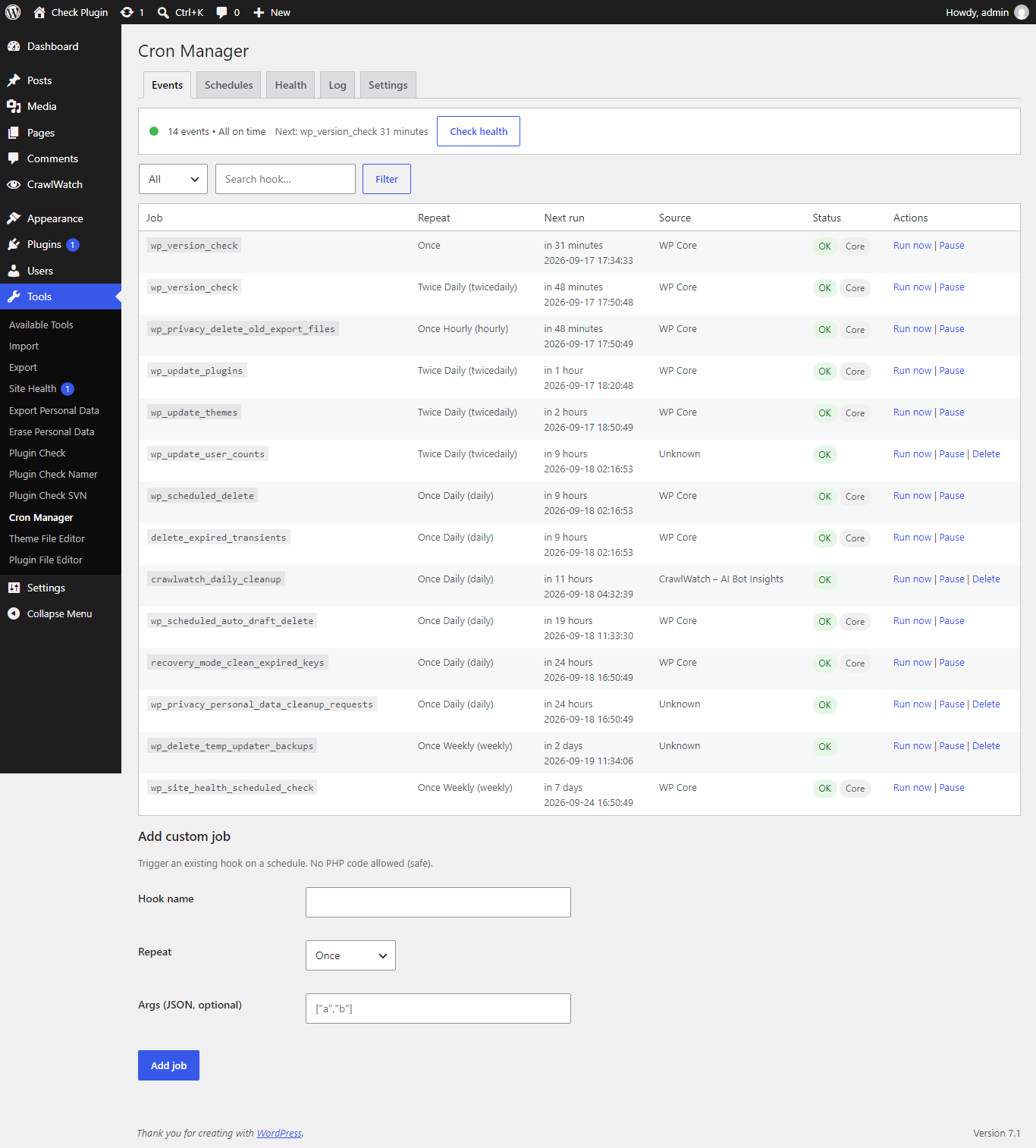
Fix missed schedule posts, debug wp-cron not working, and manage every scheduled job in plain words — no code, no tracking, no upsell.
Features
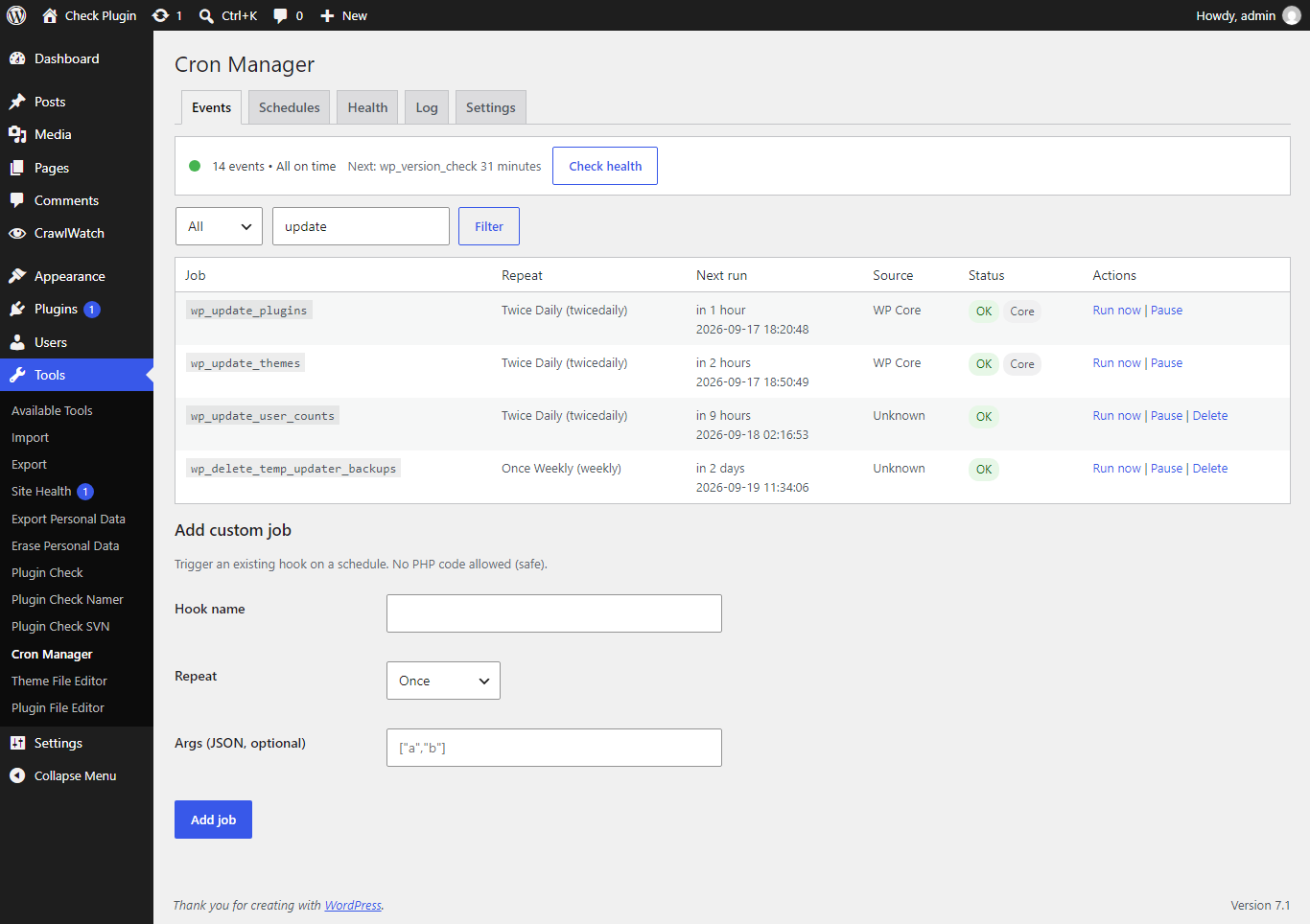
- All cron events with repeat, next run, and source (which plugin added it)
- Overdue badge in red, Core badge in gray — catch missed schedule fast
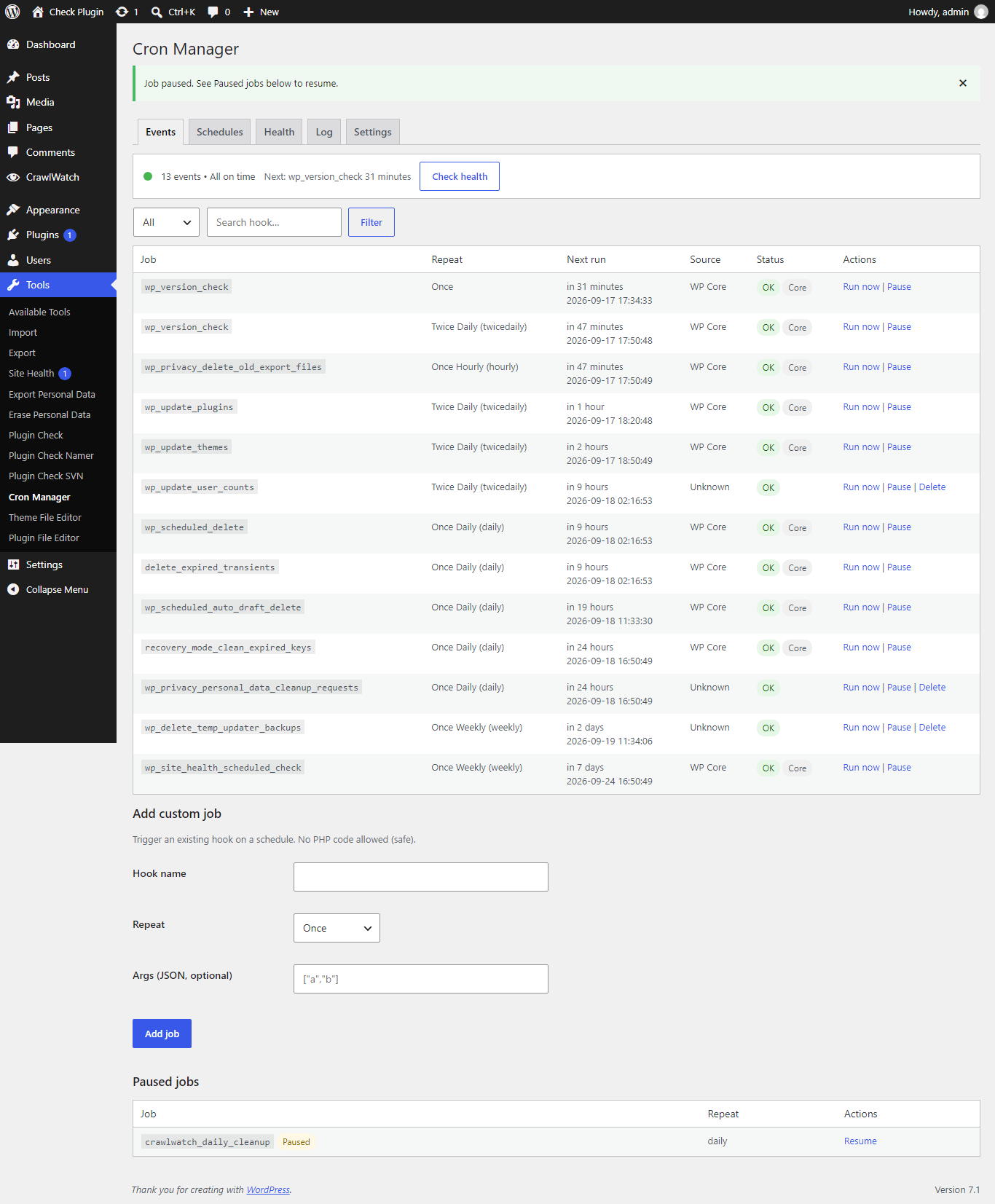
- Run now, Pause / Resume, Delete custom jobs (core jobs protected)
- Add custom job without code (existing hook only, no PHP execution)
- Custom intervals (minimum 60 seconds)
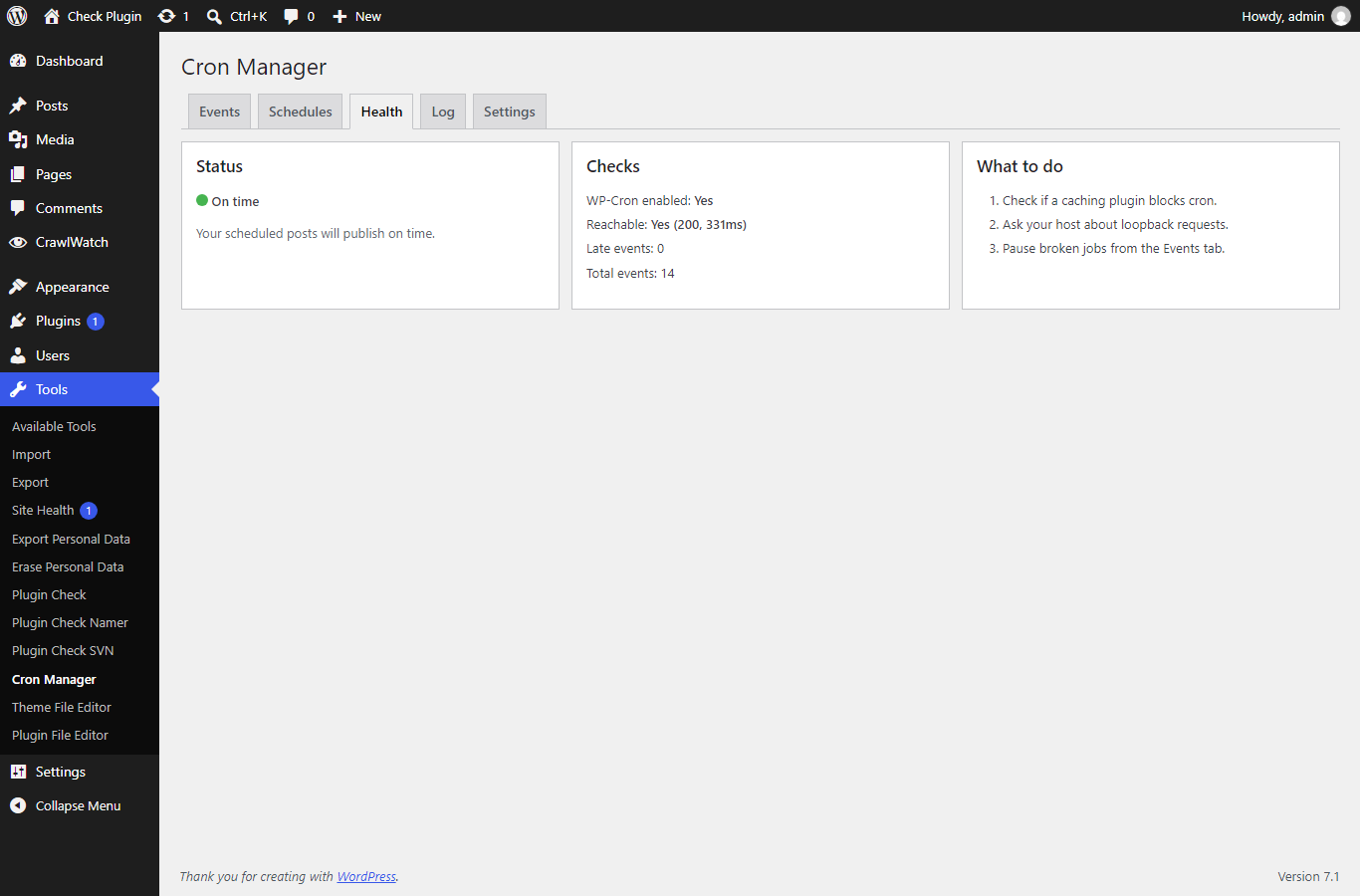
- Health tab: enabled, reachable, late count, total — Green / Yellow / Red + fix steps
- Last 100 runs log with duration, auto-deleted after 3/7/14 days (default 7)
- Admin only under Tools > Cron Manager. No frontend load. No tracking.
Installation
From WordPress.org (recommended)
Search for ScheduleLens in Plugins → Add New, or download it.
Via Composer
composer require devmonowar/schedulelens-cron-viewer
Manual
- Download this repository as a ZIP.
- Upload it via Plugins → Add New → Upload Plugin.
- Activate, then go to Tools → Cron Manager.
Usage
- Open Tools → Cron Manager — overdue jobs show a red badge.
- Use Run now to fire a job manually, Pause to stop it without deleting.
- Open the Health tab when posts miss schedule — follow the Green/Yellow/Red fix steps.
- Check the Log tab for the last 100 runs with duration.
Screenshots
| Events list | Event actions | Health status |
|---|---|---|
|
 |
 |
| Health tab | Run log |
|---|---|
 |
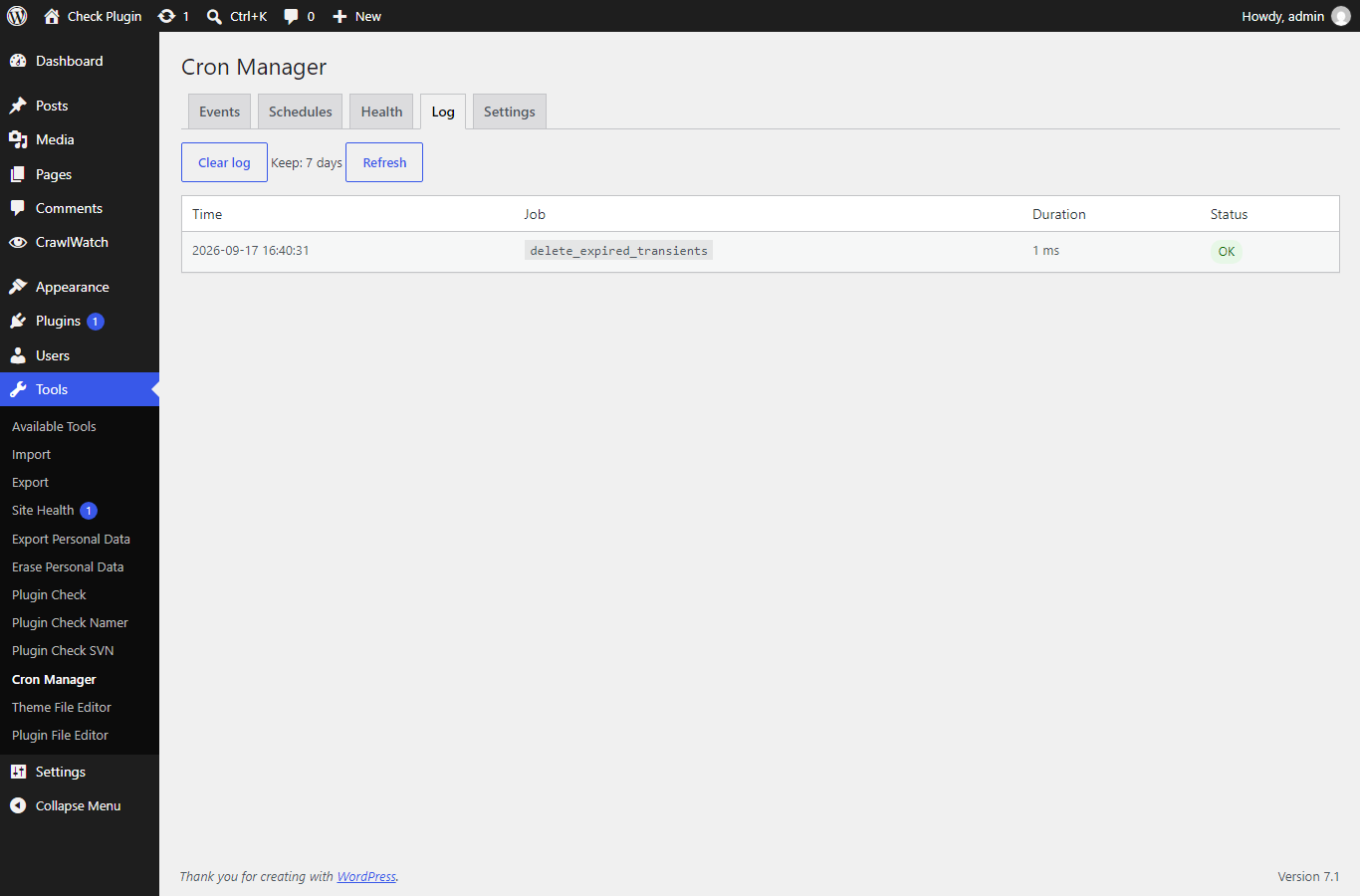 |
Links
- Plugin page: https://devmonowar.github.io/schedulelens-cron-viewer/
- WordPress.org: https://wordpress.org/plugins/schedulelens-cron-viewer/
- Support forum: https://wordpress.org/support/plugin/schedulelens-cron-viewer/
- Source: https://github.com/devmonowar/schedulelens-cron-viewer
Development
This is the development repository. Releases are cut with a git tag (e.g. 1.0.0) — GitHub Actions deploys the tag to WordPress.org SVN (trunk + tags/<version>) and syncs .wordpress-org/ assets. The same tag auto-updates Packagist. Quality gate in CI: PHP lint on 7.4–8.3.