
asignua / filament-infinite-scroll

Infinite scroll and a "Load more" button for Filament 5 tables with one line: ->infiniteScroll(). Works in resources, relation managers, table widgets and any page with InteractsWithTable; filters, search, sorting and bulk selection keep working while the table grows. Configurable chunk size, a reco
Package info
github.com/asignua/filament-infinite-scroll
pkg:composer/asignua/filament-infinite-scroll
Requires
- php: ^8.3
- filament/filament: ^5.0
- illuminate/contracts: ^12.0|^13.0
- livewire/livewire: ^4.0
- spatie/laravel-package-tools: ^1.16
Requires (Dev)
- larastan/larastan: ^3.0
- laravel/pint: ^1.18
- orchestra/testbench: ^10.0|^11.0
- phpunit/phpunit: ^11.5|^12.0
Suggests
None
Provides
None
Conflicts
None
Replaces
None
README

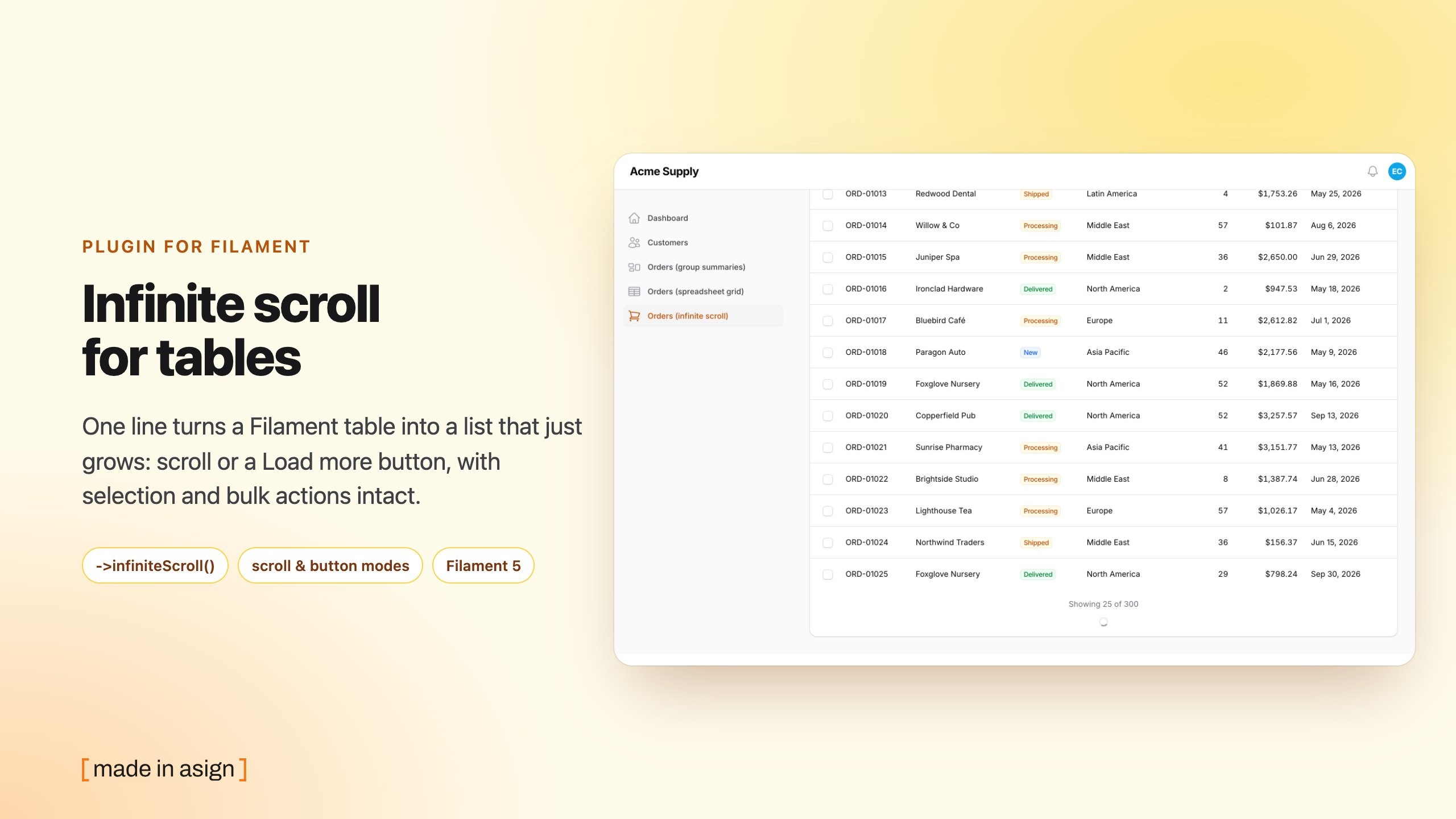
Infinite scroll and a "Load more" button for Filament tables, with one line:
return $table->columns([...])->infiniteScroll();
Filament 5 offers default, simple and cursor pagination only. People keep asking for a table that just grows (#12764, #5692), and the one existing plugin supports Filament 3 only. This one is built for Filament 5.
- Screenshots
- Requirements
- Installation
- Usage
- How it works
- Configuration
- Gotchas
- Translations
- AI agents
- Testing
Screenshots
Requirements
- PHP 8.3+
- Filament 5 (Livewire 4)
- Laravel 12 or 13
Installation
composer require asignua/filament-infinite-scroll
php artisan filament:assets
The service provider is auto-discovered. filament:assets publishes a 1 KB stylesheet that hides Filament's own pager
on these tables and lays out the footer. Optionally publish the config:
php artisan vendor:publish --tag=filament-infinite-scroll-config
Usage
infiniteScroll() is a macro on Filament\Tables\Table. Call it in any table(): a resource, a relation manager, a
table widget, a page with InteractsWithTable.
use Asignua\FilamentInfiniteScroll\InfiniteScrollMode;

public static function table(Table $table): Table
{
    return $table
        ->columns([...])
        ->infiniteScroll(
            perPage: 25,                          // rows per chunk (first and every next one)
            mode: InfiniteScrollMode::Scroll,     // or 'scroll' | 'button'
            maxRecords: 500,                      // false removes the ceiling
            rootMargin: 300,                      // px before the end at which the next chunk is requested
        );
}
Every argument is optional and defaults to config/filament-infinite-scroll.php.
| Mode | Behaviour |
|---|---|
scroll |
The next chunk loads when the end of the table scrolls into view. If the new rows do not push the end out of view (a tall screen) the next chunk follows at once. |
button |
A "Load more" button under the table. |
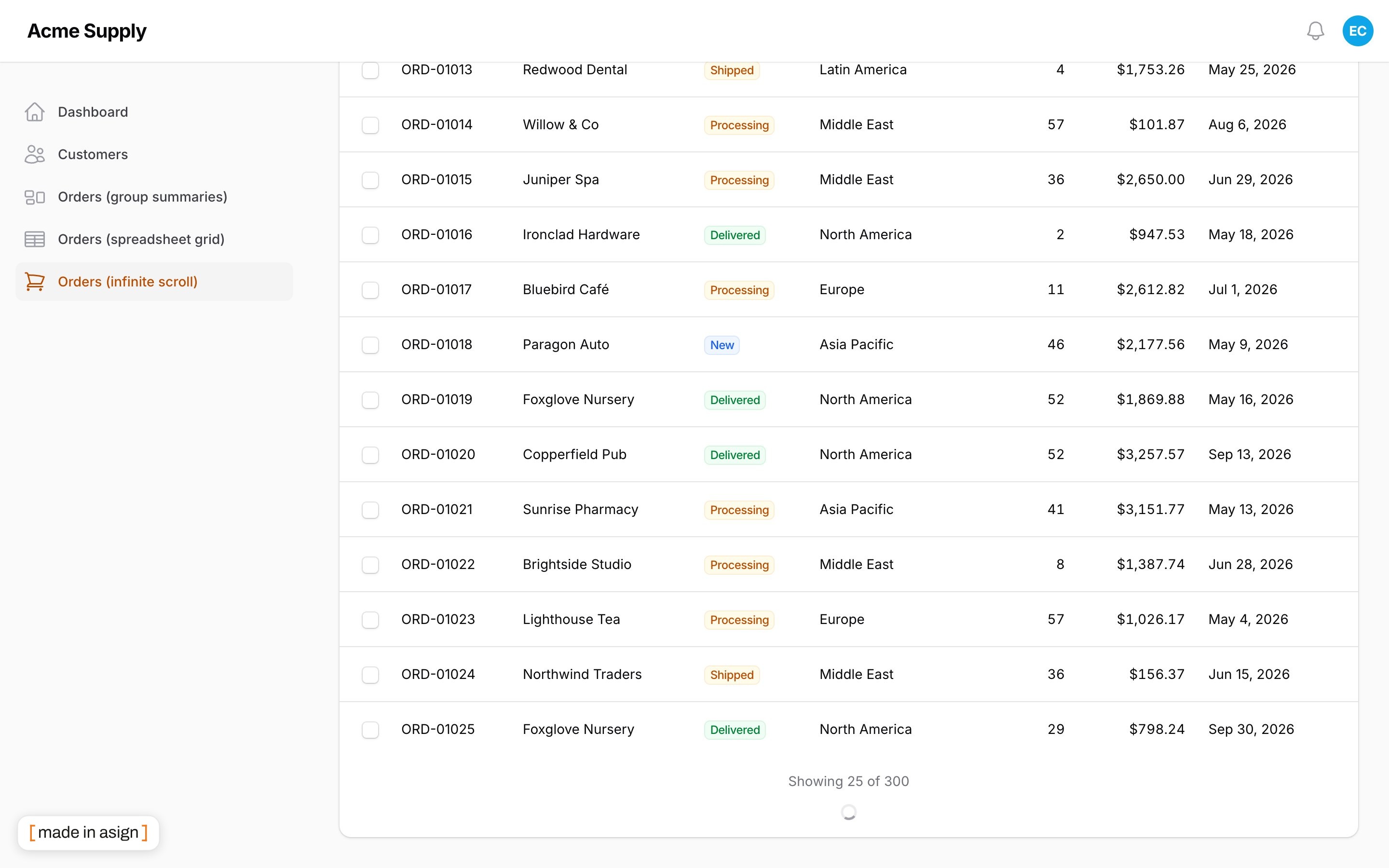
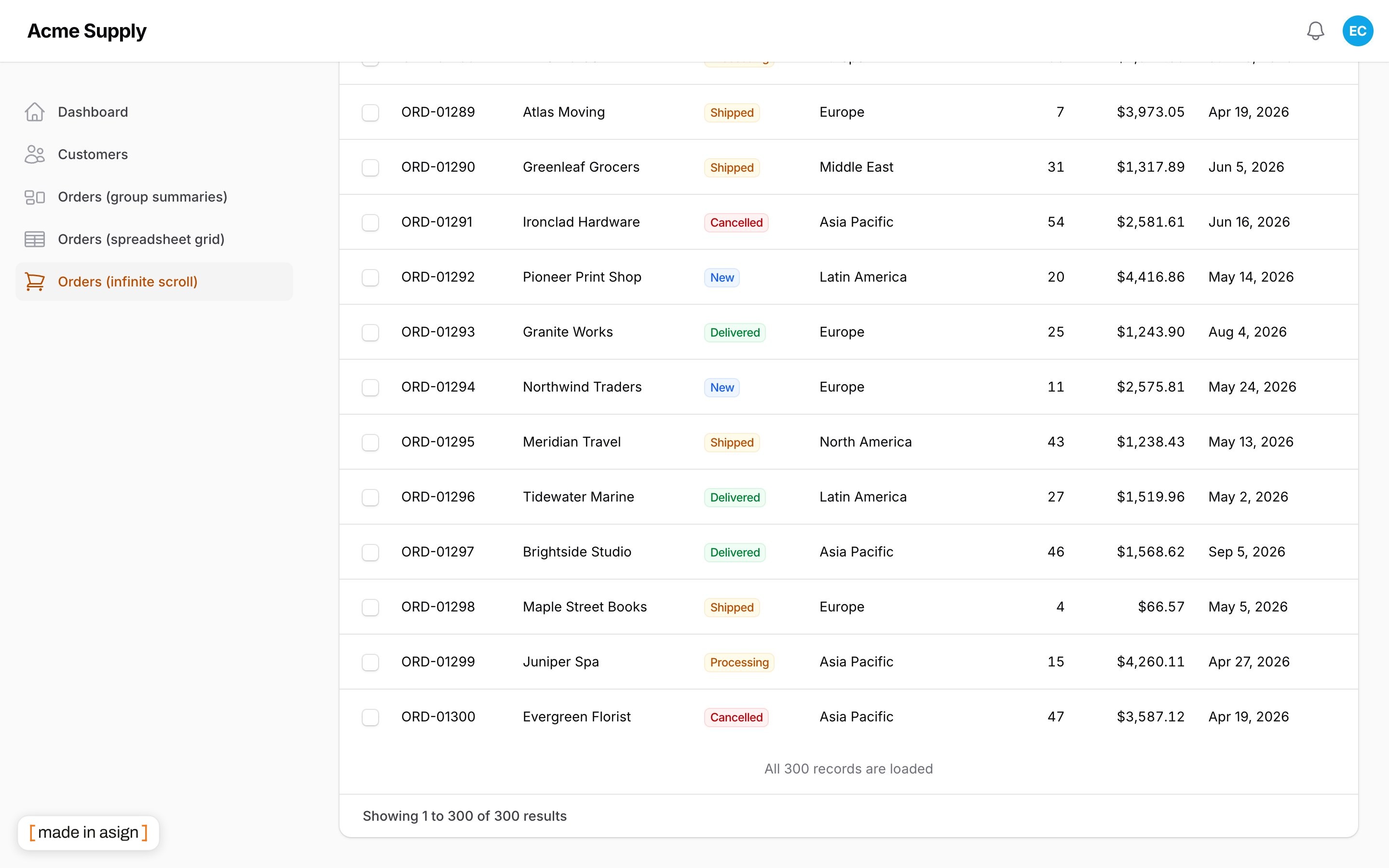
Under the rows the table shows "Showing 25 of 120", then "All 120 records are loaded" when the list is complete. A table with fewer rows than one chunk shows no footer at all, and no stock pager either. Counts are formatted for the current app locale.
How it works
Filament's table is one query and one Blade view. The plugin forks neither.
- The page size grows. The table's
$tableRecordsPerPage(a public Livewire property) goes25 → 50 → 75 …, the page stays 1. Because it is still a single paginated query, selection, "select all", bulk actions, grouping, summaries and record actions work exactly as on a normal page. - A global Livewire hook answers the
infiniteScrollLoadMorecall, so no trait or base class has to be added to your pages, relation managers or widgets. The same hook keeps the page size inside[one chunk, ceiling]and pins the page number to 1. The value is client-writable, so the server also remembers the size it issued last (in the checksummed memo) and never lets the browser raise it: the list grows only one chunk per call, with or without a ceiling. - A render hook (
TablesRenderHook::CONTENT_AFTER) draws the footer: the status line, thex-intersectsentinel or the button (<x-filament::button>). - Reset on change. A signature of the search, column searches, filters, sort, grouping, the active tab and a widget's dashboard
pageFiltersis kept in the Livewire memo (checksummed with the snapshot). When it changes the list starts over from the first chunk.
Scroll position is preserved: Livewire morphs the new rows in below the existing ones.
Trade-offs
- Rows are re-queried: loading chunk 4 runs
LIMIT 100, notLIMIT 25 OFFSET 75. This is what keeps selection and actions simple, and it is cheap up to the ceiling. It is why there is a ceiling. - The table needs a total (
COUNT(*)), like Filament's default pager. Cursor and simple pagination are not used. - The DOM grows with the list. Past a few hundred rows the browser, not the database, becomes the limit.
Configuration
config/filament-infinite-scroll.php:
| Key | Default | |
|---|---|---|
per_page |
25 |
Rows per chunk. |
mode |
'scroll' |
'scroll' or 'button'. |
max_records |
500 |
The most rows kept on the page; null removes the ceiling. |
root_margin |
300 |
Pixels before the end at which the next chunk is requested. |
When the ceiling is reached the footer says "Showing the first 500 of 12,345 records. Use search or filters to narrow the list." and loading stops.
Gotchas
infiniteScroll()setspaginated(), the page-size options, the pagination mode andpersistRecordsPerPageInSession(false). Do not set them yourself afterwards.- The "records per page" select disappears: the page size is the plugin's state.
- Do not use
deferLoading()plus a customrecords()data source: the plugin needs a length-aware paginator and draws nothing otherwise. - Reordering (
reorderable()) uses Filament's own rules for pagination while reordering. - Run
php artisan filament:assetsafter upgrading, or the stock pager shows next to the footer.
Translations
English, Ukrainian, German, Spanish, French, Italian, Dutch, Polish, Brazilian Portuguese and Turkish, under the
filament-infinite-scroll::infinite-scroll namespace. A test keeps every language in step with the English keys and
placeholders.
AI agents
The package ships Laravel Boost guidelines
(resources/boost/guidelines/core.blade.php) so a coding agent uses the macro correctly.
Testing
composer install
vendor/bin/phpunit
vendor/bin/phpstan analyse --memory-limit=1G
vendor/bin/pint --test
The suite runs on Orchestra Testbench with a workbench/ panel: a resource, a
relation manager and a table widget.
The suite checks what the server renders (data-has-more, data-loaded, the footer's wire:key), not the Alpine
code that reads it. Before a release, check scroll mode by hand in a browser:
- A tall viewport with many records: the list fills the screen on its own and stops once the footer is out of view.
- Scroll to the ceiling: loading stops and the "Showing the first N" notice appears; no further requests in the network tab.
- With the footer still in view (all or the ceiling loaded), sort or filter: the list starts over and, on a short page, loads the next chunk again without scrolling.
- Make a load request fail (go offline): the footer does not retry in a loop.
Changelog
See CHANGELOG.md.
License
The MIT License (MIT). See LICENSE.md.