
xtheme / artisan-ui

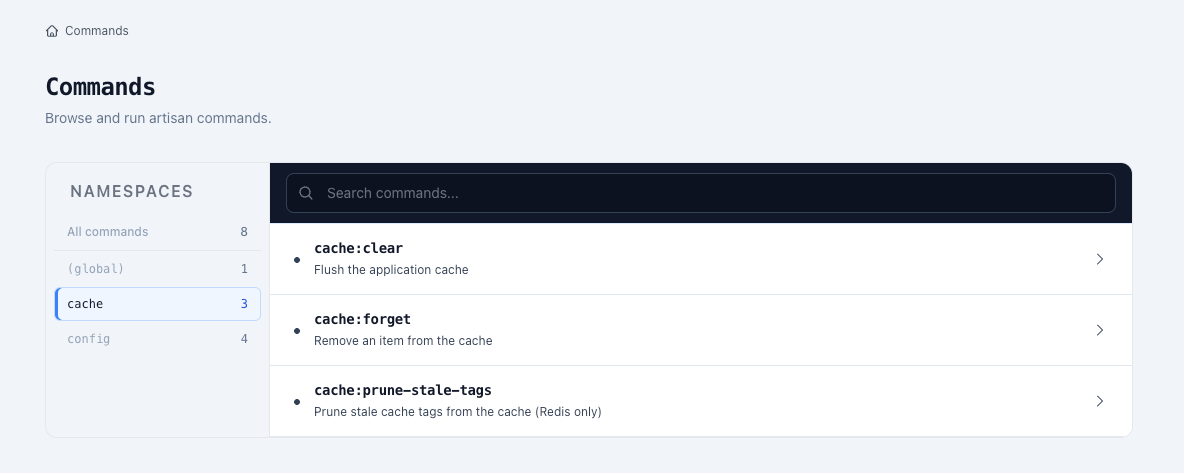
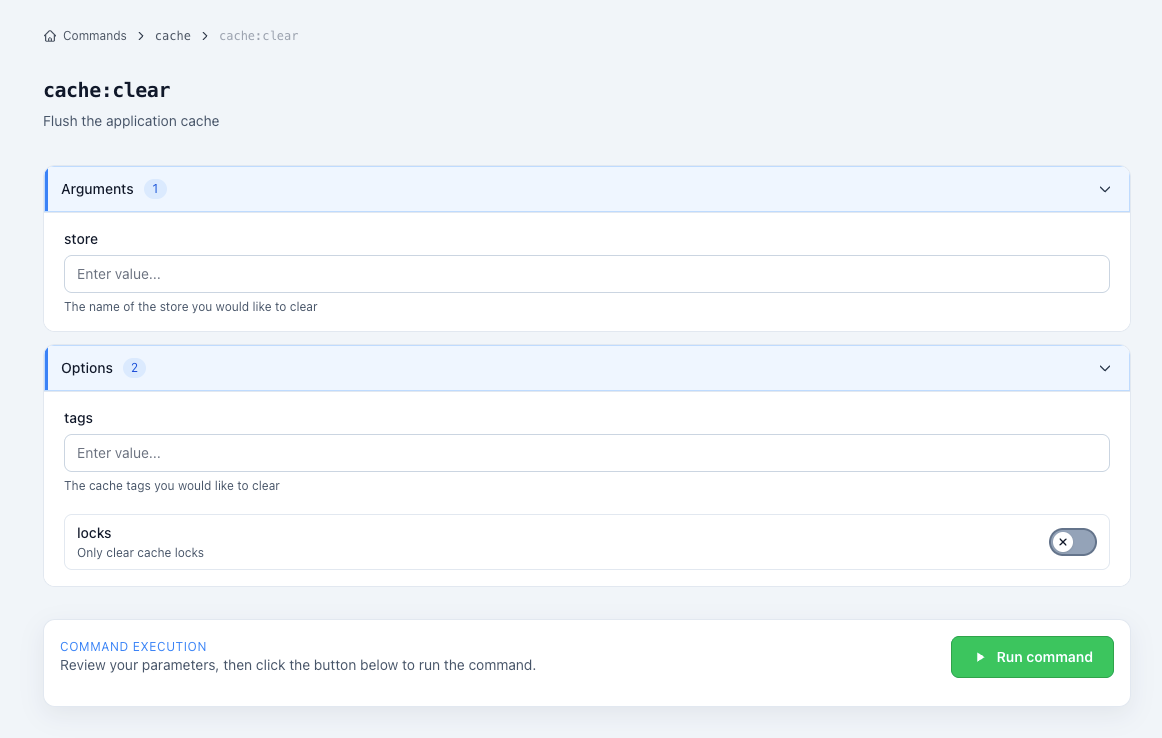
Run your artisan commands by pressing buttons.
Fund package maintenance!
Requires
- php: ^8.2
- illuminate/contracts: ^11.0|^12.0|^13.0
- spatie/laravel-package-tools: ^1.9
Requires (Dev)
- orchestra/testbench: ^9.0|^10.0|^11.0
- pestphp/pest: ^3.0
- phpunit/phpunit: ^11.0
Suggests
None
Provides
None
Conflicts
None
Replaces
None
This package is auto-updated.
Last update: 2026-09-22 08:30:40 UTC
README
Installation
composer require xtheme/artisan-ui
php artisan artisan-ui:install
Usage
Just go to /artisan and enjoy! 🌺
Configure access
By default, Artisan UI is only available on local environments. You can provide your own custom authorization logic by providing a callback to the ArtisanUI::auth method. As usual, you may add this logic to any of your service providers.
The following example allows any user on local environments but only admin users on other environments.
use Xtheme\ArtisanUI\Facades\ArtisanUI;

ArtisanUI::auth(function ($request) {
    if (app()->environment('local')) {
        return true;
    }

    return $request->check() && $request->user()->isAdmin();
});
Configure routes
You may change the path and domain of the Artisan UI routes to suit your need using the configuration file located in config/artisan-ui.php.
Additionally, you may use this configuration file to update the middleware of these routes. By default, the web middleware group is used as well as the AuthorizeArtisanUI middleware which protects the Artisan UI routes using the callback provided to the ArtisanUI::auth method above. Feel free to override that middleware for more custom authorization logic but remember that, without it, the Artisan UI routes will be available to everyone!
Configure command whitelist
You may restrict which commands are visible and executable from Artisan UI by setting command_whitelist in config/artisan-ui.php.
'command_whitelist' => [
    'update_game_list',
],
When command_whitelist is null, all artisan commands remain available.
Whitelist entries also support prefix wildcard patterns:
'command_whitelist' => [
    'cache:*',
    'queue:*',
],
You may also blacklist specific commands that should never be visible or executable from the UI:
'command_blacklist' => [
    'migrate:*',
    'db:*',
    'tinker',
],
Wildcard patterns are prefix-based and should end with *.
When both are configured, blacklist rules take precedence over whitelist rules.
Update assets
If you've recently updated the package and something doesn't look right, it might be because the CSS file for the package is not up-to-date and needs to be re-published. Worry not, simply run the artisan-ui:install command again and you're good to go. You can even do that from the UI now! 🤯
php artisan artisan-ui:install