
srwiez / nativephp-mobile-screen

Screen wake lock and brightness control for NativePHP Mobile apps
Package info
github.com/SRWieZ/nativephp-mobile-screen
Type:nativephp-plugin
pkg:composer/srwiez/nativephp-mobile-screen
Requires
- php: ^8.3
- illuminate/support: ^11.0|^12.0|^13.0
- nativephp/mobile: ^3.3.11 || ^4.6.1
Requires (Dev)
- laravel/pint: ^1.24
- orchestra/testbench: ^9.0|^10.0|^11.0
- pestphp/pest: ^3.0|^4.0
Suggests
None
Provides
None
Conflicts
None
Replaces
None
This package is auto-updated.
Last update: 2026-10-29 16:31:51 UTC
README
Keep screens awake. Control brightness. Built for apps users stare at.
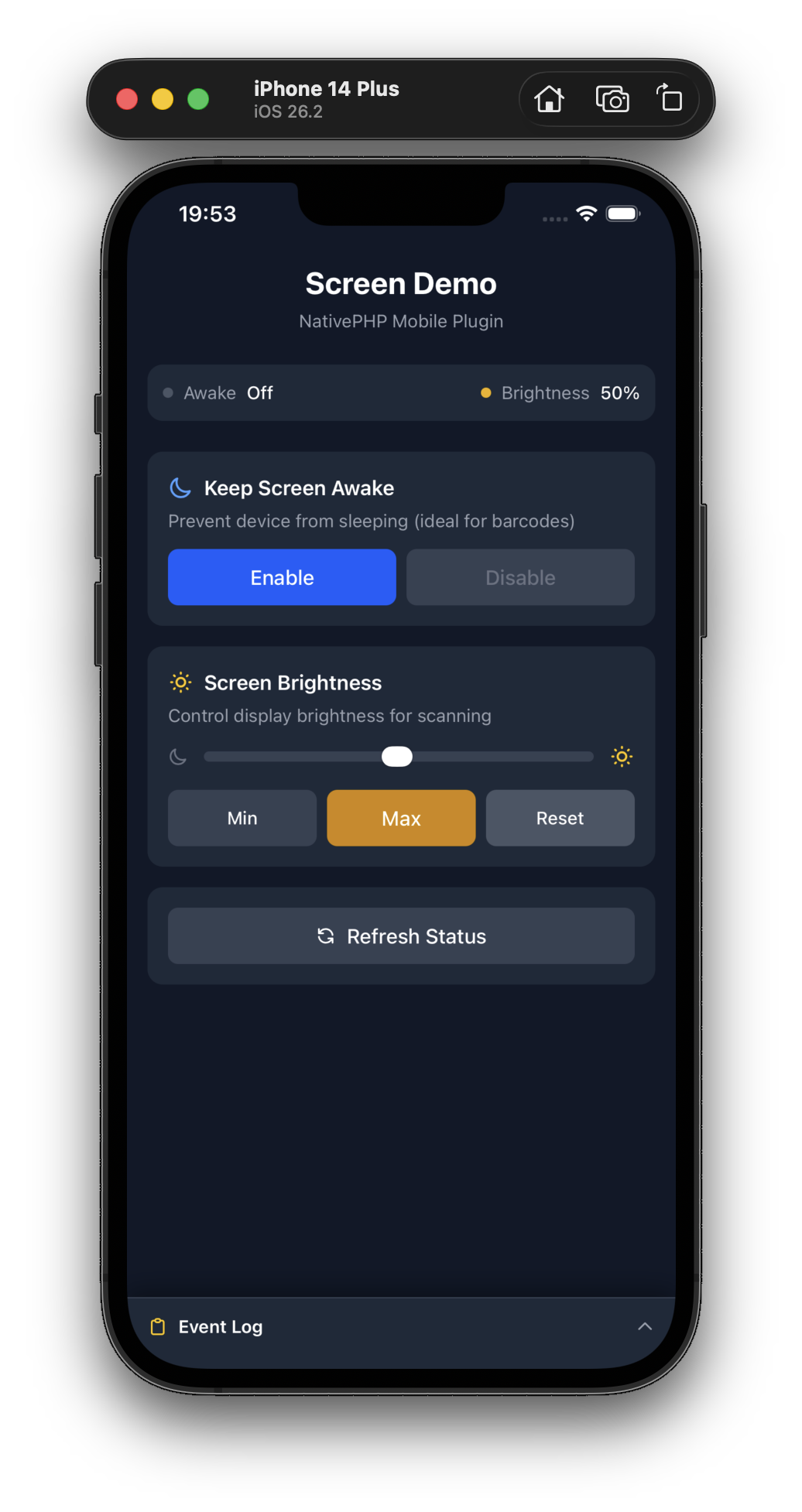
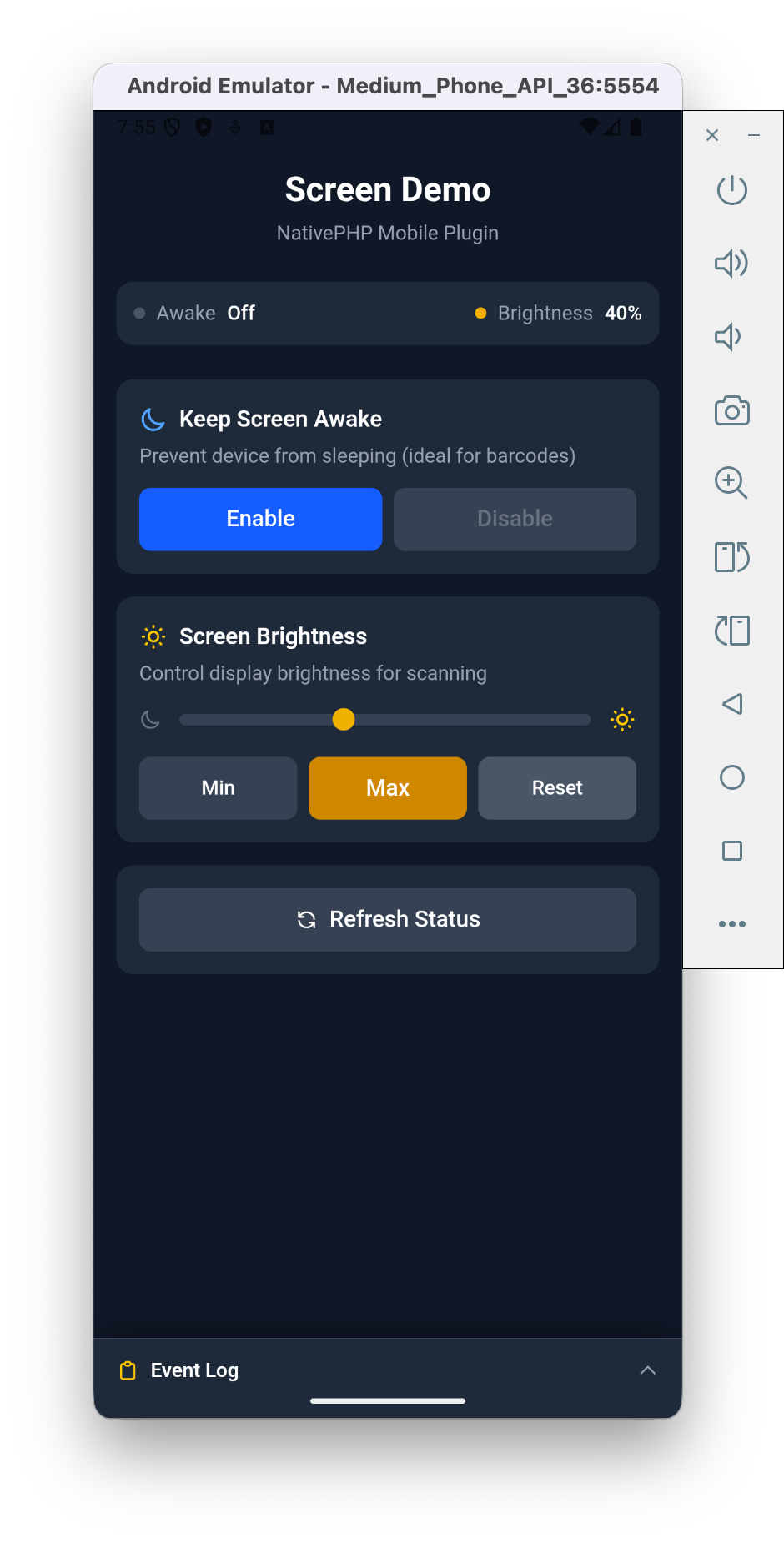
A tiny, focused NativePHP plugin for two things mobile devs constantly need: keeping the screen on and controlling brightness. One facade, eight methods, zero setup.
Why this plugin?
- ☀️ Keep the screen awake — perfect for barcode tickets, live dashboards, kiosks and scoring apps.
- 🔆 Control brightness — crank to 100% to scan barcodes in sunlight, dim down for dark reading rooms.
- 🪶 Dependency-free — a single wake-lock + brightness wrapper. No bloat, no configuration.
- 📱 Works everywhere — iOS 13+ and Android 5+ (API 21).
Features at a glance
| Feature | Android | iOS |
|---|---|---|
| Keep screen awake | ✅ | ✅ |
| Set brightness (0.0–1.0) | ✅ | ✅ |
| Reset to system default | ✅ | ✅ |
| Listen for brightness changes | ✅ | ✅ |
Perfect for
Ticket & boarding-pass apps · Barcode / QR scanners · Kiosk & POS apps · Sports scoreboards · Live dashboards & monitoring · E-readers
Installation
# Install the package
composer require srwiez/nativephp-mobile-screen

# Publish the plugins provider (first time only)
php artisan vendor:publish --tag=nativephp-plugins-provider

# Register the plugin
php artisan native:plugin:register srwiez/nativephp-mobile-screen

# Verify registration
php artisan native:plugin:list
This adds \SRWieZ\NativePHP\Mobile\Screen\ScreenServiceProvider::class to your plugins() array.
Usage
PHP (Livewire/Blade)
use SRWieZ\NativePHP\Mobile\Screen\Facades\Screen;

// Keep screen awake
Screen::keepAwake(); // true on success

// Allow screen to sleep
Screen::allowSleep(); // true on success

// Check wake lock status
$isAwake = Screen::isAwake(); // bool

// Set brightness (0.0 to 1.0)
$level = Screen::setBrightness(1.0); // returns actual level, or false on failure

// Get current brightness
$level = Screen::getBrightness(); // float or null

// Reset to system default
Screen::resetBrightness(); // returns level or false on failure
Brightness change events
Start the listener and the plugin dispatches a BrightnessChanged event whenever
the brightness changes (on iOS: user-initiated changes, e.g. via Control Center;
on Android: system brightness changes). Stop it when the screen goes away.
Screen::startBrightnessListener();

// ... later
Screen::stopBrightnessListener();
| Event | Payload keys |
|---|---|
BrightnessChanged |
level (float, 0.0–1.0), timestamp (Unix seconds) |
Pick the listener style that matches where your code runs. Handler parameters are bound by payload key name, so name them after the keys above.
NativePHP v4 native screens. Put Native\Mobile\Attributes\On on a method of
a Native\Mobile\Edge\NativeComponent and pass the event class. The attribute adds
the native: prefix for you.
use Native\Mobile\Attributes\On;
use Native\Mobile\Edge\NativeComponent;
use SRWieZ\NativePHP\Mobile\Screen\Events\BrightnessChanged;

class TicketScreen extends NativeComponent
{
    #[On(BrightnessChanged::class)]
    public function brightnessChanged(float $level, ?int $timestamp = null): void
    {
        // ...
    }
}
Web view screens with Livewire. Use Livewire's own On attribute with the
native: prefix in front of the event class.
use Livewire\Attributes\On;
use Livewire\Component;
use SRWieZ\NativePHP\Mobile\Screen\Events\BrightnessChanged;

class TicketScreen extends Component
{
    #[On('native:'.BrightnessChanged::class)]
    public function brightnessChanged(float $level, ?int $timestamp = null): void
    {
        // ...
    }
}
Plain Laravel listeners. In web view apps, Event::listen receives the
event object. It is not tied to a screen, so use it for side effects such as
logging. On NativePHP 4.6.1+ and 3.3.11+ this needs plugin 2.1.0 or later. On v4
native screens, plugin events only reach the screen's #[On] handlers.
use Illuminate\Support\Facades\Event;
use SRWieZ\NativePHP\Mobile\Screen\Events\BrightnessChanged;

Event::listen(function (BrightnessChanged $event) {
    logger()->info('Brightness changed', ['level' => $event->level]);
});
Note
#[OnNative(BrightnessChanged::class)] (Native\Mobile\Attributes\OnNative) is
the pre-v4 form. It still works wherever Livewire is installed, but it
extends Livewire's attribute, so a v4 app without Livewire never reads it.
Checking availability
Two PHP-only checks tell you what the running app provides, without calling
any native function. Both return false outside a NativePHP app (tests, web
preview). They have no JavaScript equivalent.
Screen::isAvailable();          // the plugin's native side is installed
Screen::canControlBrightness(); // setBrightness() is available
On NativePHP v4 you can test the fallback path with
FakeBridge::enable()->withoutCapability('MobileScreen.SetBrightness').
JavaScript (Vue/React/Inertia)
The JS module ships inside the composer package. Import it from the vendor path (or point a Vite alias at it):
import { mobileScreen } from '../../vendor/srwiez/nativephp-mobile-screen/resources/js/mobileScreen.js';

// Keep screen awake
await mobileScreen.keepAwake();

// Set maximum brightness
await mobileScreen.setBrightness(1.0);

// Reset when done
await mobileScreen.resetBrightness();
await mobileScreen.allowSleep();
API Reference
| Method | Returns | Description |
|---|---|---|
keepAwake(bool $enabled = true) |
bool |
Enable/disable screen wake lock. Returns true on success |
allowSleep() |
bool |
Alias for keepAwake(false). Returns true on success |
isAwake() |
bool |
Check if wake lock is active |
setBrightness(float $level) |
bool|float |
Set brightness (0.0-1.0). Returns actual level or false on failure. Android floors at 0.01 to keep the screen visible |
getBrightness() |
?float |
Get current brightness level (0.0-1.0), or null if unavailable |
resetBrightness() |
bool|float |
Reset to system default. Returns level or false on failure |
startBrightnessListener() |
bool |
Start dispatching BrightnessChanged events |
stopBrightnessListener() |
bool |
Stop the brightness listener |
isAvailable() |
bool |
Whether the plugin's native side is installed (PHP only) |
canControlBrightness() |
bool |
Whether brightness control is available (PHP only) |
Testing your app
On NativePHP Mobile v4 the plugin registers testing macros on the FakeBridge,
so your app tests can assert in domain terms:
use Native\Mobile\Testing\FakeBridge;

$bridge = FakeBridge::enable()->withBrightness(0.42);

// ... exercise your component ...

$bridge->assertKeptAwake();
$bridge->assertSleepAllowed();
$bridge->assertBrightnessSet(1.0);
Version Support
| Plugin | NativePHP Mobile | PHP | Notes |
|---|---|---|---|
| 2.1.x | 3.3.11+ and 4.6.1+ | 8.3+ | NativePHP v4 apps require Android 8.0 (API 26) and target iOS 18.2 |
| 2.0.x | 3.x and 4.x | 8.3+ | |
| 1.x | 3.x | 8.2+ | Android 5.0 (API 21) / iOS 13 |
The native code itself runs on Android 5.0 (API 21) and iOS 13 or newer — the effective minimum is whatever your NativePHP Mobile version targets.
More NativePHP Mobile plugins
Building a mobile app with NativePHP? Check out the rest of the suite:
- Calendar — Native calendars & events from PHP, on both platforms.
- Contacts — Read, create & sync the device address book straight from Laravel.
- Screenshots — Lock down sensitive screens, catch capture attempts, respond instantly.
Support
Bugs, questions, and feature requests should be reported at github.com/SRWieZ/nativephp-mobile-screen/issues.