
snapshot-site / php-sdk

Official PHP SDK for the Snapshot Site API
Requires
- php: ^8.1
- ext-curl: *
- ext-json: *
Requires (Dev)
- phpunit/phpunit: ^11.5
Suggests
- ext-curl: Required to perform API requests
Provides
None
Conflicts
None
Replaces
None
README

Official PHP SDK for the Snapshot Site API.
Install
composer require snapshot-site/php-sdk
Credentials
You need a Snapshot Site API key to use this SDK.
-
Sign up for a Snapshot Site Console account.
-
Create an API key on the API Keys page.
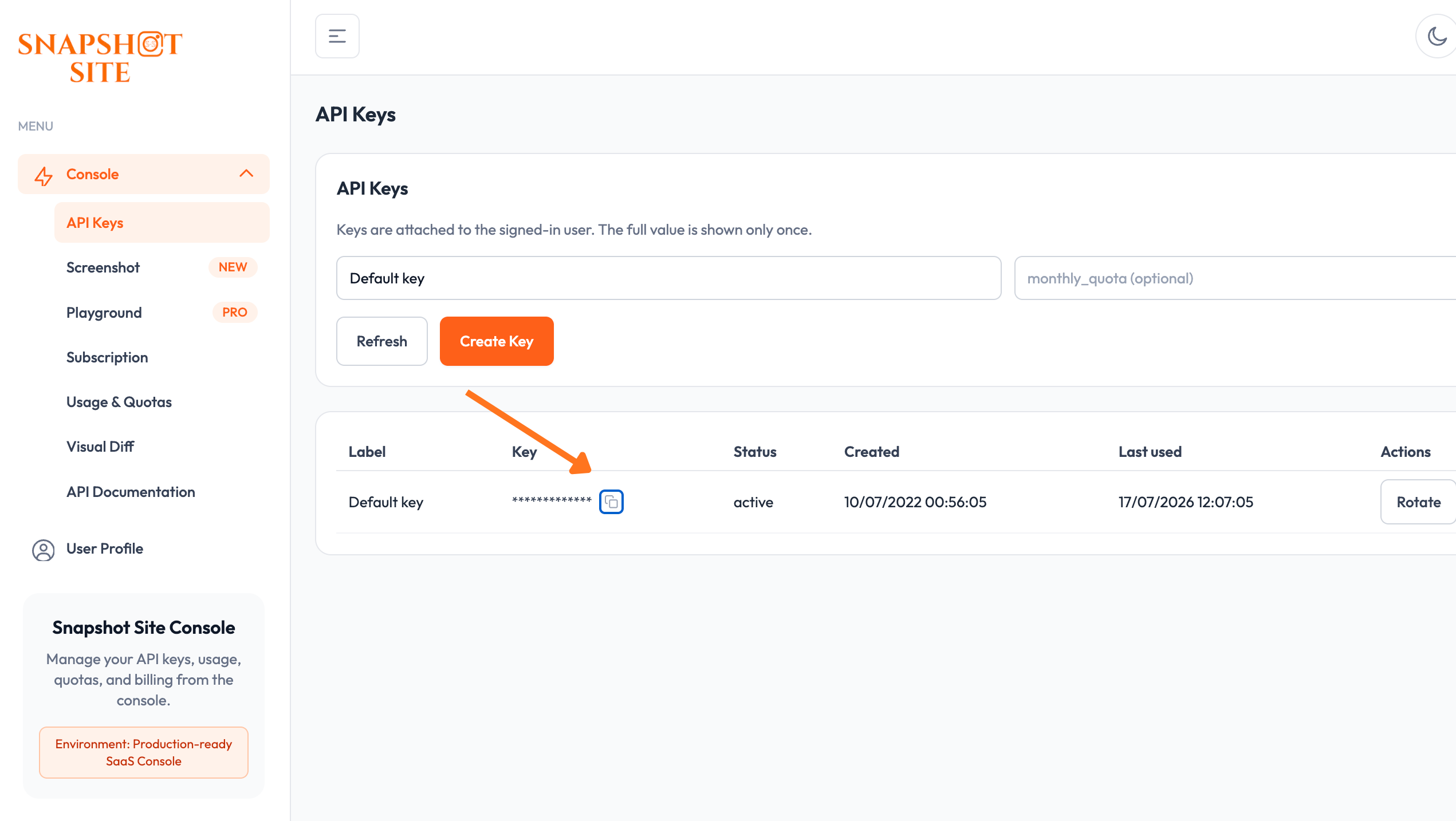
-
Pass it as the first argument to
new Client(...). Read it from the environment rather than hardcoding it:new Client(getenv('SNAPSHOT_SITE_API_KEY')). -
Leave
baseUrlunset unless you're pointed at a self-hosted or staging instance; it defaults tohttps://api.prod.ss.snapshot-site.com. See Custom base URL.

Compatibility
Requires PHP 8.1 or later, with the curl and json extensions.
Usage
Not sure which options to use? Preview a capture and its parameters in the Screenshot console playground before wiring them into code.

<?php

require __DIR__ . '/vendor/autoload.php';

use SnapshotSite\Client;

$client = new Client('ss_live_xxx');

$result = $client->screenshot([
    'url' => 'https://snapshot-site.com',
    'format' => 'png',
    'fullSize' => true,
]);

echo $result['link'] ?? '';
Screenshot example
<?php

require __DIR__ . '/vendor/autoload.php';

use SnapshotSite\Client;

$client = new Client('ss_live_xxx');

$result = $client->screenshot([
    'url' => 'https://snapshot-site.com/pricing',
    'width' => 1440,
    'format' => 'png',
    'fullSize' => true,
    'hideCookie' => true,
]);

print_r($result);
Analyze example
<?php

require __DIR__ . '/vendor/autoload.php';

use SnapshotSite\Client;

$client = new Client('ss_live_xxx');

$result = $client->analyze([
    'url' => 'https://snapshot-site.com',
    'width' => 1440,
    'fullSize' => true,
    'enableSummary' => true,
    'enableQuality' => true,
]);

print_r($result);
Compare example
<?php

require __DIR__ . '/vendor/autoload.php';

use SnapshotSite\Client;

$client = new Client('ss_live_xxx');

$result = $client->compare([
    'before' => [
        'url' => 'https://snapshot-site.com/pricing',
        'width' => 1440,
        'fullSize' => true,
        'hideCookie' => true,
    ],
    'after' => [
        'url' => 'https://staging.snapshot-site.com/pricing',
        'width' => 1440,
        'fullSize' => true,
        'hideCookie' => true,
    ],
    'threshold' => 0.1,
]);

print_r($result);
Download assets locally
downloadTo() can save:
- a direct asset URL
- a screenshot response with
link - an analyze response with
screenshot.link - a compare response, where
diff.linkis preferred
<?php

require __DIR__ . '/vendor/autoload.php';

use SnapshotSite\Client;

$client = new Client('ss_live_xxx');

$result = $client->screenshot([
    'url' => 'https://snapshot-site.com/pricing',
    'format' => 'png',
    'fullSize' => true,
]);

$client->downloadTo($result, __DIR__ . '/pricing.png');
Custom base URL
$client = new Client(
    apiKey: 'ss_live_xxx',
    baseUrl: 'https://api.prod.ss.snapshot-site.com'
);
Tests
composer install
composer test