
rosgear / rg-be-config-multisite

Module extension "Multisite" for the GePanel Control Panel
Package info
github.com/rosgear/rg-be-config-multisite
Type:component
pkg:composer/rosgear/rg-be-config-multisite
Requires
Requires (Dev)
None
Suggests
None
Provides
None
Conflicts
None
Replaces
None
README
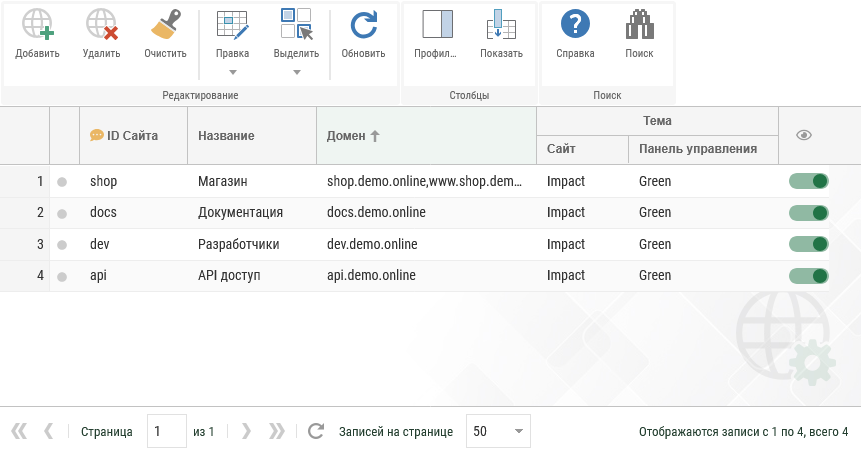
 Расширение модуля «Сайты»

Централизованное управление веб‑сайтами посредством единого веб‑приложения RosGear.
Расширение модуля входит в состав Панели управления GePanel и cлужит расширением для модуля «Конфигурация».
Скриншот
Установка
Для добавления расширения модуля в ваш проект, вы можете просто выполнить команду ниже:
$ composer require rosgear/rg-be-config-multisite
или добавить в файл composer.json вашего проекта:
"require": {
    "rosgear/rg-be-config-multisite": "*"
}
или скачать архив на странице расширения модуля в каталоге приложений RosGear.
После добавления расширения модуля в проект выполните его установку в редакцию веб‑приложения с помощью Панели управления GePanel.
Module extension «Multisite»
Centralized website management through a single RosGear web application.
The module extension is part of the GePanel Control Panel and serves as an extension for the «Configuration» module.
Screenshot
Installation
To add the module extension to your project, you can simply run the command below:
$ composer require rosgear/rg-be-config-multisite
or add to your project's composer.json file:
"require": {
    "rosgear/rg-be-config-multisite": "*"
}
or download the archive from the module extension page in the RosGear application catalog.
After adding the module extension to the project, install it into the web application edition using the GePanel Control Panel.