
mwguerra / filemanager

A full-featured file manager package for Laravel and Filament v5 with dual operating modes, drag-and-drop uploads, S3/MinIO support, and comprehensive security features.
Requires
- php: ^8.2
- filament/filament: ^5.0
- illuminate/contracts: ^12.0|^13.0
- spatie/laravel-package-tools: ^1.16
Requires (Dev)
- orchestra/testbench: ^10.0|^11.0
- pestphp/pest: ^3.0|^4.0
- pestphp/pest-plugin-laravel: ^3.0|^4.0
Suggests
None
Provides
None
Conflicts
None
Replaces
None
README
A full-featured file manager package for Laravel and Filament v5 with dual operating modes, S3/MinIO support, file previews, and drag-and-drop uploads.
Version Compatibility
| Version | Filament | Laravel | Livewire | PHP |
|---|---|---|---|---|
| 2.x | 5.x | 12.x | 4.x | 8.2+ |
| 1.x | 4.x | 11.x | 3.x | 8.2+ |
Features
- Dual operating modes: Database mode (tracked files with metadata) or Storage mode (direct filesystem browsing)
- File browser: Grid and list views, folder tree sidebar, breadcrumb navigation
- File operations: Upload, move, rename, delete with drag-and-drop support
- Multi-selection: Select multiple files with Ctrl/Cmd + click
- File previews: Built-in viewers for video, audio, images, PDF, and text files
- Storage drivers: Works with local, S3, MinIO, or any Laravel Storage driver
- Security: MIME validation, blocked extensions, filename sanitization, signed URLs
- Authorization: Configurable permissions with Laravel Policy support
- Embeddable: Use as standalone pages or embed in Filament forms
- Dark mode: Full dark mode support via Filament
Requirements
- PHP 8.2+
- Laravel 12.x
- Filament 5.x
- Livewire 4.x
Installation
For Filament 5 / Laravel 12 (latest):
composer require mwguerra/filemanager:"^2.0"
For Filament 4 / Laravel 11 (legacy):
composer require mwguerra/filemanager:"^1.0"
Upgrading from v1.x to v2.x
v2.x targets Filament 5, Laravel 12, and Livewire 4. Key changes:
- Filament 5: Table
->actions()renamed to->recordActions(),->bulkActions()renamed to->toolbarActions() - Livewire 4: If you published views, replace any
@entangle('...')directives with$wire.entangle('...') - Laravel 12: Minimum Laravel version is now 12.x
Publish configuration:
php artisan vendor:publish --tag=filemanager-config
Run migrations:
php artisan migrate
Run the install command:
php artisan filemanager:install
Register the plugin in your Panel Provider:
use MWGuerra\FileManager\FileManagerPlugin;

public function panel(Panel $panel): Panel
{
    return $panel
        ->plugins([
            FileManagerPlugin::make(),
        ]);
}
Plugin Configuration
Register all components or select only the ones you need:
use MWGuerra\FileManager\FileManagerPlugin;
use MWGuerra\FileManager\Filament\Pages\FileManager;
use MWGuerra\FileManager\Filament\Pages\FileSystem;
use MWGuerra\FileManager\Filament\Pages\SchemaExample;
use MWGuerra\FileManager\Filament\Resources\FileSystemItemResource;

// Register all enabled components (default)
FileManagerPlugin::make()

// Register only specific components
FileManagerPlugin::make([
    FileManager::class,              // Database mode - full CRUD file manager
    FileSystem::class,               // Storage mode - read-only file browser
    FileSystemItemResource::class,   // Resource for direct database table editing
    SchemaExample::class,            // Demo page showing embed components usage
])

// Using the fluent API
FileManagerPlugin::make()
    ->only([
        FileManager::class,
        FileSystem::class,
    ])
| Component | URL | Description |
|---|---|---|
FileManager::class |
/admin/file-manager |
Database mode with full CRUD operations |
FileSystem::class |
/admin/file-system |
Storage mode for browsing files (read-only) |
FileSystemItemResource::class |
/admin/file-system-items |
Direct database table management |
SchemaExample::class |
/admin/schema-example |
Demo page for embedding components in forms |
Quick Start
After installation, access the file manager at:
| Page | URL | Description |
|---|---|---|
| File Manager | /admin/file-manager |
Database mode with full CRUD operations |
| File System | /admin/file-system |
Storage mode for browsing files (read-only) |
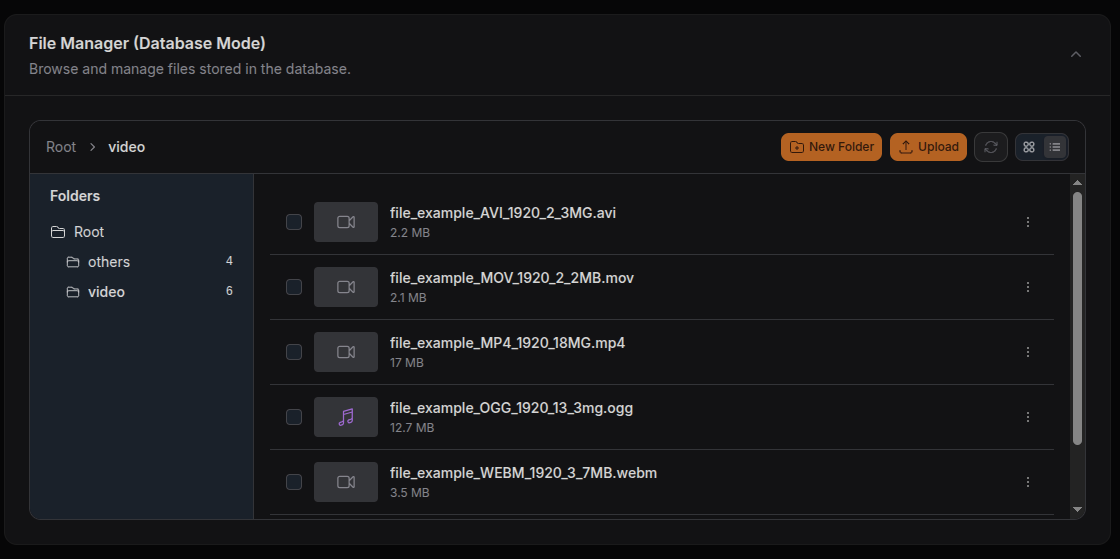
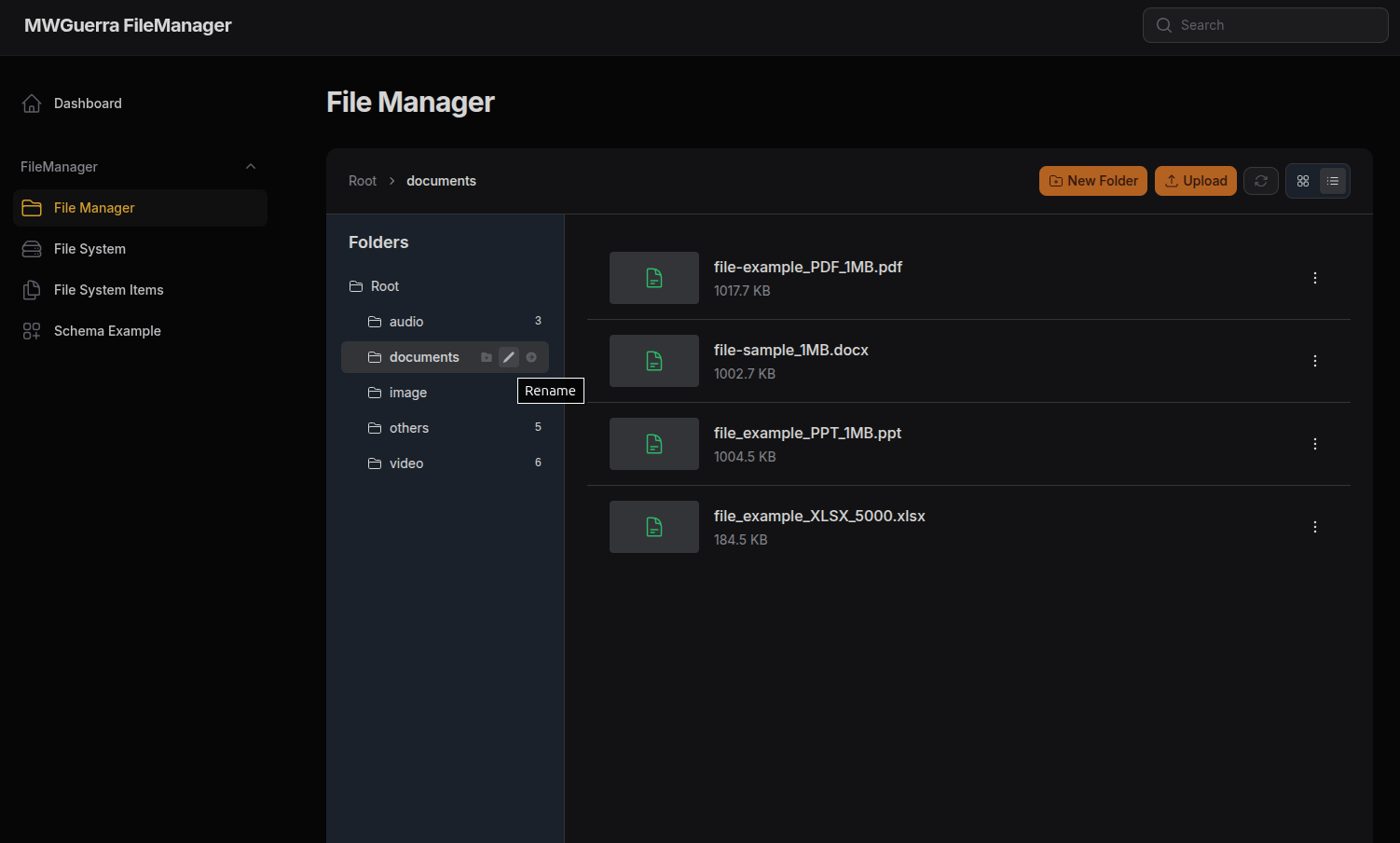
File Manager (Database Mode)
Full CRUD file management with metadata tracking, thumbnails, and folder organization.
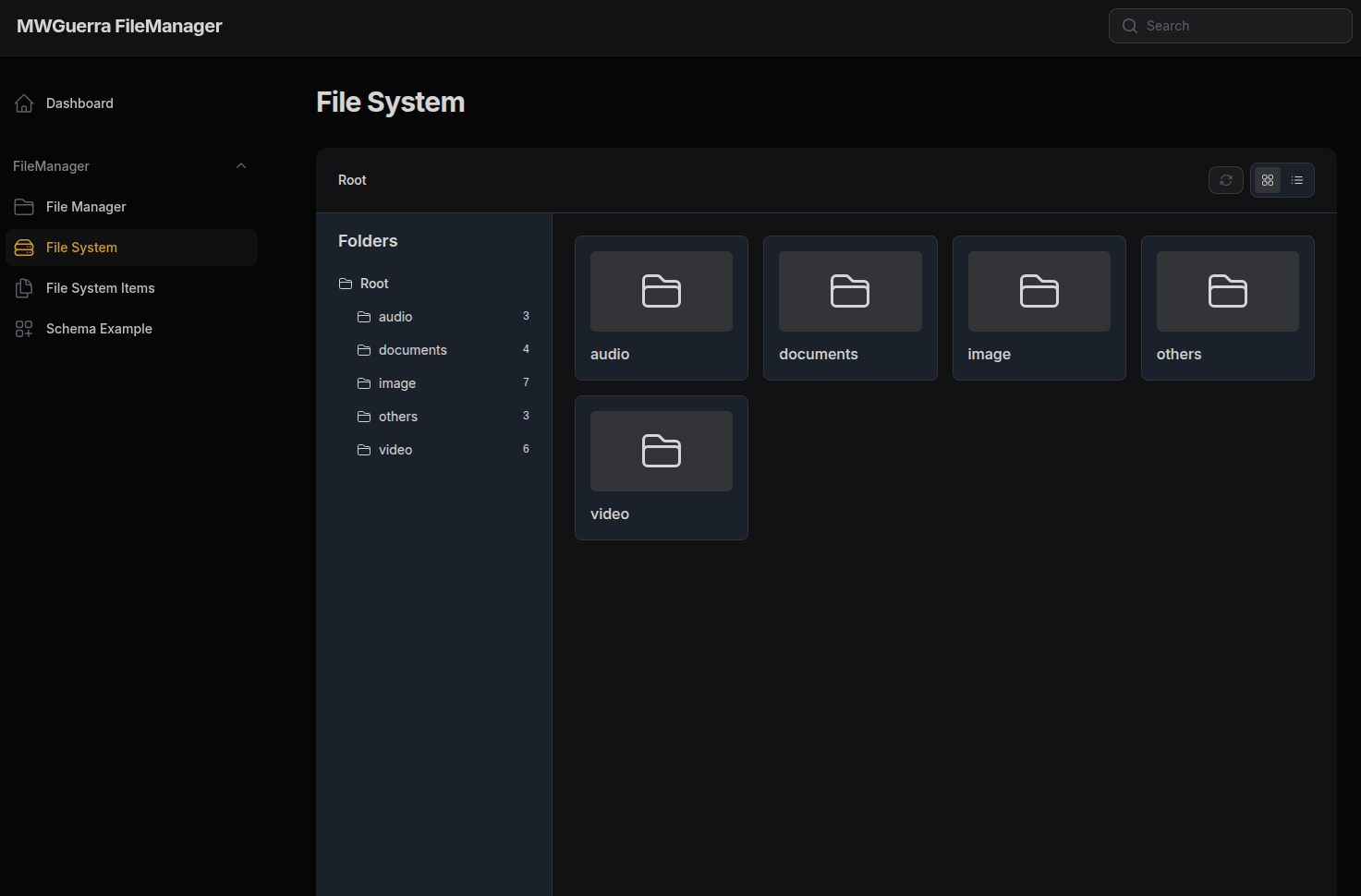
File System (Storage Mode: Read-only)
Read-only file browser for direct filesystem access with S3/MinIO support.
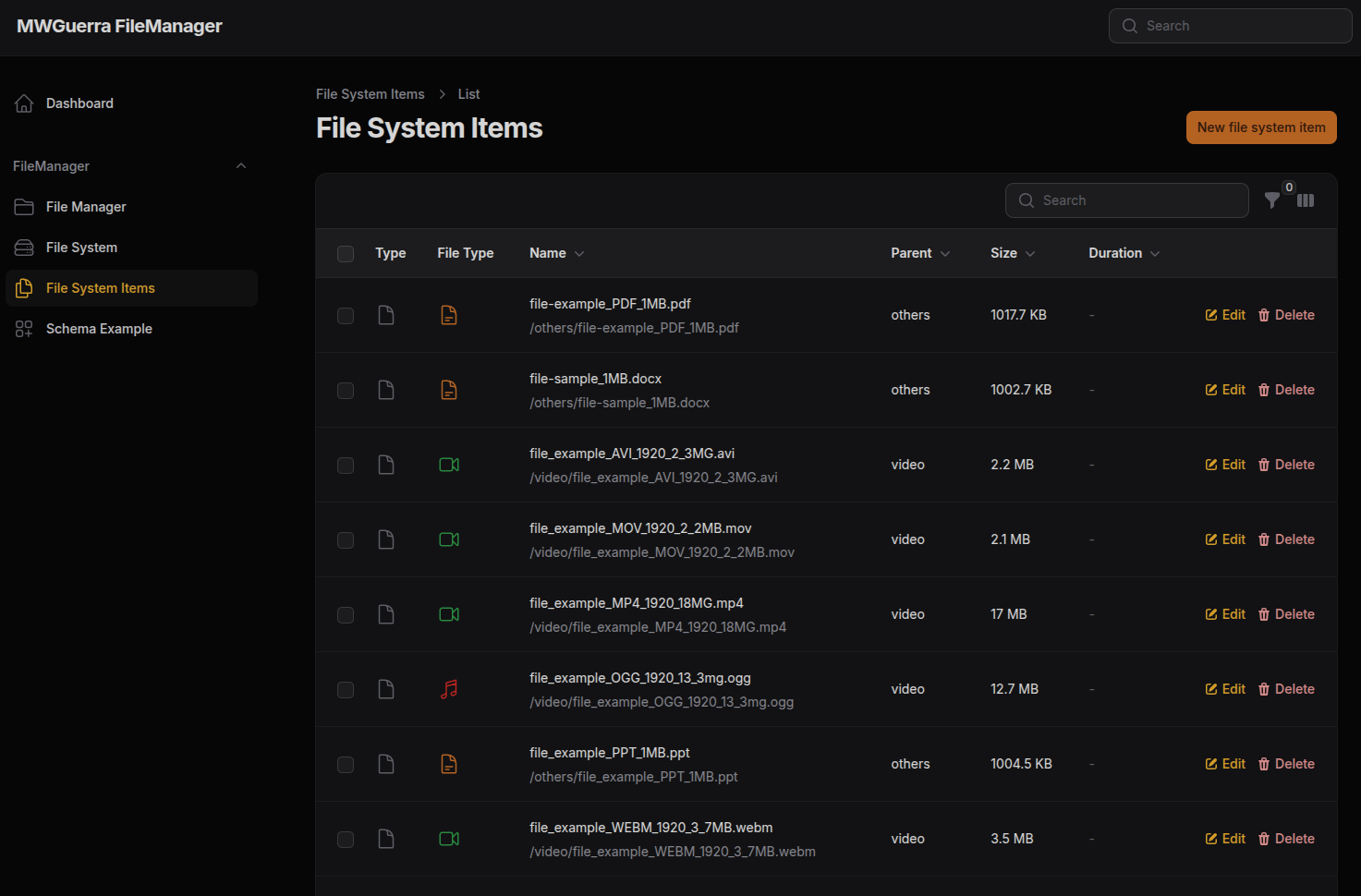
FileSystemItems Resource
Direct database table management for file system items with Filament's standard resource interface.
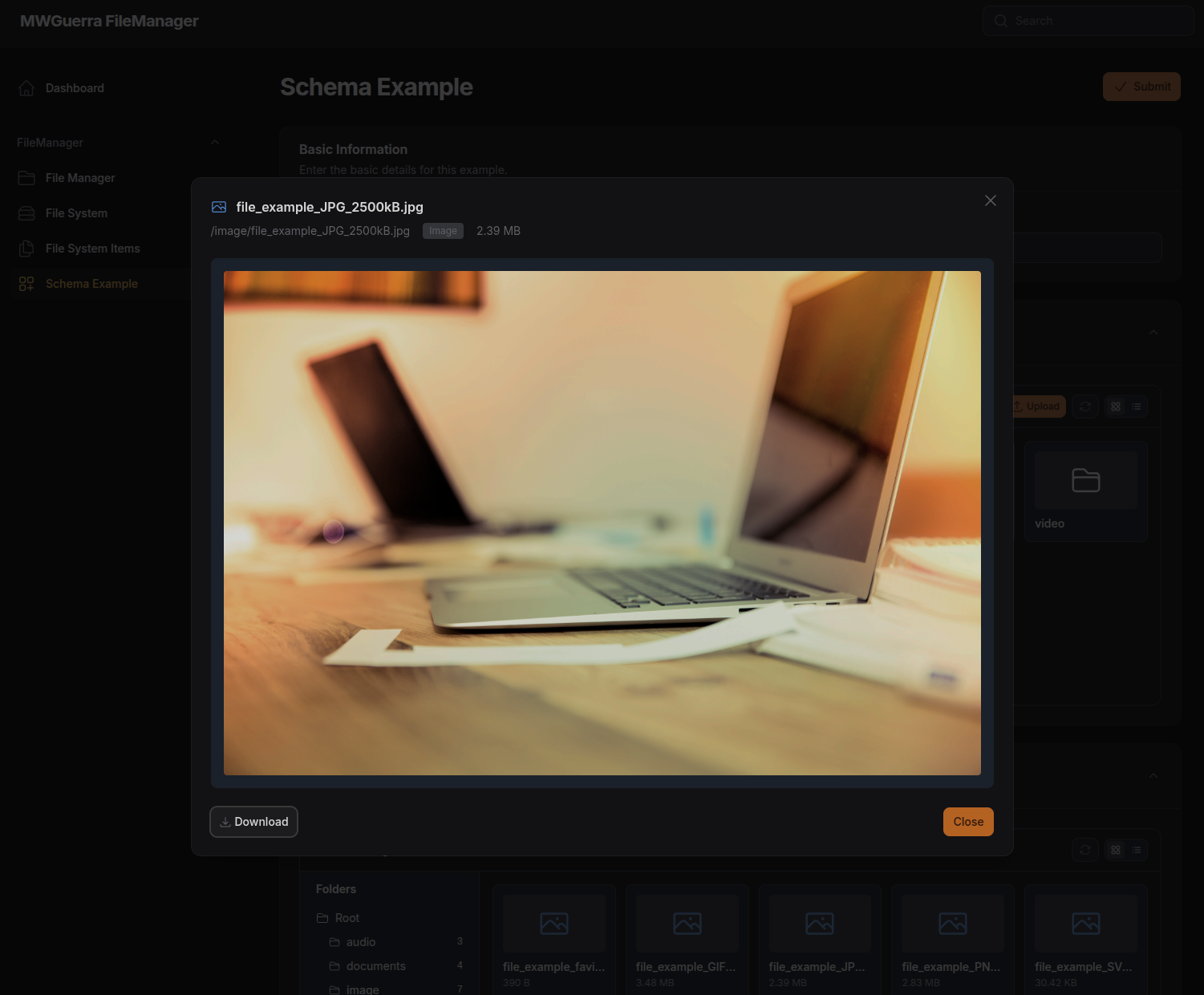
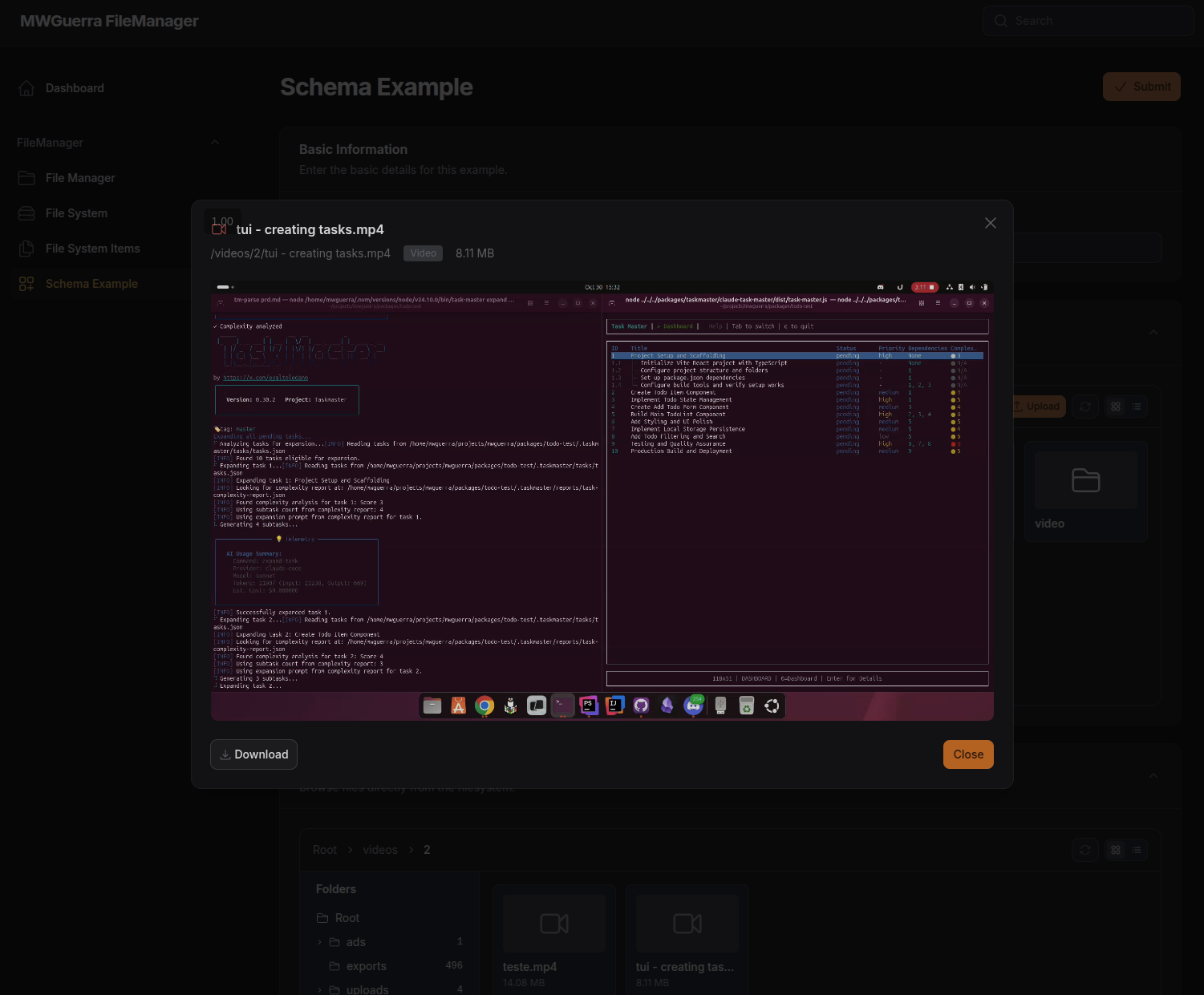
File Previews
Built-in viewers for common file types with modal preview support.
Image Preview
Video Preview
Embedding in Forms
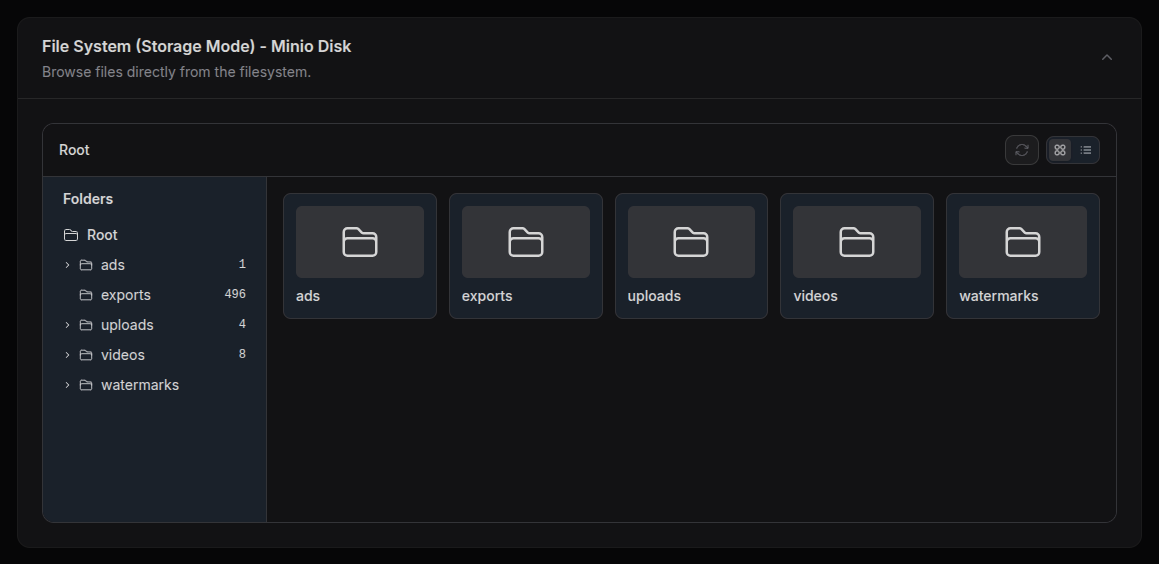
The package provides two embeddable schema components that can be added to any Filament form. Use FileManagerEmbed for full CRUD operations with database-tracked files, or FileSystemEmbed for a read-only storage browser. Both components are fully customizable with options for height, disk, target directory, and initial folder.
use MWGuerra\FileManager\Schemas\Components\FileManagerEmbed;
use MWGuerra\FileManager\Schemas\Components\FileSystemEmbed;

// Database mode (full CRUD)
FileManagerEmbed::make()
    ->height('400px')
    ->disk('s3')
    ->target('uploads'),

// Storage mode (read-only browser)
FileSystemEmbed::make()
    ->height('400px')
    ->disk('public')
    ->target('media'),
Embed Component Configuration
Both embed components support fluent configuration for customizing their appearance:
use MWGuerra\FileManager\Schemas\Components\FileManagerEmbed;
use MWGuerra\FileManager\Schemas\Components\FileSystemEmbed;

FileManagerEmbed::make()
    // Layout options
    ->height('500px')
    ->defaultViewMode('grid')  // 'grid' or 'list'

    // Storage options
    ->disk('s3')
    ->target('uploads')
    ->initialFolder('documents')

    // Sidebar configuration
    ->showSidebar()  // or ->hideSidebar()
    ->sidebarRootLabel('My Files')
    ->sidebarHeading('Folders')
    // Or use the combined method:
    ->sidebar(show: true, rootLabel: 'My Files', heading: 'Folders')

    // Breadcrumbs configuration
    ->breadcrumbsRootLabel('Home')

    // Header configuration
    ->showHeader()  // or ->hideHeader()

    // Compact mode (no header, no sidebar)
    ->compact(),

// All options also work with FileSystemEmbed
FileSystemEmbed::make()
    ->height('400px')
    ->disk('public')
    ->sidebarRootLabel('Storage')
    ->breadcrumbsRootLabel('Root')
    ->hideSidebar(),
| Method | Description |
|---|---|
height(string) |
Set component height (default: '500px') |
defaultViewMode(string) |
Set initial view mode: 'grid' or 'list' |
disk(?string) |
Storage disk to use |
target(?string) |
Target directory within the disk |
initialFolder(?string) |
Initial folder to navigate to on load |
showSidebar() / hideSidebar() |
Show or hide the folder tree sidebar |
sidebarRootLabel(string) |
Label for root folder in sidebar (default: 'Root') |
sidebarHeading(string) |
Heading text for sidebar (default: 'Folders') |
sidebar(bool, ?string, ?string) |
Configure all sidebar options at once |
breadcrumbsRootLabel(string) |
Label for root in breadcrumbs (default: 'Root') |
showHeader() / hideHeader() |
Show or hide header with controls |
compact() |
Enable compact mode (no header, no sidebar) |
All configuration methods support Closure values for dynamic configuration:
FileManagerEmbed::make()
    ->sidebarRootLabel(fn () => auth()->user()->name . "'s Files")
    ->breadcrumbsRootLabel(fn () => __('file-manager.home')),
Fluent Configuration API
The plugin provides a fluent API for configuring all aspects of the file manager directly in your Panel Provider. This approach is preferred over config file settings as it keeps your panel configuration in one place.
Panel Sidebar
Add a folder tree sidebar to your Filament panel navigation:
use Filament\View\PanelsRenderHook;

FileManagerPlugin::make()
    // Enable panel sidebar (appears in Filament navigation)
    ->panelSidebar()
    ->panelSidebarRootLabel('My Files')
    ->panelSidebarHeading('Folders')

    // Or use the short alias
    ->sidebar()

    // Customize render hook location
    ->panelSidebar(
        enabled: true,
        renderHook: PanelsRenderHook::SIDEBAR_NAV_END,
        scopes: ['admin']
    )

    // Disable panel sidebar
    ->withoutPanelSidebar()
File Manager Page Configuration
Configure the database mode File Manager page:
FileManagerPlugin::make()
    // Enable/disable the page
    ->fileManager(true)
    ->withoutFileManager()  // Disable

    // Configure page sidebar (folder tree on the page itself)
    ->fileManagerPageSidebar(true)
    ->fileManagerSidebarRootLabel('Root')
    ->fileManagerSidebarHeading('Folders')

    // Configure navigation
    ->fileManagerNavigation(
        icon: 'heroicon-o-folder',
        label: 'File Manager',
        sort: 1,
        group: 'Content'
    )
File System Page Configuration
Configure the storage mode File System page (read-only):
FileManagerPlugin::make()
    // Enable/disable the page
    ->fileSystem(true)
    ->withoutFileSystem()  // Disable

    // Configure page sidebar
    ->fileSystemPageSidebar(true)
    ->fileSystemSidebarRootLabel('Root')
    ->fileSystemSidebarHeading('Storage')

    // Configure navigation
    ->fileSystemNavigation(
        icon: 'heroicon-o-server-stack',
        label: 'File System',
        sort: 2,
        group: 'Content'
    )
Schema Example Page
Enable/disable the demo page for testing embedded components:
FileManagerPlugin::make()
    ->schemaExample(true)
    ->withoutSchemaExample()  // Disable
Complete Configuration Example
use MWGuerra\FileManager\FileManagerPlugin;
use Filament\View\PanelsRenderHook;

public function panel(Panel $panel): Panel
{
    return $panel
        ->plugins([
            FileManagerPlugin::make()
                // Panel sidebar (in Filament navigation)
                ->panelSidebar()
                ->panelSidebarRootLabel('All Files')
                ->panelSidebarHeading('Folders')

                // File Manager page (database mode)
                ->fileManager()
                ->fileManagerPageSidebar(true)
                ->fileManagerSidebarRootLabel('Root')
                ->fileManagerSidebarHeading('Folders')
                ->fileManagerNavigation(
                    icon: 'heroicon-o-folder',
                    label: 'Files',
                    sort: 1,
                    group: 'Content'
                )

                // File System page (storage mode, read-only)
                ->fileSystem()
                ->fileSystemPageSidebar(true)
                ->fileSystemSidebarRootLabel('Storage Root')
                ->fileSystemSidebarHeading('Directories')
                ->fileSystemNavigation(
                    icon: 'heroicon-o-server-stack',
                    label: 'Storage',
                    sort: 2,
                    group: 'Content'
                )

                // Disable demo page
                ->withoutSchemaExample(),
        ]);
}
Configuration Precedence
Configuration values follow this precedence (highest to lowest):
- Fluent API - Values set via the plugin methods
- Config file - Values from
config/filemanager.php - Defaults - Built-in default values
For sidebar labels, page-specific settings fall back to panel sidebar settings:
FileManagerPlugin::make()
    ->panelSidebarRootLabel('Root')  // Default for all sidebars
    ->fileManagerSidebarRootLabel('Files Root')  // Override for File Manager only
Icon Customization
The file manager uses heroicons by default, but includes fallback SVGs that work without the blade-icons/blade-heroicons package. You can customize icons through the plugin configuration.
Override specific icons:
use MWGuerra\FileManager\FileManagerPlugin;
use MWGuerra\FileManager\Enums\FileManagerIcon;

FileManagerPlugin::make()
    // Override multiple icons at once
    ->icons([
        'folder' => 'phosphor-folder',  // Use a different icon set
        'document' => '<svg xmlns="http://www.w3.org/2000/svg" ...>...</svg>',  // Raw SVG
    ])

    // Or override a single icon
    ->icon(FileManagerIcon::Folder, 'tabler-folder')
    ->icon('trash', 'heroicon-s-trash')  // String keys also work
Disable all icons:
FileManagerPlugin::make()
    ->noIcons()  // Icons will not render (returns empty string)
Re-enable icons:
FileManagerPlugin::make()
    ->withIcons()  // Explicitly enable (default)
Available icons:
| Icon | Default | Description |
|---|---|---|
folder |
heroicon-o-folder |
Folder icon |
folder-open |
heroicon-o-folder-open |
Open folder icon |
folder-plus |
heroicon-m-folder-plus |
Add folder icon |
document |
heroicon-o-document |
Generic file icon |
document-text |
heroicon-o-document-text |
Text file icon |
chevron-right |
heroicon-m-chevron-right |
Expand chevron |
chevron-down |
heroicon-m-chevron-down |
Collapse chevron |
musical-note |
heroicon-o-musical-note |
Audio file icon |
video-camera |
heroicon-o-video-camera |
Video file icon |
photo |
heroicon-o-photo |
Image file icon |
trash |
heroicon-o-trash |
Delete action |
pencil |
heroicon-m-pencil |
Edit action |
cloud-arrow-up |
heroicon-o-cloud-arrow-up |
Upload icon |
arrow-down-tray |
heroicon-o-arrow-down-tray |
Download icon |
All icons have bundled SVG fallbacks, so the file manager works even without blade-icons installed.
Using icons in your own code:
use MWGuerra\FileManager\Enums\FileManagerIcon;

// In Blade templates
{!! FileManagerIcon::Folder->render('w-5 h-5 text-primary-500') !!}

// Using the helper function
{!! fmicon('folder', 'w-5 h-5') !!}
{!! fmicon(FileManagerIcon::Document, 'w-4 h-4 text-gray-500') !!}
Artisan Commands
filemanager:install
Install FileManager with all required assets and configuration:
php artisan filemanager:install [options]
| Option | Description |
|---|---|
--skip-assets |
Skip publishing Filament assets |
--skip-config |
Skip publishing configuration |
--skip-migrations |
Skip running migrations |
--with-css |
Also configure your app.css for style customization |
--css-path= |
Path to CSS file (default: resources/css/app.css) |
--force |
Overwrite existing configurations |
Note: The --with-css option is only needed if you want to customize FileManager styles in your project's CSS. The plugin includes pre-compiled CSS with all necessary Tailwind classes.
filesystem:list
List files directly from a storage disk (recursive by default):
php artisan filesystem:list [path] [options]
| Option | Description |
|---|---|
path |
Folder path to list (default: root) |
--disk= |
Storage disk (default: from config/env) |
--type= |
Filter: folder, file, or all |
--no-recursive |
Disable recursive listing |
--format= |
Output: table, json, or csv |
--show-hidden |
Include hidden files (starting with .) |
filemanager:list
List files with database or storage mode support:
php artisan filemanager:list [path] [options]
| Option | Description |
|---|---|
path |
Folder path or ID to list (default: root) |
--disk= |
Storage disk (default: from config/env) |
--mode= |
Mode: database or storage (default: database) |
--target= |
Target directory within disk |
--type= |
Filter: folder, file, or all |
--recursive |
Enable recursive listing |
--format= |
Output: table, json, or csv |
--show-hidden |
Include hidden files |
filemanager:rebuild
Rebuild database from filesystem (clears existing records):
php artisan filemanager:rebuild [options]
| Option | Description |
|---|---|
--disk= |
Storage disk to scan (default: from config/env) |
--root= |
Root directory to scan |
--force |
Skip confirmation prompt |
filemanager:upload
Upload a local folder to storage:
php artisan filemanager:upload <path> [options]
| Option | Description |
|---|---|
path |
Local folder path to upload (required) |
--disk= |
Target storage disk (default: from config/env) |
--target= |
Target directory within disk |
--no-database |
Skip creating database records |
--force |
Skip confirmation prompt |
Publishable Assets
| Tag | Description |
|---|---|
filemanager-config |
Configuration file |
filemanager-migrations |
Database migrations |
filemanager-views |
Blade view templates |
filemanager-model |
Customizable model |
filemanager-stubs |
Config stubs (filesystems, env) |
filemanager-upload-config |
Upload configuration |
Issues and Contributing
Found a bug or have a feature request? Please open an issue on GitHub Issues.
We welcome contributions! Please read our Contributing Guide before submitting a pull request.
License
File Manager is open-sourced software licensed under the MIT License.
Author
Marcelo W. Guerra
- Website: mwguerra.com
- Github: mwguerra
- Linkedin: marcelowguerra