
mlsolutions / chart-js-integration

A Simple Dashboard Chart in Laravel Nova using Chart JS. Starting create your own dashboard with Chart JS Integration can save your time and help you maintain consistency across standard elements such as Bar, Stacked, Line, Area, Doughnut and Pie Chart.
Package info
github.com/ml-solutions-ltda/nova-chartjs
Language:Vue
pkg:composer/mlsolutions/chart-js-integration
Fund package maintenance!
Requires
- php: >=8.3
- laravel/nova: ^4.0|^5.0
Requires (Dev)
- orchestra/testbench: ^10.0
- phpunit/phpunit: ^11.5
Suggests
None
Provides
None
Conflicts
None
Replaces
None
This package is auto-updated.
Last update: 2026-10-12 23:46:03 UTC
README
A Laravel Nova Dashboard with Chart JS | See 📘Documentation Page
Note
👋 Welcome to Nova-ChartJS! We believe that great software is built through collaboration, and we invite you to be a part of it. Whether you're a developer, designer, tester, or just someone passionate about the project, there are many ways to contribute.
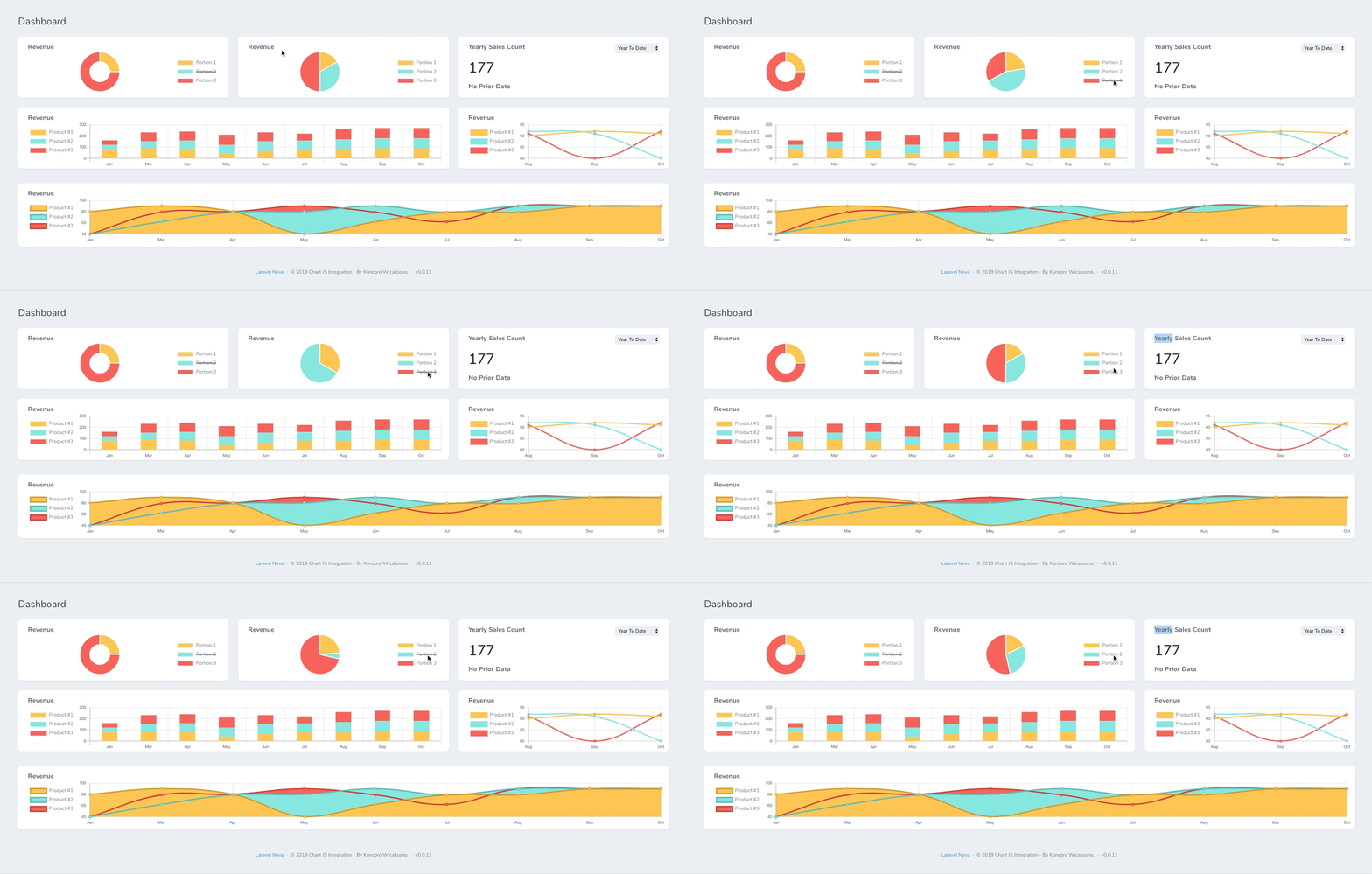

Installation & Documentation
🎓 For better experiences, we moved documentation to : https://coroo.github.io/nova-chartjs/
Security & Input Validation
Recent versions validate chart query inputs more strictly to avoid SQL injection and ambiguous query behavior.
modelmust be an existing Eloquent model class.col_xaxis,joincolumns, and filter keys must be valid identifiers (for example:orders.created_at).- Supported filter operators:
=,!=,<>,>,>=,<,<=,LIKE,NOT LIKE,ILIKE,NOT ILIKE,IS NULL,IS NOT NULL,IN,NOT IN,BETWEEN,NOT BETWEEN. sumaccepts only numeric values or valid column identifiers.
If your dashboard used raw SQL expressions in sum, col_xaxis, or filter keys/operators, adjust it to the supported format above.
Running Tests
This package includes integration tests for the API endpoints, including NOT IN, BETWEEN, join, uom=day, and cache key isolation.
composer install
composer test
ChangeLog
Please see CHANGELOG for more information on what has changed recently.
License
The MIT License (MIT). Please see License File for more information.