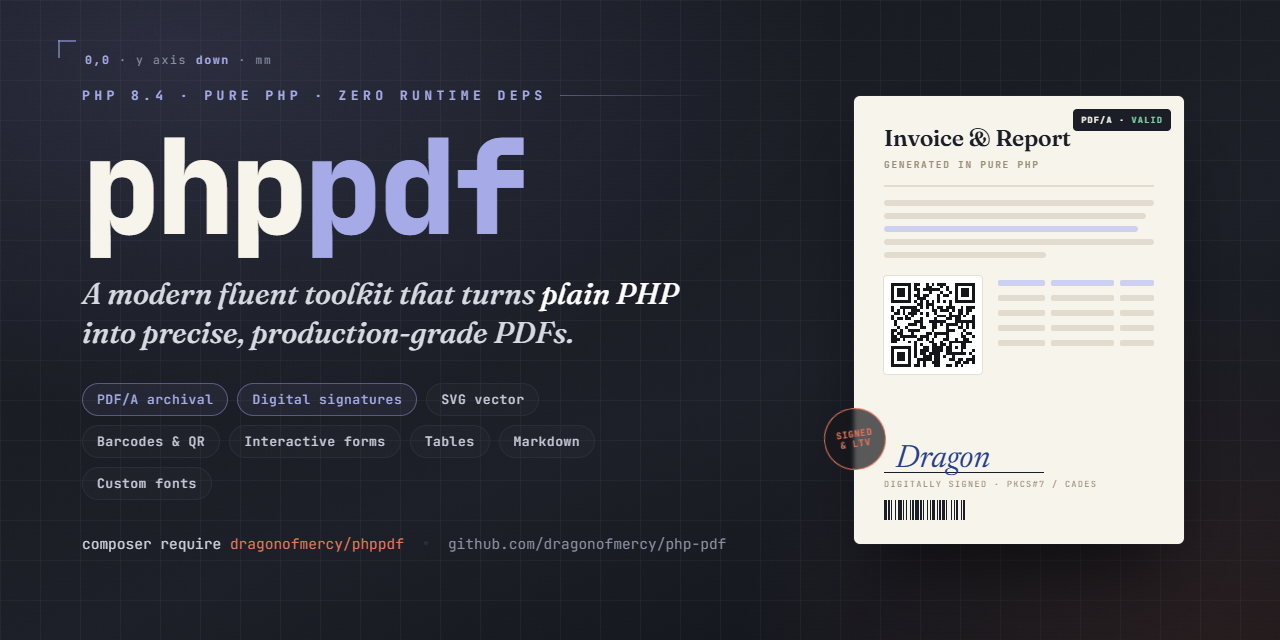
Modern PHP library for PDF generation.

Maintainers

Package info

github.com/dragonofmercy/php-pdf

pkg:composer/dragonofmercy/phppdf

Statistics

Installs: 27

Dependents: 0

Suggesters: 0

Stars: 0

Open Issues: 0

v1.1.0 2026-05-29 11:51 UTC

This package is auto-updated.

Last update: 2026-05-29 12:01:40 UTC


README

Modern PHP 8.4 library for PDF generation. Pure PHP, no external runtime dependencies beyond the standard mbstring, openssl, and zlib extensions.

Status: stable (1.0). The public API follows semantic versioning; breaking changes are reserved for the next major version. See CHANGELOG.md.

What works today

  • Documents - A4 / Letter / Legal and many other standard formats, custom dimensions for labels, portrait or landscape, multi-page, metadata (title, author, dates), password protection (40-bit and 128-bit), and the usual viewer hints (initial zoom, page layout, bookmarks panel open on launch).
  • Coordinates - millimetres by default, with the origin at the top-left of the page (Y axis pointing down). Switch to PDF points with Unit::PT if you prefer.
  • Graphics - lines, rectangles, circles, paths, fill / stroke, dashed lines, line caps and joins, transforms (translate, rotate, scale), save / restore graphics state.
  • Text - the 12 standard PDF fonts (Helvetica, Times, Courier in regular / bold / italic / bold-italic), multi-line text with \n, configurable leading. Western Latin scripts including accents and the typographic characters EUR, oe, OE, %. etc.
  • Custom TrueType / OpenType fonts - register .ttf or .otf files for the document (regular / bold / italic / boldItalic variants) and use them like the built-in fonts. Full Unicode reach: Latin Extended, Greek, Cyrillic, CJK, etc. Copy-paste from the rendered PDF works correctly. Fonts are automatically subsetted to the glyphs used, so even multi-megabyte CJK families produce small PDFs.
  • Cells - rectangles with text, borders (per-side, configurable width / color / style: solid / dashed / dotted), fill color, padding, text alignment (left / center / right * top / middle / bottom), three width-fit modes (none / condense / shrink), automatic word-wrap, automatic force-break for words wider than the cell.
  • Text measurement - $page->stringWidth(...) returns the exact width of any string in the current font.
  • Images - JPEG and PNG (RGB / Gray / Palette / RGB+Alpha / Gray+Alpha) with transparency support. Auto-format detection. Same image used N times = one embed, N placements (per-document caching).
  • SVG vector images - inline <svg> or .svg file, fully vector (infinite zoom). Shapes, paths (all commands including arcs), transforms, groups, <use> references, viewBox + preserveAspectRatio, solid fills and strokes with opacity, dash patterns, 147 named CSS colors, linear and radial gradients, embedded raster <image> (PNG / JPEG data URI), and <text> / <tspan> rendered as real selectable text with the standard fonts. Unsupported features (filters) are skipped silently.
  • Barcodes & QR codes - EAN-13, EAN-8, Code 128 (auto A/B/C set switching), UPC-A, Code 39, Code 93, ITF (Interleaved 2 of 5), QR Code (V1-V40 full ISO 18004 range, all four error-correction levels), Aztec Code (ISO/IEC 24778, Compact 1-4 layers and Full Range 1-32 layers, four EC presets, auto UTF-8 ECI), DataMatrix (ISO/IEC 16022 ECC200 squares 10x10 to 144x144, auto UTF-8 ECI), PDF417 (ISO/IEC 15438 standard variant, auto UTF-8 ECI). Pure-PHP encoders, vector rendering, configurable color, optional human-readable text under 1D codes, and optional vertical rendering of any 1D code via ->vertical().
  • Bookmarks & hyperlinks - build a sidebar table of contents with nested sections (what PDF viewers show in their left panel) and place clickable areas anywhere on a page that open a URL or jump to another page in the same document. Declarative API.
  • Interactive forms - the reader can type into the PDF before saving or printing it: text fields (single or multi-line, including password fields), checkboxes, radio buttons (grouped), dropdowns, listboxes, push buttons (resetForm, openUrl, and submit field data to a URL in FDF / HTML / XFDF / PDF format), and signature fields (visible or invisible) that can be left as placeholders or signed programmatically with a real PKCS#7 / CMS signature via Document::sign() and a PKCS#12 credential. Each field can be styled with border color and width, background color, text color, font, size, and alignment - plus per-field visibility flags (hidden, noExport) and advanced border styles (SOLID / DASHED / BEVELED / INSET / UNDERLINE via FieldBorderStyle). Text fields, comboboxes, listboxes, and checkboxes accept a defaultValue decoupled from their display value, restored by a ResetForm button. Page tab order is settable via Page::setTabOrder(TabOrder::ROW | COLUMN | STRUCTURE). Text fields, comboboxes, and listboxes can carry JavaScript actions for auto-calculation (sum, product, average, min, max), display formatting (number, currency, percent, date, time), and input validation (range checks) - executed by Adobe Reader / Acrobat only. Document-level scripts run on open via addDocumentScript. Several fields sharing the same name are automatically linked - they emit as one logical field and stay synchronized in the reader (field linking).
  • Markdown - render a CommonMark core subset (headings, paragraphs, bold / italic / inline code, links, images, ordered + unordered nested lists, fenced / indented code blocks, block quotes, thematic breaks) either flowing from the cursor with automatic page breaks via Page::markdown() or inside an auto-sized cell via cell(markdown: true). Styling is configurable through MarkdownStyle.

Not yet implemented

  • TrueType collections (.ttc), variable fonts, kerning, ligatures, RTL / Arabic / Indic shaping - out of scope.
  • Multiple signatures per document, RFC 3161 timestamps (TSA), PAdES - later phases.

Installation

composer require dragonofmercy/phppdf

Usage

Empty document

use DragonOfMercy\PhpPdf\Document;

$pdf = new Document();
$pdf->addPage();
$pdf->save('out.pdf');

$pdf->output() returns the PDF bytes as a string instead of writing to disk.

Pages and units

By default the document works in millimetres. Font sizes and leading stay in PDF points (typographic convention). Switch the whole document to points with Unit::PT.

use DragonOfMercy\PhpPdf\{Document, PageFormat, Orientation, Unit};

$pdf = new Document();                              // mm by default
$pdf->addPage();                                    // A4 portrait
$pdf->addPage(PageFormat::A6);                      // A6 portrait
$pdf->addPage();                                    // A6 portrait (remembered)
$pdf->addPage(orientation: Orientation::LANDSCAPE); // last format in landscape
$pdf->addPage([99, 38]);                            // custom 99x38 mm (label)

// Available formats: A3, A4, A5, A6, LETTER, LEGAL.

// To work in PDF points instead:
$pdf = new Document(Unit::PT);
$pdf->addPage(); // 595.28 x 841.89 pt

The document remembers the last format and orientation, so a multi-page label sheet only needs addPage([99, 38]) once. Passing a PageFormat clears any custom dimensions; for custom arrays, the orientation argument is ignored (you provide the dimensions in the order you want).

Text

use DragonOfMercy\PhpPdf\Font;

// Pages created via Document::addPage() start with Helvetica 11 already set,
// so simple uses can call cell()/text()/stringWidth() right away. To change the
// document-wide default before any addPage() call:
//   $doc->setDefaultFont(Font::times(), 11);

// Font size is in points, regardless of the document unit.
$page->setFont(Font::helvetica()->bold(), 18);
$page->text(20, 30, 'Hello World');     // (20, 30) mm

$page->setFont(Font::times()->italic(), 12);
$page->text(20, 50, 'Resume - cafe, naivete, oeuvre');

$page->setFont(Font::courier(), 10);
$page->text(20, 70, "Line 1\nLine 2\nLine 3");

// Size is optional once a font is set: change family/variant, keep the size.
$page->setFont(Font::helvetica()->bold()); // still 10pt from the previous call

// Read back the current font / size if you need to save and restore them.
$savedFont = $page->getFont();
$savedSize = $page->getFontSize();

Custom TTF / OTF fonts

Beyond the 12 built-in standard PDF fonts, you can register your own TrueType or OpenType fonts for the document. Each registration declares a family alias and up to four variant files (regular, bold, italic, boldItalic):

use DragonOfMercy\PhpPdf\{Document, Font};

$pdf = new Document();
$pdf->registerFontFamily('Inter',
    regular: __DIR__ . '/fonts/Inter.ttf',
    bold: __DIR__ . '/fonts/Inter-Bold.ttf',
);

$page = $pdf->addPage();
$page->setFont(Font::custom('Inter'), 14);
$page->text(50, 50, 'Resume, cafe, naivete, oeuvre'); // Latin
$page->text(50, 70, "\u{0391} \u{0392} \u{0393} \u{0394}"); // Greek: Alpha Beta Gamma Delta
$page->text(50, 90, "\u{041C}\u{043E}\u{0441}\u{043A}\u{0432}\u{0430}"); // Cyrillic: Moscow

$page->setFont(Font::custom('Inter')->bold(), 14);
$page->text(50, 110, 'Bold variant');

$pdf->save('out.pdf');

Font::custom('alias') mirrors the standard factories (Font::helvetica(), Font::times(), Font::courier()) and supports the same chaining: ->bold(), ->italic(), both combined.

Variant fallback chain when a requested style is not registered:

  • Font::custom('alias')->bold()->italic() -> boldItalic > bold > italic > regular
  • Font::custom('alias')->bold() -> bold > regular
  • Font::custom('alias')->italic() -> italic > regular
  • Font::custom('alias') -> regular (always required)

registerFontFamily() parses each font file eagerly: missing files, unsupported flavours, malformed tables, and missing required tables raise PdfException immediately at registration time, not later during page rendering. Each alias maps to exactly one family: registering an alias that is already registered raises PdfException (register a family once, with all its variants in a single call).

Currently supported:

  • TrueType outlines (.ttf) and OpenType / CFF outlines (.otf, OTTO).
  • Full Unicode coverage, including supplementary planes.
  • Left-to-right scripts (Latin, Greek, Cyrillic, etc.). Copy-paste from the rendered PDF works correctly.
  • Automatic glyph subsetting: the embedded font only contains the glyphs your document actually uses, so even multi-megabyte CJK families produce small PDFs.

Not supported (out of scope):

  • TrueType Collection (.ttc).
  • Variable fonts.
  • Kerning, ligatures, and complex shaping (GPOS / GSUB).
  • Right-to-left, Arabic, Indic, and other scripts requiring shaping.
  • Vertical writing.

Graphics

All coordinates and sizes are in the document's unit (millimetres by default).

use DragonOfMercy\PhpPdf\Color;

$page = $pdf->addPage();
$page->setStrokeColor(Color::hex('#ff0000'))
     ->setLineWidth(0.5)               // 0.5 mm
     ->rect(20, 20, 80, 40)            // 80x40 mm at (20, 20) mm
     ->stroke();

$page->setFillColor(Color::rgb(0, 0, 255))
     ->circle(105, 150, 20)             // centre at (105, 150) mm, r = 20 mm
     ->fill();

Cells

use DragonOfMercy\PhpPdf\Border;
use DragonOfMercy\PhpPdf\BorderStyle;
use DragonOfMercy\PhpPdf\Fit;
use DragonOfMercy\PhpPdf\TextAlign;
use DragonOfMercy\PhpPdf\VerticalAlign;

$page->setFont(Font::helvetica(), 12);

// Header centered, bordered, filled.
$page->cell(
    x: 20, y: 20, w: 170, h: 10,
    text: 'Invoice #2026-001',
    border: Border::all()->withWidth(0.3),
    fill: Color::rgb(242, 242, 242),
    align: TextAlign::CENTER,
    verticalAlign: VerticalAlign::MIDDLE,
);

// Wrapping prose with dashed border.
$result = $page->cell(
    x: 20, y: 35, w: 170,
    text: 'Long paragraph that wraps automatically across multiple lines.',
    border: Border::all()->withStyle(BorderStyle::DASHED),
);

// Right-aligned with custom text color.
$page->cell(
    x: 20, y: $result->y + 2, w: 170, h: 8,
    text: 'Total: 1234.56 EUR',
    textColor: Color::rgb(192, 0, 0),
    align: TextAlign::RIGHT,
);

// Long word condensed to fit a narrow cell.
$page->cell(
    x: 20, y: 80, w: 40, h: 8,
    text: 'Antidisestablishmentarianism',
    border: Border::all(),
    fit: Fit::CONDENSE,
);

// Width auto-derived from the longest text line + horizontal padding.
$page->cell(x: 20, y: 95, text: 'Auto-sized label', border: Border::all());

cell() returns a CellResult carrying x, y (the bottom-right anchor for stacking, in the document's unit), effectiveWidth (useful when the cell was auto-sized from text), height, lineCount, brokenWords, and textOverflow.

When w is omitted, the cell auto-sizes its width to fit the longest line of text plus horizontal padding (default or per-call). This requires non-empty text - omitting both w and text raises an error.

Padding (uniform or per-side)

use DragonOfMercy\PhpPdf\CellPadding;

// Uniform: same value all four sides (in document unit).
$page->setCellsPadding(2);

// Per-side, via the CellPadding value object. Three named constructors:
$page->setCellsPadding(CellPadding::all(2));                    // top=right=bottom=left=2
$page->setCellsPadding(CellPadding::symmetric(1, 4));           // vertical=1, horizontal=4
$page->setCellsPadding(CellPadding::sides(top: 1, bottom: 3));  // omitted sides default to 0

// One-shot override on a single cell:
$page->cell(x: 20, y: 20, w: 60, h: 8, text: 'Tight',
    padding: CellPadding::sides(left: 4, right: 1));

// Document-level default applied to pages created afterwards:
$doc->setDefaultCellsPadding(CellPadding::symmetric(2, 4));

Default is 2 pt on all sides when neither the page nor the document configures one.

Border width default

Border::all(), Border::none(), and Border::sides(...) leave the line width unset, deferring to a configurable default. The initial value is 0.25 in the document's unit; Border::withWidth(x) always wins over the default.

$doc->setDefaultBorderWidth(0.5);          // document-wide default (mm by default)
$page->setDefaultBorderWidth(1.0);         // per-page override (pass null to revert to document)

$page->cell(x: 20, y: 20, w: 50, h: 8, text: 'Default 1.0', border: Border::all());
$page->cell(x: 20, y: 30, w: 50, h: 8, text: 'Explicit',    border: Border::all()->withWidth(0.3));

Cursor flow with ln

cell() can drive an internal cursor so the next call can omit x and y. The ln parameter (a NextPosition enum) chooses where to leave the cursor after rendering. Without ln, the cursor is unchanged.

use DragonOfMercy\PhpPdf\NextPosition;

$page->setCellsPadding(2);

// Row of three cells: only the first call sets x/y. The first two pass
// ln: NextPosition::RIGHT to keep filling the row; the third uses NEWLINE
// to drop down to the next row.
$page->cell(x: 20, y: 20, w: 40, h: 8, text: 'Name',  border: Border::all(), ln: NextPosition::RIGHT);
$page->cell(           w: 60, h: 8, text: 'Email', border: Border::all(), ln: NextPosition::RIGHT);
$page->cell(           w: 30, h: 8, text: 'Phone', border: Border::all(), ln: NextPosition::NEWLINE);

// Now resumes at (20, 28), ready to render the next row.
$page->cell(w: 40, h: 8, text: 'Alice',           border: Border::all(), ln: NextPosition::RIGHT);
$page->cell(w: 60, h: 8, text: 'alice@host.test', border: Border::all(), ln: NextPosition::RIGHT);
$page->cell(w: 30, h: 8, text: '+41 21 000 0000', border: Border::all());

NextPosition cases:

  • RIGHT: cursor moves to the right edge of the cell just drawn (continue the row).
  • NEWLINE: cursor returns to the x at which the row started and advances y by the rendered height (carriage-return + line-feed).
  • BELOW: cursor stays at the cell's left edge and advances y (vertical stack at the same column).

An explicit x always becomes the new "row start" used by NEWLINE. Calling cell() without x before any cursor is set raises an error.

The cursor is also exposed directly via getX(), getY(), setX(), setY(), and setXY() - handy to seed the cursor before the first cell(), jump to a known position mid-flow, or read the current position after a stack of cells:

$page->setXY(20, 20);            // seed the cursor
$page->cell(w: 50, h: 8, text: 'Header', ln: NextPosition::NEWLINE);
$y = $page->getY();              // bottom of the row, ready for the body

setX() and setXY() also redefine the row-start anchor used by NEWLINE, just like passing an explicit x to cell().

Text measurement

$page->setFont(Font::helvetica(), 12);
$width = $page->stringWidth('Hello'); // ~9.64 (mm), or ~27.34 in PT mode

Images

use DragonOfMercy\PhpPdf\Image;

// Path string: format auto-detected, file read once, cached for the document.
$page->image('logo.png', x: 20, y: 20, w: 40, h: 20);   // 40x20 mm

// Instance: read bytes elsewhere, embed when convenient.
$photo = Image::fromFile('photo.jpg');
$page->image($photo, x: 20, y: 60, w: 80);              // h derived from aspect ratio

// From in-memory bytes or base64 (data URI prefix accepted, e.g. canvas.toDataURL()).
$signature = Image::fromBase64($request->input('signature_png'));
$page->image($signature, x: 20, y: 100, w: 60);

// Same path used twice -> embedded once, two placements.
$page->image('logo.png', x: 150, y: 20, w: 30, h: 15);

Dimension rules:

  • Both w and h provided -> forced (may distort).
  • Only w -> h derived to preserve aspect ratio.
  • Only h -> w derived to preserve aspect ratio.
  • Neither -> intrinsic pixel size at 72 DPI (1 pixel = 1 point ~= 0.353 mm).

(x, y) is the top-left corner in the page user space (Y-down origin, consistent with the rest of phppdf).

SVG inputs are auto-detected by magic bytes (<svg> or <?xml ... <svg). They flow through the same Image::fromXxx() factories and the same $page->image(...) call as PNG / JPEG. Same dimension rules (w+h forced, w alone preserves aspect, etc.). Same caching: one SVG used N times = one embed, N placements.

$logo = Image::fromFile('logo.svg');
$page->image($logo, x: 20, y: 20, w: 40);

// Inline SVG string
$icon = Image::fromBytes(
    '<svg xmlns="http://www.w3.org/2000/svg" viewBox="0 0 24 24">'
    . '<path d="M12 2L2 22h20z" fill="currentColor"/>'
    . '</svg>',
);
$page->image($icon, x: 80, y: 20, w: 20);

// data URI (e.g. from a JS export)
$brand = Image::fromBase64('data:image/svg+xml;base64,...');
$page->image($brand, x: 20, y: 80, w: 60);

Supported:

  • All path commands: M, L, H, V, C, S, Q, T, A, Z and their lowercase relative variants.
  • Basic shapes: rect (with optional rx / ry rounded corners), circle, ellipse, line, polyline, polygon.
  • Transforms: matrix(), translate(), scale(), rotate() with optional center, skewX(), skewY(); composition left-to-right.
  • viewBox: the SVG fills its placement rectangle. When you pass only w or only h to $page->image(), the other side is derived from the viewBox aspect, so output is undistorted; passing both can stretch. (The root <svg preserveAspectRatio> meet / slice / align is not applied - see Not supported.)
  • Groups (<g>), <defs> + <use> references with cycle detection.
  • Paint state: solid fill / stroke (147 named CSS colors, #abc / #aabbcc, rgb(), rgba(), currentColor), stroke-width, stroke-linecap, stroke-linejoin, stroke-miterlimit, stroke-dasharray + stroke-dashoffset, fill-rule (nonzero | evenodd), fill-opacity, stroke-opacity, opacity (multiplicative).
  • Linear and radial gradients (<linearGradient> / <radialGradient>): objectBoundingBox and userSpaceOnUse units, gradientTransform, href stop inheritance (including spreadMethod), multi-stop, on fill and stroke. spreadMethod pad (default) / reflect / repeat are all honored by rewriting non-pad gradients into an equivalent pad-mode gradient with extended coords and replicated stops. Per-stop stop-opacity (including fade-to-transparent) is rendered as a coupled grayscale alpha shading wrapped in a PDF /SMask /S /Luminosity soft mask Form; linear, radial, fill, and stroke all flow through the same SMask branch.
  • Presentation attributes AND inline style="..." (inline > direct > inherited precedence).
  • Embedded raster <image> via PNG / JPEG data URI: x / y / width / height, preserveAspectRatio (meet / slice / none), transform, opacity, intra-SVG dedup of identical data URIs.
  • Text: <text> and <tspan> rendered as real, selectable PDF text using the 14 standard fonts. font-family (generic families serif / sans-serif / monospace and the standard family names) with font-weight (bold) and font-style (italic), font-size (unitless / px / pt / em / %), text-anchor (start / middle / end), x / y / dx / dy positioning, fill and stroke (solid colors), opacity, and transforms. Inherits font properties through <g>.
  • CSS: internal <style> stylesheets with type, class, id, universal, and compound selectors (comma-separated groups), cascaded by specificity then source order; inline style="" keeps precedence. Limited to the presentation properties listed above plus the font-* / text-anchor text properties.
  • clipPath: clip-path="url(#id)" referencing a <clipPath> with clipPathUnits userSpaceOnUse or objectBoundingBox, applied to any element (shape, group, image, text). Clip content: the basic shapes plus <use>, with clip-rule nonzero / evenodd. The clip is the union of the clip children, emitted via the native PDF clip (W / W*).
  • pattern: fill="url(#pat)" / stroke="url(#pat)" referencing a <pattern> rendered via PDF native /PatternType 1 tiling (child indirect object per usage). patternUnits userSpaceOnUse or objectBoundingBox (default), patternTransform, href attribute inheritance, optional viewBox on the pattern element. Pattern children: basic shapes, <g>, and <use> references. <text> and <image> inside a pattern are stripped; nested url(#...) fills inside pattern children fall back to the inherited / default color (no recursive pattern-in-pattern).
  • symbol: <symbol viewBox="..." preserveAspectRatio="..."> referenced via <use href="#id" x y width height>. Use's width/height (defaulting to symbol's viewBox dims) plus PreserveAspectRatio (meet / slice / align) determine the viewBox-to-use-box matrix; the use's own transform composes on top. Symbol elements never render directly (defs-only).
  • marker: marker-start / marker-mid / marker-end and the marker shorthand on <line>, <polyline>, <polygon>, <path>. <marker viewBox="..." markerWidth markerHeight refX refY markerUnits orient> with markerUnits strokeWidth (default) or userSpaceOnUse, orient <number> / auto / auto-start-reverse. Marker tangent computed per shape: line endpoints, polyline/polygon bisectors at vertices, path with bezier endpoint tangents (cubic / quadratic / arc via ArcToBezier). Markers emit inline q/cm/.../Q blocks - no indirect object. <text> / <image> inside a marker are stripped; nested url(#...) fills fall back to inherited color.
  • mask: mask="url(#id)" / mask: url(#id) referencing a <mask> rendered as a PDF luminance soft mask (/SMask with /S /Luminosity). maskUnits and maskContentUnits userSpaceOnUse or objectBoundingBox (defaults per SVG spec: units=objectBoundingBox, contentUnits=userSpaceOnUse). Mask region x / y / width / height honored. Mask children: basic shapes, <g>, <use>, <image>, <text>; nested url(#...) paint servers inside mask children fall back to the inherited / default color (no recursive mask-in-mask).

Not supported (skipped silently per SVG spec fallback):

  • <textPath> (text on a path), custom registered TTF families in text (they fall back to a standard font), per-character positioning (x="10 20 30" lists), letter-spacing / word-spacing, dominant-baseline / baseline-shift, and xml:space="preserve". Characters outside WinAnsi encoding render as ?.
  • Mesh gradients. <text> / <image> inside a <pattern>, patternContentUnits=objectBoundingBox, preserveAspectRatio on the pattern's viewBox, nested paint-server fills inside pattern children, and uncolored (PaintType 2) tiling. fill="url(#x)" referencing an unsupported paint server falls back to black per spec.
  • <filter> and all <fe*> (blur, drop-shadow, etc.).
  • <text> as clip content, and nested clip-path on the children of a <clipPath>.
  • A transform on the same element that carries clip-path: the transform applies to the element's content but not to the clip region (the clip is resolved in the element's parent user space). CSS clip-path shape functions (inset(), circle(), polygon()); only url(#id) references are honored.
  • Nested markers (a <marker> whose children reference other markers - the inner markers are stripped). Markers on <rect> / <circle> / <ellipse> (not in the SVG marker spec). Markers inside a <symbol> (treated as defs and stripped per the inMarker / inPattern guard pattern). Symbol's intrinsic width / height attributes (use's width / height is required to size the symbol).
  • preserveAspectRatio (meet / slice / align) on the root <svg> element: the SVG always fills its placement rectangle. (preserveAspectRatio on <image> elements is supported.)
  • CSS combinators (g rect, g > rect), pseudo-classes/elements, and attribute selectors in <style>: only simple and compound selectors are matched.
  • CSS !important priority (the token is ignored), the CSS transform property (use the SVG transform attribute), at-rules (@media, @import, @font-face), and external stylesheets.
  • Scripts, animations, foreignObject.
  • <image> is supported only for PNG / JPEG data URIs. An external href (local file path or http(s) URL) is ignored - no network or filesystem access. Other data URI formats (GIF, WebP, nested SVG) are ignored, as are images with non-positive width or height.

Hard limits (raise PdfException):

  • SVG document larger than 5 MiB raw.
  • Nesting depth > 32 levels.
  • More than 50 000 elements.
  • Cycle in <use> references.
  • viewBox absent AND (width OR height) absent.
  • Malformed XML (root must be <svg> in the SVG namespace).

Barcodes & QR codes

use DragonOfMercy\PhpPdf\Color;
use DragonOfMercy\PhpPdf\Barcode\{Ean13, Ean8, Code128, QrCode, ErrorCorrection, AztecCode, AztecEc};

// EAN-13 with 12 digits (checksum auto-computed) and human-readable digits below.
$page->barcode(Ean13::of('978013110362'), x: 20, y: 20, w: 50, h: 18);

// Code 128, no human text, custom red color.
$page->barcode(
    Code128::of('SHIP-2026-001')->withoutText()->withColor(Color::rgb(192, 0, 0)),
    x: 20, y: 50, w: 70, h: 12,
);

// QR Code with high error-correction (30%), branded color.
$page->barcode(
    QrCode::of('https://example.com')
        ->withErrorCorrection(ErrorCorrection::H)
        ->withColor(Color::hex('#003366')),
    x: 130, y: 20, w: 40,
);

// Aztec Code with default MEDIUM EC, auto-fit to Compact 1-4 or Full Range 1-32.
$page->barcode(AztecCode::of('https://example.com'), x: 20, y: 80, w: 30);

// Aztec with higher EC and a UTF-8 payload (ECI prefix emitted automatically).
$page->barcode(
    AztecCode::of('Cafe Naivete Oeuvre')
        ->withErrorCorrection(AztecEc::HIGH)
        ->withColor(Color::hex('#003366')),
    x: 60, y: 80, w: 30,
);

Standards supported:

  • EAN-13 (ISO/IEC 15420) - 12 or 13 digits, auto checksum.
  • EAN-8 - 7 or 8 digits, auto checksum.
  • Code 128 (ISO/IEC 15417) - ASCII 0-127, auto-switching between sets A / B / C to minimise width.
  • UPC-A, Code 39, Code 93, ITF (Interleaved 2 of 5) - ITF offers an optional GS1-style full-frame bearer bar via withBearerBar(?float $modules = null) (anti short-scan; default 2 modules thick).
  • QR Code (ISO/IEC 18004) - full version range V1-V40 (up to ~4296 alphanumeric or ~2953 byte chars at L), error correction L / M / Q / H, modes numeric / alphanumeric / byte. Output validated against the zxing-cpp decoder across the full range.
  • Aztec Code (ISO/IEC 24778) - Compact (1-4 layers, 15x15 to 27x27 modules) and Full Range (1-32 layers, up to 151x151 modules), four EC presets (LOW ~10%, MEDIUM ~23%, HIGH ~36%, MAX ~50%), auto-detects ASCII vs UTF-8 (with ECI escape) for the payload. Output validated against the zxing-cpp decoder.
  • DataMatrix (ISO/IEC 16022) - ECC200 only, all 24 square sizes from 10x10 to 144x144 modules (rectangles and DMRE are out of scope), auto-fits the smallest symbol that holds the payload, Reed-Solomon error correction sized per ECC200 (no user knob), automatic encoding selection across ASCII (with digit-pair packing), C40, Text, and Base256 with Annex P lookahead. UTF-8 text emits an ECI 26 prefix so readers interpret accents correctly; raw binary stays charset-less. Reed-Solomon validated against the canonical ISO/IEC 16022 Annex O reference vector; every fixture round-trips through the libdmtx decoder and is scan-tested with a mobile barcode reader.
  • PDF417 (ISO/IEC 15438) - standard variant, stacked rows, Text/Byte/Numeric compaction, Reed-Solomon over GF(929), error-correction levels 0-8 (auto-selected by data size, override via withErrorCorrection), auto-fit dimensions with optional withColumns hint, UTF-8 text emits an ECI 26 prefix. Every fixture round-trips through the zxing-cpp decoder and is scan-tested with a mobile barcode reader.

API shape:

  • Page::barcode(Barcode $code, ?float $x = null, ?float $y = null, ?float $w = null, ?float $h = null, NextPosition $ln = NextPosition::NONE) - one method, polymorphic by value object. x / y default to the current cursor position (same cursor as cell()).
  • 1D codes (Ean13, Ean8, Code128) require h; the square 2D codes (QR, Aztec, DataMatrix) only need w (h defaults to w, and h != w raises an error since they are square). PDF417 is rectangular: h is optional and unconstrained (it need not equal w); when null it is derived from the symbol's row count.
  • Each value object: ::of(...) validates inputs, withColor(Color), withoutText() (1D), withErrorCorrection(ErrorCorrection) (QR) or withErrorCorrection(AztecEc) (Aztec) - all immutable. DataMatrix has no EC knob: ECC200 fixes error correction per symbol size. PDF417 takes an int EC level 0-8 via withErrorCorrection(int) and an optional column hint via withColumns(int).
  • 1D auto-width via module size - the seven 1D codes implement SizedBarcode: ->withModuleSize(float) sets the narrow-module width (in the document unit), after which w can be omitted from barcode() and is derived from the symbol's module count. widthForModule(float) returns that computed width without rendering. With neither w nor a module size set, barcode() raises an error. Example: $page->barcode(Code128::of('ABC')->withModuleSize(0.33), x: 20, y: 20, h: 18);
  • 1D barcode orientation - all 1D codes implement OrientableBarcode and can be drawn vertically with ->vertical() (rotated 90 degrees CCW, bars run bottom-to-top); ->horizontal() is the default. Logical w/h are preserved, so the visual footprint is h wide by w tall, anchored at (x, y). Example: $page->barcode(Code128::of('ABC')->vertical(), x: 20, y: 20, w: 70, h: 18);
  • Cursor flow - by default barcode() leaves the page cursor untouched (NextPosition::NONE), since a barcode is usually placed at an absolute position. Pass ln: NextPosition::RIGHT / NEWLINE / BELOW to advance the cursor over the barcode's visual box exactly like cell() (a vertical 1D code advances by its rotated footprint; a square 2D code with a null h advances by w).
  • Default color is black, not the page's current fillColor (deterministic regardless of page state).
  • Coordinates use the document unit (mm by default), top-down Y axis (consistent with the rest of the API).

Recommended sizes for reliable scanning: EAN-13 >= 25 mm wide, QR module >= 0.5 mm (so a V3 QR ~ 15 mm minimum), Aztec module >= 0.5 mm (so a Compact 1-layer ~ 10 mm minimum, Full Range 32-layer ~ 80 mm minimum).

The quiet zone is included in the w / h you provide. The barcode wraps its rendering in a graphics state save / restore, so it does not alter your page's current font / fill color.

Standalone SVG export (2D matrix barcodes only)

QR Code, DataMatrix, and Aztec Code can be exported as a self-contained SVG string (no PDF involved), useful when the same app shows the code on screen and embeds it in a PDF without integrating a second barcode library:

use DragonOfMercy\PhpPdf\Barcode\QrCode;
use DragonOfMercy\PhpPdf\Barcode\Svg\SvgBarcodeRenderer;

$svg = (new SvgBarcodeRenderer())->render(QrCode::of('https://example.com'), 200, 200);
// "<svg xmlns='...' width='200' height='200' viewBox='0 0 N N'>...</svg>"

// Base64 data URI for inline <img src=...> usage:
$uri = SvgBarcodeRenderer::renderDataUri(QrCode::of('https://...'), 200, 200);

// Without the white background rect (e.g., over a non-white canvas):
$svg = (new SvgBarcodeRenderer())->withoutBackground()->render($code, 200, 200);

The renderer covers the 2D matrix formats only: QR, DataMatrix, Aztec. 1D barcodes (Code128, EAN, UPC, Code39, Code93, ITF) and PDF417 throw PdfException - use Page::barcode() to render them to a PDF. Foreground color comes from Barcode::withColor(). The SVG uses viewBox in module units (quiet zone included) and the requested pixel width / height attributes, so it scales responsively while keeping the matrix square.

Markdown

Render a CommonMark core subset to flowing PDF content. Two surfaces: Page::markdown() lays text out from the cursor and auto-paginates when the document has auto-break enabled (otherwise it renders atomically on the current page), while cell(markdown: true) renders the cell's text as Markdown into the cell's inner box and auto-sizes its height.

use DragonOfMercy\PhpPdf\Markdown\MarkdownStyle;

// Flowing Markdown from the cursor, auto-paginating when the document has auto-break on.
$page->markdown(<<<MD
# Invoice

Thank you for your order. See **terms** below.

- Item one
- Item two

> Net 30 days.
MD, x: 20, y: 20);

// Markdown inside a cell (the cell auto-sizes its height; w is required).
$page->cell(x: 20, y: 120, w: 80, text: "## Notes\n\nHandle with *care*.", border: Border::all(), markdown: true);

Page::markdown(string $markdown, ?float $x = null, ?float $y = null, ?float $width = null, ?MarkdownStyle $style = null, NextPosition $ln = NextPosition::NONE) flows from the cursor; x / y default to the current cursor position and width defaults to the page width minus the right margin minus x.

Supported (CommonMark core subset):

  • ATX headings (# to ######) and paragraphs.
  • Inline bold (** / __), italic (* / _), bold+italic (***), and inline code (`code`).
  • Links [text](url) and images ![alt](src) - the image source is a local file path or a data: URI.
  • Unordered and ordered lists, including nesting.
  • Fenced ( ```) and indented (4-space) code blocks.
  • Block quotes (>) and thematic breaks (---).

Styling is configurable via MarkdownStyle::default() plus immutable withers: withHeadingSize(), withBodySize(), withParagraphSpacing(), withCodeFont(), withCodeBackground(), withLinkColor(), withLinkUnderline(), withBlockQuoteBar(), and withListIndent().

$style = MarkdownStyle::default()
    ->withBodySize(11)
    ->withLinkColor(Color::hex('#003366'))
    ->withCodeBackground(Color::rgb(245, 245, 245));

$page->markdown($markdown, x: 20, y: 20, style: $style);

Not supported (skipped silently or rendered as literal text, never an error): tables, reference links, footnotes, task lists, raw HTML (escaped to literal text), setext headings, syntax highlighting, and autolinks.

Metadata + encryption

$pdf = new Document();
$pdf->metadata()
    ->title('Invoice 2026-001')
    ->author('Acme Corp')
    ->creationDate(new DateTimeImmutable());
$pdf->encryption()
    ->userPassword('user')
    ->ownerPassword('owner')
    ->allowPrint();
$pdf->addPage();
$pdf->save('invoice.pdf');

Viewer preferences

Hints stored in the document that the PDF viewer applies when opening it. Three independent setters, all optional. Equivalent to TCPDF's setDisplayMode() but split into typed setters with named-constructor value objects.

use DragonOfMercy\PhpPdf\{OpenAction, PageLayout, PageMode};

$pdf->setPageLayout(PageLayout::TWO_COLUMN_RIGHT) // single page / one column / two-column / two-page; *Right starts on the right (book/magazine)
    ->setPageMode(PageMode::USE_OUTLINES)         // none / outlines / thumbs / full screen / OC layers / attachments
    ->setOpenAction(OpenAction::fitWidth(top: 0)); // initial view: page + zoom/fit

OpenAction constructors (page is 1-indexed, defaults to 1):

OpenAction::fit($page);                                   // entire page fits in viewport
OpenAction::fitWidth($page, top: 50);                     // page width fills viewport, top at 50 mm from page top
OpenAction::fitHeight($page, left: 0);                    // page height fills viewport
OpenAction::zoom($page, left: 10, top: 20, zoom: 1.5);    // top-left corner at (10, 20) mm, zoomed 150%
OpenAction::actualSize($page);                            // 100% zoom anchored at top-left

Coordinates use the document's unit and a top-down Y axis (consistent with the rest of the API). Out-of-range page indices throw PdfException at output time.

Pass null to any setter to clear it. These are hints: Acrobat respects them faithfully, browser viewers (Chrome, Firefox PDF.js) honour some and ignore others, notably full-screen mode.

Bookmarks and hyperlinks

A document can declare a sidebar table of contents and place clickable areas on its pages.

use DragonOfMercy\PhpPdf\Outline\{Destination, Link};

$pdf = new Document(Unit::PT);
$page1 = $pdf->addPage();
$page1->text(50, 60, 'Chapter 1');
$page2 = $pdf->addPage();
$page2->text(50, 60, 'Chapter 2');

// Sidebar table of contents (the Bookmarks panel)
$root = $pdf->outline();
$chap1 = $root->add('Chapter 1', Destination::page(0));
$chap1->add('Section 1.1', Destination::page(0));
$root->add('Chapter 2', Destination::page(1));

// Clickable areas on a page
$page1->link(50, 100, 200, 14, Link::url('https://example.com'));
$page1->link(50, 120, 200, 14, Link::destination(Destination::page(1)));

Pages are 0-indexed. Destination::page($i) jumps to the top-left of page $i (the safe default). Other variants - Destination::xyz(), Destination::fit(), Destination::fitWidth() - additionally control the zoom level after the jump. Coordinates use the document's unit and the top-down Y axis (same as text() / cell()). Out-of-range page indices throw PdfException at output time.

Interactive forms

Fields are placed via $page->field(...). Each field is a value object built by a named constructor or new.

use DragonOfMercy\PhpPdf\Form\{TextField, Checkbox, Radio, Combobox, Listbox, PushButton, ButtonAction, FieldAppearance};
use DragonOfMercy\PhpPdf\Color;

$page = $pdf->addPage();

// Text input
$page->field(new TextField(50.0, 50.0, 80.0, 8.0, name: 'firstname', value: 'Bob', required: true));

// Multi-line text area
$page->field(new TextField(50.0, 65.0, 80.0, 24.0, name: 'comment', multiline: true));

// Password field (input masked in the reader)
$page->field(new TextField(x: 20, y: 20, width: 60, height: 8, name: 'pwd', password: true));

// Checkbox
$page->field(new Checkbox(50.0, 95.0, 5.0, 5.0, name: 'agree'));

// Radio group (all widgets sharing the same group name form a single field)
$page->field(new Radio(50.0, 110.0, 5.0, 5.0, group: 'civility', value: 'mr', checked: true));
$page->field(new Radio(50.0, 120.0, 5.0, 5.0, group: 'civility', value: 'mrs'));

// Dropdown
$page->field(new Combobox(50.0, 135.0, 80.0, 8.0, name: 'country', options: ['fr' => 'France', 'ch' => 'Suisse'], value: 'ch'));

// Listbox (multi-select)
$page->field(new Listbox(50.0, 150.0, 80.0, 24.0, name: 'interests', options: ['music', 'sport', 'code'], value: ['sport'], multiSelect: true));

Styling is uniform across all field types via FieldAppearance:

$page->field(new TextField(50.0, 50.0, 80.0, 8.0,
    name: 'styled',
    appearance: new FieldAppearance(
        borderColor: Color::rgb(255, 0, 0),
        borderWidth: 1.0,
        backgroundColor: Color::rgb(240, 240, 240),
    ),
));

Advanced field options

Border styles - FieldAppearance accepts an optional borderStyle: FieldBorderStyle to control the widget border shape. The five values mirror the PDF /BS dictionary:

Case PDF /S Visual
FieldBorderStyle::SOLID /S plain solid line (default when omitted)
FieldBorderStyle::DASHED /D dashed line (3-unit dash)
FieldBorderStyle::BEVELED /B raised 3-D bevel
FieldBorderStyle::INSET /I sunken 3-D inset
FieldBorderStyle::UNDERLINE /U bottom edge only

Visibility and submission flags - two boolean flags on FieldAppearance:

  • hidden: true - the field is present in the form data and in the PDF object graph but is not rendered on screen or printed. Useful for hidden tokens or metadata fields. Sets the /F annotation Hidden flag (bit 2, value 2).
  • noExport: true - the field is visible in the reader but its value is excluded from form submissions (SubmitForm action). Sets bit 3 of the /Ff AcroForm flags.

Decoupled default value - text fields, comboboxes, listboxes, and checkboxes accept a defaultValue parameter (last parameter, optional). When provided it is stored as the /DV entry and is the value restored by a ResetForm button, independently of the current display value. When omitted, defaultValue falls back to value (the existing behavior).

Page tab order - Page::setTabOrder(?TabOrder $order) writes a /Tabs entry on the page dictionary, telling compatible readers the order in which Tab key presses move through the page's fields. Pass null to clear the entry (reader default). The TabOrder enum lives in the root namespace.

use DragonOfMercy\PhpPdf\Form\{TextField, FieldAppearance, FieldBorderStyle};
use DragonOfMercy\PhpPdf\TabOrder;

$page->setTabOrder(TabOrder::ROW);

// Beveled border, excluded from form submission, with a default value.
$page->field(new TextField(20, 20, 80, 8, name: 'amount', value: '0', defaultValue: '0',
    appearance: new FieldAppearance(borderWidth: 1.0, borderStyle: FieldBorderStyle::BEVELED, noExport: true)));

// Hidden field (present in the form data but not rendered on screen or printed).
$page->field(new TextField(20, 40, 80, 8, name: 'token', appearance: new FieldAppearance(hidden: true)));

Linked fields

Add several fields with the same name and they become one logical field: typing in one widget updates every other, exactly as a viewer synchronizes linked fields (the same mechanism radio buttons already use to share a group value). The library emits a single parent /Field with one /Kids widget per placement.

use DragonOfMercy\PhpPdf\Form\TextField;

// One "customer" field shown at the top and repeated in the page footer.
$page->field(new TextField(20, 20, 80, 8, name: 'customer', value: 'ACME'));
$page->field(new TextField(20, 250, 80, 8, name: 'customer'));
  • Linking applies to TextField, Checkbox, Combobox, and Listbox. Each placement keeps its own position and appearance (border, colors, hidden flag).
  • The field-level properties - value, default value, flags, options, max length, tooltip, and JavaScript actions - are taken from the first widget added (first-wins); later same-name widgets contribute only their placement and look.
  • Mixing types under one name, or repeating a PushButton or SignatureField name, throws a PdfException. Attaching actions to anything other than the first widget of a linked group also throws.

Push buttons

Push buttons trigger an action on click; they hold no value. Three actions are available:

use DragonOfMercy\PhpPdf\Form\{PushButton, ButtonAction, FieldAppearance};
use DragonOfMercy\PhpPdf\Color;

// Reset every field in the form to its default value
$page->field(PushButton::of(
    x: 20, y: 20, width: 40, height: 10,
    name: 'reset', caption: 'Effacer', action: ButtonAction::resetForm(),
));

// Open a URL in the browser
$page->field(PushButton::of(
    x: 70, y: 20, width: 40, height: 10,
    name: 'home', caption: 'Visit', action: ButtonAction::openUrl('https://example.com'),
));

// With appearance (border, background color)
$page->field(PushButton::of(
    x: 20, y: 35, width: 40, height: 10,
    name: 'styled_reset', caption: 'Clear',
    action: ButtonAction::resetForm(),
    appearance: new FieldAppearance(
        borderColor: Color::rgb(0, 0, 0),
        borderWidth: 0.5,
        backgroundColor: Color::rgb(230, 230, 230),
    ),
));
use DragonOfMercy\PhpPdf\Form\{PushButton, ButtonAction, SubmitFormat};

// Submit the form's field data to a web endpoint (HTML POST).
$page->field(PushButton::of(
    x: 20, y: 50, width: 40, height: 10,
    name: 'send', caption: 'Submit',
    action: ButtonAction::submit('https://example.com/post', SubmitFormat::HTML),
));

The format argument selects the submission encoding: SubmitFormat::FDF (default, Adobe FDF envelope), SubmitFormat::HTML (application/x-www-form-urlencoded), SubmitFormat::XFDF (XML variant of FDF), or SubmitFormat::PDF (the entire document is sent). Pass get: true for an HTTP GET request instead of the default POST - this is mainly meaningful with the HTML format.

Form submission is performed by Adobe Acrobat / Adobe Reader; browser PDF viewers (Chrome, Firefox PDF.js) generally do not submit forms.

Form JavaScript actions

Fields can carry JavaScript behaviours via a FieldActions value object passed as the actions: parameter. Three categories of helpers are provided: Format (controls how a value is displayed after the user leaves the field), Calculate (computes a field value from other named fields), and Validate (rejects out-of-range input). All three expose predefined Adobe helpers (AFNumber_Format, AFSimple_Calculate, AFRange_Validate, etc.) plus a custom(string $js) escape hatch for arbitrary JavaScript. Document-level scripts - run once when the PDF opens - are registered with $pdf->addDocumentScript(string $name, string $js).

Important: these JavaScript behaviours are executed only by Adobe Acrobat / Adobe Reader. Browser PDF viewers (Chrome, Firefox PDF.js) and most mobile viewers ignore them entirely, so the field keeps its raw typed value. This is a hint, like the viewer preferences, not a guarantee.

use DragonOfMercy\PhpPdf\Form\TextField;
use DragonOfMercy\PhpPdf\Form\Action\{FieldActions, Format, Calculate, Validate};

// Range-validated, integer-formatted quantity.
$page->field(new TextField(20, 20, 40, 8, name: 'qty',
    actions: FieldActions::new()
        ->format(Format::number(0))
        ->validate(Validate::range(0, 999))));

// Currency-formatted unit price.
$page->field(new TextField(20, 32, 40, 8, name: 'price',
    actions: FieldActions::new()->format(Format::currency('EUR', 2))));

// Read-only total = qty * price, shown as currency. Recalculated by Acrobat.
$page->field(new TextField(20, 44, 40, 8, name: 'total', readOnly: true,
    actions: FieldActions::new()
        ->calculate(Calculate::product(['qty', 'price']))
        ->format(Format::currency('EUR', 2))));

// Script run when the document opens.
$pdf->addDocumentScript('init', 'console.println("ready");');

Helper catalogue:

  • Format - Format::number(int $decimals, ...), Format::currency(string $symbol, int $decimals), Format::percent(int $decimals), Format::date(string $format), Format::time(string $format), Format::custom(string $jsKeystroke, string $jsFormat). Format helpers attach both the Keystroke and Format triggers simultaneously.
  • Calculate - Calculate::sum(array $fields), Calculate::product(array $fields), Calculate::average(array $fields), Calculate::min(array $fields), Calculate::max(array $fields), Calculate::custom(string $js). Calculate fields are re-evaluated in the order they appear in the document.
  • Validate - Validate::range(?float $min, ?float $max) (pass null for an open-ended bound; at least one bound is required), Validate::custom(string $js).
  • Raw triggers on FieldActions - ->keystroke(string $js), ->onMouseEnter(string $js), ->onMouseExit(string $js), ->onMouseDown(string $js), ->onMouseUp(string $js), ->onFocus(string $js), ->onBlur(string $js). The ->format(), ->calculate(), and ->validate() methods take the Format, Calculate, and Validate value objects above (not raw strings); use Calculate::custom() / Validate::custom() / Format::custom() for arbitrary JavaScript.

Value triggers (calculate, format, validate, keystroke) are only valid on text fields, comboboxes, and listboxes; applying them to checkboxes, radio buttons, or push buttons throws a PdfException at output time. Mouse and focus triggers are valid on any field.

Signature fields

A signature field marks the location (and optional appearance) of a digital signature. Left on its own it is an unsigned placeholder a human can sign later in a desktop reader (Adobe Acrobat / Reader); combined with Document::sign() (see "Signing a document" below) the library applies a real PKCS#7 / CMS signature at output time. The library generates the /FT /Sig widget annotation either way.

A document that contains at least one signature field automatically emits /SigFlags 3 in the AcroForm dictionary, which tells compatible readers to enable their signing UI.

use DragonOfMercy\PhpPdf\Form\SignatureField;
use DragonOfMercy\PhpPdf\Form\FieldAppearance;
use DragonOfMercy\PhpPdf\Color;

// A visible signing box (bordered). Left unsigned - the reader signs it.
$page->field(SignatureField::visible(
    x: 20, y: 20, width: 80, height: 30, name: 'signature',
    appearance: new FieldAppearance(borderColor: Color::rgb(0, 0, 0), borderWidth: 0.5),
));

// An invisible signature field (no on-page rendering).
$page->field(SignatureField::invisible(name: 'approval'));

SignatureField::visible() places a rectangle on the page at (x, y) with the given width and height (document unit). SignatureField::invisible() creates a zero-size annotation with no visual footprint - useful for metadata-level approval workflows. Both variants accept required, readOnly, and tooltip optional parameters.

Signing a document

Document::sign() applies a real cryptographic signature to a signature field. The library serializes the PDF with a /ByteRange and /Contents placeholder, then computes a detached PKCS#7 / CMS signature (adbe.pkcs7.detached, SHA-256) over the document bytes and patches it in - producing a file that validates in Adobe Acrobat / Reader. The signing credential is loaded from a PKCS#12 (.p12 / .pfx) bundle. The openssl PHP extension is required.

use DragonOfMercy\PhpPdf\Form\SignatureField;
use DragonOfMercy\PhpPdf\Signature\SigningCertificate;

$page->field(SignatureField::visible(20, 20, 80, 20, name: 'signature'));

$doc->sign(
    SigningCertificate::fromPkcs12('cert.p12', 'password'),
    field: 'signature',                  // name of the SignatureField to sign
    reason: 'I approve this document',   // optional
    location: 'Geneva',                  // optional
    contactInfo: 'signer@example.com',   // optional
);
$doc->save('signed.pdf');

Notes and current limits:

  • One signature per document. The field must name an existing SignatureField (visible or invisible).
  • signedAt (defaults to now) and maxSignatureBytes (the /Contents placeholder size, default 16384) are optional. If the produced signature does not fit, raise maxSignatureBytes.
  • Signing and encryption cannot be combined; configuring both throws a PdfException.
  • Not yet supported: multiple signatures, RFC 3161 timestamps (TSA), and PAdES (ETSI.CAdES.detached).

Development

The library lives entirely under build/. Clone the repo, then:

cd build/
composer install
composer check   # PHPStan max + PHPUnit (unit + golden)

composer test runs the full suite (1,000+ tests across unit + golden). composer analyse runs PHPStan at level max.

Golden tests

Binary fixtures under tests/Golden/fixtures/ are byte-compared against fresh renders. Each fixture has an associated qpdf --check validation that skips cleanly if qpdf is absent. To install qpdf:

  • Linux: sudo apt-get install qpdf
  • macOS: brew install qpdf
  • Windows: choco install qpdf

When you intentionally change the generator output:

php tests/Golden/regenerate.php

Then commit the regenerated fixture(s) alongside the code change.

Generating the standard font metrics

The 12 PHP files in src/Font/Metrics/ are regenerated from Adobe Type 1 AFM source files placed in bin/afm-source/ (gitignored):

php bin/generate-font-metrics.php

The script handles the WinAnsi glyph-name mapping and emits one PHP file per font.

Going deeper

For everything that happens under the hood - how text encoding works, how fonts are subsetted, how SVG opacity is rendered, how form field appearances are generated, how encryption transforms each PDF object, etc. - see technical-infos.md.

License

MIT - see LICENSE.

Support

If this project helps to increase your productivity, you can give me a cup of coffee :)

Donate