
daacreators / creators-audio-rooms

Live audio rooms for Laravel: hosts, speakers and listeners with hand raising and moderation. Peer-to-peer WebRTC audio with signaling through your own app, so there is nothing extra to host.
Package info
github.com/jabirmayar/creators-audio-rooms
pkg:composer/daacreators/creators-audio-rooms
Requires
- php: ^8.2
- illuminate/console: ^12.0|^13.0
- illuminate/database: ^12.0|^13.0
- illuminate/http: ^12.0|^13.0
- illuminate/routing: ^12.0|^13.0
- illuminate/support: ^12.0|^13.0
Requires (Dev)
- larastan/larastan: ^3.0
- laravel/pint: ^1.18
- orchestra/testbench: ^10.0|^11.0
- phpunit/phpunit: ^11.0
Suggests
None
Provides
None
Conflicts
None
Replaces
None
README
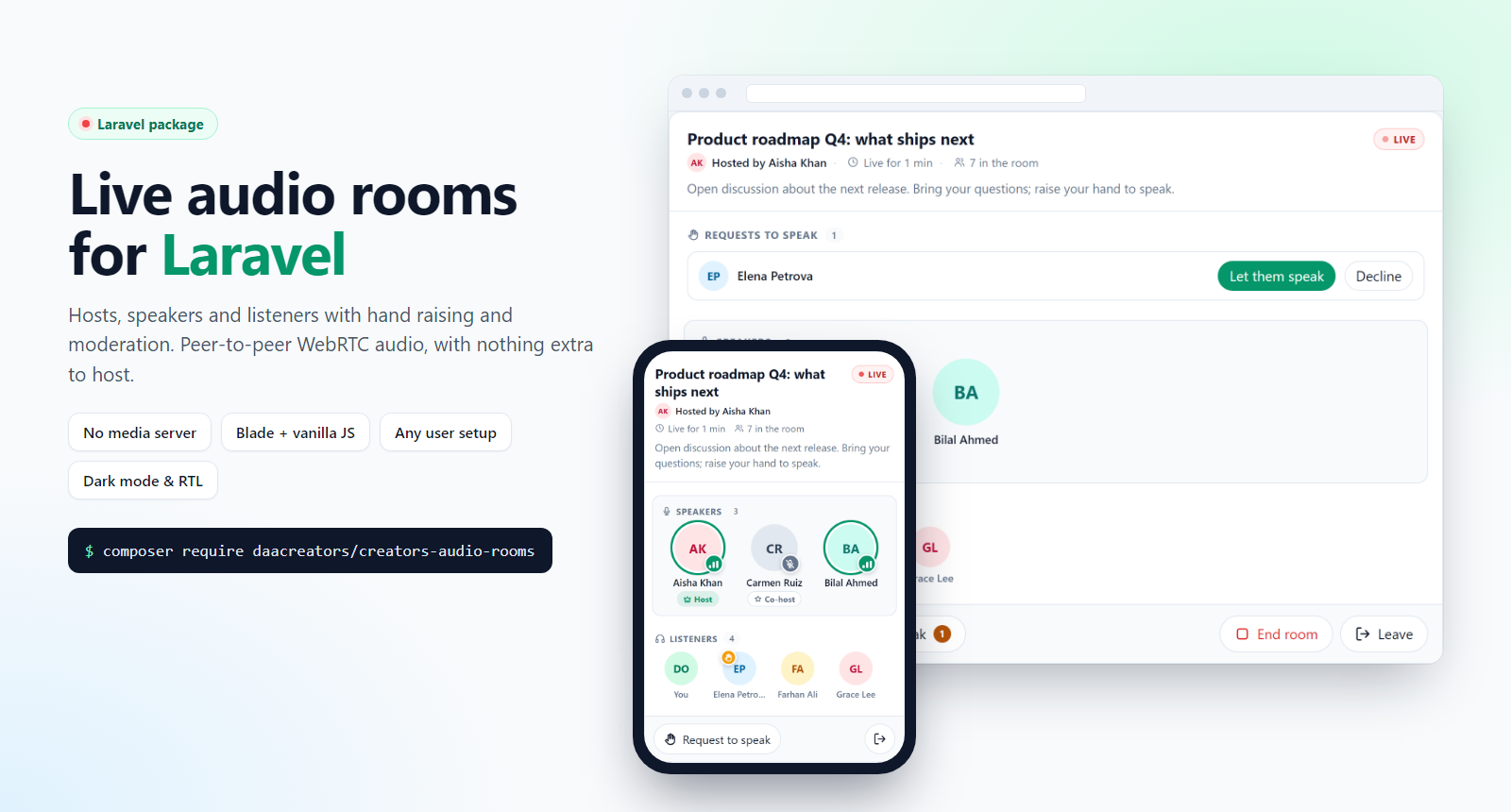
Live audio rooms for Laravel, in the style of X/Twitter Spaces: hosts, speakers and listeners, hand raising and moderation.
- Nothing extra to host. Audio travels directly between browsers (peer-to-peer WebRTC). Room updates and connection setup go through ordinary requests to your own Laravel app. No media server, WebSocket server or queue worker is required.
- Works with any user setup. Several user tables or guards, integer IDs, UUIDs or external identity providers. Your app maps its users, permissions, audiences and tenants through small integration classes.
- No frontend stack imposed. A prebuilt, dependency-free browser bundle and a Blade component. No Livewire, Filament, Vue, React or build step.
- Secure by default. Every action and every connection message is authorized on the server. Hiding a button is never relied on.
Screenshots
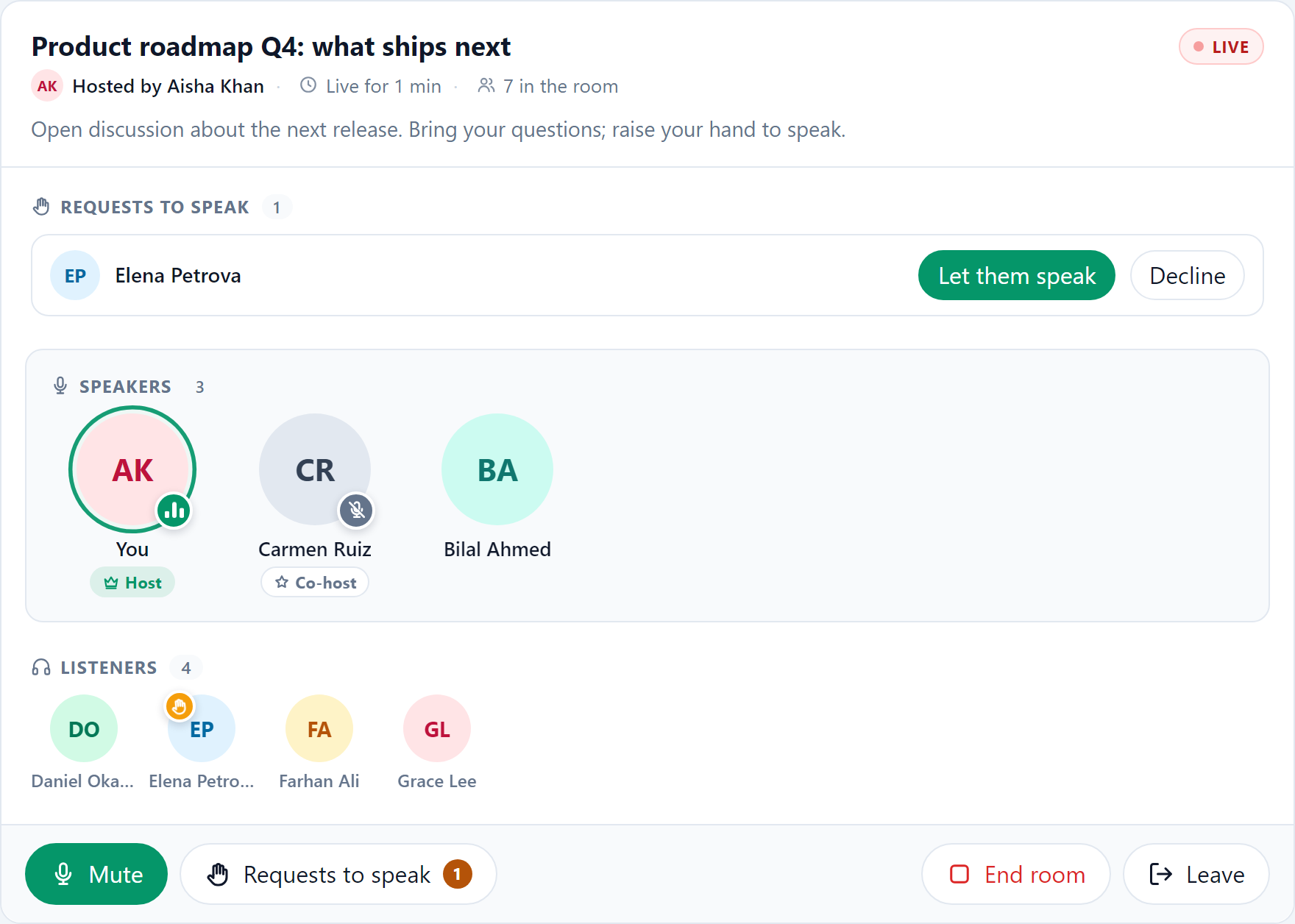
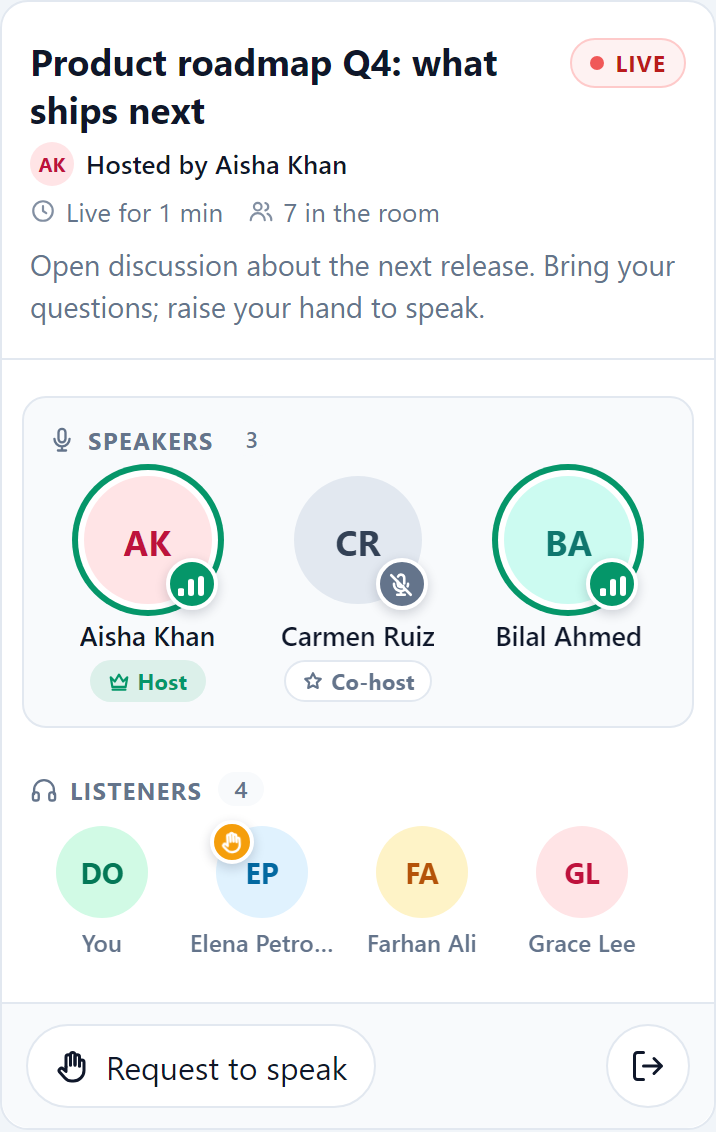
| A live room | On a phone |
|---|---|
 |
 |
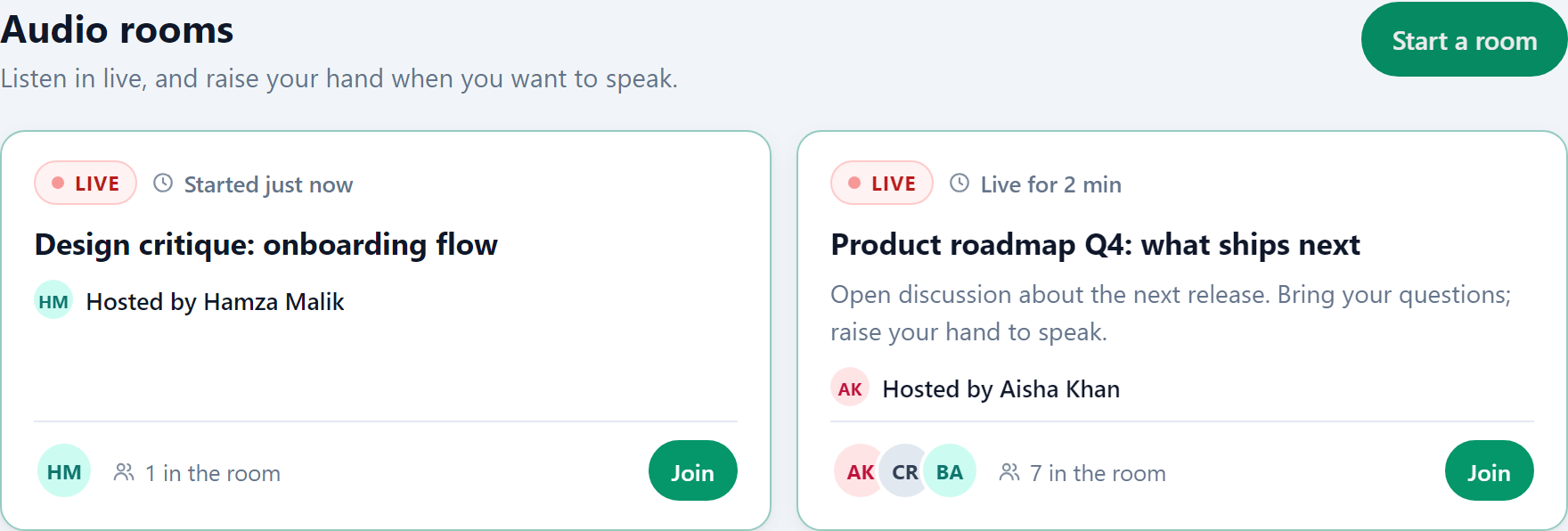
| Room list | Dark mode |
|---|---|
 |
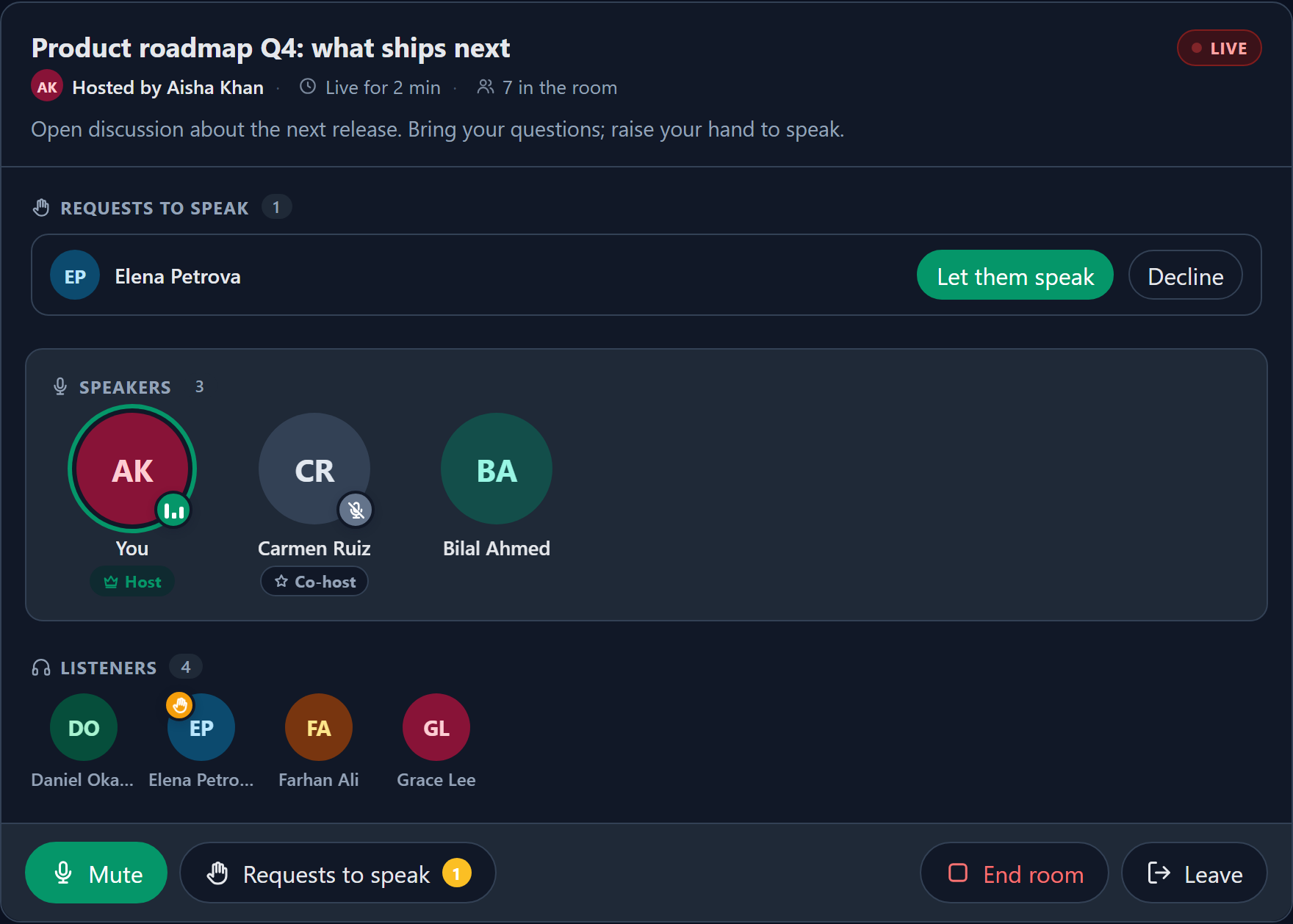 |
Speakers show animated sound bars while they talk, raised hands wave, and open invitations pulse; all motion stops for people who prefer reduced motion.
Contents
- How it works
- Limits
- Requirements
- Installation
- Using rooms
- Connectivity and performance
- Integrating with your app
- Events
- Commands and scheduling
- Room rules
- Security and privacy
- Browser support
- Accessibility
- Customising
- Upgrading
- Troubleshooting
- Testing
How it works
 Browser A (speaker) ◀──── audio (WebRTC, peer-to-peer) ────▶ Browser B (listener)
        │                                                          │
        └────── HTTPS: join · sync · signal · moderate ──── Your Laravel app
                                                             ├─ package tables (rooms, members, bans, log)
                                                             └─ cache (short-lived connection messages, presence)
- Audio never passes through your server. Each speaker sends one stream to every other participant.
- Signaling (WebRTC offers, answers and network candidates) is relayed by your app through the cache with a short TTL. Nothing is written to the database for it.
- Room state (who is speaking, hand raises, mutes) lives in the package tables. Browsers check in about every 1–2 seconds; the interval slows down when idle or when the tab is hidden.
- Presence is a heartbeat in the cache. Participants whose browser stops checking in are marked disconnected, and rooms left without a host end after a grace period.
Limits
Peer-to-peer audio keeps hosting simple but suits small rooms.
| Setting | Default | Notes |
|---|---|---|
| Hosts | 2 | host and co-host |
| Voices | 6 | speakers, hosts included |
| Listeners | 30 | |
| Open rooms per host | 1 | rooms the person currently hosts; handing a room to a co-host frees them |
Each speaker's audio is capped at 32 kbps per connection (audio.max_bitrate), so a speaker in a full room uploads roughly 1.3 Mbps. Raising the limits makes rooms heavier for phones; php artisan creators-audio-rooms:doctor warns about heavy settings.
Also keep in mind:
- Strict networks. Without a TURN relay, people on mobile networks and many campus or corporate Wi-Fi networks cannot connect to each other: the room works but they hear nothing. The room tells them and retries, but only a TURN relay fixes it.
- Update delay. Changes such as a hand raise reach others within about one to two seconds. Audio itself is real time.
- Phones in the background. Mobile browsers, iOS Safari in particular, may pause audio when the screen locks or the browser goes to the background. The room resumes when the page is visible again and offers a one-tap "turn on room audio" button when the browser requires it.
Requirements
- Laravel 12 (PHP 8.2+) or Laravel 13 (PHP 8.3+)
- A cache store shared between requests: Redis or Memcached recommended;
databaseandfilework;arraydoes not - HTTPS in production. Browsers only allow microphones on secure pages;
localhostcounts as secure during development. - A modern browser (see Browser support)
Installation
composer require daacreators/creators-audio-rooms
php artisan creators-audio-rooms:install --migrate
php artisan creators-audio-rooms:doctor
The install command publishes config/creators-audio-rooms.php and the browser assets to public/vendor/creators-audio-rooms, then runs the migrations.
Publish individual parts when you want to customise them:
php artisan vendor:publish --tag="creators-audio-rooms-config"
php artisan vendor:publish --tag="creators-audio-rooms-migrations"
php artisan vendor:publish --tag="creators-audio-rooms-translations"
php artisan vendor:publish --tag="creators-audio-rooms-views"
php artisan vendor:publish --tag="creators-audio-rooms-assets"
Tables use the audio_ prefix by default (AUDIO_ROOMS_TABLE_PREFIX). Change it before migrating.
Using rooms
Ready-made pages
Out of the box, signed-in users get:
/audio-rooms: rooms they may see, and a form to start one. The list refreshes on its own, so new and ended rooms appear without a reload./audio-rooms/{room}: the room itself
The same list is available as JSON from GET /audio-rooms/api/rooms (signed-in participants only), for building your own lobby or widgets.
Render them inside your own layout:
// config/creators-audio-rooms.php
'layout' => [
    'view' => 'layouts.app',   // your layout
    'section' => 'content',    // the section it yields
],
Embedding a room
Put a room on any page, for example an event, community or team page:
<x-creators-audio-rooms::room :room="$room" />
$room is a daacreators\CreatorsAudioRooms\Models\Room or its id. The component loads the stylesheet and script once per page. Embedding never grants access: the API checks every request.
To embed rooms only, turn the ready-made pages off with 'routes' => ['pages' => false]. The API keeps working.
"Live now" widget
Show live rooms on a home page or dashboard, the way social apps show live audio at the top of the feed:
<x-creators-audio-rooms::live-now />
<x-creators-audio-rooms::live-now :limit="4" class="mb-6" />
It lists the live rooms the signed-in visitor may join (speaker faces, title, host, people count and a Listen button), refreshes itself, hides when nothing is live, renders nothing for guests, and leaves out the room already open on the page.
Staying in a room while doing something else
- Mini player (Chrome and Edge on desktop): a button in the room opens a small always-on-top window with the speakers (and their roles), the listeners, the microphone or raise-hand button and Leave. The room keeps running in its tab.
- Links open in a new tab while in a room, so going to another page does not end the room (set
links_in_new_tabtofalseto turn this off). - Media controls: while in a room, the lock screen, phone notification and browser media controls show the room title and host; where the browser offers them, its microphone and hang-up buttons work.
- Room bar on other pages: put this once in your layout (e.g. before
</body>):
<x-creators-audio-rooms::room-bar />
While a room is open in another tab of the same browser, a small bar shows its title, a microphone button (once the microphone has been opened in the room) and Back to room, which carries the room on in that tab (the other tab steps aside). It does nothing on the room page and sends nothing to the server; it only works with a tab of the same browser that really is in the room, so a shared link cannot put anyone in one. The package's own page layout already includes it.
Creating rooms from your own code
use daacreators\CreatorsAudioRooms\Services\RoomManager;

$room = app(RoomManager::class)->create($participant, [
    'title' => 'Weekly Q&A',
    'description' => 'Bring your questions.',
    'audience_type' => 'team',   // optional, interpreted by your AudienceResolver
    'audience_ref' => (string) $team->id,
]);
$participant is a ParticipantIdentity, usually obtained from your participant resolver (see below). Creating a room runs the same authorization as the API.
Connectivity and performance
TURN relay
Public STUN servers let browsers find a direct route to each other, which works on most home and office networks. It does not work when both people are behind carrier-grade NAT or a strict firewall, which is normal on mobile networks and common on campus or corporate Wi-Fi. In that case the room looks fine (people join, hands are raised, the microphone animates), but no audio reaches the other side. A TURN relay fixes this: it forwards the audio when no direct route exists. Treat it as required before real use.
Any TURN server works. Hosted options include Cloudflare's TURN service, Metered, Twilio and Xirsys; or run coturn yourself. Two ways to configure it:
Fixed credentials (what most hosted providers give you):
AUDIO_ROOMS_TURN_URLS="turn:relay.example.com:3478,turn:relay.example.com:443?transport=tcp,turns:relay.example.com:443"
AUDIO_ROOMS_TURN_USERNAME="your-username"
AUDIO_ROOMS_TURN_CREDENTIAL="your-credential"
Shared secret (coturn use-auth-secret and providers that support it): each browser gets its own short-lived credentials when it joins, valid for turn.ttl_seconds (one hour by default). The secret never leaves your server, and the TURN username contains an expiry time and a hash rather than a user id.
AUDIO_ROOMS_TURN_URLS="turn:turn.example.com:3478,turns:turn.example.com:5349"
AUDIO_ROOMS_TURN_SECRET="the-same-secret-as-your-turn-server"
Cloudflare Realtime TURN (optional, built in): create a TURN key in the Cloudflare dashboard (Realtime → TURN Server) and set its id and API token. The package asks Cloudflare for short-lived credentials (valid 24 hours by default, turn.cloudflare.ttl_seconds), shares them between participants and refreshes them halfway through, so joining a room does not call Cloudflare each time. The API token stays on your server. If Cloudflare cannot be reached, rooms keep working with the other ICE servers and a warning is logged.
AUDIO_ROOMS_CLOUDFLARE_TURN_KEY_ID="your-turn-key-id"
AUDIO_ROOMS_CLOUDFLARE_TURN_API_TOKEN="your-turn-key-api-token"
doctor requests credentials from Cloudflare when this is set, so a wrong key or token shows up there.
Include a turn:…:443?transport=tcp or turns:…:443 URL so networks that only allow web traffic can still reach the relay. php artisan creators-audio-rooms:doctor reports whether a relay is configured. Set AUDIO_ROOMS_ICE_POLICY=relay to force every connection through the relay, which also hides participants' IP addresses from each other.
Checking a connection
Open a room with ?debug=1 on the URL (or press Connection details in a "could not connect" message) to see, per participant, the link state, how the link was made (host, srflx or relay), the candidates gathered, bytes sent and received, and whether a relay is configured. When people cannot hear each other, this shows whether STUN answered and whether a relay was available. Set AUDIO_ROOMS_DIAGNOSTICS=false (config diagnostics) to hide the panel, the button and the console messages from users.
Request load
Each participant's browser checks in about every 1.2 seconds while something is happening, every 2.5 seconds when the room is quiet and every 5 seconds when the tab is hidden. A full room (36 people) therefore makes roughly 15–30 small requests per second to your app. Check-ins do not start or write your app's session; each one reads a few cache keys and runs a couple of small queries, and only builds the full room state when something changed.
Middleware for these requests can be added with routes.signaling_middleware (empty by default); the rest of the routes use routes.middleware.
- Use Redis or Memcached as the cache (
signaling.cache_store); thedatabaseandfilestores work but add load. - Run PHP with enough workers for the expected number of concurrent participants (PHP-FPM, Octane or FrankenPHP).
- Tune
signaling.sync_interval_*andrate_limitstogether if you change the timings.
Integrating with your app
Everything app-specific is behind five contracts in daacreators\CreatorsAudioRooms\Contracts, selected in the config:
'integration' => [
    'participant_resolver' => App\AudioRooms\Participants::class,
    'authorizer' => App\AudioRooms\Permissions::class,
    'audience_resolver' => App\AudioRooms\Audiences::class,
    'tenant_resolver' => App\AudioRooms\Tenants::class,
    'notifier' => App\AudioRooms\Notifications::class,
],
| Contract | Answers | Default |
|---|---|---|
ParticipantResolver |
Who is signed in? | Checks the guards listed in guards |
Authorizer |
May they create, join, host, moderate, end…? | Gate abilities audio-rooms.{action} if defined, otherwise allowed |
AudienceResolver |
Does this person belong to the room's audience? | Everyone |
TenantResolver |
Which organisation are they in; may they access another? | No tenants |
Notifier |
Tell people a room started or they were invited to speak | Does nothing |
Participants
A participant is a ParticipantIdentity: a type, an id (always a string), a display name, and an optional avatar URL, profile URL and tenant key. The type and id form the participant key, such as user:42 or staff:42. Keys from different user tables therefore never collide, and the package never stores foreign keys to your user tables.
One user table: the default resolver works as is.
'guards' => [
    'web' => ['type' => 'user', 'name_attribute' => 'name', 'avatar_attribute' => 'avatar_url'],
],
Several guards (for example customers and staff in separate tables): list them in order. Each gets its own type.
'guards' => [
    'admin' => ['type' => 'staff', 'name_attribute' => 'full_name'],
    'web' => ['type' => 'customer', 'name_attribute' => 'name'],
],
Custom identity (an SSO provider, UUIDs, extra rules): implement the contract.
use daacreators\CreatorsAudioRooms\Contracts\ParticipantResolver;
use daacreators\CreatorsAudioRooms\Support\ParticipantIdentity;
use Illuminate\Http\Request;

class Participants implements ParticipantResolver
{
    public function resolve(Request $request): ?ParticipantIdentity
    {
        $user = $request->user();
        if (! $user || $user->is_suspended) {
            return null; // cannot use audio rooms
        }

        return ParticipantIdentity::make('member', $user->uuid, $user->display_name, [
            'avatar_url' => $user->avatar_url,
            'profile_url' => route('members.show', $user),
            'tenant_key' => (string) $user->organization_id,
        ]);
    }

    public function find(string $participantKey): ?ParticipantIdentity
    {
        [, $uuid] = explode(':', $participantKey, 2);
        $user = User::firstWhere('uuid', $uuid);

        return $user ? ParticipantIdentity::make('member', $user->uuid, $user->display_name) : null;
    }
}
Permissions
Room roles (host, co-host, speaker, listener) are separate from your application roles. Your authorizer decides who may take part; the package then applies its own room rules, so a listener can never moderate, whatever your authorizer says.
The actions are listed in daacreators\CreatorsAudioRooms\Enums\RoomAction: create, discover, join, host, moderate, request_to_speak, manage_speakers, mute, remove, ban and end.
With Gates, no class needed:
use daacreators\CreatorsAudioRooms\Support\ParticipantIdentity;

Gate::define('audio-rooms.create', fn ($user, ParticipantIdentity $who) => $user->can('host-sessions'));
Gate::define('audio-rooms.host', fn ($user, ParticipantIdentity $who) => $user->hasRole('moderator'));
With your own class:
use daacreators\CreatorsAudioRooms\Contracts\Authorizer;
use daacreators\CreatorsAudioRooms\Enums\RoomAction;
use daacreators\CreatorsAudioRooms\Models\Room;
use daacreators\CreatorsAudioRooms\Support\ParticipantIdentity;

class Permissions implements Authorizer
{
    public function allows(ParticipantIdentity $who, RoomAction $action, ?Room $room = null): bool
    {
        return match ($action) {
            RoomAction::Create, RoomAction::Host => $who->type === 'staff',
            RoomAction::Discover, RoomAction::Join, RoomAction::RequestToSpeak => true,
            default => $who->type === 'staff', // moderation
        };
    }
}
When a room is being created, $room is the unsaved draft (title, audience, tenant), so you can decide per audience.
Monitoring
Monitors are people your app trusts to oversee rooms they do not host, such as site administrators or safety staff. A monitor:
- joins any room they can see with Join as monitor, even when every listener place is taken, and is not blocked by a room-level removal or ban;
- hears the room but cannot speak or raise a hand;
- can moderate everyone, including the host (mute, remove, ban, move to listeners, end the room), and every action is recorded in the moderation log under their key;
- cannot be removed, muted or otherwise acted on by hosts;
- is always visible: the room shows "Monitored by …" to everyone, and the room state lists monitors separately (
monitors,counts.monitors). Monitors are not counted in "in the room".
Monitoring is never allowed by default. Grant it with a Gate:
use daacreators\CreatorsAudioRooms\Support\ParticipantIdentity;
use Illuminate\Support\Facades\Gate;

Gate::define('audio-rooms.monitor', fn ($user, ParticipantIdentity $participant) => $user?->is_admin === true);
or answer RoomAction::Monitor in your own Authorizer.
Audiences
Limit a room to a team, community or event by storing an opaque audience on it (audience_type, audience_ref) and answering one question:
use daacreators\CreatorsAudioRooms\Contracts\AudienceResolver;

class Audiences implements AudienceResolver
{
    public function includes(ParticipantIdentity $who, Room $room): bool
    {
        return match ($room->audience_type) {
            'team' => TeamMember::where('team_id', $room->audience_ref)->where('participant_key', $who->key)->exists(),
            null => true,
            default => false,
        };
    }

    public function label(Room $room): ?string
    {
        return $room->audience_type === 'team' ? Team::find($room->audience_ref)?->name : null;
    }
}
Letting hosts choose who can join
Implement ProvidesAudienceOptions on the same class and the start-room form gets a Who can join picker. Hosts pick one or more audiences (teams, groups, communities…); the room is then visible to, and joinable by, only people in at least one of them, plus its hosts and any monitors. People outside never see it in lists or the "Live now" widget.
use daacreators\CreatorsAudioRooms\Contracts\ProvidesAudienceOptions;
use daacreators\CreatorsAudioRooms\Support\AudienceOption;

class Audiences implements AudienceResolver, ProvidesAudienceOptions
{
    // What this host may start a room for (grouped in the picker by the last argument).
    public function optionsFor(ParticipantIdentity $host): array
    {
        return Team::forMember($host->id)->get()
            ->map(fn ($team) => AudienceOption::make('team', $team->id, $team->name, 'Teams'))
            ->all();
    }

    // Whether the host may leave the audience empty, i.e. open the room to everyone.
    public function allowsEveryone(ParticipantIdentity $host): bool
    {
        return User::find($host->id)?->is_admin === true;
    }

    public function inAudience(ParticipantIdentity $who, string $type, string $ref): bool
    {
        return $type === 'team' && TeamMember::where('team_id', $ref)->where('user_id', $who->id)->exists();
    }

    // includes() and label() as above (return true / null when only chosen audiences are used).
}
The API takes the same choices as "type:ref" keys: GET /audio-rooms/api/audiences lists them for the signed-in host, and POST /audio-rooms/api/rooms accepts audiences: ["team:4", "team:9"]. Choices are checked against optionsFor(); an empty list needs allowsEveryone(). Rooms show their audiences as labels ("For Red team, Chess club").
Tenants
For organisation isolation, return a tenant key. New rooms are created inside the creator's tenant. Every list, page, API call and connection message is restricted to people allowed in that tenant.
use daacreators\CreatorsAudioRooms\Contracts\TenantResolver;

class Tenants implements TenantResolver
{
    public function tenantFor(ParticipantIdentity $who): ?string
    {
        return $who->tenantKey; // or look it up
    }

    public function canAccessTenant(ParticipantIdentity $who, string $tenantKey): bool
    {
        return $who->tenantKey === $tenantKey || $this->isGlobalAdmin($who);
    }
}
Notifications
Send notifications through your own system. Failures are logged and never break a room action.
use daacreators\CreatorsAudioRooms\Contracts\Notifier;

class Notifications implements Notifier
{
    public function roomStarted(Room $room): void
    {
        // e.g. notify the room's audience
    }

    public function invitedToSpeak(Room $room, string $participantKey): void {}
}
You can also listen to the events.
Deleted or anonymised accounts
When an account is deleted or anonymised in your app, remove it from rooms:
app(\daacreators\CreatorsAudioRooms\Services\RoomManager::class)->forgetParticipant('user:42');
or php artisan creators-audio-rooms:forget user:42. The participant leaves any live room. Their stored name, avatar and key are replaced everywhere, including bans and the moderation log.
Events
All events are in daacreators\CreatorsAudioRooms\Events and carry the $room.
| Event | Extra data |
|---|---|
RoomCreated |
createdByKey |
RoomStarted |
startedByKey |
RoomEnded |
reason (host, host_absent, expired), endedByKey |
ParticipantJoined |
participantKey, role, rejoined |
ParticipantLeft |
participantKey, reason (left, disconnected) |
HandRaised |
participantKey |
RoleChanged |
participantKey, from, to, byKey |
ParticipantMuted |
participantKey, byKey |
ParticipantRemoved |
participantKey, byKey, banned |
SpeakerInvited |
participantKey, byKey |
CoHostInvited |
participantKey, byKey |
Commands and scheduling
| Command | Purpose |
|---|---|
creators-audio-rooms:install |
Publish the config (only if missing; --reset-config replaces it) and refresh the browser assets (--migrate) |
creators-audio-rooms:doctor |
Check the setup without showing secrets |
creators-audio-rooms:prune |
Disconnect stale participants, end abandoned rooms, delete old ones |
creators-audio-rooms:forget {key} |
Anonymise a participant |
Live rooms are tidied up during normal use. To cover rooms nobody is looking at, the package registers creators-audio-rooms:prune with Laravel's scheduler every five minutes. It runs wherever your scheduler already runs (php artisan schedule:work, or the usual schedule:run cron entry); check with php artisan schedule:list.
To schedule it yourself instead, set lifecycle.schedule_prune to false and add:
// routes/console.php
Schedule::command('creators-audio-rooms:prune')->everyFiveMinutes();
No queue worker is needed.
Room rules
- Starting. Go live on the room list creates the room, starts it and puts the creator straight in as host. Rooms created without starting (from code, or the API without
start) are not started: their hosts can enter and prepare, and everyone else can join once a host starts it. - Handing over. When the host leaves, the longest-present co-host becomes host. A person can host one open room at a time (
max_open_rooms_per_host); once they hand a room over this way they can start another. - Joining. Everyone joins as a listener, except people who already hold a role in that room. Rejoining (reload, reconnect, new device) reuses the same membership and keeps the role. The newest tab or device takes over and older ones are told so.
- Speaking. Nobody becomes a speaker without agreeing to it. Listeners raise a hand and a host approves, or a host invites a listener, who then accepts or declines; a host can withdraw an invitation that has not been answered. Microphones always start off, and only the participant can turn theirs on.
- Muting. A host can mute a speaker. That speaker cannot unmute until a host allows it, and even then only the speaker can turn the microphone back on. A microphone is never switched on remotely.
- Hosts. A room has at most two hosts (host and co-host). A co-host is invited and takes the role only after accepting. Co-hosts cannot act on the host, and cannot end the room while the host is in it. When the host leaves, the longest-present co-host becomes host. A live room with no host ends after
host_absent_grace_seconds(2 minutes by default). - Monitoring. Participants your app allows to monitor can join any room without taking a listener place, moderate everyone in it, and are always shown to the room (see Monitoring).
- Removing and banning. Removed participants cannot rejoin that room. Banned participants are blocked from it permanently, or for every room in the tenant with a tenant-wide ban.
- Simultaneous actions. Changes run in database transactions with the room locked. Two hosts acting at once never break the limits; the second gets a clear "already changed" response.
- Retention. Rooms that never started expire after 24 hours. Ended rooms are deleted after 30 days (
lifecycleconfig).
Security and privacy
- Every endpoint resolves the participant and re-checks permissions, tenant, audience, bans and room role.
- After joining, each browser gets a short-lived signed session token (5 minutes) bound to one room, one participant and one connection.
- The frequent check-in and connection-message requests are authenticated by that token alone. They skip your app's session, cookies and CSRF check, so they never rewrite the session (which avoids lost-session races with the
fileandcookiedrivers) and stay cheap. Renewing the token every few minutes goes through your normal session, so someone who signs out of your app is disconnected from the room within minutes, and immediately on their next room action. - Connection messages are only relayed between active members of the same room. Listeners can never start a connection or send audio: the server rejects it, and receiving browsers silence anyone who is not allowed to speak.
- Room data shown to browsers contains display names, avatars and participant keys only.
- Requests are rate limited per participant (
rate_limitsconfig). - Recording is not supported. Audio is never stored by this package.
- Logs contain room and participant keys, never message contents or credentials.
- Profile and avatar links are shown only when they are
http(s)or same-site URLs. - Content-Security-Policy friendly. Pages and the browser bundle use no inline scripts, inline
styleattributes oreval; the bundle and stylesheet are ordinary files underpublic/vendor/creators-audio-rooms.
Browser support
Current versions of Chrome, Edge, Firefox and Safari on desktop, and Chrome and Safari on Android and iOS. The page shows a clear message when:
- the browser cannot do live audio;
- the microphone is blocked, missing or in use by another app;
- the page is not secure (no HTTPS);
- the network drops (it reconnects on its own);
- a participant cannot be reached directly (strict networks without TURN);
- the person was signed out of your app (with a link to your login route) or the page expired (with a refresh button).
Accessibility
- Every control is a real button with a label; member menus open from the keyboard and support arrow keys, Home, End, Escape and Tab.
- Confirmations (ending a room, removing or banning someone) use an accessible dialog that keeps focus inside it and returns it afterwards.
- Role changes, mutes, invitations and new requests to speak are announced to screen readers.
- Animations are turned off for people who prefer reduced motion.
- Layout uses CSS logical properties, so right-to-left languages work; the package layout sets
dir="rtl"automatically for right-to-left locales.
Customising
- Colours and shape:
brandingconfig (accent colour, contrast colour, corner radius), applied as CSS variables. Override any--car-*variable or class in your own stylesheet. - Dark mode:
branding.themeislight,darkorauto(follows the visitor's system setting). An embedded room can also takedata-themefrom your own theme switcher, e.g.<x-creators-audio-rooms::room :room="$room" data-theme="dark" />. - Text: publish the translations (
creators-audio-rooms-translations). Every label is translatable. - Markup: publish the views (
creators-audio-rooms-views). - Routes:
routes.prefix,routes.name,routes.middlewareandroutes.login_route. - Limits and timings:
limits,lifecycleandsignaling.
Upgrading
composer update daacreators/creators-audio-rooms
php artisan migrate
php artisan creators-audio-rooms:install   # refresh browser assets; your config is kept
php artisan creators-audio-rooms:doctor
Migrations are additive and versioned.
Troubleshooting
| Symptom | Check |
|---|---|
| "Microphone access was blocked" | The site's microphone permission in the browser, and that the page is HTTPS |
| People join but hear nothing | Almost always no TURN relay: configure one (see TURN relay). Open the room with ?debug=1 to confirm; relay: not configured plus links stuck on "Connecting…" means exactly that |
| Participants never connect | Run doctor; make sure the cache is shared (not array) |
| Room shows "Connection lost" | The app is unreachable or slow; the room retries on its own |
| Old assets after upgrading | php artisan creators-audio-rooms:install |
| "Too many requests" | Raise rate_limits if your rooms are busier than the defaults assume |
Testing
composer install
composer test
The test suite covers authorization, identity collisions between user tables, tenant isolation, room transitions, invitations, moderation limits and races, reconnects, expired and replaced sessions, connection-message rules and TURN credentials. Static analysis runs with composer analyse and code style with composer format. Audio reliability also needs real browsers; check the target browsers, including at least one iOS and one Android phone, before relying on rooms in production.
License
MIT