
bobwez98 / mail-log-statamic

A Statamic Control Panel interface for mail logs.
Package info
github.com/BobWez98/mail-log-statamic
Type:package
pkg:composer/bobwez98/mail-log-statamic
Requires
- php: ^8.4
- bobwez98/mail-log-laravel: ^1.1
- laravel/framework: ^13.0
- statamic/cms: ^6.0
Requires (Dev)
- larastan/larastan: ^3.9
- laravel/pint: ^1.29
- orchestra/testbench: ^11.0
- phpstan/phpstan-mockery: ^2.0
- phpunit/phpunit: ^13.0
- rector/rector: ^2.3
Suggests
None
Provides
None
Conflicts
None
Replaces
None
This package is auto-updated.
Last update: 2026-10-10 15:49:26 UTC
README
View outgoing Laravel emails and their delivery status from the Statamic Control Panel.
This add-on provides the Statamic interface for Laravel Mail Log, which handles the underlying mail capture and storage.
Requirements
- PHP 8.4+
- Laravel 13
- Statamic 6
- Database connection
- Laravel Mail Log
Features
- Adds a paginated mail log to the Statamic Control Panel
- Orders logged emails newest first
- Displays sent and pending delivery statuses
- Shows sender, recipient, subject, message ID, and timestamps
- Renders HTML emails in a sandboxed preview
- Blocks scripts and remote resources inside previews
- Displays the raw Laravel mail event data
- Integrates with Statamic navigation and role permissions
Installation
Install the Composer package:
composer require bobwez98/mail-log-statamic
Composer also installs Laravel Mail Log, the base package responsible for recording outgoing emails. Both service providers are registered through package discovery.
Run the migrations supplied by the base package to create the mail_logs table:
php artisan migrate
The View mail log permission shows every outgoing email, including password-reset links. Site owners should only grant it to trusted roles. Super users have access automatically.
Configuration
No add-on-specific configuration is required. Mail capture and storage are configured by Laravel Mail Log.
Mail logging is enabled by default. It can be disabled in your .env file:
MAIL_LOG_ENABLED=false
See the Laravel Mail Log documentation for its complete configuration instructions.
How It Works
Laravel Mail Log listens to Laravel's native mail events and stores each outgoing message in the mail_logs table. This add-on reads those records and makes them available in Statamic under Tools > Mail Log.
The overview is paginated and ordered newest first. Opening a message displays its delivery details, raw event data, and rendered email body.
Email bodies are isolated in a sandboxed iframe with a restrictive Content Security Policy. Scripts, forms, frames, objects, and remote resources are blocked while inline email styles and data or CID image sources are permitted.
Important
This add-on only provides the Statamic Control Panel interface. Laravel Mail Log is required to capture, store, and update mail records.
Usage
Open Tools > Mail Log in the Statamic Control Panel. Users must be super users or have the View mail log permission.
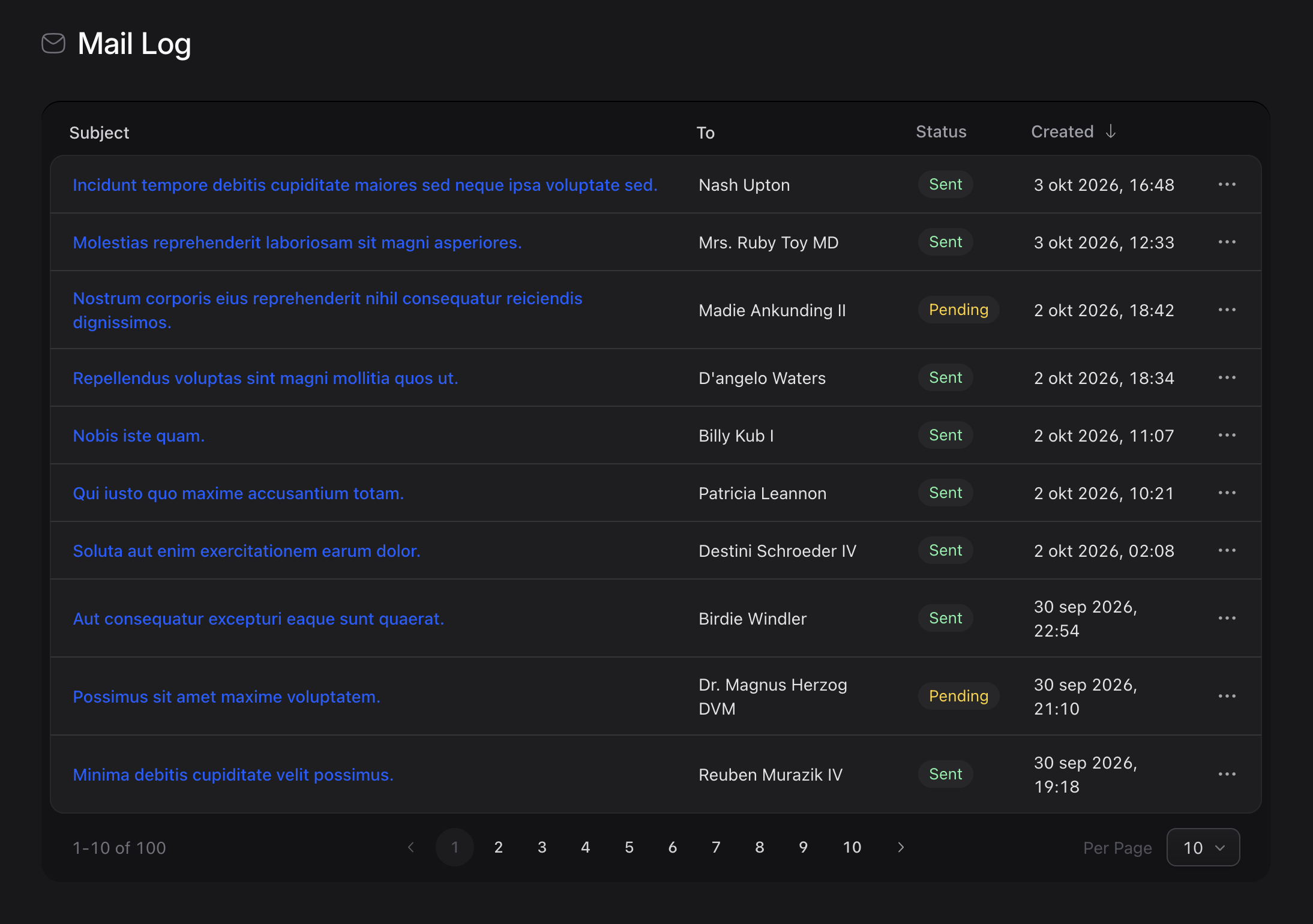
Mail log overview
Browse logged emails, inspect their delivery status, and use Statamic's pagination controls to move through the results.
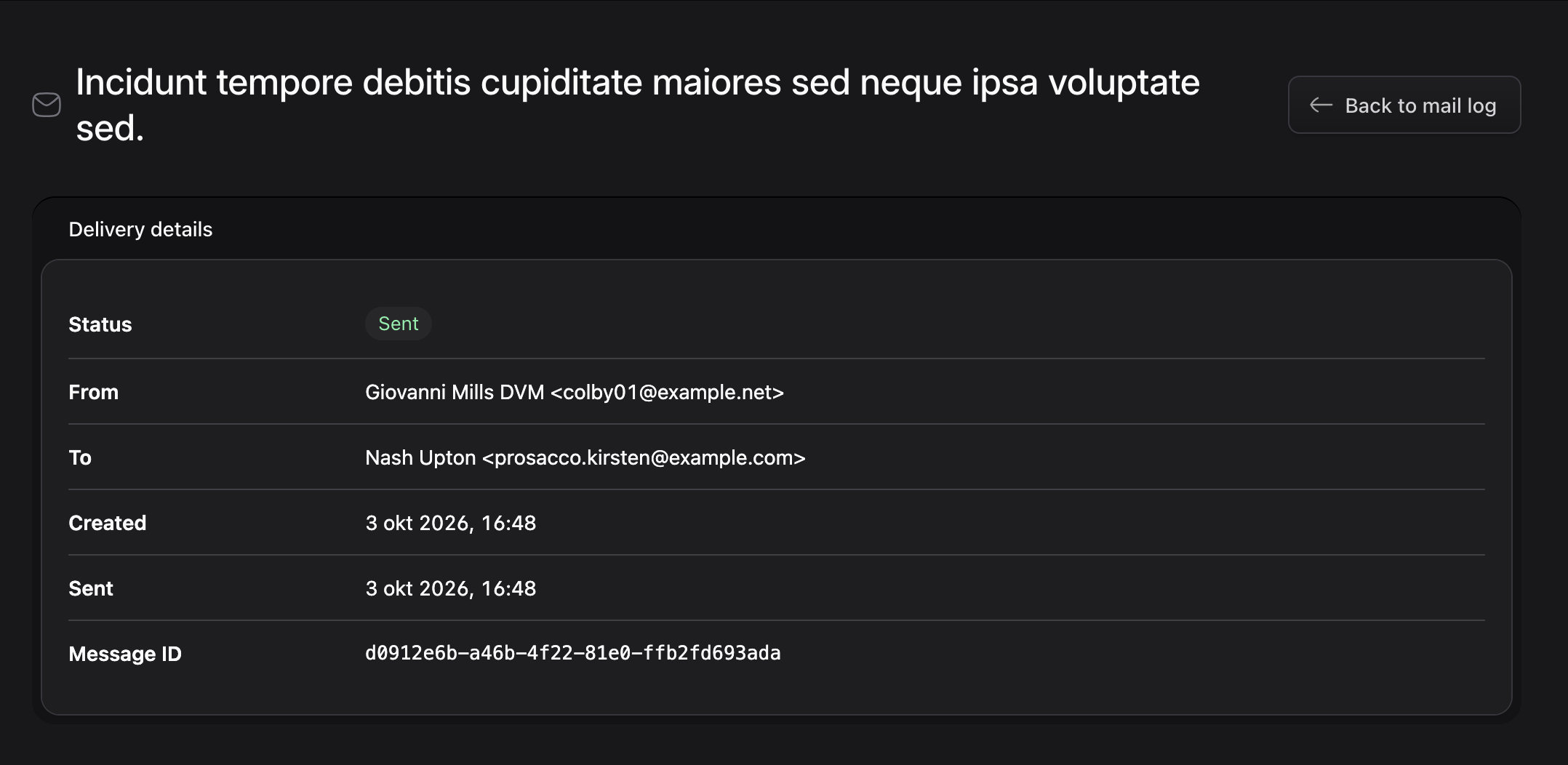
Delivery details
Open a message to view its status, sender, recipient, timestamps, and unique message ID.
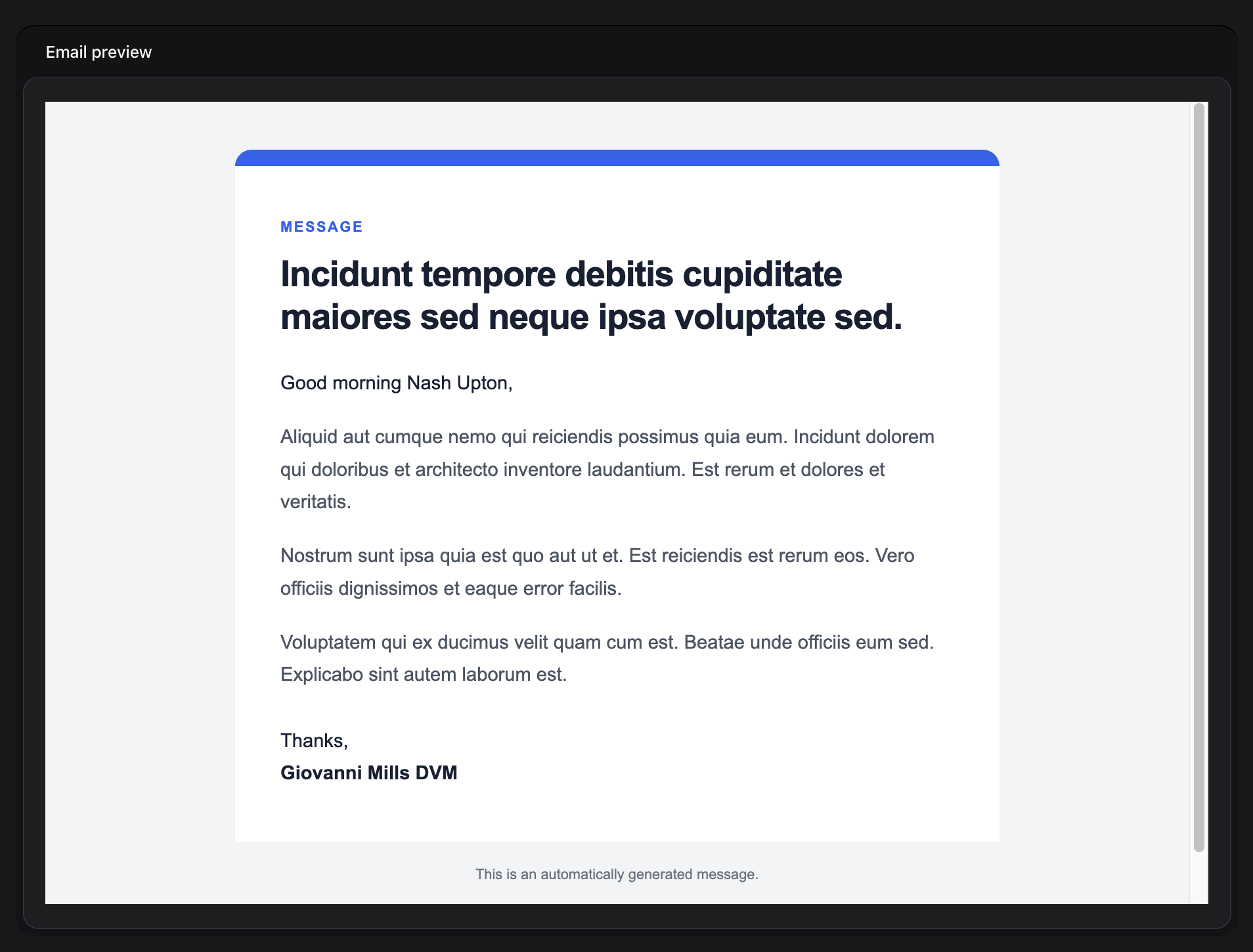
Email preview
Review the rendered HTML email without allowing its content to execute scripts or load remote resources.
Quality
To ensure the quality of this package, run the following command:
composer quality
This will execute five tasks:
- Checks if the code is correctly formatted
- Checks for issues using static code analysis
- Makes sure all tests pass
- Verifies 100% code coverage
- Checks for pending Rector changes
Code coverage requires Xdebug with coverage mode enabled.
Install the frontend dependencies and compile the Control Panel assets with:
npm install
npm run build
Contributing
Please see CONTRIBUTING for details.
Security Vulnerabilities
Please report security vulnerabilities privately to info@bobwezelman.nl.
Credits
License
The MIT License (MIT). Please see License File for more information.