
amirezaeb / heroqr

A Powerful QR Code Management Library For PHP
Requires
- php: ^8.2
- ext-gd: *
- endroid/qr-code: ^6.0
Requires (Dev)
- phpunit/phpunit: ^11.0
Suggests
- ext-gd: Required for generating PNG images or advanced QR customization
- giggsey/libphonenumber-for-php: Required for advanced phone number validation
- setasign/fpdf: Required for PDF generation features
Provides
None
Conflicts
None
Replaces
None
README
A powerful PHP QR Code library with advanced customization, multi-format export, and modern QR styling.
Table of Contents
Features
-
Customization
- Logo embedding with size control
- Full color control (RGB/RGBA with transparency)
- Custom labels with alignment, styling, and spacing
- Automatic layout optimization for readability
-
Geometric Styling
- Custom module shapes
- Custom corner markers and cursors
- Multiple predefined design styles (S, M, C sets)
- SVG and PNG support for advanced rendering
-
Data Support
- Generate QR codes for URLs, text, emails, vCards, WiFi, and more
- Support for UTF-8 / UTF-16 / Base64 encoding
-
Validation
- Built-in validation for URLs, emails, phones, IPs, and WiFi credentials
-
Export Formats
- PNG, SVG, PDF, WebP, EPS, GIF, Binary output support
-
Reliability
- Framework-agnostic, Laravel-ready design
- Extensive test coverage ensuring ISO/IEC 18004 compliance
Getting Started
1. Installation
Use Composer to install the library. Also make sure you have enabled and configured the GD extension if you want to generate images.
composer require amirezaeb/heroqr
2. Basic Usage
Example:
use HeroQR\Core\QRCodeGenerator;

$qrCode = (new QRCodeGenerator())
    ->setData('https://test.org')
    ->generate();

$qrCode->saveTo('qrcode');
The saveTo() method automatically resolves and appends the appropriate file extension based on the selected output format.
3. Advanced Customization
Advanced configuration options for full control over QR code generation and validation.
Granular Customization: Fine-tune colors, size, logos, and typography.
Smart Validation: Use the optional DataType to automatically validate inputs like URL, Email, Phone, Wi-Fi, and more.
Example:
use HeroQR\Core\QRCodeGenerator;
use HeroQR\DataTypes\DataType;

$qrCode = (new QRCodeGenerator())
    ->setData('aabrahimi1718@gmail.com', DataType::Email)
    ->setBackgroundColor(255, 255, 255, 0)
    ->setColor(0, 100, 200)
    ->setSize(1000)
    ->setLogo('../assets/HeroExpert.png', 100)
    ->setMargin(0)
    ->setEncoding('CP866')
    ->setErrorCorrectionLevel('Medium')
    ->setBlockSizeMode('None')
    ->setLabel(
        label: 'To Contact Me, Just Scan This QRCode',
        textAlign: 'left',
        textColor: ['r' => 0, 'g' => 100, 'b' => 200],
        fontSize: 35,
        margin: [15, 15, 15, 15]
    )
    ->generate('webp');

$qrCode->saveTo('custom-qrcode');
4. Customizing Shapes, Markers, and Cursors
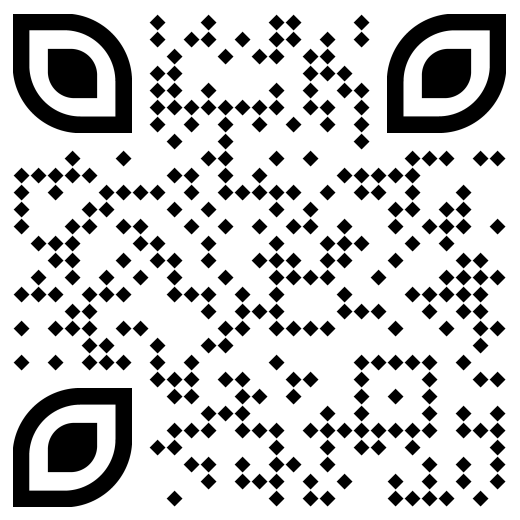
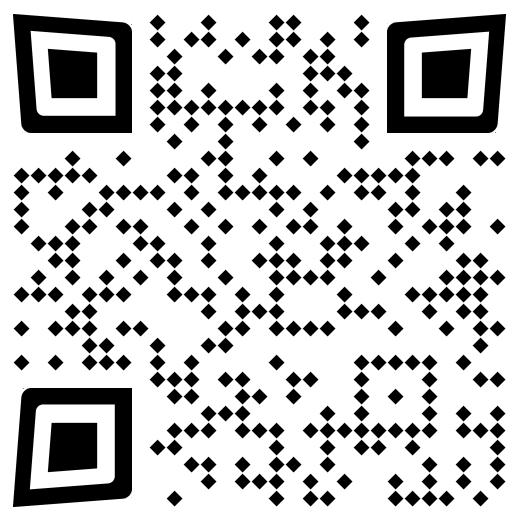
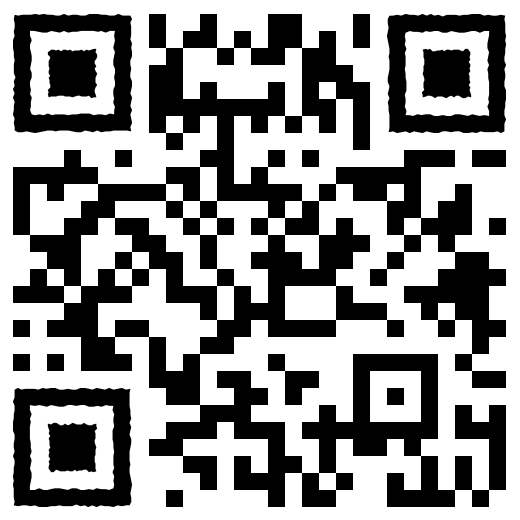
HeroQR supports custom styling for QR modules, corner markers, and alignment cursors.
This feature is available for PNG and SVG output formats.
Available Options:
- Shapes (Modules):
S1toS4 - Markers (Corners):
M1toM7 - Cursors (Inner Markers):
C1toC7
Example:
use HeroQR\Core\QRCodeGenerator;

$qrCode = (new QRCodeGenerator())
    ->setData('https://github.com/amirezaeb/heroqr')
    ->setSize(800)
    ->setBackgroundColor(0, 0, 0, 0)
    ->setColor(0, 100, 200)
    ->generate('svg',[
            'Shape' => 'S2',
            'Marker' => 'M2',
            'Cursor' => 'C2'
        ]);

$qrCode->saveTo('custom-qr');
Examples
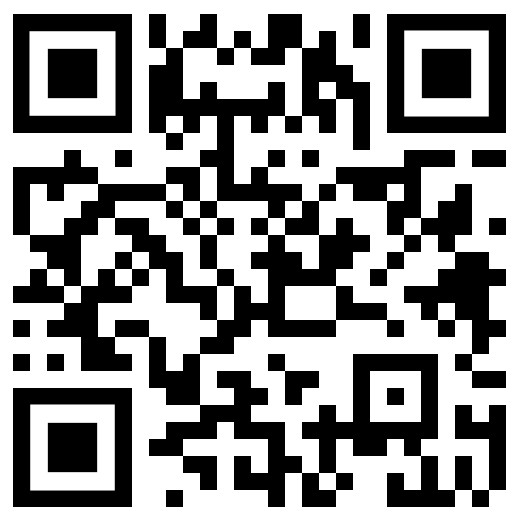
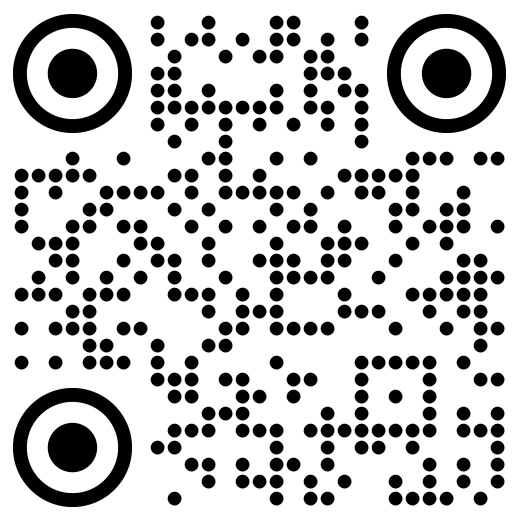
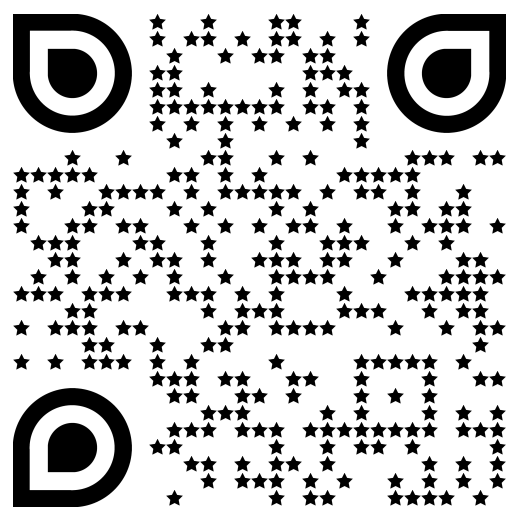
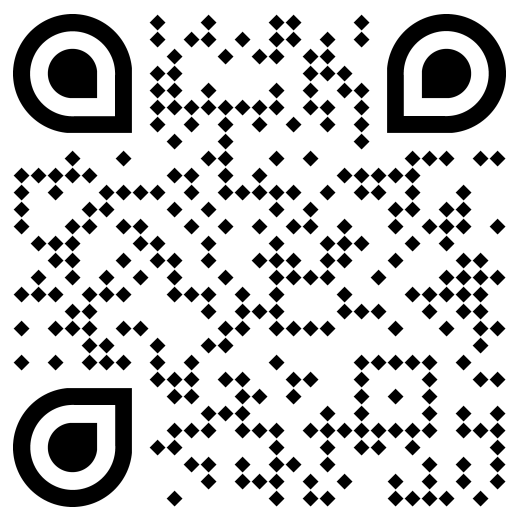
| Combination | Shape (Body) | Marker (Corner) | Cursor (Inner) | Preview |
|---|---|---|---|---|
| S1-M1-C1 | Square (Default) | Square (Default) | Square (Default) | View |
| S2-M2-C2 | Circle (Custom) | Circle (Custom) | Circle (Custom) | View |
| S3-M3-C3 | Star (Custom) | D-Drop-O (Custom) | D-Drop-O (Custom) | View |
| S4-M4-C4 | Diamond (Custom) | D-Drop-I (Custom) | D-Drop-I (Custom) | View |
| S4-M5-C5 | Diamond (Custom) | D-Drop-IO (Custom) | D-Drop-IO (Custom) | View |
| S4-M6-C6 | Diamond (Custom) | Square-O (Custom) | Square-O (Custom) | View |
| S1-M7-C7 | Square (Default) | Square-V (Custom) | Square-V (Custom) | View |
5. Advanced Output Options
HeroQR supports multiple output formats for flexible usage in web, CLI, and custom rendering environments.
Available Outputs
- Raw string representation
- Matrix object / 2D array
- Base64 Data URI (for direct HTML embedding)
- Multi-format export (PNG, SVG, GIF, WebP, EPS, PDF)
Example:
use HeroQR\Core\QRCodeGenerator;

$qrCode = (new QRCodeGenerator())
    ->setData('https://test.org')
    ->generate();

# Raw binary string
$string = $qrCode->getString();

# Matrix object
$matrix = $qrCode->getMatrix();

# 2D array
$matrixArray = $qrCode->getMatrixAsArray();

# Base64 Data URI
$dataUri = $qrCode->getDataUri();

# Save to file
$qrCode->saveTo('qr_code_output');
Project Structure
HeroQR follows a modular architecture designed for scalability and maintainability.
src/
├── Contracts/
├── Core/
├── DataTypes/
├── Managers/
├── Customs/
└── Tests/
Module Overview:
- Contracts: Core interfaces defining system boundaries and extensibility
- Core: QR code generation engine
- DataTypes: Input validation layer for structured data (URL, Email, WiFi, etc.)
- Managers: Feature orchestration and lifecycle handling
- Customs: Visual customization layer (Shapes, Markers, Cursors)
- Tests: Unit and integration test suite
Support & Sponsorship
If HeroQR is useful in your projects, you can support its development by:
- ⭐ Starring the repository
- 🛠 Contributing via issues or pull requests
- 💰 Donating via TON or USDT
- 💼 Contacting us for sponsorship opportunities
GRAM (TON)
UQBejif4zPS57KWzz9VcqNHgRqLiOs72--xcoMyLkbnvyvn2
USDT (TRC-20)
TQhs6gNF1xZZPfk7hdHccKEYTEwBR65KkW
Organizations interested in sponsoring HeroQR or featuring their brand in the documentation may contact us via the Contact section.
Contributing
Contributions are welcome.
- Fork the repository.
- Create a feature or bugfix branch.
- Implement your changes and add tests when necessary.
- Commit your changes using the Conventional Commits format.
- Push your branch and open a Pull Request.
Example:
git checkout -b feature/amazing-feature

git commit -m "feat: add support for custom frame colors"

git push origin feature/amazing-feature
Please provide a clear description of your changes and reference any related issues (e.g. Fixes #123).
License
HeroQR is open-sourced software licensed under the MIT License.
Contact
For inquiries, feedback, or collaborations, feel free to reach out via any of the following channels:
- Author: Amirreza Ebrahimi
- Email: aabrahimi1718@gmail.com
- GitHub: Report an Issue
- LinkedIn: Amirreza Ebrahimi
- Telegram: @a_m_b_r