
aaix / laravel-islands-gallery

An image gallery for Laravel Islands: an inline carousel with thumbnails and a lightbox with zoom, pan, swipe and keyboard control.
Package info
github.com/jonaaix/laravel-islands-gallery
Language:Vue
pkg:composer/aaix/laravel-islands-gallery
Requires
- php: >=8.3
- aaix/laravel-islands: ^1.0.134
Requires (Dev)
None
Suggests
None
Provides
None
Conflicts
None
Replaces
None
This package is auto-updated.
Last update: 2026-11-02 16:58:51 UTC
README
Laravel Islands Gallery
An image gallery for Laravel Islands: an inline carousel with thumbnails and a full-screen lightbox with zoom, pan, pinch, swipe, keyboard control, slideshow and fullscreen — in light and dark.
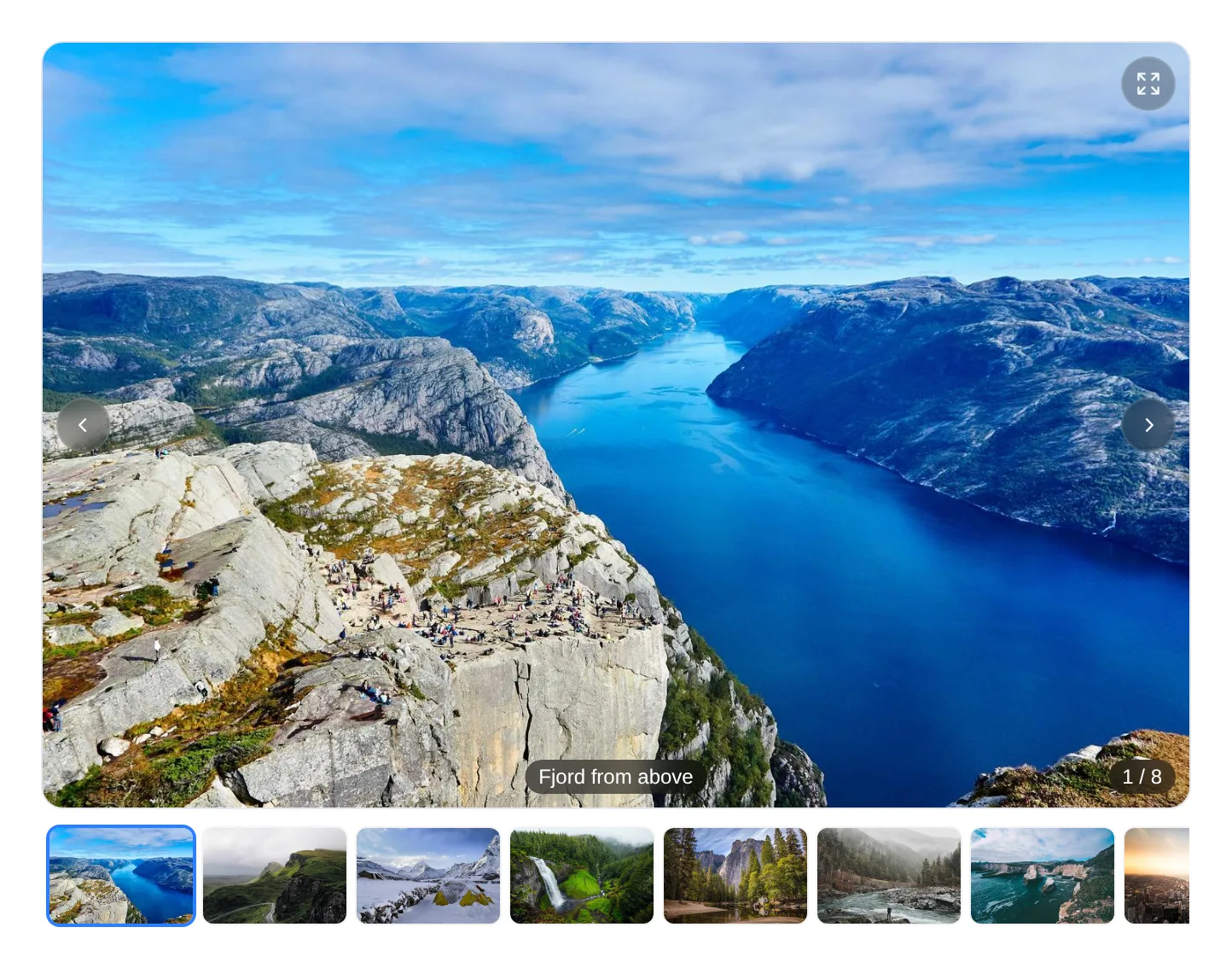
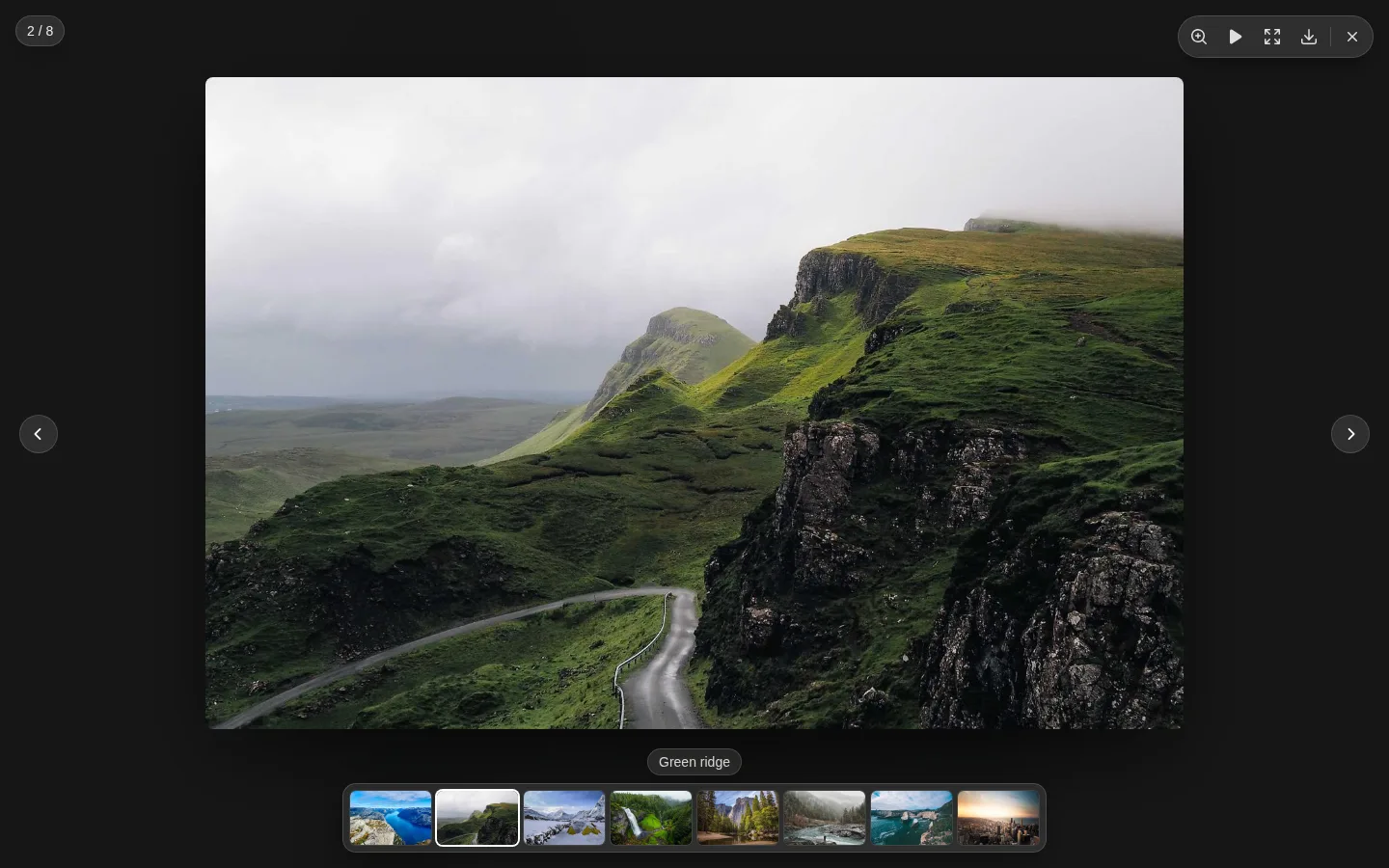
Two Vue components share one image list. Gallery sits in the page; Lightbox takes over the
screen. The gallery brings its own lightbox, and the lightbox also works alone, opened from
anything you like.
- Inline carousel — a 3∶2 stage with arrows, swipe, counter and a thumbnail strip
- Lightbox — zoom at the pointer, pan, pinch, swipe, slideshow and fullscreen
- Opens out of the picture — the image grows from the thumbnail that was clicked and closes back into it
- Keyboard and touch — arrows, Esc and Space; swipe to step, drag down to close
- Your wording — every label is a prop, English fallbacks only
<script setup>
import { Gallery } from '@aaix/laravel-islands-gallery/vue';
</script>

<template>
    <Gallery :images="[{ src: '/photos/1.jpg', thumb: '/photos/1-small.jpg', caption: 'Front' }]" />
</template>
Installation
composer require aaix/laravel-islands-gallery
Add the Vite plugin — it registers the import name @aaix/laravel-islands-gallery and, when the
package is installed from a Composer path repository, points it at the working copy:
// vite.config.js
import islandsGallery from './vendor/aaix/laravel-islands-gallery/vite.js';

export default defineConfig({
    plugins: [/* … */ islandsGallery()],
});
Let Tailwind see the package's classes, in every stylesheet that renders islands:
@source '../../vendor/aaix/laravel-islands-gallery/resources/js/**/*';
Images
Every image is a plain object; only src is required.
{ src: 'https://…/full.jpg', thumb: 'https://…/336.jpg', caption: 'Front view', alt: 'Die cutter, front' }
| Key | |
|---|---|
src |
The full-size image, also what the download saves |
thumb |
A small version for the thumbnail strip; falls back to src |
caption |
Shown on the stage and in the lightbox |
alt |
Alternative text; falls back to the caption |
filename |
Name of the saved file; falls back to the last part of the URL |
downloads |
Sizes to choose from, see Download |
Map whatever your server sends into this shape in a computed — the components read no other keys.
Gallery
<Gallery :images="images" :labels="labels" @change="(index) => …" />
| Prop | Default | |
|---|---|---|
images |
— | The list above; renders nothing when empty |
start |
0 |
Index shown first |
aspect |
'3 / 2' |
Stage ratio |
fit |
'cover' |
'contain' when nothing may be cropped — documents, drawings |
loop |
true |
Wrap from the last image to the first |
thumbnails |
true |
Strip below the stage |
lightbox |
true |
A click or tap on the stage opens the full-screen view |
captions |
true |
The current image's caption, bottom centre on the stage |
downloadable |
true |
Download button in the lightbox |
labels |
English | See Wording |
Emits change(index) whenever another image comes to the front. The arrows appear on hover and
stay hidden on touch devices, where the stage swipes.
Lightbox
Use Lightbox alone when the trigger is something else — a table thumbnail, a button:
<Lightbox
    v-model:index="openIndex"
    :images="images"
    :labels="labels"
    :origin="(index) => thumbs[index]?.getBoundingClientRect()"
/>
index is null while closed. Set it to open; the lightbox writes it back on every step and
emits close.
| Prop | Default | |
|---|---|---|
images |
— | The list above |
index |
null |
The open image, null while closed — use v-model:index |
origin |
null |
(index) => DOMRect of the picture on screen; the image zooms out of it and back into it |
originRadius |
12 |
Corner radius of that picture in px, so the shape matches on the way back |
loop |
true |
Wrap from the last image to the first |
thumbnails |
true |
Strip along the bottom |
slideshowInterval |
4000 |
Milliseconds per image in the slideshow |
maxZoom |
4 |
Largest zoom factor |
downloadable |
true |
Download button in the toolbar |
labels |
English | See Wording |
| Input | Effect |
|---|---|
| ← →, swipe | Previous / next image |
| Click, double tap | Zoom in at the pointer, again to zoom out |
| Wheel, pinch | Zoom continuously |
| Drag | Pan a zoomed image |
| Esc | Zoom out first, then close |
| Drag down (touch) | Close |
| Tap | Hide or show the controls |
| Space | Start or pause the slideshow |
The toolbar carries the counter, zoom, slideshow, fullscreen, download and close. The lightbox
sits on the modal layer (z-index 70) and is rendered into body, so it also opens from inside a
modal.
Open from anywhere
openLightbox opens one shared lightbox without placing a component — for a photo in a table cell,
a card or a list:
import { openLightbox } from '@aaix/laravel-islands-gallery/vue';

openLightbox(images, {
    start: index,
    origin: (position) => thumbs[position]?.getBoundingClientRect() ?? null,
    labels,
});
start is the image shown first; every other option is a Lightbox prop. The lightbox mounts on
first use and is reused after that.
Download
The download button saves src under filename. To offer several sizes, give the image a
downloads list — the button then opens a menu with one entry per size:
{
    src: 'https://…/1500.jpg',
    filename: 'die-cutter-front.jpg',
    downloads: [
        { label: t('Original'), src: 'https://…/original.jpg', filename: 'die-cutter-front.jpg' },
        { label: t('Web (1500 px)'), src: 'https://…/1500.jpg', filename: 'die-cutter-front-1500.jpg' },
    ],
}
An entry without filename takes the image's. Name files after the record, not the position, so
two downloads never collide.
The file is fetched and saved in place. When the server refuses that — another domain without CORS headers — the browser opens the image in a new tab instead, where it can still be saved by hand.
Wording
The package ships English fallbacks only. Pass your own strings through your translation layer:
const labels = computed(() => ({
    dialog: t('Image viewer'),
    counter: t(':current / :total'),
    image: t('Image :number'),
    open: t('Open image'),
    previous: t('Previous image'),
    next: t('Next image'),
    close: t('Close'),
    zoomIn: t('Zoom in'),
    zoomOut: t('Zoom out'),
    play: t('Start slideshow'),
    pause: t('Pause slideshow'),
    fullscreen: t('Full screen'),
    exitFullscreen: t('Exit full screen'),
    download: t('Download'),
}));
:current, :total and :number are filled in by the package. Keys you leave out keep their
English fallback.
Demo
demo/ is a standalone page with the gallery and sample photos, no Laravel app needed. Every push
to main publishes it as the live demo. To run it locally:
cd demo
npm install
npm run dev
The browser tests run against the same page and on every push:
npx playwright install chromium
npm test
License
Sample photos in the screenshots: Unsplash.