
swissup / module-ignition


A beautiful error page and error tracking service for Magento
Package info
github.com/swissup/module-ignition
Language:HTML
Type:magento2-module
pkg:composer/swissup/module-ignition
Requires
- php: ^8.0
- spatie/ignition: ^1.13
Requires (Dev)
None
Suggests
None
Provides
None
Conflicts
None
Replaces
None
README
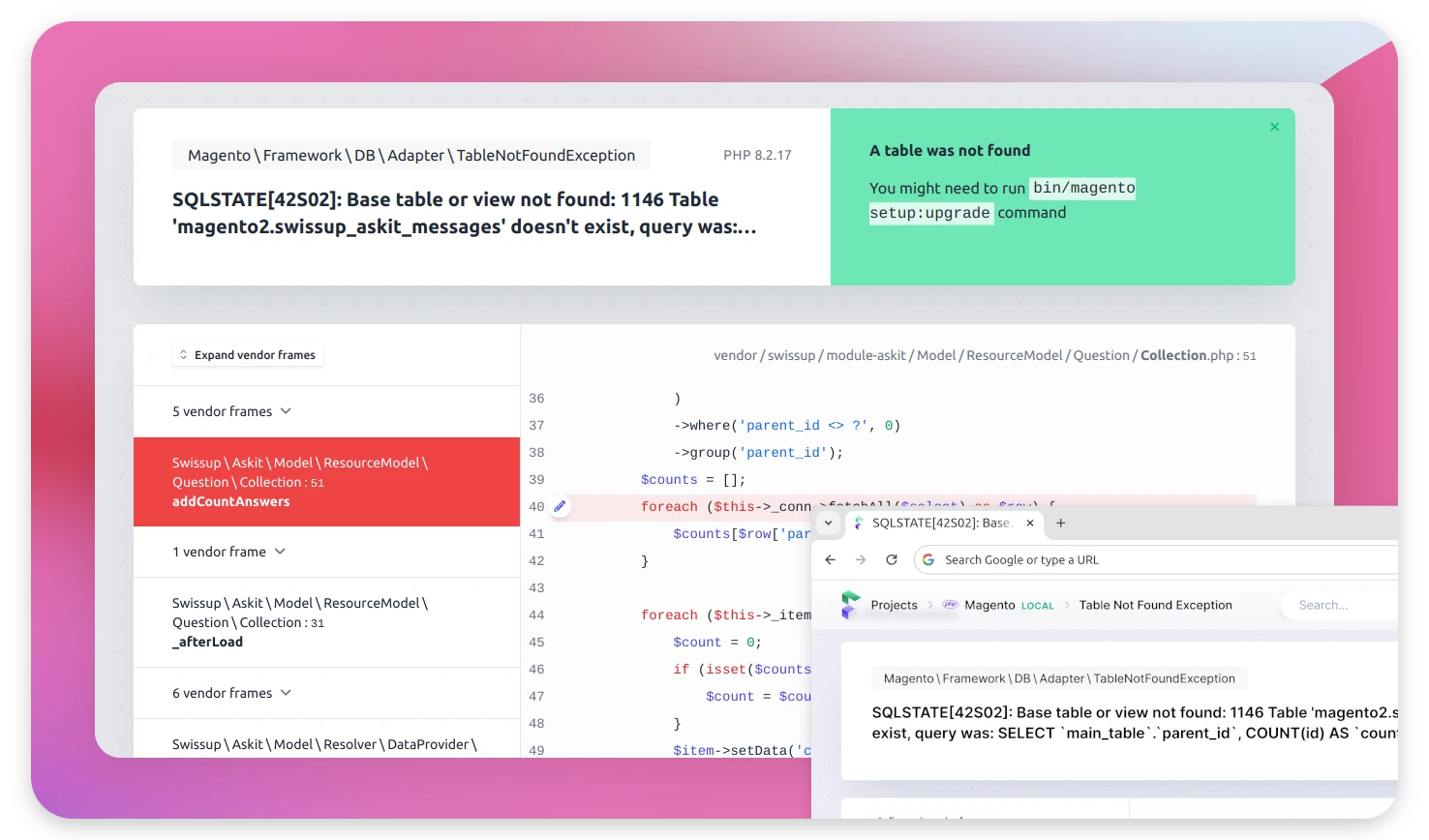
A beautiful error page and error tracking service for Magento powered by spatie/ignition.
Installation
composer require swissup/module-ignition
bin/magento module:enable Swissup_Ignition
Using in developer mode
This module will show the error page with detailed information about the error and stack trace only in developer mode:
bin/magento deploy:mode:set developer
Copying the error
The error page shows two buttons in the bottom-right corner:
- Copy stack trace – copies a PHP-style stack trace (exception class, message and frames), ready to paste into a search engine or an AI assistant.
- Copy message – copies just the exception message.
Pressing Cmd/Ctrl + C anywhere on the page copies the full stack trace as well. If you have selected some text yourself, the normal copy behaviour is used instead.
Reading the error from automation
When the page is driven by a browser-automation agent (Playwright, Puppeteer, …), the same text is available without going through the clipboard.
A window.swissupIgnition object is exposed:
window.swissupIgnition.stackTrace; // full PHP-style stack trace (string)
window.swissupIgnition.message;    // exception message (string)
window.swissupIgnition.report;     // the underlying Ignition report (object)
window.swissupIgnition.copyStackTrace(); // returns a Promise, copies to clipboard
window.swissupIgnition.copyMessage();
The same strings are mirrored into hidden DOM nodes with stable ids, so they can be read with a locator without evaluating JavaScript:
await page.locator('#swissup-ignition-stacktrace').textContent();
await page.locator('#swissup-ignition-message').textContent();
Using in production mode
You can also use it in production mode to log the errors using Flare error tracking service. To do so, create flare project, get the "Project Key" and run this command:
bin/magento config:set swissup_ignition/general/api_key [API_KEY]
bin/magento cache:clean
By default, only PHP errors are logged. If you would like to track JS errors too, run this command:
bin/magento config:set swissup_ignition/general/enable_js_reporting 1
bin/magento cache:clean
Docker
When using Ignition with Docker the Open in Editor links will show incorrect paths.
To fix this issue open ~/.ignition.json file and add remote_sites_path and
local_sites_path settings.
Example:
{
    "remote_sites_path": "/var/www/public",
    "local_sites_path": "/Users/username/Sites/mysite/public"
}