Search by 
mtcextendee / mautic-random-smtp-bundle

This package is abandoned and no longer maintained.
No replacement package was suggested.
There is no license information available for the latest version (1.3.0) of this package.
Package info
github.com/mtcextendee/mautic-random-smtp-bundle
Type:mautic-plugin
pkg:composer/mtcextendee/mautic-random-smtp-bundle
1.3.0
2019-04-03 10:42 UTC
Requires
- mautic/composer-plugin: ^1.0
Requires (Dev)
None
Suggests
None
Provides
None
Conflicts
None
Replaces
None
README
Random SMTP server support for Mautic
Installation from command line
composer require mtcextendee/mautic-random-smtp-bundlephp app/console mautic:plugins:reload
Manual installation
- Download last version https://github.com/mtcextendee/mautic-random-smtp-bundle/releases
- Unzip files to plugins/MauticRandomSmtpBundle
- Go to /s/plugins/reload
- See RandomSMTP plugin
Setup plugin
Plugin configuration
- Paste SMTP servers to plugins setting (comma separated list of SMTP servers on each line)
You can use columns:
- host
- username
- password
- port - Is not required. Default is 25
- authenitication mode - is not required. Default is none. Other options are plain, login or cram-md5
- encryption - is not required. Default is none. Other options are ssl or tls
- from email
- from name
- Match column number with each parameter. Start from 0
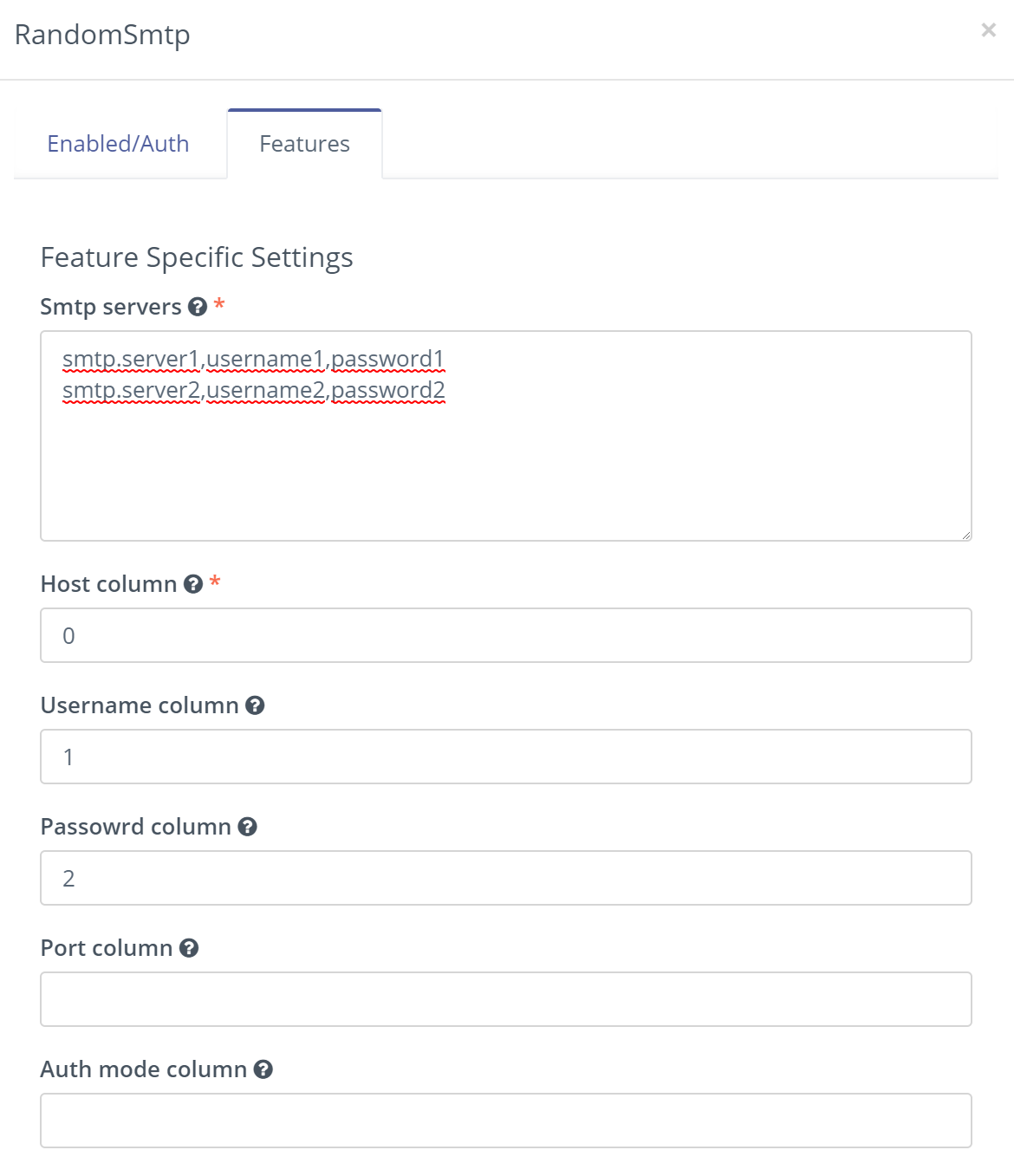
- Go to configurations and choose Random SMTP from service provider list

More
Extensions family for Mautic mtcextendee.com