
mmes-design / filament-file-manager

A beautiful file manager plugin for Filament. Browse, upload, rename, move and delete files with ease.
Package info
github.com/marcomessa/filament-file-manager
pkg:composer/mmes-design/filament-file-manager
Requires
- php: ^8.2
- filament/filament: ^5.0
- intervention/image: ^3.0
Requires (Dev)
None
Suggests
None
Provides
None
Conflicts
None
Replaces
None
- dev-main
- v1.6.2
- v1.6.1
- v1.6.0
- v1.5.2
- v1.5.1
- v1.5.0
- v1.4.6
- v1.4.5
- v1.4.4
- v1.4.3
- v1.4.2
- v1.4.1
- v1.4.0
- v1.3.2
- v1.3.1
- v1.3.0
- v1.2.2
- v1.2.1
- v1.2.0
- v1.1.3
- v1.1.2
- v1.1.1
- v1.1.0
- v1.0.3
- v1.0.2
- v1.0.1
- v1.0.0
- dev-fix/picker-cross-folder-selection
- dev-features/async-thumbnails
- dev-feature/markdown-and-richtext-editor-support
This package is auto-updated.
Last update: 2026-10-15 07:34:19 UTC
README
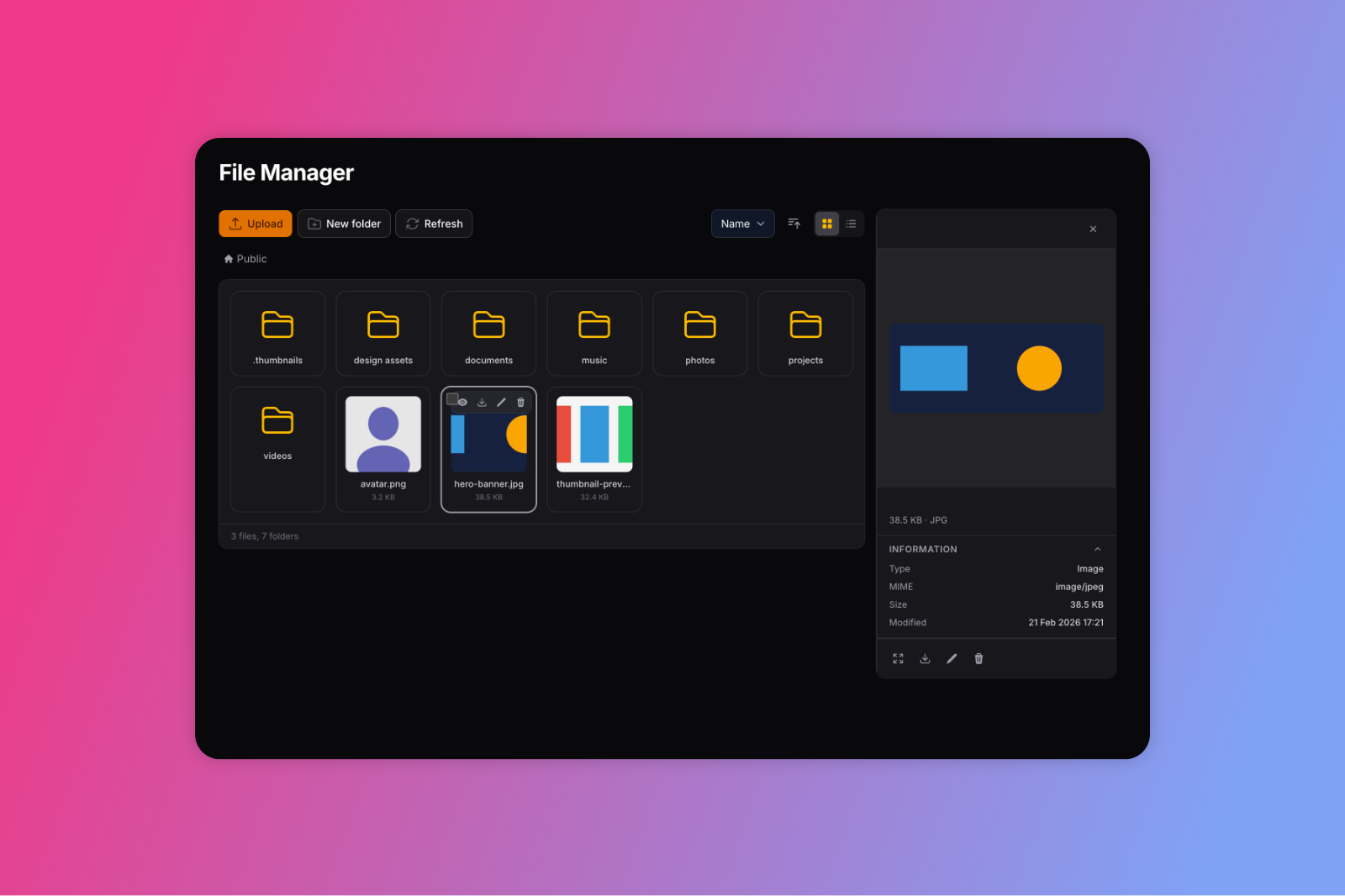
A powerful file manager plugin for Filament. Browse, upload, rename, move, and delete files directly from your admin panel.
Features
- File Manager page with grid and list views
- Sorting by name, size, date, and type
- Drag-and-drop file upload with size and batch limits
- Create, rename, move, and delete files and folders
- Bulk operations (delete, move) with multi-select
- Breadcrumb navigation
- Keyboard shortcuts (Ctrl+A, Delete, F2, Escape)
- File preview for images, video, audio, code, and documents
- Automatic thumbnail generation for images
FilePickerform component for selecting files in your resourcesRichEditorandMarkdownEditorintegration- Granular permissions (access, upload, download, delete, rename, move, create folder)
- Dark mode support
- Translations (English, Italian)
- Security: path sanitization and blocked dangerous extensions
Requirements
- PHP 8.2+
- Laravel 11+
- Filament 5+
Installation
composer require mmes-design/filament-file-manager
Register the plugin in your panel provider:
use MmesDesign\FilamentFileManager\FileManagerPlugin;

public function panel(Panel $panel): Panel
{
    return $panel
        ->plugins([
            FileManagerPlugin::make(),
        ]);
}
Documentation
Full documentation is available at docs.mmes.dev/filament-file-manager.
PRO Version
Need remote disks (S3, GCS, FTP/SFTP), multi-disk switching, Spatie Media Library integration, and more? Check out Filament File Manager PRO.
License
The MIT License (MIT). Please see License File for more information.